[简体中文](README.md) · **English**
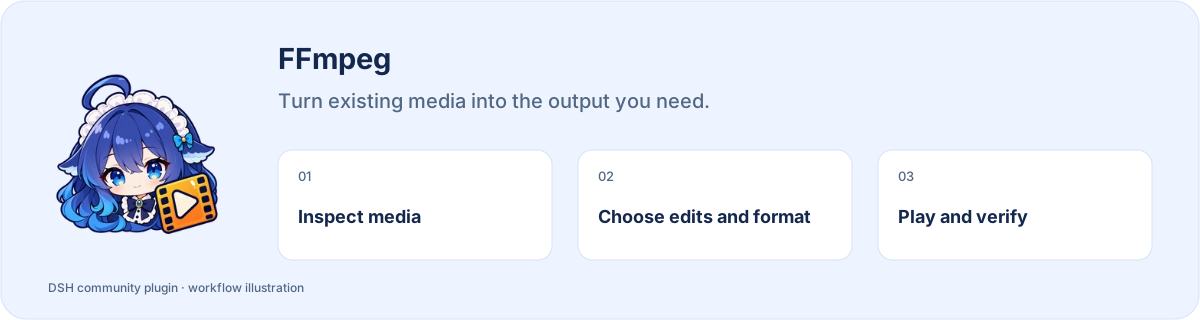
# FFmpeg
**Turn existing media into the output you need.**
[](https://www.npmjs.com/package/dsh-ffmpeg) [](https://www.npmjs.com/package/dsh-ffmpeg) [](https://www.npmjs.com/package/dsh-ffmpeg)
**[Install](#install) · [Workflow](#start-using-it) · [Full guide](https://github.com/STARDUSTLC666/dsh-ffmpeg/blob/master/docs/REFERENCE.en.md)**
## Features
- Inspect media parameters and timestamped contact sheets.
- Trim, join, transcode, add subtitles or extract frames.
- Keep the source and play the output before delivery.
## Install
Open **Plugins** in the DSH desktop app and install `dsh-ffmpeg`. If the CLI is available:
```bash
dsh plugin --profile desktop add dsh-ffmpeg
```
For the web profile, replace `desktop` with `web`. Restart that DSH profile after installation. The package’s DSH requirement is `>=0.2.1-rc.3`.
## Start using it
1. Install FFmpeg/ffprobe and run ffmpeg_health in DSH to check the executables.
2. Place the input in your workspace or provide its exact local path, and describe the clip and output requirements.
3. Use ffmpeg_storyboard to inspect a contact sheet first; locate segments using the returned cell sample times.
4. Choose trimming, joining, encoding or extraction. Source files are protected and existing output gets a new name by default.
5. Open the returned output, inspect it with ffmpeg_probe, and play it to check both picture and sound.
Example request:
> Create a timestamped contact sheet first, keeping the source intact, then let me choose a clip.
## Before you start
Requires local FFmpeg/ffprobe and access to the input and output locations.
Configuration, detailed tools and troubleshooting: [full reference](https://github.com/STARDUSTLC666/dsh-ffmpeg/blob/master/docs/REFERENCE.en.md).
## Plugin updates
Check updates at the bottom of the workbench or native plugin details. Automatic checks are on by default; **automatic installation is off**. You choose whether to install and when to restart. Suite-managed components update with their bundle. [Update behavior](https://github.com/STARDUSTLC666/dsh-ffmpeg/blob/master/docs/REFERENCE.en.md).
## Documentation
- [Full usage, configuration and limits](https://github.com/STARDUSTLC666/dsh-ffmpeg/blob/master/docs/REFERENCE.en.md)
- [Release notes](https://github.com/STARDUSTLC666/dsh-ffmpeg/blob/master/CHANGELOG.md)
- [Validation scope and history](https://github.com/STARDUSTLC666/dsh-ffmpeg/blob/master/docs/VALIDATION.md)
## Feedback and contributions
If the plugin helps, a Star makes it easier for others to discover. Report problems or suggest improvements in [Issues](https://github.com/STARDUSTLC666/dsh-ffmpeg/issues); code and documentation [PRs](https://github.com/STARDUSTLC666/dsh-ffmpeg/pulls) are welcome. Include versions and reproduction steps, and remove credentials from reports.
## License
[MIT](https://github.com/STARDUSTLC666/dsh-ffmpeg/blob/master/LICENSE)