# WireFrameToCode
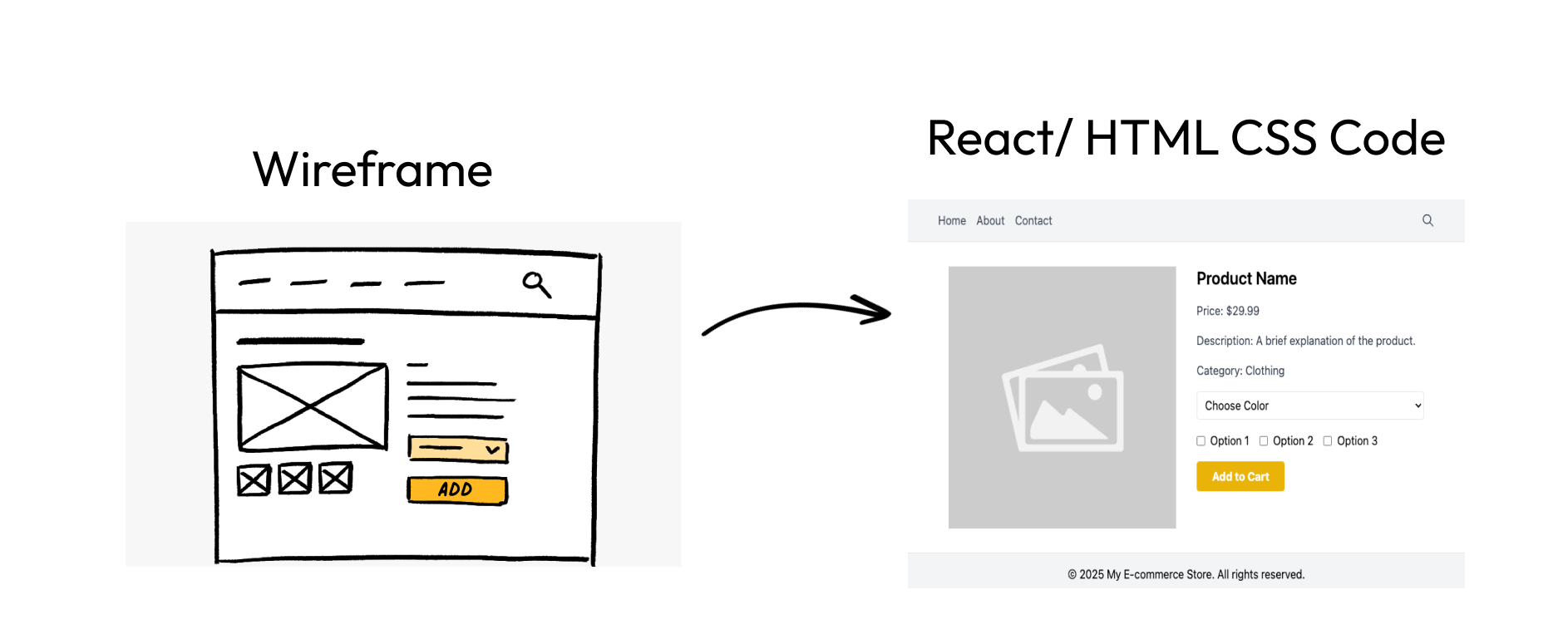
Transform wireframes and design mockups into production-ready React + Tailwind code using AI
⚠️ IMPORTANT NOTE: This project is currently not hosted online due to API credit limitations with OpenRouter. Please follow the setup instructions below to run it locally.








## 📋 Table of Contents
- [Features](#-features)
- [Demo](#-demo)
- [Architecture](#-architecture)
- [Getting Started](#-getting-started)
- [Tech Stack](#-tech-stack)
- [API Integration](#-api-integration)
- [FAQ](#-faq)
- [License](#-license)
## ✨ Features
- 🎨 **Upload wireframe images** - Upload your wireframes or design mockups from any source
- 🧠 **AI-powered code generation** - Transform images into React + Tailwind code using advanced AI models
- 💻 **Real-time code preview** - See your generated code in an interactive sandbox environment
- 📋 **Copy to clipboard** - Easily copy the generated code with one click
- 🌐 **Open in CodeSandbox** - Edit and experiment with your code in a full browser environment
- 🎭 **Multiple AI models** - Choose between Google's Gemini, Meta's Llama, Claude, and other advanced models
- 🔄 **Regenerate code** - Not satisfied? Regenerate your code with different instructions
- 🏛️ **Code history** - Access your previously generated code from the dashboard
- 🔑 **User authentication** - Secure user authentication via Firebase
- 💾 **Persistent storage** - Generated code and images stored in database for future access
## 🎬 Demo
> **Note**: Due to API credit limitations with OpenRouter and other services, we currently do not offer a hosted demo. Please follow the setup instructions below to run the application locally.
## 🏗 Architecture
WireFrameToCode uses a modern tech stack:
- **Frontend**: Next.js App Router, React, TypeScript, Tailwind CSS
- **Authentication**: Firebase Authentication
- **Storage**: Cloudinary for image uploads
- **Database**: PostgreSQL (via Neon) with Drizzle ORM
- **AI Integration**: OpenRouter API for access to multiple vision models
- **Code Preview**: CodeSandbox embedded editor
## 🚀 Getting Started
### Prerequisites
- Node.js 18+ and npm/yarn
- Accounts with:
- Firebase (authentication)
- Cloudinary (image storage)
- Neon (PostgreSQL database)
- OpenRouter (AI model access)
### Environment Setup
1. Clone the repository
```bash
git clone https://github.com/yourusername/wireframetocode.git
cd wireframetocode
```
2. Install dependencies
```bash
npm install
# or
yarn install
```
3. Copy `.env.local.example` to `.env.local` and fill in the required values:
```
# Firebase (Authentication)
NEXT_PUBLIC_FIREBASE_API_KEY=your_firebase_api_key
NEXT_PUBLIC_FIREBASE_AUTH_DOMAIN=your_firebase_auth_domain
NEXT_PUBLIC_FIREBASE_PROJECT_ID=your_firebase_project_id
NEXT_PUBLIC_FIREBASE_STORAGE_BUCKET=your_firebase_storage_bucket
NEXT_PUBLIC_FIREBASE_MESSAGING_SENDER_ID=your_firebase_messaging_sender_id
NEXT_PUBLIC_FIREBASE_APP_ID=your_firebase_app_id
# Cloudinary (Image Storage)
CLOUDINARY_CLOUD_NAME=your_cloud_name
CLOUDINARY_API_KEY=your_api_key
CLOUDINARY_API_SECRET=your_api_secret
# Database (Neon PostgreSQL)
DATABASE_URL=your_neon_database_url
# OpenRouter (AI Models)
OPENROUTER_AI_API_KEY=your_openrouter_api_key
```
4. Set up Cloudinary
- Create a free Cloudinary account at https://cloudinary.com/users/register/free
- Find your credentials in the dashboard and add them to `.env.local`
5. Set up OpenRouter
- Get an OpenRouter API key from https://openrouter.ai/keys
- Add the API key to your `.env.local` file
6. Set up the database
```bash
# Generate the migration files
npx drizzle-kit generate
# Apply migrations to the database
npx drizzle-kit push
```
7. Start the development server
```bash
npm run dev
# or
yarn dev
```
8. Open [http://localhost:3000](http://localhost:3000) with your browser to see the application
## 🛠 Tech Stack
### Frontend
- **Next.js**: React framework with App Router architecture
- **TypeScript**: Type-safe JavaScript
- **Tailwind CSS**: Utility-first CSS framework
- **Sandpack**: Code sandbox for previewing generated code
- **Lucide React**: Modern icon set
- **React Icons**: Comprehensive icon library
- **Sonner**: Toast notifications
### Backend
- **Next.js API Routes**: Serverless API functions
- **Drizzle ORM**: Type-safe SQL query builder
- **Neon**: Serverless Postgres database
- **Cloudinary**: Cloud image management
### Authentication and Storage
- **Firebase Auth**: User authentication
- **Cloudinary**: Image storage and manipulation
### AI Integration
- **OpenRouter**: API gateway to multiple AI models
- **Supported Models**:
- Google Gemini
- Meta Llama
- Anthropic Claude
- DeepSeek
- and more via OpenRouter
## 🔌 API Integration
### OpenRouter AI Model Integration
WireFrameToCode uses OpenRouter to access various AI vision models that can interpret wireframes and generate code. The application sends the wireframe image along with a text description to the selected AI model, which then generates React and Tailwind CSS code.
### Cloudinary Integration
Images are uploaded to Cloudinary for secure storage and optimized delivery. This ensures wireframe images are securely stored and efficiently served to the AI models.
## ❓ FAQ
### Is there a limit to the image size I can upload?
Cloudinary free tier supports uploads up to 10MB per image. For optimal results, keep your wireframe images under 5MB.
### Which AI model gives the best results?
Different models excel at different types of wireframes. Generally:
- Google Gemini works well for complex layouts
- Meta Llama is good for detailed component designs
- Claude tends to produce cleaner code
### Can I use the generated code commercially?
Yes, the code generated belongs to you and can be used in commercial projects.
### Why isn't the site hosted online?
Due to API credit limitations with OpenRouter and other services, we currently don't offer a hosted demo. The cost of processing many wireframes would exceed reasonable hosting costs.
## 📄 License
This project is licensed under the MIT License - see the LICENSE file for details.
---
Made with ❤️ by Saksham Goel
© 2025-2026 WireFrameToCode