# dsh-tick
**Schedule work inside a DSH session: when the time comes, a prompt is injected into the current session to wake the model up and run it.**
**English** · [中文](README.md)
[](#install)
[](LICENSE)
[](https://github.com/deepseek-ai/deepseek-harness)

[](https://www.npmjs.com/package/dsh-tick)

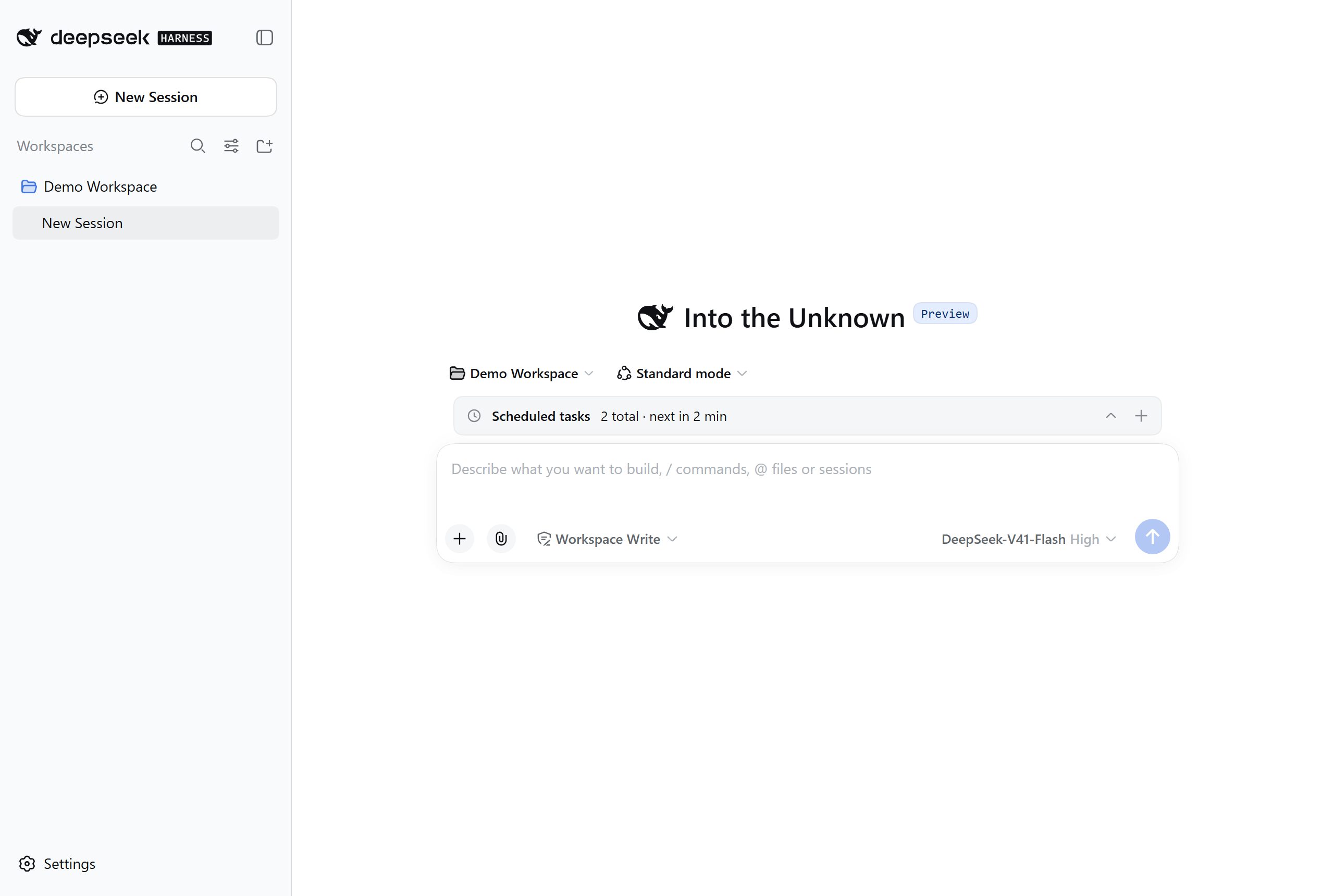
The collapsed summary row above the composer — click it to manage tasks.
---
## What it does
You want the AI to "check the build queue in 5 minutes", "summarize today's work
at 11pm", or "look at the deployment every 10 minutes" — **say it once, and it
happens on time**.
dsh-tick brings scheduling into **the current session**: at the appointed time
your prompt is injected into that session, waking the model to carry it out.
Tasks belong to the session that created them and **never leak into another one**.

---
## Three timing modes
| Mode | How you ask | Behaviour |
|---|---|---|
| **Delay** | "check the build queue in 2 minutes" | Runs once when the countdown ends |
| **Fixed time** | "summarize my work at 23:00 today" | Runs once at that moment |
| **Periodic** | "look at the deployment every 30 minutes" | Fires on a fixed interval until you pause or delete it |
> **Delays are capped at 30 days** (longer ones are rejected, and the error tells
> you to use fixed-time mode instead); **periodic intervals have no duration cap**.
> To wait longer, use **Fixed time** with an absolute moment.
>
> One caveat for very long intervals: timers freeze while DSH is closed, so a
> periodic task only keeps a true interval while DSH stays open.
---
## Three ways to manage tasks
One set of tasks, whichever way you prefer:
1. **The panel above the composer** — expand it to see time remaining, pause, edit, delete;
2. **The `/schedule` command** — create one right in the chat box, no panel needed;
3. **Let the assistant manage them** — your model can create, list, pause and delete tasks directly.
```
/schedule +30m check the build queue
/schedule +2h30m summarize today's changes
/schedule every 10m look at the deployment
/schedule @2026-09-21T09:00:00+08:00 summarize what is left before standup
/schedule list
```
> Durations use `s` / `m` / `h` (e.g. `+30m`, `+2h30m`); Chinese units
> (秒 / 分钟 / 小时) work too. The `d` (days) unit is **not** supported — to wait
> more than a day, use **Fixed time** with an absolute moment instead.
---
## How it behaves
**Pause and resume freeze the remaining time.** Pause a task with 4 minutes left,
resume it tomorrow, and it still waits 4 minutes — it will not fire immediately
just because a night passed.
**Timers freeze while DSH is closed** (delay and periodic modes). When you reopen
DSH those tasks come back **paused**, so nothing fires while you are away.
A fixed-time task whose moment passed in the meantime is marked **Overdue** and
waits for you.

The three rows above are: **Paused** (periodic), **Overdue** (fixed time, missed
across a restart), and **Paused** (delay). The red number in the sidebar footer is
the total overdue count across all sessions.
**An overdue task runs the moment you press play** — the resume action *is* "run now".
---
## Install
```bash
dsh plugin --profile web add dsh-tick
```
Restart DSH afterwards.
> Requires DSH `0.1.5-rc.2` or a compatible version. The plugin **does not touch**
> `settings.yaml`; uninstalling removes it along with its own folder, leaving
> nothing behind.
---
## Configuration
The plugin keeps its own config file inside its own folder
(**nothing is written to DSH's `settings`**):
```jsonc
{
// Language of the prompt injected into the model: 'en' (default) | 'zh' | 'custom'
"serverPromptLanguage": "en",
// ── These three gates ship with CONSERVATIVE defaults — raise them to taste ──
"maxTasksPerSession": 50, // how many tasks one session may store
"maxActivePerSession": 10, // how many may be enabled at once
"maxInjectionsPerMinute": 1, // injections per minute (guards self-loops)
"heartbeatMs": 15000, // heartbeat interval: timer precision across restarts
"graceMs": 60000, // tolerance so a task that just fired is not called "missed"
"showDock": true, // show the panel above the composer
"showSidebarSummary": false, // sidebar footer summary entry (off by default)
"allowAiCreate": true // let the model create tasks
}
```
> ⚠️ **The three gates default to conservative values** (`maxTasksPerSession: 50`,
> `maxActivePerSession: 10`, `maxInjectionsPerMinute: 1`). They exist to **catch
> runaway batches of AI-created tasks and self-injection loops** — they are not
> performance limits. If they feel tight in daily use, **just raise them**:
> they are a safety rope for you, not a hard product constraint.
>
> Every option here **takes effect immediately** — no DSH restart needed.
### Injection language (`serverPromptLanguage`)
Controls the language of **the prompt the model sees**, independently of the UI language:
| Value | Effect |
|---|---|
| `"en"` (**default**) | English |
| `"zh"` | Chinese |
| `"custom"` | Your own templates |
Defaulting to English matches what DSH's own goal / todo / schedule plugins do:
they ship a bilingual UI, but **the prompt injected into the model is always English**.
Choosing `custom` generates a template file with full inline documentation,
**picked up on the next injection — no restart needed**. If that file is ever
corrupted, the plugin renames it to `.bad-