# Easy Menus
This plugin adds a basic main, options and pause menu to your godot project that is compatible with both keyboard and gamepad controls.
# Intended Use
It's intended to be used during gamejams to save some time on menus. Menus are nice to have but most of the time not a priority at gamejames. So here we come to help. You can also use it in a regular project as a temporary or even final menu. Use it however you wish.
# Features
* Keyboard and Gamepad support
* Various audio and video settings
* Autosaving and loading of settings (Data persistence)
# Main Menu
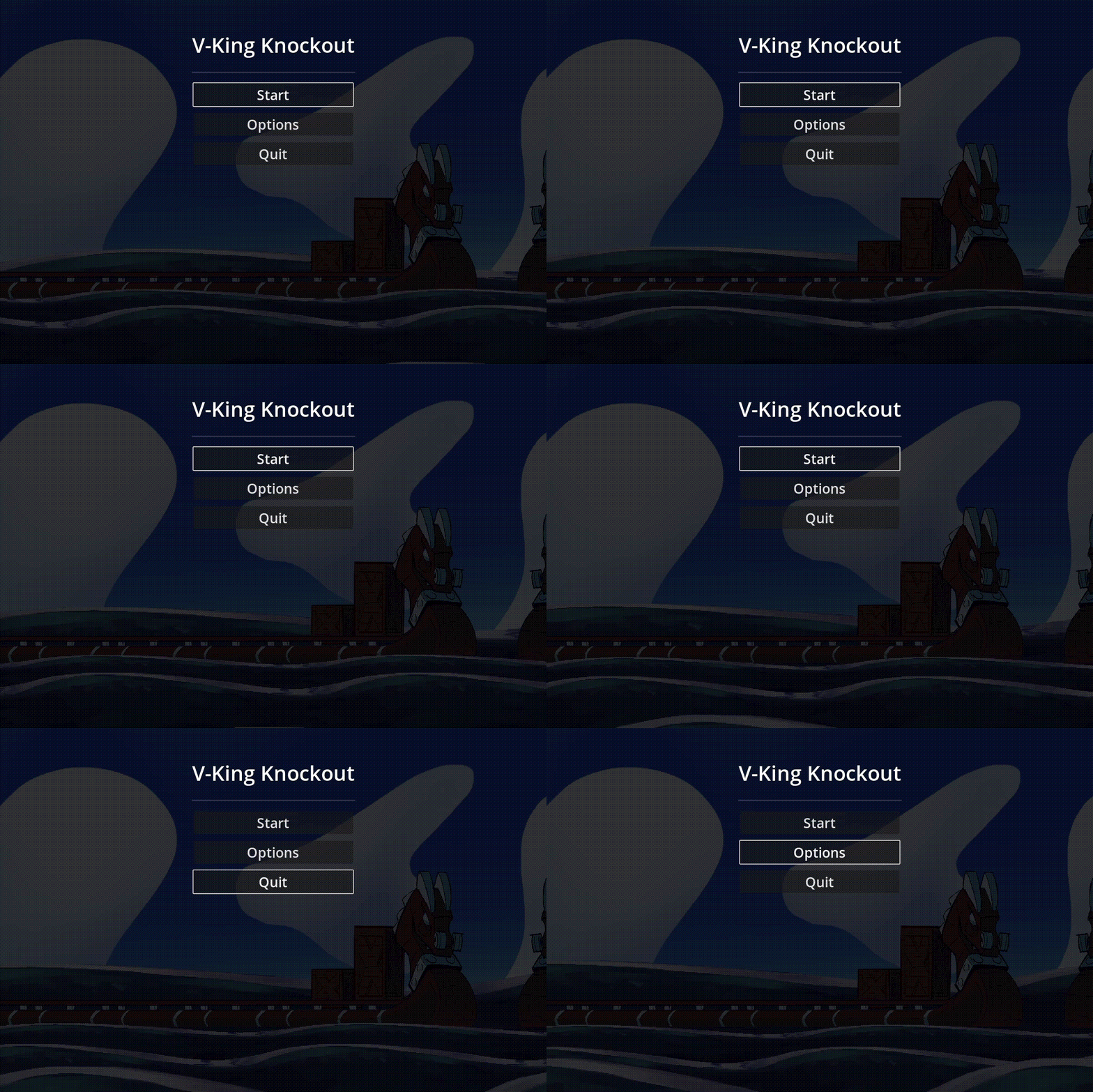 Just connect your scene loading logic to the `start_game_pressed` signal of the main menu scene.
# Options Menu
Just connect your scene loading logic to the `start_game_pressed` signal of the main menu scene.
# Options Menu
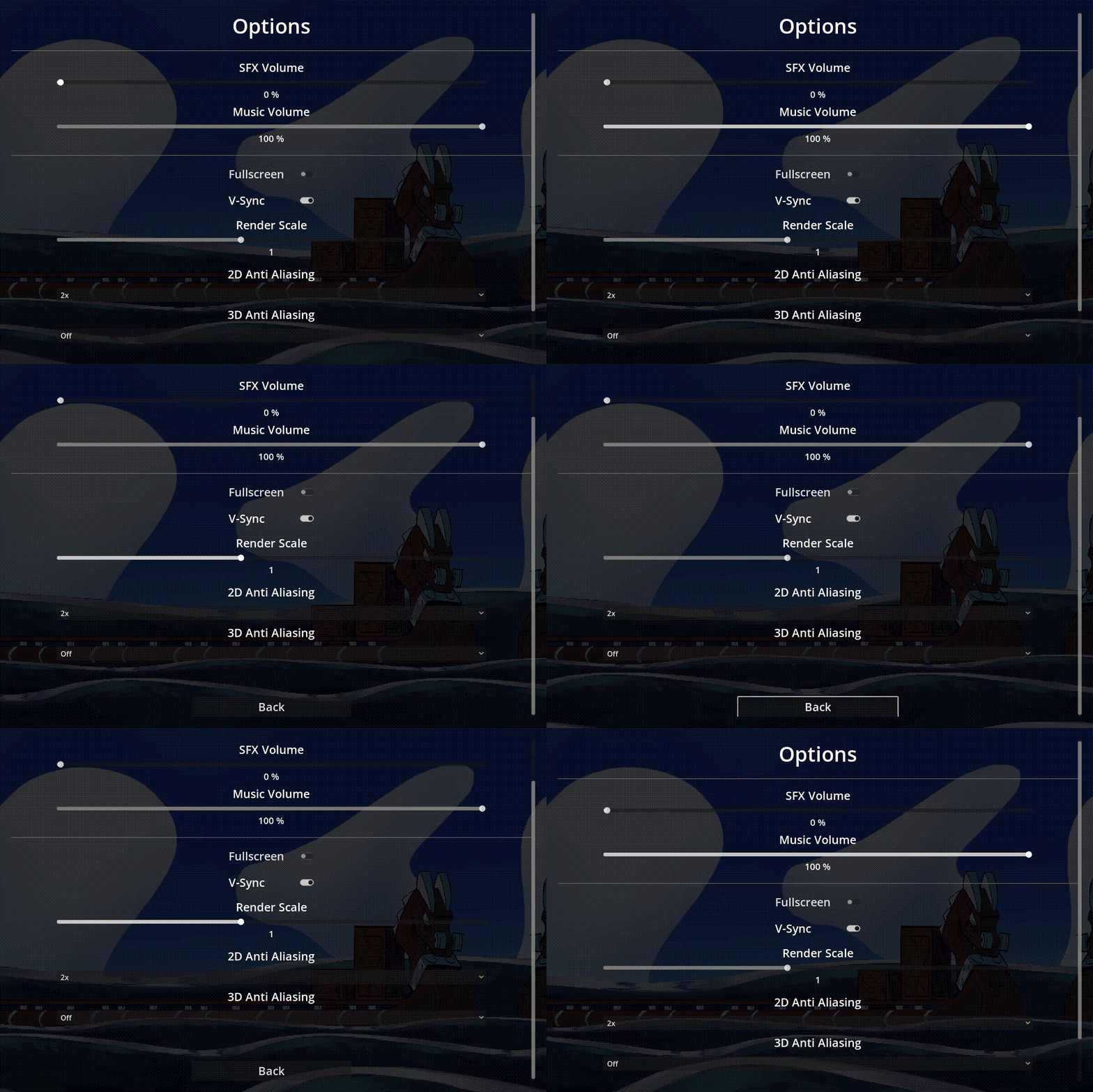 The options menu loads and persists the settings when opened/closed. The data is saved in the `user://options.cfg` (e.g. `C:\Users\\AppData\Roaming\Godot\app_userdata\/options.cfg` on Windows) file.
The Options menu offers following settings to be changed
* SFX Volume
* Music Volume
* Fullscreen mode
* VSync
* Render Scale for 3D Scenes
* Anti Aliasing 2D
* Anti Aliasing 3D
The menu emits a `close` `signal` when closed. With this architecture the parent node decides what to do when the options menu is closed.
# Pause Menu
The options menu loads and persists the settings when opened/closed. The data is saved in the `user://options.cfg` (e.g. `C:\Users\\AppData\Roaming\Godot\app_userdata\/options.cfg` on Windows) file.
The Options menu offers following settings to be changed
* SFX Volume
* Music Volume
* Fullscreen mode
* VSync
* Render Scale for 3D Scenes
* Anti Aliasing 2D
* Anti Aliasing 3D
The menu emits a `close` `signal` when closed. With this architecture the parent node decides what to do when the options menu is closed.
# Pause Menu
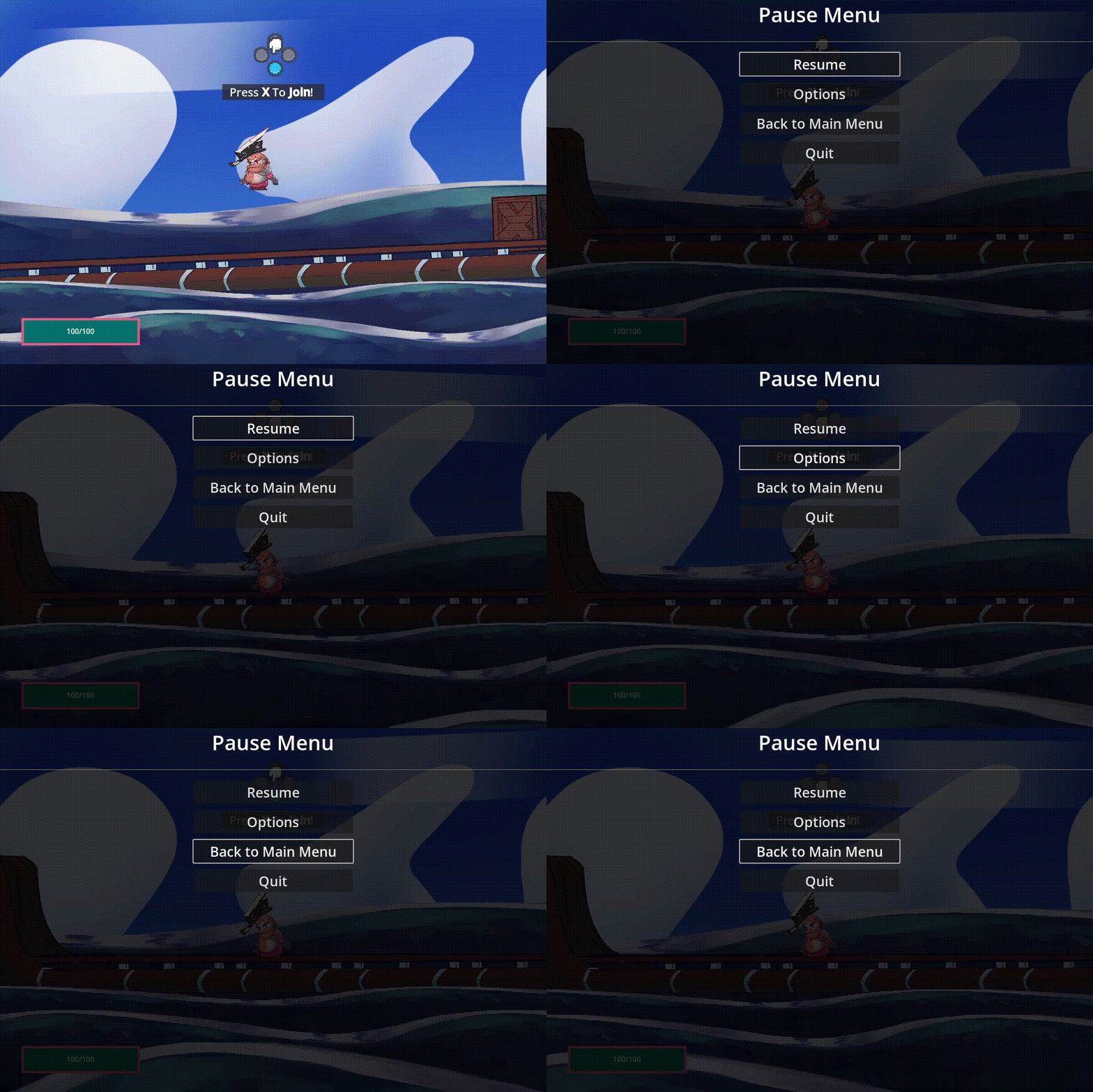 The pause menu is called via the `open_pause_menu` method. It pauses the game (sets `get_tree().paused` to true) and opens the menu.
The menu emits a `resume signal` when user closes the menu and sets `get_tree().paused` to false.
You can also connect the `back_to_main_pressed signal` to a method that returns to your game's main menu
# How to use
* Add the `res://addons/MenuTemplates/Nodes/menu_templates_manager.tscn` scene to the autoload of your project.
* For the Audio Sliders to work properly you need to create 2 Audio Buses one called `SFX` and the other called `Music` in your audio bus layout file
The pause menu is called via the `open_pause_menu` method. It pauses the game (sets `get_tree().paused` to true) and opens the menu.
The menu emits a `resume signal` when user closes the menu and sets `get_tree().paused` to false.
You can also connect the `back_to_main_pressed signal` to a method that returns to your game's main menu
# How to use
* Add the `res://addons/MenuTemplates/Nodes/menu_templates_manager.tscn` scene to the autoload of your project.
* For the Audio Sliders to work properly you need to create 2 Audio Buses one called `SFX` and the other called `Music` in your audio bus layout file