> [!NOTE] > Heads up: this project, README included, is influenced heavily by AI agents. If LLM-flavoured > prose isn't your thing, fair warning. Human-written docs will come once things settle.

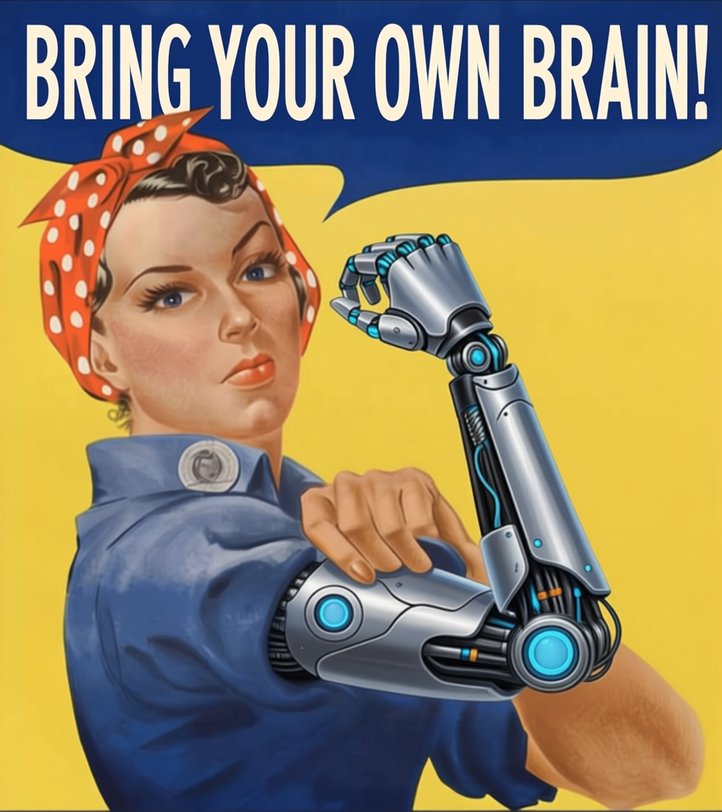
A wartime-poster worker in a red polka-dot bandana flexes a robotic arm under the words Bring your own brain!

**A native desktop AI coworker for the model you already run.** Point byob at any OpenAI-compatible endpoint (llama-server, Ollama, LM Studio, vLLM or a hosted API) and it works in a folder with you: reads and writes files, runs code, and builds spreadsheets, charts, documents and small apps beside the chat. byob is **desktop software, not a web page in a window**: one program for Linux, macOS and Windows that draws its own interface on the GPU, with no Electron. ![byob building a two-sheet budget workbook: the spreadsheet fills in beside the chat as the model writes it](docs/media/hero.gif) Recorded live against a local model (llama.cpp); the waits for the model are cut. ## What it does - **A real desktop app.** One folder, about a 60 MB download with everything in it (13 MB for the slim build), and native file dialogs, drag and drop and keyboard shortcuts. The browser UI is the reverse of the usual arrangement: the same native interface compiled to WebAssembly, so a tab or your phone gets the identical app, live on the same session. - **Your model, your machine.** No bundled inference and no account: any OpenAI-compatible URL, or Claude over Anthropic's Messages API. First run finds local servers on their usual ports; tool calling falls back to prompt-based calls when the server has none. - **Artifacts beside the chat.** Spreadsheets (xlsx/csv), charts, Markdown documents, images and HTML apps, each with its version history. Charts drawn from a spreadsheet stay linked to it and redraw when it changes, even when its rows and columns move; select cells and press Chart selection to make one, and Charts to see a sheet's charts. HTML apps are offline unless they need the web: **Internet: on** in the app's pane (or byob itself, when it makes one that fetches live data) lets that app use HTTPS, still sandboxed. - **Math, typeset.** LaTeX in replies and documents (`$…$` inline, `$$…$$` on its own line) is drawn like KaTeX, in the desktop app and the browser (the bundled Math plugin). - **Hands, with a leash.** File tools, `run_command` (PowerShell on Windows) and `run_python` (sandboxed on Linux); approval cards with diffs; undo per turn. Edit any message you sent to start over from there. Or let it off the leash: YOLO (Settings → Approvals, or `--yolo`) runs everything without asking, and the header says so while it's on. - **Reads, searches and remembers.** PDF, Word and PowerPoint files; images, for models that can see; web search and page reading (Exa by default, or your own SearXNG, Brave or Tavily); notes kept across chats in plain Markdown; a step plan for long tasks. - **Workspaces.** A folder with its own settings and where commands run: this machine, a Nix dev shell or a Docker/Podman container. Settings layer global → workspace → chat. - **Everywhere you are.** `byob --serve` opens that session to browsers too; with `tailscale serve` it's on your phone. - **Everything is a plugin.** The prompt, the core tools, artifacts, spreadsheets, subagents and compaction are bundled plugins on the same API anyone gets. Plugins add tools, draw UI (panes, header chips, settings, cards), hook every stage of a turn, and run long-lived backends. byob can write and fix its own plugins from a chat.
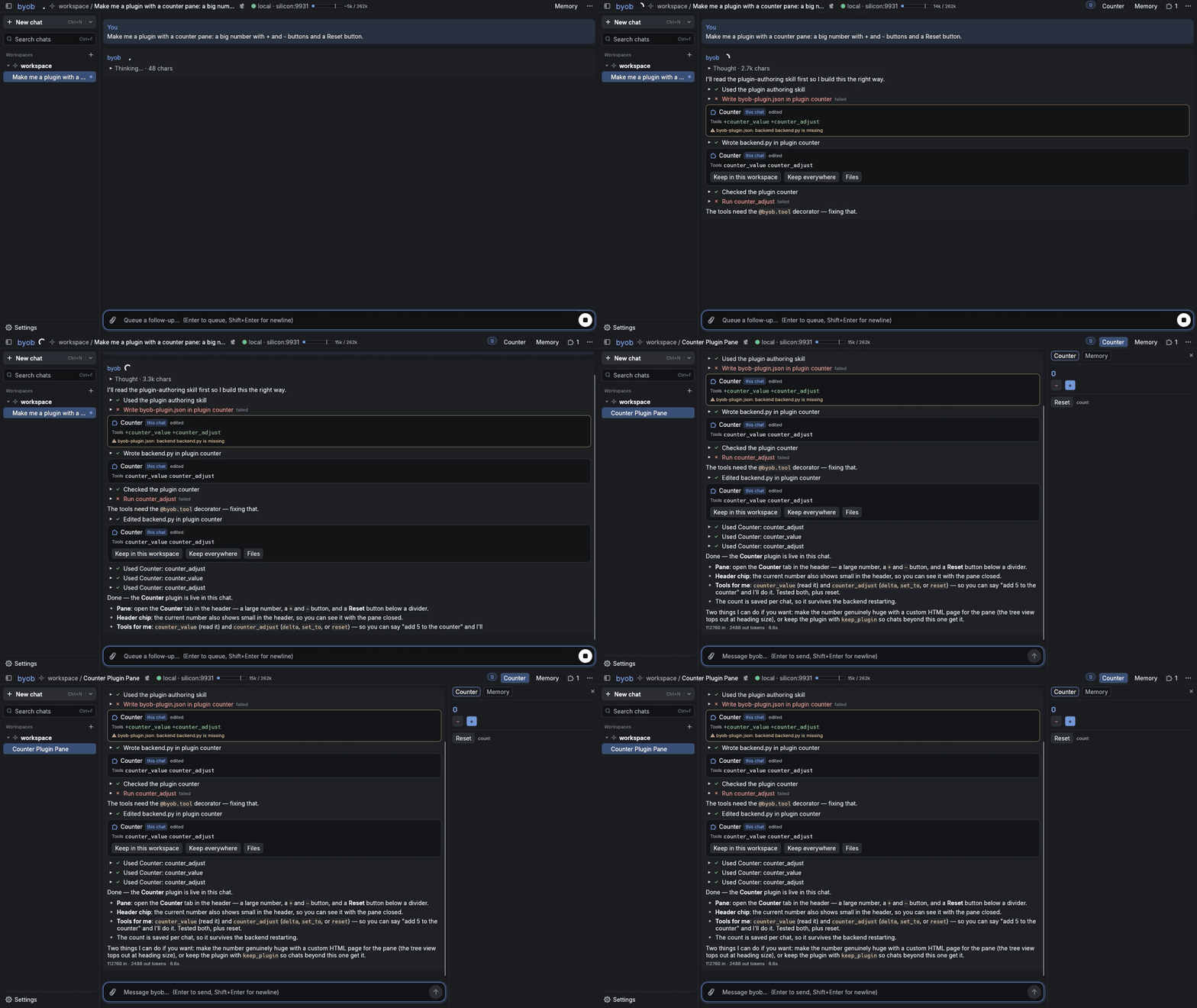
Asking byob for a counter plugin: it writes the plugin and the pane appears beside the chat
“Make me a plugin with a counter pane”: byob writes it, reads its own load errors, fixes them, and the pane appears.
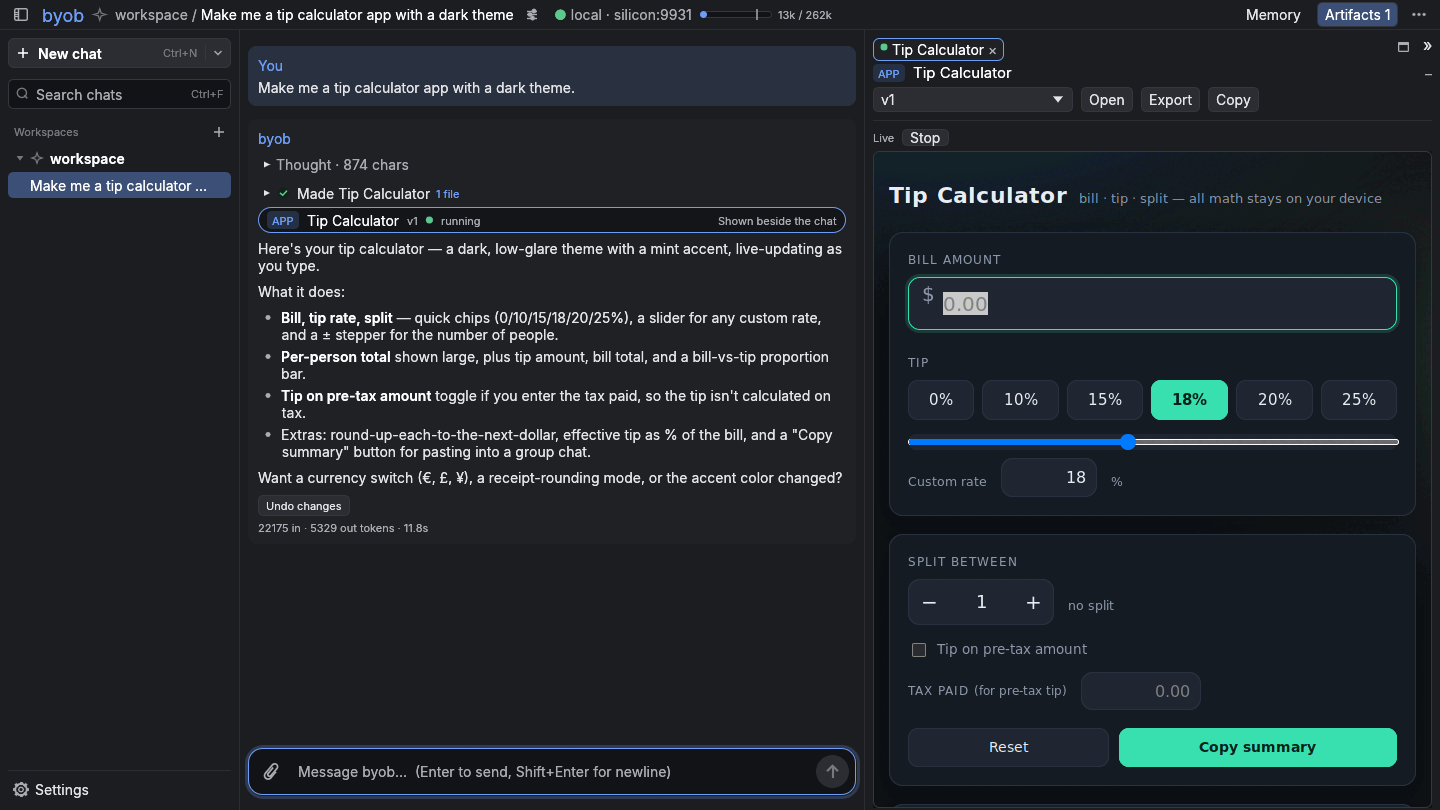
A tip calculator HTML app rendered inline in the chat
HTML apps run inline, on the desktop (a separate Servo renderer process ships with byob) and in the browser UI.
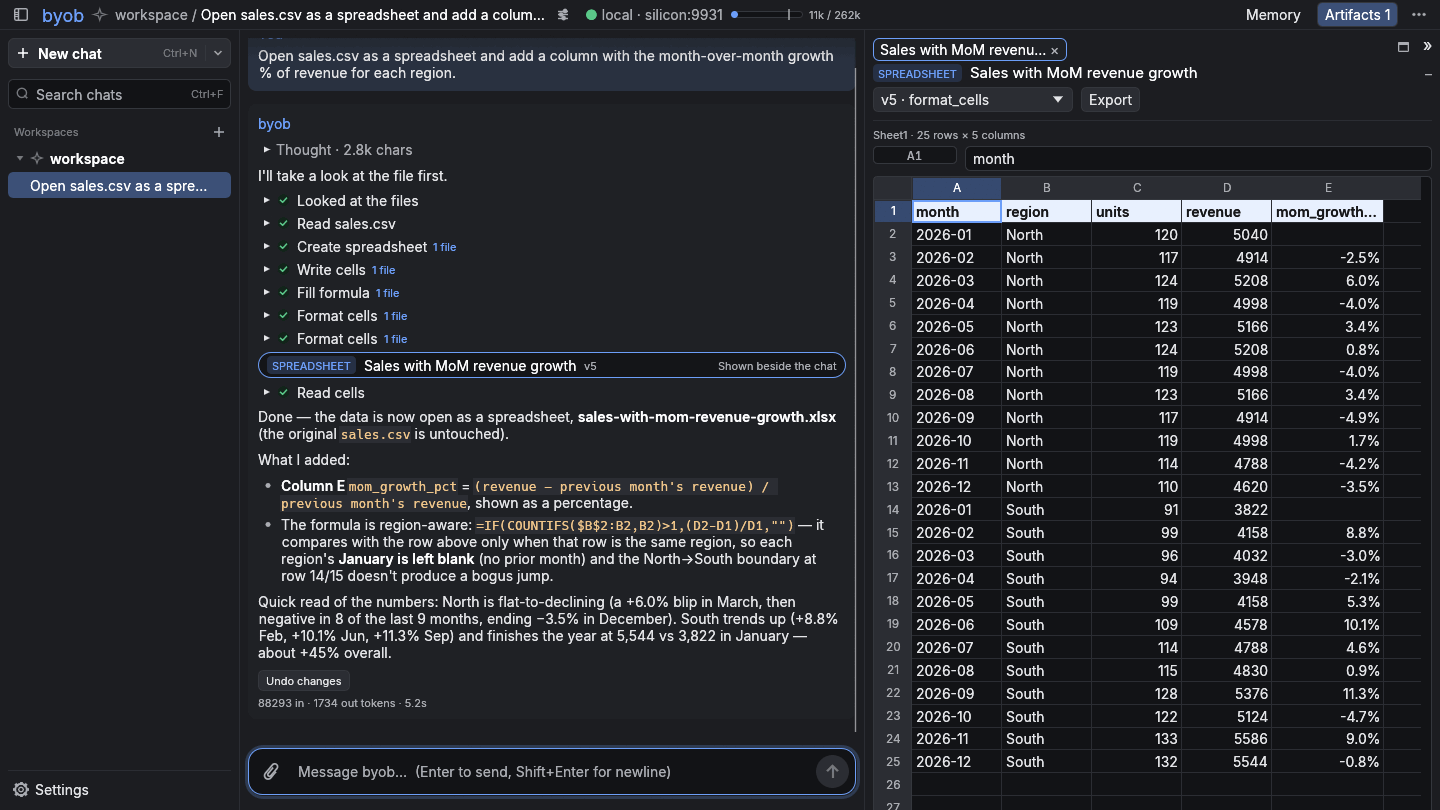
sales.csv open as a spreadsheet with a new growth column
Open a CSV as a spreadsheet; every write recalculates and reports errors back to the model.
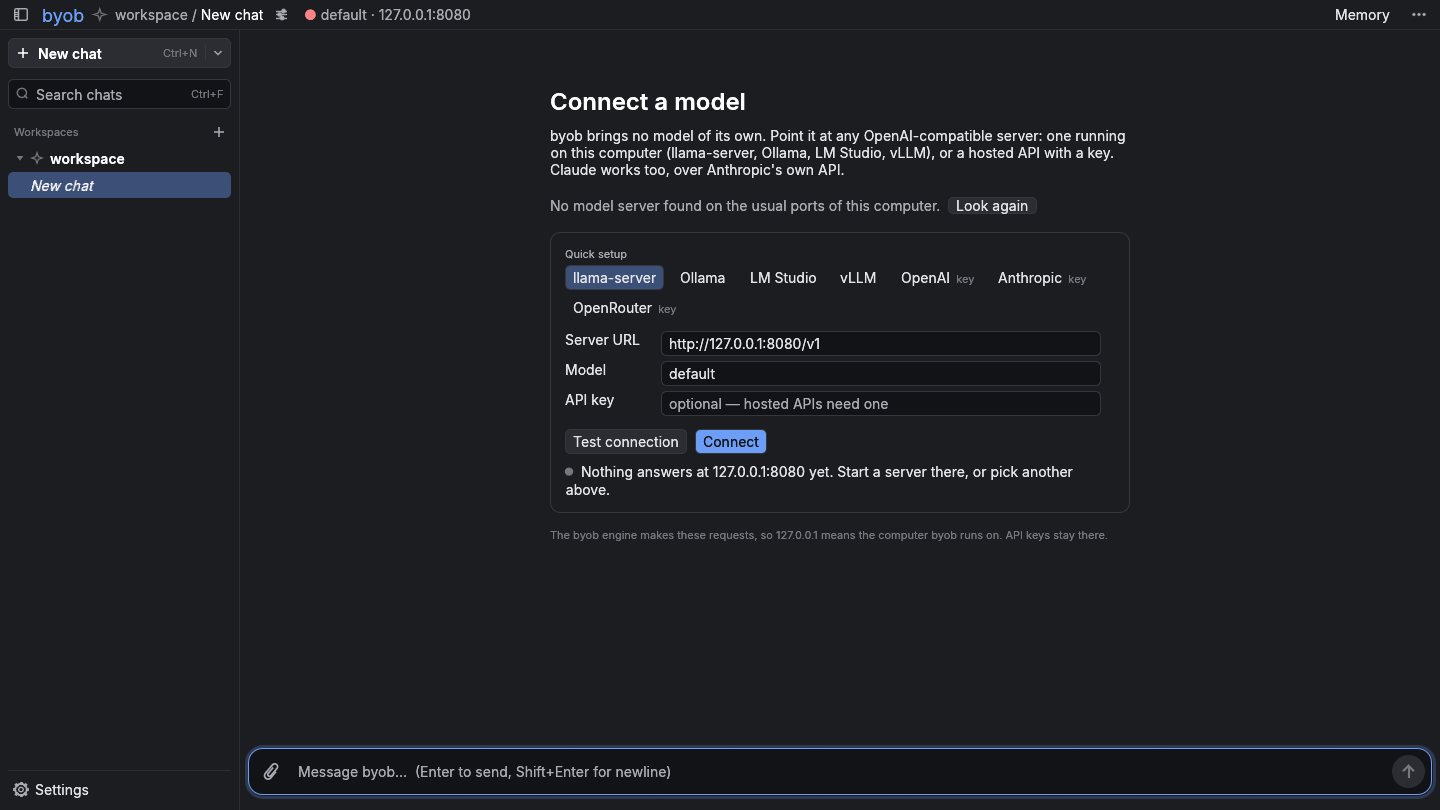
The Connect a model screen with presets and servers found on this computer
First run: pick a server it found, or a preset.

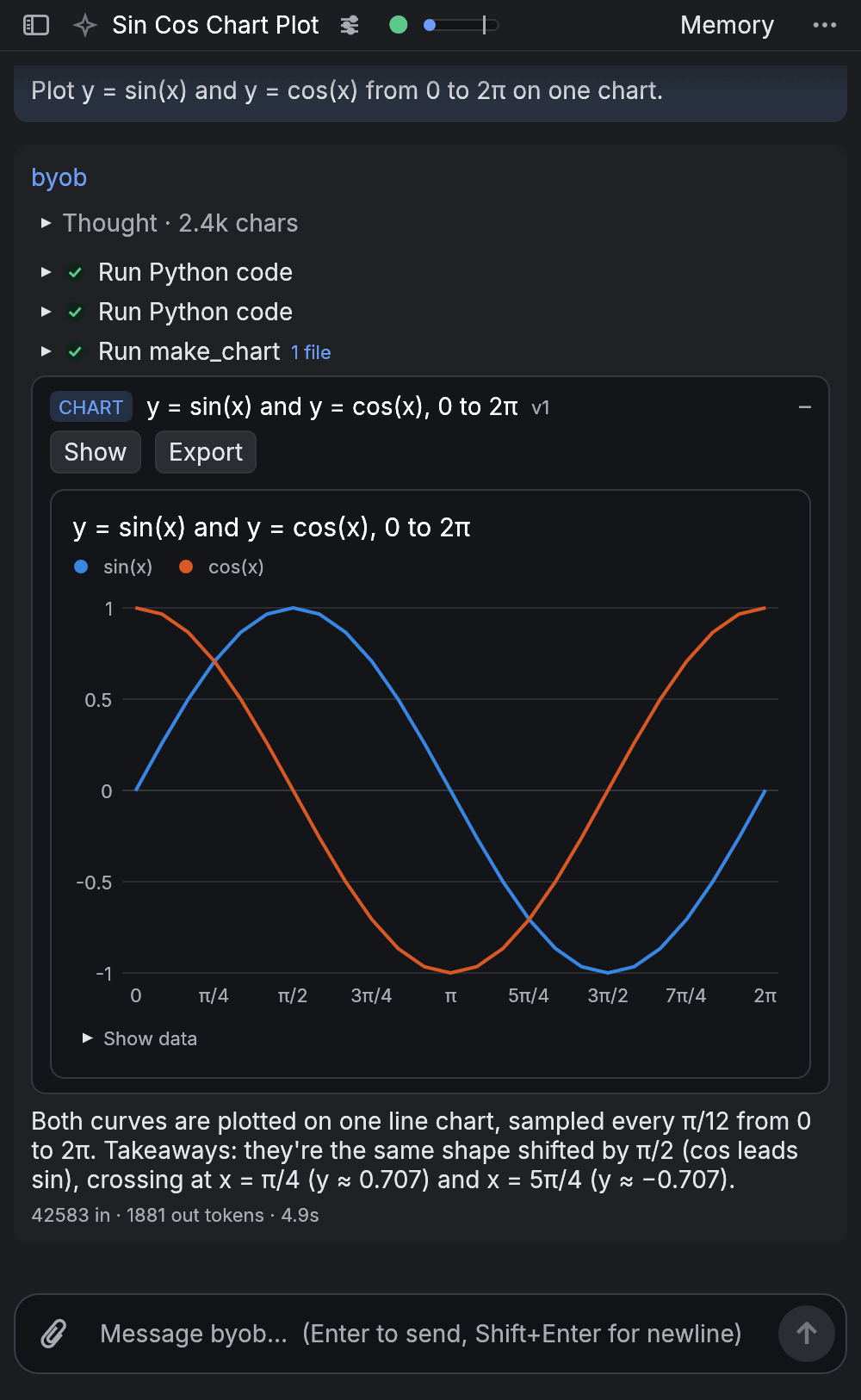
byob's browser UI on a phone-sized screen, showing a chart
The browser UI at phone width.

## Install ```sh cargo install byob # with the browser UI built in cargo install byob --no-default-features # slim: desktop only, a few MB smaller nix build github:Scronkfinkle/byob # or .#byob-slim ``` Release archives for Linux, macOS and Windows are on the [releases page](https://github.com/Scronkfinkle/byob/releases): `byob-…` has everything (the browser UI and `byob-artifact-host`, which draws HTML apps inline; keep it next to `byob`), and `byob-slim-…` is byob alone. `cargo install` doesn't build the renderer; without it, HTML apps open in your browser with one click. On Linux byob needs no GUI toolkit (file dialogs go through the XDG desktop portal or zenity; without either, drop files onto the window), and the renderer draws with the system's OpenGL (Mesa). On macOS the builds aren't signed by an Apple developer yet. Fetched from a terminal, a release archive never meets Gatekeeper (use `x86_64` instead of `aarch64` on an Intel Mac): ```sh v=0.3.10; curl -L https://github.com/Scronkfinkle/byob/releases/download/v$v/byob-$v-aarch64-apple-darwin.tar.gz | tar xz ./byob-$v-aarch64-apple-darwin/byob ``` Or take `byob-…-apple-darwin.dmg` and drag `byob.app` into Applications. Downloaded with a browser, macOS refuses to open it at first: try once, then System Settings → Privacy & Security → Open Anyway (on macOS 14 and older, right-click → Open), or run `xattr -dr com.apple.quarantine /Applications/byob.app`. Opened from Finder, byob starts in your home folder and finds your shell's tools (Homebrew, Nix). ## Use ```sh byob # desktop window byob --serve # + browser UI on http://127.0.0.1:7470 byob --headless # browser UI only, no window byob --inference-url http://host:8080/v1 --model local BYOB_API_KEY=sk-... byob # for hosted endpoints BYOB_API_KEY=sk-ant-... byob --inference-url https://api.anthropic.com/v1 --model claude-opus-5-5 byob --workspace ~/projects/taxes # start in the workspace for that folder tailscale serve 7470 # reach it from any device on your tailnet byob --headless --allow-user you@example.com # only admit that Tailscale login ``` On first run byob shows **Connect a model**: servers it found on this computer's usual ports (llama-server 8080, Ollama 11434, LM Studio 1234, vLLM 8000), presets for those and for hosted APIs, and a Test connection button. What you connect becomes your default model. Settings → **Models** keeps every model you use: add several from one server at once (byob lists what the server has), give each a description, test, duplicate, pick the default, choose a vision helper, and a model for titles and summaries (a small, fast one will do). Subagents run on the chat's model unless you pick another: a Subagent model in Settings → Models (or per workspace or chat), an agent file's `model:` (a saved model's name works), or, for models you mark **Offered to subagents**, the main model itself, choosing by their descriptions. A model's Advanced settings set its context window, temperature, top_p, max tokens, effort (Claude) and extra JSON for every request, e.g. `{"chat_template_kwargs": {"enable_thinking": false}}`. The model chip in the header switches the chat in view to another model. Claude is spoken to over Anthropic's own Messages API, not its OpenAI compatibility layer: pick the Anthropic preset (or any URL on `api.anthropic.com`), and byob uses prompt caching, shows Claude's thinking, and keeps it across a tool loop. For an Anthropic-style endpoint elsewhere (a gateway), set `"api": "anthropic"` under `inference` in `settings.json`. Chats are grouped by **workspace**: a folder byob works in, with its own settings. **New chat** (Ctrl/Cmd+N; Ctrl/Cmd+Shift+O in the browser) starts one in the workspace you're in; its arrow, or the **+** next to Workspaces, makes a workspace: open a folder you have (or drop one on the window) or start an empty one; where commands run waits under Advanced. Each chat keeps its unsent draft. **Search** (Ctrl/Cmd+F) filters the list by chat title and workspace name. Hover a workspace for **+** (a new chat there) and **⋯** (or right-click it); that menu and the sliders next to a chat's title show what's inherited and what's set there: model (one of your saved models), approvals, tool calling, compaction, subagents and their model, extra instructions. **Settings** (Ctrl/Cmd+, or the bottom of the chat list) is a screen of its own: the chat list gives way to Back, a search field (any setting by name, what it does, or a word you'd use for it; Ctrl/Cmd+F) and the categories: Models (saved models and their roles), Chats (what every chat starts with: instructions, approvals, limits, context), Plugins and, on this device only, Appearance (light or dark, themes, accent, messages, theme files), Text & layout (zoom, sizes, fonts, density, accessibility) and Colours. Back or Esc returns to the chat as you left it. **What's shown** (Settings → Appearance, shared by every window and browser tab): each detail of the interface (who wrote a message, the thinking and its length, tool steps, Undo, a reply's tokens, time and speed, artifact badges, code blocks' language and Copy, the paperclip, suggestions, the context numbers, shortcut hints, the wordmark, the server's address, plugins' header items) is shown, shown on hover, or hidden, and the header and a reply's details can be reordered. Everything / Balanced / Minimal set them all at once. Or ask byob: "hide the token counts and show the speed" or "make it cleaner" changes it in every window (the `ui_layout` tool of the bundled Appearance plugin). The look itself can be asked for too: "make it warmer, rounder, with bigger text" changes the theme, accent, corners, text size, bubbles, padding, line spacing or any colour of the window showing the chat (`ui_look`; looks stay per device, like the settings). "Undo that" puts back the look or layout from before byob's last change. **Cockpit** (experimental; Settings → Appearance → Cockpit, or ask byob, e.g. "make it a starship's bridge"): a **backdrop**, a shader scene drawn behind the panels, which turn to glass over it (byob writes it in WGSL for the place or mood you describe, checked before it runs and refused with the line and reason when it doesn't compile); **frosted glass** (the scene blurred behind the panels, when a backdrop was on as byob started); the **arrangement**: docked as usual, or free, with the header, chat list, chat, message box and panes placed anywhere, each in a glass, instrument or bare frame and labelled as you like (floating and focus to start from; ⋯ → Arrange panels… to drag, resize or hide them; Dock everything to go back); and **controls**: standard, HUD, plate or pill buttons. A new backdrop that byob closes on within a few seconds is switched off at the next start; `BYOB_NO_BACKDROP=1` starts without any. From a terminal: `--backdrop FILE.wgsl|off`, `--arrangement NAME`, `--look KEY=VALUE`. ## Plugins Settings → Plugins lists what the chat in view can use. Any bundled plugin can be forked to your own plugins and edited (**Fork to edit**), or just ask byob to change or write one: it has authoring tools, and a broken plugin's errors come back to the model so it can fix it. - [docs/views.md](docs/views.md): view trees, the UI plugins draw (panes, chips, cards, grids). - [docs/plugins-backend.md](docs/plugins-backend.md): long-lived backends (Python or Rust) and hooks. - [docs/environments.md](docs/environments.md): where commands run, and adding your own. - [demos/](demos/README.md): hands-on tours, each in a throwaway profile (`demos/run.sh todo`). - [examples/plugins/todo-demo](examples/plugins/todo-demo): a small plugin with a backend, a pane and cards to copy from. ## Develop ```sh nix develop # or: direnv allow cargo run -p byob # launch the app cargo xtask web # build the browser UI; the next `cargo build` embeds it cargo xtask ci # full gate: fmt, clippy, tests, layers, no-tokio, wasm nix build # release package (byob + bundled web UI + the artifact host) # HTML artifacts inline on the desktop: the Servo helper is its own workspace (AGENTS.md §3) (cd host/artifact-host && cargo build --release) # scripts/headless.sh picks it up # desktop GUI on a virtual display, scripted, with a screenshot (HEADLESS_RECORD=x.mp4 records it) scripts/headless.sh --inference-url http://localhost:8080/v1 --model local --send "hi" --screenshot /tmp/byob.png scripts/readme-media.sh # regenerate this README's pictures # live test against a real server BYOB_LIVE_URL=http://localhost:8080/v1 cargo test -p byob-llm -- --ignored ``` See [AGENTS.md](AGENTS.md) for the rules, [docs/architecture.md](docs/architecture.md) for the design and [ROADMAP.md](ROADMAP.md) for what's next. byob began as a rewrite of hob, an earlier desktop coworker that bundled llama.cpp; byob drops the bundled inference. Licensed under MIT OR Apache-2.0.