MeshClaw
Bring AI to the Mesh — No Internet Required




English | 中文 | 日本語 | Français | Português | Español
**MeshClaw** is an [OpenClaw](https://github.com/openclaw/openclaw) channel plugin that bridges AI agents with [Meshtastic](https://meshtastic.org/) LoRa mesh networks. Send and receive AI-powered messages over radio — from the mountains, the ocean, or anywhere the grid doesn't reach.
```mermaid
flowchart LR
subgraph mesh ["📻 LoRa Mesh Network"]
N["Meshtastic Nodes"]
end
subgraph gw ["⚙️ OpenClaw Gateway"]
P["Meshtastic Plugin"]
AI["AI Agent"]
end
subgraph llm ["🧠 AI Backend"]
CLOUD["Cloud (OpenAI, Anthropic, …)"]
LOCAL["Local (Ollama, llama.cpp, …)"]
end
N -- "Serial (USB)" --> P
N -- "HTTP (WiFi)" --> P
N -. "MQTT (Broker)" .-> P
P <--> AI
AI -- "Cloud API" --> CLOUD
AI -. "Private" .-> LOCAL
```
[Documentation][docs] · [Hardware Guide](#recommended-hardware) · [Report Bug][issues] · [Request Feature][issues]
## Table of Contents
- [Features](#features)
- [Quick Start](#quick-start)
- [Use Cases](#use-cases)
- [Demo](#demo)
- [Recommended Hardware](#recommended-hardware)
- [Setup Wizard](#setup-wizard)
- [Configuration](#configuration)
- [Troubleshooting](#troubleshooting)
- [Roadmap](#roadmap)
- [Development](#development)
- [Contributing](#contributing)
## Features
- **AI Agent Integration** — Bridges OpenClaw AI agents with Meshtastic LoRa mesh networks. Works with cloud AI out of the box; optionally go fully local (see [Hardware](#recommended-hardware)).
- **DM & Group Channels with Access Control** — Supports both conversation modes with DM allowlists, channel response rules, and mention-gating
- **Multi-Account Support** — Run multiple independent connections simultaneously
- **Resilient Mesh Communication** — Auto-reconnect with configurable retries. Handles connection drops gracefully.
## Quick Start
**Prerequisites:** A running [OpenClaw](https://github.com/openclaw/openclaw) instance (Node.js 22+).
```bash
# 1. Install plugin
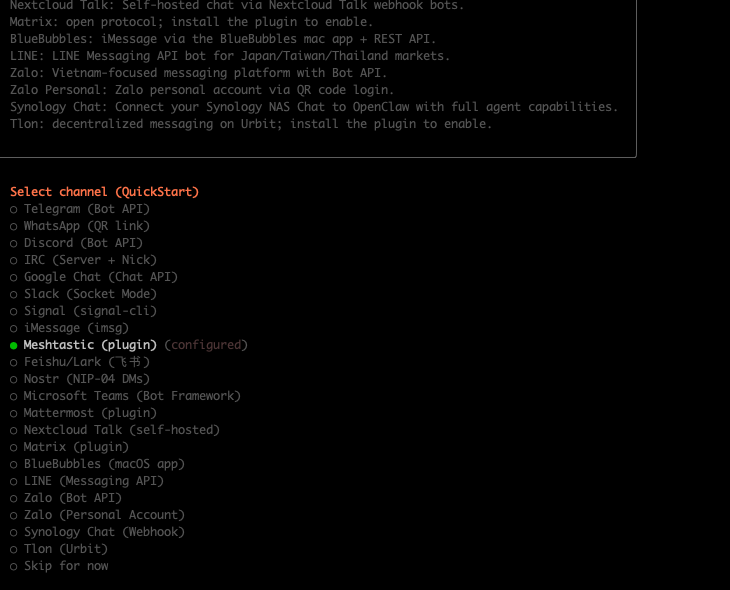
openclaw plugins install @seeed-studio/meshtastic
# 2. Guided setup — walks you through transport, region, and access policy
openclaw onboard
# 3. Verify
openclaw channels status --probe
```
Three commands. Your AI is now on the mesh.
## Use Cases
- **Field Research** — Scientists and survey teams query AI knowledge bases from remote areas with zero cell coverage
- **Disaster Response** — Emergency crews get AI-assisted decision support when infrastructure is down
- **Maritime & Aviation** — Vessels and aircraft maintain AI interaction far from shore or ground stations
- **Off-Grid Communities** — Rural and frontier settlements access AI tools through community mesh networks
- **Privacy-First Operations** — Pair with a local LLM for air-gapped deployments where data sovereignty matters
- **Cross-Channel Bridge** — Send a message from off-grid LoRa, receive the AI reply on Telegram, Discord, or any OpenClaw channel
## Demo
https://github.com/user-attachments/assets/837062d9-a5bb-4e0a-b7cf-298e4bdf2f7c
Fallback: [media/demo.mp4](media/demo.mp4)
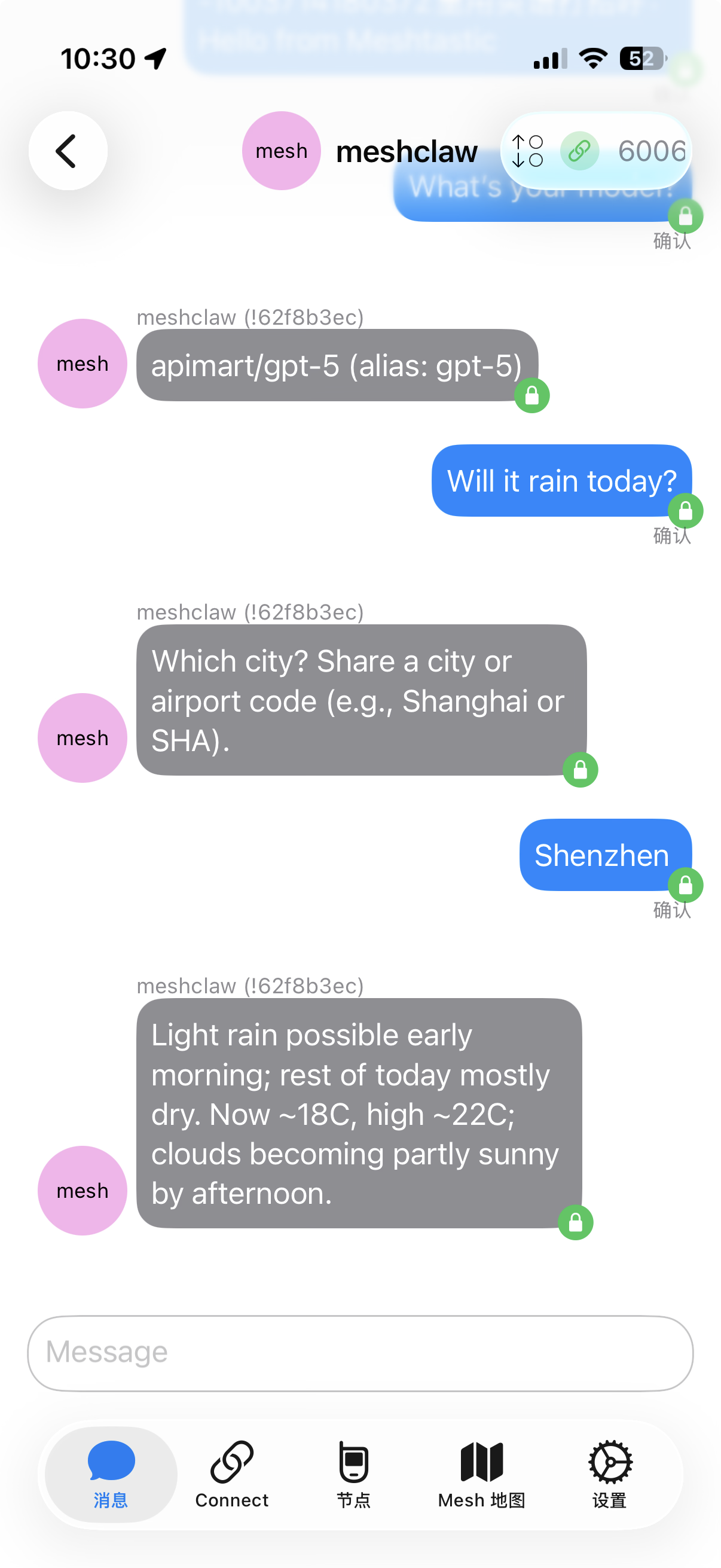
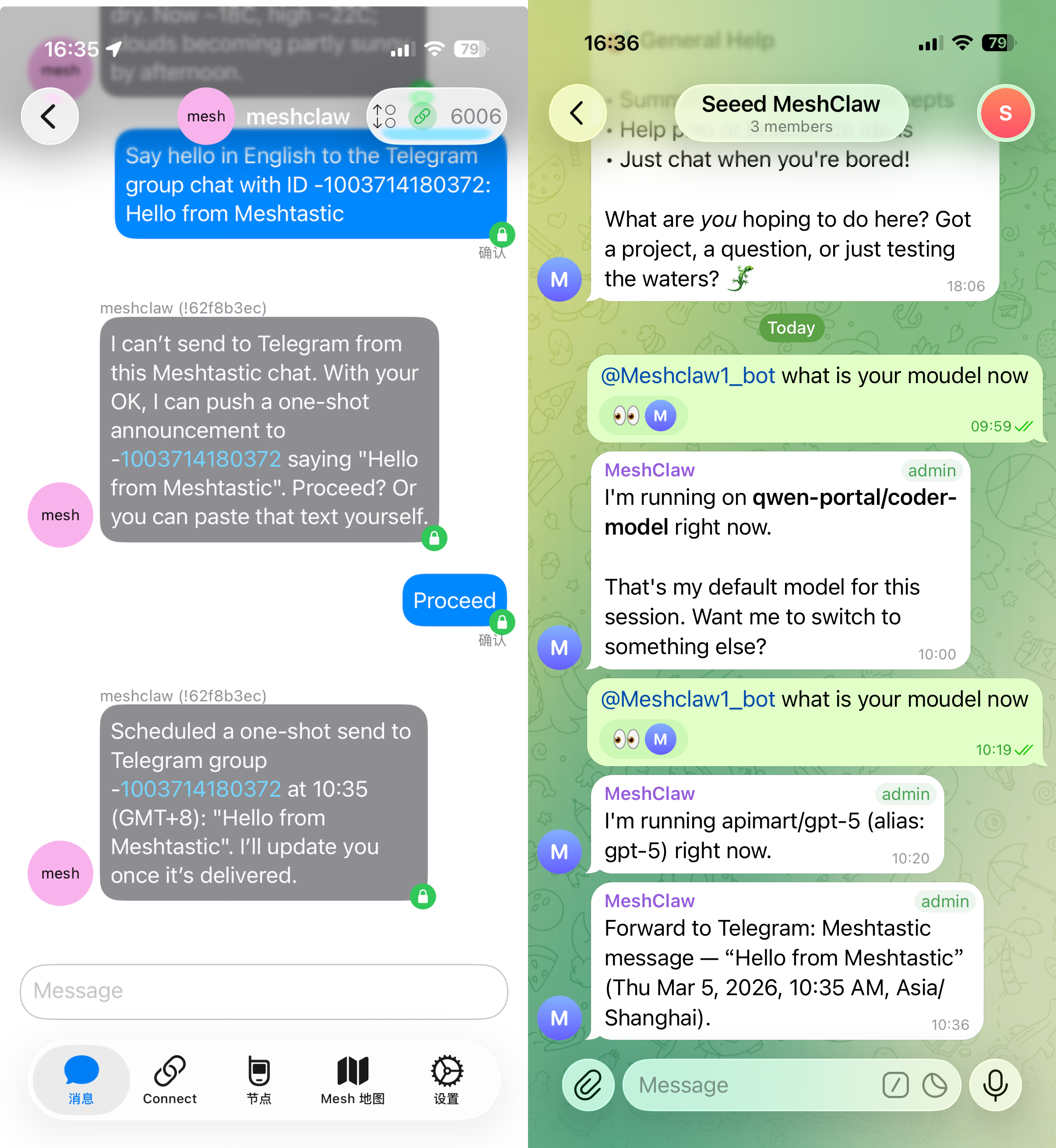
Left: querying AI knowledge offline over LoRa · Right: cross-channel bridge — send from mesh, receive on Telegram
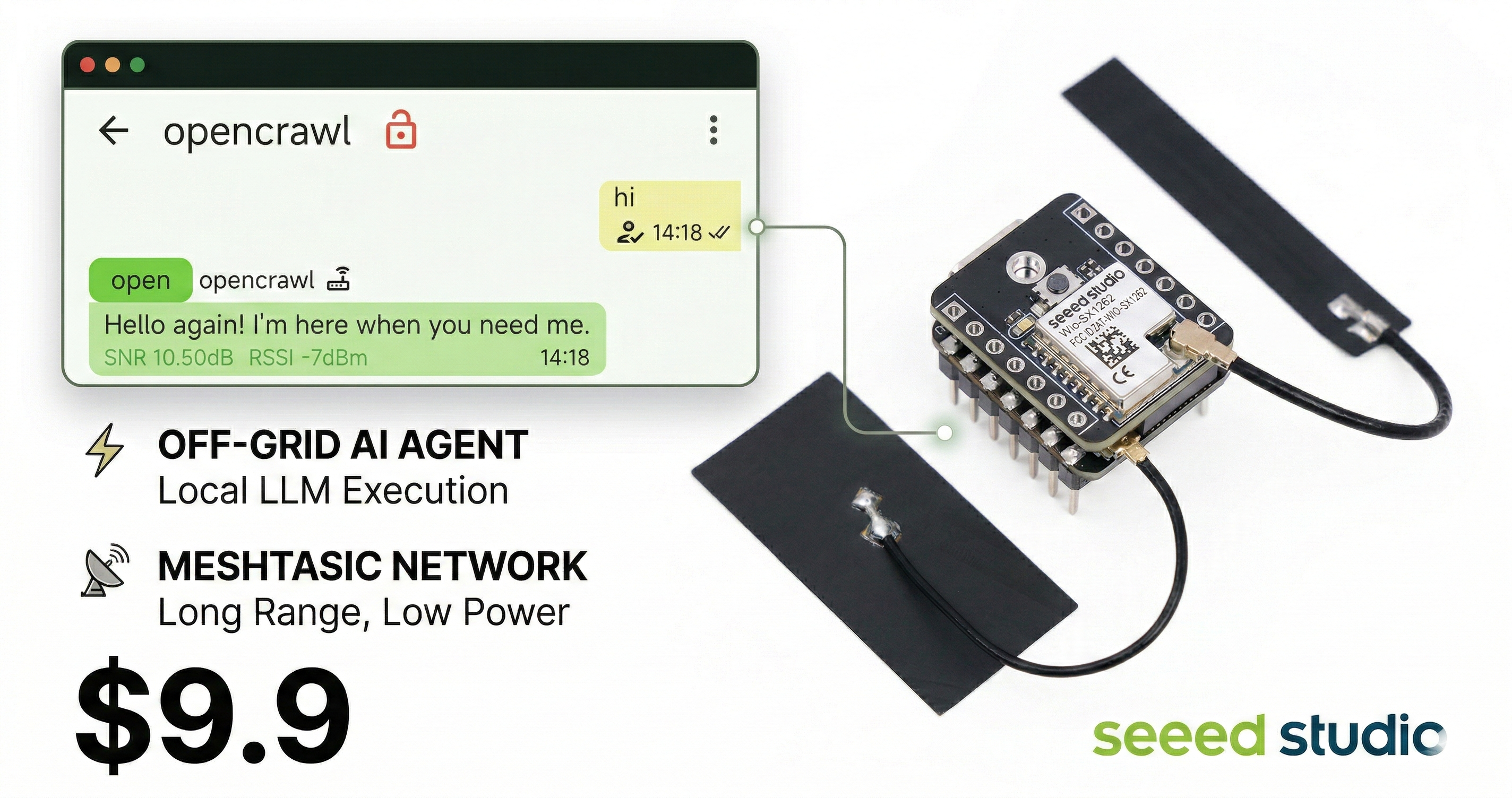
## Recommended Hardware
| Device | Best for | Link |
| ----------------------------- | -------------------------------- | ------------------ |
| XIAO ESP32S3 + Wio-SX1262 kit | Entry-level development | [Buy][hw-xiao] |
| Wio Tracker L1 Pro | Portable field gateway | [Buy][hw-wio] |
| SenseCAP Card Tracker T1000-E | Compact tracker | [Buy][hw-sensecap] |
> **Gateway host: [reComputer R1024][hw-r1024]** — Don't need a Mac Mini. The reComputer R1024 (~$189, ~5 W) is a fanless, industrial-grade edge computer that runs OpenClaw 24/7. PoE-powered, DIN-rail mountable, with dual Ethernet and optional LoRa/4G modules — ideal as an always-on gateway in the field. [Getting started guide →][wiki-openclaw-recomputer]
> **Optional: fully offline AI stack** — Want zero cloud dependency? Add a [reComputer J series][hw-recomputer] running a local LLM (via Ollama, llama.cpp, etc.) and the entire pipeline — radio, gateway, and inference — stays on your own hardware. No API keys, no data leaves your network.
No hardware? MQTT transport connects via broker — no local device required.
Any Meshtastic-compatible device works.
## Setup Wizard
Running `openclaw onboard` launches an interactive wizard that walks you through each configuration step. Below is what each step means and how to choose.
### 1. Transport
How the gateway connects to the Meshtastic mesh:
| Option | Description | Requires |
| ----------------- | ------------------------------------------------------------ | ------------------------------------------------ |
| **Serial** (USB) | Direct USB connection to a local device. Auto-detects available ports. | Meshtastic device plugged in via USB |
| **HTTP** (WiFi) | Connects to a device over the local network. | Device IP or hostname (e.g. `meshtastic.local`) |
| **MQTT** (broker) | Connects to the mesh via an MQTT broker — no local hardware needed. | Broker address, credentials, and subscribe topic |
### 2. LoRa Region
> Serial and HTTP only. MQTT derives the region from the subscribe topic.
Sets the radio frequency region on the device. Must match your local regulations and other nodes on the mesh. Common choices:
| Region | Frequency |
| -------- | ------------------- |
| `US` | 902–928 MHz |
| `EU_868` | 869 MHz |
| `CN` | 470–510 MHz |
| `JP` | 920 MHz |
| `UNSET` | Keep device default |
See [Meshtastic region docs](https://meshtastic.org/docs/getting-started/initial-config/#lora) for the full list.
### 3. Node Name
The device's display name on the mesh. Also used as the **@mention trigger** in group channels — other users send `@OpenClaw` to talk to your bot.
- **Serial / HTTP**: optional — auto-detects from the connected device if left empty.
- **MQTT**: required — there is no physical device to read the name from.
### 4. Channel Access (`groupPolicy`)
Controls whether and how the bot responds in **mesh group channels** (e.g. LongFast, Emergency):
| Policy | Behavior |
| -------------------- | ------------------------------------------------------------ |
| `disabled` (default) | Ignores all group channel messages. Only DMs are processed. |
| `open` | Responds in **every** channel on the mesh. |
| `allowlist` | Responds only in **listed** channels. You will be prompted to enter channel names (comma-separated, e.g. `LongFast, Emergency`). Use `*` as a wildcard to match all. |
### 5. Require Mention
> Only appears when channel access is enabled (not `disabled`).
When enabled (default: **yes**), the bot only responds in group channels when someone mentions its node name (e.g. `@OpenClaw how's the weather?`). This prevents the bot from replying to every single message in the channel.
When disabled, the bot responds to **all** messages in allowed channels.
### 6. DM Access Policy (`dmPolicy`)
Controls who can send **direct messages** to the bot:
| Policy | Behavior |
| ------------------- | ------------------------------------------------------------ |
| `pairing` (default) | New senders trigger a pairing request that must be approved before they can chat. |
| `open` | Anyone on the mesh can DM the bot freely. |
| `allowlist` | Only nodes listed in `allowFrom` can DM. All others are ignored. |
### 7. DM Allowlist (`allowFrom`)
> Only appears when `dmPolicy` is `allowlist`, or when the wizard determines one is needed.
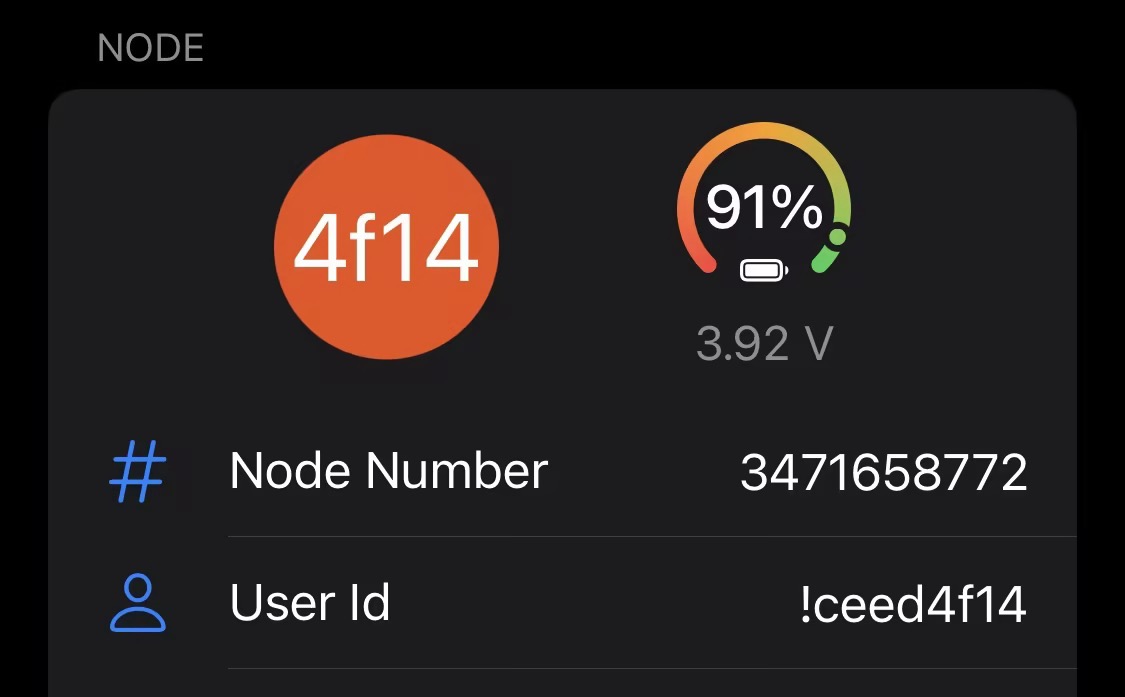
A list of Meshtastic User IDs allowed to send direct messages. Format: `!aabbccdd` (hex User ID). Multiple entries are comma-separated.
### 8. Account Display Names
> Only appears for multi-account setups. Optional.
Assigns human-readable display names to your accounts. For example, an account with ID `home` could be displayed as "Home Station". If skipped, the raw account ID is used as-is. This is purely cosmetic and does not affect functionality.
## Configuration
The guided setup (`openclaw onboard`) covers everything below. For manual config, edit with `openclaw config edit`.
### Serial (USB)
```yaml
channels:
meshtastic:
transport: serial
serialPort: /dev/ttyUSB0
nodeName: OpenClaw
```
### HTTP (WiFi)
```yaml
channels:
meshtastic:
transport: http
httpAddress: meshtastic.local
nodeName: OpenClaw
```
### MQTT (broker)
```yaml
channels:
meshtastic:
transport: mqtt
nodeName: OpenClaw
mqtt:
broker: mqtt.meshtastic.org
username: meshdev
password: large4cats
topic: "msh/US/2/json/#"
```
### Multi-account
```yaml
channels:
meshtastic:
accounts:
home:
transport: serial
serialPort: /dev/ttyUSB0
remote:
transport: mqtt
mqtt:
broker: mqtt.meshtastic.org
topic: "msh/US/2/json/#"
```
All Options Reference
| Key | Type | Default | Notes |
| ------------------- | ------------------------------- | --------------------- | ------------------------------------------------------------ |
| `transport` | `serial \| http \| mqtt` | `serial` | |
| `serialPort` | `string` | — | Required for serial |
| `httpAddress` | `string` | `meshtastic.local` | Required for HTTP |
| `httpTls` | `boolean` | `false` | |
| `mqtt.broker` | `string` | `mqtt.meshtastic.org` | |
| `mqtt.port` | `number` | `1883` | |
| `mqtt.username` | `string` | `meshdev` | |
| `mqtt.password` | `string` | `large4cats` | |
| `mqtt.topic` | `string` | `msh/US/2/json/#` | Subscribe topic |
| `mqtt.publishTopic` | `string` | derived | |
| `mqtt.tls` | `boolean` | `false` | |
| `region` | enum | `UNSET` | `US`, `EU_868`, `CN`, `JP`, `ANZ`, `KR`, `TW`, `RU`, `IN`, `NZ_865`, `TH`, `EU_433`, `UA_433`, `UA_868`, `MY_433`, `MY_919`, `SG_923`, `LORA_24`. Serial/HTTP only. |
| `nodeName` | `string` | auto-detect | Display name and @mention trigger. Required for MQTT. |
| `dmPolicy` | `open \| pairing \| allowlist` | `pairing` | Who can send direct messages. See [DM Access Policy](#6-dm-access-policy-dmpolicy). |
| `allowFrom` | `string[]` | — | Node IDs for DM allowlist, e.g. `["!aabbccdd"]` |
| `groupPolicy` | `open \| allowlist \| disabled` | `disabled` | Group channel response policy. See [Channel Access](#4-channel-access-grouppolicy). |
| `channels` | `Record` | — | Per-channel overrides: `requireMention`, `allowFrom`, `tools` |
Environment Variable Overrides
These override the default account's config (YAML takes precedence for named accounts):
| Variable | Equivalent config key |
| ------------------------- | --------------------- |
| `MESHTASTIC_TRANSPORT` | `transport` |
| `MESHTASTIC_SERIAL_PORT` | `serialPort` |
| `MESHTASTIC_HTTP_ADDRESS` | `httpAddress` |
| `MESHTASTIC_MQTT_BROKER` | `mqtt.broker` |
| `MESHTASTIC_MQTT_TOPIC` | `mqtt.topic` |
## Troubleshooting
| Symptom | Check |
| --------------------- | ------------------------------------------------------------ |
| Serial won't connect | Device path correct? Host has permission? |
| HTTP won't connect | `httpAddress` reachable? `httpTls` matches device? |
| MQTT receives nothing | Region in `mqtt.topic` correct? Broker credentials valid? |
| No DM responses | `dmPolicy` and `allowFrom` configured? See [DM Access Policy](#6-dm-access-policy-dmpolicy). |
| No group replies | `groupPolicy` enabled? Channel in allowlist? Mention required? See [Channel Access](#4-channel-access-grouppolicy). |
Found a bug? [Open an issue][issues] with transport type, config (redact secrets), and `openclaw channels status --probe` output.
## Roadmap
We plan to ingest real-time node data (GPS location, environmental sensors, device status) into OpenClaw's context, enabling the AI to monitor mesh network health and broadcast proactive alerts — without waiting for user queries.
## Development
```bash
git clone https://github.com/Seeed-Solution/MeshClaw.git
cd MeshClaw
npm install
openclaw plugins install -l ./MeshClaw
```
No build step — OpenClaw loads TypeScript source directly. Use `openclaw channels status --probe` to verify.
## Contributing
We welcome contributions of all kinds!
- **Bug reports & feature requests** — [Open an issue][issues]
- **Code contributions** — Fork the repo, create a branch, and submit a PR. Keep code aligned with existing TypeScript conventions.
- **Documentation & translations** — Improvements to docs and new language translations are always appreciated.
See [Development](#development) for local setup instructions.
---
If you find MeshClaw useful, give us a star ⭐ — it helps others discover the project!
[docs]: https://meshtastic.org/docs/
[issues]: https://github.com/Seeed-Solution/MeshClaw/issues
[hw-xiao]: https://www.seeedstudio.com/Wio-SX1262-with-XIAO-ESP32S3-p-5982.html
[hw-wio]: https://www.seeedstudio.com/Wio-Tracker-L1-Pro-p-6454.html
[hw-sensecap]: https://www.seeedstudio.com/SenseCAP-Card-Tracker-T1000-E-for-Meshtastic-p-5913.html
[hw-r1024]: https://www.seeedstudio.com/reComputer-R1024-10-p-5923.html
[hw-recomputer]: https://www.seeedstudio.com/reComputer-J4012-p-5586.html
[wiki-openclaw-recomputer]: https://wiki.seeedstudio.com/getting_started_with_openclaw_on_recomputer/