[🇰🇷 한국어](README.ko.md) · [🇺🇸 English](README.md)
# Lucian UX/UI Prompt
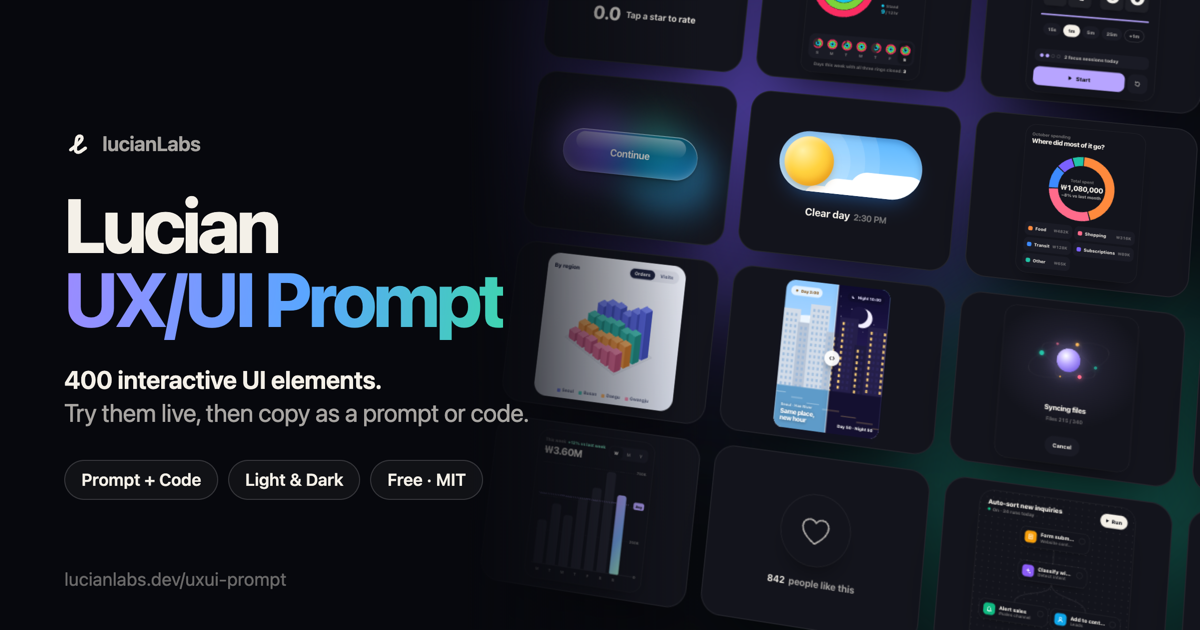
400 interactive UI elements you can try live, then take into your project as an AI prompt or as working code: 200 interface parts, from buttons and charts to workflow screens, and 200 website sections and animations, from heroes and pricing to scroll and text motion. Every element supports light and dark themes, pointer, touch and keyboard input, and reduced motion. No dependencies.
**Live gallery: [lucianlabs.dev/uxui-prompt](https://lucianlabs.dev/uxui-prompt/)**
## What's inside
The library is split into two collections by element number.
| Collection | Numbers | Categories |
| --- | --- | --- |
| **Animation**: website sections and motion (new) | 201–400 | Text Motion · Hero & Backgrounds · Navigation · Scroll Motion · Sections & Content · Social Proof · Commerce & Pricing · Forms & Input · App Screens · Site Builder Tools · Cursor & Hover · Promos & Rewards · Data Motion |
| **Interface**: UI parts and work screens | 001–200 | Buttons · Toggles & Pickers · Inputs & Search · Menus & Tabs · Cards & Content · Sign-in & Sign-up · Alerts & Feedback · Loading & Progress · Empty & Error States · Widgets & Charts · Layout, Schedule & Design · Document & Data Editing · Analytics & Data · Workflow & Systems |
In the gallery, **All** shows the Animation collection first, then Interface. Switch collections at the top, narrow down by category, or search in English or Korean.
## How to use
1. Open the gallery and try an element. Each one plays a short demo when it scrolls into view, and you can take over at any time. Open a tile, or press **Reels**, to flip through elements full screen.
2. Press **Copy prompt**. The prompt contains the element's full working code plus porting instructions.
3. Paste it into your AI coding tool (Claude Code, Cursor, Codex, …), fill in `[Insertion point]` (and `[Replacement target]` if you are replacing something), and send.
The agent first checks your framework, styling and theming setup, then ports the element into a component, maps the `--ux-*` color tokens to your theme variables, and reports what it changed and what it could not check.
If you'd rather port it yourself, **Copy code** gives you the raw HTML, CSS and JS, and **Download code** saves a standalone HTML file with a theme toggle.
To link to a specific element, add its number: `https://lucianlabs.dev/uxui-prompt/#001`.
## Use it from an AI coding agent
Install the [lucian-uxui skill](https://github.com/Seokwoooo/lucian-uxui), and your agent can search the library and port elements by itself:
```sh
npx skills add Seokwoooo/lucian-uxui
```
Then ask something like "Build a landing page for my coffee subscription. Use the lucian-uxui skill and prefer its elements." The skill reads the static data in [`api/v1/`](api/v1), which is generated from `src/elements` and also served at `https://lucianlabs.dev/uxui-prompt/api/v1/`.
## Run locally
All you need is Node.js. There are no packages to install.
```sh
git clone https://github.com/Seokwoooo/lucian-uxui-prompt.git
cd lucian-uxui-prompt
node src/build.mjs
open prompt-uxui-lab/index.html
```
The build checks every element and writes the whole gallery into one self-contained HTML file.
## Element format
Each element is a single file, `src/elements/NNN-slug.html`. Numbers `001`–`200` belong to the Interface collection and `201` and up to the Animation collection.
```html
…
```
- `@meta`: title, category, summary and hint. Korean is the source language, and `category` must be one of the categories listed in [`src/build.mjs`](src/build.mjs). Optional fields: `shape` (`square` or `tall` tile), `hue` and `hue2` (tile glow colors, which default to the category's colors) and `fluid` (the element's width follows its container).
- `@demo`: steps for the autoplay demo: `wait`, `tap`, `hold`, `hover`, `leave`, `glide`, `drag`, `key`, `type`, `erase`, `set`, `scroll`, `reset` and `js`.
- `@en`: English title and summary, plus a string map that localizes the element's code.
- Every CSS selector is scoped to `.uNNN`, `@property` names start with `--uNNN-`, and the script finds its root through `document.currentScript`, so elements never leak into each other.
- Colors come only from the `--ux-*` tokens in [`src/tokens.css`](src/tokens.css), which define both light and dark values.
- [`src/order.json`](src/order.json) sets the display order within a collection, with the most polished elements first. When a collection is listed there, every element in it must appear exactly once.
`node src/build.mjs` rejects any file that breaks these rules.
## License
[MIT](LICENSE) © 2026 Seokwoooo. You can use the elements in personal and commercial projects. Code copied from the gallery starts with a one-line comment that credits the source and names the license. Please keep it in your file.