---
slug: add-servicestack-reference
title: Add ServiceStack Reference
---
ServiceStack's **Add ServiceStack Reference** feature allows adding generated Native Types for the most popular typed languages and client platforms directly from within most major IDE's starting with [ServiceStackVS](/create-your-first-webservice#step-1-download-and-install-servicestackvs) - providing a simpler, cleaner and more versatile alternative to WCF's legacy **Add Service Reference** feature built into VS.NET.
Add ServiceStack Reference now supports
[C#](/csharp-add-servicestack-reference),
[TypeScript](/typescript-add-servicestack-reference),
[JavaScript](/javascript-add-servicestack-reference),
[Python](/python-add-servicestack-reference),
[PHP](/php-add-servicestack-reference),
[Swift](/swift-add-servicestack-reference),
[Java](/java-add-servicestack-reference),
[Kotlin](/kotlin-add-servicestack-reference),
[Dart](/dart-add-servicestack-reference),
[F#](/fsharp-add-servicestack-reference),
[VB.NET](/vbnet-add-servicestack-reference) and
[ES3 Common.js](/commonjs-add-servicestack-reference) including integration with most leading IDE's to provide a flexible alternative than sharing your DTO assembly with clients. Clients can now easily add a reference to a remote ServiceStack url and update DTOs directly from within VS.NET, Xamarin Studio, Xcode, Android Studio, IntelliJ and Eclipse. We plan on expanding on this foundation into adding seamless, typed, end-to-end integration with other languages - Add a [feature request for your favorite language](https://servicestack.net/ideas) to prioritize support for it sooner!
Native Types provides an alternative for sharing DTO dlls, that can enable a better dev workflow for external clients who are now able to generate (and update) Typed APIs for your Services from a single remote url directly within their favorite IDE - reducing the burden and effort required to consume ServiceStack Services whilst benefiting from clients native language strong-typing feedback.
### Supported Languages

### IDE Integration
To provide a seamless Development Experience, Add ServiceStack Reference is available as a plugin in most major IDEs which will allow your API Consumers to
be able easily add a typed Service Reference to your Services with just its URL in their preferred language from within JetBrains Rider, VS.NET, Android Studio, PyCharm, IntelliJ IDEA, RubyMine, PhpStorm, WebStorm and Eclipse:
[](https://www.youtube.com/watch?v=JKsgrstNnYY)
Here's a quick walk through installing the **ServiceStack** plugin and using it to add a remote ServiceStack Reference in a new C# Application:
:::tip
VSCode and other IDEs will be able to use the [Simple Command Line Utility](#simple-command-line-utilities) to add and update multiple Services references with a single command.
:::
### Call ServiceStack APIs from a Flutter App with native Dart client and DTOs
Walk through showing how you can use ServiceStack's Dart client library with your Flutter Android application to quickly get up and running with Add ServiceStack Reference.
### C# Xamarin.Android Example in VS.NET
Using C# to develop native Mobile and Desktop Apps provides a number of benefits including maximum reuse of your investments across multiple Client Apps where they're able to reuse shared functionality, libraries, knowledge, development workflow and environment in both Client and Server Apps.
### Call ServiceStack APIs from Python
This video tutorial looks at how we can leverage Add ServiceStack Reference for Python in PyCharm, VSCode and [Python Jupyter Notebooks](/jupyter-notebooks-python).
### Call ServiceStack APIs from PHP
This video tutorial looks at how we can easily integrate .NET Typed APIs to extend popular PHP Applications like Wordpress, Drupal or Laravel with [PHP Add ServiceStack Reference](/php-add-servicestack-reference).
### Instant Client Apps
[Instant Client Apps](https://apps.servicestack.net/) is a free tool to jump start your native client application development using a wide range of languages and platforms including: C#, NodeJS, Dart, Java, Kotlin, Swift, VB .NET and F#:
## gRPC
[ServiceStack gRPC](/grpc/) enables a highly productive development environment for developing high-performance gRPC HTTP/2 Services by making ServiceStack's existing typed Services available from ASP.NET's gRPC endpoints where ServiceStack offers a simplified development model for gRPC Clients for streamlined end-to-end productivity.
## C# Mobile and Desktop Apps
[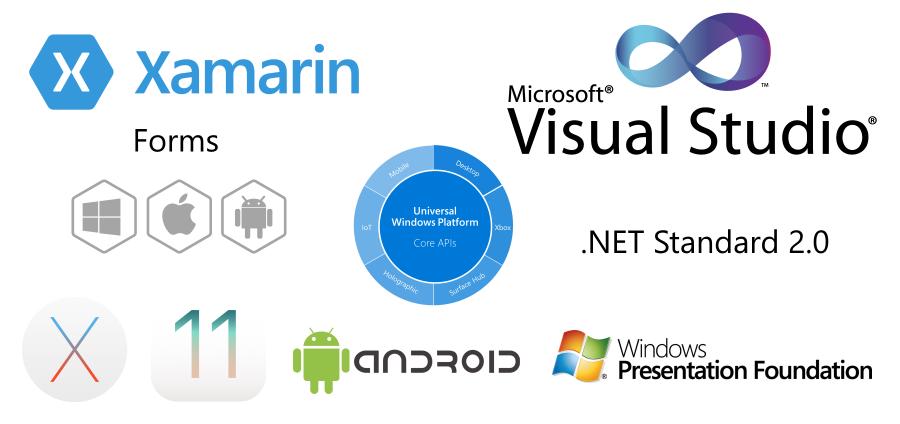](https://github.com/ServiceStackApps/HelloMobile)
The generated DTOs provides a highly productive development workflow and enables a succinct end-to-end Typed API that can be used in both **.NET Framework** and **.NET Standard 2.0** [Generic Service Clients](/csharp-client) to facilitate Rapid Development in .NET's most popular Mobile and Desktop platforms:
- WPF
- UWP
- Xamarin.Android
- Xamarin.iOS
- Xamarin.OSX
- Xamarin.Forms
- iOS
- Android
- UWP
The [HelloMobile](https://github.com/ServiceStackApps/HelloMobile) project contains multiple versions of the same App in all the above platforms demonstrating a number of different calling conventions, service integrations and reuse possibilities.
ServiceStack also allows for the maximum reuse possible by letting you reuse the same POCO DTOs used to define the Services contract with, in Clients Apps to provide its end-to-end typed API without any additional custom build tools, code-gen or any other artificial machinery, using just the DTOs in the shared `ServiceModel.dll` with any of the available highly performant [.NET generic Service Clients](/csharp-client) that be design encourages development of [resilient message-based Services](/what-is-a-message-based-web-service) for enabling [highly decoupled](/service-gateway) and easily [substitutable and mockable](/csharp-client#built-in-clients) Service Integrations.
## Utilize Native SDKs and Languages
Add ServiceStack Reference lets you utilize the native SDK's and development environment whilst maintaining the same productive development experience made possible with native idiomatic Service Clients in Web and across the most popular Mobile and Desktop platforms. App Developers can generate Typed DTOs for any ServiceStack Service in Android Apps using either [Java](/java-add-servicestack-reference) and [Kotlin](/kotlin-add-servicestack-reference), or use the [Swift](/swift-add-servicestack-reference) for development of native iOS or OSX Apps or [TypeScript](/typescript-add-servicestack-reference) for calling Services from [React Native, Node.js or Web Apps](https://github.com/ServiceStackApps/typescript-server-events).
### Flexible Customizations
Options for the generated DTOs can be further customized by updating the commented section in the header of the file. Each language will have different options for leveraging features native to each Language. See the specific language documentation for details on available options:
* [C# Options](/csharp-add-servicestack-reference#change-default-server-configuration)
* [TypeScript Options](./typescript-add-servicestack-reference.md#customize-dto-type-generation)
* [JavaScript Options](./javascript-add-servicestack-reference.md#customize-dto-type-generation)
* [Python Options](./python-add-servicestack-reference.md#customize-dto-type-generation)
* [Swift Options](/swift-add-servicestack-reference#swift-configuration)
* [Java Options](/java-add-servicestack-reference#java-configuration)
* [Kotlin Options](/kotlin-add-servicestack-reference#kotlin-configuration)
* [Dart Options](/dart-add-servicestack-reference#change-default-server-configuration)
* [F# Options](/fsharp-add-servicestack-reference#change-default-server-configuration)
* [VB.Net Options](/vbnet-add-servicestack-reference)
## Simple command-line utilities
The [x dotnet tool](/dotnet-tool) provides simple command-line utilities to easily Add and Update ServiceStack References for all of ServiceStack's supported languages.
## Installation
:::sh
dotnet tool install --global x
:::
::include npx-get-dtos.md::
This will make the following utilities available from your command-line which will let you download the Server DTO classes for a remote ServiceStack endpoint in your chosen language which you can use with ServiceStack's generic Service clients to be able to make end-to-end API calls.
| Script |
Alias |
Language |
| x csharp |
x cs |
C# |
| x typescript |
x ts |
TypeScript |
| x mjs |
|
JavaScript |
| x python |
x py |
Python |
| x java |
|
Java |
| x kotlin |
x kt |
Kotlin |
| x swift |
|
Swift |
| x dart |
|
Dart |
| x vbnet |
x vb |
VB.NET |
| x fsharp |
x fs |
F# |
## Usage
We'll walkthrough an example using TypeScript to download Server Types from the [techstacks.io](https://techstacks.io) ServiceStack Website to see how this works:
### Adding a ServiceStack Reference
To Add a TypeScript ServiceStack Reference just call `x typescript` with the URL of
a remote ServiceStack instance:
:::sh
x typescript https://techstacks.io
:::
Result:
```
Saved to: dtos.ts
```
Calling `x typescript` with just a URL will save the DTOs using the Host name, you can override this by specifying a FileName as the 2nd argument:
:::sh
x typescript https://techstacks.io Tech
:::
Result:
```
Saved to: Tech.dtos.ts
```
### Updating a ServiceStack Reference
To Update an existing ServiceStack Reference, call `x typescript` with the Filename:
:::sh
x typescript dtos.ts
:::
Result:
```
Updated: dtos.ts
```
Which will update the File with the latest TypeScript Server DTOs from [techstacks.io](https://techstacks.io). You can also customize how DTOs are generated by uncommenting the [TypeScript DTO Customization Options](/typescript-add-servicestack-reference#dto-customization-options) and updating them again.
#### Updating all TypeScript DTOs
Calling `x typescript` without any arguments will update **all TypeScript DTOs** in the current directory:
:::sh
x typescript
:::
Result:
```
Updated: Tech.dtos.ts
Updated: dtos.ts
```
To make it more wrist-friendly you can also use the shorter `x ts` alias instead of `x typescript`.
### Installing Generic Service Client
Now we have our TechStacks Server DTOs we can use them with the generic `JsonServiceClient` in the [@servicestack/client](https://www.npmjs.com/package/@servicestack/client) npm package to make Typed API Calls.
:::sh
npm install @servicestack/client
:::
#### TechStacks Example
Once installed create a `demo.ts` file with the example below using both the `JsonServiceClient` from the **@servicestack/client** npm package and the Server DTOs we
want to use from our local `dtos.ts` above:
```ts
import { JsonServiceClient } from '@servicestack/client';
import { GetTechnology, GetTechnologyResponse } from './dtos';
var client = new JsonServiceClient("https://techstacks.io")
async function main() {
let request = new GetTechnology()
request.Slug = "ServiceStack"
const response = await client.get(request)
console.log(response.Technology.VendorUrl)
}
main()
```
The `JsonServiceClient` is populated with the **BaseUrl** of the remote ServiceStack instance we wish to call. Once initialized we can send populated Request DTOs and handle
the Typed Response DTOs in Promise callbacks.
To run our TypeScript example we just need to compile it with TypeScript:
:::sh
tsc demo.ts
:::
Which will generate the compiled `demo.js` (and `typescript.dtos.js`) which we can then run with node:
:::sh
node demo.js
:::
Result:
```
https://servicestack.net
```
#### [Invoke ServiceStack APIs from the command-line](/post-command)
Easily inspect and invoke C# .NET Web APIs from the command-line with Post Command which allows you to both inspect and
call any ServiceStack API with just its name and a JS Object literal. API Responses returned in human-friendly markdown tables by default or
optionally as JSON & raw HTTP.
### Built in Authentication
One of the benefits of utilizing smart generic Service Clients is being able to embed high-level generic functionality like
Authentication that would be tedious and error prone for all API Consumers to have to implement manually.
All smart generic Service Clients have support for most of [built-in Authentication](/auth/authentication-and-authorization) options
including [OAuth Providers](https://github.com/ServiceStackApps/AndroidJavaChat) and [Sign In with Apple](/auth/signin-with-apple)
that are able to take advantage of the integrated and transparent JWT and Refresh Token Cookie support.
### Refresh Token Cookies supported in all Service Clients
::include jwt-service-clients.md::
### Integrate with Visual Studio
You can also easily integrate this within your VS.NET dev workflows by [adding it as an External Tool](https://docs.microsoft.com/en-us/visualstudio/ide/managing-external-tools?view=vs-2019) in the **External Tools** dialog box by choosing `Tools > External Tools`:

| ||
|-|-|
| Title | Update TypeScript &Reference |
| Command | web.exe |
| Arguments | ts |
| Initial directory | $(ProjectDir) |
| ||
Which will then let you update all your `*dtos.ts` TypeScript References in your project by clicking on `Tools > Update TypeScript Reference`
or using the `ALT+T R` keyboard shortcut.
If you wanted to Update your `*dtos.cs` **C# ServiceStack References** instead, just change Arguments to `cs`:

| ||
|-|-|
| **Title** | Update C# &Reference |
| **Command** | web.exe |
| **Arguments** | cs |
| **Initial directory** | $(ProjectDir) |
| ||
Refer to the [x usage output](#usage) above for the arguments or aliases for all other supported languages.
### Integrate with Rider
Just like with VS.NET above you can [add an External Tool](https://www.jetbrains.com/help/rider/Settings_Tools_External_Tools.html)
in [JetBrains Rider](https://www.jetbrains.com/rider/) by opening the Settings dialog with `CTRL+ALT+S` then searching for `external tools`
under the **Tools** category:

| ||
|-|-|
| **Name** | Update TypeScript Reference |
| **Command** | web.exe |
| **Arguments** | ts |
| **Working directory** | $FileParentDir$ |
| ||
Now you can update your `*dtos.ts` TypeScript References in your project by clicking on `External Tools > Update TypeScript Reference`
in the right-click context menu:

If you're updating references frequently you can save time by [assigning it a keyboard shortcut](https://www.jetbrains.com/help/rider/Configuring_Keyboard_and_Mouse_Shortcuts.html).
## Multiple File Upload Support with API Requests supported in all languages
To be able to call [AI Server](/ai-server/) APIs requiring file uploads we've added multiple file upload support with API Requests to the generic service clients for all our supported languages.
Here's what that looks like for different languages calling AI Server's `SpeechToText` API:
### C# Speech to Text
```csharp
using var fsAudio = File.OpenRead("audio.wav");
var response = client.PostFileWithRequest(new SpeechToText(),
new UploadFile("audio.wav", fsAudio, "audio"));
```
### Dart Speech to Text
```dart
var audioFile = new File('audio.wav');
var uploadFile = new UploadFile(
fieldName: 'audio',
fileName: audioFile.uri.pathSegments.last,
contentType: 'audio/wav',
contents: await audioFile.readAsBytes()
);
var response = await client.postFileWithRequest(new SpeechToText(), uploadFile);
```
### Python Speech to Text
```python
with open("files/audio.wav", "rb") as audio:
response = client.post_file_with_request(SpeechToText(),
UploadFile(field_name="audio", file_name="audio.wav", content_type="audio/wav", stream=audio))
```
### PHP Speech to Text
```php
$audioFile = __DIR__ . '/files/audio.wav';
/** @var GenerationResponse $response */
$response = $client->postFileWithRequest(new SpeechToText(),
new UploadFile(
filePath: $audioFile,
fileName: 'audio.wav',
fieldName: 'audio',
contentType: 'audio/wav'
));
```
### Swift Speech to Text
```swift
guard let audioURL = Bundle.module.url(forResource: "audio.wav", withExtension: nil) else {
return
}
let audioData = try Data(contentsOf: audioURL)
let response: TextGenerationResponse = try await client.postFileWithRequestAsync(
request:SpeechToText(),
file:UploadFile(fileName: "audio.wav", data:audioData, fieldName:"audio"))
```
### Kotlin Speech to Text
```kotlin
val audioBytes = Files.readAllBytes(Paths.get("audio.wav"))
val response = client.postFileWithRequest(SpeechToText(),
UploadFile("audio", "audio.wav", "audio/wav", audioBytes))
```
### Java Speech to Text
```java
byte[] audioBytes = Files.readAllBytes(Paths.get("audio.wav"));
var response = client.postFileWithRequest(request,
new UploadFile("audio", "audio.wav", "audio/wav", audioBytes));
```
### TypeScript Speech to Text
```js
// Create FormData and append the file
const formData = new FormData()
const audioFile = fs.readFileSync('audio.wav')
const blob = new Blob([audioFile], { type: 'audio/wav' })
// Explicitly set the field name as 'audio'
formData.append('audio', blob, 'audio.wav')
const api = await client.apiForm(new SpeechToText(), formData)
```
### Multiple File Uploads
All languages also support a `postFilesWithRequest` variant for uploading multiple files with an API Request.
E.g. here's an example of using `PostFilesWithRequest` to generate a video with a Watermark:
### C# Watermark Video
```csharp
using var fsVideo = File.OpenRead("video.mp4");
using var fsWatermark = File.OpenRead("watermark.png");
var response = client.PostFilesWithRequest(new QueueWatermarkVideo {
Position = WatermarkPosition.BottomRight
}, [
new UploadFile("video.mp4", fsVideo, "video"),
new UploadFile("watermark.png", fsWatermark, "watermark")
]);
```
## Advantages over WCF
- **Simple** Server provides DTOs based on metadata and options provided. No heavy client side tools, just a HTTP request!
- **Versatile** Clean DTOs works in all JSON, XML, JSV, MsgPack and ProtoBuf [generic service clients](/csharp-client#built-in-clients)
- **Reusable** Generated DTOs are not coupled to any endpoint or format. Defaults are both partial and virtual for maximum re-use
- **Resilient** Messaging-based services offer a number of [advantages over RPC Services](/advantages-of-message-based-web-services)
- **Flexible** DTO generation is customizable, Server and Clients can override built-in defaults
- **Integrated** Rich Service metadata annotated on DTO's, [Internal Services](/auth/restricting-services) are excluded when accessed externally
## In Contrast with WCF's Add Service Reference
WCF's **Add Service Reference** also allows generating a typed client from a single url, and whilst it's a great idea, the complexity upon what it's built-on and the friction it imposes were the primary reasons we actively avoided using it (pre-ServiceStack). We instead opted to reuse our server DTO types and created Generic WCF Proxies, to provide a cleaner and simpler solution when consuming our own WCF services.
## ServiceStack's Native Types Feature
As with any ServiceStack feature one of our primary goals is to [minimize unnecessary complexity](/autoquery#why-not-complexity) by opting for approaches that yield maximum value and minimal complexity, favoring re-use and simple easy to reason about solutions over opaque heavy black-box tools.
We can already see from the WCF scenario how ServiceStack already benefits from its message-based design, where as it's able to reuse any [Generic Service Client](/clients-overview), only application-specific DTO's ever need to be generated, resulting in a much cleaner, simpler and friction-less solution.
Code-first is another approach that lends itself to simpler solutions, which saves the effort and inertia from adapting to interim schemas/specs, often with impedance mismatches and reduced/abstract functionality. In ServiceStack your code-first DTOs are the master authority where all other features are projected off.
C# also has great language support for defining POCO Data Models, that's as terse as a DSL but benefits from great IDE support and minimal boilerplate, e.g:
```csharp
[Route("/path")]
public class Request : IReturn
{
public int Id { get; set; }
public string Name { get; set; }
...
}
```
Starting from a C# model, whilst naturally a better programmatic fit also ends up being richer and more expressive than XSD's which supports additional metadata annotations like Attributes and Interfaces.
### Remove Native Types Feature
Native Types is enabled by default in ServiceStack projects. It can be disabled by removing the `NativeTypesFeature` plugin:
```csharp
Plugins.RemoveAll(x => x is NativeTypesFeature);
```
### Excluding Types from Add ServiceStack Reference
To remove a type from the metadata and code generation you can annotate Request DTOs with `[ExcludeMetadata]`, e.g:
```csharp
[ExcludeMetadata]
public class ExcludedFromMetadata
{
public int Id { get; set; }
}
```
An alternative is it add it to the `IgnoreTypes` collection in the NativeTypes Feature Metadata Config in your AppHost:
```csharp
var nativeTypes = this.GetPlugin();
nativeTypes.MetadataTypesConfig.IgnoreTypes.Add(typeof(TypeToIgnore));
```
If you only want to limit code generation based on where the reference is being added from you can use the
[Restrict Attribute](/auth/restricting-services),
E.g you can limit types to only appear when the reference is added from localhost:
```csharp
[Restrict(LocalhostOnly = true)]
public class RestrictedToLocalhost { }
```
Or when added from within an internal network:
```csharp
[Restrict(InternalOnly = true)]
public class RestrictedToInternalNetwork { }
```
There's also the rarer option when you only want a service accessible from external requests with:
```csharp
[Restrict(ExternalOnly = true)]
public class RestrictedToExternalRequests { }
```
### Export Types
By default the `NativeTypeFeature` doesn't emit any **System** types built into the Base Class Libraries, these can be
emitted for non-.NET Languages with the new `ExportTypes` list, e.g. if your DTO's exposes the `DayOfWeek` System Enum it can
be exported by adding it to the pre-registered NativeTypesFeature's Plugin with:
```csharp
var nativeTypes = this.GetPlugin();
nativeTypes.MetadataTypesConfig.ExportTypes.Add(typeof(DayOfWeek));
```
If any of your DTO's has a `DayOfWeek` property it will emitted in the generated DTO's, Java example:
```java
public static enum DayOfWeek
{
Sunday,
Monday,
Tuesday,
Wednesday,
Thursday,
Friday,
Saturday;
}
```
### Force Include Types in Native Types DTOs
ServiceStack's Add ServiceStack Reference feature carefully limits which DTOs it generates based on just the DTOs needed by different clients packages to call APIs. There's many reasons why Types aren't generated, e.g. they already exist in service client library, the APIs have [Visibility or Access restrictions](/auth/restricting-services), their built-in APIs purposefully hidden by ServiceStack to reduce bloat, etc.
We can override these rules for specific Types by including them in `Metadata.ForceInclude`, e.g:
```csharp
public override void Configure(Container container)
{
Metadata.ForceInclude = new() {
typeof(MetadataApp),
typeof(AppMetadata),
typeof(AdminQueryUsers),
typeof(AdminGetUser),
typeof(AdminCreateUser),
typeof(AdminUpdateUser),
typeof(AdminDeleteUser),
};
}
```
### Enable Versioning
You can implement our [recommended Versioning strategy](http://stackoverflow.com/a/12413091/85785)
and embed a version number to all generated Request DTOs by specifying an `AddImplicitVersion`,
either globally on the Server in your AppHost:
```csharp
var nativeTypes = this.GetPlugin();
nativeTypes.MetadataTypesConfig.AddImplicitVersion = 1;
```
Alternatively you can configure [AddImplicitVersion in client Options](/csharp-add-servicestack-reference#addimplicitversion).
### Generating Types from Metadata
Behind the scenes ServiceStack captures all metadata on your Services DTOs including Sub -classes, Routes, `IReturn` marker, C# Attributes, textual Description as well as desired configuration into a serializable object model accessible from `/types/metadata`:
## How it works
The Add ServiceStack Reference dialog just takes the URL provided and requests the appropriate route for the current project. Eg, for C#, the path used is at `/types/csharp`. The defaults are specified by the server and the resultant DTOs are saved and added the the project as `.dtos.`. The `Update ServiceStack Reference` menu is available when any file matches same naming convention of `.dtos.`. An update then looks at the comments at the top of the file and parses them to provide overrides when requesting new DTOs from the server. ServiceStackVS also watches these DTO files for updates, so just by saving them these files are updated from the server.
### Language Paths
| Path | Language |
| -- | -- |
| /types/csharp | C# |
| /types/typescript | TypeScript |
| /types/typescript.d | Ambient TypeScript Definitions |
| /types/js | CommonJS |
| /types/python | Python |
| /types/swift | Swift |
| /types/java | Java |
| /types/kotlin | Kotlin |
| /types/dart | Dart |
| /types/fsharp | F# |
| /types/vbnet | VB .NET |
| /types/metadata | Metadata |
::include add-servicestack-reference-footer.md::