---
slug: grpc-android
title: gRPC protoc Android Java Client
---
[](https://youtu.be/nag0hr5THug)
## Android Java-Lite protoc generated GrpcServiceClient Example
This Android gRPC Example differentiates from the [Java gRPC Example](#java) by using the more appropriate
[Java Lite](https://github.com/protocolbuffers/protobuf/blob/master/java/lite.md) which results in a
much smaller code size making it more suitable to be used on embedded Java platforms like Android.
In addition it uses the Android-compatible OK HTTP SSL Libraries in-place of Netty's SSL libraries and a
custom `services.proto` allow us to specify the Java **package** we want the generated gRPC client to use.
Install [x dotnet tool](/dotnet-tool):
:::sh
dotnet tool install --global x
:::
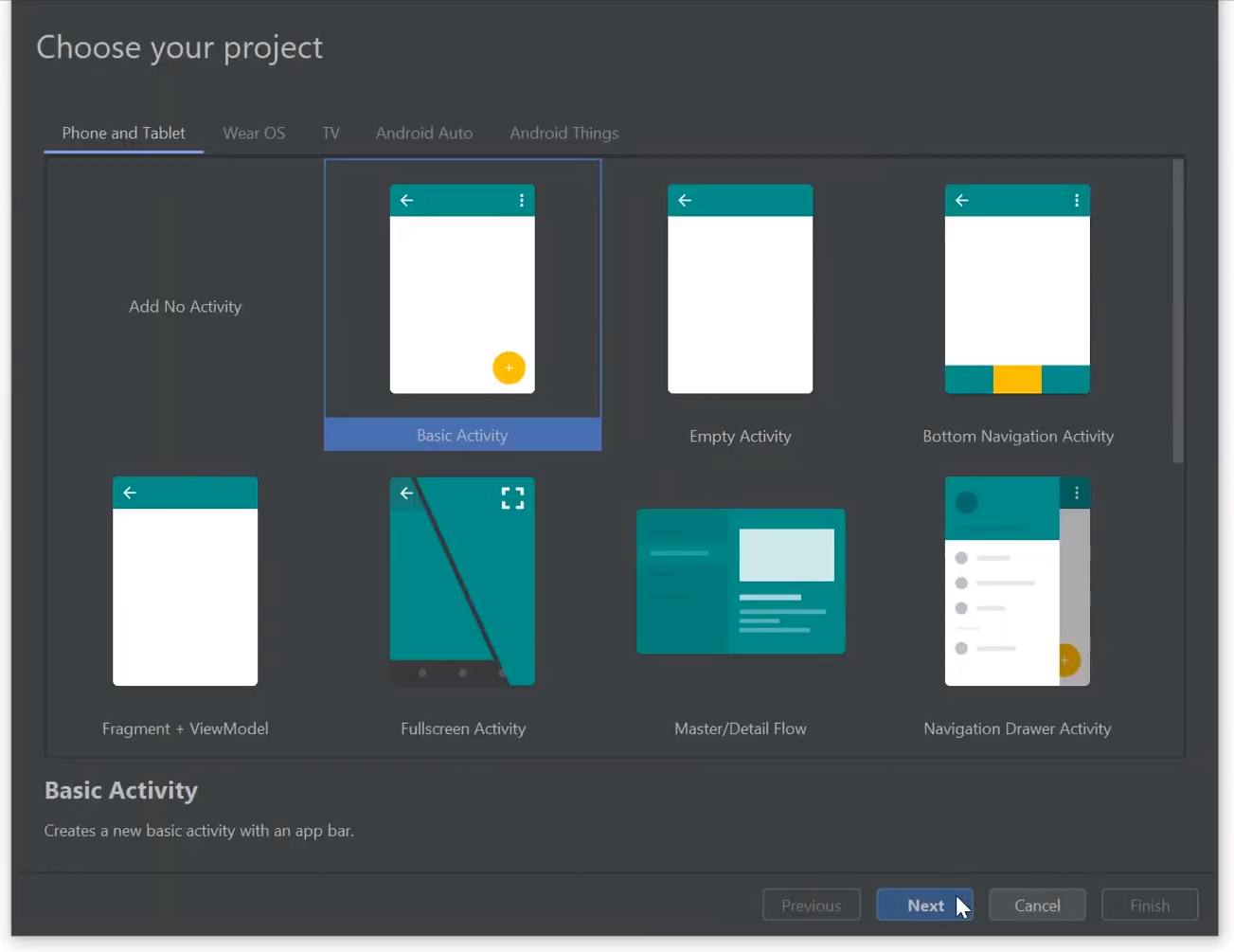
Create a new Android App with [Android Studio](https://developer.android.com/studio):
Add protoc generated TodoWorld DTOs and gRPC `GrpcServicesStub`:
```bash
cd app\src\main\java
x proto-java https://todoworld.servicestack.net
```
Modify the downloaded `services.proto` to use the **package** name of your App, e.g:
```protobuf
option java_package = "net.servicestack.androidapp";
```
Generate a **java-lite** protoc gRPC client from your modified `services.proto`:
:::sh
x proto-java-lite services.proto
:::
Update **build.gradle** with required gRPC, protobuf and OK HTTP plugins and dependencies:
```groovy
plugins {
id 'com.google.protobuf' version '0.8.8'
id 'idea'
}
//...
def grpcVersion = '1.27.0'
dependencies {
implementation 'javax.annotation:javax.annotation-api:1.2'
implementation "io.grpc:grpc-protobuf:${grpcVersion}"
implementation "io.grpc:grpc-auth:${grpcVersion}"
implementation "io.grpc:grpc-census:${grpcVersion}"
implementation "io.grpc:grpc-okhttp:${grpcVersion}"
implementation "io.grpc:grpc-stub:${grpcVersion}"
//...
}
```
Sync changes to your **build.gradle** to install the new dependencies:

Add the `android.permission.INTERNET` to your **AndroidManifest.xml** (before `` tag):
```xml
```
Use protoc generated DTOs and async `GrpcServicesStub` to perform non-blocking TodoWorld gRPC Service requests:
### Android Java protoc gRPC insecure Example
```java
ManagedChannel channel = ManagedChannelBuilder.forAddress(
"todoworld.servicestack.net", 50054).usePlaintext().build();
final GrpcServicesGrpc.GrpcServicesStub client =
GrpcServicesGrpc.newStub(channel);
fab.setOnClickListener(new View.OnClickListener() {
client.getHello(Services.Hello.newBuilder()
.setName("Android gRPC").build(),
new StreamObserver() {
@Override
public void onNext(Services.HelloResponse value) {
Snackbar.make(view, value.getResult(), Snackbar.LENGTH_LONG)
.setAction("Action", null).show();
}
@Override public void onError(Throwable t) {}
@Override public void onCompleted() {}
});
});
```
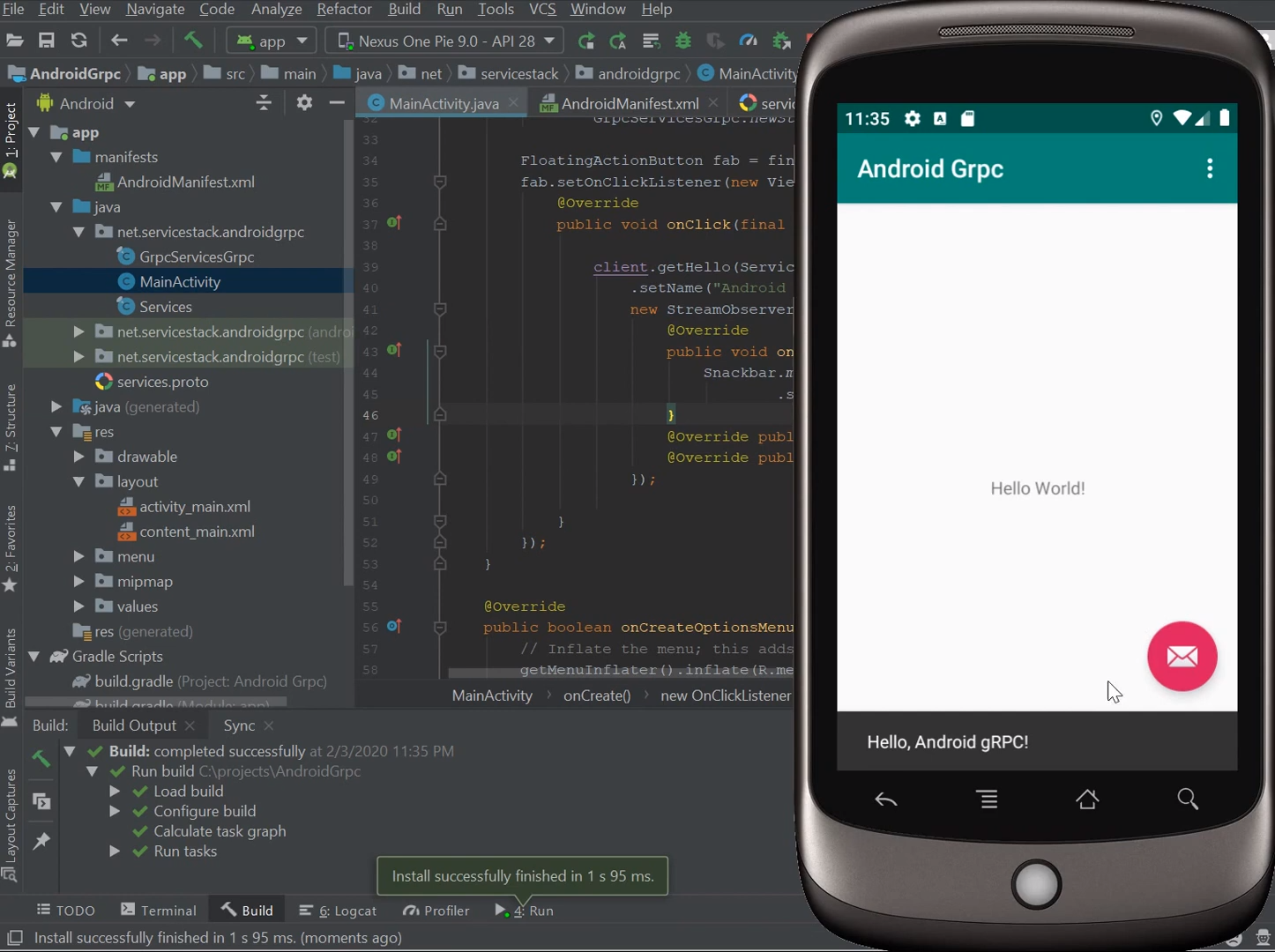
Now run your App and click the Action button to make a plain-text gRPC Request:
### Android Java protoc gRPC SSL Example
To use gRPC SSL we'll need a copy of our gRPC's Service SSL Certificate which we can make available to our
Android App by saving it to our App's `assets` directory:
```bash
mkdir ..\assets
x get https://todoworld.servicestack.net/grpc.crt -out ../assets
```
Building an TLS Channel configured with a self-signed SSL Certificate requires a bit of effort with OK HTTP
so we'll include a [ChannelBuilder.java](https://gist.github.com/gistlyn/0a3311c1b72b136bdfae616507cc38af)
to wrap up the boiler plate:
:::sh
npx add-in grpc-android
:::
This simplifies the configuration required down to just the `grpc.crt` certificate loaded from the
App's Asset Manager, the host and port name of the gRPC SSL Channel:
```java
ManagedChannel channel = null;
InputStream is = null;
try {
is = getResources().getAssets().open("grpc.crt");
channel = ChannelBuilder.buildTls(
"todoworld.servicestack.net", 50051, is);
is.close();
} catch (Throwable e) {
e.printStackTrace();
}
```
Lets update the gRPC API call to reflect we're now using an SSL channel:
```java
client.getHello(Services.Hello.newBuilder()
.setName("gRPC SSL").build(),
```
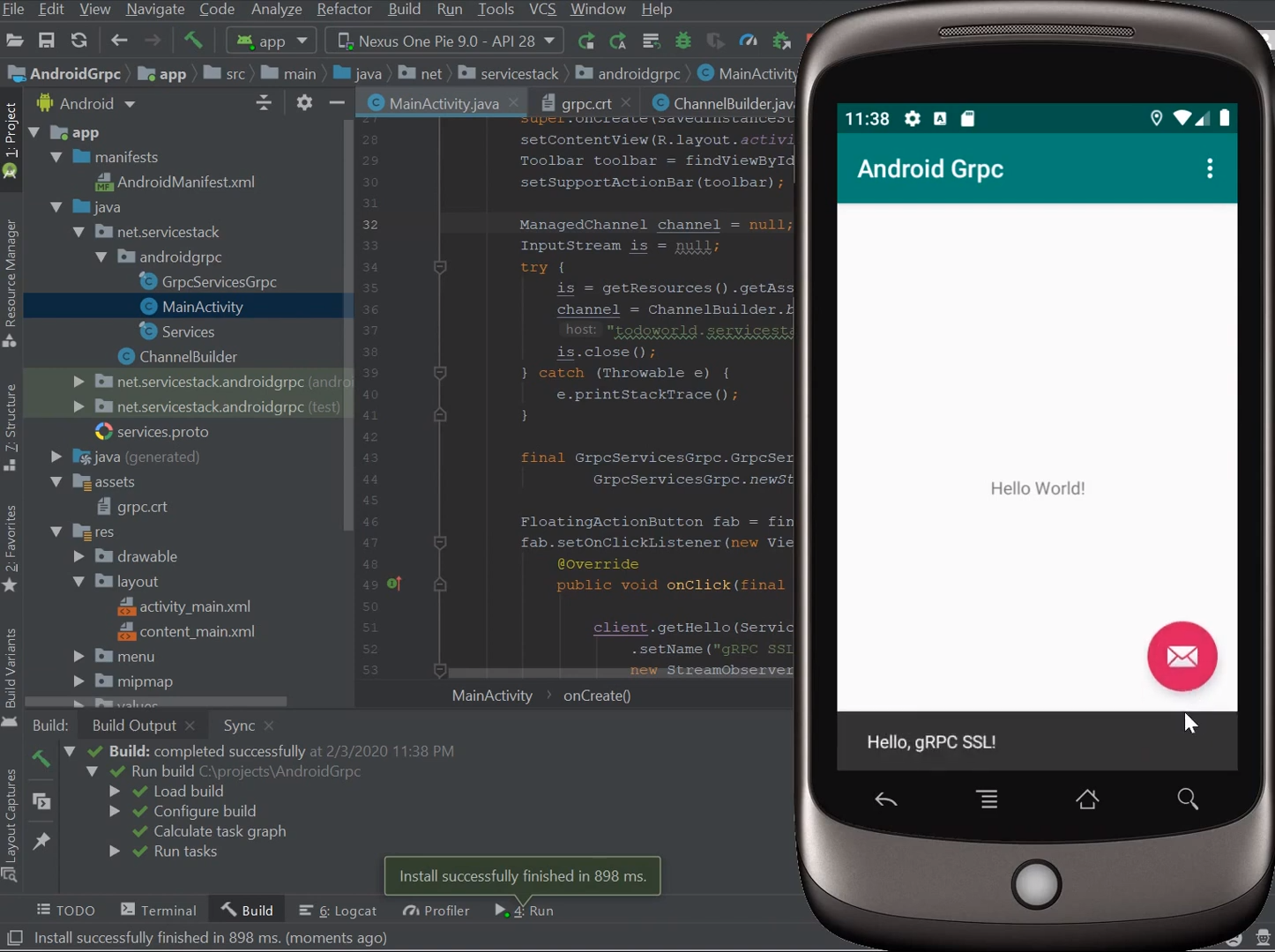
Now after re-running our App it'll perform gRPC SSL Service requests instead:

Refer to [/mobile/java/AndroidGrpc](https://github.com/NetCoreApps/todo-world/tree/master/mobile/java/AndroidGrpc)
for a complete example project.