---
title: Multiple App Databases
---
ServiceStack Apps have great support for multiple App Databases, for all it's [supported RDBMS](/ormlite/installation)
starting with the built-in [Database Admin UI](https://docs.servicestack.net/admin-ui-database) which lets you
browse and query an App's configured databases:
You can easily try this out from a new database-enabled [blazor-vue](https://blazor-vue.web-templates.io) project template,
created with the `x` [dotnet tool](https://docs.servicestack.net/dotnet-tool):
:::sh
dotnet tool install --global x
:::
This will let you create any [ServiceStack Project Template](/start) with your preferred Project Name from the command-line, e.g:
:::sh
npx create-net blazor-vue DatabaseTest
:::
Which creates a new .NET App that you can open with your preferred .NET IDE or text editor, e.g:
:::sh
code DatabaseTest/DatabaseTest
:::
By default the App is configured to use a local SQLite database, we can extend it to
[connect to different RDBMS's](/ormlite/install-postgres-mysql-sqlserver)
by adding the necessary **RDBMS** and `AdminDatabaseFeature` NuGet packages in `DatabaseTest.csproj`:
```xml
```
::: info TIP
New dependencies can be installed with VS Code's **Restore** popup or by explicitly running `dotnet restore`
:::
We can then register named connections for each of our databases by replacing the existing `Configure.Db.cs` with:
```csharp
public class ConfigureDb : IHostingStartup
{
public void Configure(IWebHostBuilder builder) => builder
.ConfigureServices((context,services) => {
var dbFactory = new OrmLiteConnectionFactory(
context.Configuration.GetConnectionString("DefaultConnection") ?? "App_Data/db.sqlite",
SqliteDialect.Provider);
dbFactory.RegisterConnection("postgres",
"Server=localhost;User Id=postgres;Password=p@55wOrd;Database=test;Pooling=true;MinPoolSize=0;MaxPoolSize=200",
PostgreSqlDialect.Provider);
dbFactory.RegisterConnection("mysql",
"Server=localhost;User Id=root;Password=p@55wOrd;Database=test;Pooling=true;MinPoolSize=0;MaxPoolSize=200",
MySqlDialect.Provider);
dbFactory.RegisterConnection("mssql",
"Server=localhost;User Id=sa;Password=p@55wOrd;Database=test;MultipleActiveResultSets=True;Encrypt=False;",
SqlServer2012Dialect.Provider);
services.AddSingleton(dbFactory);
})
.ConfigureAppHost(appHost => {
// Enable built-in Database Admin UI at /admin-ui/database
appHost.services.AddPlugin(new AdminDatabaseFeature());
});
}
```
This will now let us access the [registered databases](https://docs.servicestack.net/ormlite/getting-started#multiple-database-connections)
in our APIs, but first lets populate the databases with some data.
When a new project is created it populates its default configured SQLite database with some test data, we can do the same
for the other registered database by duplicating the App's initial [DB migration](https://docs.servicestack.net/ormlite/db-migrations)
to a new DB `Migration1001.cs` with:
:::sh
sed "s/1000/1001/" ./Migrations/Migration1000.cs > ./Migrations/Migration1001.cs
:::
Then annotating it with a `[NamedConnection]` attribute for each of your registered database, e.g:
```csharp
[NamedConnection("mssql")]
[NamedConnection("mysql")]
[NamedConnection("postgres")]
public class Migration1001 : MigrationBase
{
//...
}
```
That can then be executed with:
:::sh
npm run migrate
:::
Where it will execute all new DB Migrations, in this case apply the same Migration to each configured database.
Now that our App's databases are all populated and ready to go, we can run it with:
:::sh
npm run dev
:::
Then view the built-in Admin Database UI at:
:::sh
https://localhost:5001/admin-ui/database
:::
and signing in with the Admin user created in `Configure.AuthRepository.cs`:
- `admin@email.com`
- `p@55wOrd`
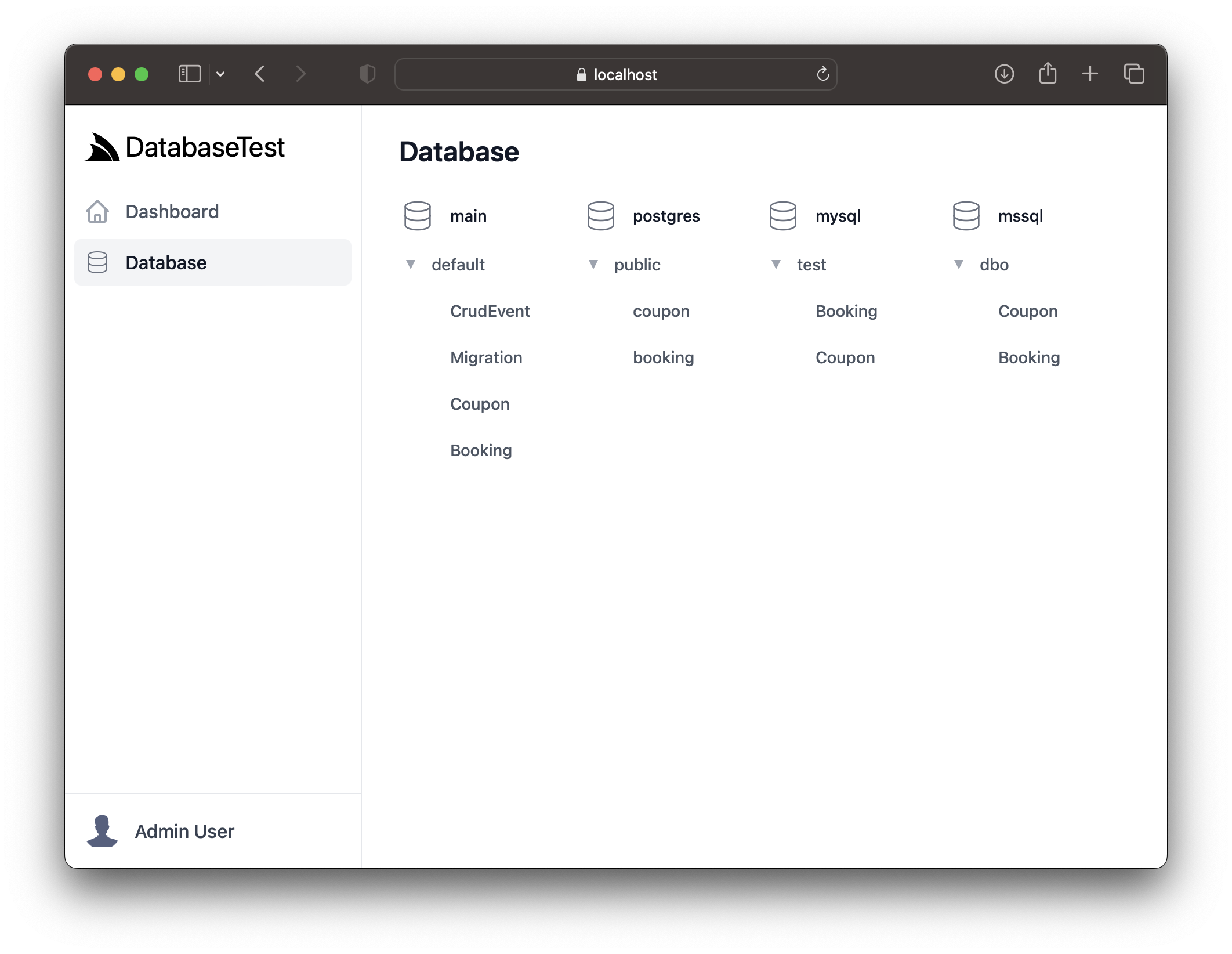
Where it displays all the App's configured database tables on its home page:
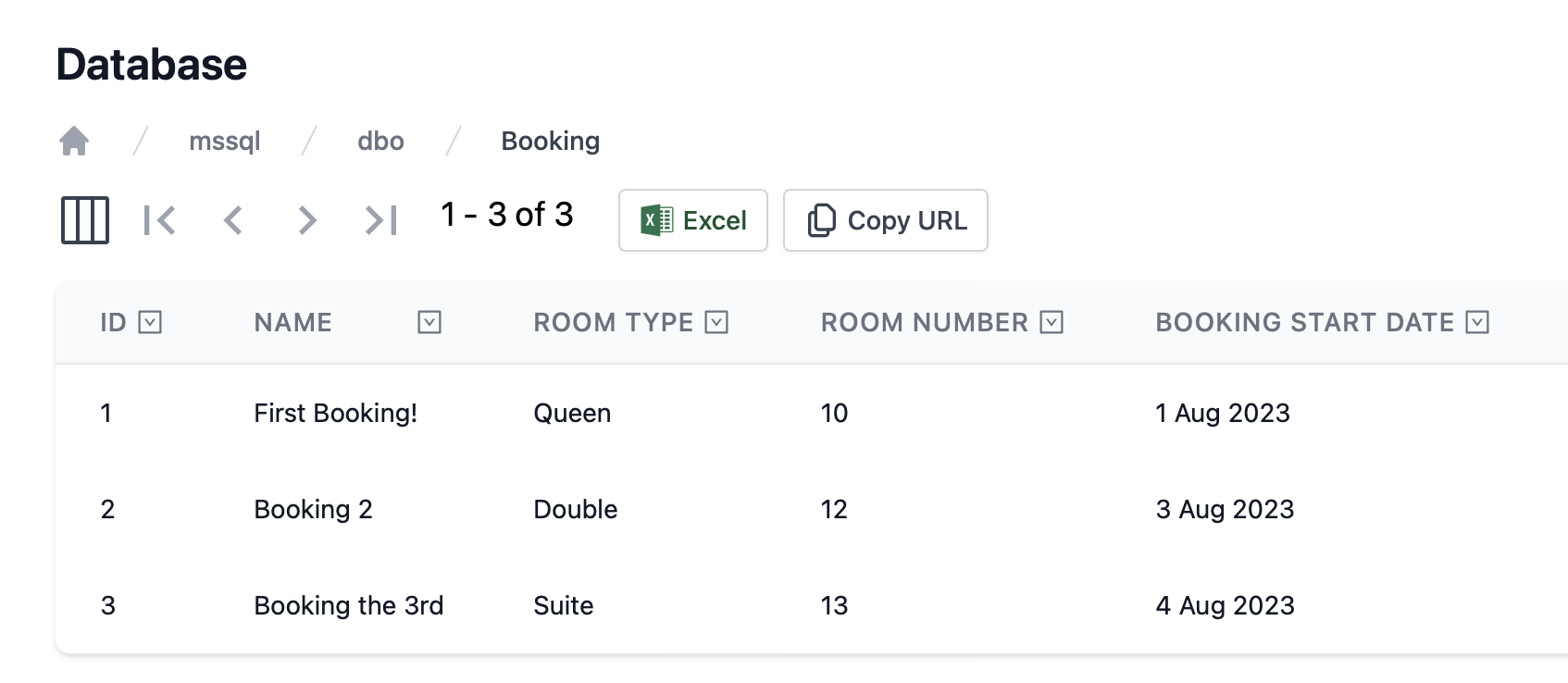
Whose contents can be viewed by drilling down and clicking on each table:
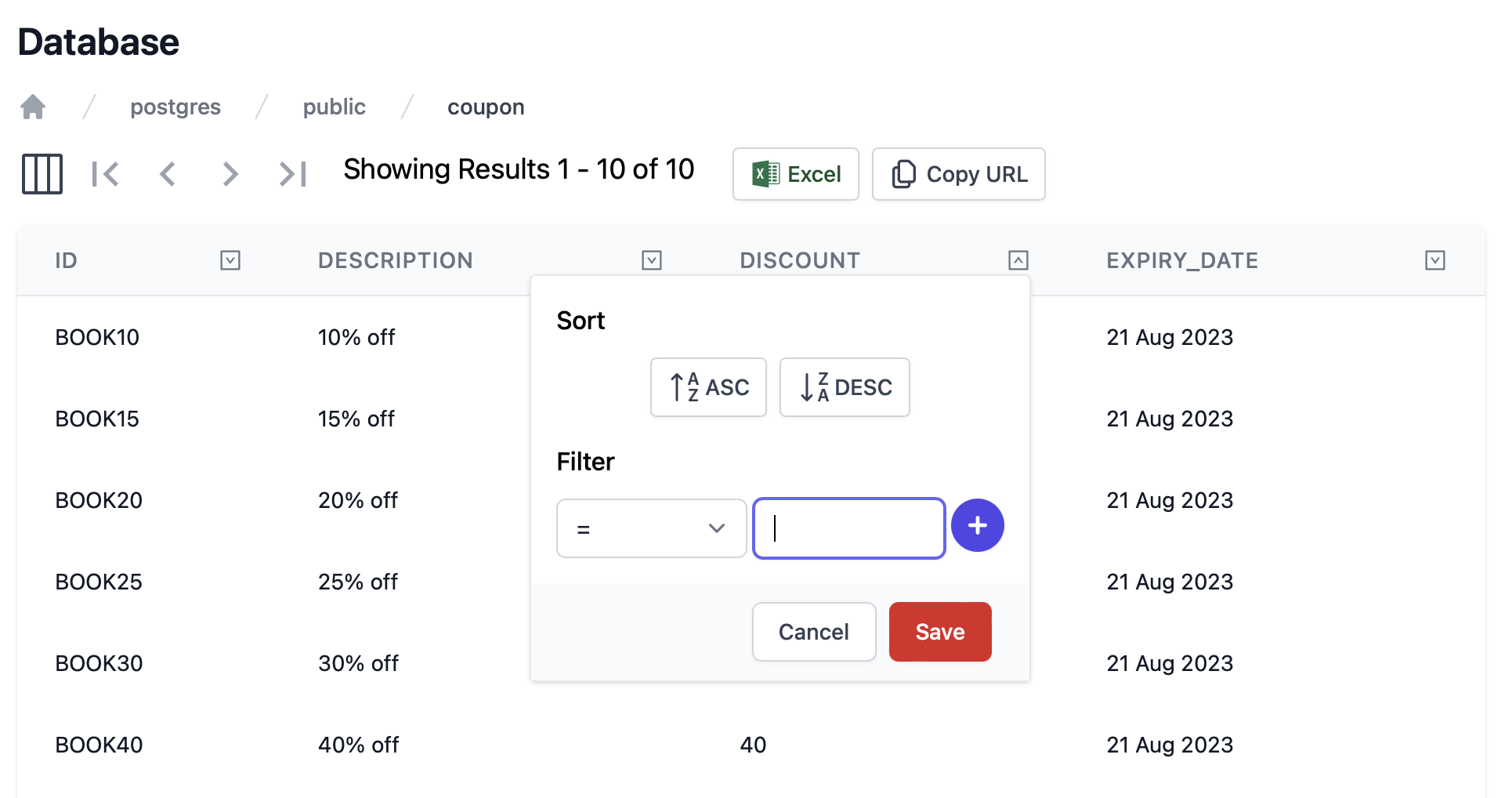
Which displays its rows using the [AutoQuery Grid Vue Component](https://docs.servicestack.net/vue/autoquerygrid) that
can be sorted and filtered as needed:
## Named database connections
Named connections can be opened by its name from the registered `IDbConnectionFactory`:
```csharp
using var db = dbFactory.Open("postgres");
```
Inside a Service this can be resolved using `OpenDbConnection`:
```csharp
public class MyServices : Service
{
public object Any(GetPostgresBookings request)
{
using var db = OpenDbConnection("postgres");
return db.Select();
}
}
```
The `[NamedConnection]` attribute can be used to configure Services `base.Db` connection with the named connection RDBMS, e.g:
```csharp
[NamedConnection("mysql")]
public class QueryMySqlBookings {}
public class BookingServices : Service
{
public object Any(QueryMySqlBookings request) => Db.Select();
}
```
Or if using [AutoQuery](/autoquery/) it can be used to associate Data Models with the named connection:
```csharp
[NamedConnection("mssql")]
public class QuerySqlServerBookings : QueryDb {}
```
Otherwise for other Services the `[ConnectionInfo]` attribute can be used to change the `base.Db` to use the registered
named connection for all APIs in a Service class, e.g:
```csharp
[ConnectionInfo(NamedConnection = "postgres")]
public class PostgresServices : Service
{
public object Any(GetPostgresBookings request)
{
return db.Select();
}
}
```
## Vue .mjs project template features
Whilst you have the App running, check out its other high-productivity features:
### Create a multi-user Booking system with AutoQuery
The App's Bookings APIs are built using [AutoQuery CRUD](https://docs.servicestack.net/autoquery-crud), allowing for
rapid development of typed CRUD Services using only declarative POCO DTOs:
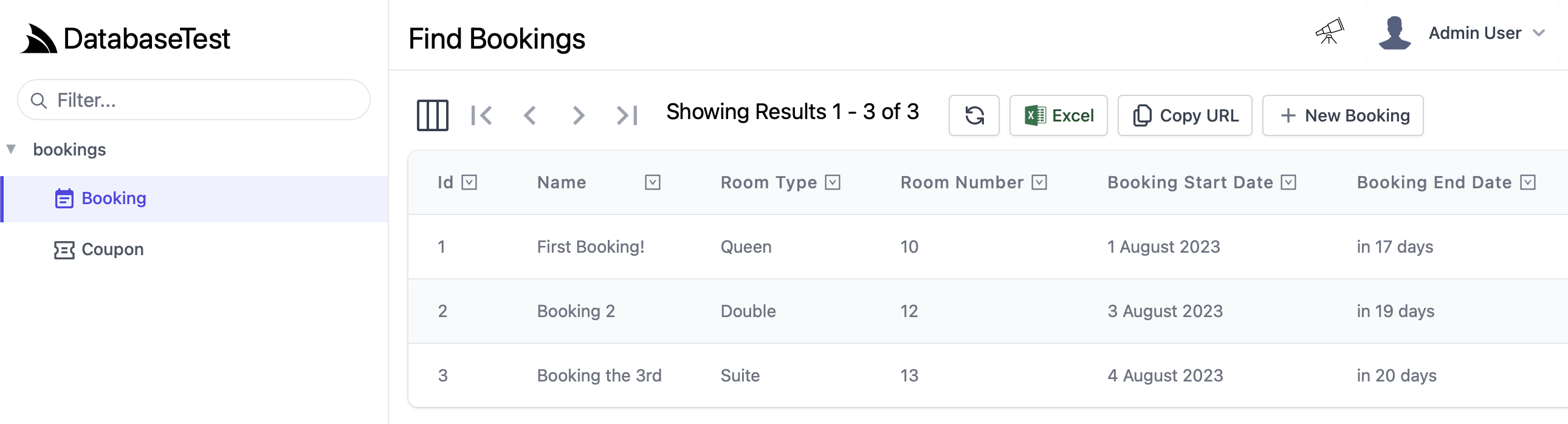
In addition, all AutoQuery APIs benefit from the built-in [Locode's](https://docs.servicestack.net/locode/) Auto Management UI:
[](https://docs.servicestack.net/locode/)
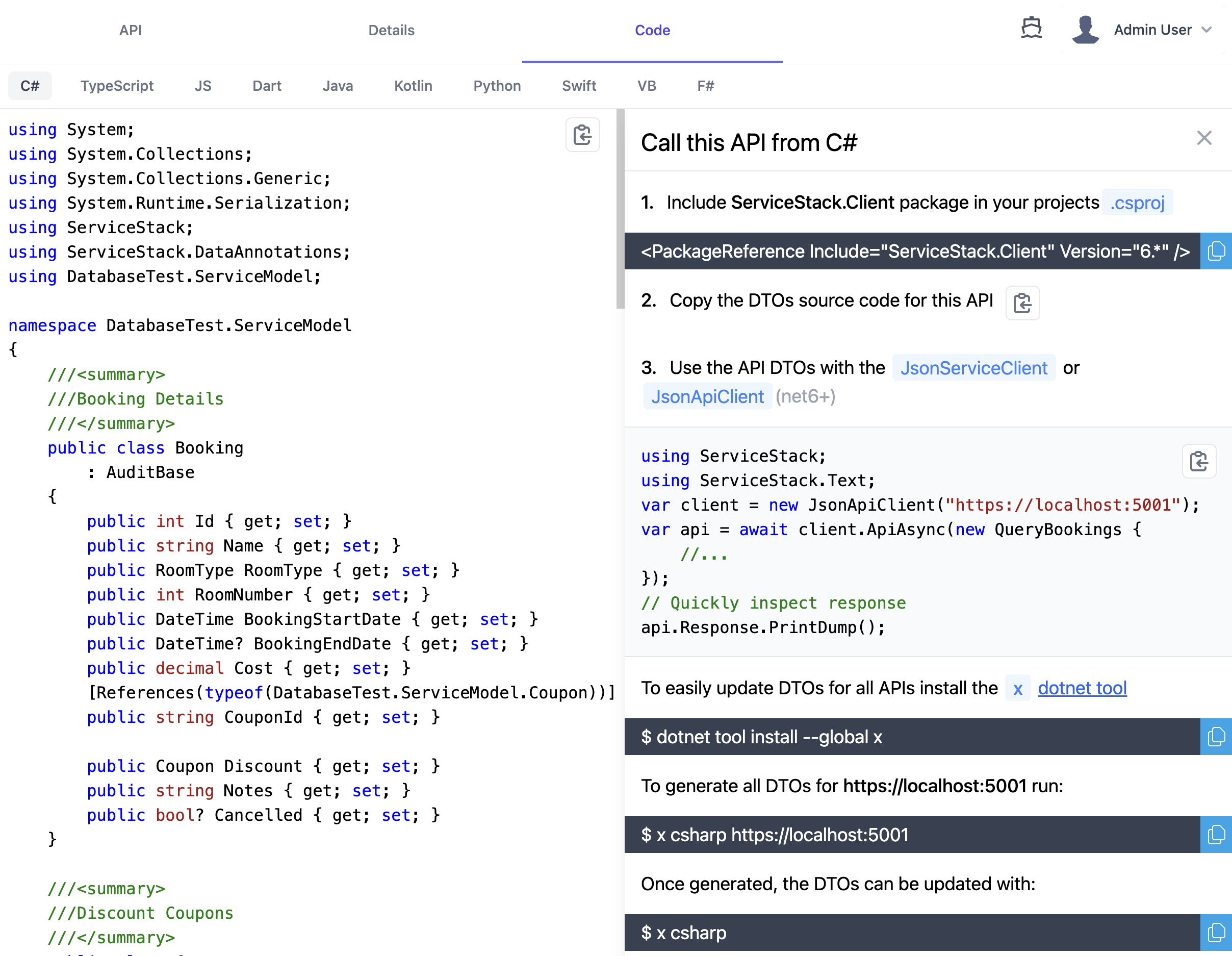
As well as end-to-end typed integrations with the most [popular programming languages](/service-reference) accessible
from the [code tab](https://docs.servicestack.net/api-explorer#code-tab) of the built-in
[API Explorer](https://docs.servicestack.net/api-explorer):
[](https://docs.servicestack.net/api-explorer)
I hope this has been an informative post and highlighted some cool products and features, any questions or feedback
is welcome by commenting below.