---
title: Razor UI Controls
slug: razor-ui-controls
---
The Razor UI Controls are utilized in new [Razor project templates](/templates/websites) and
the [World Validation](/world-validation#server-rendered-html-uis) Application.
### UI Component List
Currently the component libraries include common Bootstrap UI Form Controls and Navigation Components:
| Control | Description |
|-------------------------|-----------------------------------------------------------------------------------|
| @Html.ValidationSummary | Show validation summary error message unless there's an error in specified fields |
| @Html.ValidationSuccess | Display a "Success Alert Box" |
| @Html.FormInput | Display a `` UI Control |
| @Html.FormTextarea | Display a `` UI Control |
| @Html.FormSelect | Display a `` UI Control |
| @Html.FormInput | Display a `` UI Control |
| @Html.HiddenInputs | Emit HTML `` field for each specified Key/Value pair entry |
| @Html.SvgImage | Return `` markup for the named image |
| @Html.Nav | Display a list of NavItem's |
| @Html.Navbar | Display the `navbar` main menu |
| @Html.NavLink | Display a `nav-link` nav-item |
| @Html.NavButtonGroup | Display a list of NavItem's `btn-group` |
### Bootstrap UI Form Controls
The Bootstrap UI form controls include built-in support for validation where they can render validation errors from ServiceStack's
`ResponseStatus` object, e.g the [Login Page](/world-validation#login-page) in World Validation:
```cs
```
## Login Page UI
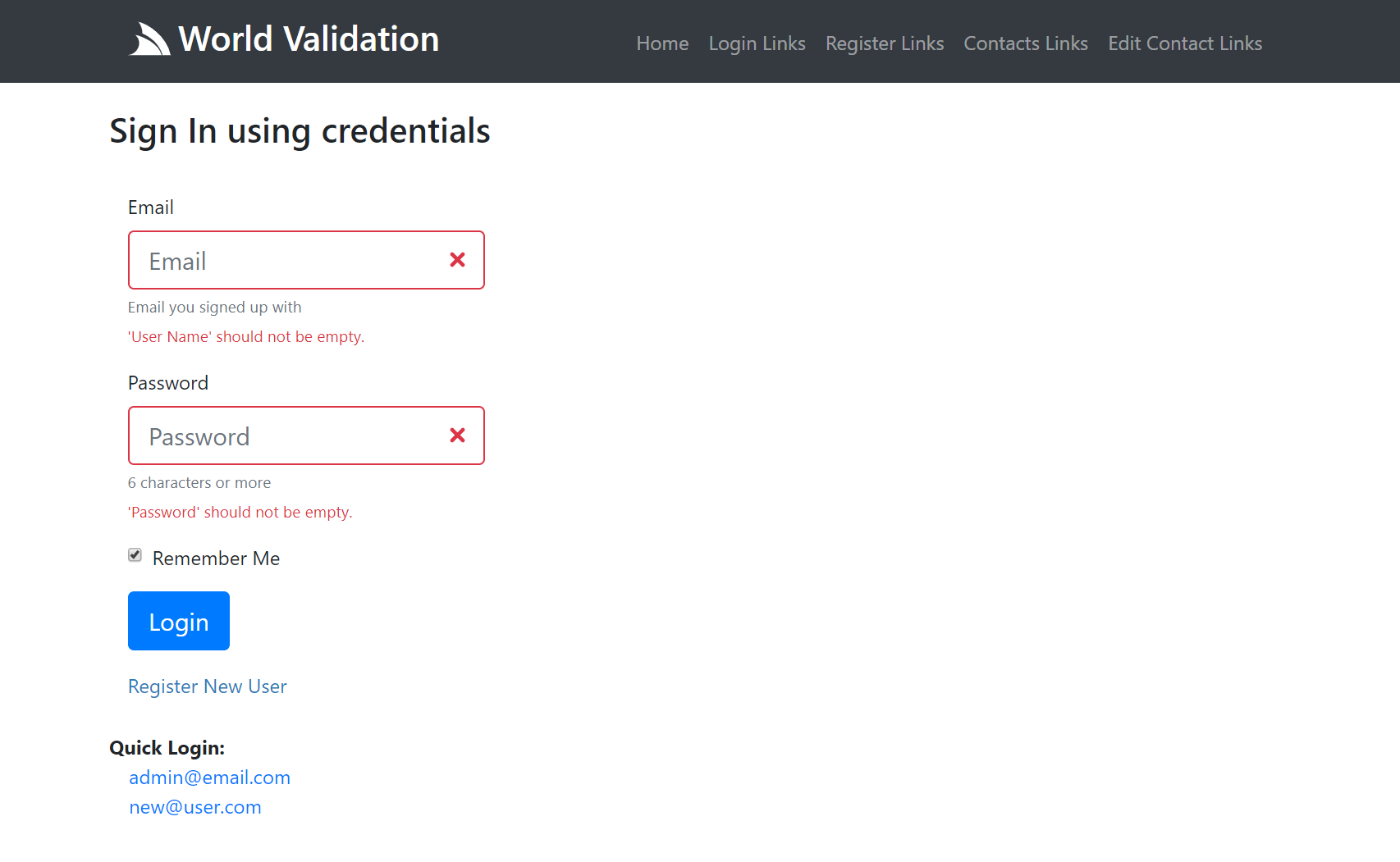
The Login Page contains a standard Bootstrap Username/Password form with labels, placeholders and help text, which initially looks like:

What it looks like after submitting an empty form with Server Exception Errors rendered against their respective fields:
### Form Control Properties
The **Razor** controls uses anonymous objects and camelCase properties for its unbounded HTML Element Attribute List
for attributes you want to add to the underlying HTML `` Element and a Typed `InputOptions` Class to specify the controls other
high-level features, typically like:
```cs
@Html.ControlName(new { /*htmlAttrs*/ }, new InputOptions { ... })
```
The typed `InputOptions` class supports the following features:
```csharp
/// High-level Input options for rendering HTML Input controls
public class InputOptions
{
/// Display the Control inline
public bool Inline { get; set; }
/// Label for the control
public string Label { get; set; }
/// Class for Label
public string LabelClass { get; set; }
/// Override the class on the error message (default: invalid-feedback)
public string ErrorClass { get; set; }
/// Small Help Text displayed with the control
public string Help { get; set; }
/// Bootstrap Size of the Control: sm, lg
public string Size { get; set; }
/// Multiple Value Data Source for Checkboxes, Radio boxes and Select Controls
public object Values { get; set; }
/// Typed setter of Multi Input Values
public IEnumerable> InputValues
{
set => Values = value;
}
/// Whether to preserve value state after post back
public bool PreserveValue { get; set; } = true;
/// Whether to show Error Message associated with this control
public bool ShowErrors { get; set; } = true;
}
```
### Contacts Page
The [Contacts Page](/world-validation#contacts-page) shows a more complete example with a number of different UI Controls.
```cs
```
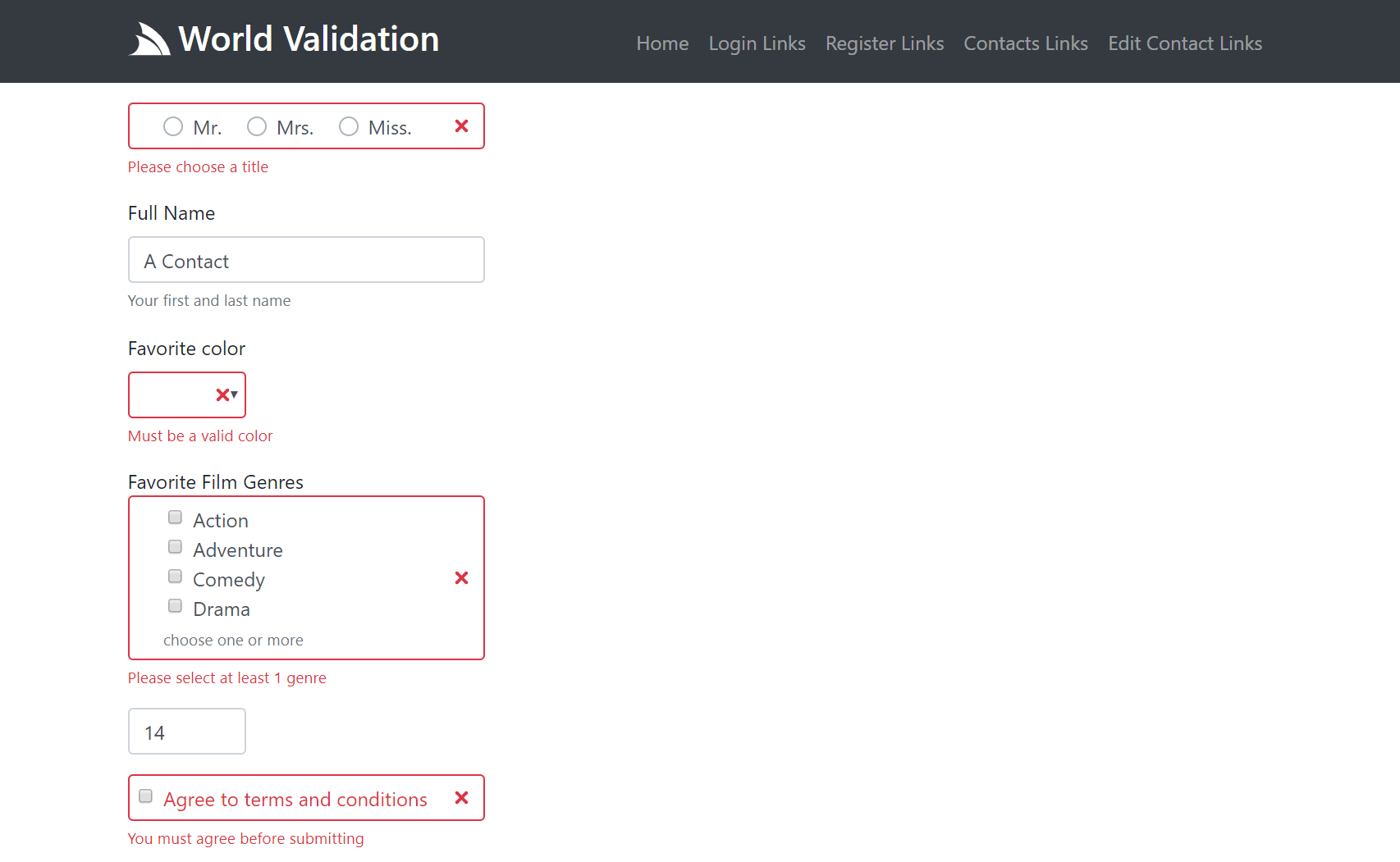
Both Server UI Controls provide auto Validation Form Binding for any validation rules specified on the `CreateContact` Validator:
```csharp
public class CreateContactValidator : AbstractValidator
{
public CreateContactValidator()
{
RuleFor(r => r.Title).NotEqual(Title.Unspecified).WithMessage("Please choose a title");
RuleFor(r => r.Name).NotEmpty();
RuleFor(r => r.Color).Must(x => x.IsValidColor()).WithMessage("Must be a valid color");
RuleFor(r => r.FilmGenres).NotEmpty().WithMessage("Please select at least 1 genre");
RuleFor(r => r.Age).GreaterThan(13).WithMessage("Contacts must be older than 13");
RuleFor(x => x.Agree).Equal(true).WithMessage("You must agree before submitting");
}
}
```
As well as any `ArgumentException` thrown within the Service Implementation:
```csharp
public object Any(CreateContact request)
{
var newContact = request.ConvertTo();
newContact.Id = Interlocked.Increment(ref Counter);
newContact.UserAuthId = this.GetUserId();
newContact.CreatedDate = newContact.ModifiedDate = DateTime.UtcNow;
var contacts = Contacts.Values.ToList();
var alreadyExists = contacts.Any(x => x.UserAuthId == newContact.UserAuthId && x.Name == request.Name);
if (alreadyExists)
throw new ArgumentException($"You already have contact named '{request.Name}'",nameof(request.Name));
Contacts[newContact.Id] = newContact;
return new CreateContactResponse { Result = newContact.ConvertTo() };
}
```
## Contacts Page UI
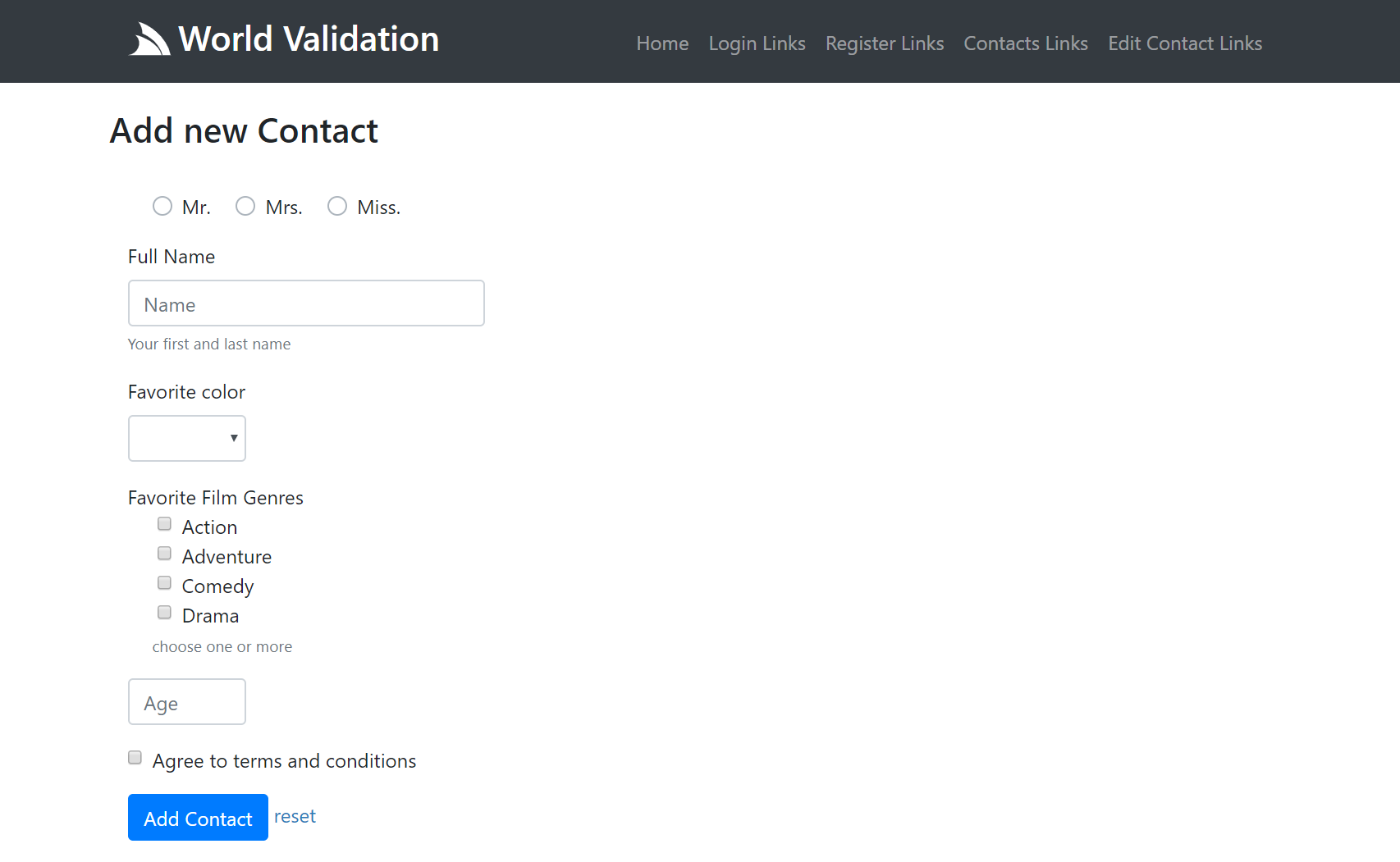
The Contacts Page is representative of a more complex page that utilizes a variety of different form controls where the same page is also responsible for rendering the list of existing contacts:
Here's an example of what a partially submitted invalid form looks like:
To view the complete implementation in context checkout [World Validation Server Implementation](/world-validation#server-implementation).
## Navigation Controls
The Server Navigation Controls are used to render your Apps [Unified Navigation](/navigation#navbar)
where you can use the `@Html.Navbar()` and `@Html.NavButtonGroup()` methods to render NavItems:
#### Navbar
You can render the **main menu** navigation using the
[Navbar](https://github.com/NetCoreTemplates/razor/blob/e6b2bb82c81fc8fb07eff94e7afbdd42ded2569f/MyApp/Views/Shared/_Layout.cshtml#L52) HTML Helper:
```cs
@Html.Navbar()
```
Which by default renders the `View.NavItems` main navigation, using the default `NavOptions` and User Attributes (if authenticated):

You can also render a **different Navigation List** with:
```cs
@Html.Navbar(Html.GetNavItems("submenu"))
```
Which can be customized using the different `NavOptions` properties above, in camelCase:
```cs
@Html.Navbar(Html.GetNavItems("submenu"), new NavOptions {
NavClass = "navbar-nav navbar-light bg-light"
})
```
#### Button group
The `NavButtonGroup` HTML Helper can render NavItems in a button group, e.g. the
[OAuth buttons](https://github.com/NetCoreTemplates/razor/blob/ed70e0d9d858e6dc05a267dfc1cd281b70311589/MyApp/wwwroot/login.cshtml#L48-L51)
are rendered with:
```cs
@Html.NavButtonGroup(Html.GetNavItems("auth"), new NavOptions {
NavClass = "",
NavItemClass = "btn btn-block btn-lg",
})
```
Which renders a vertical, spaced list of buttons which look like:

### Razor Pages
The same server controls are available in ServiceStack.Razor Apps as HTML Helper extension methods:
#### Navbar
```csharp
@Html.Navbar()
@Html.Navbar(Html.GetNavItems("submenu"))
@Html.Navbar(Html.GetNavItems("submenu"), new NavOptions {
NavClass = "navbar-nav navbar-light bg-light"
})
```
#### NavButtonGroup
```csharp
@Html.NavButtonGroup(Html.GetNavItems("auth"), new NavOptions {
NavClass = "",
NavItemClass = "btn btn-block btn-lg",
})
```
### NavOptions Properties
Each Nav UI Control can be further customized by overriding the properties on the typed `NavOptions` class:
```csharp
public class NavOptions
{
/// User Attributes for conditional rendering, e.g:
/// - auth - User is Authenticated
/// - role:name - User Role
/// - perm:name - User Permission
public HashSet Attributes { get; set; }
/// Path Info that should set as active
public string ActivePath { get; set; }
/// Prefix to include before NavItem.Path (if any)
public string BaseHref { get; set; }
// Custom classes applied to different navigation elements (defaults to Bootstrap classes)
public string NavClass { get; set; }
public string NavItemClass { get; set; }
public string NavLinkClass { get; set; }
public string ChildNavItemClass { get; set; }
public string ChildNavLinkClass { get; set; }
public string ChildNavMenuClass { get; set; }
public string ChildNavMenuItemClass { get; set; }
}
```