---
slug: world-validation
title: World Validation
---
The [World Validation App](https://github.com/NetCoreApps/Validation) covers a typical Apps examples you would find in most Apps,
including **Login** and **Registration Forms** to **Sign In** and **Register** new Users who are then able to access the
**same protected Services** to maintain their own private contact lists.
It's a compact example that tries to cover a lot of use-cases typical in a real-world App, including maintaining a separate Data and DTO Model
and using C# idioms like Enum's for defining a finite list of options which are re-used to populate its HTML UI.
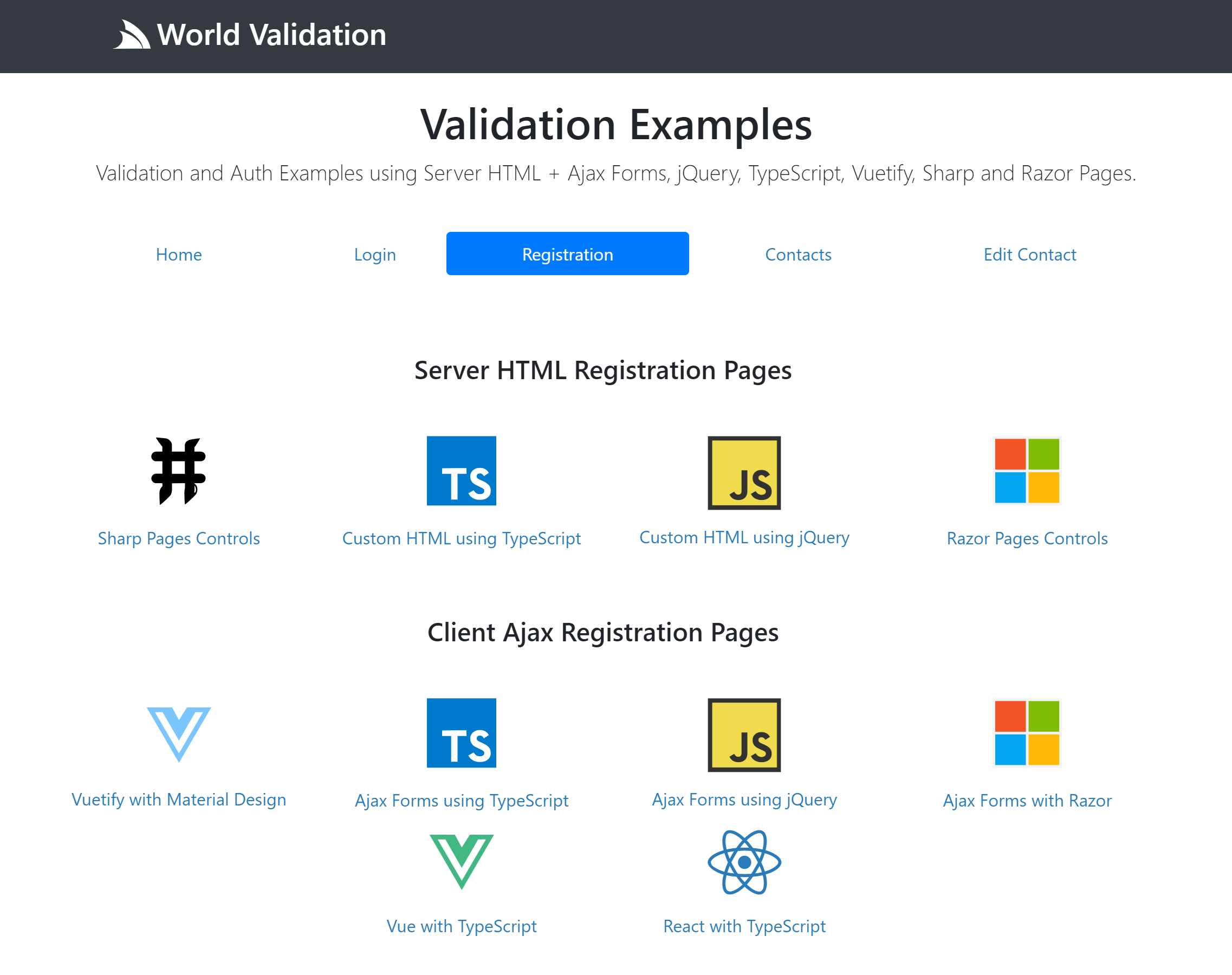
The UI for the same App is re-implemented in **10 popular Web Development approaches**, each integrated with ServiceStack's validation.
As of this writing there **4 different server HTML** generated strategies that use HTML Form Posts to call back-end Services:
[](https://github.com/NetCoreApps/Validation)
### Server Rendered HTML UIs
- [/server](https://github.com/NetCoreApps/Validation/tree/master/world/wwwroot/server) - Sharp Pages using Server Controls
- [/server-ts](https://github.com/NetCoreApps/Validation/tree/master/world/wwwroot/server-ts) - Server HTML enhanced with TypeScript
- [/server-jquery](https://github.com/NetCoreApps/Validation/tree/master/world/wwwroot/server-jquery) - Server HTML enhanced with jQuery
- [/server-razor](https://github.com/NetCoreApps/Validation/tree/master/world/wwwroot/server-razor) - ServiceStack.Razor using Razor Helpers
### Client HTML UIs
The Client Examples use Ajax Forms and the [TypeScript JsonServiceClient](/typescript-add-servicestack-reference#typescript-serviceclient)
to send TypeScript [dtos.ts](https://github.com/NetCoreApps/Validation/blob/master/world/wwwroot/dtos.ts) generated with [TypeScript Add ServiceStack Reference](/typescript-add-servicestack-reference):
- [/vuetify](https://github.com/NetCoreApps/Validation/tree/master/world/wwwroot/vuetify) - Vue App using Vuetify's Material Design Controls using ServiceClient Requests
- [/client-ts](https://github.com/NetCoreApps/Validation/tree/master/world/wwwroot/client-ts) - TypeScript UI using Ajax Forms and ServiceClient Requests
- [/client-jquery](https://github.com/NetCoreApps/Validation/tree/master/world/wwwroot/client-jquery) - JavaScript UI using jQuery Ajax Requests
- [/client-razor](https://github.com/NetCoreApps/Validation/tree/master/world/wwwroot/client-razor) - Client jQuery Ajax Requests rendered by Razor pages
- [/client-vue](https://github.com/NetCoreApps/Validation/tree/master/world/wwwroot/client-vue) - Vue UI using TypeScript and ServiceClient Requests
- [/client-react](https://github.com/NetCoreApps/Validation/tree/master/world/wwwroot/client-react) - React UI using TypeScript and ServiceClient Requests
The source code for all different strategies are encapsulated within their folders above except for the Razor examples which need to
maintain their shared resources in the [/Views](https://github.com/NetCoreApps/Validation/tree/master/world/Views) folder
(representative of friction and restrictions when working with Razor).
### Server Implementation
This is the shared backend Server implementation that all UIs are using:
All Auth Configuration is encapsulated within a "no-touch" `IConfigureAppHost` plugin that's run once on Startup:
::include gists/apphost-auth-validation.md::
All Services and Validators used in this App. Extension methods are used to DRY reusable code and a Custom
[Auto Mapping](/auto-mapping) handles conversion between the `Contact` Data Model and Contact`` DTO:
::include gists/custom-validator-contact.md::
The dynamic App data used within ServiceStack Sharp Pages and Razor pages are maintained within Custom `ContactScripts` and `RazorHelpers`:
::include gists/scripts-razor-helpers.md::
Typed Request/Response Service Contracts including Data and DTO models that utilizes Enum's:
::include gists/contact-dtos.md::
Each UI implements 4 different screens which are linked from:
- [Login Page](https://github.com/NetCoreApps/Validation/blob/master/world/wwwroot/login-links.html) - Sign In to ServiceStack's built-in Username/Password Credentials Auth Provider
- [Registration Page](https://github.com/NetCoreApps/Validation/blob/master/world/wwwroot/register-links.html) - Calling ServiceStack's built-in `/register` Service to register a new User
- [Contacts Page](https://github.com/NetCoreApps/Validation/blob/master/world/wwwroot/contact-links.html) - Contacts Form to Add a new Contact and view list of existing contacts
- [Edit Contact Page](https://github.com/NetCoreApps/Validation/blob/master/world/wwwroot/contact-edit-links.html) - Edit Contact Form
### Shared Error Handling Concepts
Despite their respective differences they share the same concepts where all validation errors are populated from the Service's `ResponseStatus`
Error Response. The UI implementations takes care of binding all matching field errors next to their respective controls whilst the
`validationSummary` or `errorResponseExcept` methods takes a list of field names that they **should not display** as they'll already be
displayed next to their targeted control.
We'll cover just the **Login** and **Contacts** Pages since they're sufficiently different, to see what this looks like in practice:
## Login Page
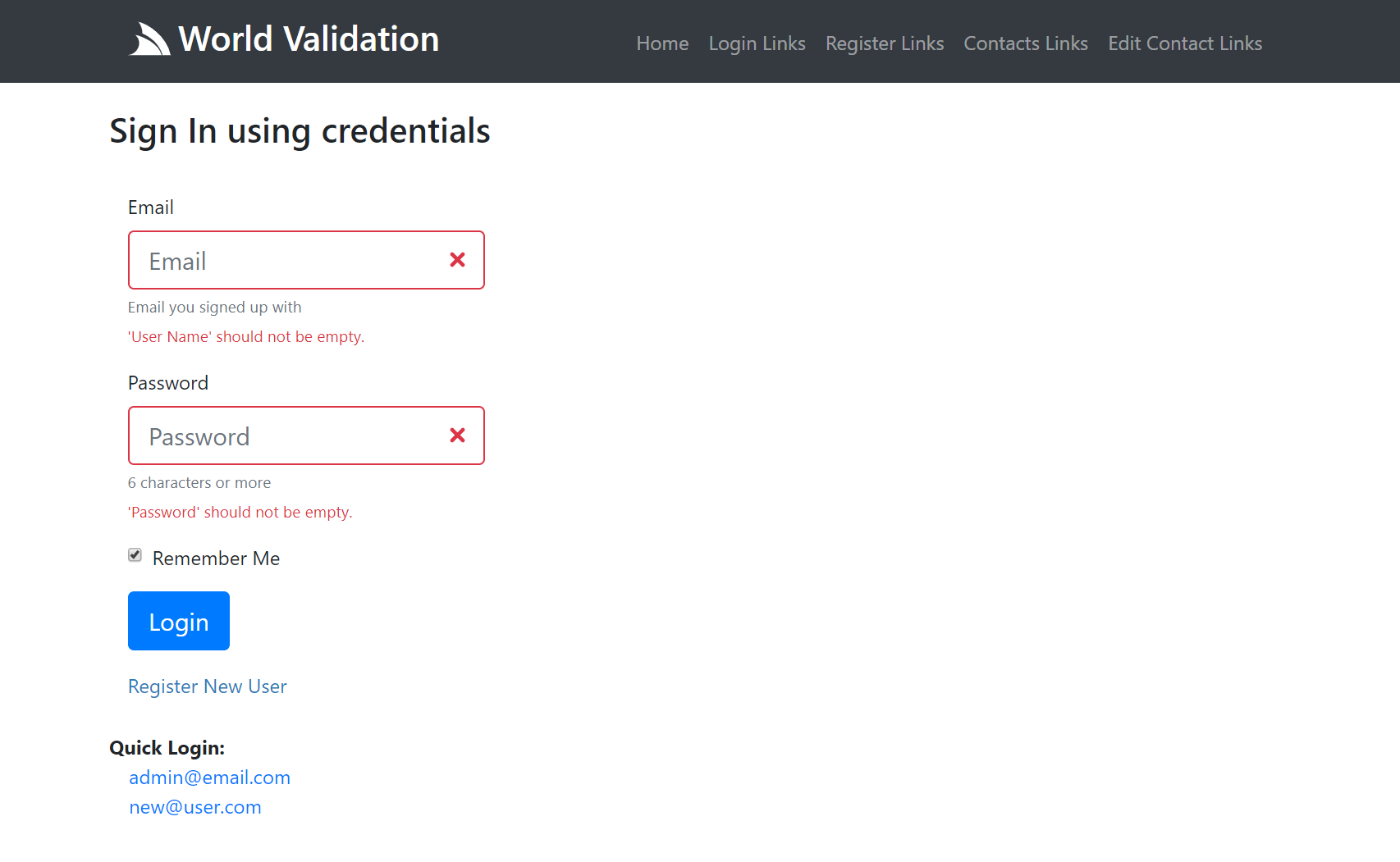
The Login Page contains a standard Bootstrap Username/Password form with labels, placeholders and help text, which initially looks like:

What it looks like after submitting an empty form with Server Exception Errors rendered against their respective fields:
### Server UIs
All Server Examples submits a HTML Form Post and renders full page responses:
### About Server Implementations
Unfortunately Validation in Bootstrap doesn't lend itself to easy server rendering as it requires co-ordination with label, input and error feedback
elements so **Sharp Pages** wraps this in a `formInput` control from `BootstrapScripts` to render both Label and Input elements together.
For those preferring Razor, these same controls are available as `@Html` Helpers as seen in **Server Razor** which ends up having identical
behavior and markup, albeit rendered using a different View Engine.
**Server TypeScript** shows a more fine-grained version where we show how to bind validation errors to your own custom HTML markup.
This would normally end up being a lot more tedious to do so we've extended it with our own declarative `data-invalid` attribute to hold the
fields error message which drastically reduces the manual binding effort required. Calling the `bootstrap()` method will scan the form for populated
`data-invalid` attributes where it's used to render the appropriate error message adjacent to the control and toggle the appropriate error classes.
All TypeScript examples only depends on the dependency-free [@servicestack/client](https://github.com/ServiceStack/servicestack-client) which is
available as both an [npm package](https://www.npmjs.com/package/@servicestack/client) and as a stand-alone
[servicestack-client.umd.js](https://unpkg.com/@servicestack/client/dist/servicestack-client.umd.js) script include.
The **Server jQuery** version uses the exact same markup as **Server TypeScript** but requires a dependency on jQuery and uses the
`$(document).bootstrap()` jQuery plugin from ServiceStack's built-in [ss-utils.js](/ss-utils-js).
#### Continue and ErrorView
In order to enable full-page reloads in ServiceStack's built-in Services like its `/auth` and `/register` Services we need to submit 2 additional
hidden input fields: `errorView` to tell it which page it should render on **failed requests** and `continue` to tell it where to redirect to after
**successful requests**.
### Client UIs
In contrast to full page reloads all Client UIs submit Ajax forms and bind their JSON Error Response to the UI for a more fluid and flicker-free UX:
### About Client Implementations
**Vuetify** is a Vue App which uses the popular [Vuetify Material Design UI](https://vuetifyjs.com/en/) which is in contrast to all other UIs which use Bootstrap.
It also uses the `JsonServiceClient` to send a JSON `Authenticate` Request whereas all other UIs sends HTML Form `x-www-form-urlencoded` Key/Value Pairs.
**Client TypeScript** only needs to render the initial Bootstrap Form Markup as `bootstrapForm()` takes care of submitting the Ajax Request and binding
any validation errors to the form. The `data-validation-summary` placeholder is used to render any other error summary messages except for the `userName`
or `password` fields.
**Client jQuery** uses the exact same markup but uses `$('form').bootstrapForm()` jQuery plugin to handle the form Ajax request and any error binding.
**Client Razor** adopts the same jQuery implementation but is rendered using MVC Razor instead of **Sharp Pages**.
## Contacts Page
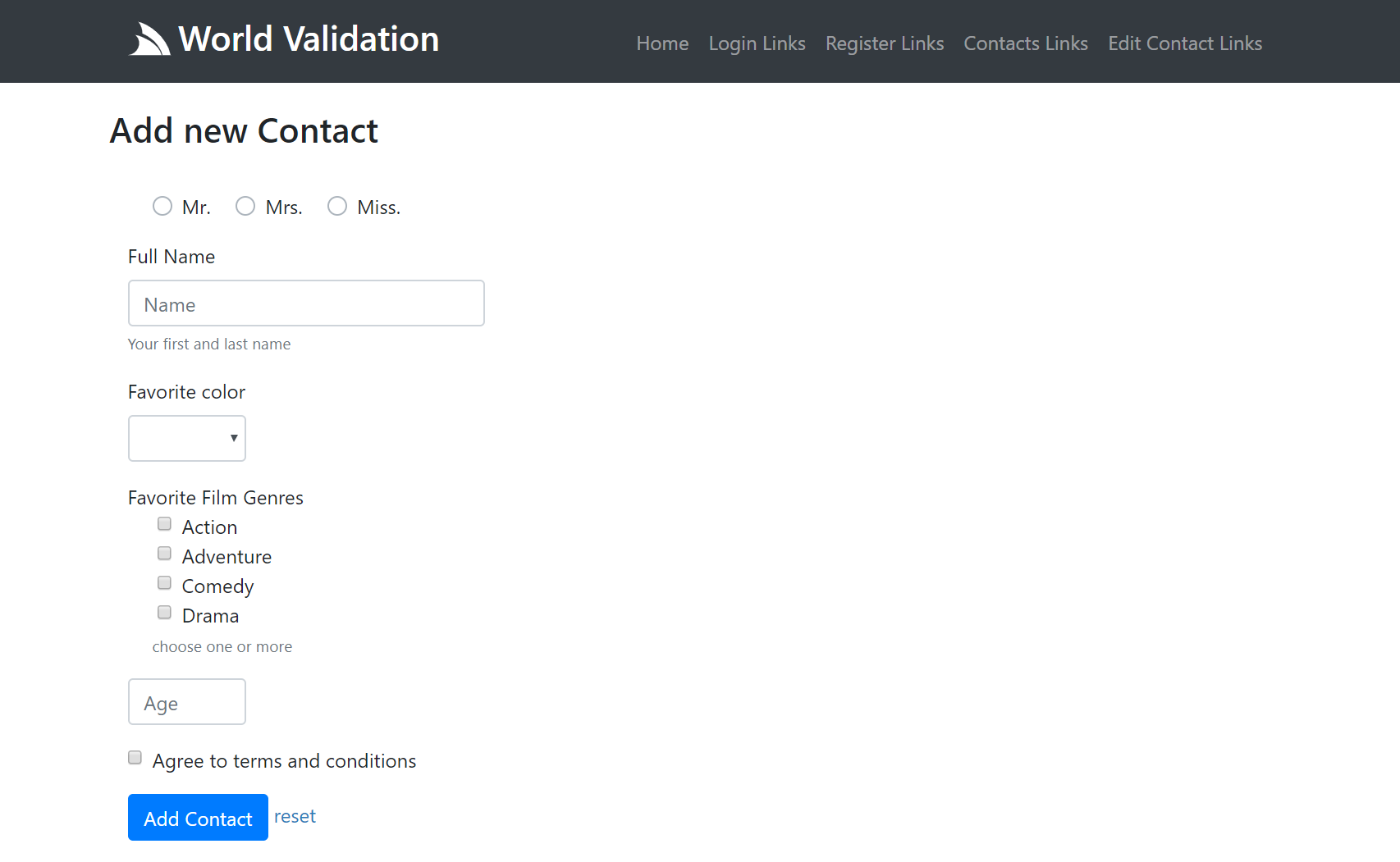
The Contacts Page is representative of a more complex page that utilizes a variety of different form controls where the same page is also responsible
for rendering the list of existing contacts:
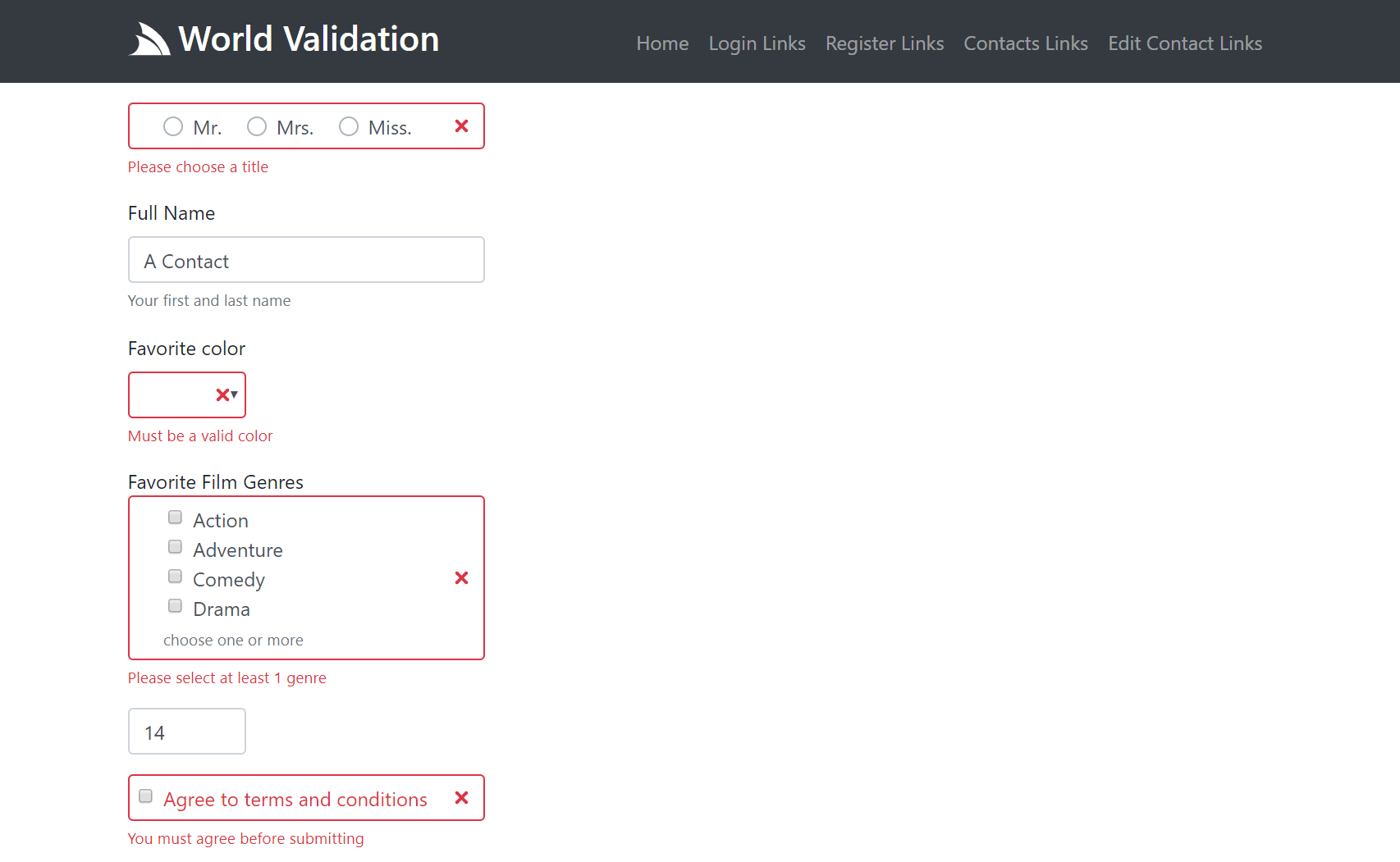
Here's an example of what a partially submitted invalid form looks like:
### Server UIs
### About Server Implementations
Both the Contacts UIs and Contacts Services are protected resources which uses a **partial** to protect its pages.
Normally `redirectIfNotAuthenticated` wouldn't require a URL, but one is needed here so it knows the right login page it should redirect to.
#### Sharp Pages
In **Sharp Pages** our wrist-friendly server controls are back as we start to see more of its features. The arguments of the left of the `formInput`
are for HTML attributes you want rendered on the input control whilst the arguments on the right (or 2nd argument) are to enlist the controls
other "high-level features" like `values` which is used to populate a list of radio and checkboxes or `formSelect` options. The `inline`
argument tells the control to render multiple controls in-line whilst you can use `help` to render some help text as an aside.
We also see the introduction of the `sendToGateway` method used to send the `GetContacts` Request DTO to call its Service using the
[Service Gateway](/service-gateway), the Response of which is used to render the list of contacts on the Server.
:::v-pre
Another difference is that there are multiple `