
# Polily — A Polymarket Monitoring Agent That Actually Works
[](https://pypi.org/project/polily/)
[](https://pypi.org/project/polily/)
[](https://github.com/ShiyuCheng2018/polily/blob/master/LICENSE)
[](https://pypi.org/project/polily/)
[](https://github.com/ShiyuCheng2018/polily/actions/workflows/ci.yml)
[](https://github.com/ShiyuCheng2018/polily/commits/master)
[](https://github.com/ShiyuCheng2018/polily-plugin)
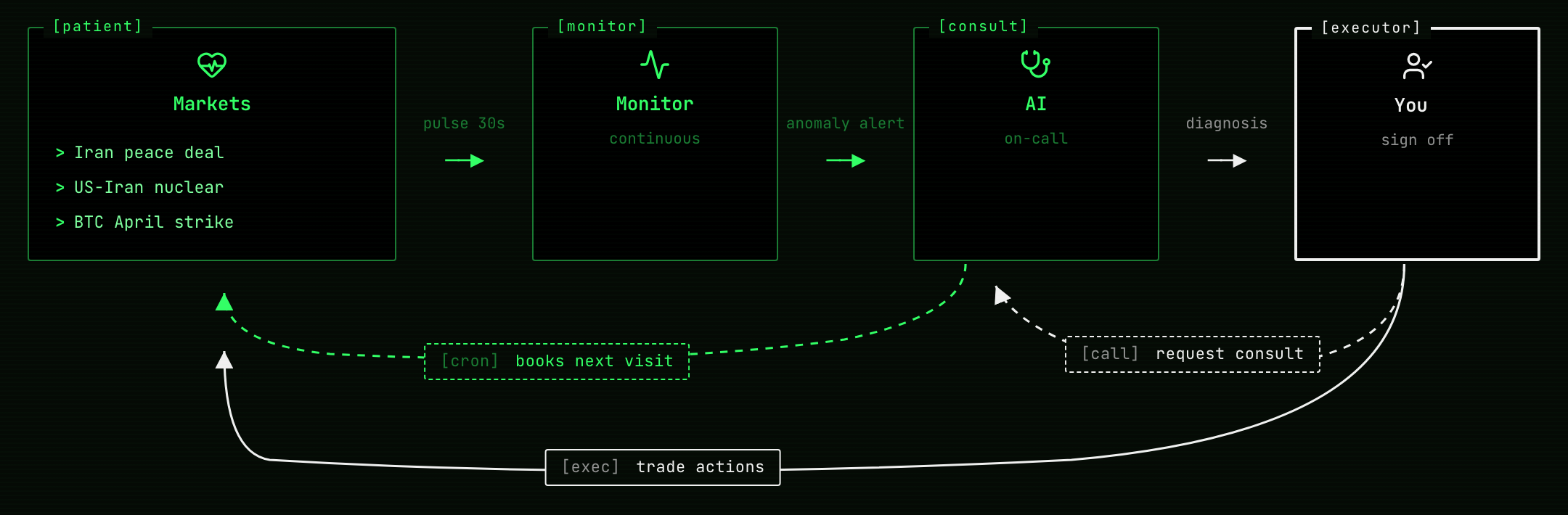
Paste a Polymarket event URL and Polily decides **whether it's worth your time, scores the structure, hunts mispricing, watches for moves, and closes out positions automatically when markets resolve**. A monitoring agent that surfaces what Polymarket's UI hides — for every event you're considering.
## Why You Need It
Polymarket's UI hides what actually matters:
- **Spread, depth, and fees quietly eat your PnL** — at any account size. Polymarket shows mid-price; you trade against the order book. polily surfaces both before you click
- **A good story doesn't make a good market** — narratives are seductive; structure (depth, spread, time-to-close, friction) is what the numbers say
- **Watching 5+ events by hand doesn't scale** — refreshing pages doesn't tell you *when* something actually changed
- **Crypto markets carry vol-implied edge** — Polymarket has no vol model; polily compares against live Binance data and flags mispriced probabilities
## What It Does For You
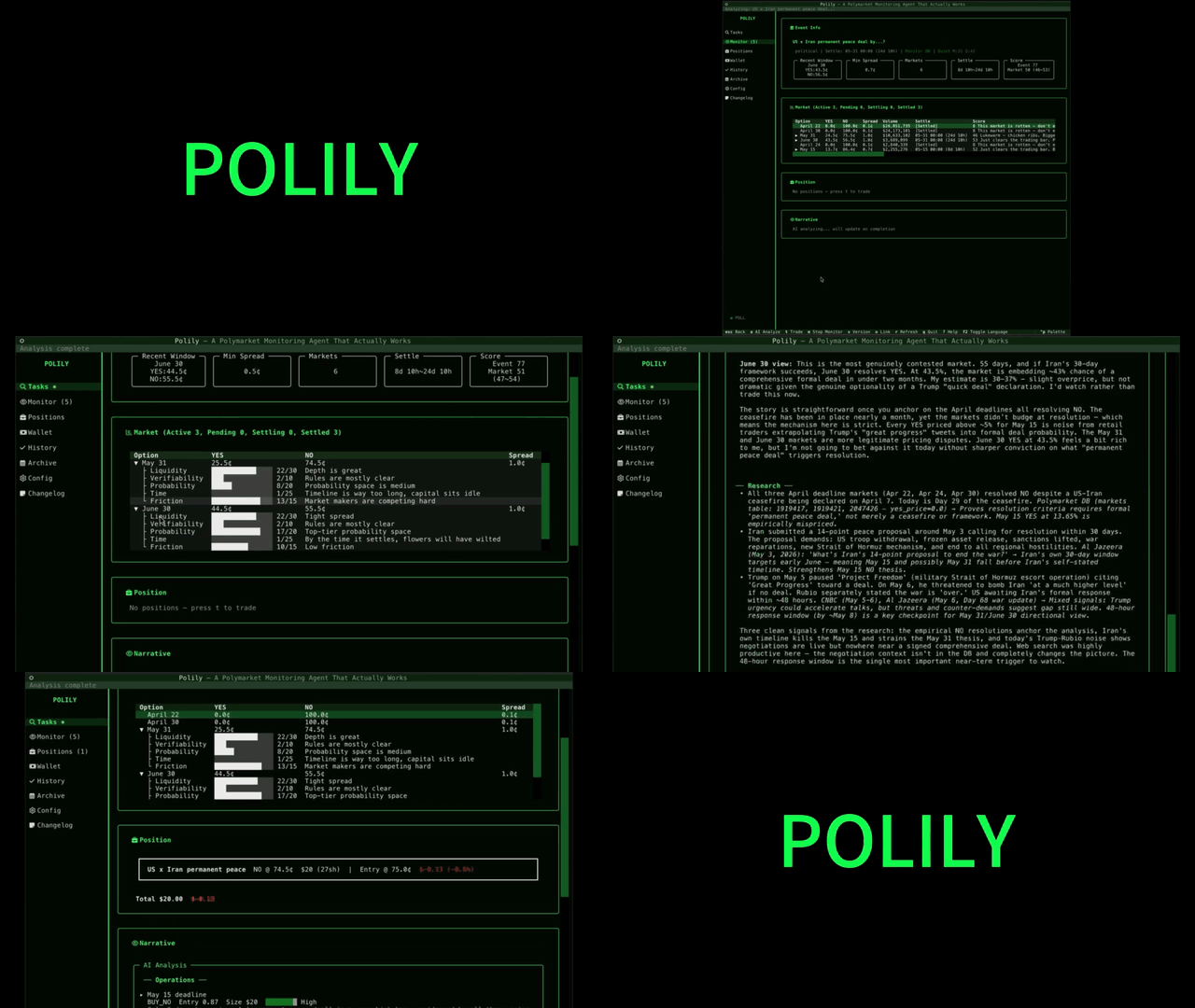
1. **Paste a URL → instant dossier + value check** — pulls the full event + child markets, scores 0–100 across spread / depth / objectivity / time / friction, surfaces hidden costs, and tells you whether the event is worth following
2. **Mispricing detection** — for crypto threshold markets, compares against a log-normal vol model fed by live Binance data and flags probabilities that look mis-priced
3. **Background watching + move alerts** — a daemon polls prices for everything in your watchlist; meaningful moves trigger AI analysis and notifications
4. **Paper trading with a realistic wallet** — tracks positions, fees, and PnL exactly as live trading would: real cash balance, aggregated positions (YES + NO coexist), Polymarket-accurate taker fees, and automatic settlement when markets resolve — so your paper PnL curve reflects live execution, not a sanitized backtest
> A high structure score ≠ YES will win. It measures *whether the market is tradeable*, not *whether you should buy* — keep the two separate.
## Quick Start
```bash
pipx install polily # recommended
polily # launches the TUI; everything happens inside it
```
> **Requirements:** [Claude Code](https://claude.com/claude-code) installed and authenticated (polily delegates AI analyses to the `claude` CLI). Run `claude --version` to verify.
For development setup (editable install, running tests, etc.) see [CONTRIBUTING.md](CONTRIBUTING.md).
In the TUI, paste a Polymarket event URL (looks like `https://polymarket.com/event/...`) into the **Tasks** pane. Polily fetches and scores it; from there you can add it to monitoring or open a paper trade.
> 💡 **Bonus: chat with polily from Claude Code.** Inside the TUI, press `9` to open the **Companions** page — or install [polily-plugin](https://github.com/ShiyuCheng2018/polily-plugin) directly in any Claude Code session to query your polily install via chat (DB schema, analytical methodology, your actual positions and analyses) without re-explaining your setup each conversation. Optional, free with your existing Claude Code subscription.
### Where polily stores data
Starting v0.11.0, polily uses OS-standard locations:
- **macOS:** `~/Library/Application Support/polily/`
- **Linux:** `$XDG_DATA_HOME/polily` or `~/.local/share/polily/`
Override with the `POLILY_DATA_DIR` env var or `polily --data-dir=PATH` CLI flag (highest priority). Logs go to `/logs/` by default; override with `POLILY_LOG_DIR`.
## Requirements
Polily v0.8.0+ requires a [Nerd Font](https://www.nerdfonts.com/) installed
and configured as your terminal font. The TUI uses Nerd Font glyphs for
status icons, action markers, and domain entities (event / market / wallet).
### macOS (Homebrew)
```bash
brew install --cask font-jetbrains-mono-nerd-font
```
Then set your terminal's font to `JetBrainsMono Nerd Font`:
- **Ghostty**: edit `~/Library/Application Support/com.mitchellh.ghostty/config` and set `font-family = "JetBrainsMono Nerd Font"` (reload with `Cmd+Shift+,`)
- **iTerm2**: Preferences → Profiles → Text → Font → `JetBrainsMono Nerd Font`
- **Terminal.app**: Preferences → Profiles → Font → Change → `JetBrainsMono Nerd Font`
Any Nerd Font works (`font-fira-code-nerd-font`, `font-hack-nerd-font`,
`font-meslo-lg-nerd-font`). Polily tests on JetBrainsMono NF but glyph
positions are the same across all NF fonts.
### Verify
```bash
polily doctor
```
The "Nerd Font" section prints sample glyphs. If you see `□` tofu
boxes, the font is not yet active — check your terminal's font setting.
Minimum terminal size: **100×30 cells**. Polily works at smaller sizes but
column layout may wrap. 120×30 or larger recommended.
### Python & Claude CLI
- Python 3.11+
- [Claude CLI](https://docs.anthropic.com/en/docs/claude-code) (optional, used for AI analysis): `npm install -g @anthropic-ai/claude-code && claude login`
## TUI Shortcuts
| Key | Action |
|-----|--------|
| `0` | Tasks log |
| `1` | Watchlist |
| `2` | Paper positions |
| `3` | Wallet (balance + ledger + topup/withdraw) |
| `4` | History |
| `5` | Archive |
| `6` | ⚙ Config (movement / scoring / mispricing / wallet knobs) |
| `7` | Changelog |
| `r` | Refresh current page |
| `o` | Open Polymarket link (detail pages) |
| `↑ / ↓` | Navigate menu |
| `q` | Quit |
Inside the Wallet page: `t` topup · `w` withdraw · `shift+r` reset (or click `Reset Wallet`).
Inside an event detail page: `a` AI analysis · `t` trade · `m` toggle monitoring · `v` switch analysis version.
See [docs/ui-guide.md](docs/ui-guide.md) for the full v0.8.0 interaction reference.
## Background Scheduler
Price polling, movement detection, and AI analysis run inside a daemon:
```bash
polily scheduler run # foreground (typically launched by launchd)
polily scheduler status # status
polily scheduler restart # restart
polily scheduler stop # stop
polily reset # wipe DB / logs for a clean restart
polily reset --wallet-only # reset wallet only, keep events/markets/analyses
```
## Configuration
All polily configuration (movement thresholds, scoring weights, mispricing
deviation gates, wallet starting balance) is managed inside the TUI:
```
polily # launches the TUI
# press 6 or click the sidebar's ⚙ Config
```
- The Config view is grouped into 4 sections — Movement Triggers / Scoring / Mispricing / Wallet
- Click any row to open an Edit modal with a description, default value, and tuning guidance
- After saving, a banner shows `N pending change(s)`; press `Ctrl+R` to restart polily so the daemon picks them up
How it's stored:
- The canonical source is the `config` table inside SQLite (`data/polily.db`)
- `config.yaml` is a read-only snapshot that polily regenerates from the database on every startup — manual edits are silently overwritten
- Per-knob documentation lives in `polily/core/config_docs/*.md`
Emergency recovery (only useful if the TUI hits the "config invalid" fatal screen):
```bash
polily config reset --all # reset every knob to defaults
polily config reset movement.magnitude_threshold # reset a single knob
```
## Current Limitations
- Mispricing detection currently only covers crypto threshold markets
- AI analysis requires Claude CLI — when the CLI call fails (not installed / network issue / schema mismatch), the analysis is marked `failed` in scan history with no silent fallback
- Data comes from Polymarket public APIs — real-time freshness is bounded by them
## Contributing
See [CONTRIBUTING.md](CONTRIBUTING.md) for setup, branch strategy, and dev workflow (including the `.envrc` + direnv pattern that keeps your dev data isolated from your real polily data).
Architecture details: [docs/architecture.md](docs/architecture.md).
## License
MIT