

— Toggling between Edit and Preview modes —
PageEdit has two modes: Edit and Preview. You can toggle between these two modes by clicking the Mode button:
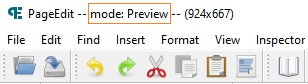
The active mode is also indicated in the title bar:
Note that you’ll need to activate the preview mode, if you want to test links to other XHTML files.
Double-click the file in the Sigil Book Browser window before running PageEdit, if you want to edit or preview all XHTML files or test links to other files.