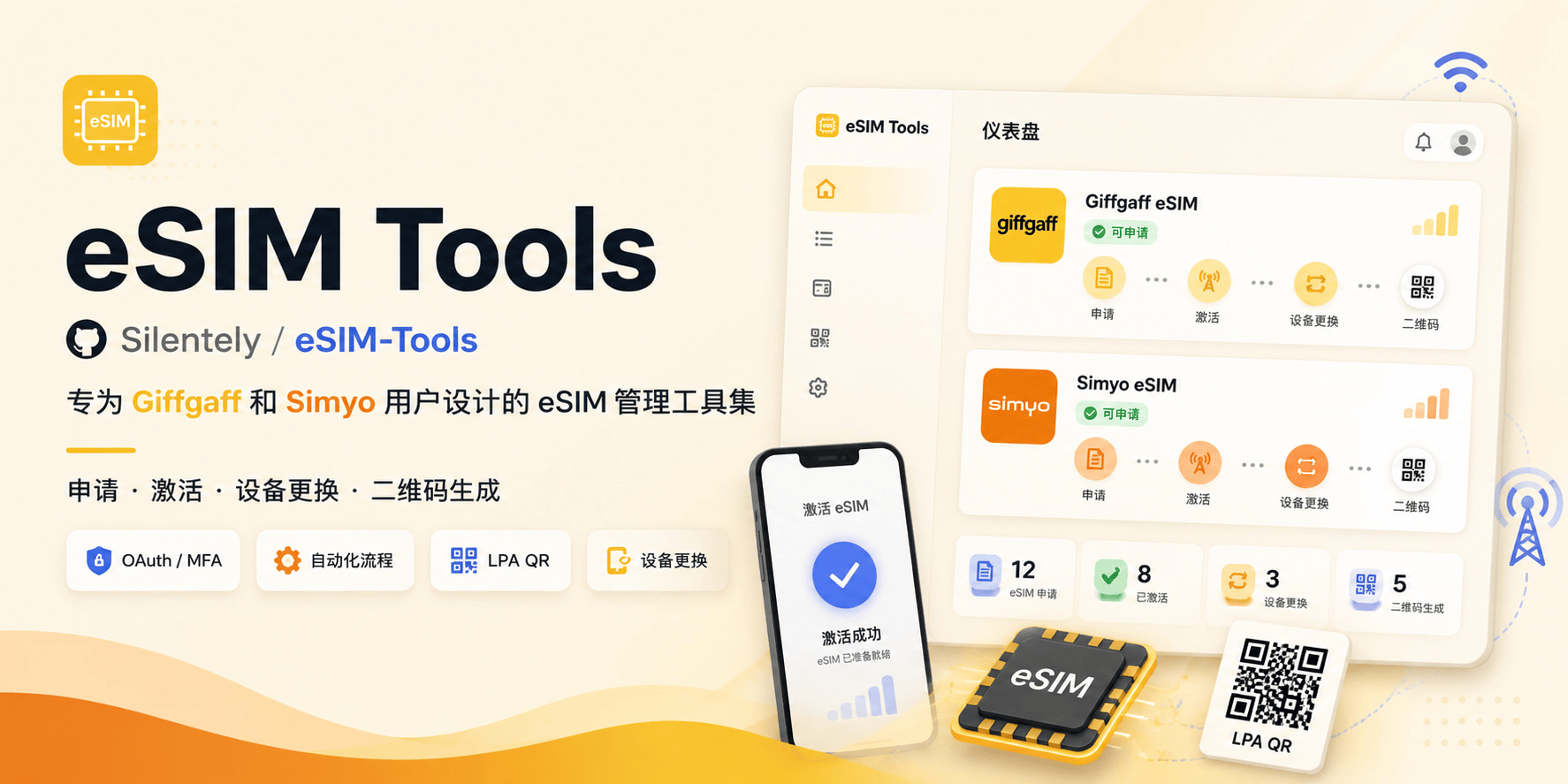
## 📱 What is this?
**eSIM Tools** is a free online toolkit that helps **existing Giffgaff or Simyo subscribers**:
- 🔄 Convert physical SIM cards to eSIM (no card replacement needed)
- 📲 Quickly transfer eSIM when changing devices
- 📷 Generate eSIM QR codes for instant activation
> 💡 **Complete in 1-2 minutes**, no customer service contact needed, fully automated
> ⚠️ **Scope**: This tool is for existing Giffgaff or Simyo subscribers only. It supports eSIM device changes and physical SIM to eSIM conversion — not new number registration. To get a new eSIM, Giffgaff users can obtain the QR code via third-party modified APK/modules and scan it directly; Simyo users should use the official app.
---
## 🎁 New User Offers
If you don't have a number yet, register through these links to get bonus credit:
- **🇳🇱 Simyo users**: New SIM activation gets [extra €5 credit](https://vriendendeal.simyo.nl/prepaid/AZzwPzb)
- **🇬🇧 Giffgaff users**: New SIM activation gets [extra £5 credit](https://www.giffgaff.com/orders/affiliate/mowal44_1653194386268)
---
## ✨ Who is this for?
### 🇬🇧 Giffgaff Users
- ✅ Have an existing Giffgaff number (UK carrier)
- ✅ Want to switch from physical SIM to eSIM
- ✅ Need to reactivate eSIM on a new device
- ❌ New users registering a number (must obtain number through official or third-party channels first)
### 🇳🇱 Simyo Users
- ✅ Have an existing Simyo number (Netherlands carrier, starting with 06)
- ✅ Need to change device or convert to eSIM
- ❌ New users registering a number (must register through official app first)
---
## 🚀 Quick Start
### Online Usage (Recommended)
**👉 Visit: [https://esim.cosr.eu.org](https://esim.cosr.eu.org)**
- ✅ No installation needed, ready to use
- ✅ Full feature support, regular updates
- ✅ Offline support, local data processing
### Usage Flow
#### 🇬🇧 Giffgaff (Recommended: SMS Verification Activation)
1. **Login** - Choose secure login method
2. **Email/SMS Verification** - Enter the verification code received
3. **SMS Verification Activation** - Enter 6-digit SMS code
4. **Get QR Code** - Automatically generated, scan to activate
> 📖 **Tutorial**: [Giffgaff User Guide](./docs/User_Guide_EN.md) (with video demo)
#### 🇳🇱 Simyo
1. **Account Login** - Enter phone number (starting with 06) and password
2. **Select Service** - Device change or retrieve existing eSIM
3. **Verification Code** - Enter SMS verification code
4. **Scan to Install** - Use the generated QR code on your new device
---
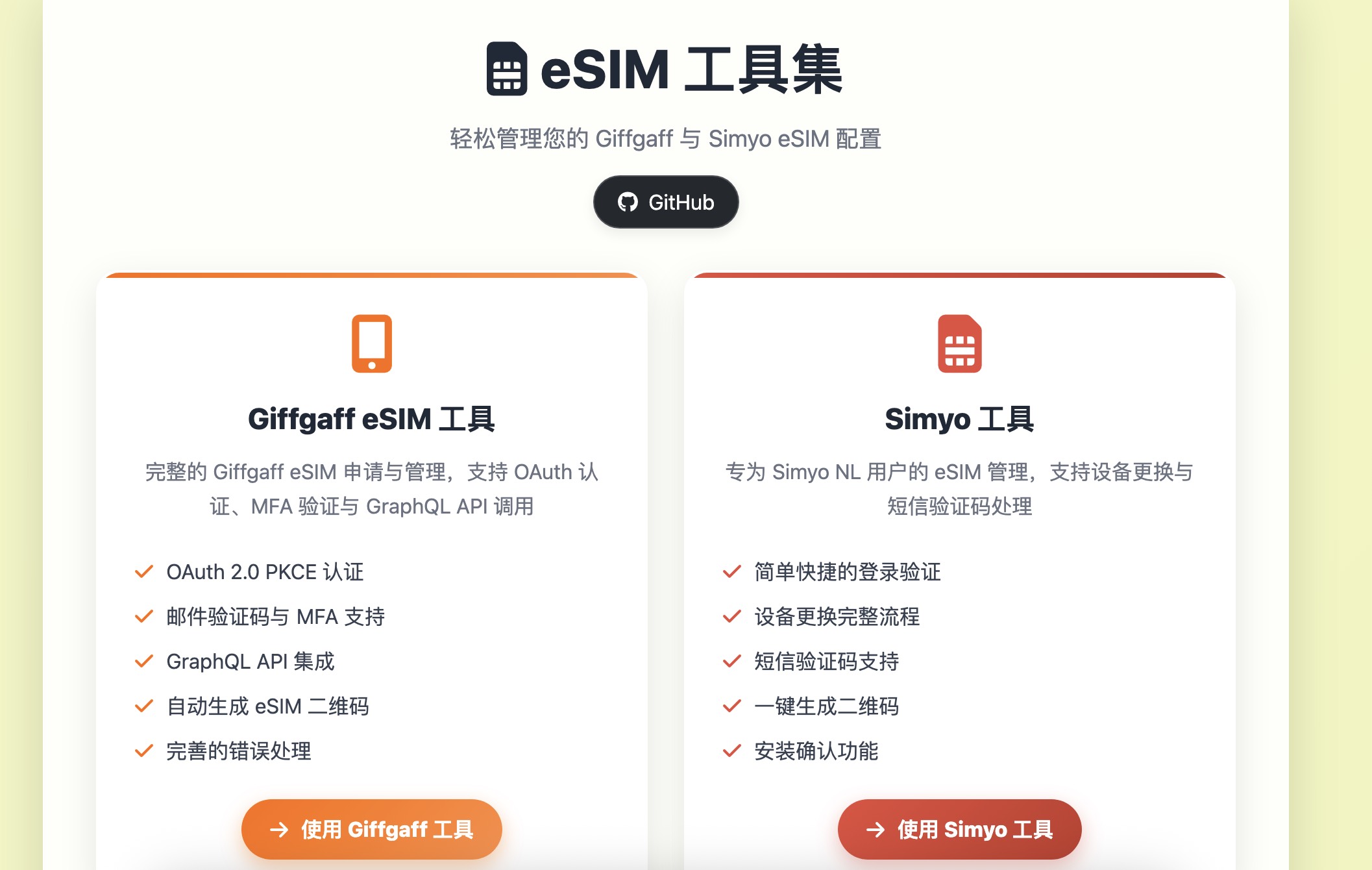
## 🖼️ Interface Preview
### Home
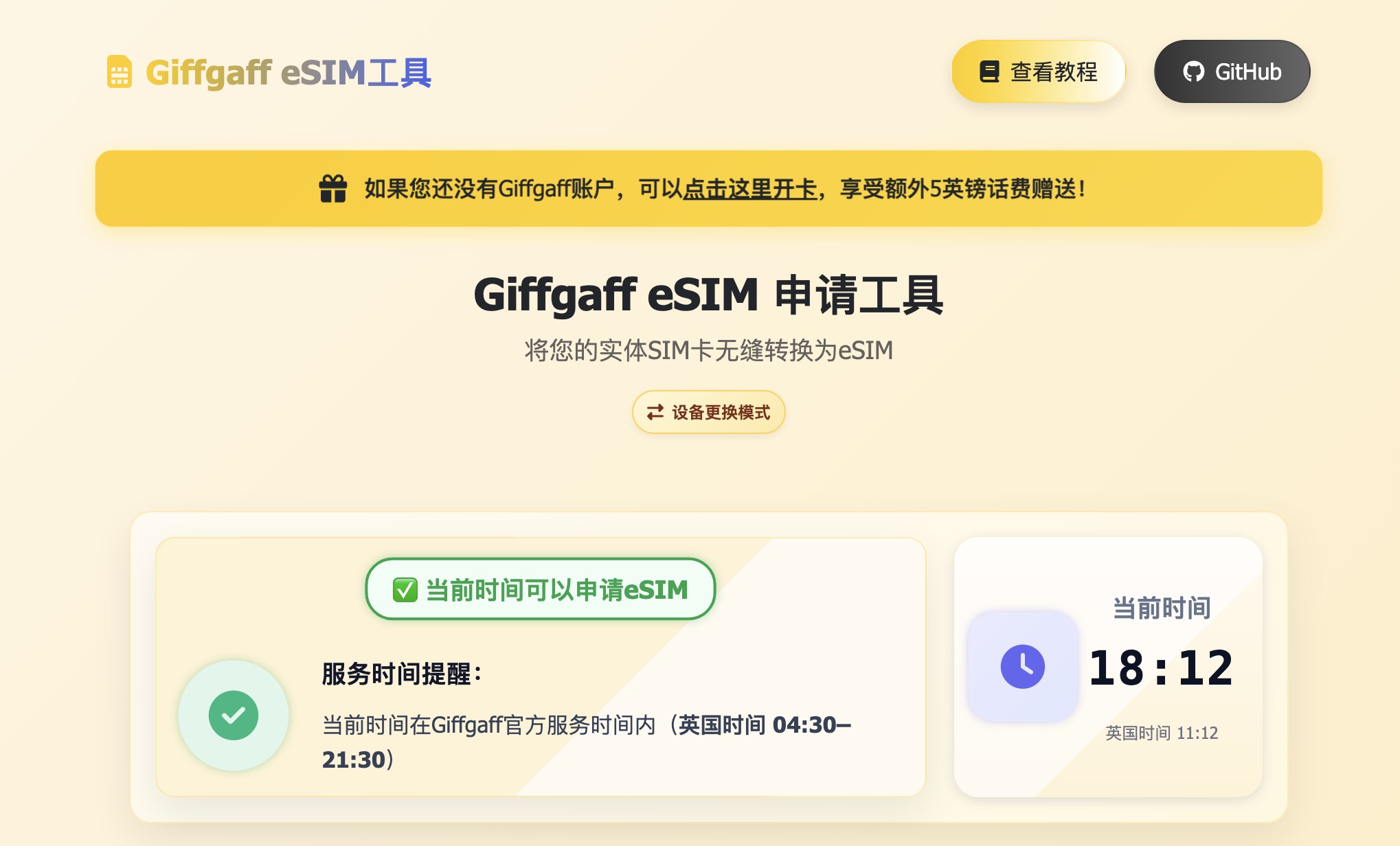
### Giffgaff eSIM Tool
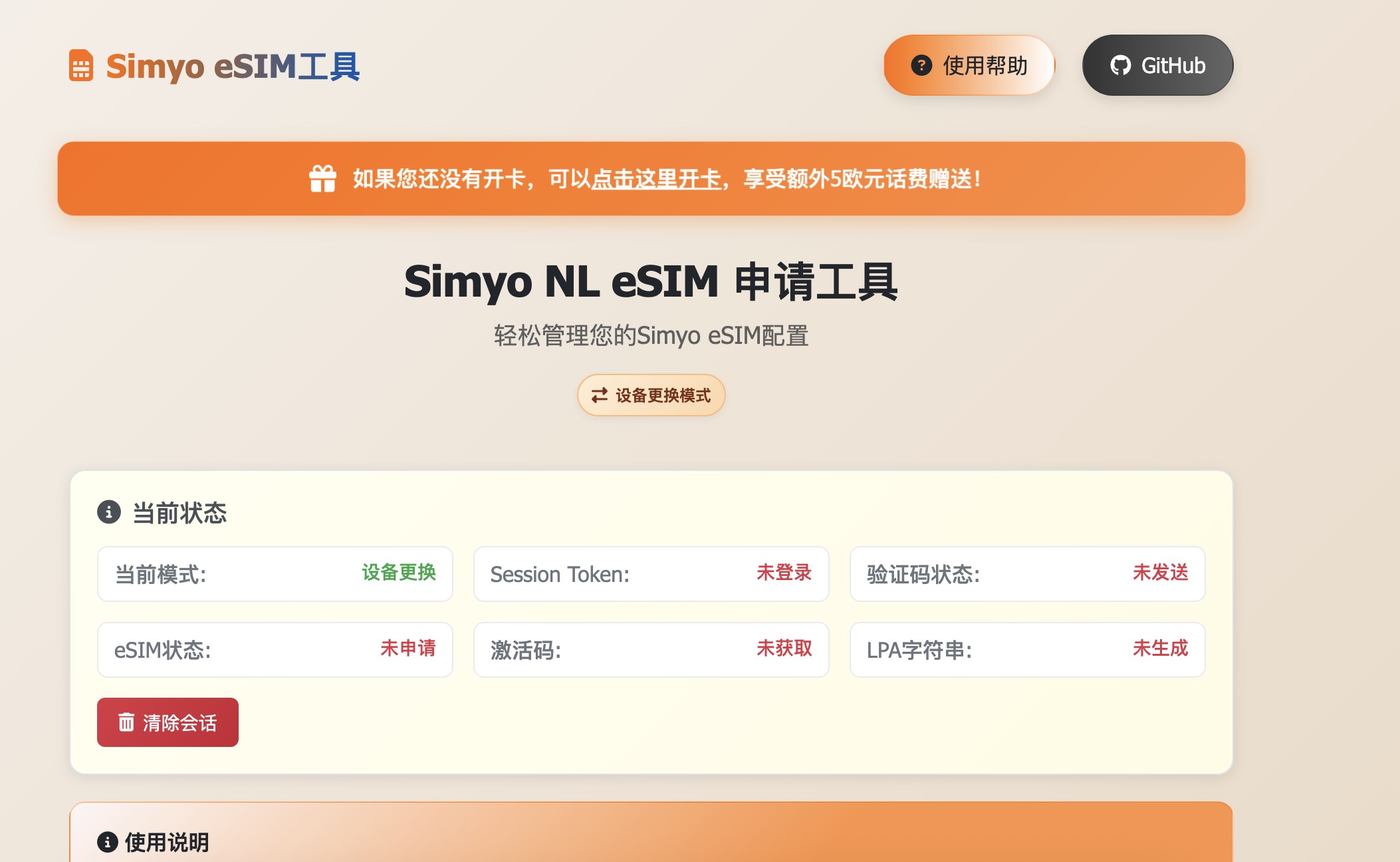
### Simyo eSIM Tool
---
## ❓ FAQ
### Giffgaff
Q: Which activation method is recommended?
**A**: "SMS Verification Activation" is recommended. Fully automated — just enter the SMS code and all steps complete automatically.
Q: How long does it take?
**A**: Usually 1-2 minutes. Send code → Enter code → Auto activation → Get QR code.
Q: Is manual activation still available?
**A**: No. Manual activation was officially disabled by Giffgaff on October 8, 2025. Please use SMS verification activation.
Q: What if I accidentally close the page?
**A**: After logging in again, the system resumes from recoverable points. It's recommended to keep the page open until activation completes.
Q: When can I activate?
**A**: Giffgaff service window is 04:30 - 21:30 UK time. Operations outside this window may fail. The UI shows local time vs UK time for reference.
Q: Which devices are supported?
**A**:
- **Apple**: iPhone XS/XR and newer, iPhone SE 2 and newer
- **Android**: Samsung Galaxy S20+, Google Pixel 3+, some OnePlus/Huawei models
- Check your device manual for detailed compatibility
### Simyo
Q: Which phone number formats are supported?
**A**: Only Dutch mobile numbers (10 digits starting with 06).
Q: What if I cannot receive the verification code?
**A**: You can choose the customer service verification option, or check your SMS blocking settings.
### Security & Privacy
Q: Is my data safe?
**A**:
- ✅ All data processing is performed locally
- ✅ No user credentials stored
- ✅ Open source and transparent, code is auditable
- ✅ Recommended to use in a secure network environment
---
## 🛠️ Local Deployment (Developers)
Click to view deployment instructions
### Quick Start
```bash
# 1. Clone repository
git clone https://github.com/Silentely/eSIM-Tools.git
cd eSIM-Tools
# 2. Install dependencies
npm install
# 3. Configure environment variables
cp env.example .env
# Edit .env to fill in required configuration
# 4. Start development server
npm run dev
# 5. Visit http://localhost:3000
```
### Requirements
- **Node.js** >= 18.0.0
- **npm** >= 8.0.0
- **Modern browser**: Chrome 88+, Firefox 85+, Safari 14+, Edge 88+
### Netlify Deployment
1. Fork this repository to your GitHub account
2. Connect the GitHub repository in [Netlify](https://app.netlify.com)
3. Build settings:
- Build command: `npm run build`
- Publish directory: `dist`
4. Configure environment variables (refer to `env.example`)
5. Deploy complete
---
## 📚 Documentation
- **User Guides**
- [Giffgaff User Guide](./docs/User_Guide_EN.md) | [中文](./docs/User_Guide.md)
- **Technical Reference** (Developers)
- [Notification System Guide](./docs/guides/notification-system.md)
- [Security Guide](./docs/SECURITY.md)
---
## 🔧 Technical Features
- 🚀 **Minimalist Design** - Native JavaScript, no framework dependencies, small bundle size
- ⚡ **Fast Response** - Global CDN acceleration, first contentful paint < 1.2s
- 🔒 **Privacy & Security** - All data processed locally, nothing uploaded to servers
- 📦 **Offline Ready** - Works offline, network fluctuations don't affect operations
- 🎯 **Modern Standards** - PWA, Web Vitals optimized, mobile-friendly
> 💻 **Developer Documentation**: See [Notification System Guide](./docs/guides/notification-system.md) and [Security Guide](./docs/SECURITY.md)
---
## 🤝 Contributing
Contributions and suggestions are welcome!
### How to Contribute
1. 🍴 Fork the repository
2. 🌿 Create a feature branch (`git checkout -b feature/AmazingFeature`)
3. 💾 Commit following the convention (`git commit -m '✨ feat(core): add QR code caching'`)
4. 📤 Push your branch (`git push origin feature/AmazingFeature`)
5. 🔃 Open a Pull Request
### Commit Convention
```bash
# Format: (scope):
✨ feat(auth): add automatic session renewal
🐛 fix(simyo): fix verification code retry logic
📝 docs(readme): update installation instructions
```
**Available Commands**:
- `npm run hooks:install` - Install Git hooks
- `npm test` - Run tests
- `npm run quality-check` - Code quality checks
- `npm run security-check` - Security scan
---
## 📞 Support & Feedback
If you encounter issues or have suggestions:
- 📋 [Submit an Issue](https://github.com/Silentely/eSIM-Tools/issues)
- 📖 View [Project Documentation](./docs/)
- 💬 Join community discussions
---
## 📈 Star History

---
## Code of Conduct
This project follows the [Contributor Covenant Code of Conduct](CODE_OF_CONDUCT.md).
## 📄 License
- All code in this project, unless otherwise stated, is released under the [MIT License](LICENSE).
- README.md, wiki, and other resources in this project are licensed under [CC BY-NC-SA 4.0][CC-NC-SA-4.0]. This means you may copy and redistribute project content,
but you must also **provide original author attribution and license notice**. At the same time, you **may not use this project for commercial purposes** under our narrow interpretation
(additional clause): any **profit-generating activity is considered commercial use**.
- Please use this project in compliance with local laws and regulations.
## ⚖️ Disclaimer

This tool is for learning and personal use only. Please comply with the relevant terms of service. The developer is not responsible for any issues caused by using this tool. Please use it in accordance with local laws and regulations.
[github-hosts]: https://raw.githubusercontent.com/racaljk/hosts/master/hosts "hosts on Github"
[CC-NC-SA-4.0]: https://creativecommons.org/licenses/by-nc-sa/4.0/deed.zh
---


