# Discographic **Your Discogs collection, finally at home.** A self-hosted app that turns your Discogs collection into something you actually enjoy browsing: beautiful covers, real insights, and every detail of every copy you own. [![Latest release](https://img.shields.io/github/v/release/SimonBlancoE/discographic?color=d1a45a&label=release)](https://github.com/SimonBlancoE/discographic/releases) [![MIT License](https://img.shields.io/badge/license-MIT-57534e.svg)](LICENSE) [![Docker](https://img.shields.io/badge/docker-ready-57534e.svg?logo=docker&logoColor=white)](#quick-start) [Leer en espaรฑol](./README.es.md)
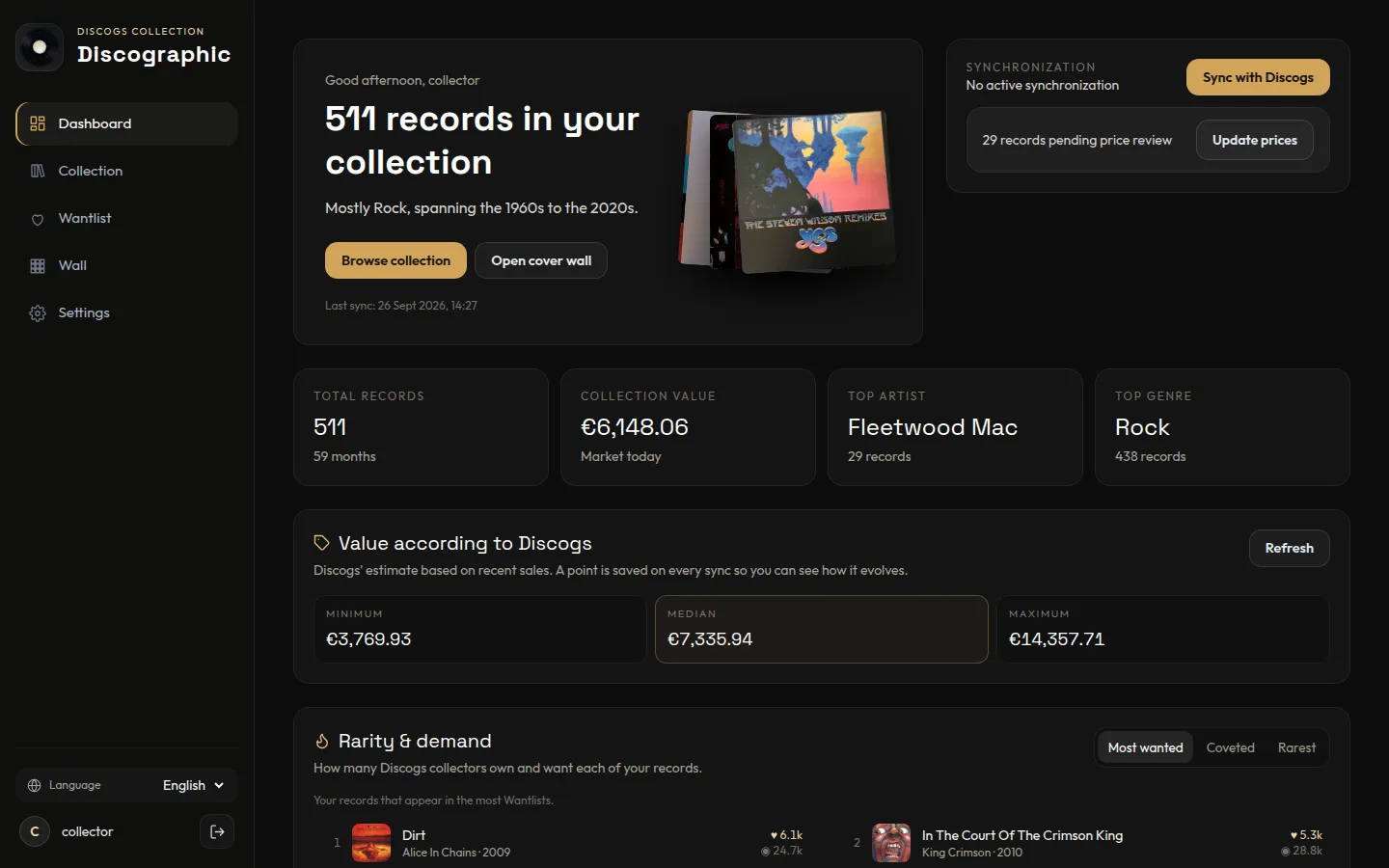
Discographic dashboard: welcome, key figures and the collection value according to Discogs

## Why Discographic - **See your collection, not a spreadsheet.** Browse by cover, filter by anything, and jump straight to the record you're thinking of. - **Know what you have.** How much it's worth, which records collectors are hunting for, and the condition of every copy. - **Your data stays with you.** It runs on your own computer or server and keeps a local copy of your collection. Edits sync back to Discogs. ## Highlights
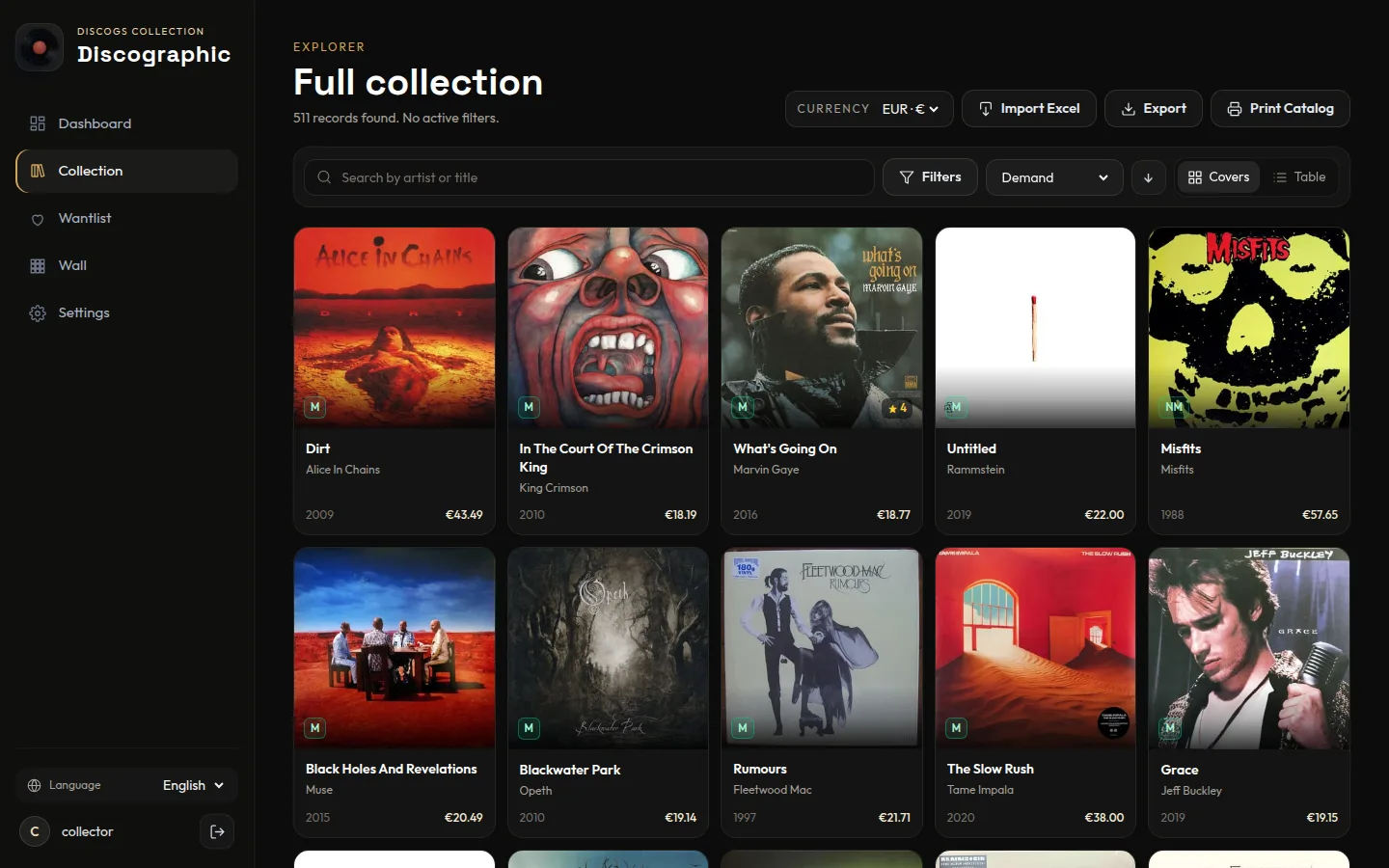
Collection browsed as a cover grid, sorted by demand

Browse by cover
Switch between a cover grid and a detailed table. Filter by genre, style, decade, format, label, folder or condition. Your page, sort and filters are remembered.

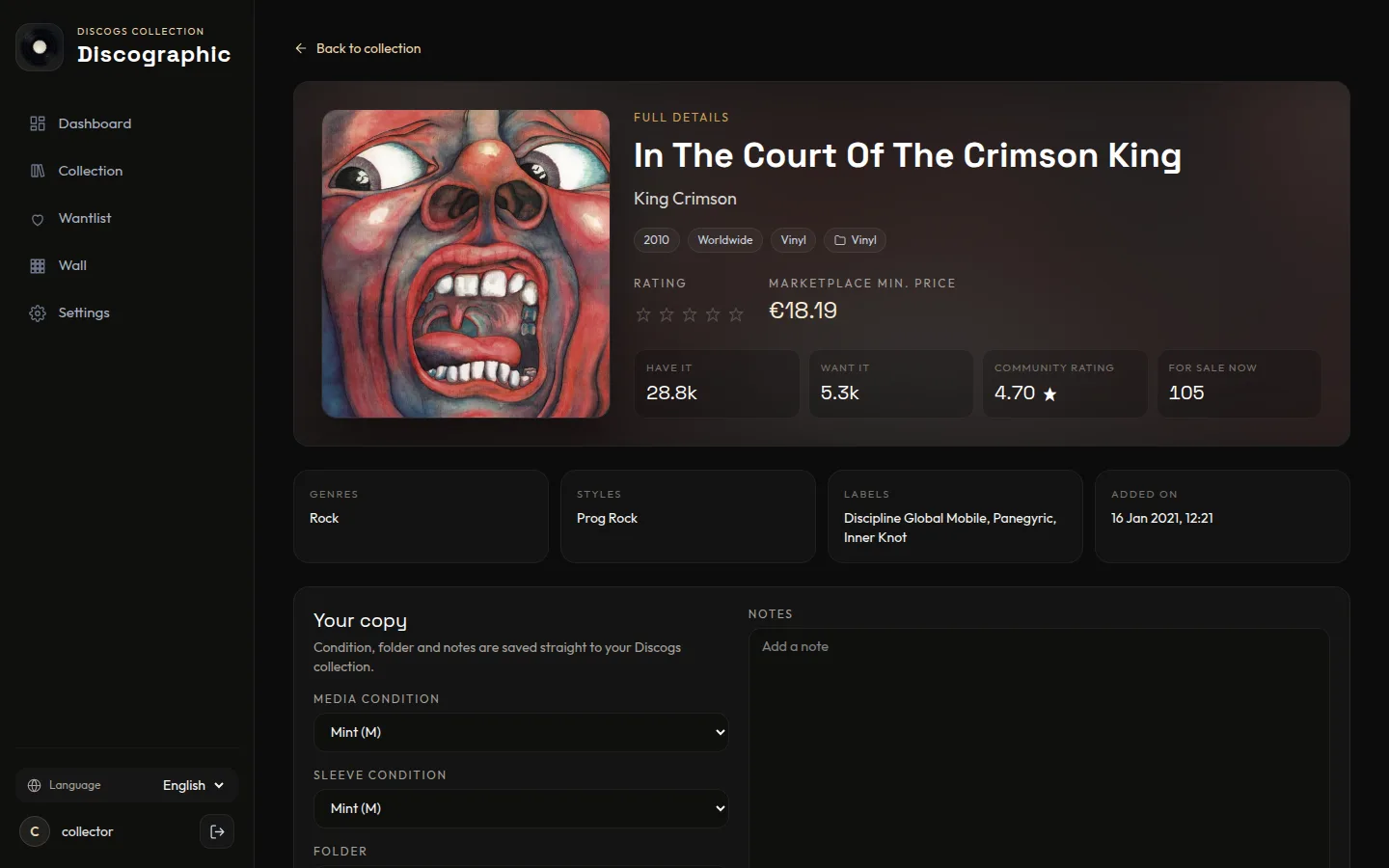
Release page with community stats and your copy's details

Every copy, in depth
Tracklist, community stats, media and sleeve condition, folder and notes, all saved straight to Discogs. See every other pressing of the album and which ones you already own.

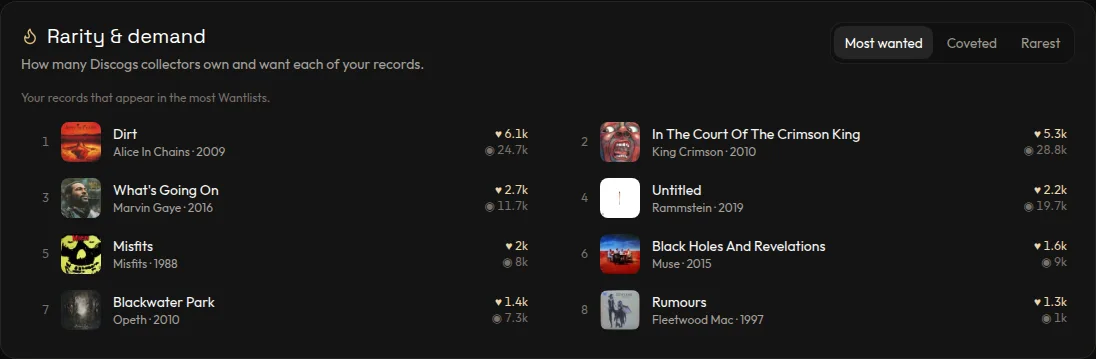
Rarity and demand rankings

Rarity & demand
Discover your most wanted, most coveted and rarest records, based on how many Discogs collectors own and want them.

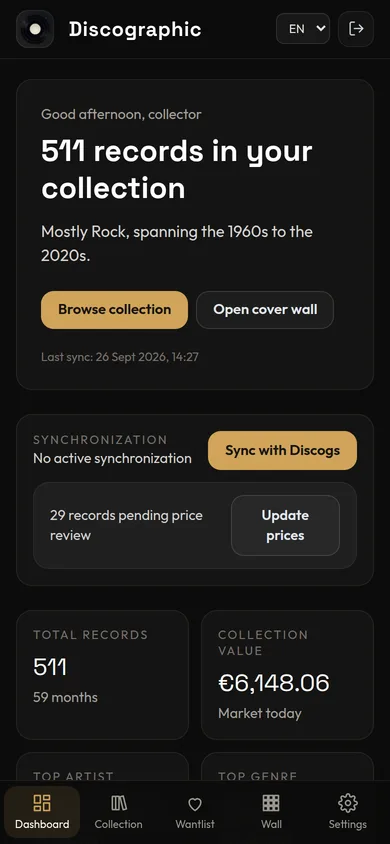
Discographic on a phone

At home on your phone
A layout that adapts from wide monitors to phones, in English and Spanish.

### Everything else | | | |---|---| | ๐Ÿ’ฐ **Collection value** | Discogs' own estimate (min / median / max), tracked over time, plus marketplace prices per record. | | ๐Ÿท๏ธ **Suggested prices** | What Discogs suggests asking for each condition, with your copy's grade highlighted (needs Discogs seller settings). | | ๐Ÿ“Š **Stats** | Genres, styles, decades, formats, labels, growth over time and your top artists. | | ๐Ÿ–ผ๏ธ **Cover wall** | A mosaic of your covers, exportable as a poster up to 7200 px. | | ๐Ÿ–จ๏ธ **Print catalog** | A clean, printable list of your whole collection or any filtered part of it. | | ๐Ÿ“ฅ **Import / export** | Excel and CSV. Edit ratings and notes in a spreadsheet and import them back. | | ๐ŸŽฏ **Wantlist manager** | Review your Wantlist with prices, priorities and local notes. | | ๐ŸŽฒ **Pick for tonight** | Let the app choose a random record, and unlock achievements as your collection grows. | | ๐Ÿ‘ฅ **Multi-user** | Each person connects their own Discogs account and sees only their collection. | ## Quick start You need [Docker](https://docs.docker.com/get-docker/). ```bash git clone https://github.com/SimonBlancoE/discographic.git cd discographic docker compose up -d ``` Open **http://localhost:3800**, then: 1. **Create your account.** The first user becomes the admin. 2. **Connect Discogs.** In *Settings*, enter your Discogs username and a personal token ([get one here](https://www.discogs.com/settings/developers) โ†’ *Generate new token*). 3. **Sync.** Press *Sync with Discogs* on the dashboard. Large collections take a few minutes the first time. ### Updating ```bash git pull docker compose up -d --build ``` Your data lives in a Docker volume and is kept across updates. Database changes are applied automatically on startup. Back up the volume before major upgrades. ## Configuration Optional. Copy `.env.example` to `.env` to change any of these: | Variable | Default | What it does | |---|---|---| | `PORT` | `3800` | Docker Compose host port; the container listens on `3800`. When running the server directly, this sets its listening port. | | `HOST_IP` | `127.0.0.1` | Interface Docker binds to. Use your LAN IP to reach it from other devices. | | `COOKIE_SECURE` | `false` | Set to `true` when serving over HTTPS. | | `TRUST_PROXY` | `1` when `COOKIE_SECURE=true` | Proxy hops to trust, e.g. behind Cloudflare Tunnel or a reverse proxy. | | `SESSION_SECRET` | *(generated)* | Cookie signing secret. If empty, a random one is created and kept in the data volume. | Discogs credentials are never set here: each user adds their own inside the app. ## FAQ **Is my Discogs token safe?** It's stored on your server and only used by the server to talk to Discogs. The browser only ever sees a short preview of it. **Why is the first sync slow?** Discogs limits apps to 60 requests per minute. The first sync, price review and community data download respect that limit. After that, everything is local and fast. **Can I run it without Docker?** Yes. See *Development* below. You'll need Node.js 24 and pnpm. ## Development ```bash pnpm install pnpm run dev:server # API on http://localhost:3800 pnpm run dev # app on http://localhost:5173 ``` Built with React 19, React Router 7, Tailwind CSS 4, Vite 8, Express 5, SQLite (better-sqlite3), Recharts and Sharp, all in TypeScript. Before opening a pull request, read [CONTRIBUTING.md](./CONTRIBUTING.md) for the project guidelines and the verification commands. ## License [MIT](LICENSE)