# SmartShape2D
## About

[](https://github.com/SirRamEsq/SmartShape2D/actions/workflows/ci.yml)
**This is the GODOT 4 version of this plugin.
If you're looking for the GODOT 3 version, please go [here](https://github.com/SirRamEsq/SmartShape2D/tree/Godot3-latest)**
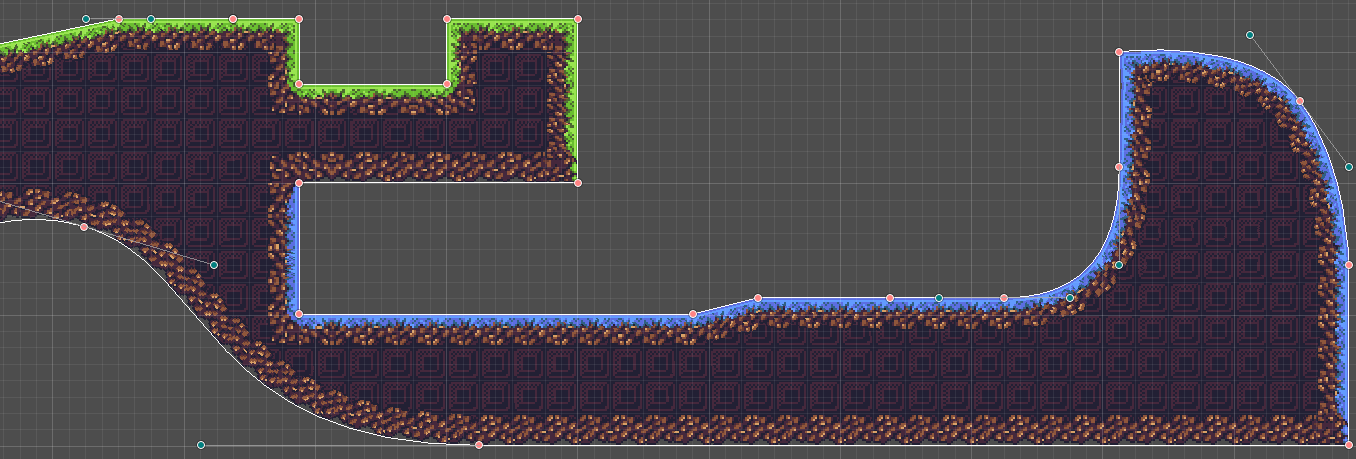
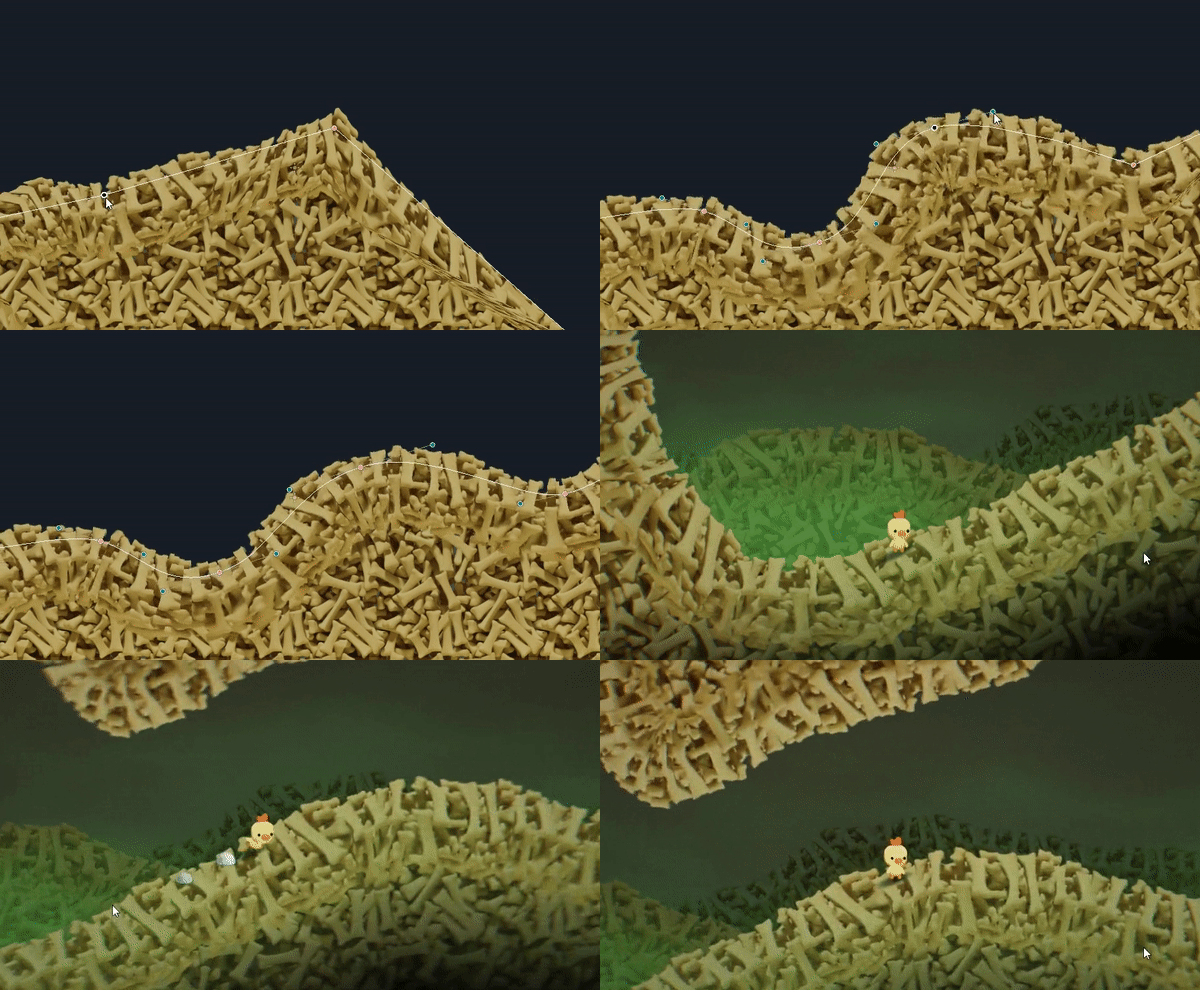
This plugin allows you to create nicely textured 2D polys.
Simply place a few points then create / assign the shape material and you should have a good looking polygon.
The textures used are similar to what you would use if making terrain using TileMaps/TileSets
**If you find any issues, by all means let us know.
Read the section below on Contributing and post an issue if one doesn't already exist**
**If you enjoy this tool and want to support its development, [I'd appreciate a coffee ](https://www.buymeacoffee.com/SirRamESQ) :)**
 ---
## Support
- Newest version is developed and supported for Godot 4.x
- For Godot 3.x version, please go [here](https://github.com/SirRamEsq/SmartShape2D/tree/Godot3-latest). This version is no longer maintained.
## Documentation
> [!WARNING]
> **Some documentation is largely outdated.**
>
> Refer to the in-engine documentation as far as possible.
>
> If you can't see SS2D nodes in the F1 help search or documentation does not appear when hovering over properties, re-save the respective script.
> See [#72406](https://github.com/godotengine/godot/issues/72406) and [#86577](https://github.com/godotengine/godot/issues/86577).
> This should be fixed in Godot 4.5.
- [How To Install](./addons/rmsmartshape/documentation/Install.md)
- [Quick Start](./addons/rmsmartshape/documentation/Quickstart.md)
- [Using SmartShape2D with Godot 4](./addons/rmsmartshape/documentation/Godot4.md)
- [Shapes](./addons/rmsmartshape/documentation/Shapes.md)
- [Toolbar](./addons/rmsmartshape/documentation/Toolbar.md)
- [Resources](./addons/rmsmartshape/documentation/Resources.md)
- [Normals](./addons/rmsmartshape/documentation/Normals.md)
- [Controls and Hotkeys](./addons/rmsmartshape/documentation/Controls.md)
- [FAQ](./addons/rmsmartshape/documentation/FAQ.md)
- [Version History](./addons/rmsmartshape/documentation/VersionHistory.md)
## Video Tutorials
> [!WARNING]
> These tutorials are for Godot 3, and some things are different now.
> Please, check [using SmartShape2D with Godot 4](./addons/rmsmartshape/documentation/Godot4.md).
SmartShape2D + Aseprite tutorial can be found here (Thanks Picster!):
[](http://www.youtube.com/watch?v=r-pd2yuNPvA)
SmartShape2D tutorial can be found here (Thanks LucyLavend!):
[](https://www.youtube.com/watch?v=45PldDNCQhw)
## Contributing
### Issues
If you have any suggestions or find any bugs, feel free to add an issue.
Please include the following three bits of information in each issue posted:
- Bug / Suggestion
- Godot Version
- SmartShape2D Version
Some Guidelines for Issues:
- Attaching a sample project where the issue exists is the fastest way for us to see what's going on
- Try to be as descriptive as possible
- Pictures and screenshots will also be very helpful
Issues can be added [here](https://github.com/SirRamEsq/SmartShape2D/issues)
### Development
We have a set of tests we run against the code (courtesy of [GUT](https://github.com/bitwes/Gut)).
If making a merge request, please ensure that the tests pass. If the tests have been updated appropriately to pass, please note this in the merge request.
### Discord
We have a Discord server for the plugin.
Here, you can:
- Ask for help
- Showcase your project
- Speak with the developers directly
---
## Support
- Newest version is developed and supported for Godot 4.x
- For Godot 3.x version, please go [here](https://github.com/SirRamEsq/SmartShape2D/tree/Godot3-latest). This version is no longer maintained.
## Documentation
> [!WARNING]
> **Some documentation is largely outdated.**
>
> Refer to the in-engine documentation as far as possible.
>
> If you can't see SS2D nodes in the F1 help search or documentation does not appear when hovering over properties, re-save the respective script.
> See [#72406](https://github.com/godotengine/godot/issues/72406) and [#86577](https://github.com/godotengine/godot/issues/86577).
> This should be fixed in Godot 4.5.
- [How To Install](./addons/rmsmartshape/documentation/Install.md)
- [Quick Start](./addons/rmsmartshape/documentation/Quickstart.md)
- [Using SmartShape2D with Godot 4](./addons/rmsmartshape/documentation/Godot4.md)
- [Shapes](./addons/rmsmartshape/documentation/Shapes.md)
- [Toolbar](./addons/rmsmartshape/documentation/Toolbar.md)
- [Resources](./addons/rmsmartshape/documentation/Resources.md)
- [Normals](./addons/rmsmartshape/documentation/Normals.md)
- [Controls and Hotkeys](./addons/rmsmartshape/documentation/Controls.md)
- [FAQ](./addons/rmsmartshape/documentation/FAQ.md)
- [Version History](./addons/rmsmartshape/documentation/VersionHistory.md)
## Video Tutorials
> [!WARNING]
> These tutorials are for Godot 3, and some things are different now.
> Please, check [using SmartShape2D with Godot 4](./addons/rmsmartshape/documentation/Godot4.md).
SmartShape2D + Aseprite tutorial can be found here (Thanks Picster!):
[](http://www.youtube.com/watch?v=r-pd2yuNPvA)
SmartShape2D tutorial can be found here (Thanks LucyLavend!):
[](https://www.youtube.com/watch?v=45PldDNCQhw)
## Contributing
### Issues
If you have any suggestions or find any bugs, feel free to add an issue.
Please include the following three bits of information in each issue posted:
- Bug / Suggestion
- Godot Version
- SmartShape2D Version
Some Guidelines for Issues:
- Attaching a sample project where the issue exists is the fastest way for us to see what's going on
- Try to be as descriptive as possible
- Pictures and screenshots will also be very helpful
Issues can be added [here](https://github.com/SirRamEsq/SmartShape2D/issues)
### Development
We have a set of tests we run against the code (courtesy of [GUT](https://github.com/bitwes/Gut)).
If making a merge request, please ensure that the tests pass. If the tests have been updated appropriately to pass, please note this in the merge request.
### Discord
We have a Discord server for the plugin.
Here, you can:
- Ask for help
- Showcase your project
- Speak with the developers directly