StarAgent

简体中文
> ⚠️ This project is currently intended for personal use and is under active development. A stable version will be released later.
> ⚠️ This project was primarily built with vibe coding and may contain potential bugs. Please keep this in mind before using it.
StarAgent is an **agent multiplexer** for managing coding agent sessions across machines in a unified dashboard. It reflects my own best practices for using multiple agents:
> **We just need a lightweight tmux wrapper for Codex / Claude Code that supports cross-machine connections and can be accessed from any of my devices.**
## Design Principles
It is built around a few practical needs that show up when using coding agents day to day:
- We often run multiple agent CLI instances in parallel across different working directories, each handling a separate task. We need one place to check their status and interact with them in real time.
- We want to interact with our agents anywhere, anytime, and on any device. And the sessions should be consistent.
- Agent CLI sessions should be long-lived, so we do not need to keep typing `/resume`.
Based on hands-on experience, StarAgent uses the simplest effective stack for this workflow, making it feel like managing a small team of coding agents:
- **tmux-first**. All coding agent CLI sessions run inside long-lived tmux sessions. For consistency, system-level background services are also represented as tmux sessions. See [SESSIONS.md](SESSIONS.md) for the session model.
- **Cross-machine connectivity via Tailscale**. Tailscale provides a secure and unified network layer across machines. See [tailscale/README.md](tailscale/README.md) for the Tailscale setup.
- **Unified management through a web dashboard**. The web dashboard lets you control agents from any device with a browser, including phones and laptops, without installing extra software.
StarAgent uses a centralized architecture: the `StarAgent Hub` runs the web dashboard and also acts as a local node, while other machines connect as `StarAgent Nodes` over the same Tailscale network. Every node can launch agent sessions, all managed from one dashboard.
For the technical architecture, see [ARCHITECTURE.md](ARCHITECTURE.md).
## Preview
The screenshots below use sanitized demo data. The anime-inspired background is optional —
upload any image from the theme menu, then pair it with a color theme and glass surfaces.
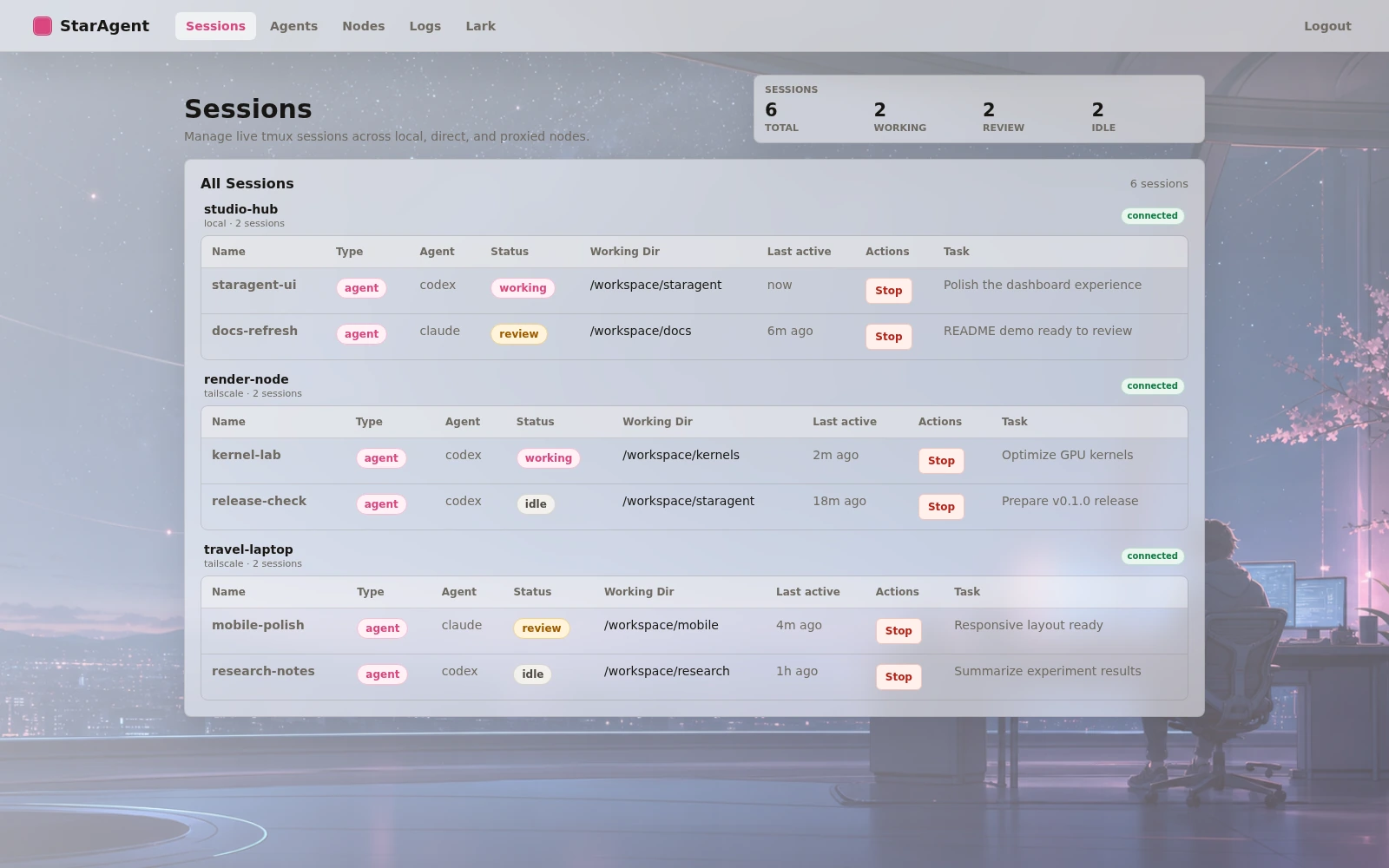
Manage sessions across machines at a glance:
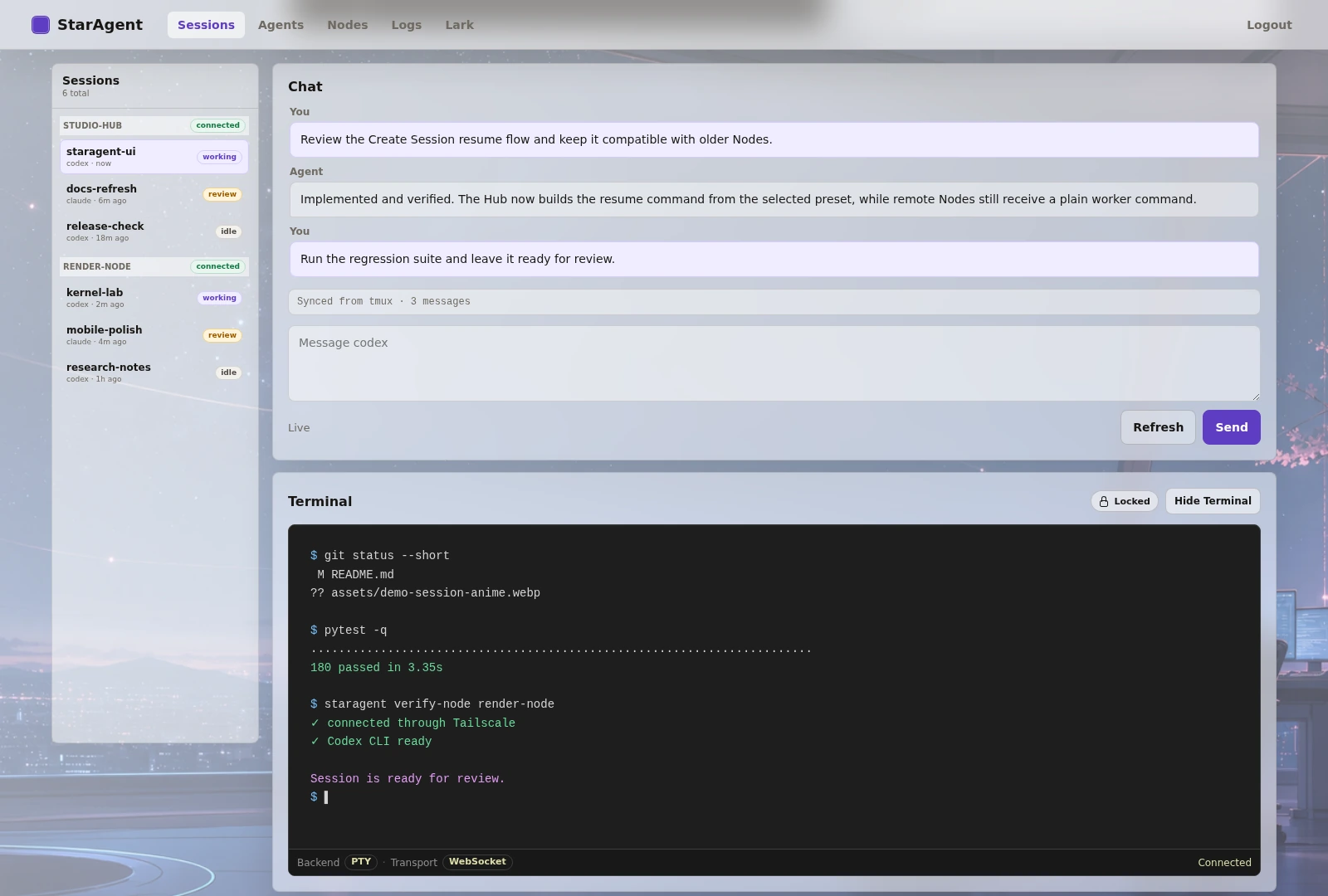
Each session includes a lightweight chat console for interacting with agents, plus a Terminal and File Explorer.
Session detail pages keep an IM-style switcher on the left for moving between sessions without
returning to the session table; on narrow screens it collapses into a searchable drawer.
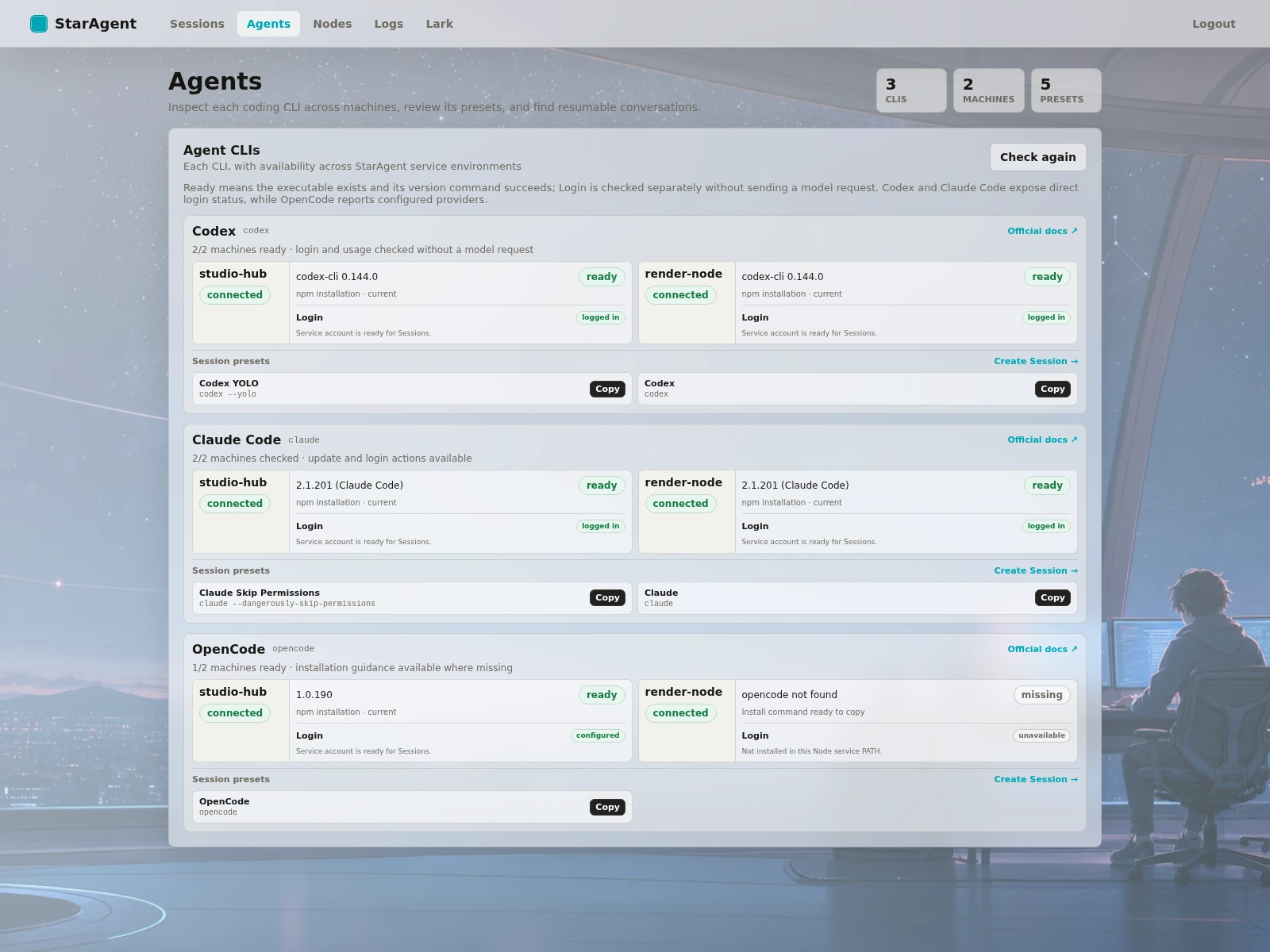
Inspect Agent CLI availability, login state, update paths, and launch presets across machines:
**NOTICE:** None of this gets in the way of manually SSHing into the server and attaching to the corresponding tmux session for development. The web interface is implemented entirely as a parser — the tmux CLI sessions on the server are always the ground truth.
## Hub
Run this on the machine that runs the dashboard:
```bash
pip install -e '.[dev]'
staragent hub --host 0.0.0.0 --port 8080
```
`staragent hub` creates the `staragent-hub` tmux system session by default.
Open `http://:8080` and log in with the token printed by `staragent hub`.
See [HUB.md](HUB.md) for authentication and state settings, Dashboard surfaces, centralized logs,
Agent CLI checks and updates, usage reporting, presets, and conversation resume behavior.
## Remote Node
Run this on each machine that should run agent sessions:
```bash
pip install -e '.[dev]'
export STARAGENT_NODE_TOKEN=""
sudo tailscale up --ssh
staragent node-ts --sudo
```
`staragent node-ts` checks that Tailscale is installed and already connected, then
starts the `staragent-node` tmux system session and configures `tailscale serve`.
If Tailscale is not ready, it prints the `tailscale up --ssh` command to run first.
Use `--sudo` when `tailscale serve` requires root privileges.
For LAN or another network layer that does not need `tailscale serve`, use:
```bash
staragent node
```
Before adding the Node, verify it from the Hub machine:
```bash
staragent verify-node
```
Add the reachable Host and Port in the Hub dashboard, for example `100.x.x.x` and `8081`.
If the Node uses a non-default port, enter that port explicitly, for example `8082`.
## Acknowledgements
StarAgent's CLI transcript parsing is adapted from ideas and code in [botmux](https://github.com/deepcoldy/botmux). The dashboard visual style is inspired by the [Tailscale admin console](https://tailscale.com/). Markdown preview follows [GitHub Flavored Markdown](https://github.github.com/gfm/) conventions. The web terminal uses [xterm.js](https://xtermjs.org/), and file preview highlighting uses [highlight.js](https://highlightjs.org/).
## License
MIT. See [LICENSE](LICENSE).