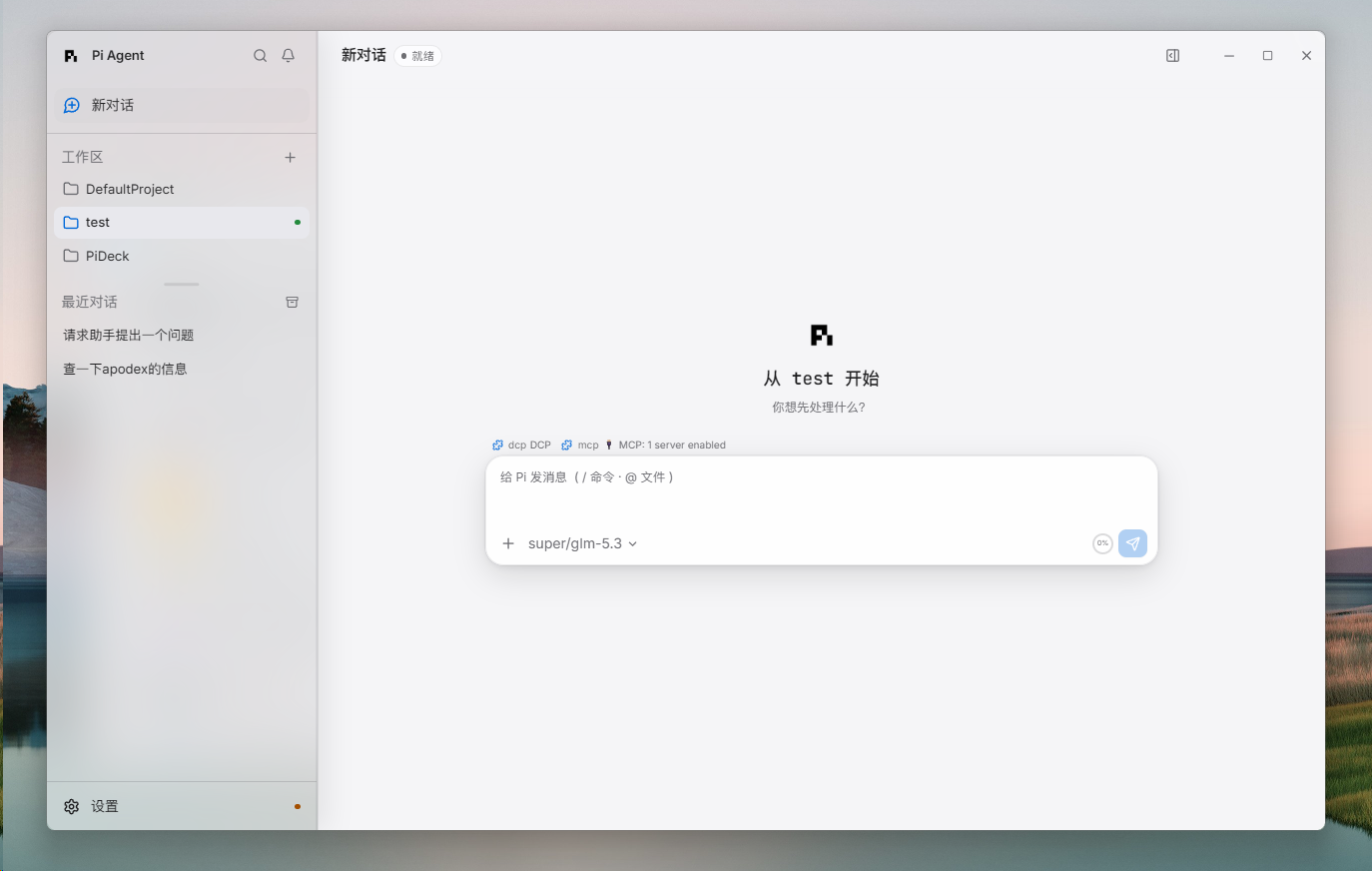
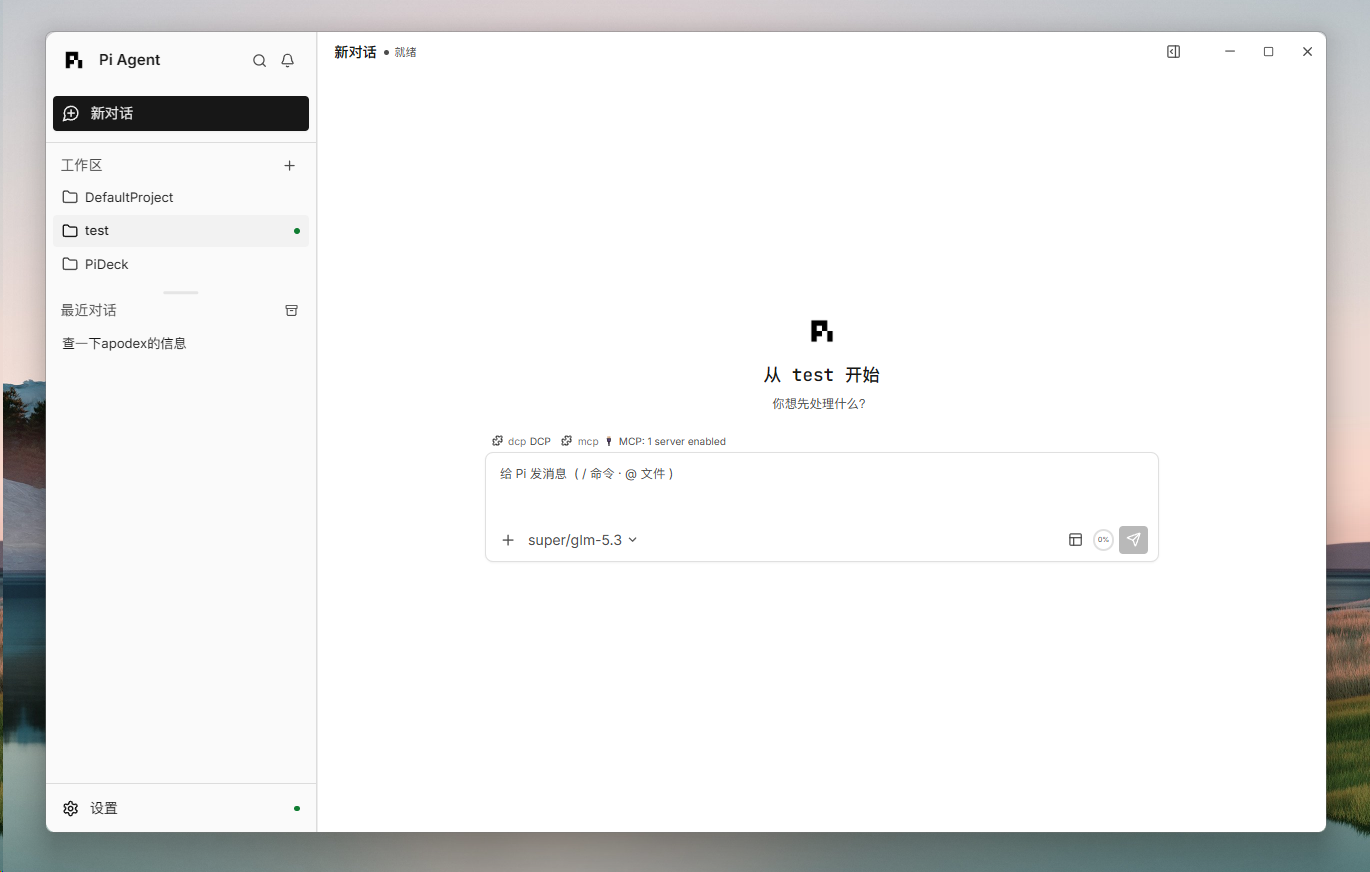
# PiCove Previously **PiDeck**. The development interface now uses PiCove; published installers and compatibility identifiers still use PiDeck. See the [branding transition](./docs/operations/branding.md). **A native desktop app for [Pi Coding Agent](https://www.npmjs.com/package/@earendil-works/pi-coding-agent)** Chat with your coding agent, watch its tools work, manage sessions, models, and packages — in one visual workspace. [![CI](https://github.com/Skitre/PiCove/actions/workflows/p0.yml/badge.svg)](https://github.com/Skitre/PiCove/actions/workflows/p0.yml) [![Release](https://img.shields.io/github/v/release/Skitre/PiCove?include_prereleases)](https://github.com/Skitre/PiCove/releases) [![Platform](https://img.shields.io/badge/platform-Windows%20%7C%20macOS-lightgrey)](#download) [![License: MIT](https://img.shields.io/badge/license-MIT-blue.svg)](./LICENSE) [English](./README.md) | [简体中文](./README.zh-CN.md) PiCove new conversation in a workspace

## Features - **Streaming conversations** — watch the agent think, call tools, and stream results in real time, with one-click abort and automatic session recovery. - **Sessions & workspaces** — browse, search, create, and reopen sessions across projects; conversation history is restored exactly where you left off. - **Models & providers** — switch providers, models, and thinking levels from the UI, with usage visibility per conversation. - **Git built in** — review changes, stage or unstage individual hunks, and browse branch history without leaving the app. - **Workspace Dock** — inspect the project file tree, reference files in a prompt, open conversation links in embedded browser tabs, and keep terminals beside the chat. - **Packages** — browse the pi.dev catalog, then install and manage user-scope Extensions, Skills, Prompts, and Themes. - **Extension UI & terminal** — extensions render their own interactive panels, and an integrated workspace terminal is one shortcut away. - **Make it yours** — PiCove, Vercel, and Apple themes; customizable keyboard shortcuts and context menus; English and 简体中文. - **Font settings** — choose installed system fonts independently for interface, text, and code in Settings → Appearance. Import TTF, OTF, TTC, or ZIP files into an app-private library; terminals follow the code font. Search, preview, reset, and delete imported families without restarting. ![Interactive extension prompt and the Git changes panel](docs/assets/readme/features-1.png) ![Markdown rendering, extension widgets, and branch history](docs/assets/readme/features-2.png) ## Screenshots
Workspaces in the Apple theme
Apple theme — workspaces
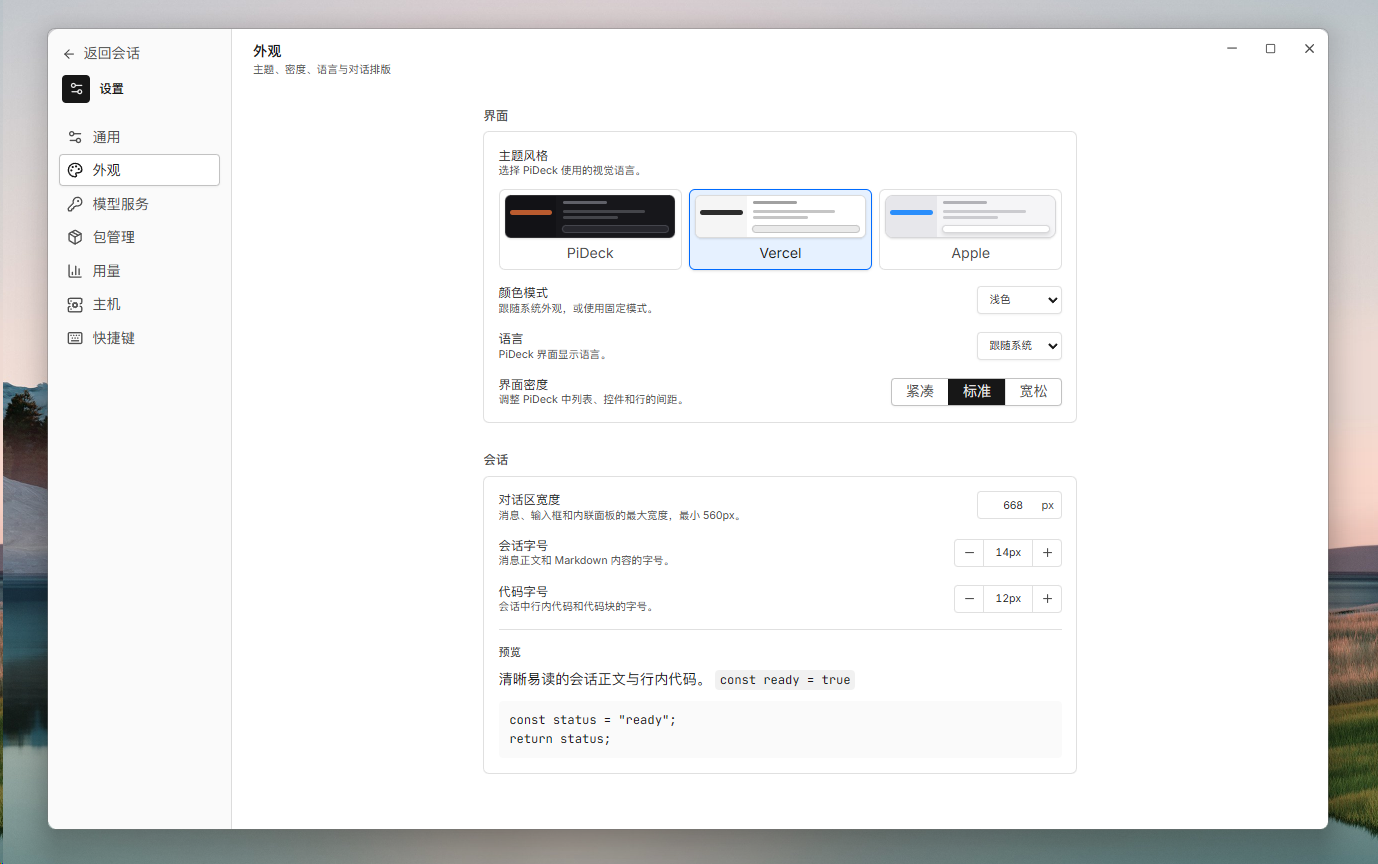
Appearance settings with PiCove, Vercel, and Apple themes
Themes — PiCove / Vercel / Apple
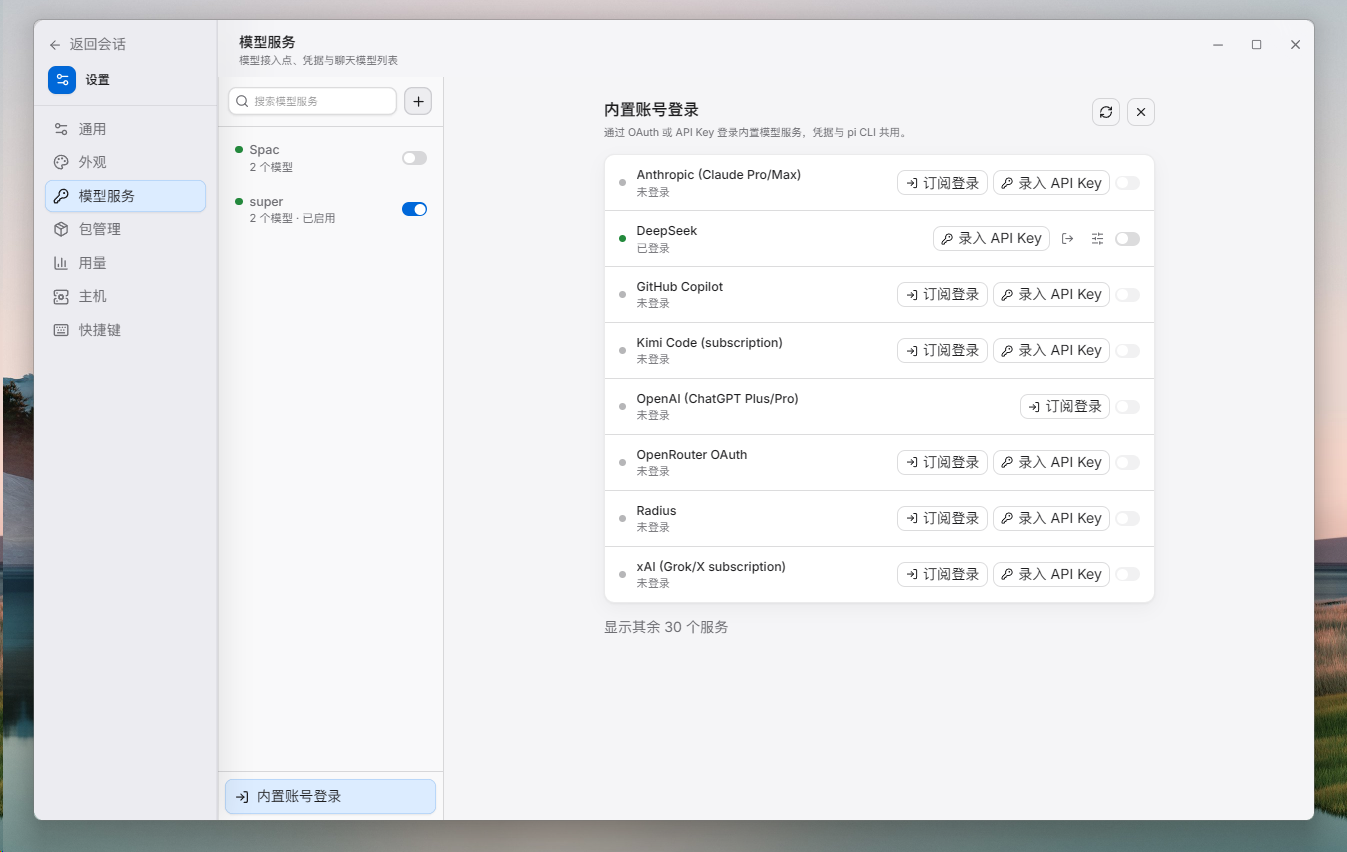
Model providers in the Apple theme
Apple theme — model providers
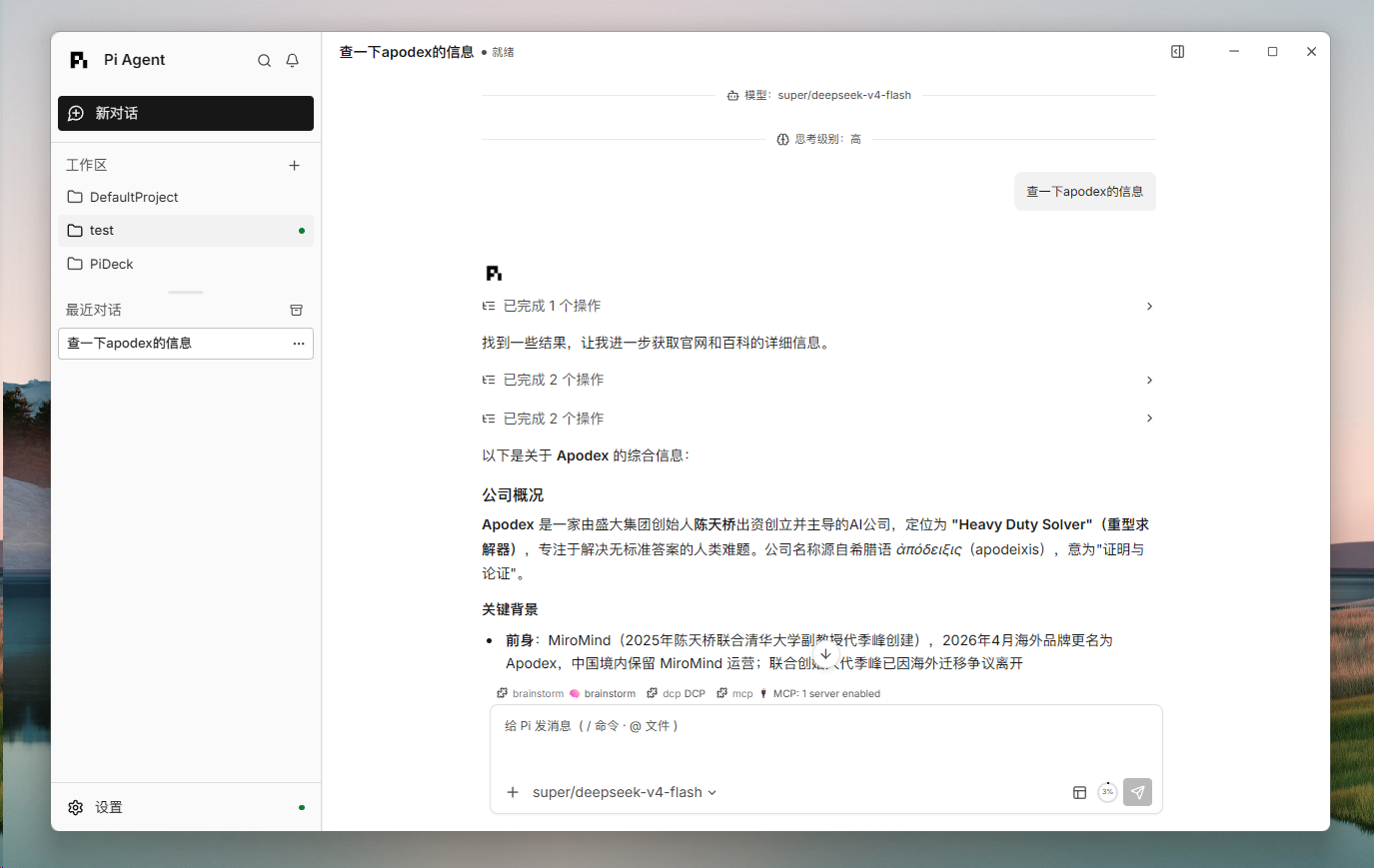
Streaming reply with tool calls
Vercel — streaming replies and tools
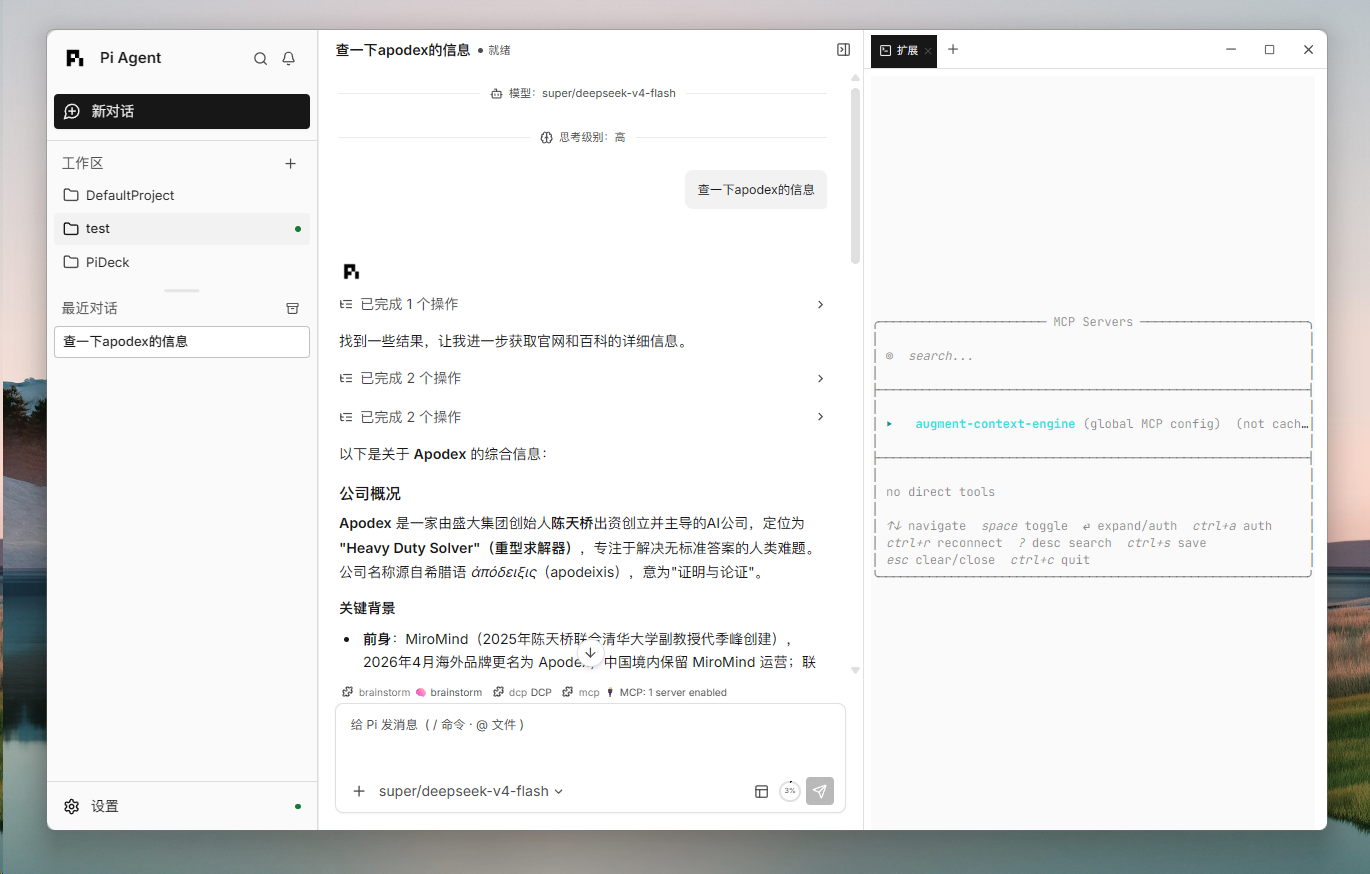
Chat with the MCP servers dock
Vercel — Workspace Dock / MCP
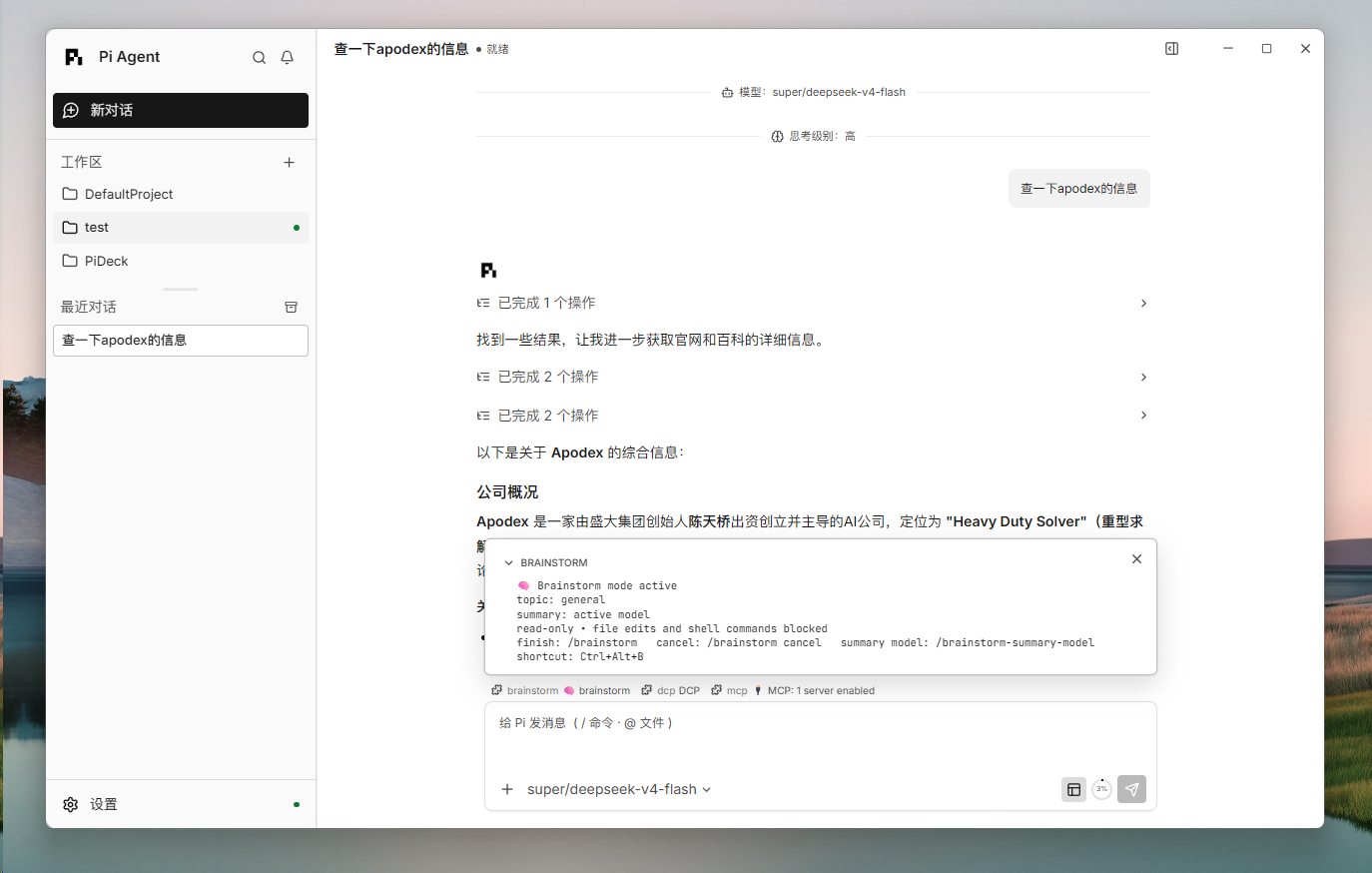
Brainstorm mode overlay
Vercel — Brainstorm overlay
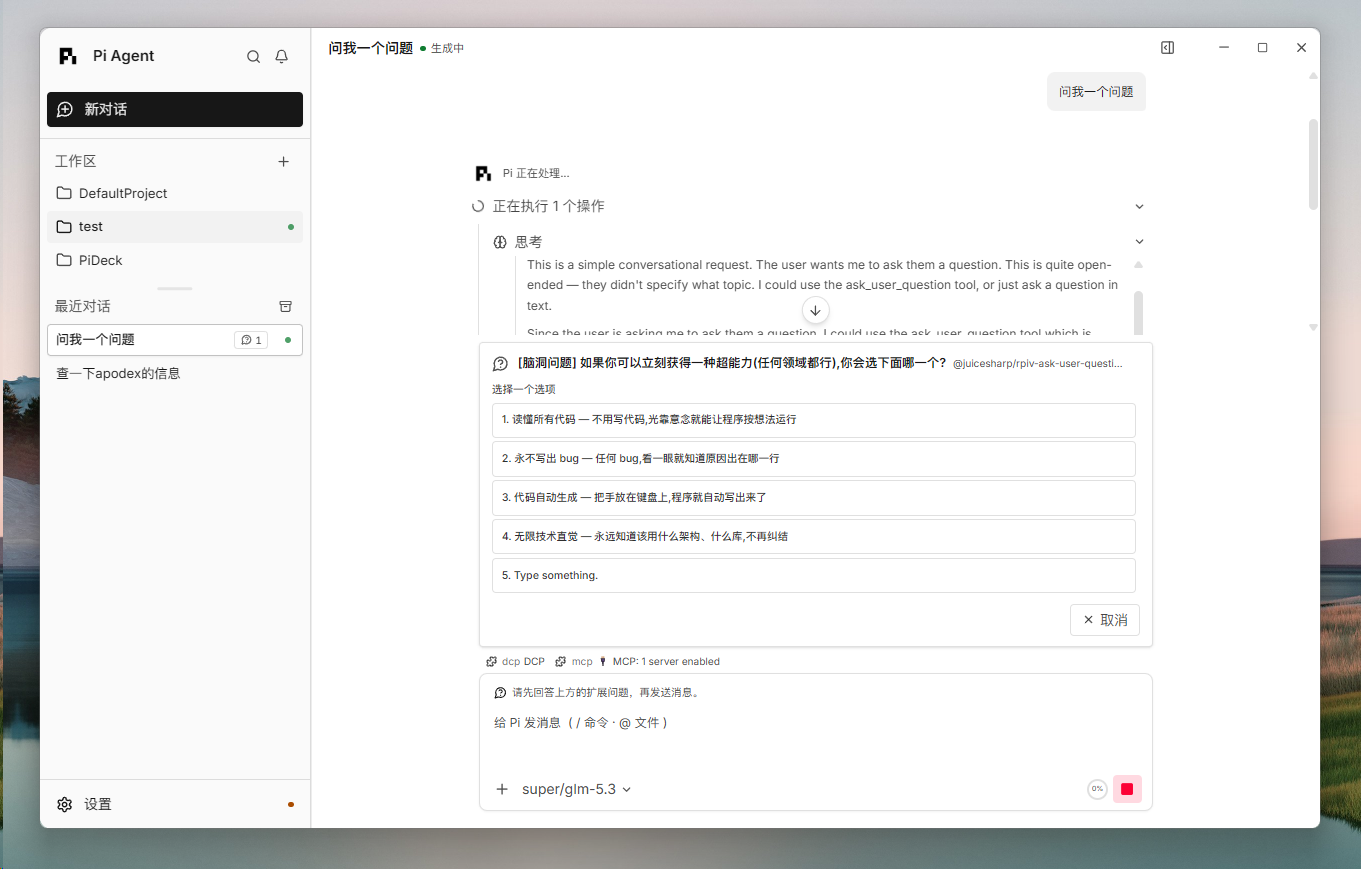
Interactive extension question in chat
Vercel — extension prompt
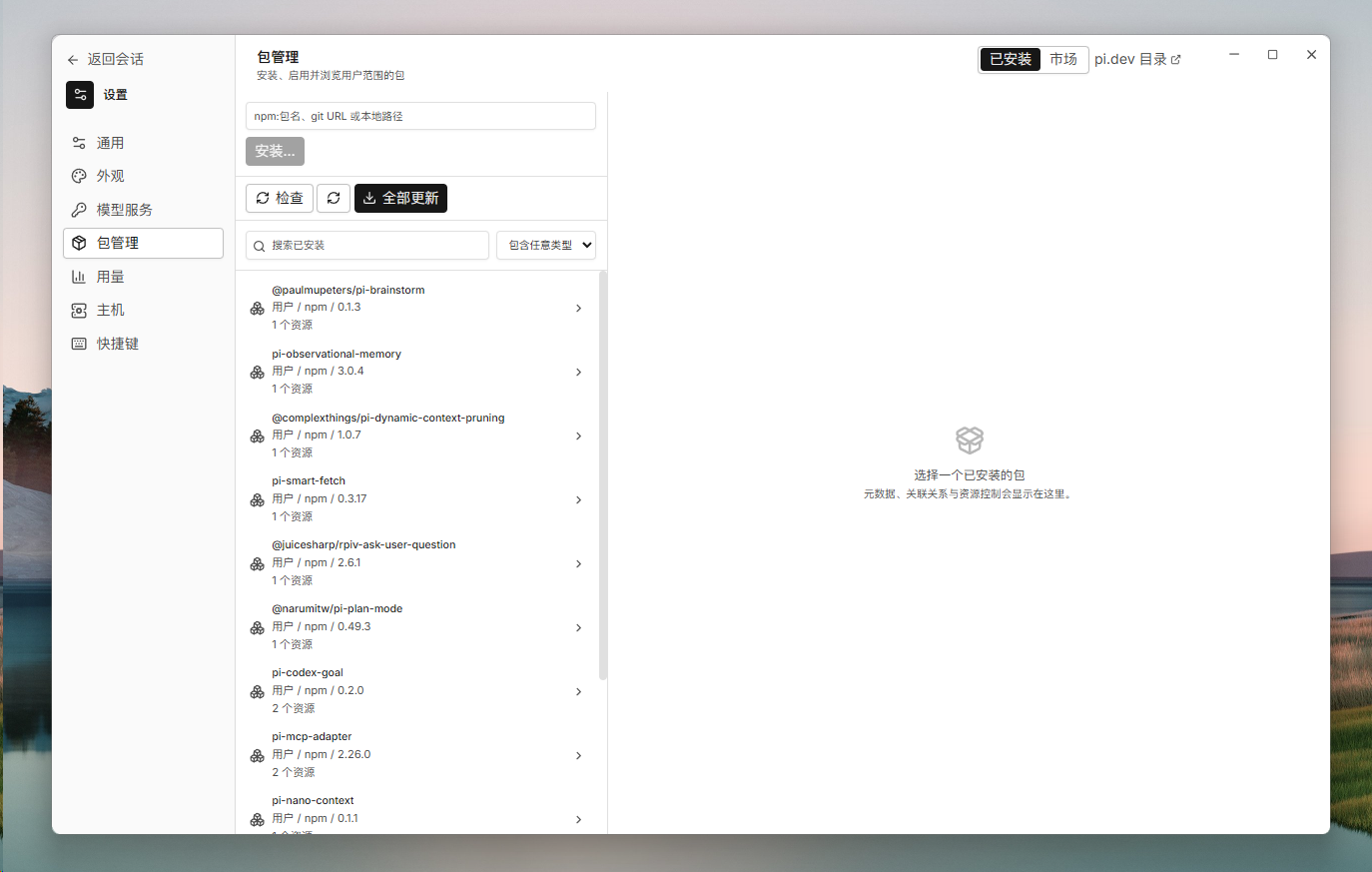
Installed user-scope packages
Packages — Installed
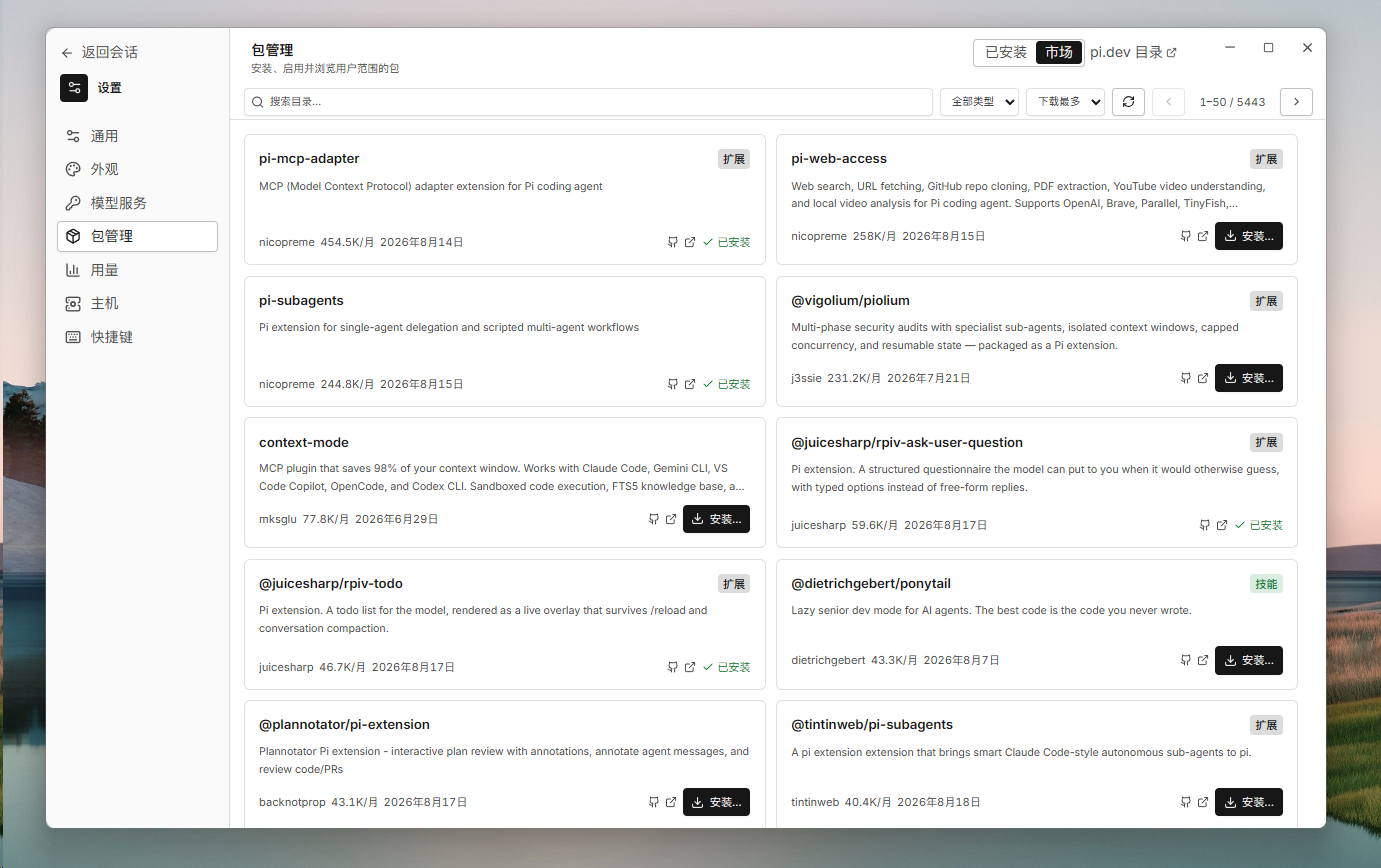
Package market catalog
Packages — Market
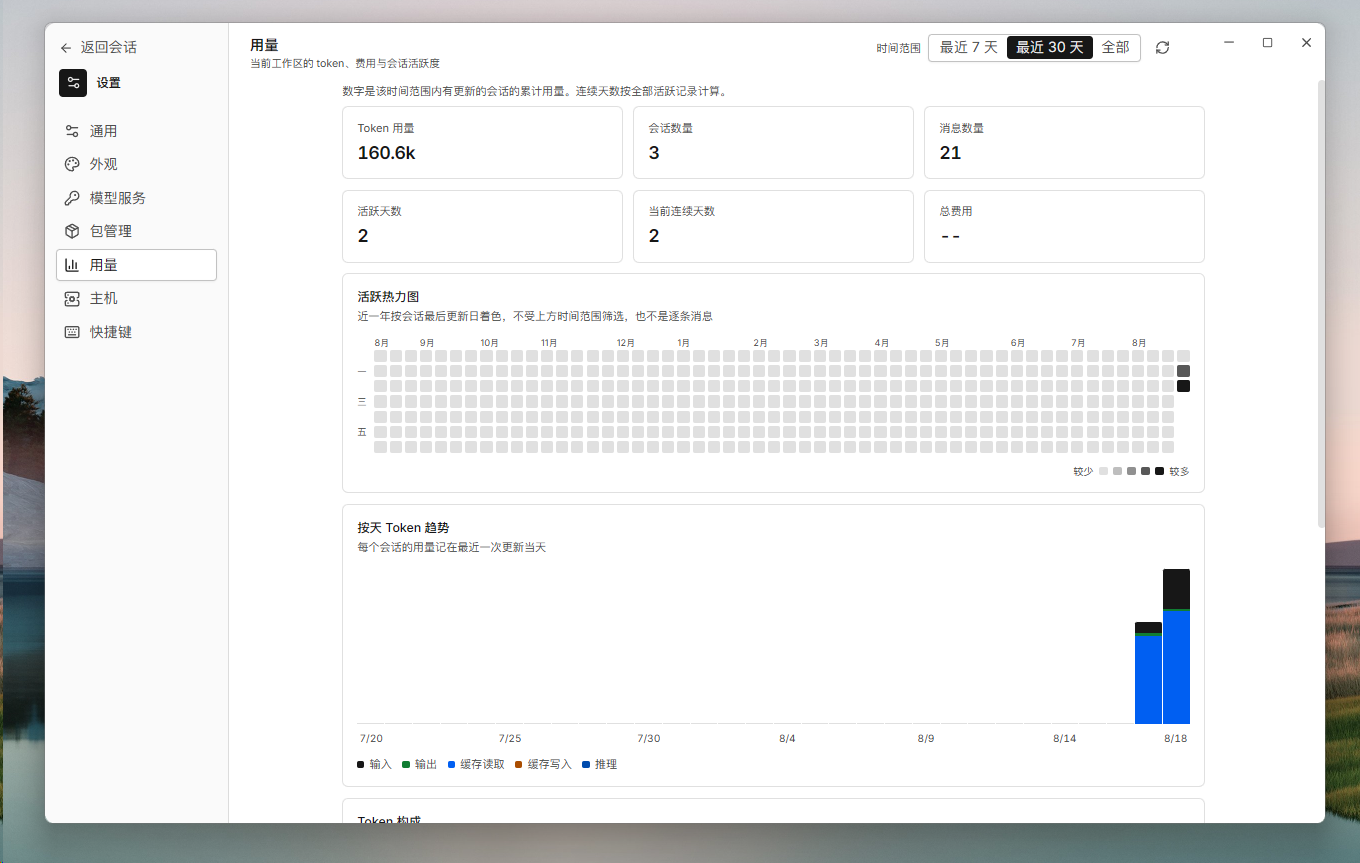
Usage dashboard with token trends
Usage dashboard
## Download Grab the installer for your platform from the [latest release](https://github.com/Skitre/PiCove/releases): | Platform | File | |---|---| | Windows 11 x64 | `PiDeck__x64-setup.exe` | | macOS Apple Silicon | `PiDeck__aarch64.dmg` | | macOS Intel | `PiDeck__x64.dmg` | These downloads are early-access development candidates rather than accepted, platform-certified public releases. PiCove checks for updates automatically and installs them in place. > **Early-access builds.** Windows candidates do not yet carry an accepted > Authenticode signature; macOS candidates may use an ad-hoc signature instead > of Developer ID signing and notarization. SmartScreen or Gatekeeper can > therefore warn or block the app. Release status, verification boundaries, > and signing progress are tracked in the > [release notes](./docs/operations/release.md). ## Works with the Pi CLI — but doesn't need it PiCove bundles the Pi SDK (currently `0.84.2`) and its own Node runtime, so it runs standalone — no global `pi` executable or Node installation required. The Windows build bundles Git as well. If you also use the Pi CLI, both share `~/.pi/agent` (authentication, model settings, and user-scope packages) and each workspace's `.pi` directory (sessions and history). PiCove does not load or manage project-local packages from `/.pi`. Keep the CLI version close to PiCove's pinned SDK version, and avoid editing the same session from both apps at once. ## Build from source Requirements: [Node](./.node-version) ≥ 22.19.0, pnpm 9.15.0, Rust stable, and the [Tauri 2 prerequisites](https://v2.tauri.app/start/prerequisites/). See the [development guide](./docs/operations/development.md) for one-command toolchain setup on Windows and macOS. ```bash pnpm install --frozen-lockfile pnpm build pnpm --filter @pideck/desktop run tauri:dev ``` The first launch compiles the Tauri application and may take several minutes; later launches reuse the build cache. To verify a checkout, run `pnpm verify:quick` (docs, types, JS/TS tests) or `pnpm verify:p0` (adds the production build and Rust tests). Native installers are built with `pnpm package:release`. ## Security PiCove loads only user-scope packages from `~/.pi/agent`. Opening a workspace does not run `/.pi/extensions`. Only install packages you trust. Provider credentials, settings, and sessions are user data under `~/.pi/agent` — never commit them to a repository. ## Project layout | Path | Role | |---|---| | `apps/desktop` | React/Vite interface and Tauri 2 desktop host | | `packages/protocol` | Typed Rust/Host/UI process protocol | | `packages/pi-host` | Node sidecar that owns the Pi SDK | | `docs` | [Architecture](./docs/architecture/overview.md), [development](./docs/operations/development.md), and [release](./docs/operations/release.md) documentation | | `scripts` | Verification, runtime staging, and packaging tools | More in the [documentation index](./docs/README.md). ## License MIT — see [LICENSE](./LICENSE) and [THIRD_PARTY_NOTICES.md](./THIRD_PARTY_NOTICES.md). ## Friends - **[Linux DO](https://linux.do/)** — Learn AI? Visit Linux DO!