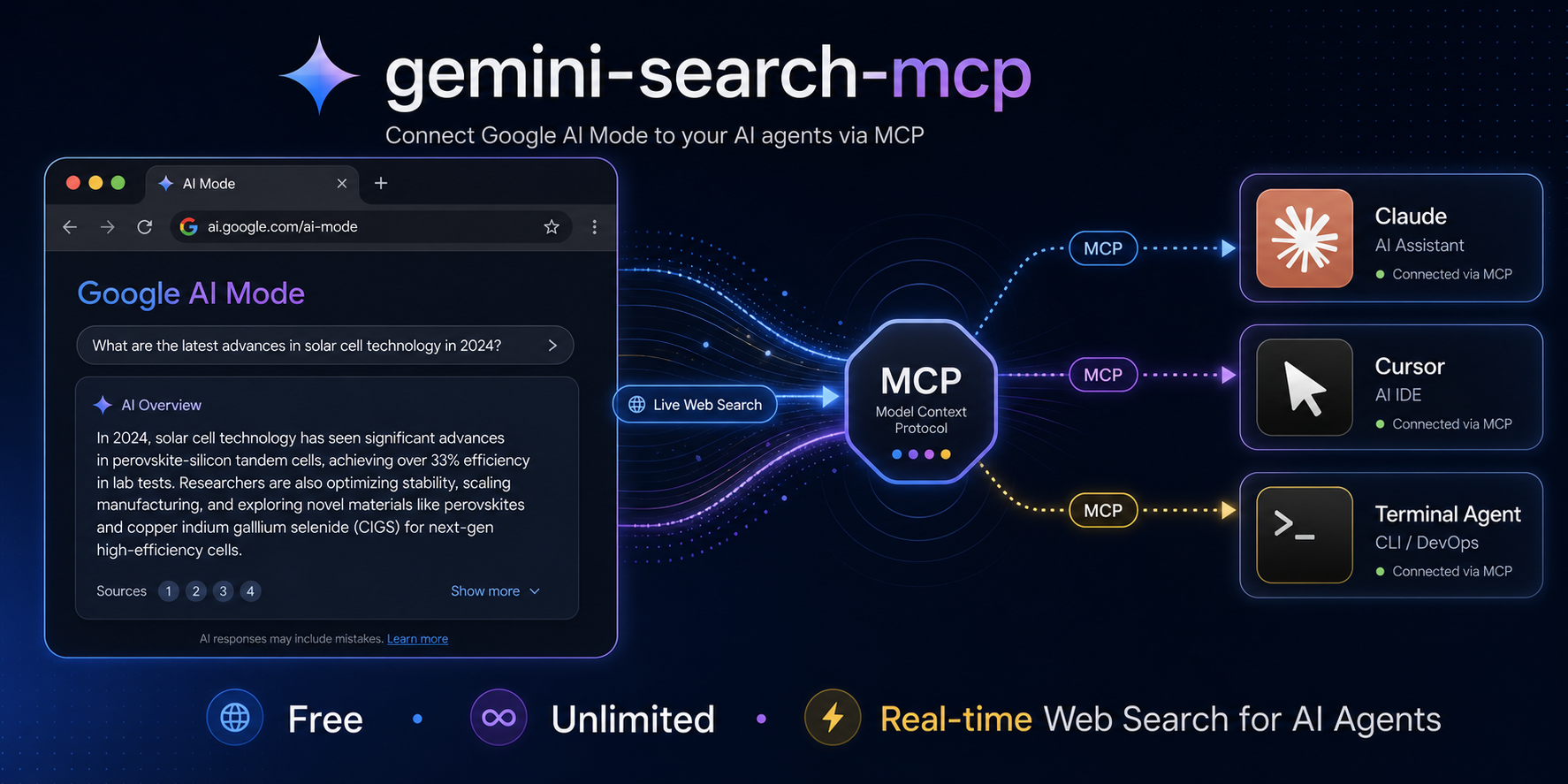

MCP server for web search powered by Google AI Mode (Gemini). Free, unlimited, no API key.
## What is this An MCP server that gives any AI agent (Claude, Cursor, Windsurf, etc.) the ability to search the web in real-time using Google's AI Mode — the same Gemini-powered search that lives in the "AI Mode" tab on Google Search. Think of it as a free, unlimited alternative to Grok MCP / Tavily / SerpAPI, backed by Google's search index. ## Features - **Free**: No API key, no subscription, no quota - **Unlimited**: 60+ requests/min with zero rate limiting - **Google quality**: Powered by Gemini + Google Search (grounded in real web results) - **MCP native**: Works with Claude Desktop, Claude Code, Cursor, Windsurf, Cline - **Also ships OpenAI API**: `/v1/chat/completions` for non-MCP clients - **Fast**: ~1.5s average response time ## Quick Start ```bash pip install -e . # Optional: install the undetected-chromedriver backend for CAPTCHA probes. pip install -e '.[undetected]' ``` ### MCP Server (for AI agents) ```bash gemini-search-mcp ``` ### OpenAI-compatible API ```bash gemini-search --port 8080 ``` ## MCP Integration ### Claude Code ```bash claude mcp add gemini-search -- gemini-search-mcp ``` ### Claude Desktop Add to `claude_desktop_config.json`: ```json { "mcpServers": { "gemini-search": { "command": "gemini-search-mcp", "args": [], "env": { "CDP_URL": "http://127.0.0.1:9222" } } } } ``` ### Cursor / Windsurf Same pattern — point to `gemini-search-mcp` as an stdio MCP server. ## MCP Tools | Tool | Description | |------|-------------| | `web_search(query)` | Search the web and get a synthesized answer grounded in real-time results | | `ask(prompt)` | General question — AI Mode auto-decides whether to search the web | ### Examples ``` web_search("latest AI regulation news 2026") → "The EU AI Act enforcement began on June 1, 2026, requiring..." web_search("Bitcoin price today") → "As of June 30, 2026, Bitcoin is trading at $59,687 USD..." ask("what is 1847 * 293") → "541171" ``` ## OpenAI API Usage ```bash curl http://localhost:8080/v1/chat/completions \ -H "Content-Type: application/json" \ -d '{"model":"gemini-search","messages":[{"role":"user","content":"What happened in the news today?"}]}' ``` | Field | Value | |-------|-------| | Base URL | `http://localhost:8080/v1` | | API Key | anything | | Model | `gemini-search` | ## Environment Variables | Variable | Default | Description | |----------|---------|-------------| | `CDP_URL` | (none) | Chrome DevTools URL. If set, connects to existing Chrome instead of launching one | | `BROWSER_CHANNEL` | `chrome` | Browser to use: `chrome`, `msedge`, `chromium` | | `HEADLESS` | `1` | Set to `0` to show browser window | | `GEMINI_SEARCH_USER_DATA_DIR` | (none) | Persistent Chrome profile directory. Reuses cookies across runs and is not deleted on shutdown | | `GEMINI_SEARCH_CDP_PORT` | `19250` | CDP port used for self-launched Chrome | | `GEMINI_SEARCH_BROWSER_BACKEND` | `subprocess` | Browser launcher: `subprocess` or `undetected` | | `GEMINI_SEARCH_PROXY_SERVER` | (none) | Chrome proxy server, e.g. `socks5://127.0.0.1:7897` | | `GEMINI_SEARCH_CHROMEDRIVER` | (none) | Chromedriver executable used by the `undetected` backend | ## Persistent Chrome profile / CAPTCHA priming If Google shows `/sorry/` CAPTCHA for a fresh temporary profile, prime a persistent profile once in a visible Chrome window, then reuse the same directory in headless mode: ```bash # 1) Visible first run: solve CAPTCHA manually if Google asks. gemini-search --no-headless --user-data-dir "$HOME/.local/share/gemini-search-mcp/chrome-profile" # 2) Later runs: reuse the same cookies headlessly. GEMINI_SEARCH_USER_DATA_DIR="$HOME/.local/share/gemini-search-mcp/chrome-profile" gemini-search ``` For Windows-side validation from WSL, run the probe with Windows Python through PowerShell so it launches Windows Chrome: ```powershell $profile = Join-Path $env:TEMP 'gemini-search-mcp-persistent-profile' python .\scripts\windows_chrome_profile_probe.py ` --profile-dir $profile ` --mode two-phase ` --out .\headless-reuse-result.json ``` Success evidence is `ok=true` and `stages.headless_reuse.captcha=false` in the JSON output. ## undetected-chromedriver CAPTCHA probe When a normal Chrome subprocess gets a Google `/sorry/` CAPTCHA, install the optional backend and run the reusable probe against `google.com.hk`: ```bash pip install -e '.[undetected]' python scripts/uc_google_probe.py \ --proxy socks5://127.0.0.1:7897 \ --out-json uc-probe.json ``` Use the backend only when the probe reports `ok=true`, `captcha=false`, and `successful_for_engine_integration=true`. ```bash gemini-search \ --browser-backend undetected \ --proxy-server socks5://127.0.0.1:7897 \ --chromedriver-path /path/to/chromedriver \ --no-headless ``` Observed on Windows Chrome for Testing 148 through Clash: headed UC passed (`captcha=false` and AI Mode tokens present), while headless UC hit Google `/sorry/`. ## How It Works Google rate-limits by TLS fingerprint quality — not by IP. Automated HTTP clients (curl, requests, httpx) get throttled after a few requests. But a real Chrome browser's `fetch()` calls are trusted unconditionally. This tool runs a single real Chrome tab and executes all queries as `fetch()` inside it over CDP, giving every request an authentic Chrome TLS/HTTP2 fingerprint. Google sees normal browser traffic and applies no rate limits. The optional `undetected` backend still uses the same CDP query path after launch. ``` Agent calls web_search("query") → Chrome Runtime.evaluate(fetch) → Google Search AI Mode (token extraction + folwr endpoint) → Parse answer from HTML response → Return to agent ``` ## Comparison | | gemini-search-mcp | Grok MCP | Tavily | |---|---|---|---| | Cost | **Free** | xAI API key ($) | API key ($) | | Rate limit | **None** | API quota | API quota | | Search backend | Google Search | Grok + web | Proprietary | | Answer quality | Gemini synthesized | Grok synthesized | Extracted snippets | | Setup | Chrome + CDP | API key | API key | ## Docker ```bash docker compose up -d ``` ## Requirements - Python 3.10+ - Chrome, Edge, or Chromium - Runtime dependencies from `pyproject.toml` - Optional: `undetected-chromedriver` and `selenium` via `pip install -e '.[undetected]'` ## Limitations - Requires Chrome/Edge/Chromium installed - No conversation memory between requests - Answer extraction relies on Google's DOM structure (may break on updates) - Streaming is chunked, not per-token ## Acknowledgments - [GenericAgent](https://github.com/lsdefine/GenericAgent) — 本项目核心开发依仗 GA 提供的 AI 能力 - [linux.do](https://linux.do) community ## License MIT