LiveAgent
Your Local-First AI Agent Desktop
English | 简体中文
Core Features •
Download & Deployment •
FAQ •
Docs
---
## 🌟 Special Thanks
For all things AI, head to LINUX DO! Wishing the community ever greater success~
---
## ❤️ Sponsor
PackyCode is a reliable, efficient, and professional API relay service provider, offering relay services for Claude Code, Codex, Gemini, Chinese domestic models, and more — a long-established, top-tier relay. The vast majority of the model resources used to develop this software were provided by PackyCode — thank you, Laonong! Register here to get started!
Right Code provides stable relay services for Claude Code, Codex, Gemini, Chinese domestic models, and more. Invoices are available upon top-up, and enterprise and team users receive dedicated one-on-one support. The remaining model resources used to develop this software were provided by RightCode — thanks to the RC site owner and the support team! Register here to get started!
Cubence is a reliable and efficient API relay service provider, offering relay services for Claude Code, Codex, Gemini, and more, with pay-as-you-go billing. Thanks to Cubence for supporting this project! Register here to get started!
---
## 🤝 Come Build With Us!
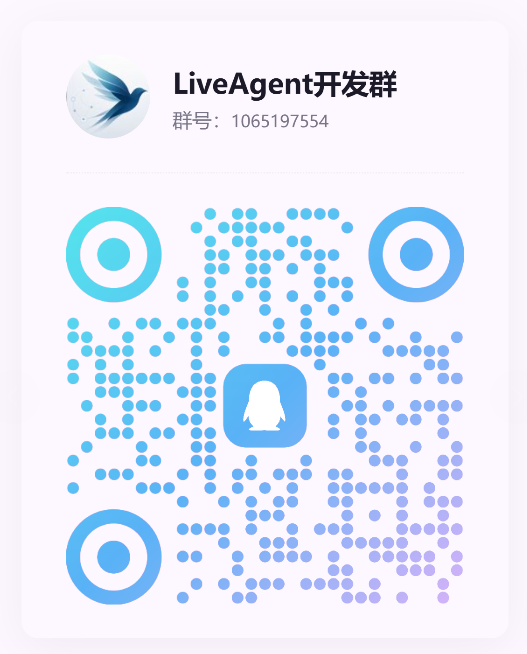
Scan the QR code to join our QQ group and help drive LiveAgent development!
---
## Why LiveAgent?
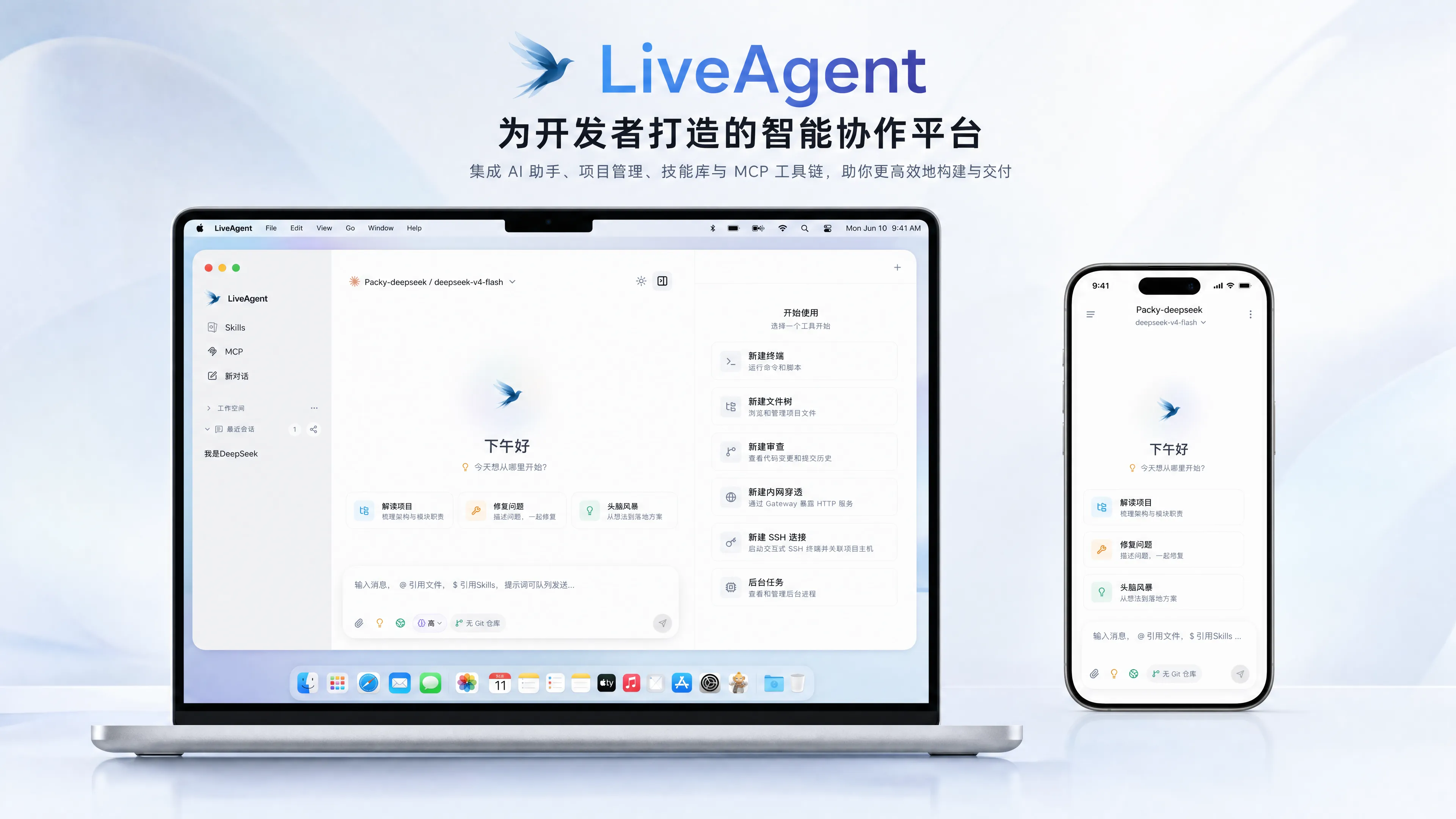
LiveAgent is a **local-first** AI agent desktop client. It deeply integrates large language model reasoning with local system tools, so the AI can genuinely operate your file system, run commands, and manage scheduled tasks — while the Gateway enables remote access and collaboration.
- **An agent that actually gets things done** — beyond chat: read and write files, make precise edits, run Bash, and supervise long-running processes
- **A fully open ecosystem** — bridge any external tool via the MCP protocol, and load Skills packages on demand
- **Both local and remote** — the desktop app works fully standalone; deploy the Gateway and control it from any browser
---
## Core Features
### 🧠 Multi-Model & Chat
- **Multi-model routing** — Claude (Anthropic), Codex (OpenAI), and Gemini protocols, with custom Base URL support for third-party compatible services
- **Rich rendering** — streaming Markdown with built-in KaTeX math, Mermaid diagrams, and Monaco code preview
- **History compaction** — dual-layer Segment + Summary Checkpoint persistence keeps long conversations from losing context
- **Internationalization** — built-in i18n multi-language framework
### 🔧 Local Tool Execution
- **Full file-system capabilities** — precise `Read` / `Write` / `Edit` / `Delete`, plus `Glob` / `Grep` pattern and regex search
- **Bash & long-running processes** — non-interactive command execution (cwd / timeout), with `ManagedProcess` supervising dev servers and other resident tasks
- **Sub-agent delegation** — independent sub-agents execute in parallel with worktree isolation and automatic merging
- **Tunnel exposure** — `TunnelManager` exposes local services to the public internet in one click
### 🧩 MCP & Skills Ecosystem
- **MCP protocol bridging** — the Tauri side natively bridges any stdio / http MCP server for unlimited tool extension
- **Skills packages** — progressive disclosure and on-demand loading, with install / create / package support and the ClawHub ecosystem
### 💾 Memory & Automation
- **Persistent memory** — Markdown + SQLite FTS full-text search for cross-session knowledge management
- **Scheduled tasks** — bash / http / prompt cron job types, executed automatically in the background
### 🌐 Remote Gateway
- **Access from any browser** — Go gateway (WebSocket + Protobuf) with a WebUI for remotely controlling the local agent
- **Disconnect recovery** — a bounded seq window replays short outages, with desktop-side persistence as the safety net
---
## Download & Deployment
Installers are automatically built, signed, and published by GitHub Actions — grab the latest version from [**GitHub Releases**](https://github.com/Stack-Cairn/LiveAgent/releases/latest).
### System Requirements
| Platform | Requirements |
|---|---|
| macOS | Both Intel (x64) and Apple Silicon (aarch64) architectures |
| Windows | x64; requires the WebView2 runtime (bundled with Windows 11) |
| Linux | x86_64; requires WebKitGTK 4.1 (Ubuntu 22.04+ / Debian 12+, etc.) |
### macOS
Download the DMG matching your chip from [Releases](https://github.com/Stack-Cairn/LiveAgent/releases/latest), open it, and drag LiveAgent into Applications:
- Apple Silicon (M-series): `LiveAgent--macOS-aarch64.dmg`
- Intel: `LiveAgent--macOS-x64.dmg`
> The installer is signed and notarized by Apple — no manual security override is needed on first launch.
### Windows
Pick an installation method from [Releases](https://github.com/Stack-Cairn/LiveAgent/releases/latest):
| Method | File | Best for |
|---|---|---|
| Setup wizard | `LiveAgent--Windows-x64-Setup.exe` | Most users |
| MSI package | `LiveAgent--Windows-x64.msi` | Enterprise distribution / silent install |
| Portable | `LiveAgent--Windows-x64-portable.zip` | No install — unzip and run |
### Linux
Choose by distribution from [Releases](https://github.com/Stack-Cairn/LiveAgent/releases/latest):
| Format | Distributions | Install |
|---|---|---|
| AppImage | Any distribution | `chmod +x`, then run directly |
| DEB | Debian / Ubuntu family | `sudo dpkg -i LiveAgent--Linux-x86_64.deb` |
| RPM | Fedora / openSUSE family | `sudo rpm -i LiveAgent--Linux-x86_64.rpm` |
### Need Remote Access? Deploy the Gateway
The desktop app works out of the box and depends on no server. Deploy the Gateway only if you want to **control your local agent from a browser**.
**Note: when deployed behind an Nginx reverse proxy, set the Gateway address on the Settings → Remote page to the HTTPS URL and use port 443.**
```bash
# Pull the image (built by GitHub Actions, multi-arch: amd64 / arm64)
docker pull ghcr.io/stack-cairn/liveagent-gateway:latest
# Run in the background (HTTP/WebSocket → host 3000)
docker run -d \
--name liveagent-gateway \
--restart unless-stopped \
-p 3000:8080 \
-v liveagent-gateway-data:/var/lib/liveagent \
-e LIVEAGENT_GATEWAY_TOKEN=your-token \
ghcr.io/stack-cairn/liveagent-gateway:latest
```
The named volume persists the Gateway database and independently issued Agent tokens across container upgrades.
**One-command upgrade to the latest version** — pull the new image → remove the old container → recreate it with the same arguments (if you changed the port mappings or token, adjust the arguments below accordingly):
```bash
docker pull ghcr.io/stack-cairn/liveagent-gateway:latest \
&& docker rm -f liveagent-gateway \
&& docker run -d \
--name liveagent-gateway \
--restart unless-stopped \
-p 3000:8080 \
-v liveagent-gateway-data:/var/lib/liveagent \
-e LIVEAGENT_GATEWAY_TOKEN=your-token \
ghcr.io/stack-cairn/liveagent-gateway:latest \
&& docker image prune -f
```
Nginx reverse proxy configuration — reference for custom domains / TLS
### Build from Source
Expand the Development Guide below for the full set of Make commands.
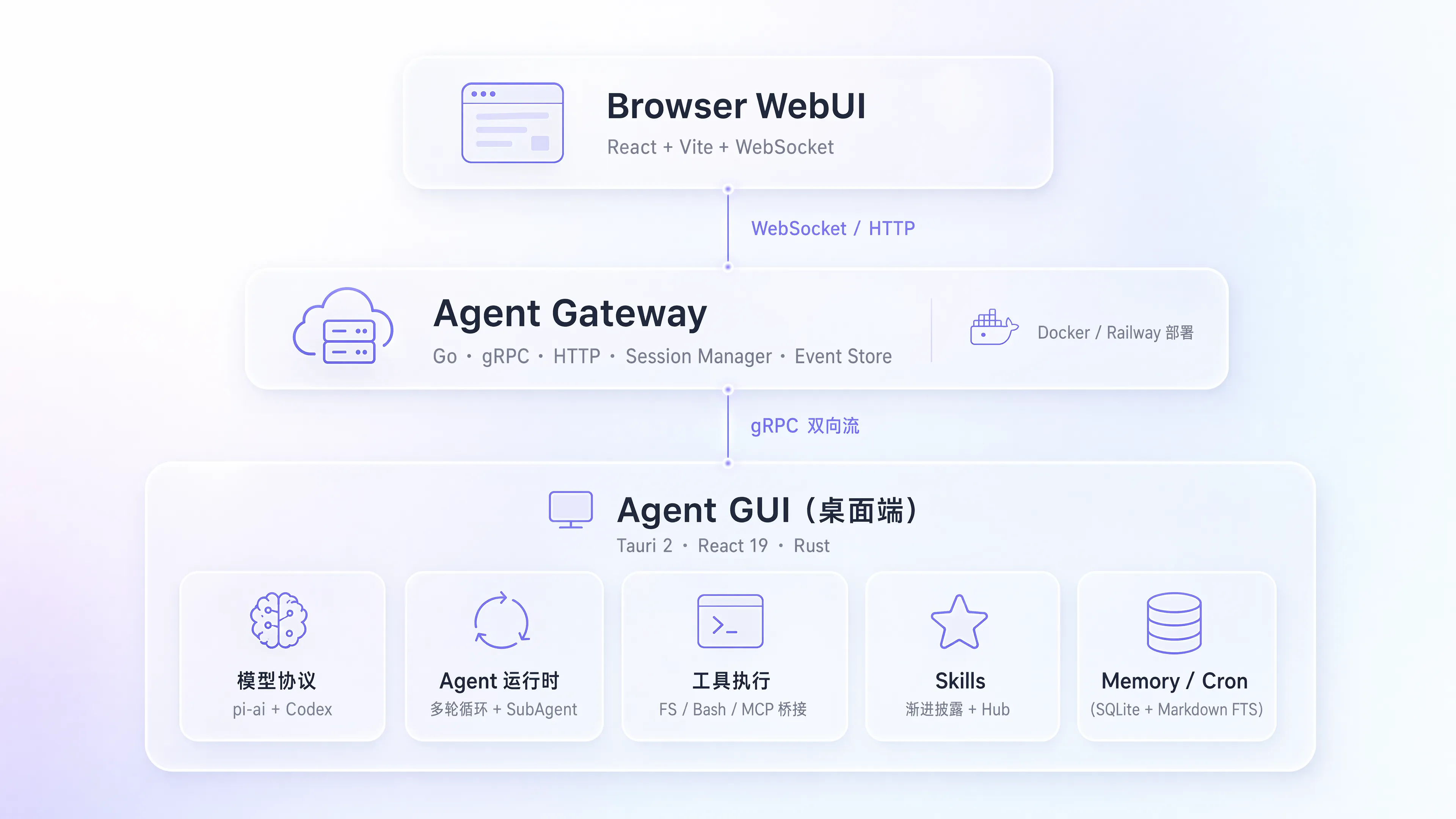
Architecture Overview — diagram & tech stack
Development Guide — common Make commands (run make help for the full list)
Project Structure — directory tree
---
## FAQ
Does my API key ever leave my machine?
Do I have to deploy the Gateway?
Which models are supported?
Will long conversations / disconnects lose context?
---
## Contributing
Issues and pull requests are welcome! See the [Development Guide](docs/operations/development.md) for setting up a dev environment.
Before submitting a PR, make sure all of the following checks pass (they match the CI gates):
Install frontend dependencies once from the repository root with `pnpm install --frozen-lockfile`.
**Desktop client**
1. Type check & build pass: `pnpm build:gui`
2. Lint passes: `pnpm lint:ui && pnpm lint:gui`
3. Frontend unit tests pass: `pnpm test:gui` (also run `pnpm --filter liveagent test:release` when touching release scripts)
4. Rust backend check passes: `cargo check --manifest-path crates/agent-gui/src-tauri/Cargo.toml --tests` (run from the repo root)
**Gateway · `crates/agent-gateway` (if changed)**
1. Go unit tests pass: `go test ./...`
2. WebUI build / lint / tests pass: `pnpm build:webui && pnpm lint:webui && pnpm test:webui`
3. Regenerate and commit artifacts after proto changes: `make proto`
**Shared UI boundaries**
- Shared source must not depend directly on either host: `pnpm check:ui-boundaries`
- Keep the diff clean (no trailing whitespace): `git diff --check`
---
## 👥 Contributors
Thanks to everyone who has contributed to LiveAgent!
---
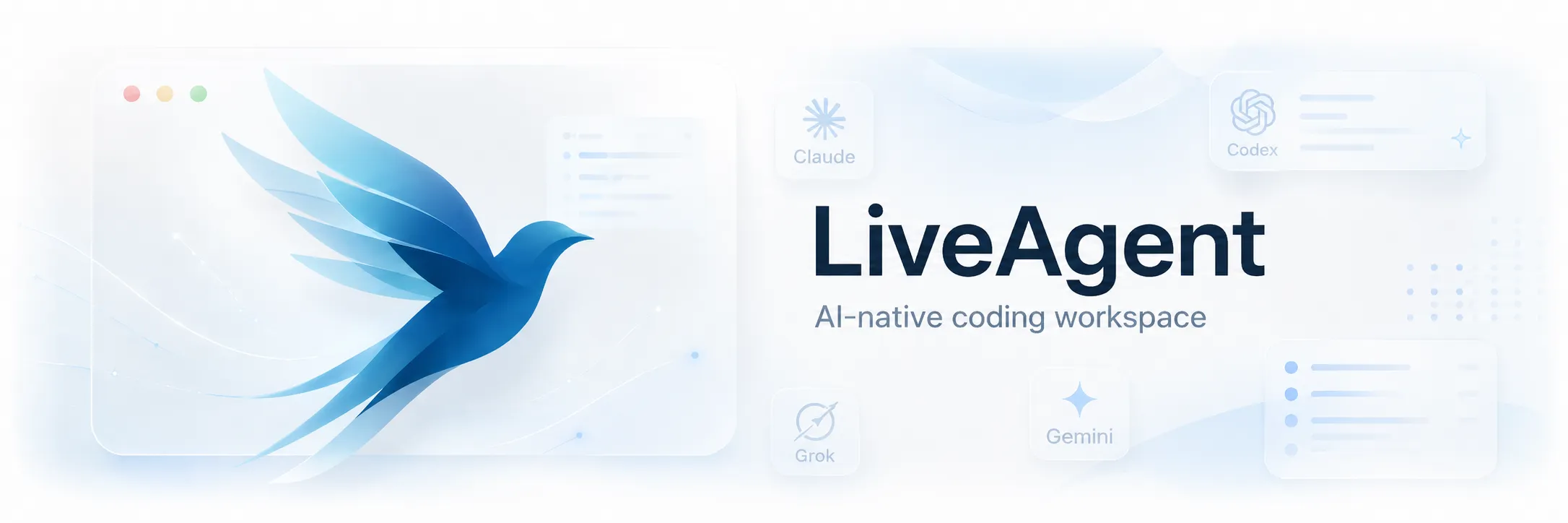
## Star History
---
## License
MIT © StackCairn






 ---
## Star History
---
## Star History