## Jelly Music App (JMA)
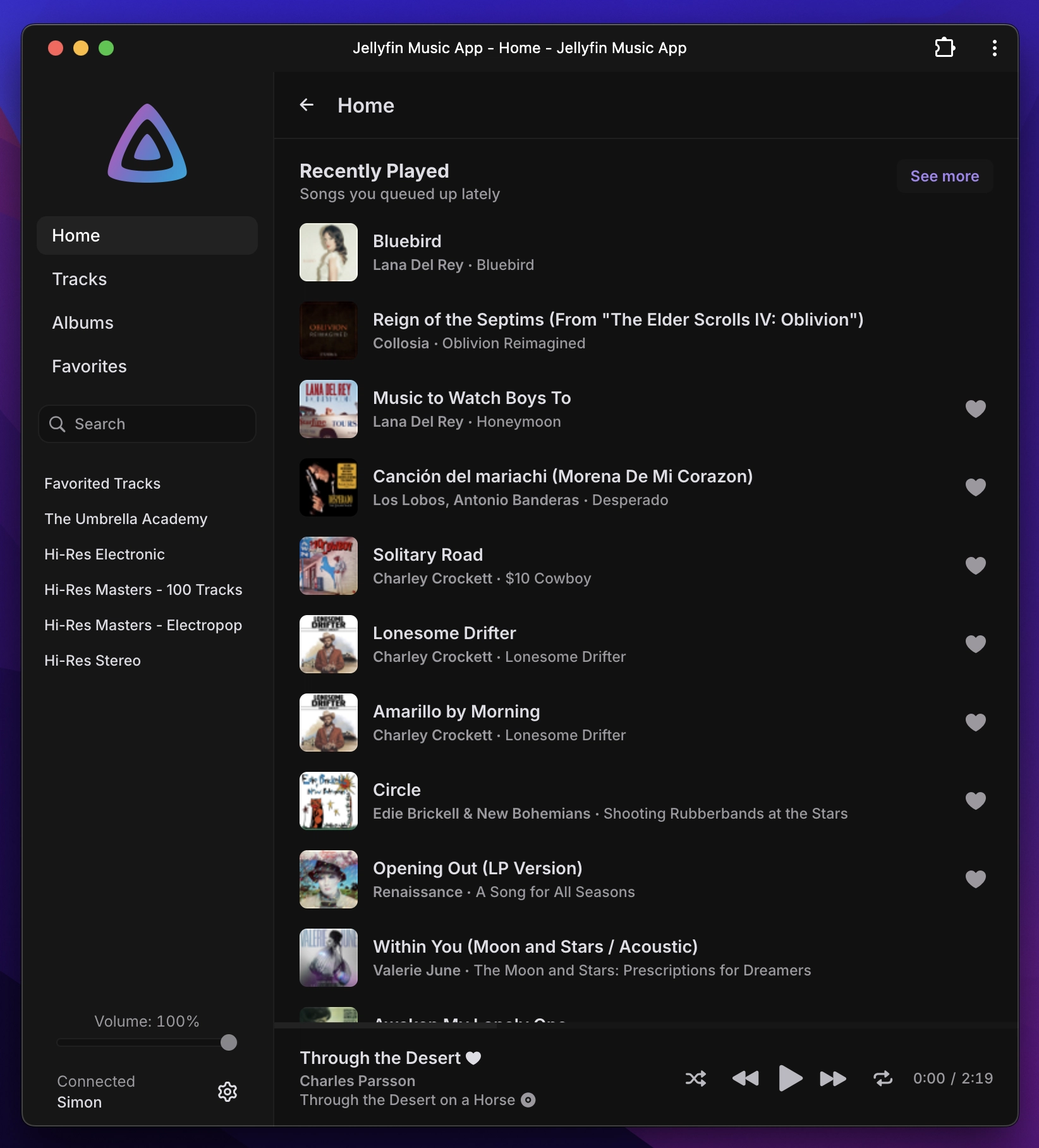
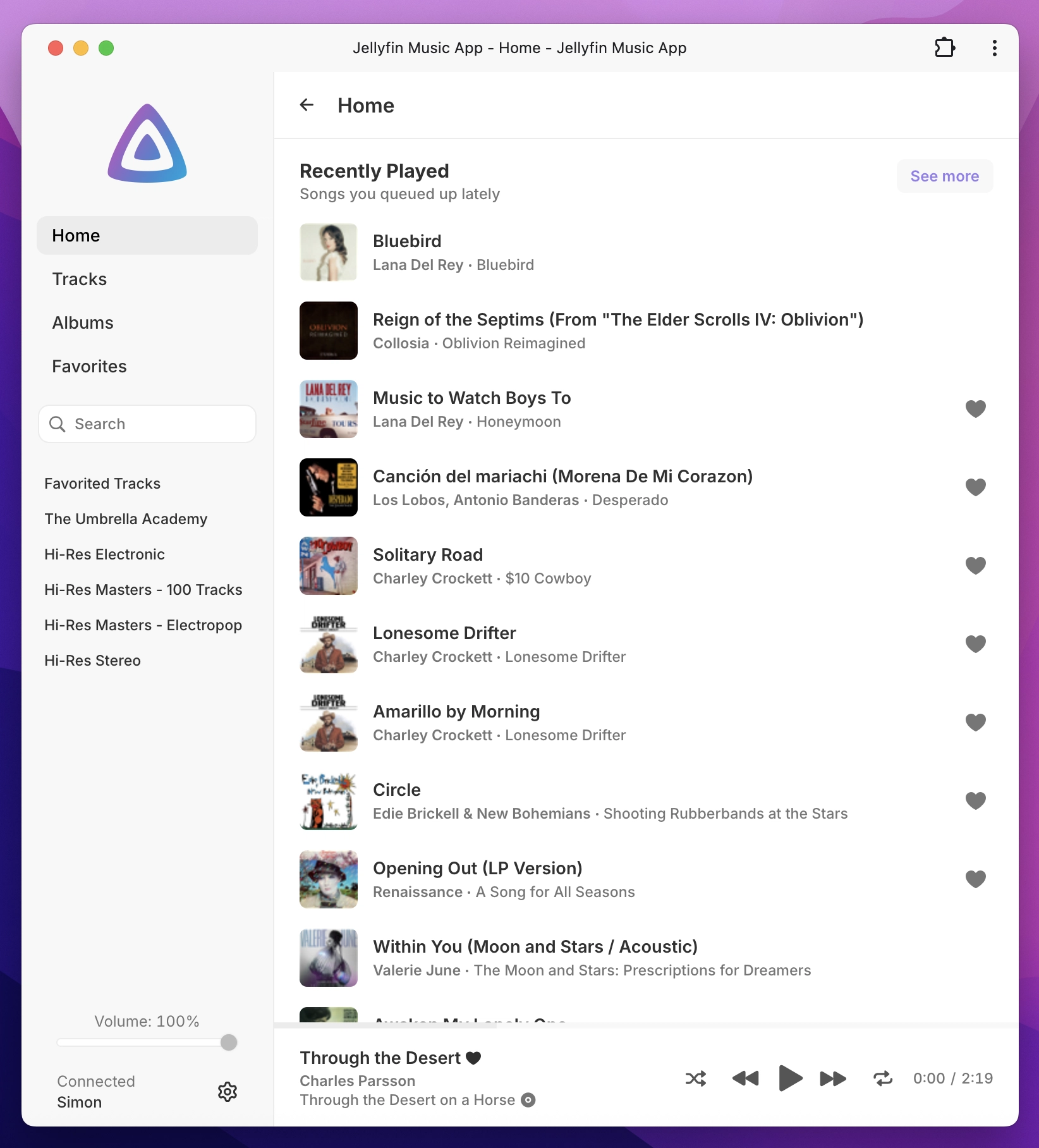
A lightweight & elegant music interface for Jellyfin. Made to be intuitive and minimal with great attention to detail, a clutter-free web app centered on music playback. Using the Jellyfin API, it provides seamless access to your personal music library. [Demo](https://stannnnn.github.io/jelly-app/login?demo=1)
**Looking for a video player?** Check out [Jelly Video App](https://github.com/Stannnnn/jelly-video-app/) - the video-focused version for your Jellyfin library!
Additional screenshots
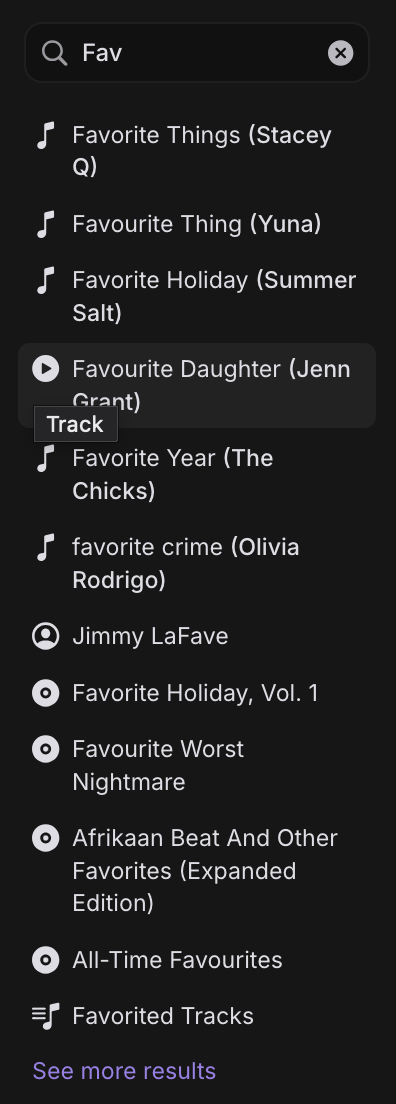
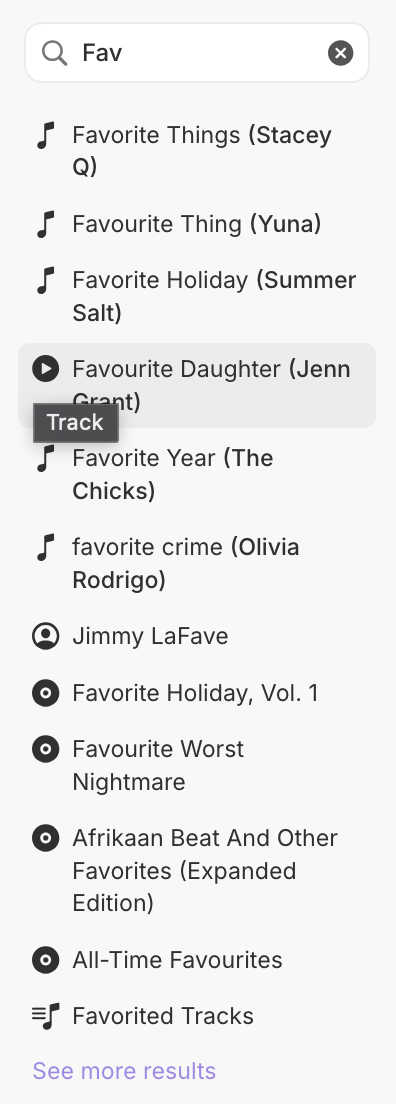
Sidenav search
Search for tracks, artists, albums, playlists, genres
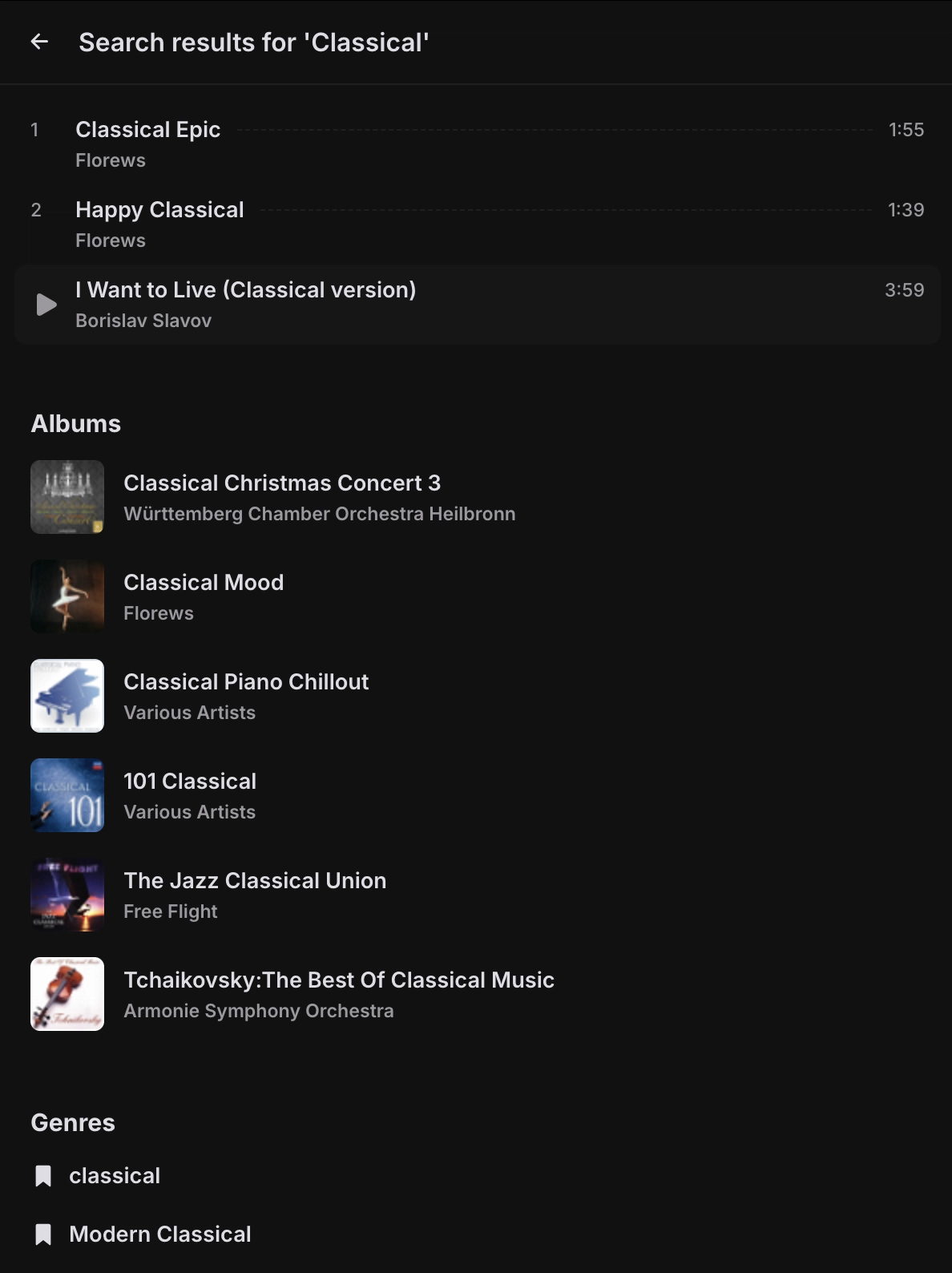
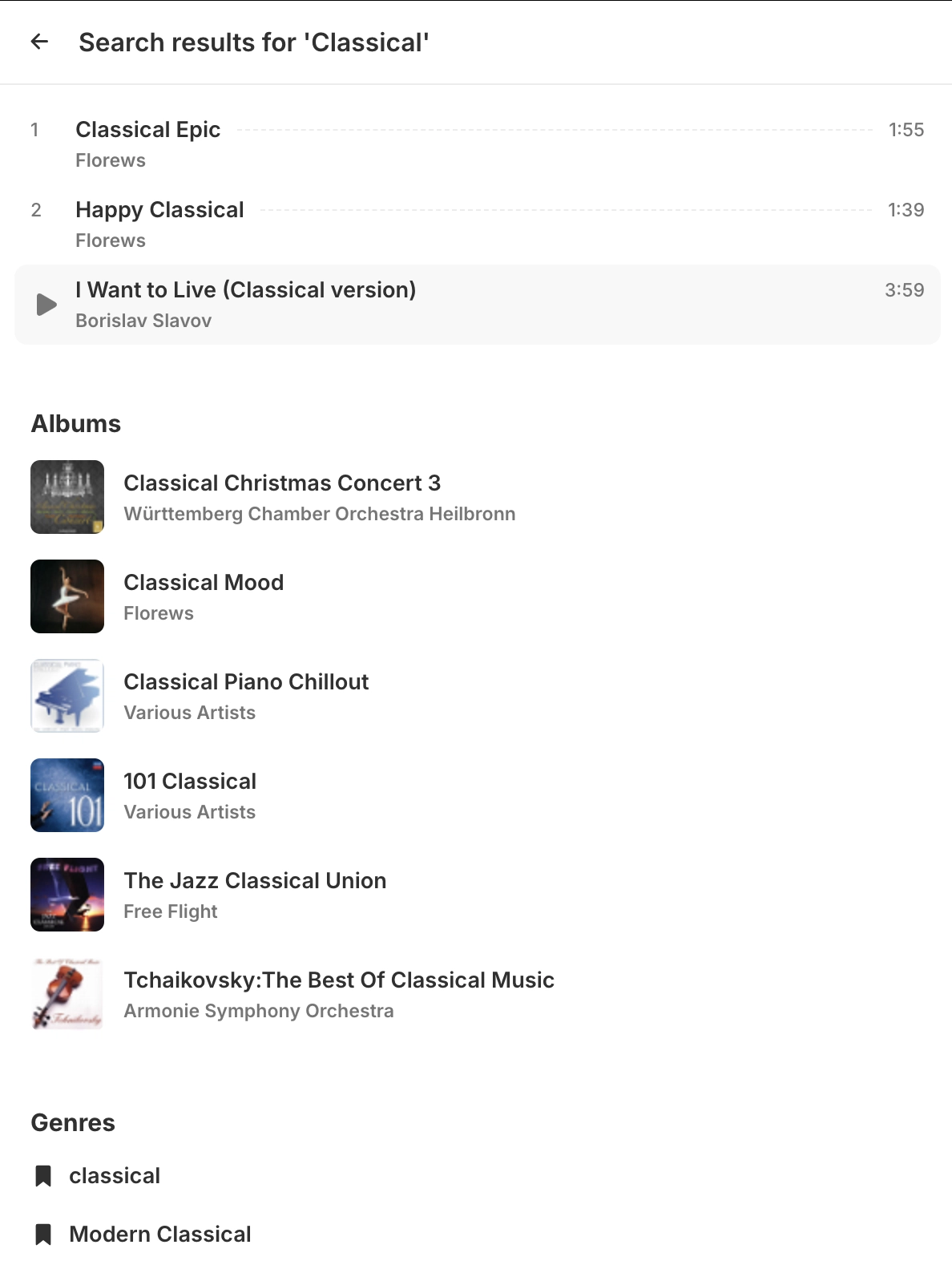
Search results
View additional search results in a dedicated window
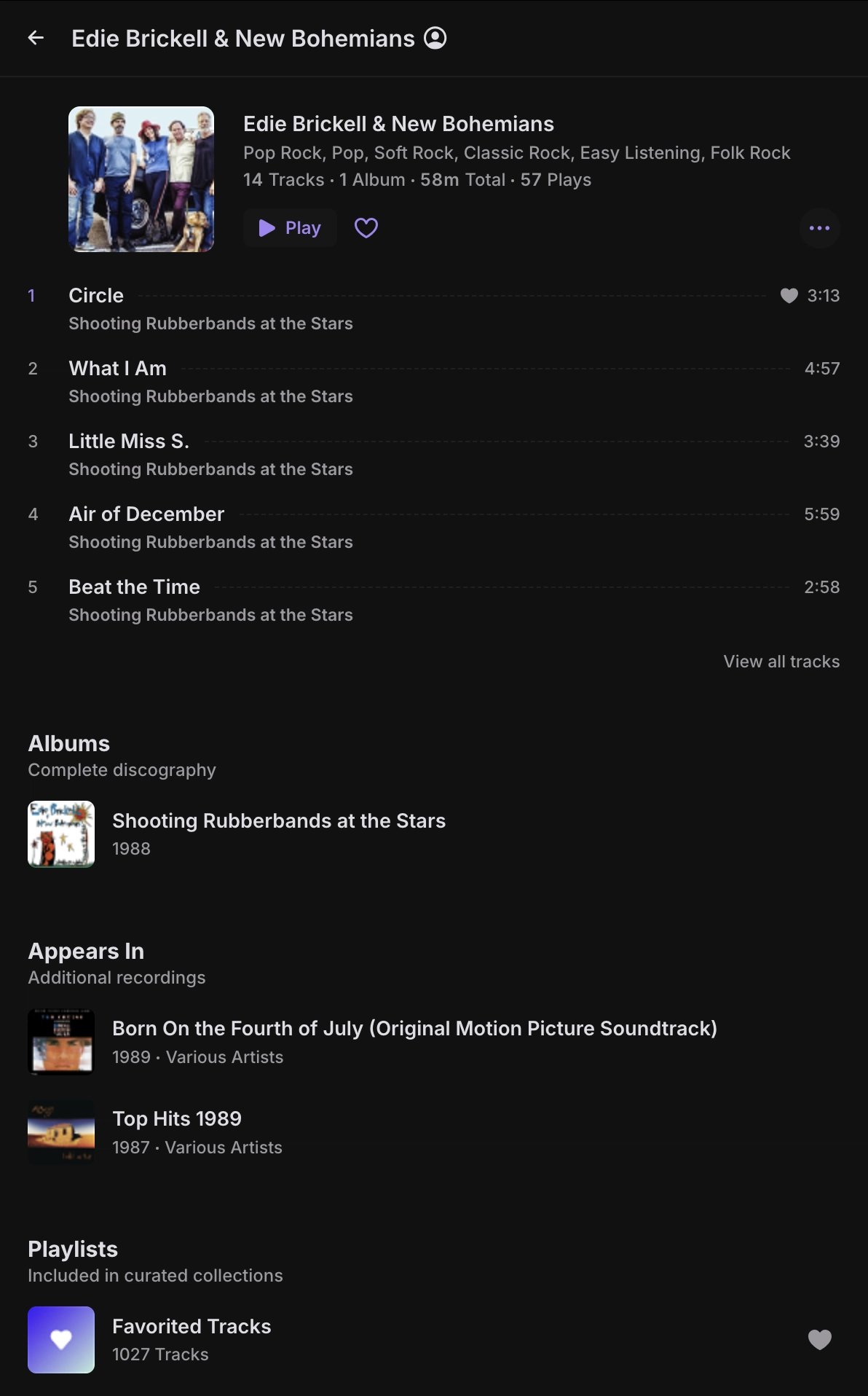
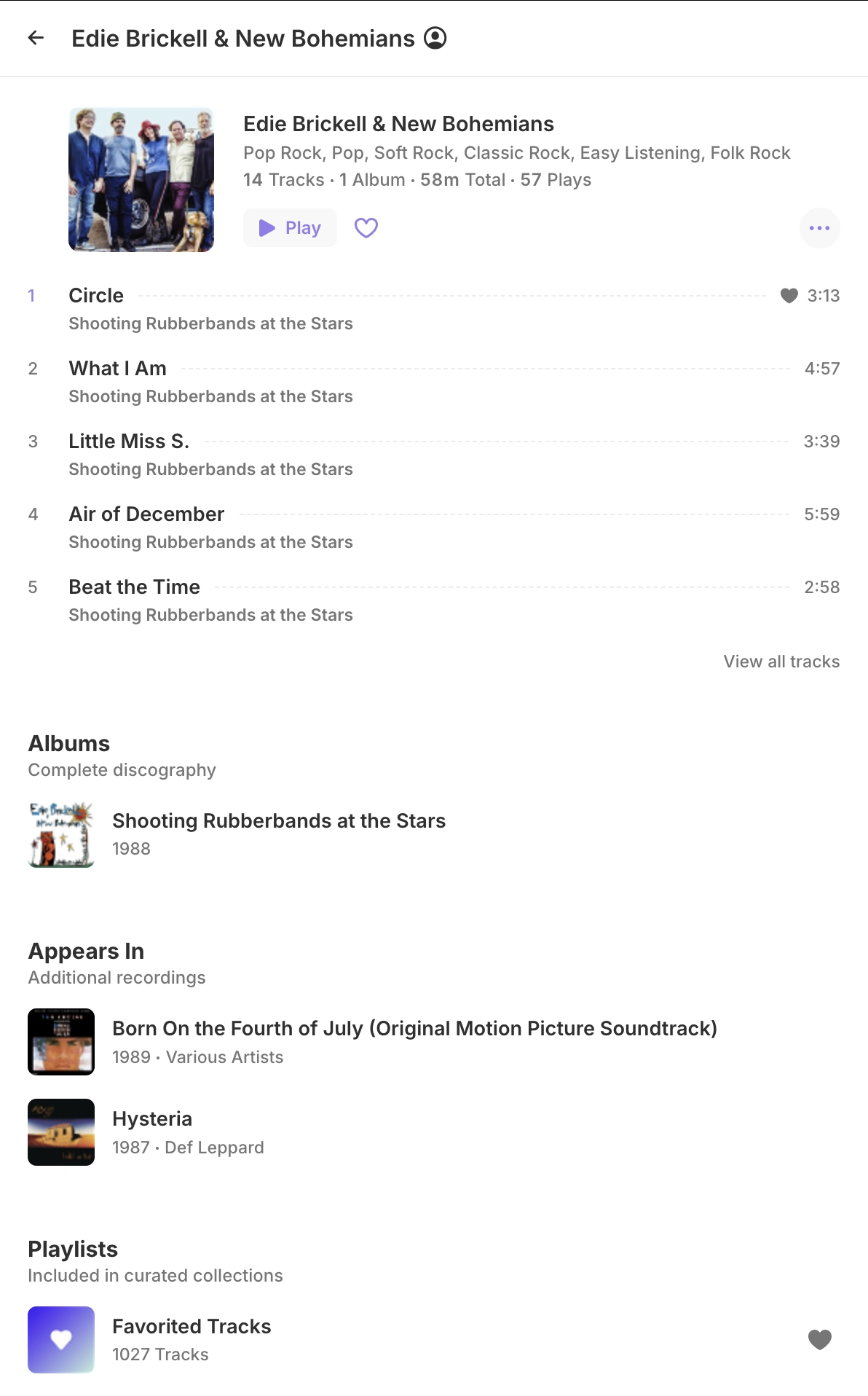
Artists
Features most played songs, albums, and other collaborations
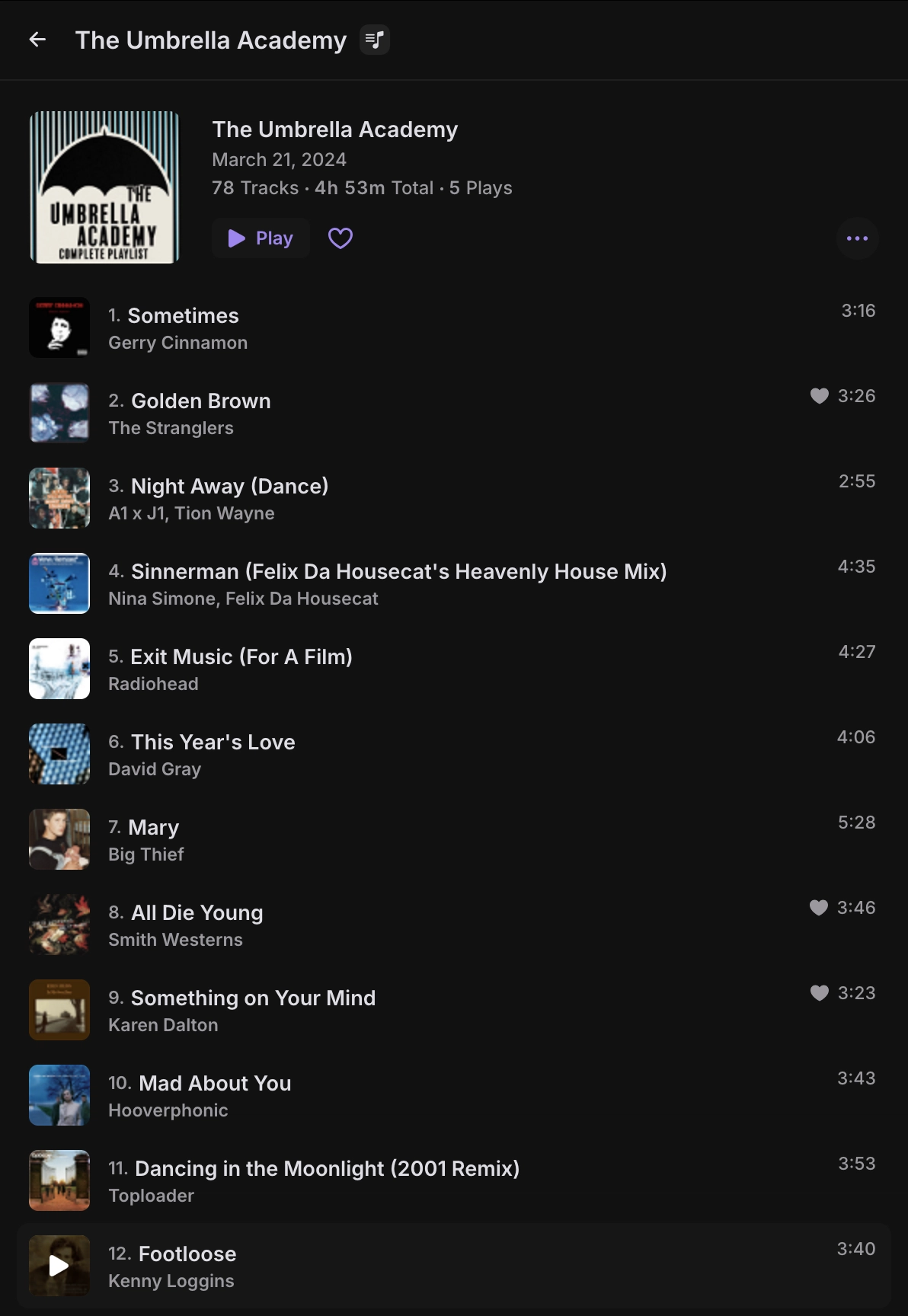
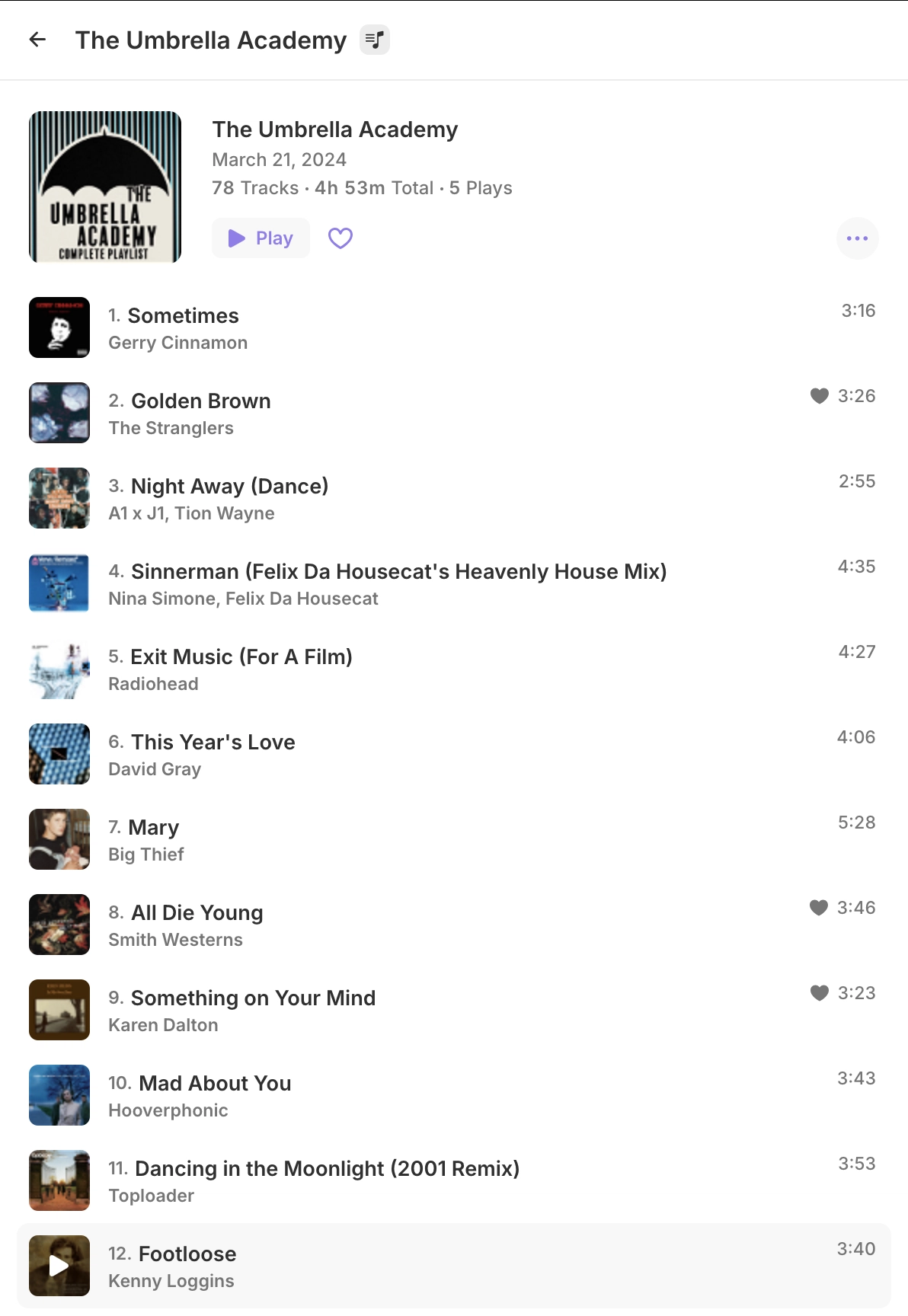
Playlists
Playlist view, with it's own numbered tracklist
### Features
- **Elegant & Simple Design:** A clean, clutter-free interface that makes music playback effortless and enjoyable. Built with modern tools like React for a snappy, reliable experience.
- **Device Friendly:** Enjoy a smooth, app-like experience on mobile and desktop alike, installable as a PWA for instant access.
- **Seamless Library Access:** Connect to your Jellyfin server to explore your personal music collection with ease.
- **Discover Your Favorites:**
- **Home:** Jump back in with recently played tracks, your most-played favorites, and newly added media.
- **Artists:** Browse top tracks, albums, and collaborations for any artist in your library.
- **Playlists:** View playlists with a clear, numbered tracklist for quick navigation.
- **Quick Search:** Find tracks, artists, albums, playlists, or genres effortlessly with a sidenav search or dedicated results page.
- **Instant Mix:** Enjoy curated playlists directly from your music library on a standalone page.
- **Queue:** Effortlessly manage and reorder tracks with the enhanced and improved Queue functionality.
- **Crossfade:** Smoothly transition between tracks for a seamless and immersive listening experience.
- **Preload:** Intelligently preload the next track in advance to ensure smooth, uninterrupted playback without buffering delays.
- **Synchronized Lyrics:** Enjoy your favorite songs in a new way with a spectacular UI showing perfectly timed lyrics that appear line-by-line as you listen.
- **Smart Fetching:** Caches your music efficiently for instant, smooth playback.
- **Offline Sync:** Download individual songs, full albums, playlists, or artists for offline playback.
- **Auto-Sync:** Automatically downloads newly added tracks to any previously saved playlist, album, or artist.
- **Persistent Queue:** Downloads are managed with a local queue that resumes seamlessly across sessions.
- **Transcoded or Direct Streams:** Supports both original quality and transcoded downloads based on your selected bitrate.
- **Docker Support:** Pull and deploy the app using a pre-built Docker image with a pre-configured Jellyfin server URL for seamless self-hosting.
### Installation
Jelly Music App can be installed as a dedicated desktop app, available on our [GitHub release page](https://github.com/Stannnnn/jelly-app/releases). You can also get the latest production build from there and deploy it on your web server by placing the archived folder's contents in a web-accessible directory.
It's also available as a **docker image** for easy deployment, see docker details below.
[Yarn](https://classic.yarnpkg.com/lang/en/docs/install) (`npm i -g yarn`) is required if you wish to build the project or run the development server yourself.
#### Build from Source
1. Clone the repository:
```bash
git clone https://github.com/Stannnnn/jelly-app.git
```
2. Install dependencies:
```bash
yarn
```
3. Build the production files:
```bash
yarn build
```
4. Deploy the contents of the `dist` folder to a web-accessible directory.
Alternatively, you can run the development server directly: `yarn dev` or `yarn dev:nocache`
If you wish to use a base path for the application other than root (`/`), you must build it manually while setting `URL_BASE_PATH` to your preferred base path.
Leave the configuration as the default, or change [`config.json`](public/config.json) as needed. Configurations are explained on the [App Configuration Section](#app-configuration).
The `config.json` file can be changed directly in the built application afterwards. There is no need to rebuild if only changing a configuration variable.
### Docker
You can easily host Jelly Music App using Docker with the prebuilt image from ghcr.io:
#### Pull the docker image
```bash
docker pull ghcr.io/stannnnn/jelly-music-app:latest
```
#### Run the docker image
```bash
docker run --rm -p 80:80 ghcr.io/stannnnn/jelly-music-app:latest
```
Docker image can also be run in the background by adding the -d flag `docker run -d ...`
#### Run the docker image with configuration variables
```bash
docker run --rm \
-e DEFAULT_JELLYFIN_URL=https://demo.jellyfin.org/stable \
-e LOCK_JELLYFIN_URL=false \
-p 80:80 ghcr.io/stannnnn/jelly-music-app:latest
```
The following are the available tags for docker:
| Tag | Description |
| ------ | -------------------------- |
| latest | Tracks most recent release |
| main | Tracks the main branch |
| vX.X.X | Version specific tags |
E.g: `ghcr.io/stannnnn/jelly-music-app:latest`
#### Docker Container Build
You can also build Jelly Music App using Docker.
1. Build the Docker image:
```bash
docker build . --tag jelly-music-app
```
2. Run the Docker container:
```bash
docker run --rm -p 80:80 jelly-music-app:latest
```
You can also provide configuration using environment variables.
```bash
docker run --rm \
-e DEFAULT_JELLYFIN_URL=https://demo.jellyfin.org/stable \
-e LOCK_JELLYFIN_URL=false \
-p 80:80 jelly-music-app:latest
```
#### Docker Compose
For easier container management, you can use Docker Compose. A `docker-compose.yaml` file is provided in the repository with sensible defaults.
1. Copy the example environment file and customize it for your setup:
```bash
cp .env.example .env
```
2. Edit the `.env` file with your Jellyfin server URL and preferences:
```env
JELLYAPP_PORT=80
JELLYAPP_DEFAULT_URL=https://demo.jellyfin.org/stable
JELLYAPP_LOCK_URL=true
```
3. Start the container using Docker Compose:
```bash
docker-compose up -d
```
The `docker-compose.yaml` file uses environment variables with the following defaults:
- `JELLYAPP_PORT`: External port to expose (default: `80`)
- `JELLYAPP_DEFAULT_URL`: Default Jellyfin server URL (default: `https://demo.jellyfin.org/stable`)
- `JELLYAPP_LOCK_URL`: Lock the Jellyfin URL input (default: `false`)
### App Configuration
App configuration can be modified by editing the `config.json` file during the build process or in the release files. When using Docker, configurations can be provided as environment variables. The available configuration options are as follows:
- `DEFAULT_JELLYFIN_URL`: Sets the default Jellyfin server URL loaded on first app access if no URL is stored in Local Storage.
- `LOCK_JELLYFIN_URL`: If set to `true`, removes the URL input field and enforces the default URL (`DEFAULT_JELLYFIN_URL`) for all connections, ideal for self-hosted instances tied to a single server.
### Contributing
We're open to pull requests, please merge them to the `develop` branch. If you have any suggestions or improvements, feel free to open an issue or submit a pull request. Your contributions are welcome and appreciated!