



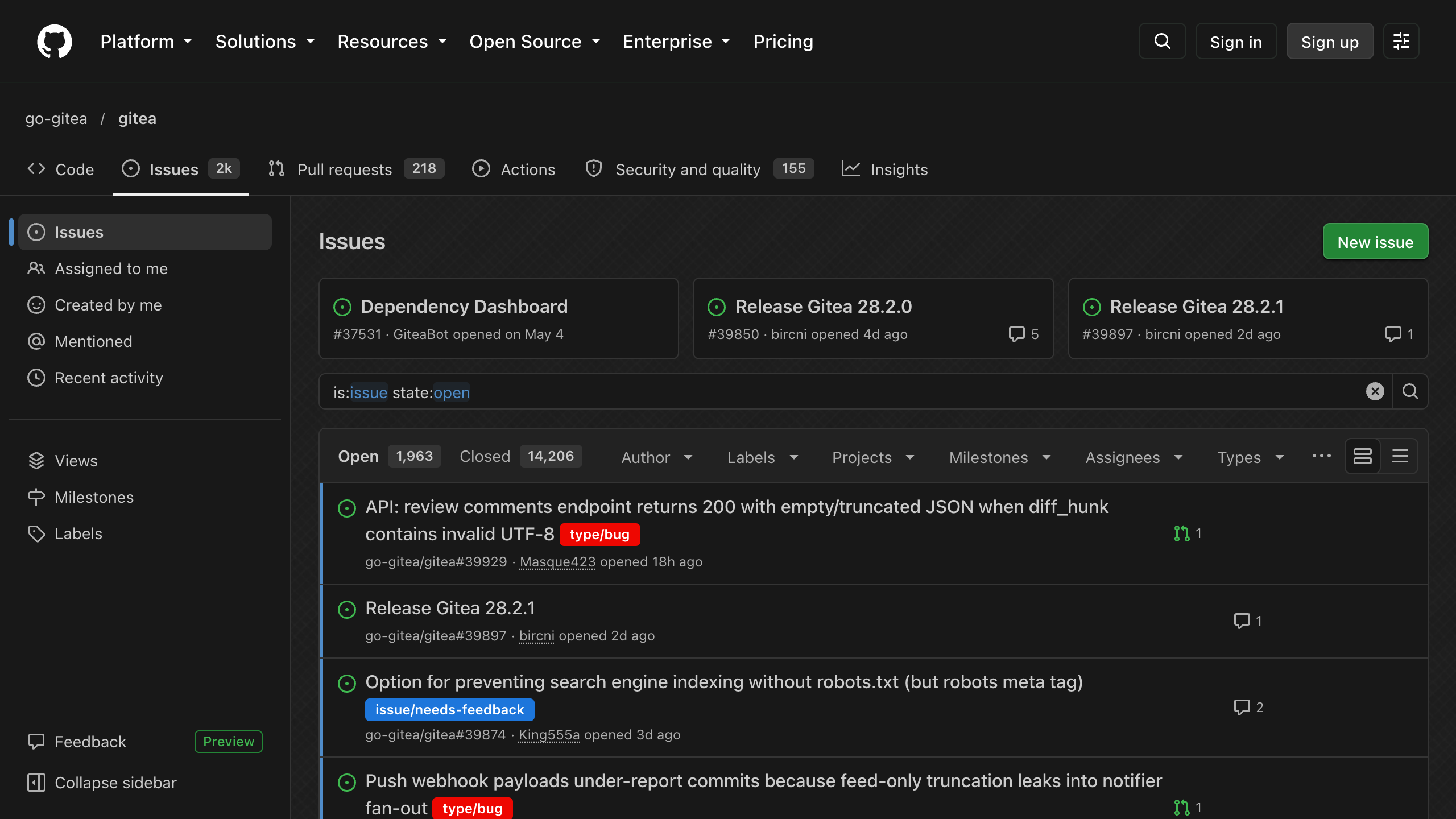
Your eyes will :heart: you.
## Installation
1. Install [Stylus for Firefox](https://addons.mozilla.org/en-US/firefox/addon/styl-us/), [Chrome](https://chrome.google.com/webstore/detail/stylus/clngdbkpkpeebahjckkjfobafhncgmne) or [Cascadea for Safari](https://cascadea.app/).
2. Install [github-dark.user.css](https://raw.githubusercontent.com/StylishThemes/GitHub-Dark/master/github-dark.user.css).
3. Set GitHub itself to [dark mode](https://github.com/settings/appearance), the style builds on GitHub's dark theme.
For GitHub Enterprise, add `domain("github.example.com")` to both GitHub `@-moz-document` rules in the installed style. Extensions that use GitHub's CSS variables, like [Refined GitHub](https://github.com/refined-github/refined-github), follow the theme automatically.
## Options
Change these in the style's settings, in Stylus via the gear icon next to the style.
- **Base color**: color of links and highlights.
- **Background color**: page color behind the background image.
- **Background**: Cross-Hatch, Uniform Tile, Random Tile, None, or Custom to use the image from **Custom Background**.
- **Background image type**: tile the image, or scale it to fit the window.
- **Background image attachment**: scroll the image with the page, or keep it fixed.
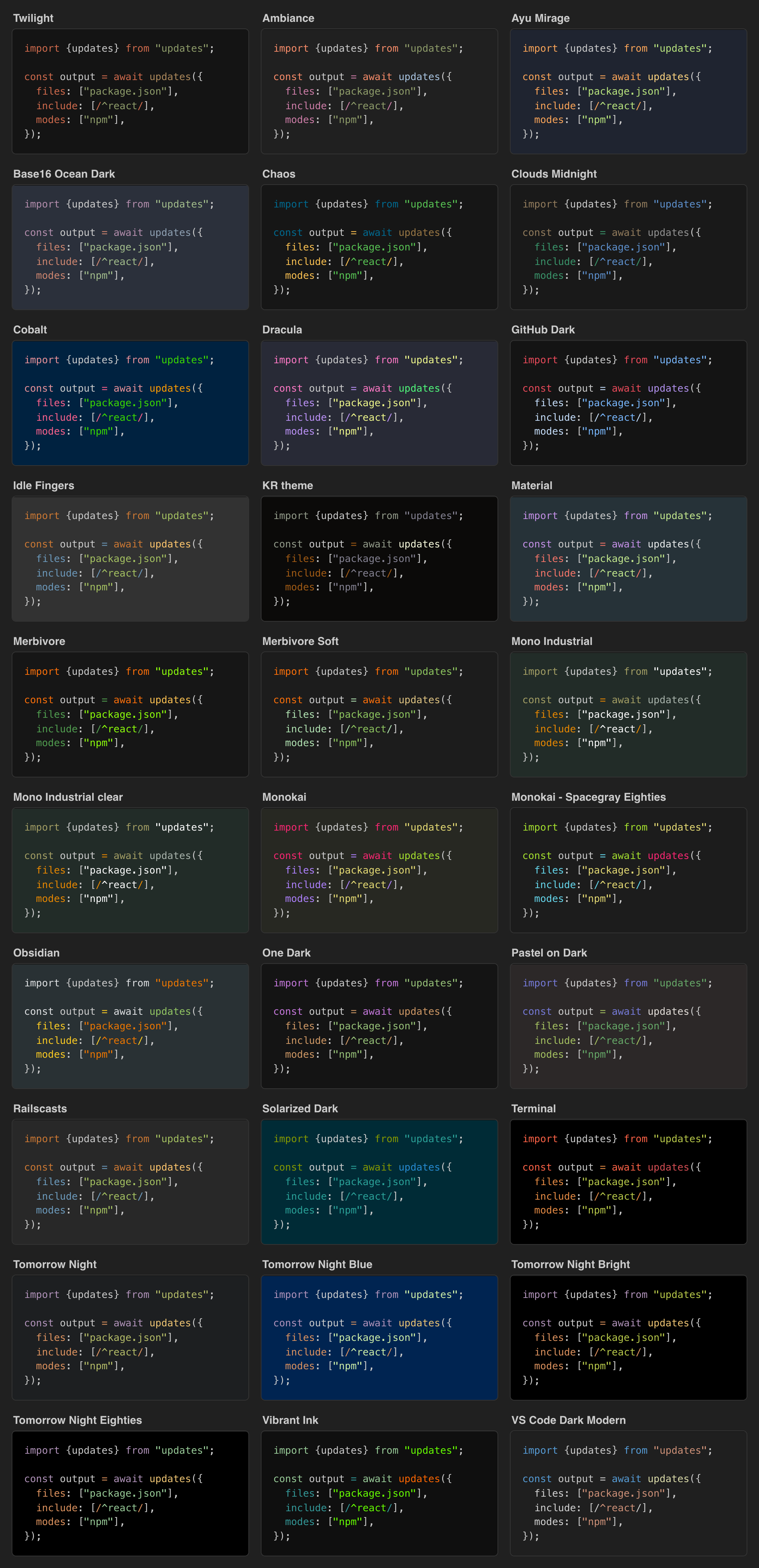
- **GitHub syntax theme**: colors code views, diffs and markdown.
- **CodeMirror syntax theme**: colors the file and gist editors.
- **Jupyter syntax theme**: colors notebook previews.
- **Code Tab size**: width of tabs in code, 2, 4 or 8.
- **Unrounded labels and avatars**: enabled by default, gives labels, counters, state badges, topics and avatars slightly rounded corners instead of pill and circle shapes.
### Custom Background
Set **Background** to Custom and **Custom Background** to an image wrapped in `url()`, like `url(https://github.com/user-attachments/assets/…)`, a bare URL won't work. GitHub's Content Security Policy only allows images from `github.com`, `*.githubusercontent.com` and `data:` URIs, so use one of these:
1. Drag the image into any GitHub comment box and copy the uploaded URL, there's no need to submit the comment.
2. Commit it to a public repository and use its `raw.githubusercontent.com` URL.
3. Inline a small image as a base64 `data:` URI.
## Syntax Themes
Every theme is available for all three syntax theme options. The preview shows the GitHub syntax themes.
## Styled Sites
- [github.com](https://github.com)
- [gist.github.com](https://gist.github.com)
- [support.github.com](https://support.github.com)
- [vscode-auth.github.com](https://vscode-auth.github.com)
- [githubstatus.com](https://www.githubstatus.com)
- Raw files on [raw.githubusercontent.com](https://raw.githubusercontent.com/StylishThemes/GitHub-Dark/master/README.md) and gist.githubusercontent.com
- Rendered Jupyter notebooks on notebooks.githubusercontent.com
## Additional Userstyles
- [GitHub Custom Fonts](https://raw.githubusercontent.com/StylishThemes/GitHub-Dark/master/github-custom-fonts.user.css): code font family and size, the font must be installed locally.
- [GitHub Code Wrap](https://raw.githubusercontent.com/StylishThemes/GitHub-Dark/master/github-code-wrap.user.css): wrap long code lines in diffs, gists and markdown.
- [GitHub Dark Diff Color Customizer](https://raw.githubusercontent.com/StylishThemes/GitHub-Dark/master/github-dark-diff-color-customizer.user.css): custom diff colors, colorblind friendly by default.
## Development
Edit [`github-dark.user.css`](./github-dark.user.css), there is no build step. It overrides GitHub's [Primer](https://primer.style) CSS variables, plus a few rules with stable selectors for things variables can't reach. Prefer a variable over a rule and never use GitHub's hashed class names.
Run `make install` to test it in Stylus and `make lint` to lint it. Release with `make patch`, `make minor` or `make major`, which bump the version of all styles, then commit, tag and push.