
A manga and webtoon reader for your Suwayomi server
> *Tsumiru* (積みる) takes the 積, "pile up", from *tsundoku* (積ん読), the Japanese habit of buying books faster than you can read them. It swaps the "read" for *miru*, "to look". ## About Tsumiru is a client for [Suwayomi-Server](https://github.com/Suwayomi/Suwayomi-Server), so [you'll need a server running first](https://github.com/Suwayomi/Suwayomi-Server#downloading-and-running-the-app). Your library and reading progress are stored on the server, and Tsumiru reads them on Android, iOS, Linux, Windows, macOS or the web. Guides and the FAQ are at [tsumiru.app](https://tsumiru.app). ## Screenshots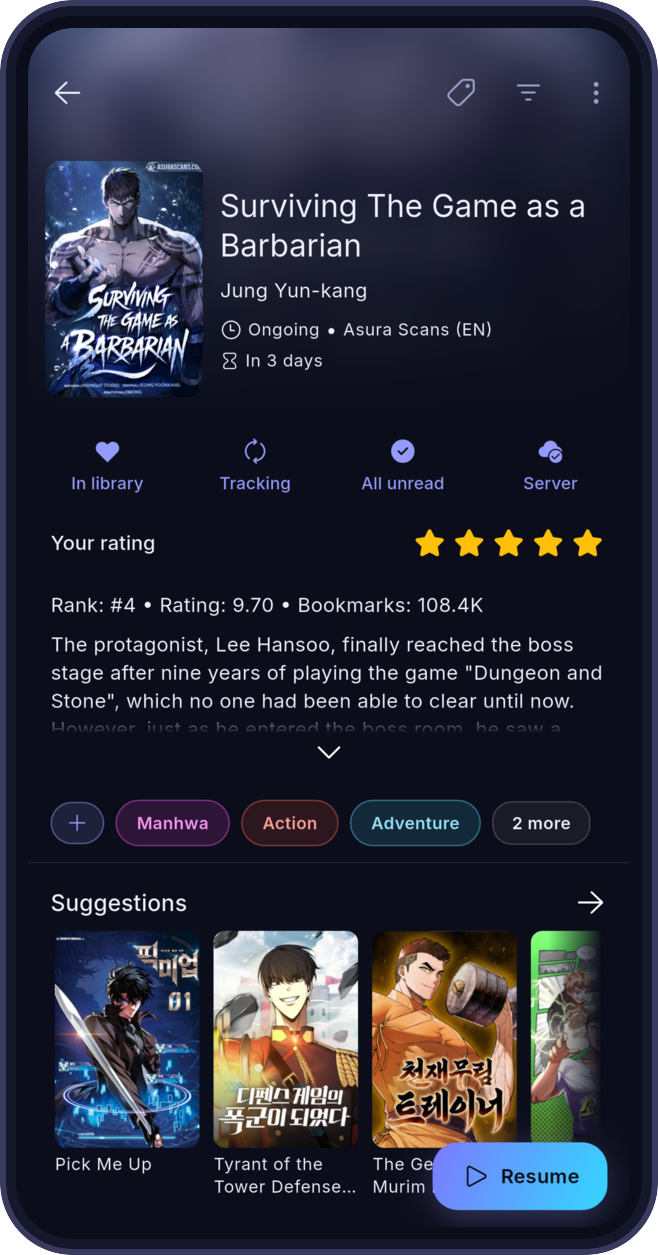
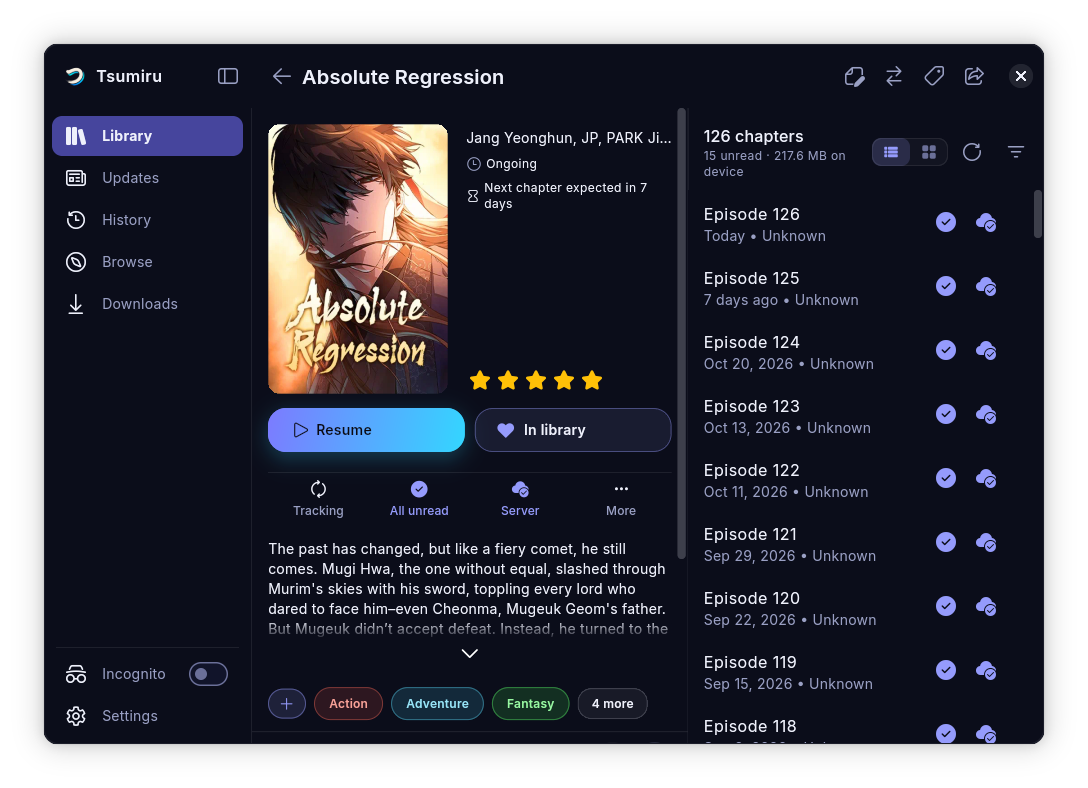 ## Features
- **Offline reading.** Download chapters to your device and read them without a connection. When the server is unreachable, Tsumiru opens the copies on your device.
- **Webtoon reader.** Chapters scroll into each other, and pinch-to-zoom keeps working mid-scroll.
- **Guided setup.** The first launch looks for your server on the local network and connects to it.
- **Incognito mode.** Read without adding to your history. Library categories can be hidden too.
- **Themes.** 13 built-in themes, a custom accent colour and a pure black mode for OLED screens.
- **Server login.** Supports the server's `simple_login` and `ui_login` modes and keeps credentials in the device's secure storage.
- **Library tools.** Sort by last read, latest chapter or chapter count, filter by status and bookmarks, and download chapter ranges in bulk.
## Download
You need a running [Suwayomi-Server](https://github.com/Suwayomi/Suwayomi-Server) that your device can reach. The [download page](https://tsumiru.app/download/) has install steps for each platform.
### Android

 Obtainium installs new releases straight from GitHub. Or grab the APK from [Releases](https://github.com/Suwayomi/Suwayomi-Tsumiru/releases/latest).
### iOS


 The build is unsigned, so it has to be sideloaded. Each badge adds the Tsumiru source to that app, so new releases show up there. For TrollStore, grab the .ipa from [Releases](https://github.com/Suwayomi/Suwayomi-Tsumiru/releases/latest). See the [iOS guide](https://tsumiru.app/docs/guides/install-ios).
### Linux
```bash
flatpak remote-add --if-not-exists tsumiru https://flatpak.tsumiru.app/index.flatpakrepo
flatpak install tsumiru app.tsumiru.Tsumiru
```
The Flatpak updates itself. Existing installs keep receiving updates under `io.github.aaronbamblett.tsumiru`. An AppImage is also on [Releases](https://github.com/Suwayomi/Suwayomi-Tsumiru/releases/latest).
### Windows, macOS and web
Download the build for your platform from Releases.
## Translations
Tsumiru is translated on [Hosted Weblate](https://hosted.weblate.org/projects/suwayomi/suwayomi-tsumiru/). Pick your language there to fix or add translations; changes come back to this repo as pull requests.
 ## Contributing
Pull requests are welcome. For larger changes, open an issue first so we can talk it through. Build steps are in the [contributing guide](CONTRIBUTING.md).
## Related projects
- [Suwayomi-Server](https://github.com/Suwayomi/Suwayomi-Server): the server Tsumiru connects to. It runs the sources and extensions and stores your library.
- [Suwayomi-Server-docker](https://github.com/Suwayomi/Suwayomi-Server-docker): the official Docker image, the quickest way to run the server on a home server or NAS.
## Contributors
Thank you to everyone who has contributed to Tsumiru and to Tachidesk-Sorayomi before it.