⚡ AdalFlow is a PyTorch-like library to build and auto-optimize any LM workflows, from Chatbots, RAG, to Agents. ⚡
AdalFlow proudly powers AdaL CLI — The AI coding agent

View Documentation


# Why AdalFlow
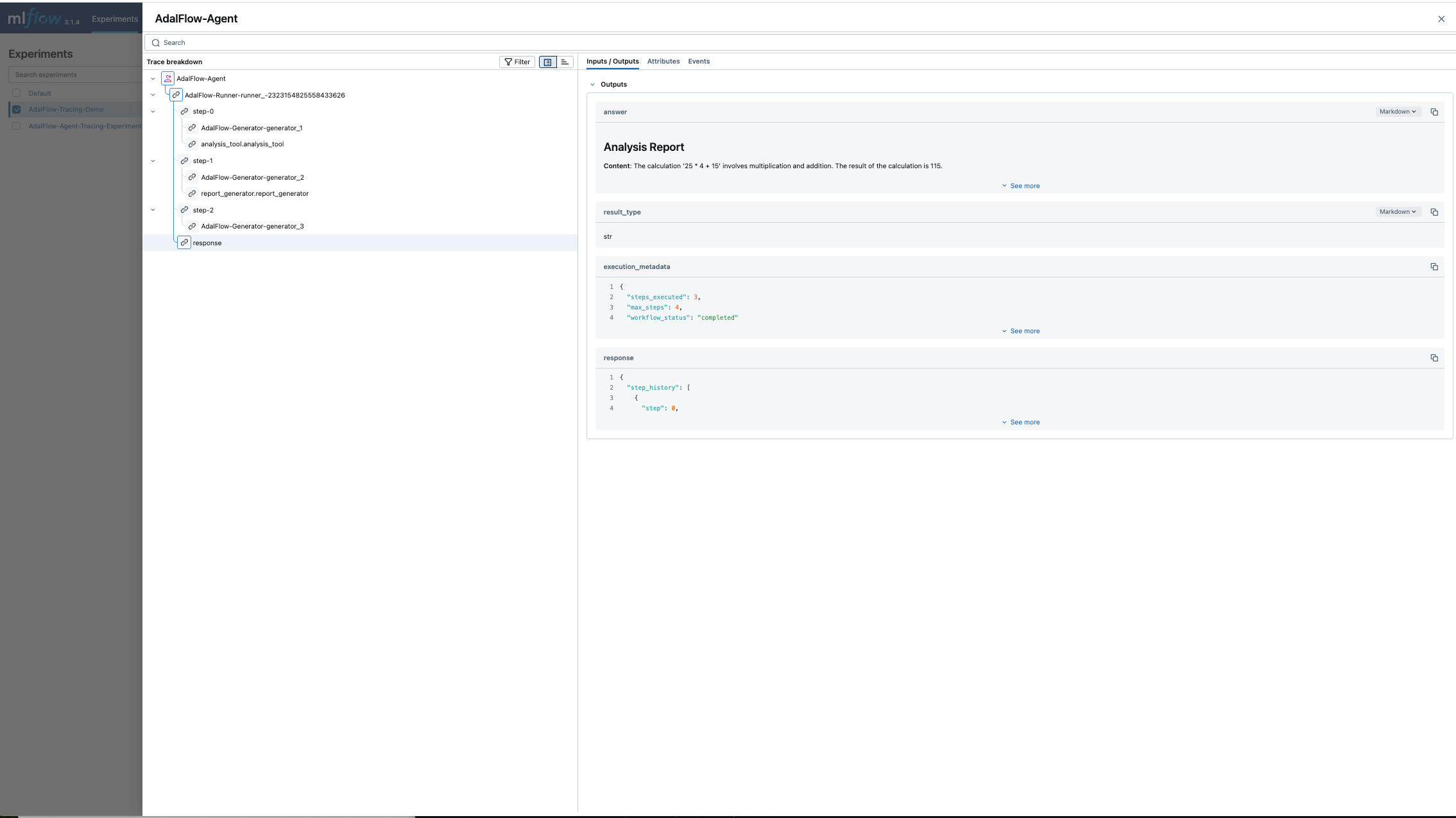
1. **100% Open-source Agents SDK**: Lightweight and requires no additional API to setup ``Human-in-the-Loop`` and ``Tracing`` Functionalities.
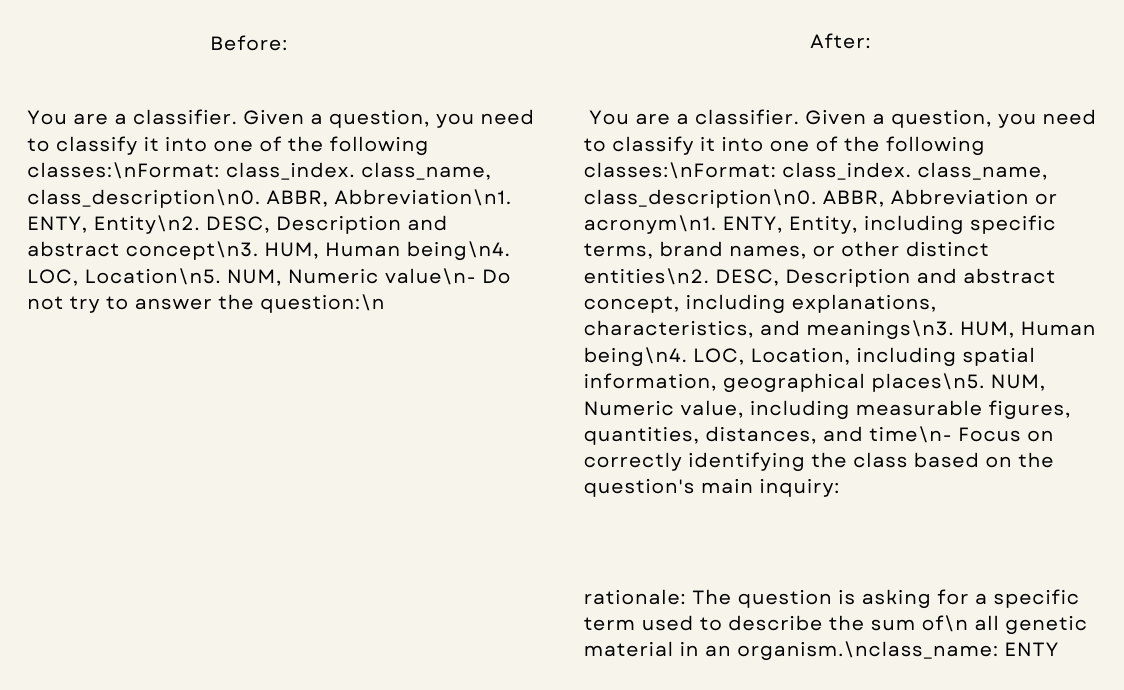
2. **Say goodbye to manual prompting**: AdalFlow provides a unified auto-differentiative framework for both zero-shot optimization and few-shot prompt optimization. Our research, ``LLM-AutoDiff`` and ``Learn-to-Reason Few-shot In Context Learning``, achieve the highest accuracy among all auto-prompt optimization libraries.
3. **Switch your LLM app to any model via a config**: AdalFlow provides `Model-agnostic` building blocks for LLM task pipelines, ranging from RAG, Agents to classical NLP tasks.
View [Documentation](https://adalflow.sylph.ai)
# Quick Start
Install AdalFlow with pip:
```bash
pip install adalflow
```
## Hello World Agent Example
```python
from adalflow import Agent, Runner
from adalflow.components.model_client.openai_client import OpenAIClient
from adalflow.core.types import (
ToolCallActivityRunItem,
RunItemStreamEvent,
ToolCallRunItem,
ToolOutputRunItem,
FinalOutputItem
)
import asyncio
# Define tools
def calculator(expression: str) -> str:
"""Evaluate a mathematical expression."""
try:
result = eval(expression)
return f"The result of {expression} is {result}"
except Exception as e:
return f"Error: {e}"
async def web_search(query: str="what is the weather in SF today?") -> str:
"""Web search on query."""
await asyncio.sleep(0.5)
return "San Francisco will be mostly cloudy today with some afternoon sun, reaching about 67 °F (20 °C)."
def counter(limit: int):
"""A counter that counts up to a limit."""
final_output = []
for i in range(1, limit + 1):
stream_item = f"Count: {i}/{limit}"
final_output.append(stream_item)
yield ToolCallActivityRunItem(data=stream_item)
yield final_output
# Create agent with tools
agent = Agent(
name="MyAgent",
tools=[calculator, web_search, counter],
model_client=OpenAIClient(),
model_kwargs={"model": "gpt-4o", "temperature": 0.3},
max_steps=5
)
runner = Runner(agent=agent)
```
### 1. Synchronous Call Mode
```python
# Sync call - returns RunnerResult with complete execution history
result = runner.call(
prompt_kwargs={"input_str": "Calculate 15 * 7 + 23 and count to 5"}
)
print(result.answer)
# Output: The result of 15 * 7 + 23 is 128. The counter counted up to 5: 1, 2, 3, 4, 5.
# Access step history
for step in result.step_history:
print(f"Step {step.step}: {step.function.name} -> {step.observation}")
# Output:
# Step 0: calculator -> The result of 15 * 7 + 23 is 128
# Step 1: counter -> ['Count: 1/5', 'Count: 2/5', 'Count: 3/5', 'Count: 4/5', 'Count: 5/5']
```
### 2. Asynchronous Call Mode
```python
# Async call - similar output structure to sync call
result = await runner.acall(
prompt_kwargs={"input_str": "What's the weather in SF and calculate 42 * 3"}
)
print(result.answer)
# Output: San Francisco will be mostly cloudy today with some afternoon sun, reaching about 67 °F (20 °C).
# The result of 42 * 3 is 126.
```
### 3. Async Streaming Mode
```python
# Async streaming - real-time event processing
streaming_result = runner.astream(
prompt_kwargs={"input_str": "Calculate 100 + 50 and count to 3"},
)
# Process streaming events in real-time
async for event in streaming_result.stream_events():
if isinstance(event, RunItemStreamEvent):
if isinstance(event.item, ToolCallRunItem):
print(f"🔧 Calling: {event.item.data.name}")
elif isinstance(event.item, ToolCallActivityRunItem):
print(f"📝 Activity: {event.item.data}")
elif isinstance(event.item, ToolOutputRunItem):
print(f"✅ Output: {event.item.data.output}")
elif isinstance(event.item, FinalOutputItem):
print(f"🎯 Final: {event.item.data.answer}")
# Output:
# 🔧 Calling: calculator
# ✅ Output: The result of 100 + 50 is 150
# 🔧 Calling: counter
# 📝 Activity: Count: 1/3
# 📝 Activity: Count: 2/3
# 📝 Activity: Count: 3/3
# ✅ Output: ['Count: 1/3', 'Count: 2/3', 'Count: 3/3']
# 🎯 Final: The result of 100 + 50 is 150. Counted to 3 successfully.
```
_Set your `OPENAI_API_KEY` environment variable to run these examples._
**Try the full Agent tutorial in Colab:** [](https://colab.research.google.com/github/SylphAI-Inc/AdalFlow/blob/main/notebooks/agents/agent_tutorial.ipynb)
View [Quickstart](https://colab.research.google.com/drive/1_YnD4HshzPRARvishoU4IA-qQuX9jHrT?usp=sharing): Learn How `AdalFlow` optimizes LM workflows end-to-end in 15 mins.
Go to [Documentation](https://adalflow.sylph.ai) for tracing, human-in-the-loop, and more.
# Research
[Sep 2025] [LAD-VF: LLM-Automatic Differentiation Enables Fine-Tuning-Free Robot Planning from Formal Methods Feedback](https://arxiv.org/pdf/2509.18384)
- Fine-tuning-free robot planning using LLM auto-differentiation
- Integration of formal methods feedback for robot control
[Jan 2025] [Auto-Differentiating Any LLM Workflow: A Farewell to Manual Prompting](https://arxiv.org/abs/2501.16673)
- LLM Applications as auto-differentiation graphs
- Token-efficient and better performance than DsPy
[Dec 2025] [Scaling Textual Gradients via Sampling-Based Momentum](https://arxiv.org/abs/2506.00400)
- Stable, scalable prompt optimization using momentum-weighted textual gradient
- Gumbel-Top-k sampling improves exploration and integrates seamlessly with TextGrad, DSPy-COPRO, and AdalFlow
# Auto-Prompt Optimization Ecosystem
AdalFlow is part of a growing ecosystem of libraries that automatically optimize LLM prompts and workflows. Here's how the landscape looks:
| Library | Approach | Key Idea |
|---------|----------|----------|
| **[AdalFlow](https://github.com/SylphAI-Inc/AdalFlow)** | PyTorch-style auto-differentiation | LLM workflows as auto-diff graphs; unified textual gradient descent + few-shot bootstrap optimization in one training loop |
| **[DSPy](https://github.com/stanfordnlp/dspy)** | Declarative programming | Write compositional Python code instead of prompts; compiler optimizes prompts and weights automatically |
| **[Agent Lightning](https://github.com/microsoft/agent-lightning)** | Framework-agnostic agent trainer | Turn any agent (LangChain, OpenAI SDK, AutoGen, etc.) into an optimizable entity with minimal code changes; supports RL, auto-prompt optimization, and supervised fine-tuning |
| **[TextGrad](https://github.com/zou-group/textgrad)** | Textual gradient descent | Automatic differentiation via text; uses LLM feedback as gradients to optimize prompts, code, and solutions |
**Where AdalFlow fits:** AdalFlow draws inspiration from all of the above (see [Acknowledgements](#acknowledgements)) and unifies them into a single PyTorch-like framework. You get textual gradients (à la TextGrad), few-shot bootstrap (à la DSPy), and instruction history — all composable within `Parameter`, `Generator`, `AdalComponent`, and `Trainer`.
# Collaborations
We work closely with the [**VITA Group** at University of Texas at Austin](https://vita-group.github.io/), under the leadership of [Dr. Atlas Wang](https://www.ece.utexas.edu/people/faculty/atlas-wang) and in collaboration with [Dr. Junyuan Hong](https://jyhong.gitlab.io/), who provides valuable support in driving project initiatives.
For collaboration, contact [Li Yin](https://www.linkedin.com/in/li-yin-ai/).
# Hiring
We are looking for a Dev Rel to help us build the community and support our users. If you are interested, please contact [Li Yin](https://www.linkedin.com/in/li-yin-ai/).
# Documentation
AdalFlow full documentation available at [adalflow.sylph.ai](https://adalflow.sylph.ai/):
# AdalFlow: A Tribute to Ada Lovelace
AdalFlow is named in honor of [Ada Lovelace](https://en.wikipedia.org/wiki/Ada_Lovelace), the pioneering female mathematician who first recognized that machines could go beyond mere calculations. As a team led by a female founder, we aim to inspire more women to pursue careers in AI.
# Community & Contributors
The AdalFlow is a community-driven project, and we welcome everyone to join us in building the future of LLM applications.
Join our [Discord](https://discord.gg/ezzszrRZvT) community to ask questions, share your projects, and get updates on AdalFlow.
To contribute, please read our [Contributor Guide](https://adalflow.sylph.ai/contributor/index.html).
# Contributors
[](https://github.com/SylphAI-Inc/AdalFlow/graphs/contributors)
# Acknowledgements
Many existing works greatly inspired AdalFlow library! Here is a non-exhaustive list:
- 📚 [PyTorch](https://github.com/pytorch/pytorch/) for design philosophy and design pattern of ``Component``, ``Parameter``, ``Sequential``.
- 📚 [Micrograd](https://github.com/karpathy/micrograd): A tiny autograd engine for our auto-differentiative architecture.
- 📚 [Text-Grad](https://github.com/zou-group/textgrad) for the ``Textual Gradient Descent`` text optimizer.
- 📚 [DSPy](https://github.com/stanfordnlp/dspy) for inspiring the ``__{input/output}__fields`` in our ``DataClass`` and the bootstrap few-shot optimizer.
- 📚 [OPRO](https://github.com/google-deepmind/opro) for adding past text instructions along with its accuracy in the text optimizer.
- 📚 [PyTorch Lightning](https://github.com/Lightning-AI/pytorch-lightning) for the ``AdalComponent`` and ``Trainer``.