## Native file component
`dsh-ops-file` now uses the plugin-owned Rust worker, not FastCtx. It publishes
`ops_inspect_local_file`, `ops_glob`, `ops_grep`, and `ops_replace` through the
normal DSH tool registration scope. The worker receives one host-resolved path
per call; relative paths are resolved against `session.header.cwd` by the host.
There is no `root`, `workspace`, `cwd`, or `file_path` alias in the native file
schemas.
The worker is UTF-8 first and bounded. It rejects symlink/junction/reparse
traversal, hidden files and `.git` traversal, uses Rust regex for grep, and
performs replacement with a preflight count, hard replacement limit, content
revision check, temporary-file write, fsync, and atomic replacement. `dryRun`
never writes. A read-only DSH session can inspect/search but cannot replace.
All process execution still goes through `sandboxPolicy`, `sandbox.confine`,
and `subprocess.spawn`; missing host services fail closed. FastCtx remains only
behind the disabled background component.
Build and stage the current Windows worker from the source checkout:
```console
RUSTUP_TOOLCHAIN=1.97.1 cargo build --release --locked --manifest-path native/Cargo.toml
node bin/native-runtime.mjs stage --platform win32-x64 --input native/target/release
node bin/native-runtime.mjs check --platform win32-x64
```
The six-platform runtime matrix and on-platform Linux/macOS sandbox acceptance
remain release gates; a Windows build and the real DSH composition suite are
covered locally. No FastCtx file-tool fallback exists.
[中文](README.md) | **English**
Reduce the tokens, time and model attention wasted on repeated PowerShell errors in Windows DSH. The plugin provides three main capabilities:
- Independent **bash 5.3.15**, preferred for general commands so your AI no longer has to fight PowerShell.
- Independent **PowerShell 7.6.6** for necessary Windows-native operations through the host `pwsh` tool. PowerShell 7 also offers many improvements over the built-in PowerShell 5.
- Faster, higher-performance Rust tools for reading, searching and replacing files, speeding up tasks and reducing unnecessary input/output. Because some tools do not use DSH's restricted terminal backend, command and background-task tools are enabled only with **full access**.
- A range of lightweight, easy-to-use Rust tools for DOCX and PDF processing will be added in the future; each can be toggled without taking up context.
 Routing: **toolkit → bash → PowerShell 7**.
Legacy components remain **Windows x64**. The new opt-in **0.3.0 PTC component** uses independent native Rust for Windows, macOS and Linux (x64/arm64 package eligibility); Linux x64 and macOS arm64 compile-checks pass, with on-platform runtime/sandbox acceptance still pending. Target host DSH `0.2.0-rc.2`. See [Native PTC](docs/native-ptc.md).
## Install, update and remove
### Official plugin marketplace
In the target DSH application's plugin marketplace, enter the npm package name **`dsh-ops`**, install, then enable. Installation belongs to the currently running profile, which is `desktop` for the desktop app. The published package depends on complete FastCtx, bash and PowerShell 7 payloads; it does not download them through install scripts or change the system PATH.
### One-command npm installation
```console
npx --yes dsh-ops@latest install --profile desktop
npx --yes dsh-ops@latest install --profile web
npx --yes dsh-ops@latest install --profile tui
```
An explicit target profile is required. `tui` maps to the **dsh-TUI product's `dsh-tui` profile**, not the old `tui` directory. Initialize the target application first. This entry point delegates installation to the official DSH CLI rather than implementing separate profile locking and rollback logic.
Desktop must use the CLI bundled with the desktop application; the default auto-detected path is `%LOCALAPPDATA%\Programs\DeepSeek Harness\resources\runtime\cli\bin\dsh.cmd`. For another installation location, add `--dsh-cli "\resources\runtime\cli\bin\dsh.cmd"`. Web/TUI require an available DSH CLI, which can also be specified explicitly.
You can also use the official commands directly:
```console
dsh plugin --profile web add dsh-ops
dsh plugin --profile dsh-tui add dsh-ops
"\resources\runtime\cli\bin\dsh.cmd" plugin --profile desktop add dsh-ops
```
The ordinary DSH CLI cannot manage the reserved `desktop` profile; do not confuse it with the desktop app's bundled entry point.
**Update**: repeat the same `npx --yes dsh-ops@latest install --profile ...` command, or use the official CLI's `add dsh-ops@latest`. Reload as requested by the application; restart it when replacing already-loaded code.
The local `0.3.0` development version adds independent native Rust PTC enhancement: `ops_batch` and `ops_result`, DSH-native confinement, durable per-item recovery, bounded references and compact projection. Legacy Windows payloads remain pinned to `0.2.1`; this is not a published release or a complete FastCtx migration. Build and opt-in instructions: [Native PTC](docs/native-ptc.md).
**Remove and check status**:
```console
npx --yes dsh-ops@latest status --profile desktop
npx --yes dsh-ops@latest uninstall --profile desktop
```
Replace `desktop` with `web` or `tui` as appropriate. You can also uninstall in the marketplace or run the official `dsh plugin --profile ... remove dsh-ops`. Binaries are managed as profile plugin dependencies; uninstalling removes dependency references without deleting system shells, copies in other profiles or shared package-manager caches.
Legacy explicitly provisioned `/dsh-ops/` files must be cleaned separately with `npx --yes dsh-ops@latest uninstall --yes`. Persistent `~/.fastctx/` state is kept by default; add `--purge-fastctx` explicitly if needed. Disabling the background component waits for in-flight calls, then attempts to terminate only its own jobs remembered on the current connection; failures produce warnings. Old jobs whose ownership was lost after disconnect, and permission downgrades alone, do not guarantee termination; handle your own jobs first.
## Components and prompts
The bundle declares four independently toggled components. On first installation, the first two legacy components are enabled by default; PTC is opt-in and requires a native worker build:
| Component | Description | Default | Published tools |
| --- | --- | --- | --- |
| `dsh-ops-bash & powershell 7` | Prefer bash as the terminal, with PowerShell 7 for operations bash cannot cover | On | `ops_bash`; host `pwsh` uses bundled PowerShell 7 |
| `dsh-ops-file` | Faster, higher-performance Rust file retrieval with more concise, token-efficient output | On | Four file tools |
| `dsh-ops-background` | Managed background tasks for scientific simulations, model training and other long-running processes | Off | Start, read output, list and terminate background jobs |
| `dsh-ops-ptc` | Independent Rust safe batches and bounded result references, only in pure PTC sessions | Off | `ops_batch`, `ops_result` |
“Prefer bash as the terminal” means prompting the model to use `ops_bash` first; it **does not change the system default terminal, PATH or existing host shell tool names**. When the shell component is on, the official configuration lifecycle temporarily sets the PowerShell 7 path for `pwsh-sandbox`; when off, it restores the executor's latest original configuration without writing profile configuration. Switching executor configuration does not cancel already-running host commands.
Prompts are registered as independent runtime sections, **not written to AGENTS.md**: shell OFF withdraws bash/pwsh routing; file OFF withdraws native file guidance; background OFF withdraws background tools and owned-job guidance. The file component uses its independent Rust worker; FastCtx is retained only by the disabled background component. Four native file tools and `ops_bash` are added by default; duplicate foreground `ops_run` is not published. These changes reduce fixed declaration costs. The Minimal preset overrides additional system sections; PTC mode calls the underlying tools through the SDK with unchanged permission gates.
## Configuration and tools
In DSH's configuration editor, find the corresponding `dsh-ops/shell`, `dsh-ops/file` or `dsh-ops/background` row, adjust `config`, then save; unknown configuration keys cause errors naming the key. You can also toggle components directly in the marketplace. Main settings:
```yaml
config:
# background component only; its market row is disabled by default
enableShellTools: true
publishBashTool: true
promptPolicy: true
toolCallTimeoutMs: 300000
required: false
shellPolicy: advise
allowSystemShellFallback: false
# Managed update metadata; do not remove after the first startup self-check
# configUpdateVersion: 1
# binaryPath: 'C:\tools\fastctx.exe'
# bashPath: 'C:\tools\bash.exe'
```
- `enableShellTools`: deployment switch for the background component; enabling it still requires session `danger-full-access` to publish the four background tools. The file component never publishes command tools.
- `publishBashTool`: whether to publish `ops_bash`; also requires full access and the host subprocess service.
- `promptPolicy`: whether to inject the component's runtime guidance; use `extraGuidance` to append instructions.
- `toolCallTimeoutMs`: FastCtx RPC wait timeout; it does not mean server-side work has terminated.
- `required`: whether to reject activation when the runtime is unavailable.
- `shellPolicy`: defaults to `advise`; `deny-host-shell` rejects host shells in `deniedHostTools` (default `[pwsh, bash, pwsh_persistent]`). This also disables third-layer pwsh; enable cautiously.
- `allowSystemShellFallback`: defaults to `false`. Without a bundled/provisioned bash, do not discover system PATH or well-known installations; background commands cannot bypass this through FastCtx discovery either. Explicit `true` opts into an unpinned system bash that the operator must trust and maintain. Explicit `bashPath` is a separate operator selection, not an automatic fallback. See the update configuration modification area below for the first-start migration.
- `shellPolicy` is independent: `deny-host-shell` masks/refuses host tools; disabling fallback constrains the plugin's bash resolver, not the host's own `pwsh`, and is not a filesystem sandbox.
- `binaryPath` / `bashPath`: optional explicit paths; unavailable paths cause an error rather than silently switching executors. Usually no configuration is needed.
| Tool | Purpose | Full-access requirement |
| --- | --- | --- |
| `ops_inspect_local_file` | Batch text ranges, encoding, PDF text and hex | No command permission gate¹ |
| `ops_grep` | Rust regex search, multiple file filters, counts/summaries | No command permission gate¹ |
| `ops_glob` | Multiple path patterns with exclusions | No command permission gate¹ |
| `ops_replace` | Mechanical cross-file replacement; use host edit for precise changes | No command permission gate¹ |
| `ops_bash` | Preferred general bash command executor; use `command` for short commands and `script_path` for long scripts | Yes |
| `ops_run_background` | Start background jobs | Yes |
| `ops_job_output` / `ops_job_list` / `ops_job_kill` | Read, list and stop jobs started by the current session | Yes |
| Host `pwsh` | Windows-native operations using bundled PowerShell 7 | Host policy |
¹ **File tools use the DSH-native sandbox/subprocess boundary.** The host owns session-cwd resolution, policy lookup, exact worker-argv confinement, cancellation and result mapping; the Rust core additionally rejects links/reparse/special objects and enforces budgets and CAS integrity. `workspace-write` permits paths only inside the active workspace root; external absolute paths require `danger-full-access`.
## Long scripts and JSON stability
Use `command` for short commands and pipelines. For scripts longer than about 1 KB, or containing heredocs, quotes, backslashes or non-ASCII text, write the script with the host file tools first, then execute it with `script_path`; do not put the entire heredoc in `command`. This substantially reduces multi-layer escaping in tool-call JSON and lowers the chance that a turn is discarded as `MALFORMED_RESPONSE`.
When the bundled bash payload remains declared in the profile lockfile but its package directory has been removed by the host package manager, `ops_bash` returns a readable `ENOENT` diagnostic instead of exposing a raw `spawn` exception to the model. Restore the dependency with the profile's frozen install or official plugin manager; it does not silently switch to an unauthorized system bash.
`script_path` accepts only the script path, so the script body is not repeated in the `ops_bash` arguments. `command` and `script_path` are mutually exclusive and exactly one is required. This interface cannot repair JSON that the model or host failed to parse; an unparseable tool call still requires a host/model retry.
`ops_bash` arguments are **strict**: a key the schema does not declare is refused before execution, and the error names both the unknown keys and the accepted ones instead of ignoring them. **This tool has no `run_in_background` and returns no job id**; every command runs in the foreground. The host `bash` and `pwsh` tools do accept `run_in_background`, so a model may reasonably try it here; such a call is now rejected rather than silently run in the foreground. For a server, listener or watcher, use the host `pwsh` tool's `run_in_background`, or detach the process from inside the command (for example `nohup ... & disown`). Otherwise the call occupies the whole `timeoutMs` (up to `MAX_BASH_TIMEOUT_MS`, about 24.9 days).
The plugin cleans up only its own `fastctx serve` clients on final lease release, connection shutdown, normal owner exit, or forced owner termination. Upstream `runtime-host` is a reusable shared process; a dead parent alone is not a leak. With no clients and about ten minutes of inactivity, it exits normally. Do not kill it by process-name sweeps. This release does not automatically sweep processes left by older versions.
## Update configuration modification area
`lib/config-updates.js` centralizes one-time config migrations. On first startup with 0.2.5, each owning component row runs a self-check:
- With no `configUpdateVersion` (or `0`), change legacy `allowSystemShellFallback: true` to `false` before resolving executors or publishing tools.
- Submit the raw owning row through the official loader lifecycle with `configUpdateVersion: 1`. Preserve other fields; never change foreign plugins, PATH or global config. Disabled components migrate when first started.
- After completion, restarts/hot reload do not overwrite a later manual `true`. Do not remove the marker unless you intend to repeat the self-check.
- Without an owning loader row, apply the safe value for this activation and warn. Migration/loader logs report write failures; a marker not persisted to disk cannot guarantee once-only behavior across restarts.
## License
Plugin source distribution uses **`MIT AND Apache-2.0`**: files outside `vendor/fastctx/` are MIT; vendored FastCtx is Apache-2.0. See [NOTICE](NOTICE), `vendor/fastctx/LICENSE-APACHE` and `vendor/fastctx/NOTICE`.
Independent Windows payload packages are distributed under their upstream component licenses: Git for Windows includes GPL and other licensed components; PowerShell includes MIT and third-party components. Original licenses, notices and provenance records are retained with the payloads; the plugin's MIT license does not replace them. See [PROVENANCE.md](PROVENANCE.md).
## Acknowledgements
The Rust tools are based on [yc-duan](https://github.com/yc-duan)'s FastCtx Codex plugin and use its source code. Vendor identification and deletion-only distribution changes are recorded in [vendor/fastctx/FORK.md](vendor/fastctx/FORK.md) and [vendor/fastctx/UPSTREAM.md](vendor/fastctx/UPSTREAM.md). The required FastCtx notice follows:
> This product includes FastCtx
> (https://github.com/yc-duan/fastctx), Copyright (c) 2026 yc-duan,
> used under the Apache License 2.0.
>
> FastCtx is redistributed and/or modified here by the maintainer of
> this distribution. Any such change is that maintainer's own work
> and their sole responsibility. It is not endorsed by, not
> supported by, and not attributable to the author of FastCtx, who
> accepts no liability of any kind arising from this distribution or
> from anything built on top of it.
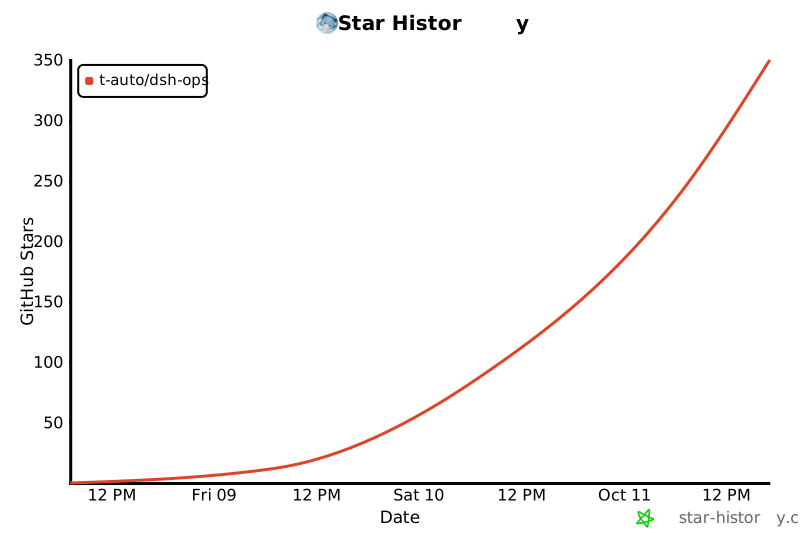
## Star History
[](https://star-history.com/#T-Auto/dsh-ops&Date)
Routing: **toolkit → bash → PowerShell 7**.
Legacy components remain **Windows x64**. The new opt-in **0.3.0 PTC component** uses independent native Rust for Windows, macOS and Linux (x64/arm64 package eligibility); Linux x64 and macOS arm64 compile-checks pass, with on-platform runtime/sandbox acceptance still pending. Target host DSH `0.2.0-rc.2`. See [Native PTC](docs/native-ptc.md).
## Install, update and remove
### Official plugin marketplace
In the target DSH application's plugin marketplace, enter the npm package name **`dsh-ops`**, install, then enable. Installation belongs to the currently running profile, which is `desktop` for the desktop app. The published package depends on complete FastCtx, bash and PowerShell 7 payloads; it does not download them through install scripts or change the system PATH.
### One-command npm installation
```console
npx --yes dsh-ops@latest install --profile desktop
npx --yes dsh-ops@latest install --profile web
npx --yes dsh-ops@latest install --profile tui
```
An explicit target profile is required. `tui` maps to the **dsh-TUI product's `dsh-tui` profile**, not the old `tui` directory. Initialize the target application first. This entry point delegates installation to the official DSH CLI rather than implementing separate profile locking and rollback logic.
Desktop must use the CLI bundled with the desktop application; the default auto-detected path is `%LOCALAPPDATA%\Programs\DeepSeek Harness\resources\runtime\cli\bin\dsh.cmd`. For another installation location, add `--dsh-cli "\resources\runtime\cli\bin\dsh.cmd"`. Web/TUI require an available DSH CLI, which can also be specified explicitly.
You can also use the official commands directly:
```console
dsh plugin --profile web add dsh-ops
dsh plugin --profile dsh-tui add dsh-ops
"\resources\runtime\cli\bin\dsh.cmd" plugin --profile desktop add dsh-ops
```
The ordinary DSH CLI cannot manage the reserved `desktop` profile; do not confuse it with the desktop app's bundled entry point.
**Update**: repeat the same `npx --yes dsh-ops@latest install --profile ...` command, or use the official CLI's `add dsh-ops@latest`. Reload as requested by the application; restart it when replacing already-loaded code.
The local `0.3.0` development version adds independent native Rust PTC enhancement: `ops_batch` and `ops_result`, DSH-native confinement, durable per-item recovery, bounded references and compact projection. Legacy Windows payloads remain pinned to `0.2.1`; this is not a published release or a complete FastCtx migration. Build and opt-in instructions: [Native PTC](docs/native-ptc.md).
**Remove and check status**:
```console
npx --yes dsh-ops@latest status --profile desktop
npx --yes dsh-ops@latest uninstall --profile desktop
```
Replace `desktop` with `web` or `tui` as appropriate. You can also uninstall in the marketplace or run the official `dsh plugin --profile ... remove dsh-ops`. Binaries are managed as profile plugin dependencies; uninstalling removes dependency references without deleting system shells, copies in other profiles or shared package-manager caches.
Legacy explicitly provisioned `/dsh-ops/` files must be cleaned separately with `npx --yes dsh-ops@latest uninstall --yes`. Persistent `~/.fastctx/` state is kept by default; add `--purge-fastctx` explicitly if needed. Disabling the background component waits for in-flight calls, then attempts to terminate only its own jobs remembered on the current connection; failures produce warnings. Old jobs whose ownership was lost after disconnect, and permission downgrades alone, do not guarantee termination; handle your own jobs first.
## Components and prompts
The bundle declares four independently toggled components. On first installation, the first two legacy components are enabled by default; PTC is opt-in and requires a native worker build:
| Component | Description | Default | Published tools |
| --- | --- | --- | --- |
| `dsh-ops-bash & powershell 7` | Prefer bash as the terminal, with PowerShell 7 for operations bash cannot cover | On | `ops_bash`; host `pwsh` uses bundled PowerShell 7 |
| `dsh-ops-file` | Faster, higher-performance Rust file retrieval with more concise, token-efficient output | On | Four file tools |
| `dsh-ops-background` | Managed background tasks for scientific simulations, model training and other long-running processes | Off | Start, read output, list and terminate background jobs |
| `dsh-ops-ptc` | Independent Rust safe batches and bounded result references, only in pure PTC sessions | Off | `ops_batch`, `ops_result` |
“Prefer bash as the terminal” means prompting the model to use `ops_bash` first; it **does not change the system default terminal, PATH or existing host shell tool names**. When the shell component is on, the official configuration lifecycle temporarily sets the PowerShell 7 path for `pwsh-sandbox`; when off, it restores the executor's latest original configuration without writing profile configuration. Switching executor configuration does not cancel already-running host commands.
Prompts are registered as independent runtime sections, **not written to AGENTS.md**: shell OFF withdraws bash/pwsh routing; file OFF withdraws native file guidance; background OFF withdraws background tools and owned-job guidance. The file component uses its independent Rust worker; FastCtx is retained only by the disabled background component. Four native file tools and `ops_bash` are added by default; duplicate foreground `ops_run` is not published. These changes reduce fixed declaration costs. The Minimal preset overrides additional system sections; PTC mode calls the underlying tools through the SDK with unchanged permission gates.
## Configuration and tools
In DSH's configuration editor, find the corresponding `dsh-ops/shell`, `dsh-ops/file` or `dsh-ops/background` row, adjust `config`, then save; unknown configuration keys cause errors naming the key. You can also toggle components directly in the marketplace. Main settings:
```yaml
config:
# background component only; its market row is disabled by default
enableShellTools: true
publishBashTool: true
promptPolicy: true
toolCallTimeoutMs: 300000
required: false
shellPolicy: advise
allowSystemShellFallback: false
# Managed update metadata; do not remove after the first startup self-check
# configUpdateVersion: 1
# binaryPath: 'C:\tools\fastctx.exe'
# bashPath: 'C:\tools\bash.exe'
```
- `enableShellTools`: deployment switch for the background component; enabling it still requires session `danger-full-access` to publish the four background tools. The file component never publishes command tools.
- `publishBashTool`: whether to publish `ops_bash`; also requires full access and the host subprocess service.
- `promptPolicy`: whether to inject the component's runtime guidance; use `extraGuidance` to append instructions.
- `toolCallTimeoutMs`: FastCtx RPC wait timeout; it does not mean server-side work has terminated.
- `required`: whether to reject activation when the runtime is unavailable.
- `shellPolicy`: defaults to `advise`; `deny-host-shell` rejects host shells in `deniedHostTools` (default `[pwsh, bash, pwsh_persistent]`). This also disables third-layer pwsh; enable cautiously.
- `allowSystemShellFallback`: defaults to `false`. Without a bundled/provisioned bash, do not discover system PATH or well-known installations; background commands cannot bypass this through FastCtx discovery either. Explicit `true` opts into an unpinned system bash that the operator must trust and maintain. Explicit `bashPath` is a separate operator selection, not an automatic fallback. See the update configuration modification area below for the first-start migration.
- `shellPolicy` is independent: `deny-host-shell` masks/refuses host tools; disabling fallback constrains the plugin's bash resolver, not the host's own `pwsh`, and is not a filesystem sandbox.
- `binaryPath` / `bashPath`: optional explicit paths; unavailable paths cause an error rather than silently switching executors. Usually no configuration is needed.
| Tool | Purpose | Full-access requirement |
| --- | --- | --- |
| `ops_inspect_local_file` | Batch text ranges, encoding, PDF text and hex | No command permission gate¹ |
| `ops_grep` | Rust regex search, multiple file filters, counts/summaries | No command permission gate¹ |
| `ops_glob` | Multiple path patterns with exclusions | No command permission gate¹ |
| `ops_replace` | Mechanical cross-file replacement; use host edit for precise changes | No command permission gate¹ |
| `ops_bash` | Preferred general bash command executor; use `command` for short commands and `script_path` for long scripts | Yes |
| `ops_run_background` | Start background jobs | Yes |
| `ops_job_output` / `ops_job_list` / `ops_job_kill` | Read, list and stop jobs started by the current session | Yes |
| Host `pwsh` | Windows-native operations using bundled PowerShell 7 | Host policy |
¹ **File tools use the DSH-native sandbox/subprocess boundary.** The host owns session-cwd resolution, policy lookup, exact worker-argv confinement, cancellation and result mapping; the Rust core additionally rejects links/reparse/special objects and enforces budgets and CAS integrity. `workspace-write` permits paths only inside the active workspace root; external absolute paths require `danger-full-access`.
## Long scripts and JSON stability
Use `command` for short commands and pipelines. For scripts longer than about 1 KB, or containing heredocs, quotes, backslashes or non-ASCII text, write the script with the host file tools first, then execute it with `script_path`; do not put the entire heredoc in `command`. This substantially reduces multi-layer escaping in tool-call JSON and lowers the chance that a turn is discarded as `MALFORMED_RESPONSE`.
When the bundled bash payload remains declared in the profile lockfile but its package directory has been removed by the host package manager, `ops_bash` returns a readable `ENOENT` diagnostic instead of exposing a raw `spawn` exception to the model. Restore the dependency with the profile's frozen install or official plugin manager; it does not silently switch to an unauthorized system bash.
`script_path` accepts only the script path, so the script body is not repeated in the `ops_bash` arguments. `command` and `script_path` are mutually exclusive and exactly one is required. This interface cannot repair JSON that the model or host failed to parse; an unparseable tool call still requires a host/model retry.
`ops_bash` arguments are **strict**: a key the schema does not declare is refused before execution, and the error names both the unknown keys and the accepted ones instead of ignoring them. **This tool has no `run_in_background` and returns no job id**; every command runs in the foreground. The host `bash` and `pwsh` tools do accept `run_in_background`, so a model may reasonably try it here; such a call is now rejected rather than silently run in the foreground. For a server, listener or watcher, use the host `pwsh` tool's `run_in_background`, or detach the process from inside the command (for example `nohup ... & disown`). Otherwise the call occupies the whole `timeoutMs` (up to `MAX_BASH_TIMEOUT_MS`, about 24.9 days).
The plugin cleans up only its own `fastctx serve` clients on final lease release, connection shutdown, normal owner exit, or forced owner termination. Upstream `runtime-host` is a reusable shared process; a dead parent alone is not a leak. With no clients and about ten minutes of inactivity, it exits normally. Do not kill it by process-name sweeps. This release does not automatically sweep processes left by older versions.
## Update configuration modification area
`lib/config-updates.js` centralizes one-time config migrations. On first startup with 0.2.5, each owning component row runs a self-check:
- With no `configUpdateVersion` (or `0`), change legacy `allowSystemShellFallback: true` to `false` before resolving executors or publishing tools.
- Submit the raw owning row through the official loader lifecycle with `configUpdateVersion: 1`. Preserve other fields; never change foreign plugins, PATH or global config. Disabled components migrate when first started.
- After completion, restarts/hot reload do not overwrite a later manual `true`. Do not remove the marker unless you intend to repeat the self-check.
- Without an owning loader row, apply the safe value for this activation and warn. Migration/loader logs report write failures; a marker not persisted to disk cannot guarantee once-only behavior across restarts.
## License
Plugin source distribution uses **`MIT AND Apache-2.0`**: files outside `vendor/fastctx/` are MIT; vendored FastCtx is Apache-2.0. See [NOTICE](NOTICE), `vendor/fastctx/LICENSE-APACHE` and `vendor/fastctx/NOTICE`.
Independent Windows payload packages are distributed under their upstream component licenses: Git for Windows includes GPL and other licensed components; PowerShell includes MIT and third-party components. Original licenses, notices and provenance records are retained with the payloads; the plugin's MIT license does not replace them. See [PROVENANCE.md](PROVENANCE.md).
## Acknowledgements
The Rust tools are based on [yc-duan](https://github.com/yc-duan)'s FastCtx Codex plugin and use its source code. Vendor identification and deletion-only distribution changes are recorded in [vendor/fastctx/FORK.md](vendor/fastctx/FORK.md) and [vendor/fastctx/UPSTREAM.md](vendor/fastctx/UPSTREAM.md). The required FastCtx notice follows:
> This product includes FastCtx
> (https://github.com/yc-duan/fastctx), Copyright (c) 2026 yc-duan,
> used under the Apache License 2.0.
>
> FastCtx is redistributed and/or modified here by the maintainer of
> this distribution. Any such change is that maintainer's own work
> and their sole responsibility. It is not endorsed by, not
> supported by, and not attributable to the author of FastCtx, who
> accepts no liability of any kind arising from this distribution or
> from anything built on top of it.
## Star History
[](https://star-history.com/#T-Auto/dsh-ops&Date)