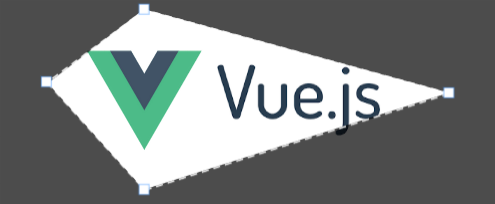
vue-polygon-cropper
> [!WARNING]
> This component is still in development and only a early version with basic features have been released. Any recommendation, feature propose or bug report feel free to open an Issue or PR 😊
## Introduction
vue-polygon-cropper is a **Vue 3** component built-in in top of `fabric.js` to crop an image in polygon shapes.
## Installation
```shell
npm i @tato30/vue-polygon-cropper
```
```shell
yarn add @tato30/vue-polygon-cropper
```
## Basic Usage
```vue
```
## Props
### src
Type: `string`
Required: `true`
The URL to create an image from.
```vue
```
### width
Type: `number`
Required: `false`
The width to scale the image on the canvas element, otherwise the canvas will render with the image dimensions.
### height
Type: `number`
Required: `false`
The height to scale the image on the canvas element, otherwise the canvas will render with the image dimensions.
This prop has less precedence than `width`.
### no-background
Type: `boolean`
Default: `false`
Required: `false`
Remove the background shape.
### background-color
Type: `string`
Default: `rgba(0, 0, 0, 0.7)`
Required: `false`
Set the background color.
### points
Type: `array`
Required: `false`
An array of cartesian points to shape an initial polygon on the image, the points must be calculated in base of the image's dimensions and can be set `1` or `n` points.
By default, the component creates four points for each corner of the image.
```vue
```
### lines
Type: `object | Line`
Required: `false`
Specify the style of the lines drawn between points.
Default (All properties are optional):
```json
{
"color": "white", // Line color
"width": 1.5, // Line width in px
"dash": [7, 5] // Dash array [dash, space], use [0, 0] for a thin line, in px
}
```
```vue
```
### handlers
Type: `object | Handler`
Required: `false`
Specify the style of the handlers drawn by each point.
Default (All properties are optional):
```json
{
"type": "rect", // Shape: "circle" or "rect"
"color": "white", // Shape's fill color
"borderColor": "#78a6f1", // Shape's border color
"borderWidth": 0.5, // Shape's border width in px
"padding": 10, // Padding of the movable area of the handler in px
"width": 10, // Width of the 'rect' handler in px
"height": 10, // Height of the 'rect' handler in px
"radius": 5, // Radius of the 'circle' handler in px
}
```
```vue
```
## Events
### loaded
Emitted once the image has been loaded.
```vue
```
### moving
Emitted when a point has been moved.
```vue
```
The payload value contains the coordinates of all points in the canvas and scaled to image's dimensions
Example:
```json
{
// Coordinates based on canvas
"canvas": [
{
x: 120,
y: 52
},
{
x: 620,
y: 80
},
{
x: 690,
y: 240
},
{
x: 90,
y: 300
}
],
// Coordinates scaled in base image's dimensions (scale: 2, in this example)
"image": {
{
x: 240,
y: 104
},
{
x: 1240,
y: 160
},
{
x: 1380,
y: 480
},
{
x: 180,
y: 600
}
}
}
```