Give AI tools like Cursor, VS Code, and Claude Desktop access to your company's product knowledge through the [Biel.ai platform](https://biel.ai).
Biel.ai provides a hosted Retrieval-Augmented Generation (RAG) layer that makes your documentation searchable and useful to AI tools. This enables smarter completions, accurate technical answers, and context-aware suggestions—directly in your IDE or chat environment.
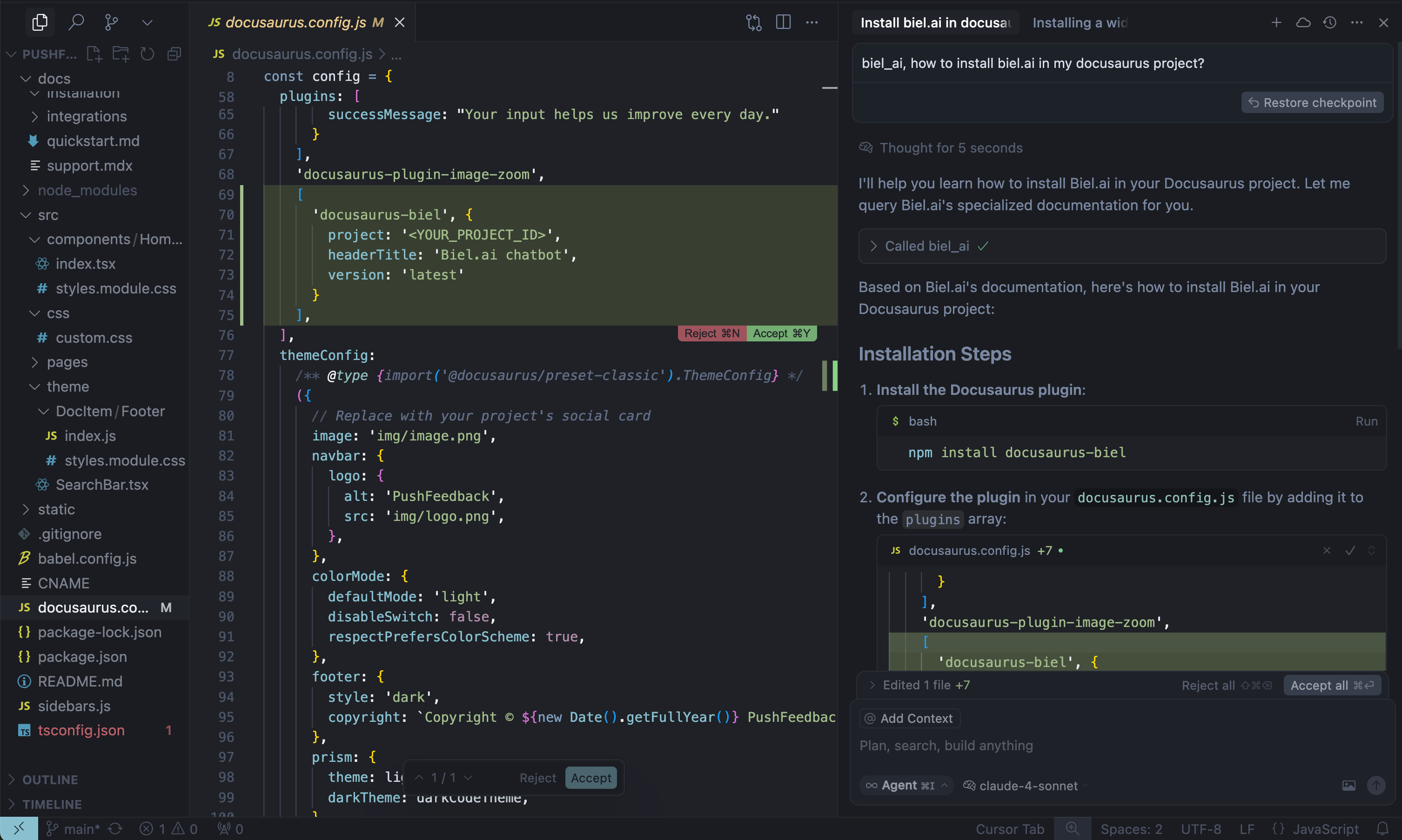
When AI tools can read your product documentation, they become **significantly** more helpful—generating more accurate code completions, answering technical questions with context, and guiding developers with real-time product knowledge.
> **Note:** Requires a Biel.ai account and project setup. **[Start your free 15-day trial](https://app.biel.ai/accounts/signup/)**.
## Getting started
### 1. Get your MCP configuration
```json
{
"mcpServers": {
"biel-ai": {
"description": "Query your product's documentation, APIs, and knowledge base.",
"command": "npx",
"args": [
"mcp-remote",
"https://mcp.biel.ai/sse?project_slug=YOUR_PROJECT_SLUG&domain=https://your-docs-domain.com"
]
}
}
}
```
**Required:** `project_slug` and `domain`
**Optional:** `api_key` (only needed for private projects)
### 2. Add to your AI tool
* **Cursor**: **Settings** → **Tools & Integrations* → **New MCP server**.
* **Claude Desktop**: Edit `claude_desktop_config.json`
* **VS Code**: Install **MCP extension**.
### 3. Start asking questions
```
Can you check in biel_ai what the auth headers are for the /users endpoint?
```
## Self-hosting (Optional)
For advanced users who prefer to run their own MCP server instance:
### Local development
```bash
# Clone and run locally
git clone https://github.com/techdocsStudio/biel-mcp
cd biel-mcp
pip install -r requirements.txt
python biel_mcp_server.py
```
### Docker deployment
```bash
# Docker Compose (recommended)
docker-compose up -d --build
# Or Docker directly
docker build -t biel-mcp .
docker run -d -p 7832:7832 biel-mcp
```
## Support
- **Issues**: [GitHub Issues](https://github.com/techdocsStudio/biel-mcp/issues)
- **Contact**: [support@biel.ai](mailto:support@biel.ai)
- **Custom Demo**: [Book a demo](https://biel.ai/contact)
