# Cliparr
Self-hosted clipping for Plex, Jellyfin, and local files. Trim video, add subtitles, and export video, audio, or GIFs in your browser.
[Documentation](https://cliparr.dev/docs)
 ## Features
- **Live session discovery**: Follow playback automatically from connected Plex and Jellyfin servers.
- **Open local videos**: Clip local files without uploading them. Direct media URLs require provider sign-in.
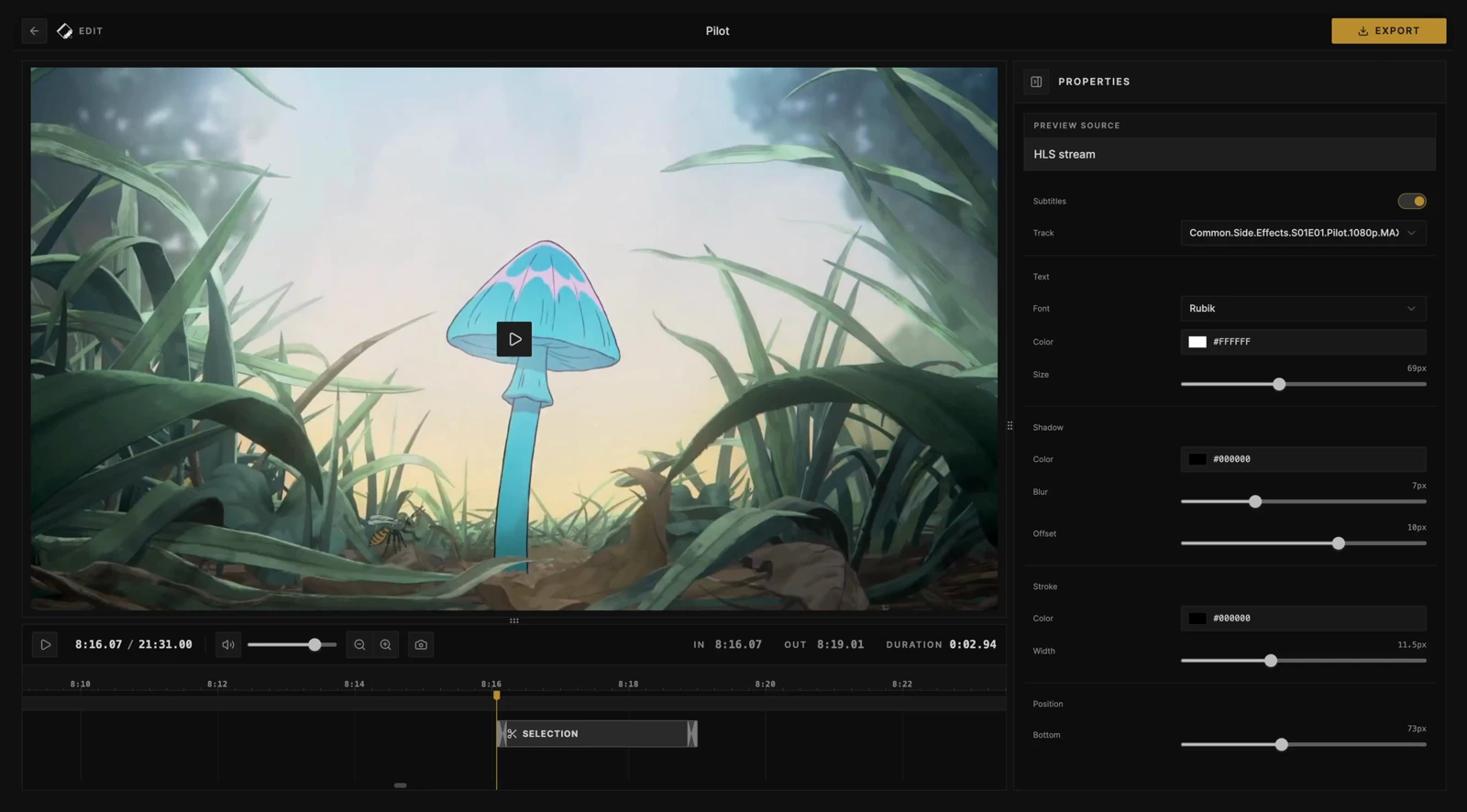
- **Trim and crop**: Fine-tune your clip range, then crop the picture freely or to an aspect ratio with mouse or touch controls.
- **Video, audio, and GIF export**: Choose video or audio-only formats, or make a GIF. Exports run in your browser.
- **Metadata included**: Keep source details, artwork, and clip timing in supported video and audio containers.
- **Subtitle authoring**: Create your own captions or import subtitles, then style and burn subtitles into your clip.
## Quick start
Replace `APP_KEY` with a random secret of at least 32 characters; for example, generate one with `openssl rand -base64 32`. Keep the secret and data volume across updates. Changing `APP_KEY` requires reconnecting your media servers.
```bash
docker run -d \
--name cliparr \
-p 127.0.0.1:7171:7171 \
-e APP_KEY="your-32-char-stable-random-secret" \
-v cliparr-data:/data \
ghcr.io/techsquidtv/cliparr:latest
```
PowerShell
```powershell
docker run -d `
--name cliparr `
-p 127.0.0.1:7171:7171 `
-e APP_KEY="your-32-char-stable-random-secret" `
-v cliparr-data:/data `
ghcr.io/techsquidtv/cliparr:latest
```
Use Docker with Linux containers.
Open **http://localhost:7171**, then connect a media server or choose **Open Video** for a local file. Access from other devices requires [HTTPS for editing](https://cliparr.dev/docs/configuration#https-and-browser-apis).
For Docker Compose and installation details, see [Getting started](https://cliparr.dev/docs/getting-started).
## Guides
- [Provider setup and account requirements](https://cliparr.dev/docs/providers)
- [Reverse proxies](https://cliparr.dev/docs/configuration#reverse-proxies) and [access control](https://cliparr.dev/docs/access-control)
- [Browser support](https://cliparr.dev/docs/browser-support) and [editor shortcuts](https://cliparr.dev/docs/editor-shortcuts)
- [Environment variables](https://cliparr.dev/docs/configuration) and [logging](https://cliparr.dev/docs/logging)
## Development
See [Contributing](.github/CONTRIBUTING.md) for local setup, the Docker dev stack, validation, and release procedures.
## License
[MIT](LICENSE).


