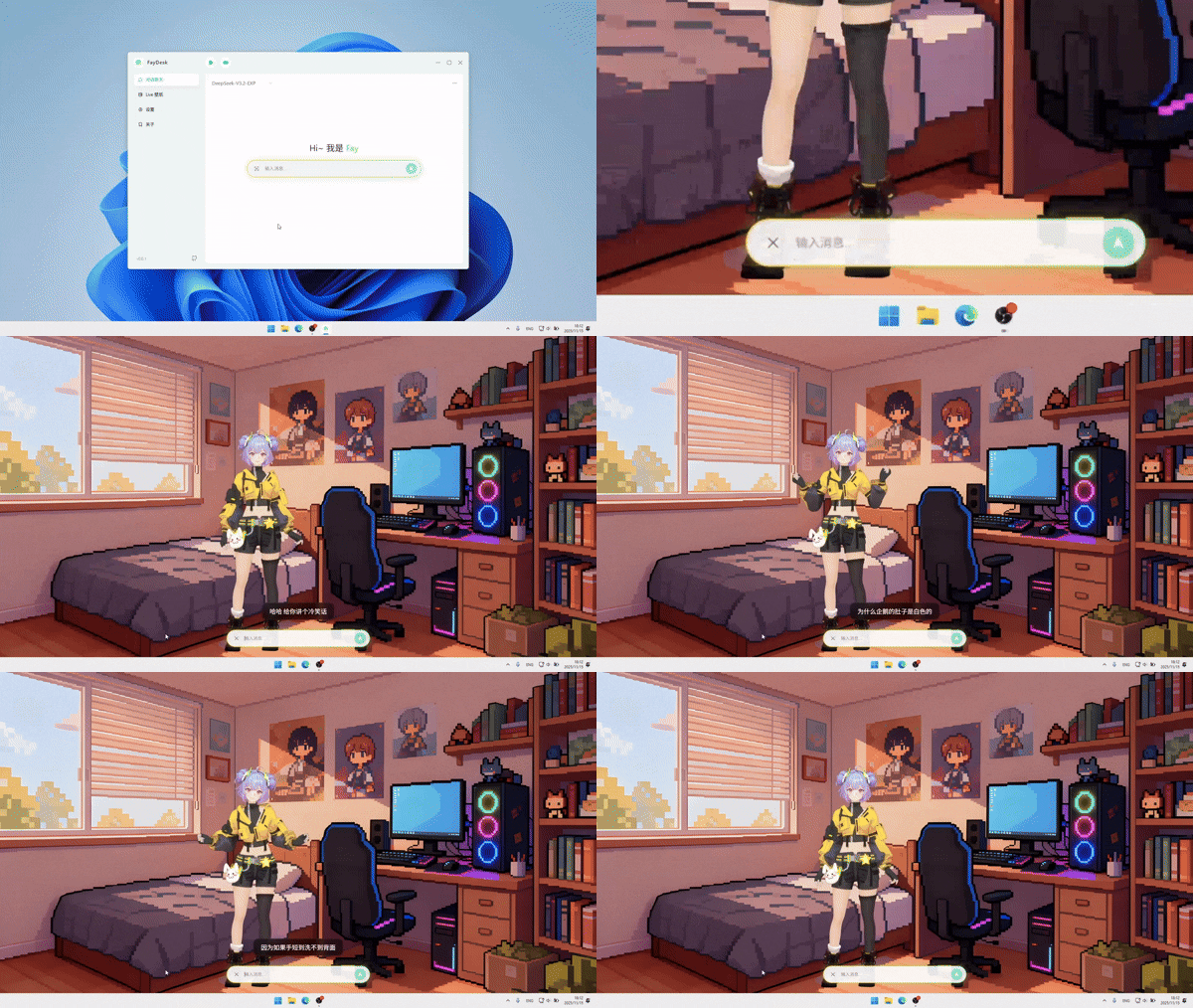
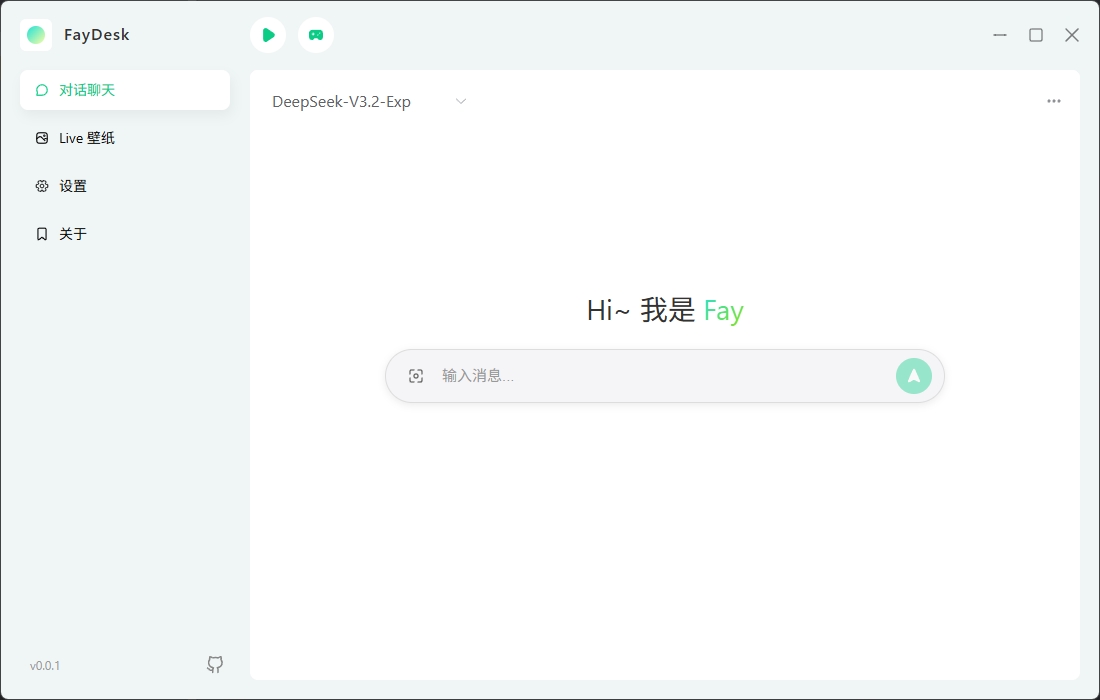
 Experience powerful intelligent conversation capabilities through integration with OpenAI API-compatible model providers. Whether for work, study, or casual chat, you can have natural and smooth conversations with Fay anytime in the application.
Floating window mode allows you to enjoy dynamic wallpapers while conveniently engaging in interactive conversations, achieving a perfect blend of work and entertainment.
### 🎨 Dynamic Wallpapers
Experience powerful intelligent conversation capabilities through integration with OpenAI API-compatible model providers. Whether for work, study, or casual chat, you can have natural and smooth conversations with Fay anytime in the application.
Floating window mode allows you to enjoy dynamic wallpapers while conveniently engaging in interactive conversations, achieving a perfect blend of work and entertainment.
### 🎨 Dynamic Wallpapers
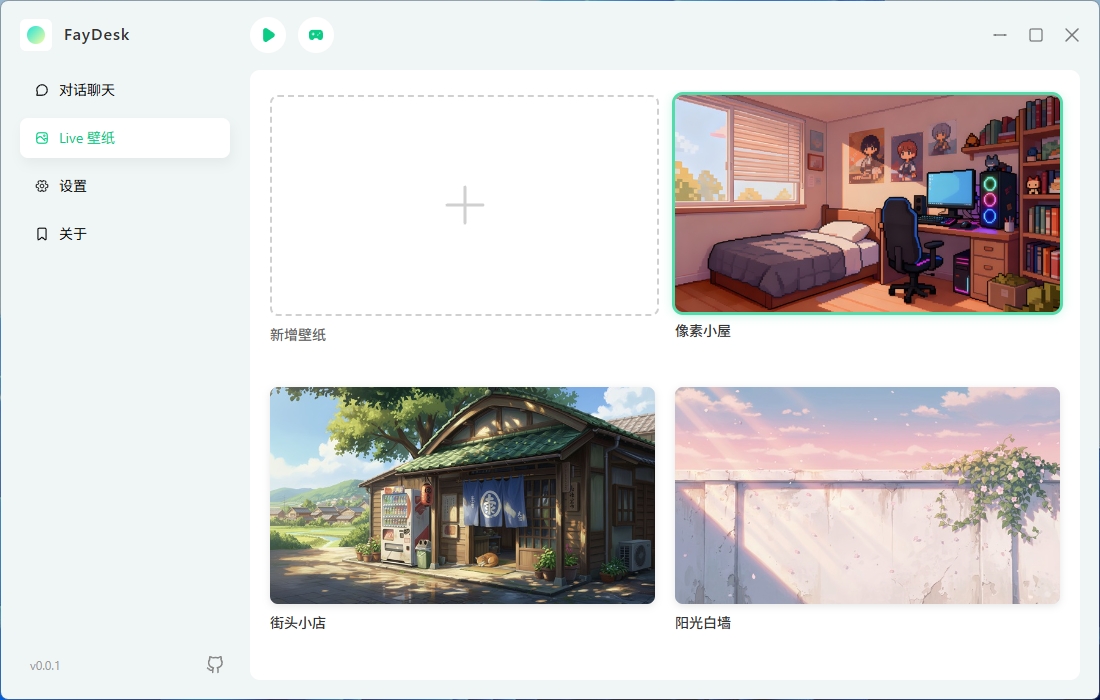
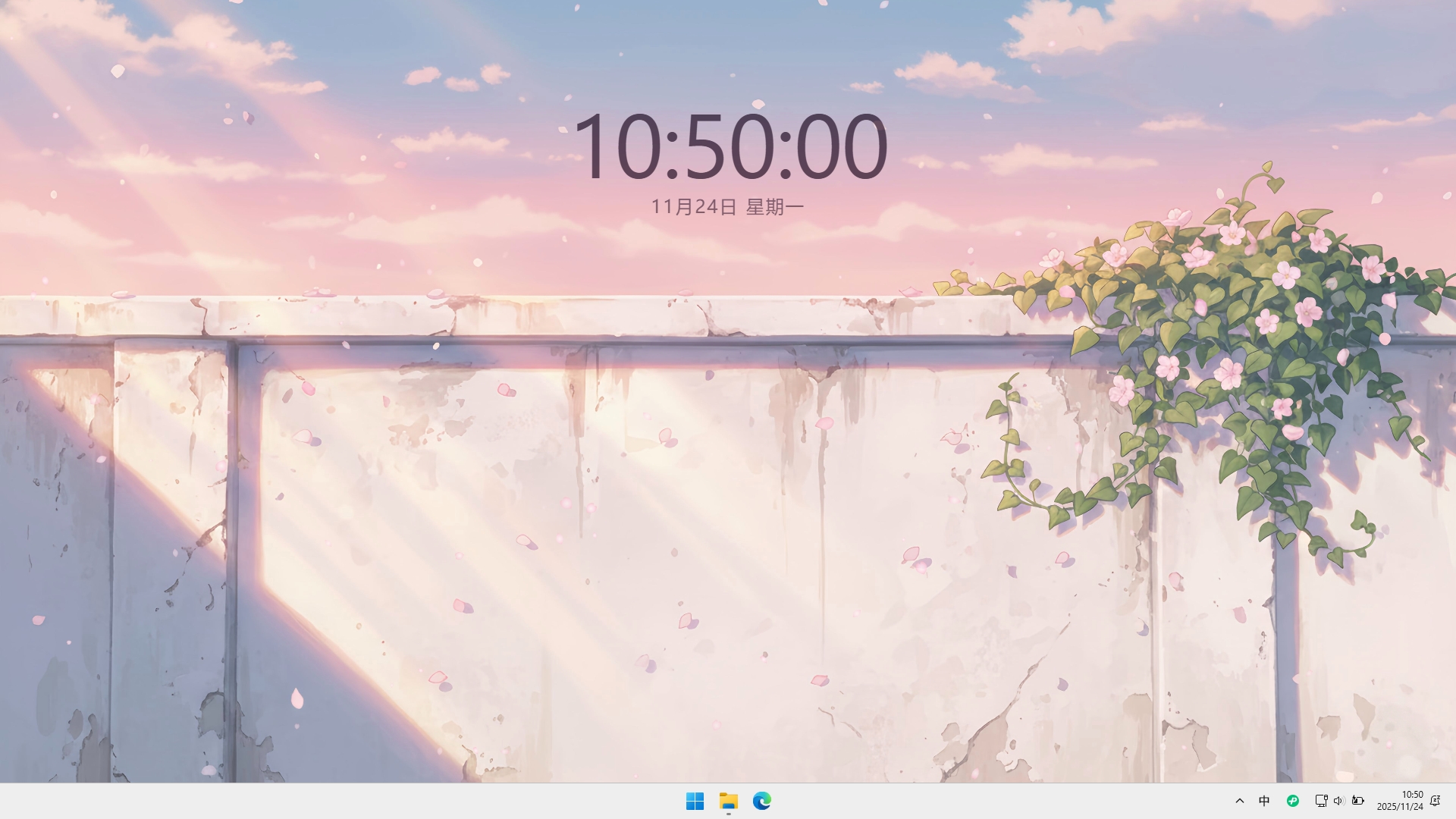 The application includes a built-in dynamic wallpaper resource library. All wallpapers are implemented using HTML5 technology. You can easily switch wallpapers with simple operations, or import custom wallpaper packages to create your exclusive desktop environment.
### 🫧 Digital Avatar
The application includes a built-in dynamic wallpaper resource library. All wallpapers are implemented using HTML5 technology. You can easily switch wallpapers with simple operations, or import custom wallpaper packages to create your exclusive desktop environment.
### 🫧 Digital Avatar
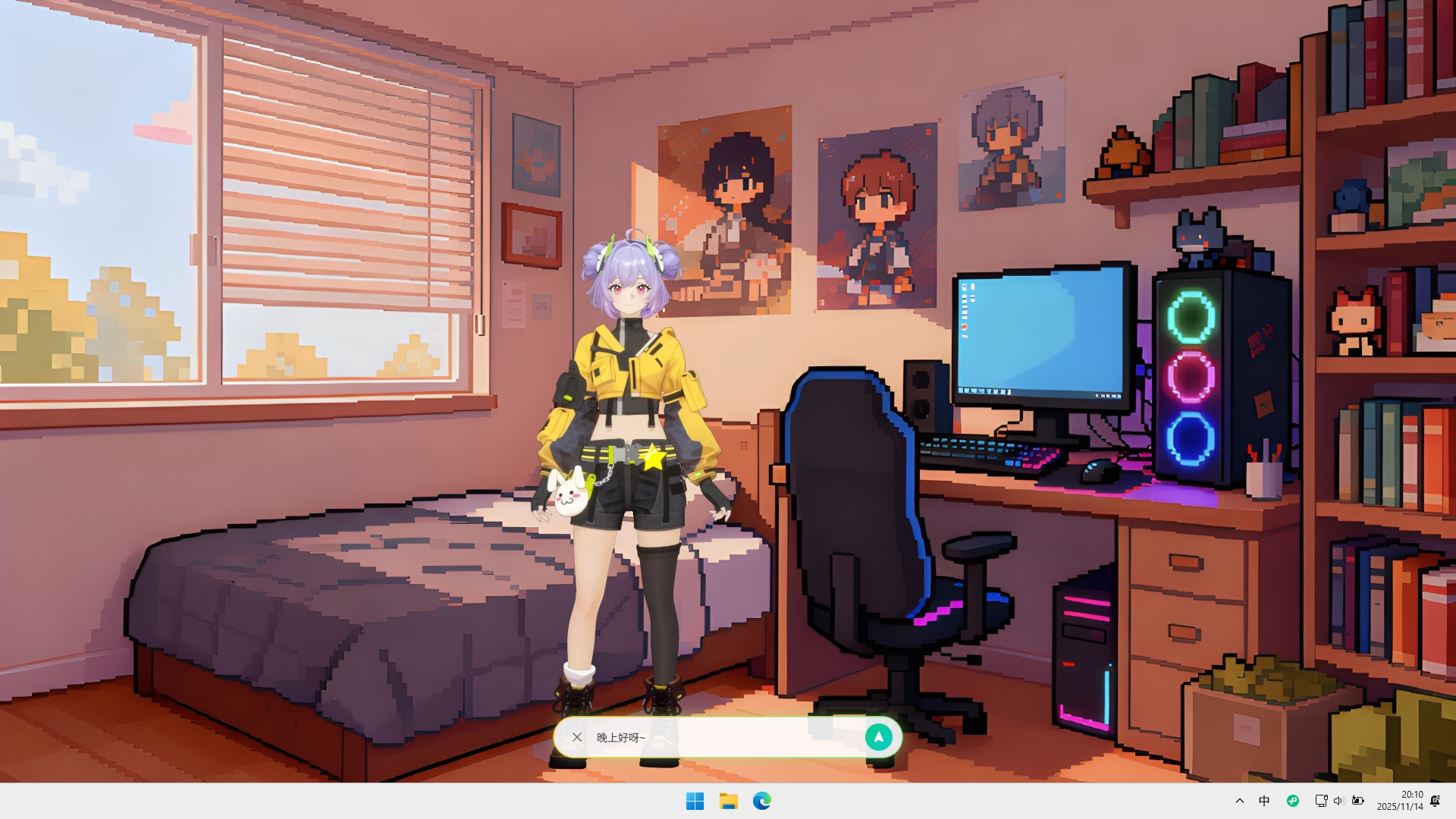
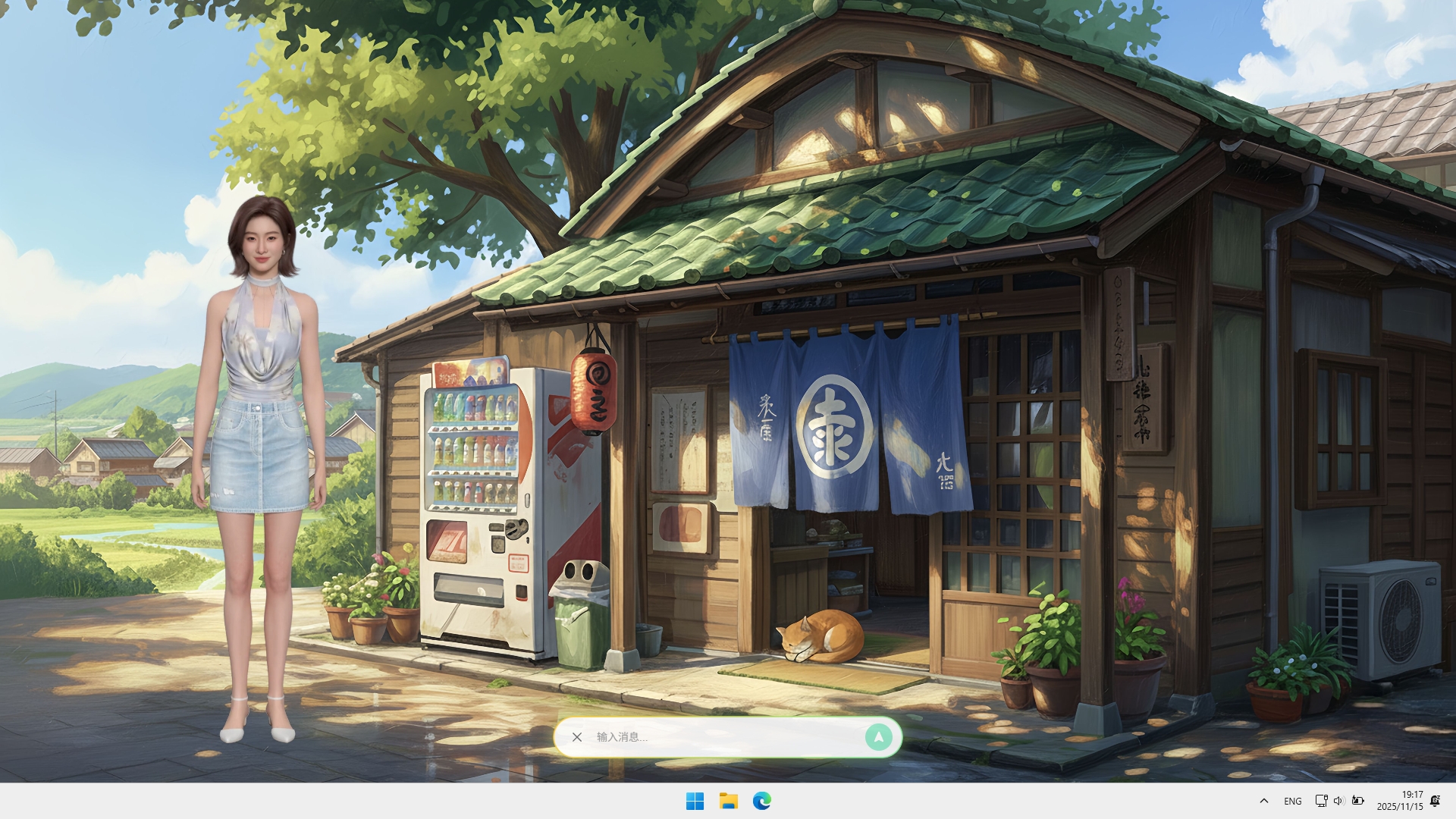 Based on Xmov embodied driving technology, digital avatars are integrated into the desktop experience. With simple configuration, you can connect to the service. The digital avatar generates corresponding expressions and lip-sync in real-time based on conversation content, creating an authentic face-to-face communication experience.
Thanks to Xmov's cloud rendering capabilities, complex digital avatar rendering calculations don't need to be performed locally. Therefore, even devices with lower configurations can enjoy smooth, high-definition digital avatar interaction experiences without worrying about local hardware performance limitations.
### 🎯 System Integration
Deeply integrated with operating system functions, providing global hotkey support. You can quickly wake up the application or open floating window mode in any scenario.
## 📖 User Guide
### Download and Installation
- Visit [GitHub Releases](https://github.com/TheRamU/fay-desk/releases/latest) to download the latest version
- After downloading, run the installer and follow the prompts to complete installation
### Initial Configuration
**Configure OpenAI API**
- Obtain an OpenAI API-compatible key. We recommend using [DeepSeek](https://platform.deepseek.com/api_keys)
- Open the settings page
- Go to "OpenAI API" settings
- Enter your `API Key` and **proxy address** (if using a proxy, select DeepSeek here)
**Configure Xmov SDK (Optional)**
- Obtain Xmov SDK credentials
- Go to [Xingyun3d](https://c.c1nd.cn/9C9WW) to create an account
- Enter [Application Manage](https://xingyun3d.com/workspace/application-manage?utm_campaign=1029launch&utm_source=FAYguo) and create a new application
- Click the "App Key" button in the upper right corner to get `App ID` and `App Secret`
- Open the settings page
- Go to "Xmov SDK" settings
- Enter `App ID` and `App Secret`
- After configuration, you can enable the digital avatar feature
**Select Wallpaper**
- Go to the "Wallpaper" page
- Select your favorite wallpaper
- Click the play button to enable the dynamic wallpaper
### Feature Usage
- **Chat**: Enter messages in the main interface to chat with AI assistant Fay
- **Floating Window Mode**: Use the hotkey `Ctrl+Shift+D` or click the button on the left side of the dialog box to open floating window mode
- **Wallpaper Control**: Control wallpaper play/pause at the top of the application interface, toggle digital avatar display
- **System Tray**: After minimizing, you can find the application icon in the system tray
## 📋 Development Roadmap
- [x] Digital Avatar Wallpaper
- [x] Digital Avatar Sleep Mechanism
- [ ] Voice Interaction
- [ ] AI-Generated Wallpapers
- [ ] Biomimetic Memory
- [ ] MCP Support
## 🔧 Development
### Requirements
- Node.js v22
### Installation and Running
```bash
pnpm install
pnpm dev
```
### Build
```bash
pnpm build:win
```
## 🧩 Technical Details
### Wallpaper System
- Built-in wallpaper directory: `resources/wallpapers/`
- Wallpapers in the installation environment will be copied to the user data directory and automatically loaded
- Manual import: Supports zip package import (the zip package root directory must contain `wallpaper.json` and `index.html`)
### Security and Storage
Local sensitive configurations are stored in encrypted form to avoid plaintext storage, and are only decrypted and used when necessary and authorized.
## 📜 License
This project is licensed under the `MIT` License. See the `LICENSE` file for details.
## 🙌 Contributing
We welcome bug reports, feature suggestions, and pull requests.
This project uses ESLint and Prettier to maintain consistent code style.
## 🙏 Acknowledgments
This project thanks the following open-source projects for their contributions and cloud service providers for their support:
- [Fay](https://github.com/xszyou/Fay) - Provided inspiration for the digital avatar framework
- [XmovAvatarSDK](https://github.com/xszyou/XmovAvatarSDK) - Provided core SDK examples for digital avatars, implemented based on Xmov embodied driving technology
- [Xingyun3d](https://c.c1nd.cn/9C9WW) - Provided cloud rendering services and technical support for the digital avatar SDK
## ⛺ WeChat Group
Based on Xmov embodied driving technology, digital avatars are integrated into the desktop experience. With simple configuration, you can connect to the service. The digital avatar generates corresponding expressions and lip-sync in real-time based on conversation content, creating an authentic face-to-face communication experience.
Thanks to Xmov's cloud rendering capabilities, complex digital avatar rendering calculations don't need to be performed locally. Therefore, even devices with lower configurations can enjoy smooth, high-definition digital avatar interaction experiences without worrying about local hardware performance limitations.
### 🎯 System Integration
Deeply integrated with operating system functions, providing global hotkey support. You can quickly wake up the application or open floating window mode in any scenario.
## 📖 User Guide
### Download and Installation
- Visit [GitHub Releases](https://github.com/TheRamU/fay-desk/releases/latest) to download the latest version
- After downloading, run the installer and follow the prompts to complete installation
### Initial Configuration
**Configure OpenAI API**
- Obtain an OpenAI API-compatible key. We recommend using [DeepSeek](https://platform.deepseek.com/api_keys)
- Open the settings page
- Go to "OpenAI API" settings
- Enter your `API Key` and **proxy address** (if using a proxy, select DeepSeek here)
**Configure Xmov SDK (Optional)**
- Obtain Xmov SDK credentials
- Go to [Xingyun3d](https://c.c1nd.cn/9C9WW) to create an account
- Enter [Application Manage](https://xingyun3d.com/workspace/application-manage?utm_campaign=1029launch&utm_source=FAYguo) and create a new application
- Click the "App Key" button in the upper right corner to get `App ID` and `App Secret`
- Open the settings page
- Go to "Xmov SDK" settings
- Enter `App ID` and `App Secret`
- After configuration, you can enable the digital avatar feature
**Select Wallpaper**
- Go to the "Wallpaper" page
- Select your favorite wallpaper
- Click the play button to enable the dynamic wallpaper
### Feature Usage
- **Chat**: Enter messages in the main interface to chat with AI assistant Fay
- **Floating Window Mode**: Use the hotkey `Ctrl+Shift+D` or click the button on the left side of the dialog box to open floating window mode
- **Wallpaper Control**: Control wallpaper play/pause at the top of the application interface, toggle digital avatar display
- **System Tray**: After minimizing, you can find the application icon in the system tray
## 📋 Development Roadmap
- [x] Digital Avatar Wallpaper
- [x] Digital Avatar Sleep Mechanism
- [ ] Voice Interaction
- [ ] AI-Generated Wallpapers
- [ ] Biomimetic Memory
- [ ] MCP Support
## 🔧 Development
### Requirements
- Node.js v22
### Installation and Running
```bash
pnpm install
pnpm dev
```
### Build
```bash
pnpm build:win
```
## 🧩 Technical Details
### Wallpaper System
- Built-in wallpaper directory: `resources/wallpapers/`
- Wallpapers in the installation environment will be copied to the user data directory and automatically loaded
- Manual import: Supports zip package import (the zip package root directory must contain `wallpaper.json` and `index.html`)
### Security and Storage
Local sensitive configurations are stored in encrypted form to avoid plaintext storage, and are only decrypted and used when necessary and authorized.
## 📜 License
This project is licensed under the `MIT` License. See the `LICENSE` file for details.
## 🙌 Contributing
We welcome bug reports, feature suggestions, and pull requests.
This project uses ESLint and Prettier to maintain consistent code style.
## 🙏 Acknowledgments
This project thanks the following open-source projects for their contributions and cloud service providers for their support:
- [Fay](https://github.com/xszyou/Fay) - Provided inspiration for the digital avatar framework
- [XmovAvatarSDK](https://github.com/xszyou/XmovAvatarSDK) - Provided core SDK examples for digital avatars, implemented based on Xmov embodied driving technology
- [Xingyun3d](https://c.c1nd.cn/9C9WW) - Provided cloud rendering services and technical support for the digital avatar SDK
## ⛺ WeChat Group