

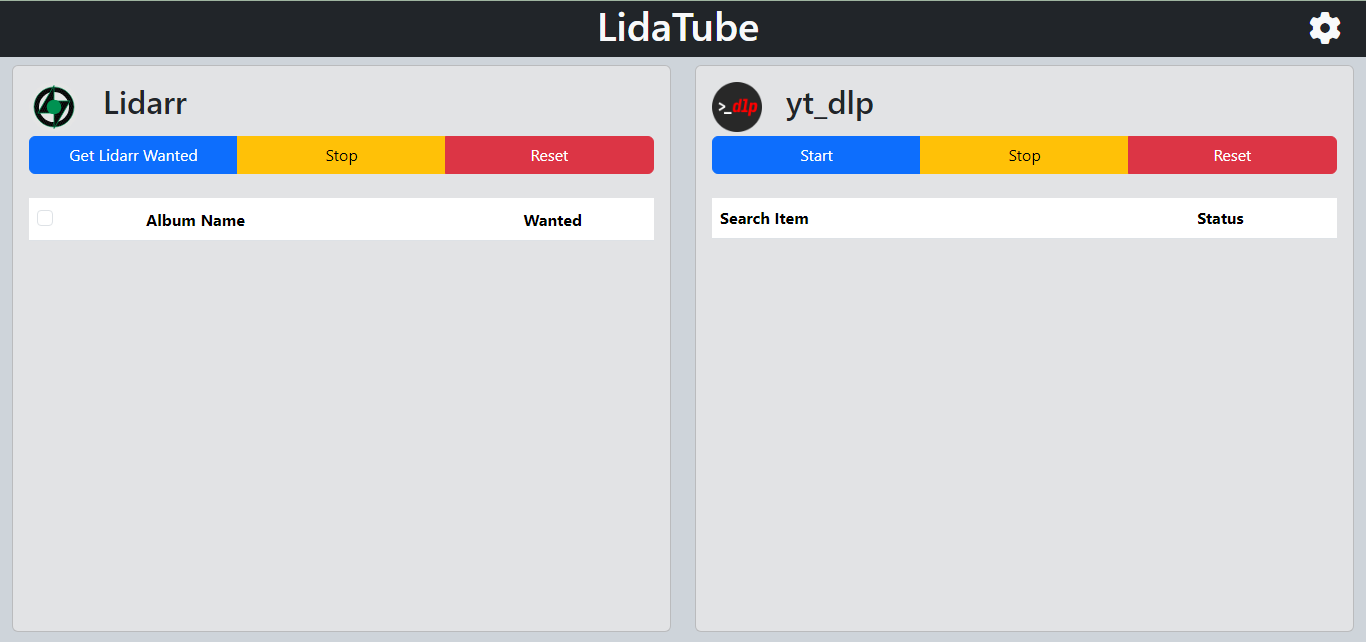
 LidaTube is a tool for finding and fetching missing Lidarr albums via yt-dlp.
## Run using docker-compose
```yaml
services:
lidatube:
image: thewicklowwolf/lidatube:latest
container_name: lidatube
volumes:
- /path/to/config:/lidatube/config
- /data/media/lidatube:/lidatube/downloads
- /etc/localtime:/etc/localtime:ro
ports:
- 5000:5000
restart: unless-stopped
```
## Configuration via environment variables
Certain values can be set via environment variables:
* __PUID__: The user ID to run the app with. Defaults to `1000`.
* __PGID__: The group ID to run the app with. Defaults to `1000`.
* __lidarr_address__: The URL for Lidarr. Defaults to `http://192.168.1.2:8686`.
* __lidarr_api_key__: The API key for Lidarr. Defaults to ``.
* __lidarr_api_timeout__: Timeout duration for Lidarr API calls. Defaults to `120`.
* __thread_limit__: Max number of threads to use. Defaults to `1`.
* __sleep_interval__: Interval to sleep. Defaults to `0`.
* __fallback_to_top_result__: Whether to use the top result if no match is found. Defaults to `False`.
* __library_scan_on_completion__: Whether to scan Lidarr Library on completion. Defaults to `True`.
* __sync_schedule__: Schedule times to run (comma seperated values in 24hr). Defaults to ``
* __minimum_match_ratio__: Minimum percentage for a match. Defaults to `90`
* __secondary_search__: Method for secondary search (YTS or YTDLP). Defaults to `YTS`.
* __preferred_codec__: Preferred codec (mp3). Defaults to `mp3`.
* __attempt_lidarr_import__: Attempt to import each song directly into Lidarr. Defaults to `False`.
## Sync Schedule
Use a comma-separated list of hours to start sync (e.g. `2, 20` will initiate a sync at 2 AM and 8 PM).
> Note: There is a deadband of up to 10 minutes from the scheduled start time.
## Cookies (optional)
To utilize a cookies file with yt-dlp, follow these steps:
* Generate Cookies File: Open your web browser and use a suitable extension (e.g. cookies.txt for Firefox) to extract cookies for a user on YT.
* Save Cookies File: Save the obtained cookies into a file named `cookies.txt` and put it into the config folder.
---
LidaTube is a tool for finding and fetching missing Lidarr albums via yt-dlp.
## Run using docker-compose
```yaml
services:
lidatube:
image: thewicklowwolf/lidatube:latest
container_name: lidatube
volumes:
- /path/to/config:/lidatube/config
- /data/media/lidatube:/lidatube/downloads
- /etc/localtime:/etc/localtime:ro
ports:
- 5000:5000
restart: unless-stopped
```
## Configuration via environment variables
Certain values can be set via environment variables:
* __PUID__: The user ID to run the app with. Defaults to `1000`.
* __PGID__: The group ID to run the app with. Defaults to `1000`.
* __lidarr_address__: The URL for Lidarr. Defaults to `http://192.168.1.2:8686`.
* __lidarr_api_key__: The API key for Lidarr. Defaults to ``.
* __lidarr_api_timeout__: Timeout duration for Lidarr API calls. Defaults to `120`.
* __thread_limit__: Max number of threads to use. Defaults to `1`.
* __sleep_interval__: Interval to sleep. Defaults to `0`.
* __fallback_to_top_result__: Whether to use the top result if no match is found. Defaults to `False`.
* __library_scan_on_completion__: Whether to scan Lidarr Library on completion. Defaults to `True`.
* __sync_schedule__: Schedule times to run (comma seperated values in 24hr). Defaults to ``
* __minimum_match_ratio__: Minimum percentage for a match. Defaults to `90`
* __secondary_search__: Method for secondary search (YTS or YTDLP). Defaults to `YTS`.
* __preferred_codec__: Preferred codec (mp3). Defaults to `mp3`.
* __attempt_lidarr_import__: Attempt to import each song directly into Lidarr. Defaults to `False`.
## Sync Schedule
Use a comma-separated list of hours to start sync (e.g. `2, 20` will initiate a sync at 2 AM and 8 PM).
> Note: There is a deadband of up to 10 minutes from the scheduled start time.
## Cookies (optional)
To utilize a cookies file with yt-dlp, follow these steps:
* Generate Cookies File: Open your web browser and use a suitable extension (e.g. cookies.txt for Firefox) to extract cookies for a user on YT.
* Save Cookies File: Save the obtained cookies into a file named `cookies.txt` and put it into the config folder.
---
 https://hub.docker.com/r/thewicklowwolf/lidatube