English · 简体中文
A native usage and cost dashboard for DeepSeek Harness Web. It adds a dedicated **Usage & Cost** section to DSH Settings and keeps provider usage, subscription quotas, balances, API estimates, and annual activity in one place. 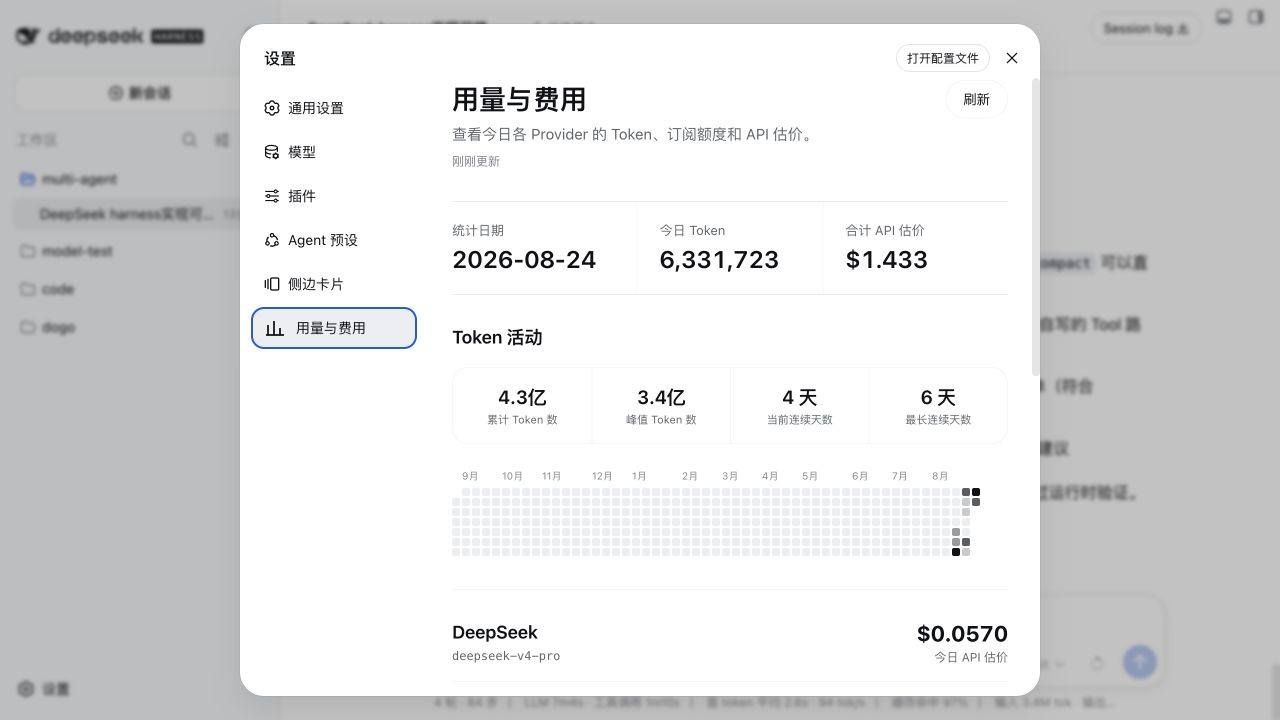 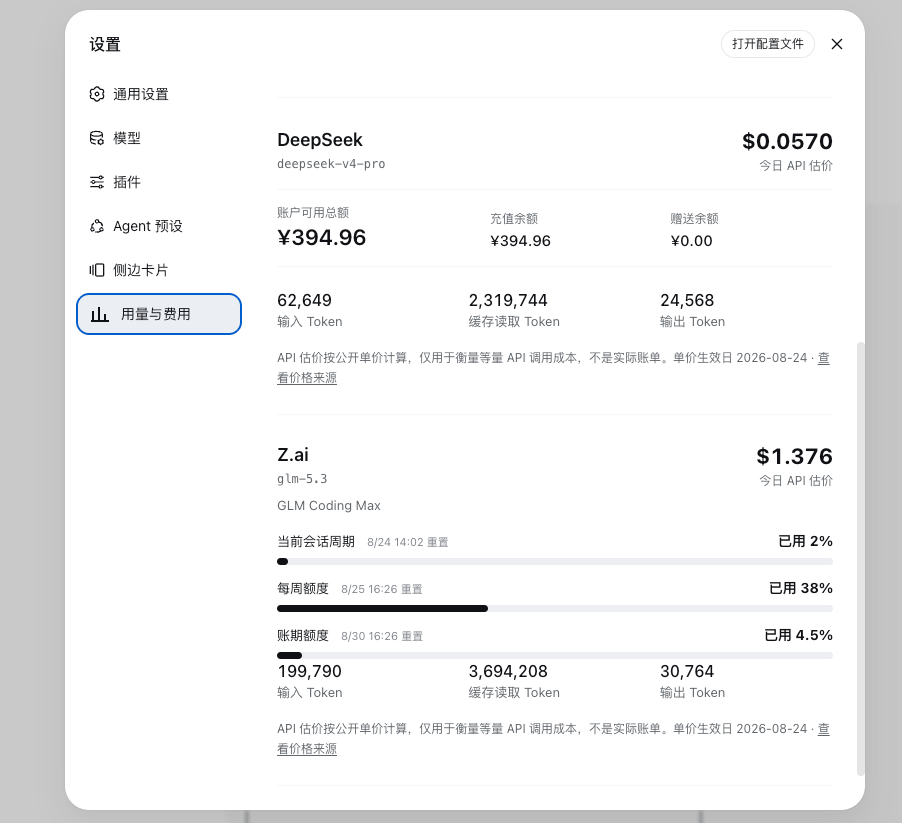 ## Features - Daily input, cached-input, and output token usage grouped by provider and model. - A 365-day token activity heatmap with total tokens, peak daily tokens, current streak, and longest streak. - DeepSeek account balance, including available, topped-up, and granted balances. - Z.ai Coding Plan quota percentages for the current session window, weekly window, and billing cycle. - Kimi Code membership tier plus rolling 5-hour and weekly quota percentages. - API-equivalent cost estimates calculated from public model rates. - Persistent snapshots with stale-while-revalidate loading for instant repeat visits. - English and Chinese UI that follows the active DSH language setting. - Local-only aggregation and a loopback-only read API. ## Estimate vs. actual charge API estimates answer: “What would the same token usage cost at public API rates?” They are not invoices and are not treated as subscription charges. - Metered providers show today’s estimated API cost and any supported account balance. - Subscription providers show quota consumption percentages plus an API-equivalent estimate. - Pricing source links and effective dates are shown directly in the UI. - Rates come from the public [models.dev](https://models.dev) catalog, cached for 12 hours and revalidated conditionally; `DSH_USAGE_CENTER_CATALOG_URL` points it at another source. - A model the catalog knows needs no configuration at all. An entry in `src/pricing.js` dated later than the catalog entry wins, so hand-verified rates (and DeepSeek’s off-peak figures, which bill double during peak hours) stay authoritative. - If the catalog cannot be fetched, the last cached copy is used and the local table still covers known models. Prices fall back to the model name, so the same model reached through a proxy such as LiteLLM still prices. ## Requirements - DeepSeek Harness Web with plugin support. - Node.js `>= 22.19.0`. ## Quick install ```sh dsh plugin --profile web add dsh-usage-center ``` Restart DSH Web after installing: ```sh dsh web ``` The npm package and repository include a prebuilt plugin bundle, so installation does not require pnpm `allowBuilds` configuration. To install directly from GitHub, use `github:Tieboyh/dsh-usage-center` as the package name. ## Install from source ```sh git clone https://github.com/Tieboyh/dsh-usage-center.git cd dsh-usage-center npm install npm run check dsh plugin --profile web add "$PWD" ``` Use the source workflow when developing or modifying the plugin. Restart DSH Web after installing, upgrading, or removing it. ## Credentials The plugin reuses DSH credentials. API keys are resolved only by the server process and are never returned to the browser or written into the snapshot. | Credential | Purpose | | --- | --- | | `DEEPSEEK_API_KEY` | Reads the DeepSeek account balance. | | `ZAI_CODING_CN_API_KEY` | Reads quota windows for a China-region Z.ai Coding Plan. | | `ZAI_API_KEY` | Fallback credential for a Z.ai Coding Plan. | | `ZAI_API_REGION` | Optional Z.ai region override. | | `KIMI_CODING_API_KEY` | Reads the Kimi Code membership tier and subscription quota windows. | ## Data and refresh behavior Usage is derived locally from DSH session events. Repeated cumulative usage samples for the same turn and step replace earlier samples instead of being double-counted. - Live sessions are read incrementally through `ctx.sessions` `snapshotEvents`; stored sessions through `sessionPersistence` `open`/`read`, skipping any session whose `revision` and read cursor are unchanged. - Forked sessions are counted from `inheritedEventCount`, so inherited parent history is never counted twice. - A refresh reads only newly appended events; the first cold pass reads the full history once, and later refreshes normally finish in tens of milliseconds. - The last successful result is saved to `