📊 Monitor compute resources, 🔄 sync projects, 🚀 launch jobs, and 📈 stay on top of every run.
RackTop is a desktop workspace for individual researchers and small teams managing GPU servers. It brings compute status, remote terminals, project assets, and training jobs from multiple Linux servers into one place.
Find the right GPU before launching a job, monitor resources and processes while it runs, and keep projects, datasets, and models ready when switching between servers.
## Download
Current stable release: **v1.26.0**
| Platform | Installer | Download |
| --- | --- | --- |
| macOS Apple Silicon | `RackTop_1.26.0_macos-arm64.dmg` | [Download for macOS](https://github.com/Tongzh-SEU/RackTop/releases/download/v1.26.0/RackTop_1.26.0_macos-arm64.dmg) |
| Windows x64 | `RackTop_1.26.0_x64-setup.exe` | [Download for Windows](https://github.com/Tongzh-SEU/RackTop/releases/download/v1.26.0/RackTop_1.26.0_x64-setup.exe) |
| Linux Ubuntu/Debian x64 | `RackTop_1.26.0_amd64.deb` | [Download for Linux](https://github.com/Tongzh-SEU/RackTop/releases/download/v1.26.0/RackTop_1.26.0_amd64.deb) |
See [GitHub Releases](https://github.com/Tongzh-SEU/RackTop/releases) for additional versions.
A DEB installer is available for Linux. A portable AppImage is also available on the Releases page above.
If macOS blocks the app the first time you open it, go to **System Settings → Privacy & Security** and allow the app to open.
If Windows reports that "Smart App Control has blocked an app that may be unsafe," search for **Smart App Control** in Settings and turn it off.
## A Note from the Author
As the number of lab servers grows, keeping projects in sync, launching jobs, and checking server status becomes increasingly cumbersome. Asking AI to handle these tasks often consumes a surprising amount of time and tokens, so I built RackTop to bring these repetitive operations into a tool you can actually use directly.
Of course, building the app itself also consumed plenty of tokens. At least now, the next time I launch a job, I will not have to explain the servers, projects, and commands all over again.
## Key Features
- **Multi-server compute overview**: View GPU, CPU, system memory, temperature, utilization, and process status in one place, then quickly locate resources by server or GPU.
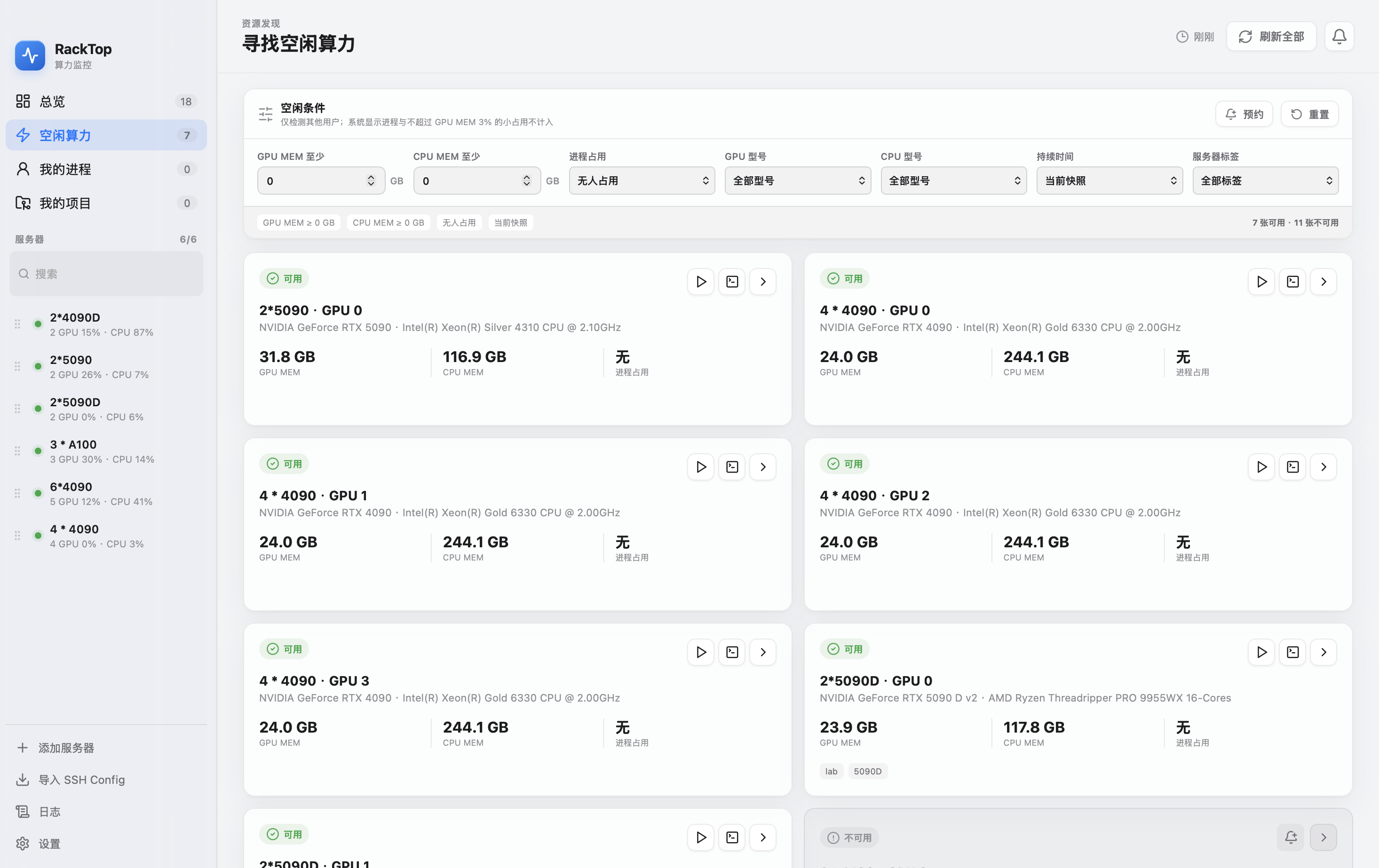
- **Idle compute discovery**: Filter available GPUs by VRAM, utilization, occupancy, and idle duration, then open a remote terminal or proceed directly to job launch.
- **Remote terminals**: Open server terminals over SSH for quick environment checks, file inspection, and pre-launch troubleshooting.
- **Project asset management**: Organize working directories by project and associate them with datasets and models. Check their status across servers, synchronize copies, and restore missing assets.
- **Launch profiles and job management**: Save project-level launch profiles and switch working directories, GPU IDs, shell commands, hyperparameters, and log paths across servers and GPUs before launching and monitoring jobs from one place.
- **Runtime status and history**: Inspect RackTop jobs and external processes, logs, resource monitoring, history heatmaps, and notifications for offline servers, high temperatures, idle resources, and process exits.
- **Secure connections**: Supports SSH Agent, keys, passwords, `~/.ssh/config`, ProxyJump, and host key fingerprint verification. Unknown hosts are never accepted automatically.
## Security and Data
- RackTop never accepts an unverified host key automatically, and a changed fingerprint blocks the connection.
- Passwords are never written to command lines, logs, or SQLite. They remain in session memory or the system keychain.
- RackTop never runs `sudo` or modifies remote servers without confirmation.
- Server, project, dataset, model, launch profile, and history data is stored in the local application data directory. Uninstalling the app usually does not remove this data automatically. To remove everything, first export or delete data from the app settings, then clear the application data directory according to your operating system.
## Developer Guide
RackTop is built with Tauri 2, React, TypeScript, Rust, and SQLite. Development requires Node.js 20+, the stable Rust toolchain, and the system OpenSSH client.
```bash
npm install
npm run dev
npm run tauri dev
```
Run the frontend build and Rust tests:
```bash
npm run build
cargo test --manifest-path src-tauri/Cargo.toml
```
Build a local package:
```bash
npm run tauri build
```
On macOS, the application bundle and DMG are written to `src-tauri/target/release/bundle/`. GitHub Actions builds the macOS and Windows installers separately.
## Product Guide
### 1. Add a Server
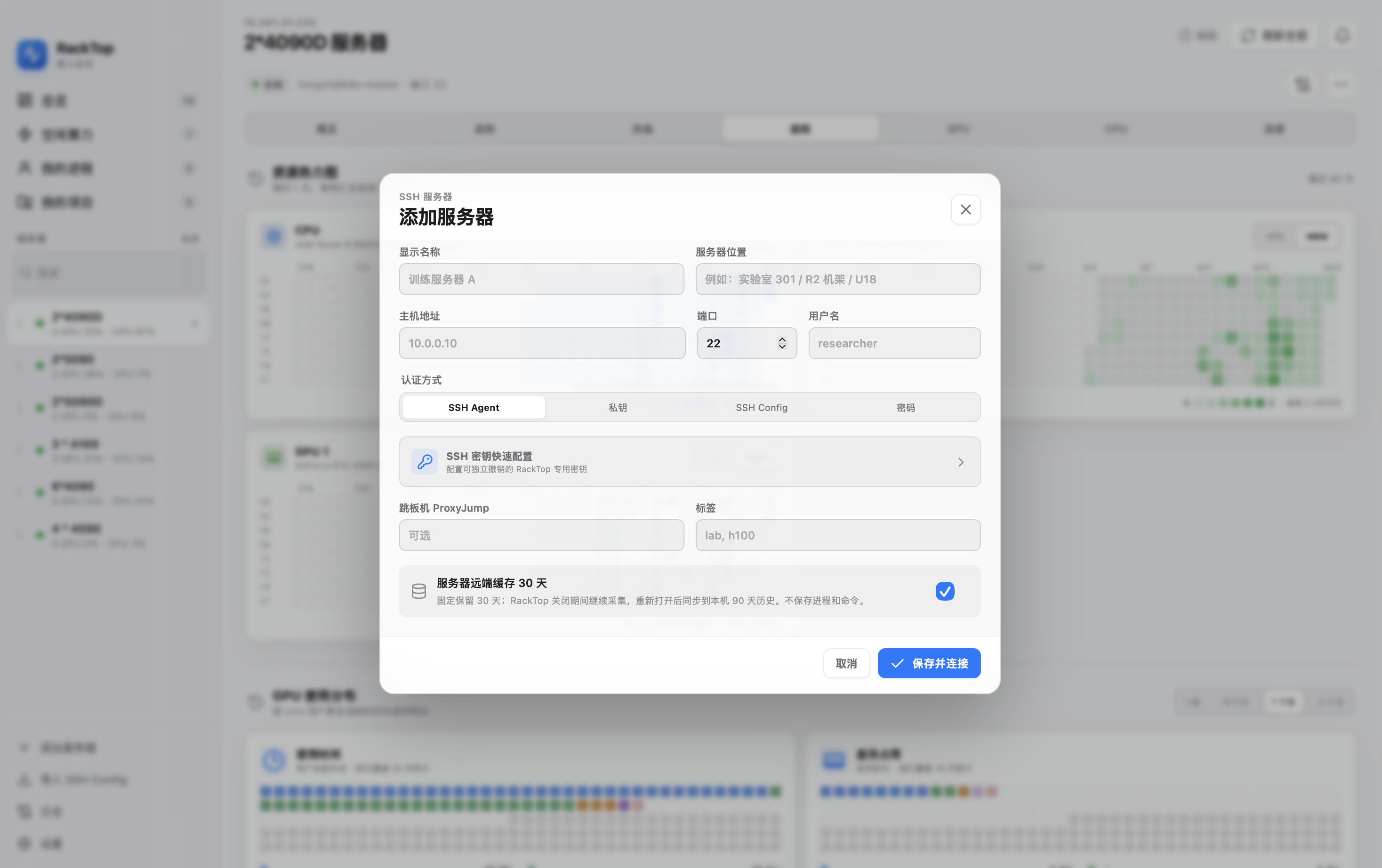
Start by selecting **Add Server**. Enter the SSH address, port, and login user; choose SSH Agent, key, or password authentication as needed; and verify the host key. RackTop reads server resources over SSH, so no additional service needs to be installed on the server.
### 2. View Server and GPU Status
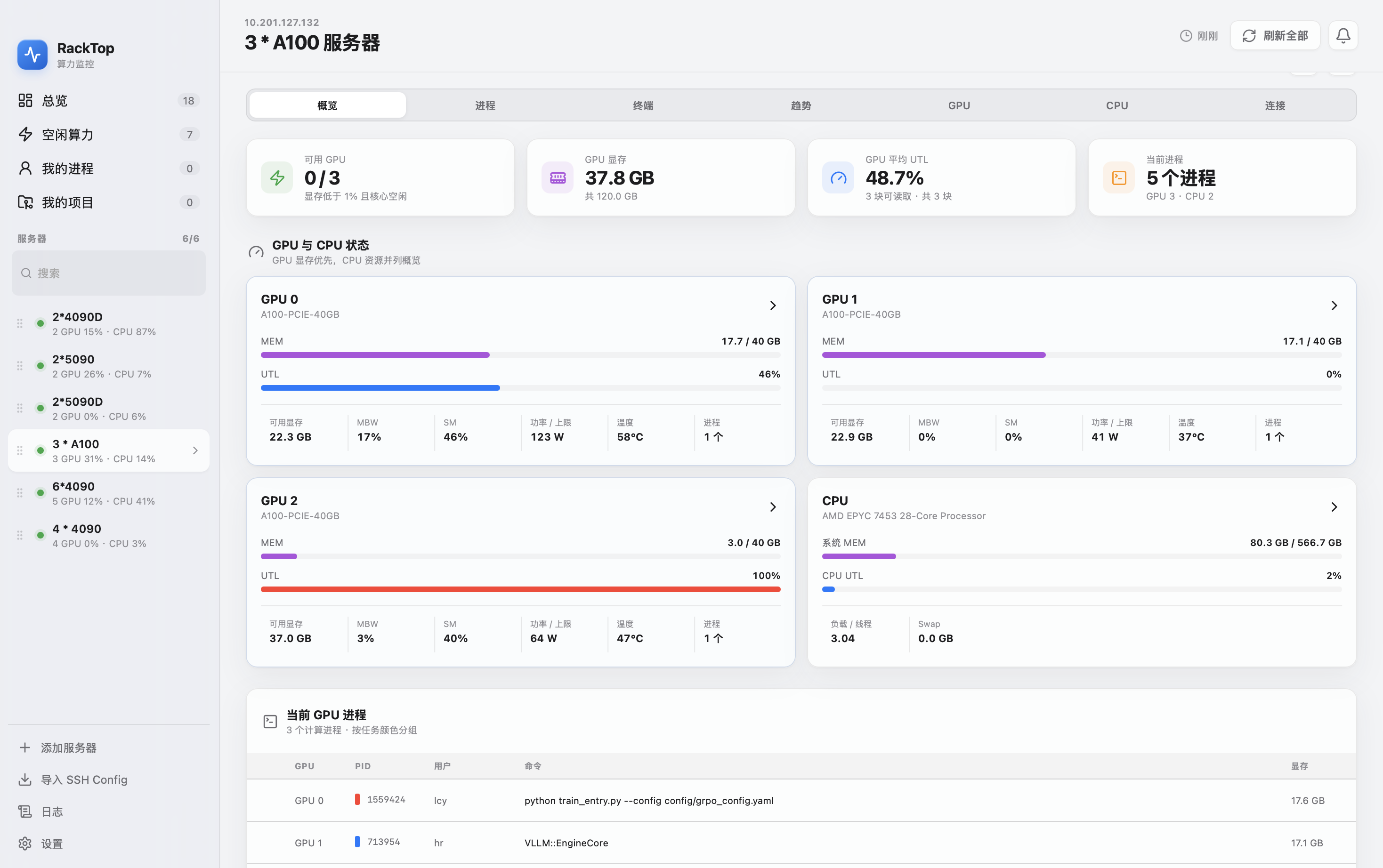
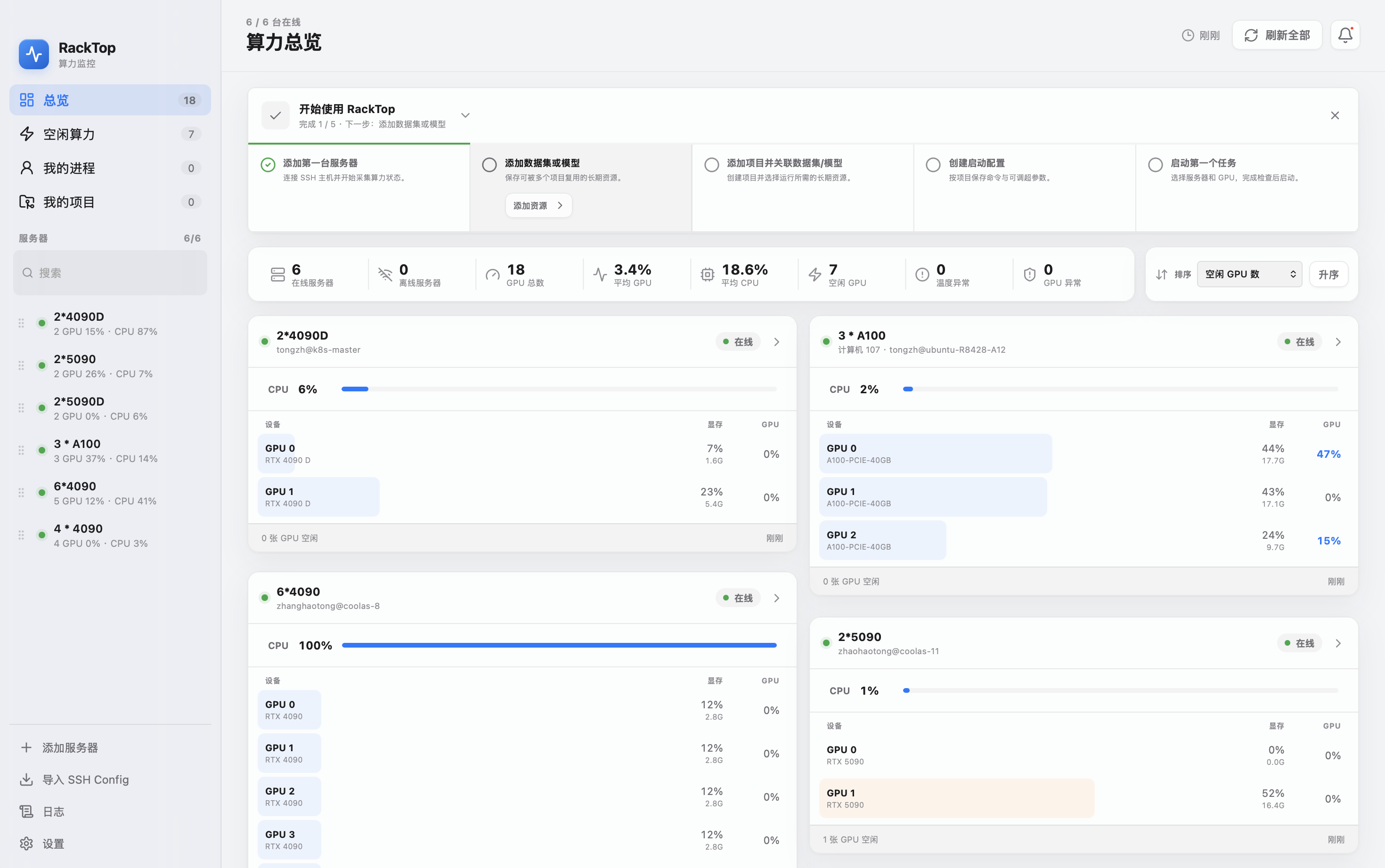
The overview displays the GPU count, GPU memory, system memory, and online status for each server. Open a server to inspect utilization, memory, temperature, active processes, and CPU status for every GPU, then select a card for more details.
### 3. Use the Remote Terminal
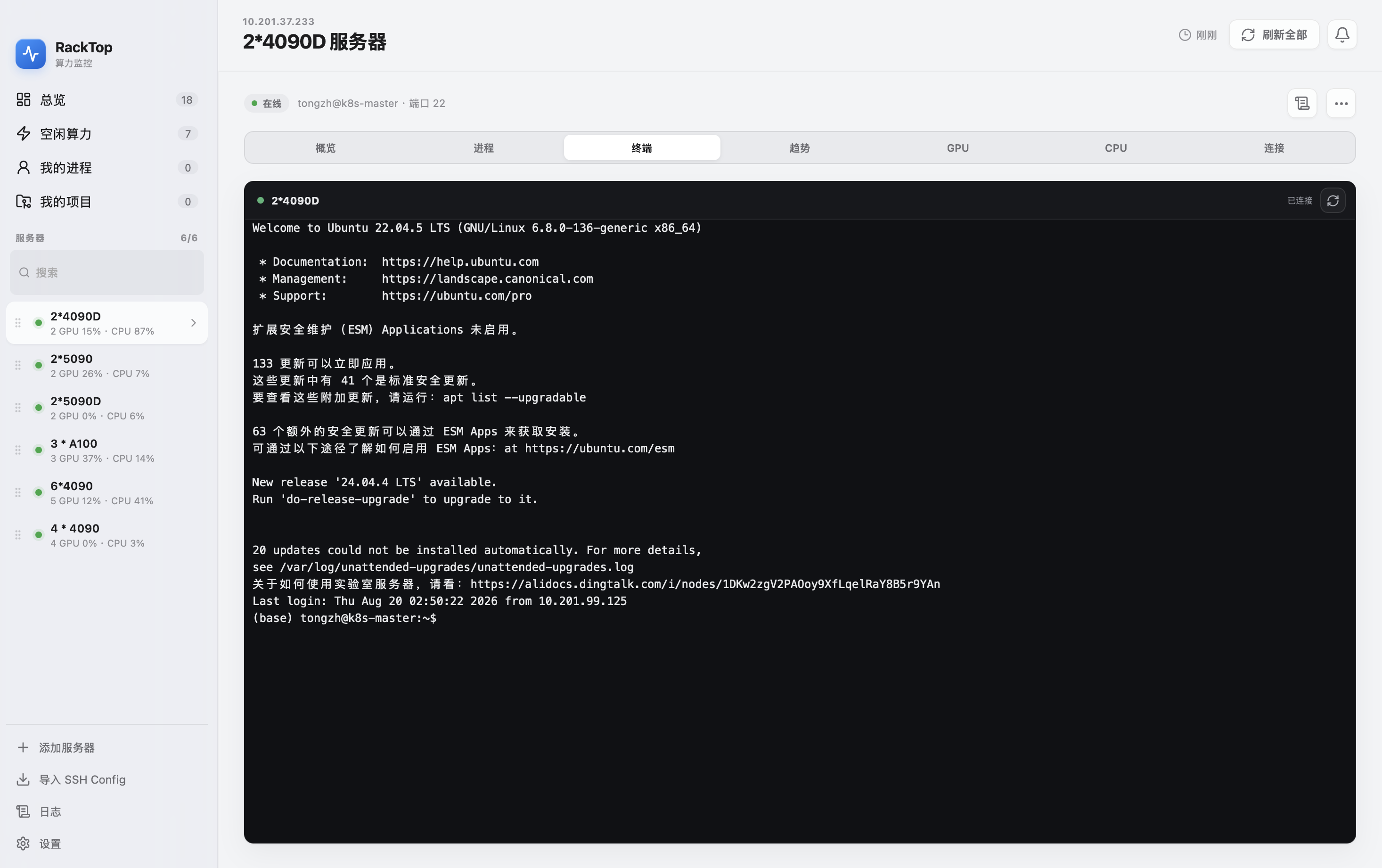
When you need to inspect an environment, open the remote terminal for the relevant server. It reuses the configured SSH connection and is suitable for running checks, confirming directories, validating Python environments, and troubleshooting launch issues.
### 4. Find Idle Compute Resources
In **Idle Compute**, filter resources by GPU utilization, available VRAM, process occupancy, and idle duration. Select the launch button to begin creating a job, or select the terminal button to open a remote terminal without changing the job configuration.
### 5. View Resource History
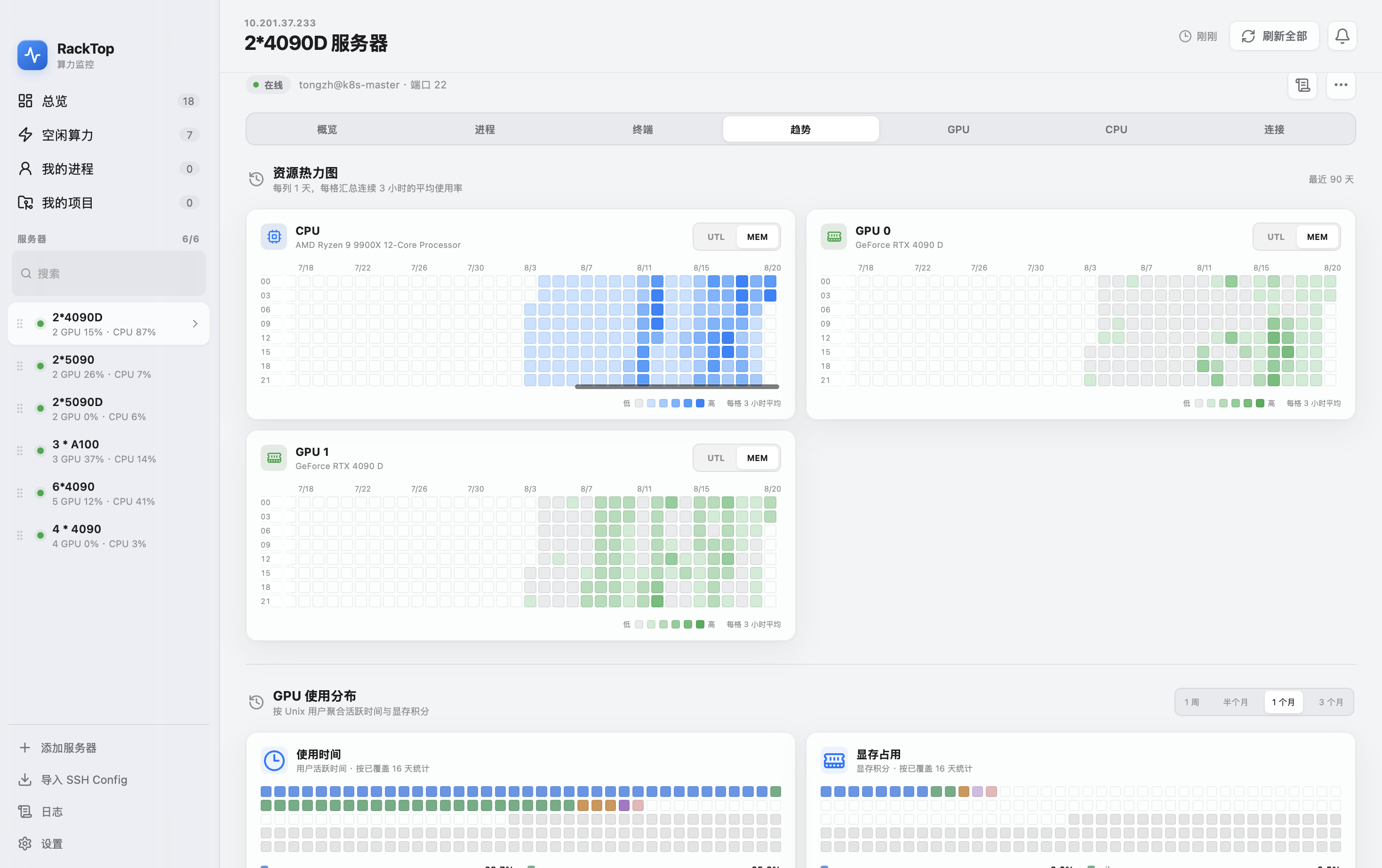
Resource History presents recent GPU usage as a heatmap, with the time axis fixed on the left and the layout adapting to the window size. Use it to see when a server is busy, identify GPUs that have remained idle, and spot unusual changes during a run.
### 6. Manage Projects, Datasets, and Models
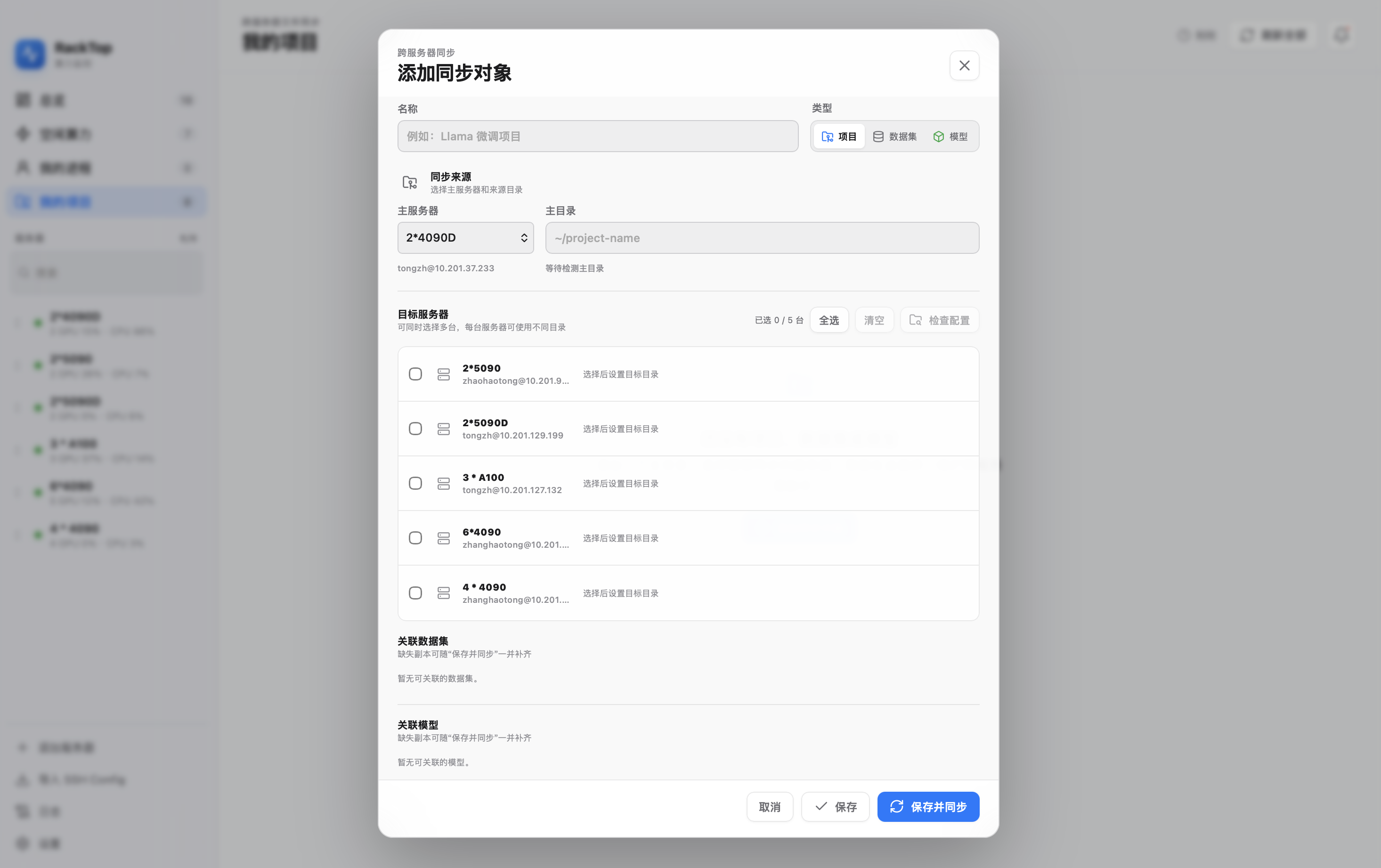
Projects are the core unit of long-term organization. After associating datasets and models with a project, RackTop checks their paths and replica status on the target server. When moving a job to another server, use the synchronization dialog to identify missing assets and synchronize or restore them. A dataset or model can be associated with multiple projects.
### 7. Create and Launch a Job
Launch profiles are saved per project. The same hyperparameter configuration can use different working directories, GPU IDs, and commands on different servers. When you paste an existing command, RackTop recognizes `cd`, `CUDA_VISIBLE_DEVICES`, and project log paths, then generates a preview before launch. If no project log path is provided, RackTop uses its own managed log path so logs remain available from the Jobs view.
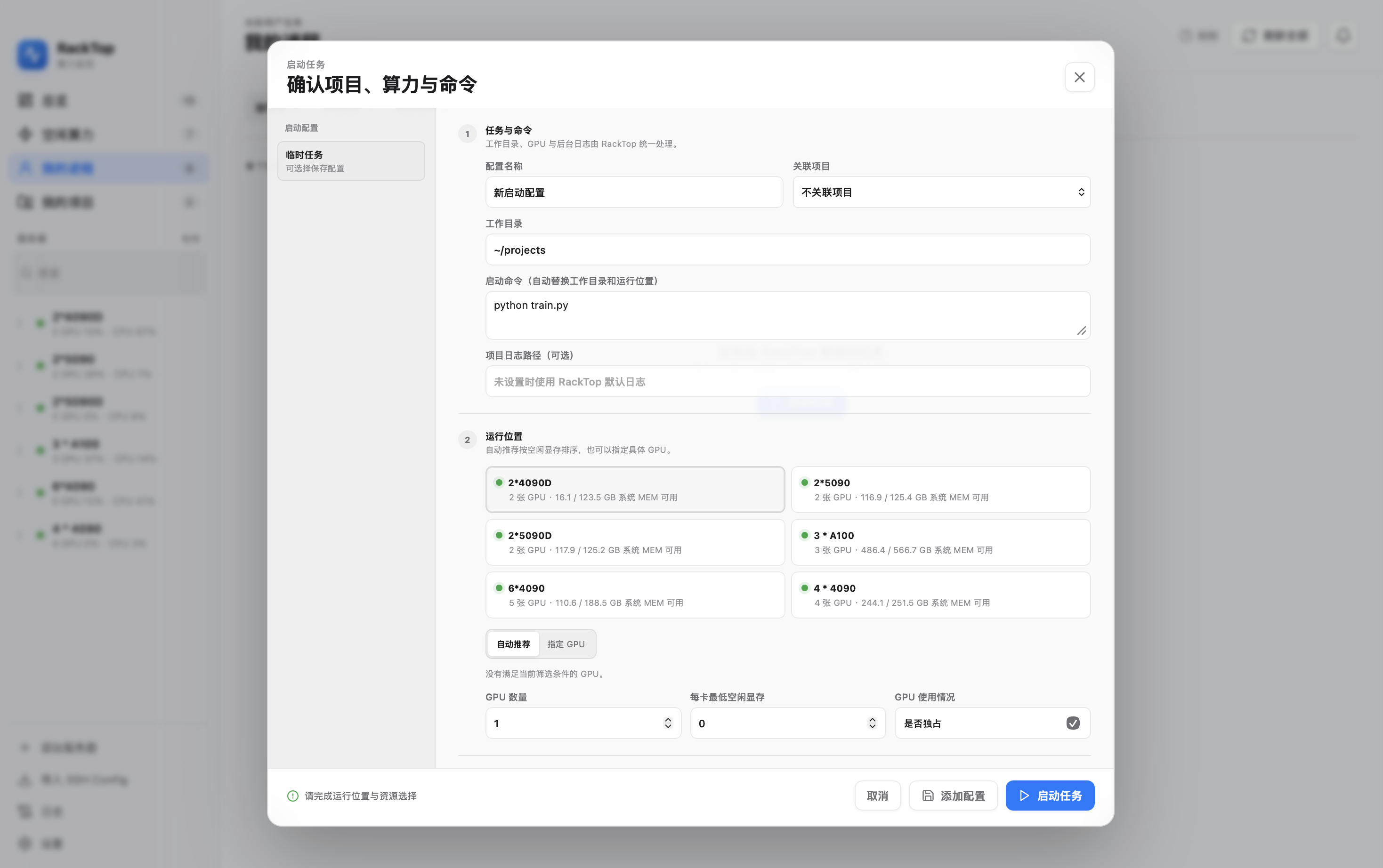
After launch, open **My Processes** to view job status, logs, and resource usage, or to safely stop a RackTop job or external process.