# Light
[](https://travis-ci.org/TonnyL/Light)
[  ](https://bintray.com/tonnyl/maven/light/_latestVersion)
The usual Snackbar, but elegant. Inspired by [Toasty](https://github.com/GrenderG/Toasty).
## Screenshots
| success | Info | warning |
| :-------------: | :-------------: | :-------------: |
| 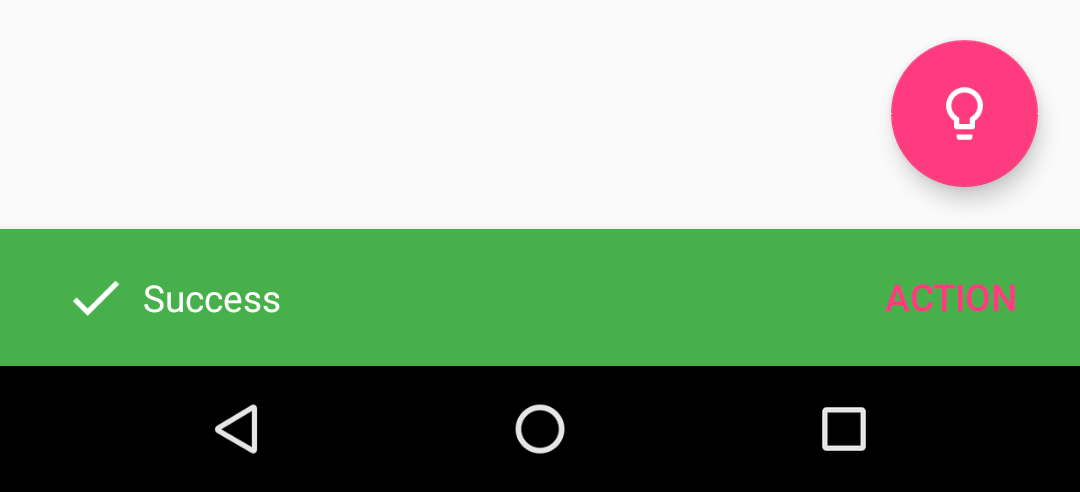 | 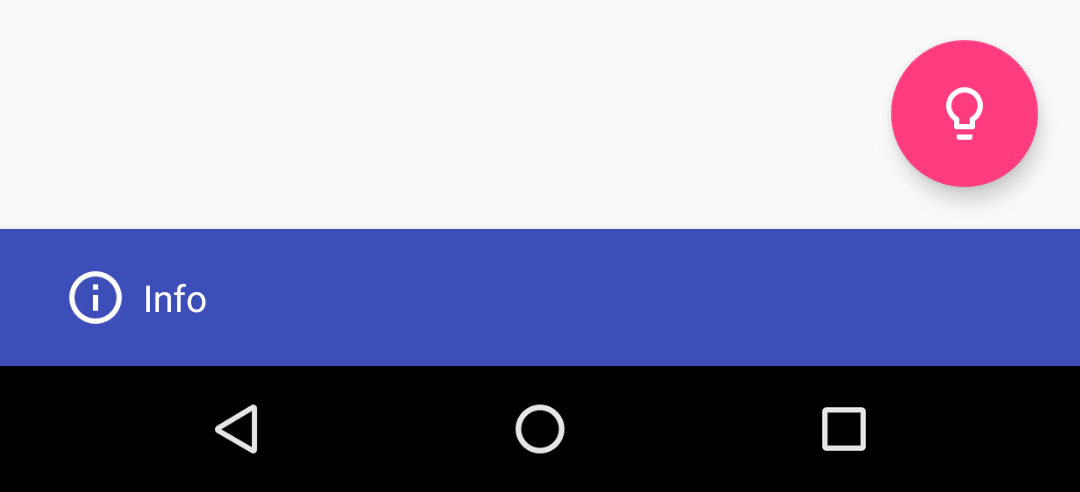 | 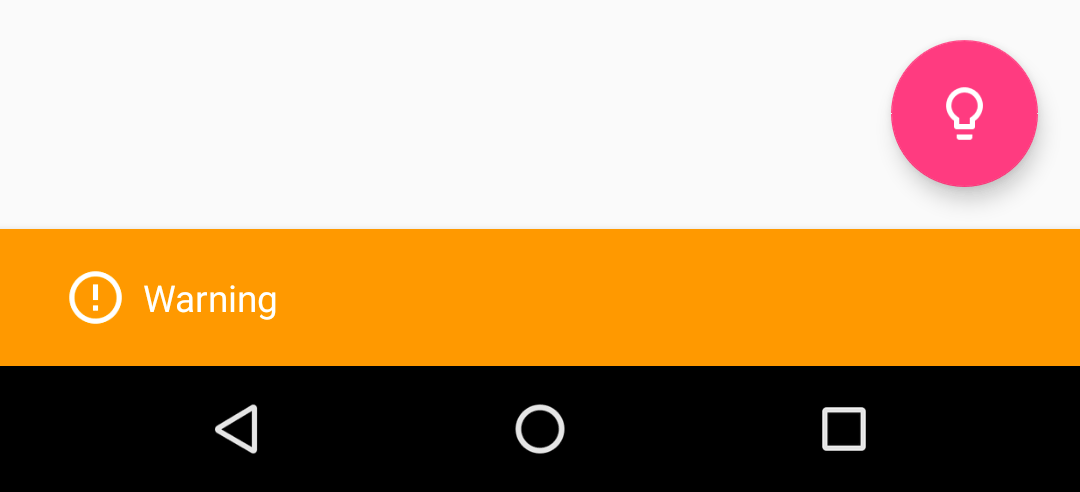 |
| Error | Normal | Custom |
| :-------------: | :-------------: | :-------------: |
| 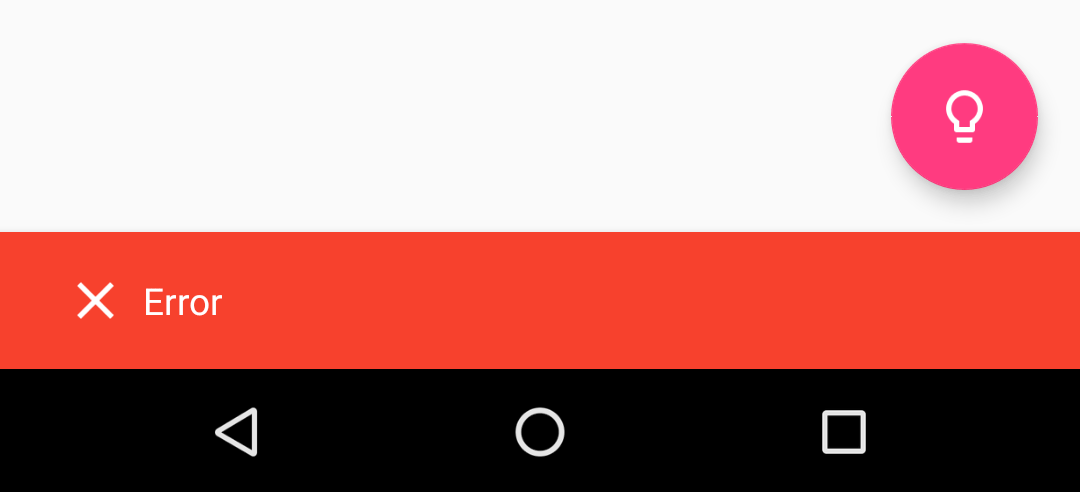 | 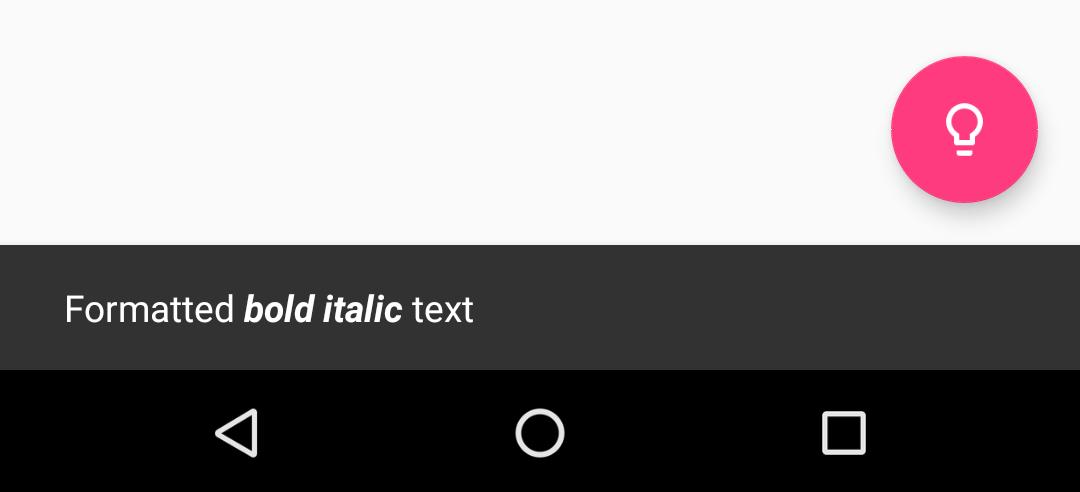 | 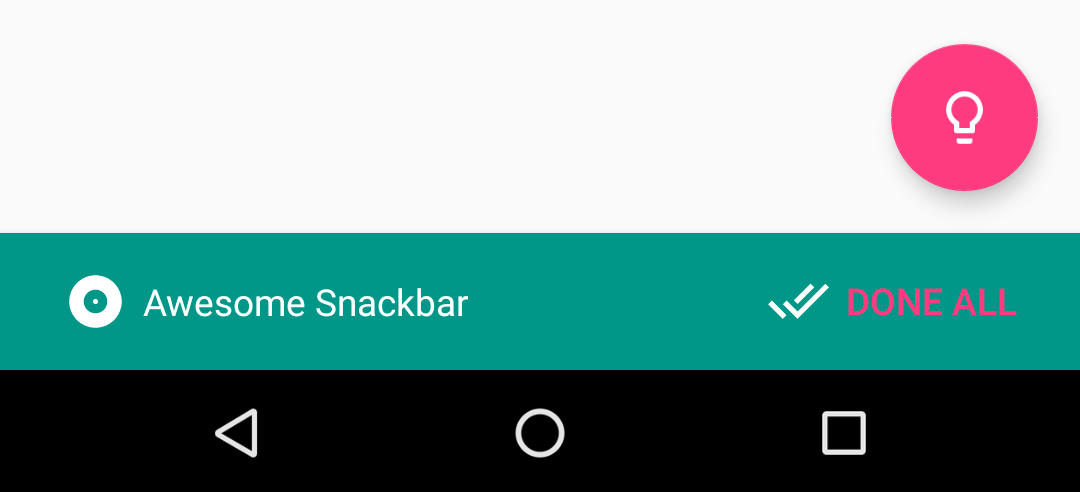 |
## Download
### Gradle
Add the code below to your **root** `build.gradle` file (`NOT` your module `build.gradle` file, check [here](./build.gradle) for an example).
```gradle
allprojects {
repositories {
jcenter()
}
}
```
Add the code below to your **module**'s `build.gradle` file:
```gradle
dependencies {
implementation 'io.github.tonnyl:light:latest_version'
}
```
### Maven
```xml
io.github.tonnyl
light
latest_version
pom
```
## Usage
Each method always returns a `Snackbar` object, so you can customize the Snackbar much more. **DO NOT FORGET TO CALL THE `show()` METHOD!**
+ To display a success Snackbar:
```Kotlin
// Kotlin
import io.github.tonnyl.light.success
success(fab, "Success", Snackbar.LENGTH_SHORT)
.setAction("Action", {
Toast.makeText(this@MainActivity, "Hello, Light!", Toast.LENGTH_SHORT).show()
})
.show()
```
```Java
// Java
Light.success(fab, "Success", Snackbar.LENGTH_SHORT)
.setAction("Action", v ->
Toast.makeText(SettingsActivity.this, "Hello, Light!", Toast.LENGTH_SHORT).show())
.show());
```
+ To display an info Snackbar:
```Kotlin
// Kotlin
import io.github.tonnyl.light.info
info(fab, "Info", Snackbar.LENGTH_SHORT).show()
```
```Java
// Java
Light.info(fab, "Info", Snackbar.LENGTH_SHORT).show());
```
+ To display a warning Snackbar:
```Kotlin
// Kotlin
import io.github.tonnyl.light.warning
warning(fab, "Warning", Snackbar.LENGTH_SHORT).show()
```
```Java
// Java
Light.warning(fab, "Warning", Snackbar.LENGTH_SHORT).show());
```
+ To display an error Snackbar:
```Kotlin
// Kotlin
import io.github.tonnyl.light.error
error(fab, "Error", Snackbar.LENGTH_SHORT).show()
```
```Java
// Java
Light.error(fab, "Error", Snackbar.LENGTH_SHORT).show());
```
+ To display the usual Snackbar:
```Kotlin
// Kotlin
import io.github.tonnyl.light.normal
normal(fab, "Normal", Snackbar.LENGTH_SHORT).show()
```
```Java
// Java
Light.normal(fab, "Normal", Snackbar.LENGTH_SHORT).show();
```
+ You can also create your own Snackbar in custom-designed style:
```Kotlin
// Kotlin
import io.github.tonnyl.light.make
make(
fab, // // The view to find a parent from.
"Awesome Snackbar", // The message to show.
Snackbar.LENGTH_INDEFINITE, // How long to display the message.
R.drawable.ic_album_white_24dp, // The left icon of message to show.
R.color.color_cyan, // The background color of Snackbar.
android.R.color.white, // The color of text to show.
R.drawable.ic_done_all_white_24dp,
R.color.colorAccent) // The left icon of action text.
.setAction("Done all", {
// Do whatever you want to do.
Toast.makeText(this@MainActivity, "Hello, Light!", Toast.LENGTH_SHORT).show()
})
.show()
```
```Java
// Java
Light.make(
fab,
"Awesome Snackbar",
Snackbar.LENGTH_SHORT,
R.drawable.ic_album_white_24dp,
R.color.color_cyan,
android.R.color.white,
R.drawable.ic_done_all_white_24dp,
R.color.colorAccent)
.setAction("Done all", v ->
Toast.makeText(SettingsActivity.this, "Hello, Light!", Toast.LENGTH_SHORT).show())
.show());
```
## Extra
[You can pass formatted text to Light!](./app/src/main/java/io/github/tonnyl/sample/MainActivity.kt#L70-L79)
## Pull Request
Have some new ideas or find a bug? Do not hesitate to open an `issue` and make a `pull request`.
## License
**Light** is under an **MIT** license. See the [LICENSE](LICENSE) file for more info.