AI-Powered Image Generation MCP Server using Google Nano Banana 2 with custom endpoint


Features • Installation • Usage • Tools • Custom API Endpoint • Docker • Troubleshooting
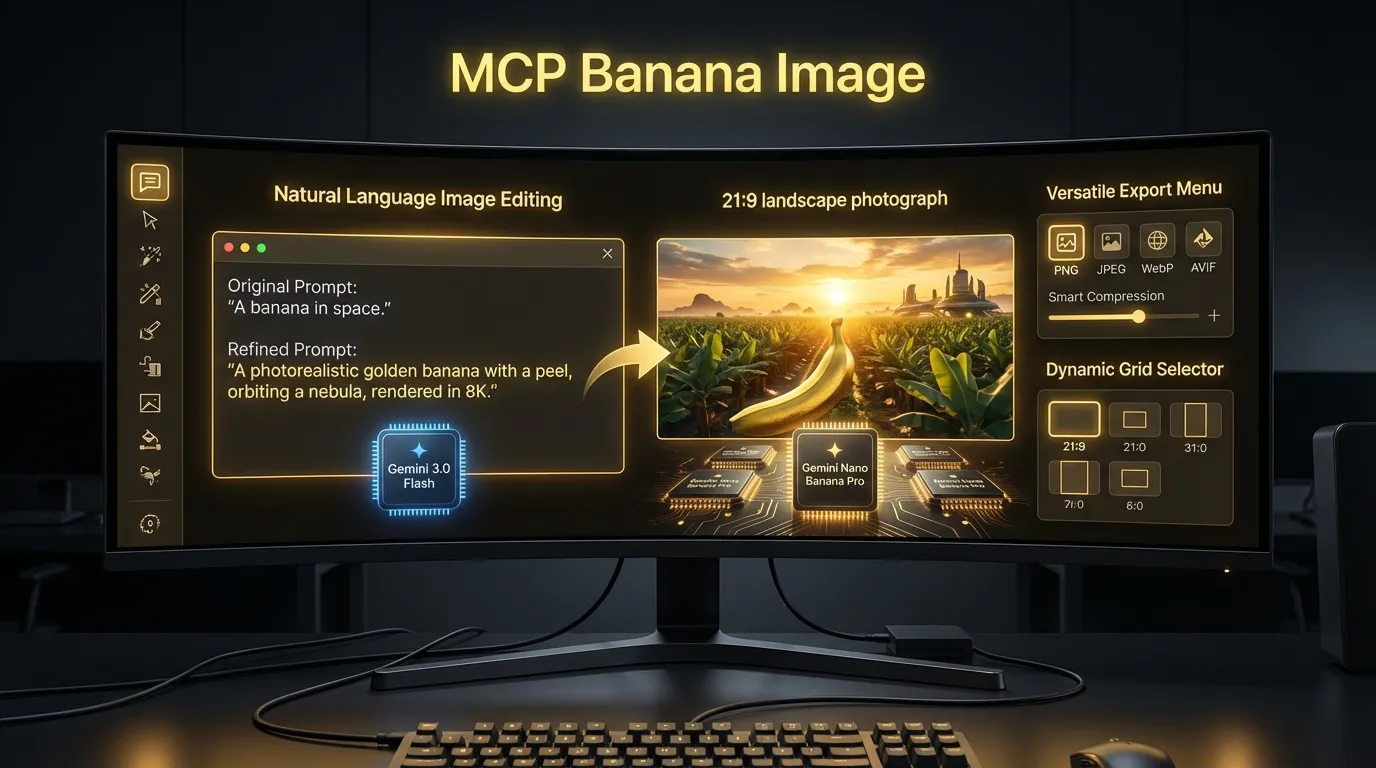
--- ## Overview **MCP Banana Image** is a Model Context Protocol (MCP) server that brings AI-powered image generation capabilities to your favorite AI coding assistants. Built with Google's Nano Banana 2 (gemini-3.1-flash-image) for image generation and gemini 3 flash for text enhancement, it offers **16 specialized tools** for image generation, editing, analysis, and processing - all through a simple natural language interface. ### Highlights - **16 Specialized Tools** - From simple generation to advanced style transfer - **Custom API Endpoint Support** - Use with [Cliproxyapi](https://github.com/router-for-me/CLIProxyAPI) or other Gemini API proxies - **Intelligent Prompt Enhancement** - Automatically optimizes your prompts for better results - **Dual Transport** - STDIO (default) and HTTP (Streamable HTTP Transport) - **Docker Ready** - Deploy as HTTP server with Docker ## Features | Category | Features | |----------|----------| | **Generation** | AI image generation, logos, icons, products, social media, UGC, infographics, character sets | | **Editing** | Image editing, background removal, image blending, style transfer | | **Analysis** | AI-powered image analysis with descriptions, alt-text, tags, and OCR | | **Processing** | Format conversion, resizing, compression | | **Quality** | 2K/4K resolution, 10 aspect ratios, 4 output formats, smart compression | | **Consistency** | Character consistency, style transfer, reference image support | | **Integration** | Google Search grounding, world knowledge, platform-specific optimization | ## Requirements - **Node.js** 20+ - **Gemini API Key** from [Google AI Studio](https://aistudio.google.com/apikey) or [Cliproxyapi](https://github.com/router-for-me/CLIProxyAPI) ## Installation ### Claude Code ```bash claude mcp add mcp-banana-image \ --env GEMINI_API_KEY=your_api_key \ --env GEMINI_BASE_URL=https://generativelanguage.googleapis.com \ --env IMAGE_OUTPUT_DIR=/path/to/output \ --env SKIP_PROMPT_ENHANCEMENT=false \ -- npx -y mcp-banana-image ``` Add `--scope user` for global installation. ### Cursor Add to `~/.cursor/mcp.json`: ```json { "mcpServers": { "mcp-banana-image": { "command": "npx", "args": ["-y", "mcp-banana-image"], "env": { "GEMINI_API_KEY": "your_api_key", "GEMINI_BASE_URL": "https://generativelanguage.googleapis.com", "IMAGE_OUTPUT_DIR": "/path/to/output", "SKIP_PROMPT_ENHANCEMENT": "false" } } } } ``` ### Codex Add to `~/.codex/config.toml`: ```toml [mcp_servers.mcp-banana-image] command = "npx" args = ["-y", "mcp-banana-image"] [mcp_servers.mcp-banana-image.env] GEMINI_API_KEY = "your_api_key" GEMINI_BASE_URL = "https://generativelanguage.googleapis.com" IMAGE_OUTPUT_DIR = "/path/to/output" SKIP_PROMPT_ENHANCEMENT = "false" ``` ### OpenCode Add to your `opencode.json` in your project root or `~/.config/opencode/config.json` for global config: ```json { "$schema": "https://opencode.ai/config.json", "mcp": { "mcp-banana-image": { "type": "local", "command": ["npx", "-y", "mcp-banana-image"], "enabled": true, "environment": { "GEMINI_API_KEY": "your_api_key", "GEMINI_BASE_URL": "https://generativelanguage.googleapis.com", "IMAGE_OUTPUT_DIR": "/path/to/output", "SKIP_PROMPT_ENHANCEMENT": "false" } } } } ``` With Cliproxy custom endpoint: ```json { "$schema": "https://opencode.ai/config.json", "mcp": { "mcp-banana-image": { "type": "local", "command": ["npx", "-y", "mcp-banana-image"], "enabled": true, "environment": { "GEMINI_API_KEY": "your_cliproxy_api_key", "GEMINI_BASE_URL": "https://yourdomain.com", "IMAGE_OUTPUT_DIR": "/path/to/output" } } } } ``` To use the tool, add `use mcp-banana-image` to your prompts or add this to your `AGENTS.md`: ```markdown When you need to generate, edit, or analyze images, use `mcp-banana-image` tools. ``` ## Custom API Endpoint MCP Banana Image supports **custom Gemini API endpoints**, allowing you to use alternative API providers like **[Cliproxy](https://github.com/router-for-me/CLIProxyAPI)** or your own proxy servers. ### Using with Cliproxy [Cliproxy](https://github.com/router-for-me/CLIProxyAPI) is a Gemini API proxy service that provides enhanced reliability, rate limiting, and additional features. ### Configuration Example (Claude Code with Cliproxy) ```bash claude mcp add mcp-banana-image \ --env GEMINI_API_KEY=your_cliproxy_api_key \ --env GEMINI_BASE_URL=https://yourdomain.com \ --env IMAGE_OUTPUT_DIR=/path/to/output \ -- npx -y mcp-banana-image ``` ### Configuration Example (manual json) ```json { "mcpServers": { "mcp-banana-image": { "command": "npx", "args": ["-y", "mcp-banana-image"], "env": { "GEMINI_API_KEY": "your_cliproxy_api_key", "GEMINI_BASE_URL": "https://yourdomain.com", "IMAGE_OUTPUT_DIR": "/path/to/output" } } } } ``` ### Security Notes - **Production**: Only HTTPS endpoints are allowed - **Development**: HTTP/localhost endpoints are permitted for testing - The endpoint URL is validated before use to prevent SSRF attacks ## Tools Reference MCP Banana Image provides **16 specialized tools** organized by category: ### Image Generation Tools | Tool | Description | Key Features | |------|-------------|--------------| | `generate_image` | Generate images from text prompts | Auto prompt enhancement, style presets, aspect ratios | | `generate_image_pro` | Advanced generation with full control | All parameters exposed, reference images, character consistency | | `generate_logo` | Generate professional logos | Business name/tagline, 8 styles, transparent backgrounds, color branding | | `generate_icon` | Generate icons, avatars, stickers | 6 styles (flat, outlined, 3D), multiple sizes (16-512px) | | `generate_product` | E-commerce product photography | 5 style presets, platform compliance (Amazon, Shopee, Tokopedia), 6 categories | | `generate_social_media` | Platform-optimized social content | 9 platforms, auto aspect ratios, text-safe zones | | `generate_ugc` | Authentic user-generated content | 7 scenarios, 10 settings, smartphone aesthetic | | `generate_infographic` | AI-powered infographics | 4 styles, 4 layouts, brand colors, icon hints | | `generate_character_set` | Consistent character series | Poses, expressions, 5 art styles, sprite sheet output | ### Image Editing Tools | Tool | Description | Key Features | |------|-------------|--------------| | `edit_image` | Edit images with natural language | Add/remove elements, change backgrounds, enhance | | `remove_background` | Remove image backgrounds | Transparent PNG output, AI-powered segmentation | | `blend_images` | Blend multiple images | 4 modes (seamless, collage, double-exposure, overlay), 2-4 images | | `style_transfer` | Apply artistic styles | Single/multiple references, style strength control, element preservation | ### Image Processing Tools | Tool | Description | Key Features | |------|-------------|--------------| | `convert_image` | Format conversion | PNG, JPEG, WebP, AVIF, compression presets | | `resize_image` | Resize images | Exact dimensions, 5 fit modes, aspect preservation | ### Analysis Tools | Tool | Description | Key Features | |------|-------------|--------------| | `analyze_image` | AI-powered image analysis | Descriptions, alt-text, tags, OCR, moderation | ## Usage Examples ### Basic Image Generation ``` "Generate a mountain landscape at sunset" ``` ### Logo Generation ``` generate_logo businessName='TechStart' tagline='Innovation Made Simple' style='modern' ``` ### Product Photography ``` generate_product productDescription='handmade leather wallet' style='premium' platform='amazon' ``` ### Social Media Content ``` generate_social_media content='summer sale announcement' platform='instagram-post' ``` ### User-Generated Content ``` generate_ugc description='person enjoying morning coffee' scenario='lifestyle' setting='home' ``` ### Character Set Generation ``` generate_character_set characterDescription='friendly robot mascot' poses=['front', 'waving'] style='cartoon' ``` ### Style Transfer ``` style_transfer referenceStyleImage='./van-gogh.jpg' contentDescription='mountain landscape' styleStrength=0.8 ``` ### Image Analysis ``` analyze_image imagePath='/path/to/photo.jpg' analysisType='description' ``` ### Background Removal ``` remove_background imagePath='/path/to/product.jpg' ``` ### Image Blending ``` blend_images imagePaths=['./bg.jpg', './subject.png'] instruction='Place subject on background' blendMode='seamless' ``` ### Infographic Generation ``` generate_infographic content='5 steps to improve productivity: 1. Set goals...' style='corporate' layout='vertical' ``` ### Image Resizing ``` resize_image inputPath='./photo.jpg' width=800 height=600 fit='cover' ``` ## Environment Variables ### Core Configuration | Variable | Required | Default | Description | |----------|----------|---------|-------------| | `GEMINI_API_KEY` | Yes | - | Google AI or Cliproxy API key | | `GEMINI_BASE_URL` | No | Google default | Custom API endpoint (e.g., Cliproxy) | | `IMAGE_OUTPUT_DIR` | No | `./output` | Output directory for generated images | | `SKIP_PROMPT_ENHANCEMENT` | No | `false` | Disable automatic prompt optimization | ### HTTP Transport Configuration | Variable | Required | Default | Description | |----------|----------|---------|-------------| | `MCP_TRANSPORT` | No | `stdio` | Transport mode: `stdio` or `http` | | `MCP_API_KEY` | Yes (http) | - | API key for HTTP authentication | | `MCP_HTTP_PORT` | No | `3000` | HTTP server port | | `MCP_HTTP_HOST` | No | `0.0.0.0` | HTTP server bind address | | `MCP_CORS_ORIGIN` | No | `*` | CORS allowed origins | | `MCP_HTTP_TIMEOUT` | No | `300000` | HTTP request timeout in ms | ## Output Formats & Compression ### Supported Formats | Format | Description | Transparency | Best For | |--------|-------------|--------------|----------| | `png` | Lossless | Yes | Graphics, logos, icons | | `jpeg` | Lossy | No | Photos, large images | | `webp` | Modern | Yes | Web optimization | | `avif` | Best compression | Yes | Modern browsers | ### Compression Presets | Preset | Description | Use Case | |--------|-------------|----------| | `lossless` | No quality loss | Archival, source files | | `high` | Minimal loss | Professional work | | `balanced` | Good quality/size ratio | General use | | `maximum` | Smallest file size | Web optimization | ### Aspect Ratios ``` 1:1, 2:3, 3:2, 3:4, 4:3, 4:5, 5:4, 9:16, 16:9, 21:9 ``` ## Docker Deployment ### Build and Run ```bash docker build -t mcp-banana-image . docker-compose up ``` ### docker-compose.yml ```yaml services: mcp-banana-image: build: . ports: - "3000:3000" volumes: - ./output:/app/output environment: - GEMINI_API_KEY=${GEMINI_API_KEY} - GEMINI_BASE_URL=${GEMINI_BASE_URL} - MCP_API_KEY=${MCP_API_KEY} - MCP_TRANSPORT=http ``` ### Health Check ```bash curl http://localhost:3000/health ``` **Response:** ```json { "status": "ok", "timestamp": "2024-01-01T00:00:00.000Z", "sessions": 0 } ``` ## Architecture ```mermaid flowchart TB subgraph Client A[AI Assistant] end subgraph MCP Server B[Transport Layer] C[MCP Handler] D[Tool Registry] E[16 Specialized Tools] F[Image Processor] G[File Manager] end subgraph "AI Providers" H[Gemini API] I[Cliproxy API] end A -->|STDIO/HTTP| B B --> C C --> D D --> E E -->|API Calls| H E -->|API Calls| I E --> F F -->|Save| G G --> J[(Output)] ``` ## Troubleshooting ### API key not found - Verify `GEMINI_API_KEY` is set correctly - For Cliproxy: ensure you're using the correct Cliproxy API key - Check key permissions at [Google AI Studio](https://aistudio.google.com/apikey) ### Custom endpoint connection failed - Verify `GEMINI_BASE_URL` is correctly formatted (include full URL with protocol) - Ensure the endpoint is accessible from your network - For production: only HTTPS endpoints are allowed ### Image not saved - Ensure `IMAGE_OUTPUT_DIR` is an absolute path - Check directory write permissions - Verify disk space availability ### Generation timeout - High resolution images (4K) take longer - Character sets with many poses/expressions take longer - Consider increasing `MCP_HTTP_TIMEOUT` for HTTP mode - Check network connectivity to API endpoint ### Prompt blocked by safety filters - Rephrase your prompt to avoid potentially sensitive content - The AI may reject prompts that could generate inappropriate imagery ### Character consistency issues - Provide detailed character descriptions - Use reference images when available - Enable `maintainCharacterConsistency` option ## Development ```bash # Install dependencies npm install # Build npm run build # Run tests npm test # Run with coverage npm run test:coverage # Lint and format npm run check:all ``` ## License MIT ## Contributing We welcome contributions! Please read our [Contributing Guide](./CONTRIBUTING.md) for guidelines on how to submit changes. ---Made with ❤️ by Trigi Digital