# DK64Recomp-NX
## What it is
DK64Recomp-NX is an unofficial port of Donkey Kong 64 (Nintendo 64, 1999) to the Nintendo Switch (homebrew). The
game's MIPS code is translated to C ahead of time by a static recompiler, the N64 system it runs on is reimplemented
natively, and its graphics are drawn with [GLideN64](https://github.com/gonetz/GLideN64) on OpenGL. There is no CPU
emulation.
It is a fork of [Donkey Kong 64: Recompiled](https://github.com/Rainchus/Donkey-Kong-64-Recompiled) 1.0.3, which
runs the same recompilation on Windows, Linux and macOS. The game code is the same; what changes is everything
around it: the renderer (GLideN64 instead of RT64, which needs Vulkan, D3D12 or Metal), the OS layer and the
threading model. The PC version is built and released from upstream; its README is kept here as
[docs/upstream-README.md](docs/upstream-README.md). How the Switch layer works: [How it works](#how-it-works).
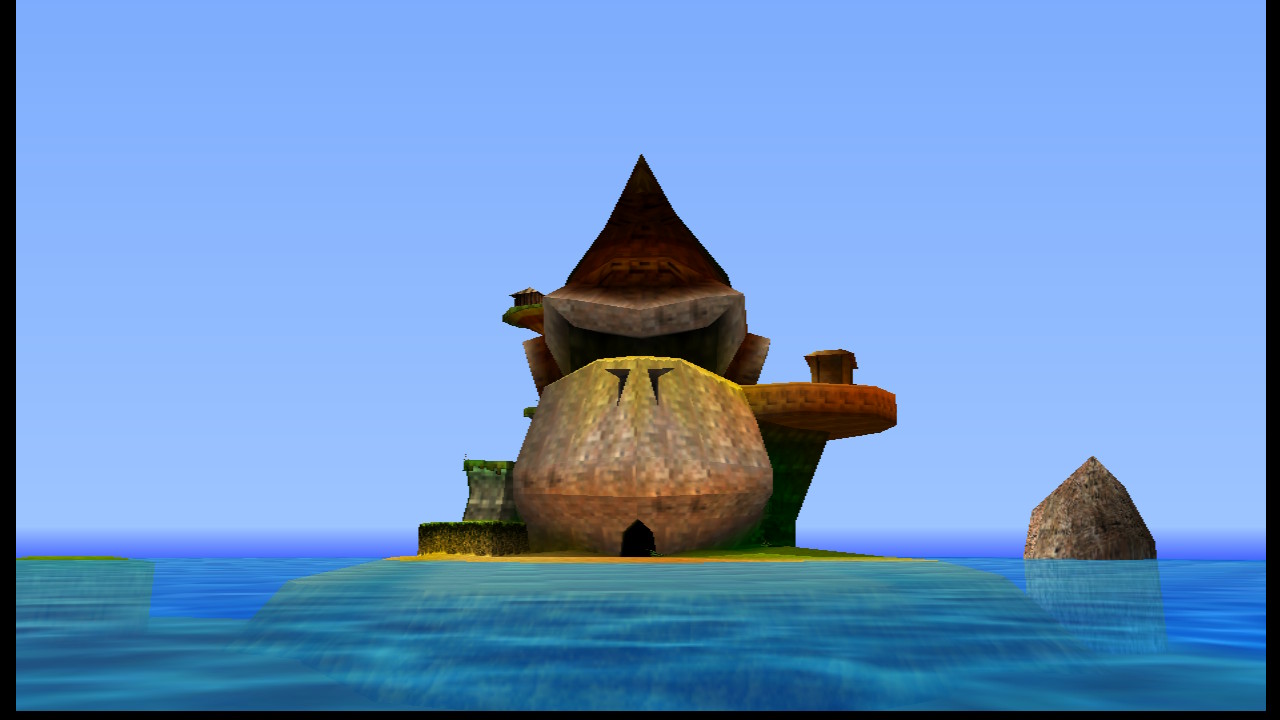
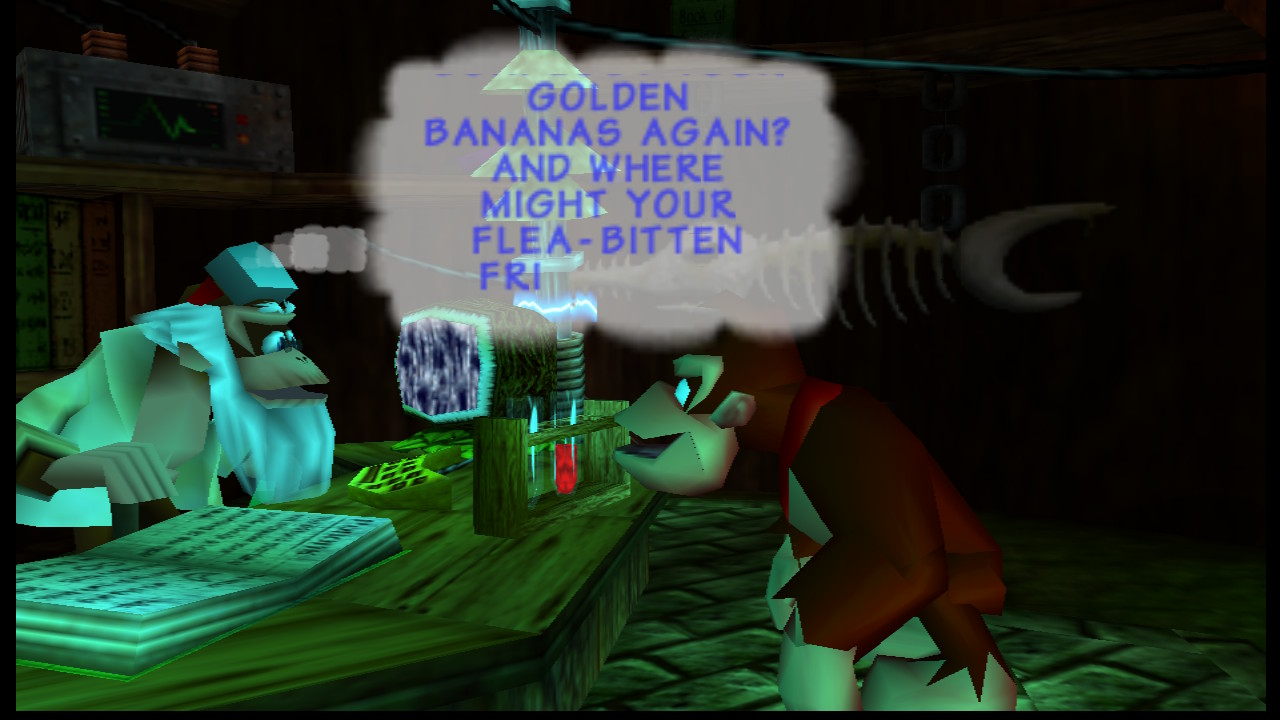
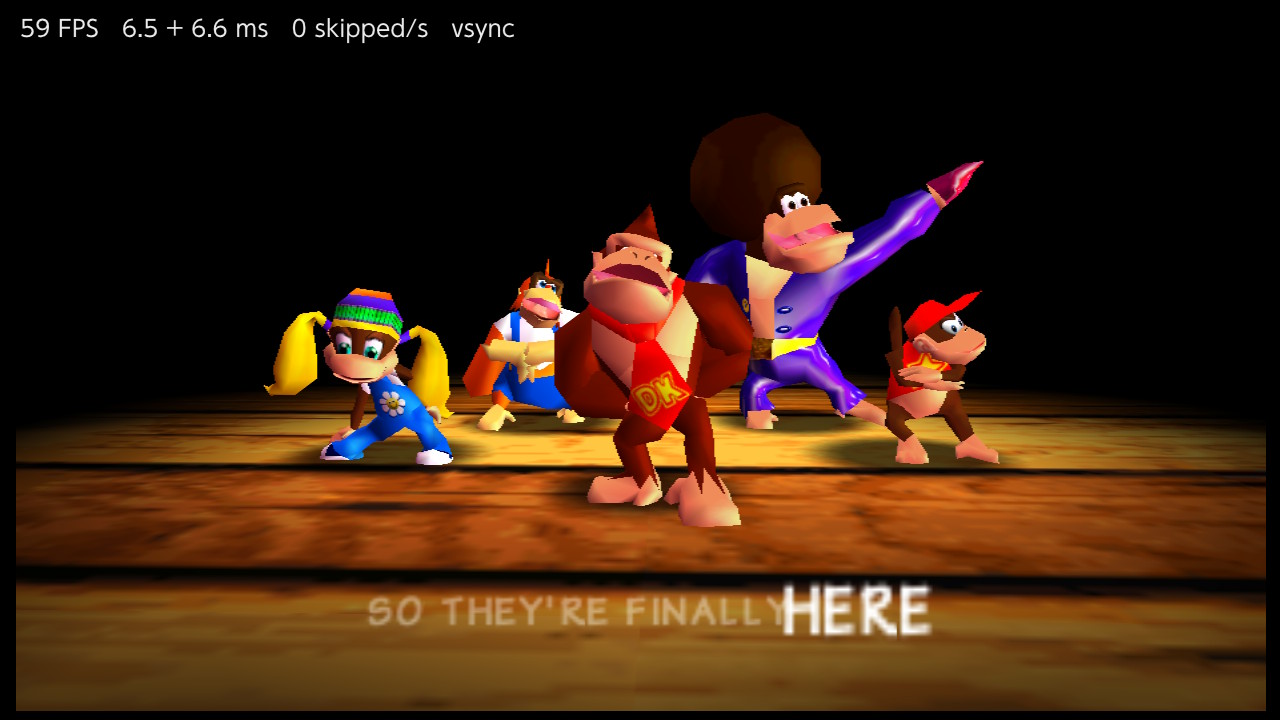
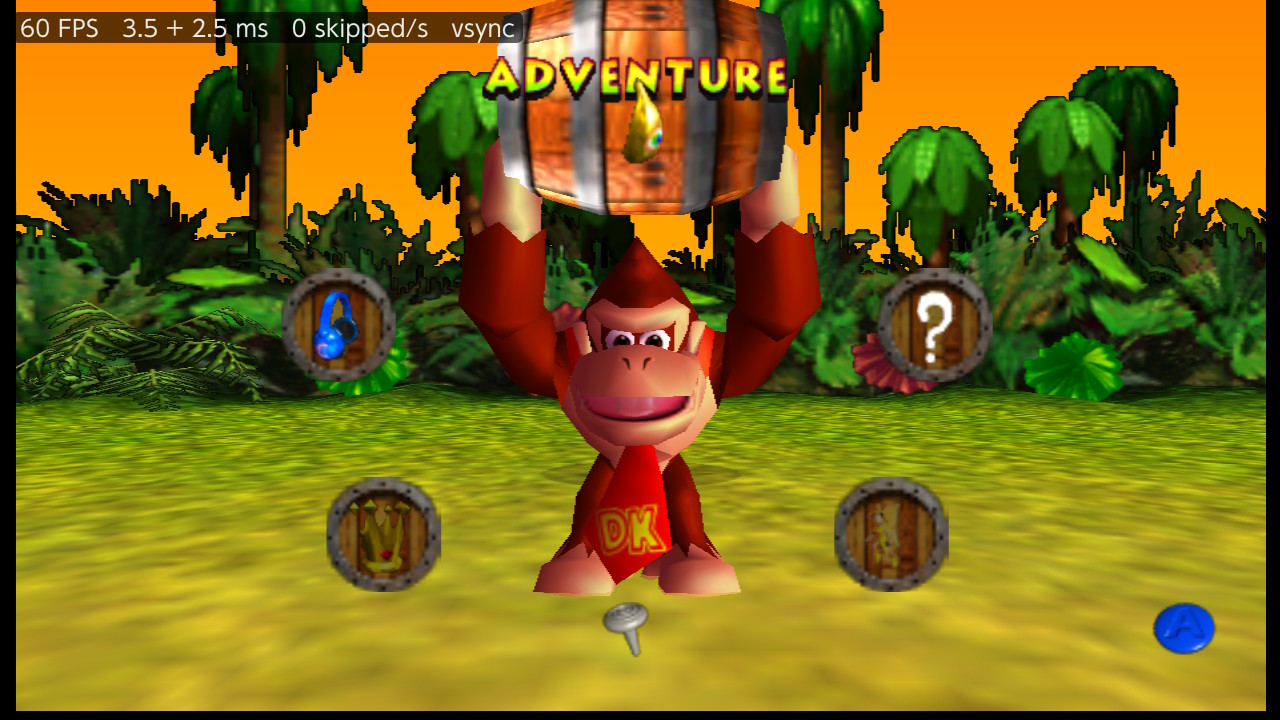
Captured on a Nintendo Switch with the console's Capture button.
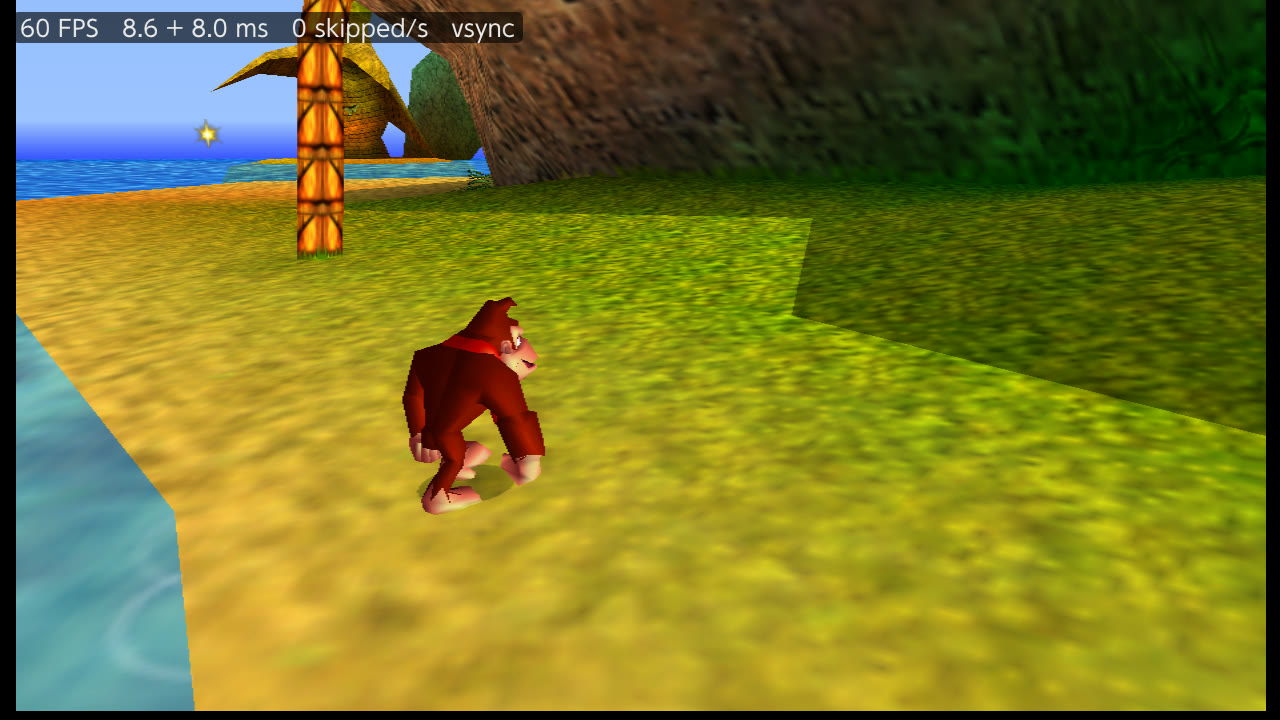
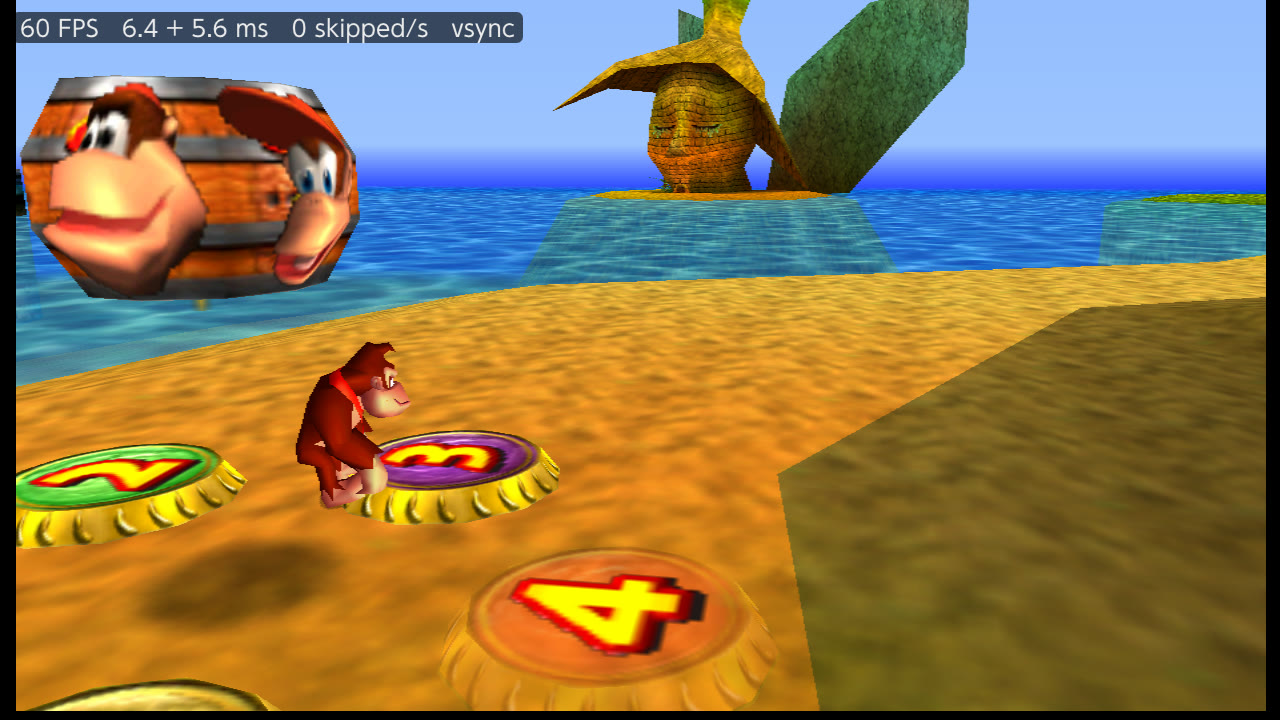
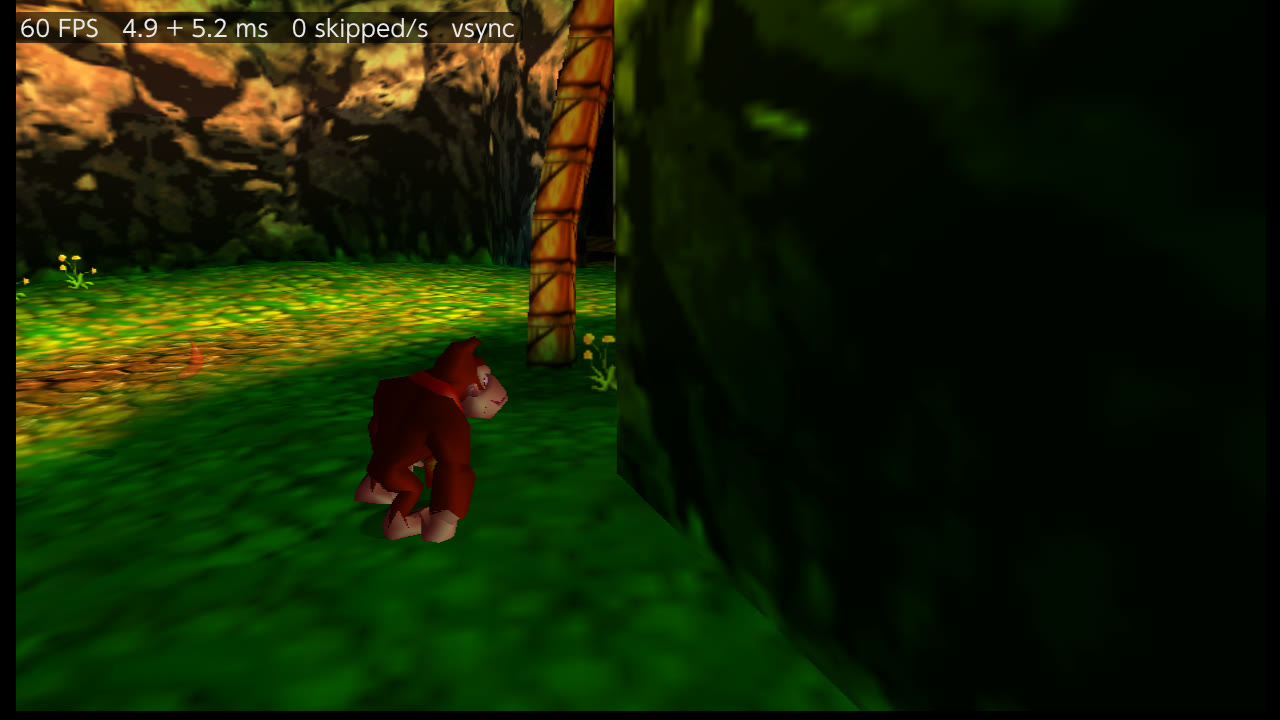
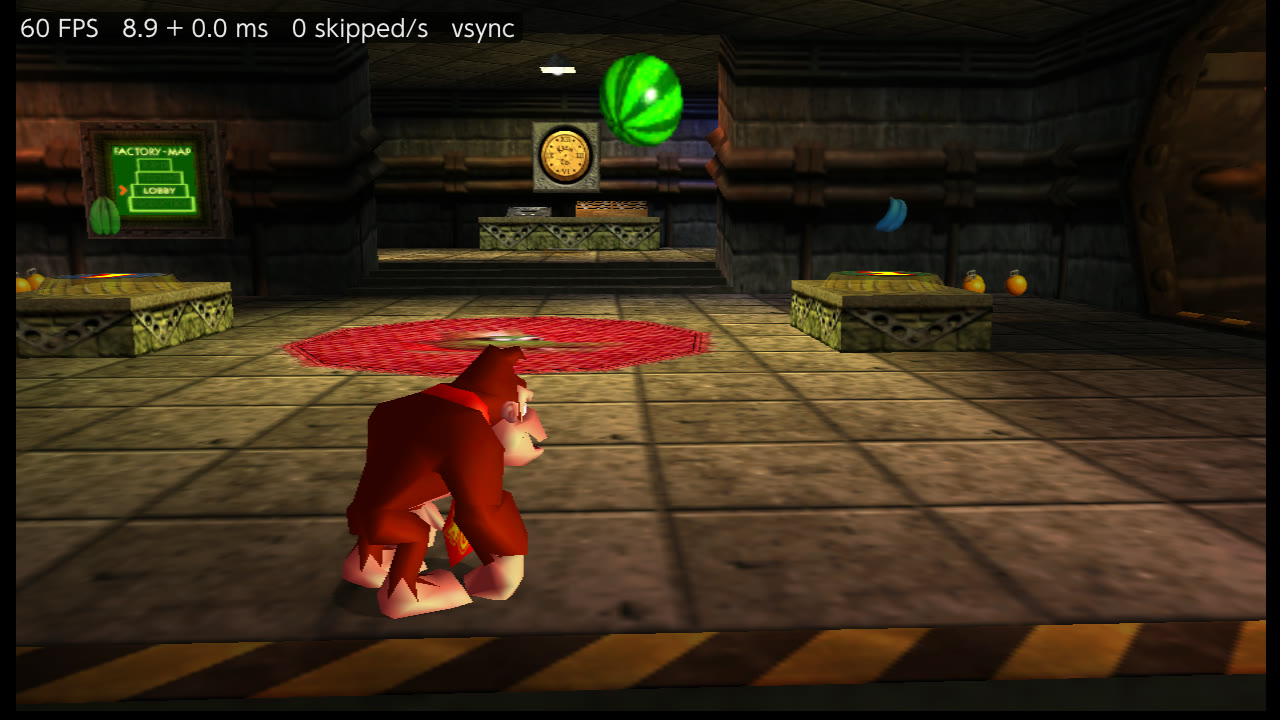
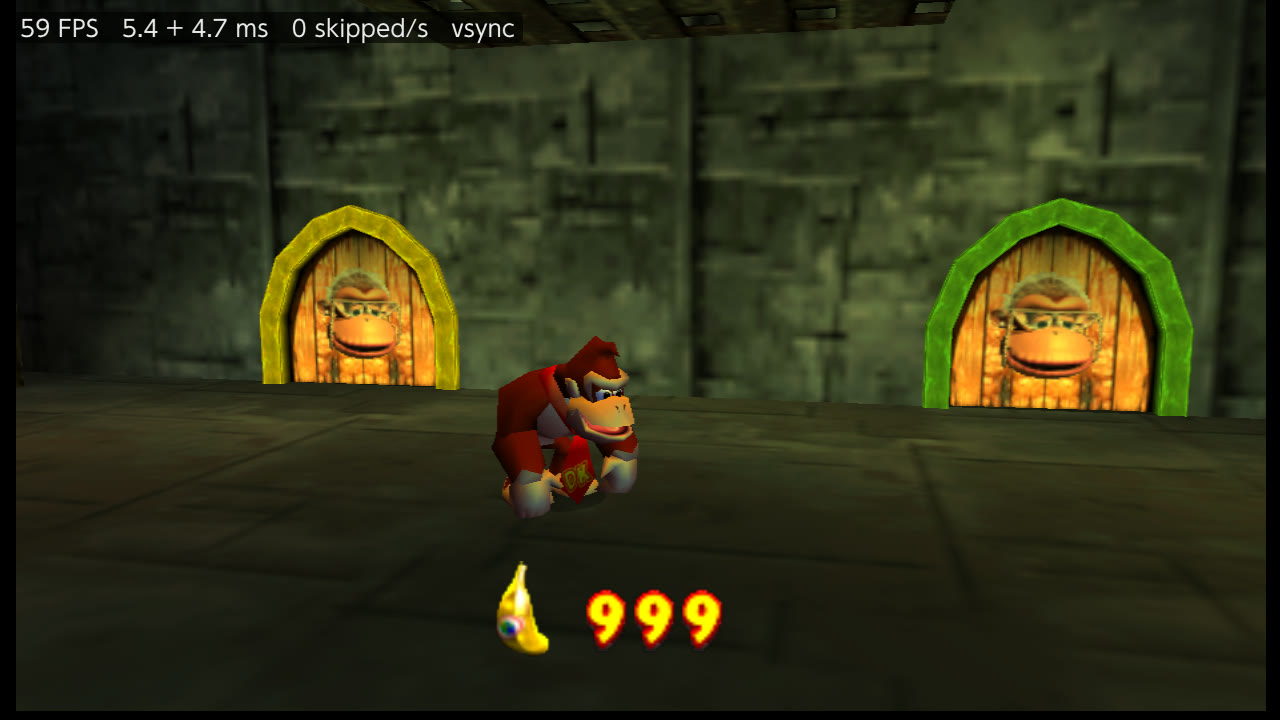
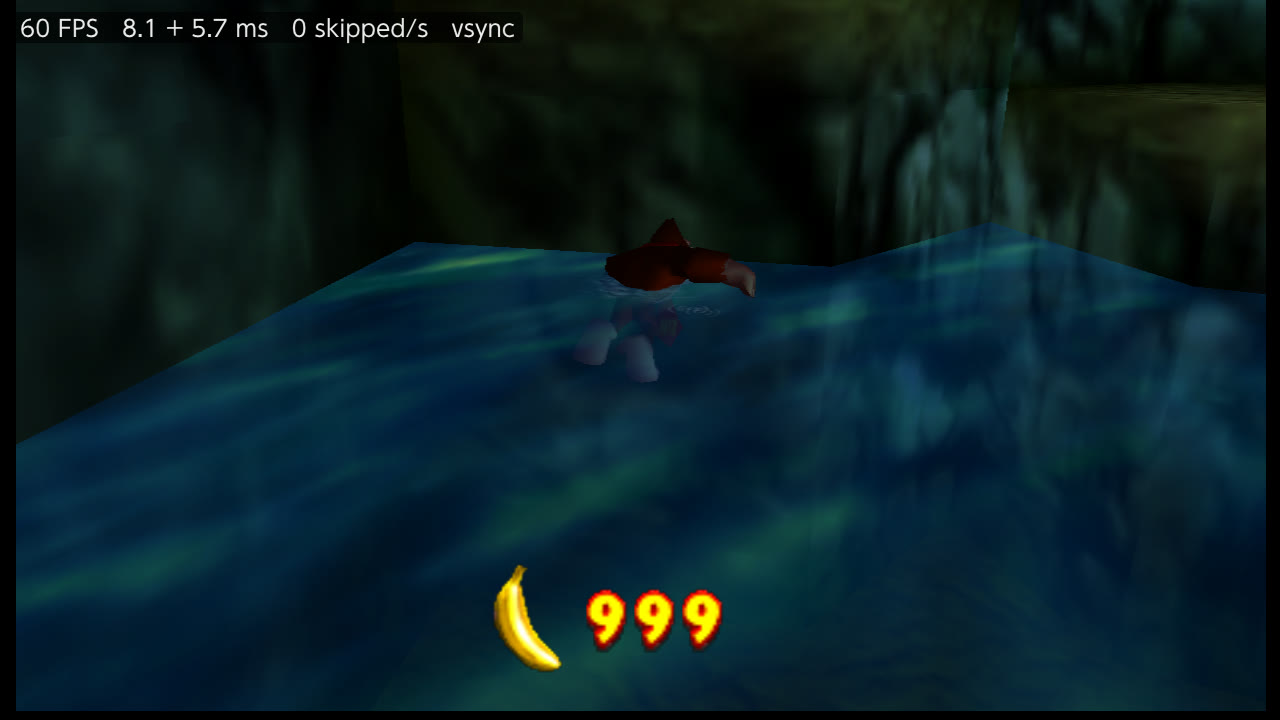
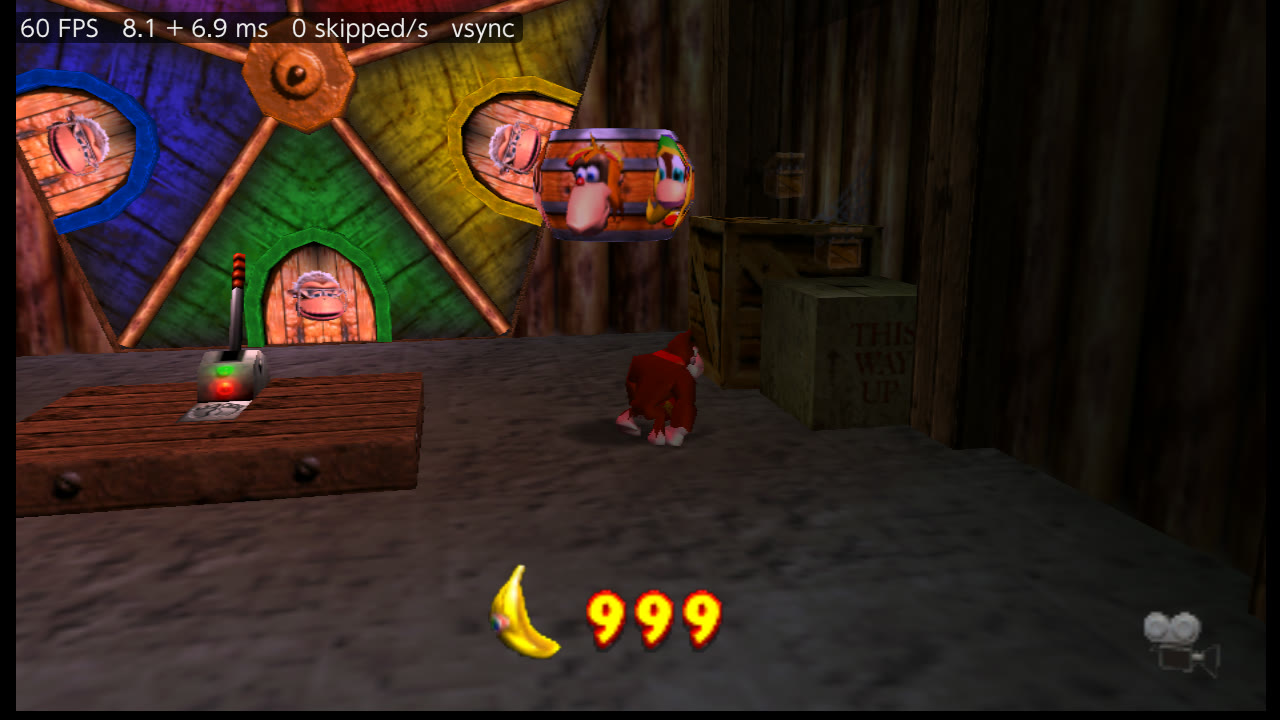
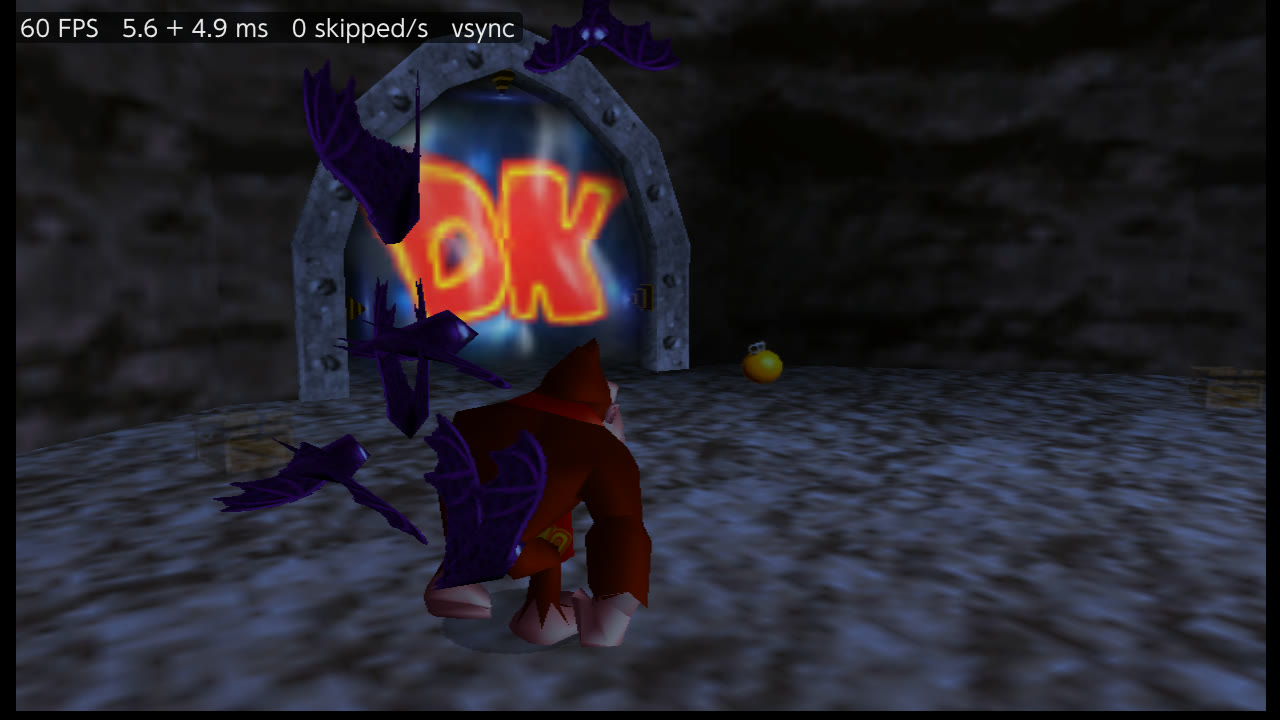
Through the levels at 60 fps, captured on the console with the developer test server; the
performance overlay is on, top left.
## What you need
- **A Switch running custom firmware** (Atmosphère) with the Homebrew Menu.
- **Your own Donkey Kong 64 (USA) ROM.** It is the only version supported. A `.z64` dump has the SHA-1
`cf806ff2603640a748fca5026ded28802f1f4a50`; `.n64` and `.v64` dumps work too (they are converted at the first
start), but their hash differs. To check a `.z64` dump: `certutil -hashfile "Donkey Kong 64 (USA).z64" SHA1`
(Windows), `shasum "Donkey Kong 64 (USA).z64"` (macOS) or `sha1sum "Donkey Kong 64 (USA).z64"` (Linux).
- **This repository and its releases contain no game assets.** The game is read from your ROM.
## Install on the Switch
### Copy the files
Download `DK64Recomp-NX-v1.1.2.zip` from [Releases](https://github.com/Trinalord777/DK64Recomp-NX/releases) and
extract it to the root of the SD card, then add your ROM next to the `.nro` (its file name does not matter). The SD
card must end up like this:
```
sdmc:/switch/dk64recomp/
├── dk64recomp.nro the game
├── cheats.cht the GameShark codes (optional, see Cheats)
├── Donkey Kong 64 (USA).z64 your ROM
├── mods/ Tag Anywhere and its Sparkles (included), and mods you add
└── (created by the game: DK64.z64, saves/, nx_options.txt, cheats_enabled.txt, mod_config/,
shaders/, dk64recomp.log, dk64recomp.prev.log)
```
Put the SD card in the computer (or mount it over USB with hekate's *Tools → USB Tools → SD Card*) and copy the
files. At the first start the ROM is checked and a copy is stored as `DK64.z64`.
### Start the game
- Open the Homebrew Menu **in title mode**: hold **R** while starting any installed game, then pick
**DK64: Recompiled**. Opened from the Album (applet mode) the game does not have enough memory.
- Congratulations, you are back on DK Isles! Have fun!
### Saves, settings and updates
- Saves: `sdmc:/switch/dk64recomp/saves/`. Back up this folder, especially before playing with cheats or warps:
the game saves on its own.
- Settings from NX Options: `nx_options.txt`, written when the menu closes.
- To update, extract the new release's zip over the old files: it replaces `dk64recomp.nro`, `cheats.cht` and the
two Tag Anywhere mods. Saves, settings and your other mods stay.
- If something goes wrong: each run writes `dk64recomp.log`, and the previous run's log is kept as
`dk64recomp.prev.log` (after a crash it holds the faulting address). Attach both when you open an
[issue](https://github.com/Trinalord777/DK64Recomp-NX/issues).
- **"No valid Donkey Kong 64 ROM found"**: the ROM must be in `sdmc:/switch/dk64recomp/` and be the USA version.
**Crash or black screen at the start**: make sure the Homebrew Menu was opened in title mode (hold R while
starting a game), not from the Album.
## Controls
| N64 | Nintendo Switch |
|---|---|
| **A** | **A** |
| **B** | **B** |
| **Z** | **ZL** |
| **L** | **L** |
| **R** | **R** / **ZR** |
| **Start** | **+ (Plus)** |
| **Control Stick** | **Left Stick** |
| **C Buttons** | **Right Stick** (camera) |
| **D-Pad** | **D-Pad** |
*Face Buttons* in NX Options swaps A and B in the game.
## Options
Press **− and +** together while playing to open **NX Options**, laid out as the HarbourMasters ports' menus: three
tabs on top with the Help, Quit Game, Restart Game and Close buttons, the sections of the tab on the left, their
settings on the right. **L** / **R** change tabs; Up/Down choose a section, **A** or Right opens it; there Up/Down
move, Left/Right change a value, **A** toggles or opens a choice list; **B** goes back, then closes. The game does
not react to the pad while the menu is open. Changes apply at once, except the aspect ratio, the resolution, texture
LOD, the texture filter and mods, which apply at the next start (the Restart Game button).
| Tab | What you'll find there |
|---|---|
| **Settings** | Picture, overlays, frame rate and clocks, sound, controls, camera, and the menu's own look |
| **Enhancements** | Gameplay tweaks, mods, and the GameShark cheats grouped by Kong |
| **Dev Tools** | Where you are, warps to any level, inventory, unlocks, game flags, interpolation statistics |
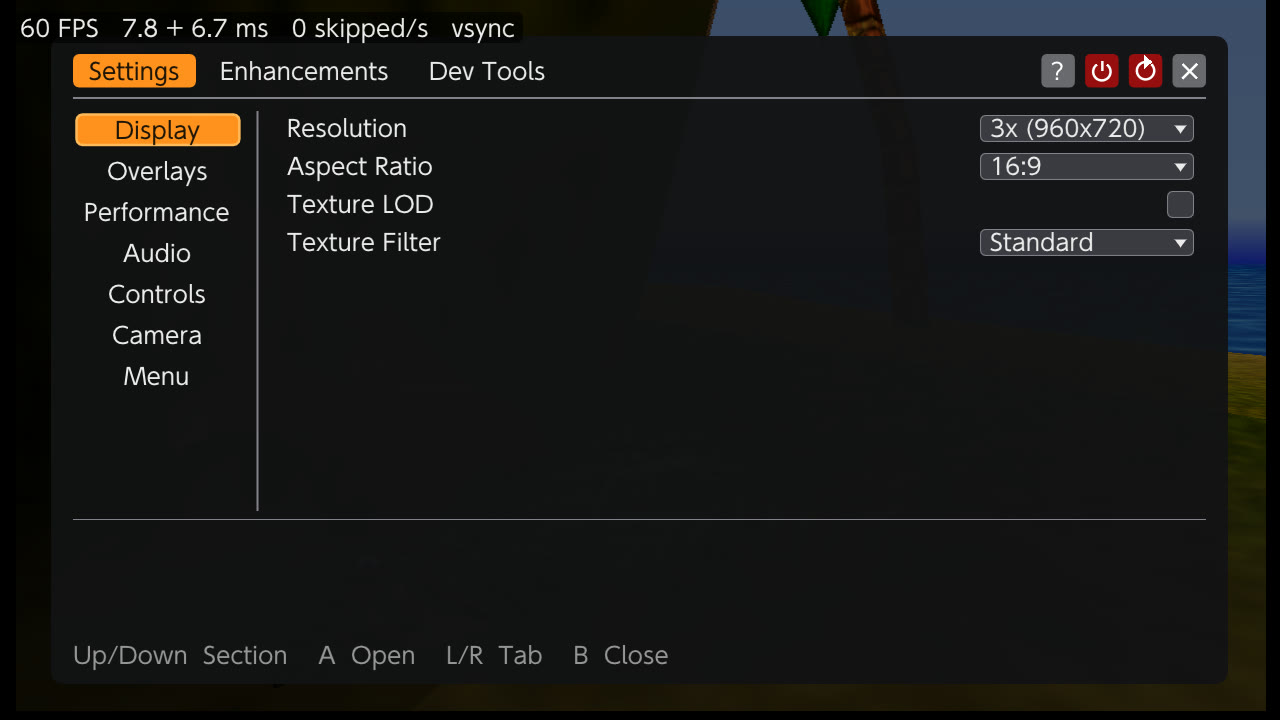
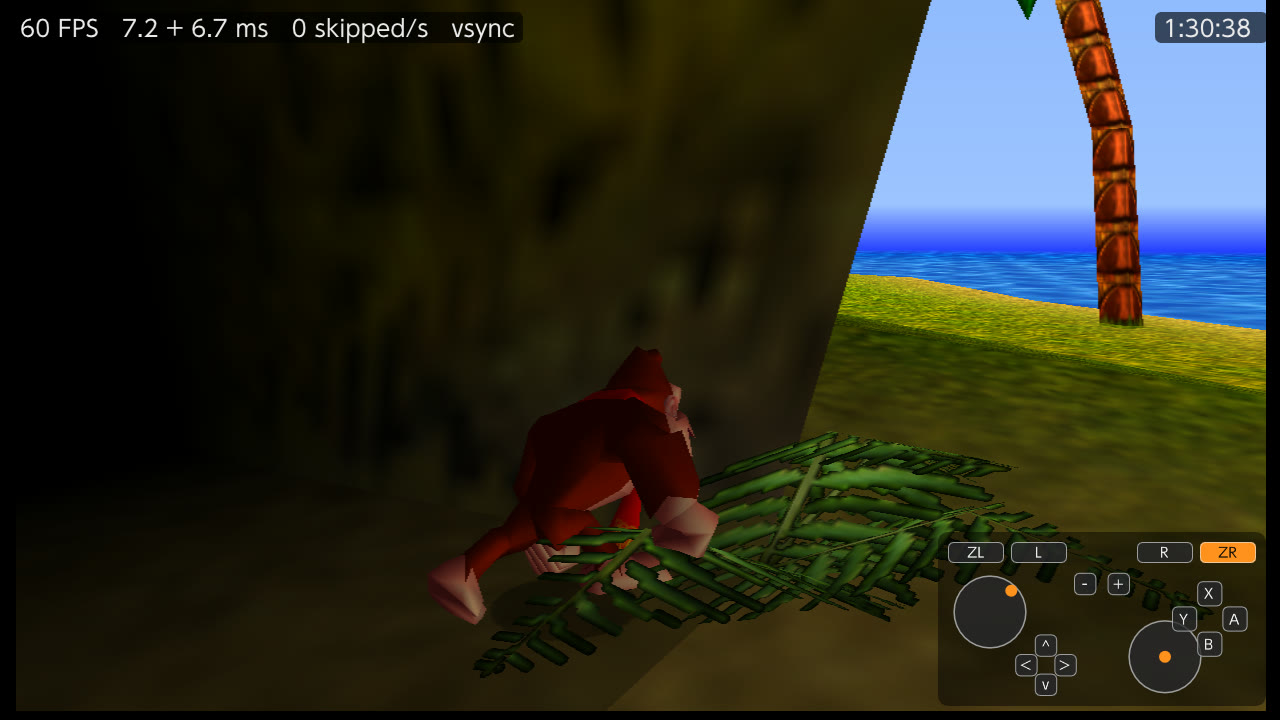
NX Options over the game, and the overlays: performance top left, gameplay timer top right,
input viewer bottom right.
### Picture
- **Resolution:** 3x (960x720, the default, fills the height of the 720p screen) or 2x (640x480, lighter).
4x (1080p, experimental) draws 1280x960 into a 1920x1080 picture for a docked console; it costs more GPU time,
and was measured at 1428 MHz only.
- **Aspect ratio:** 16:9 with the HUD at the screen edges (the default), or the original 4:3.
- **Texture LOD:** off by default. GLideN64's level of detail emulation tints the Kongs' eye whites pink and blurs
their pupils, as reported in
[mupen64plus-libretro-nx#458](https://github.com/libretro/mupen64plus-libretro-nx/issues/458).
- **Texture filter:** Standard (bilinear) or the N64's own 3-point filter, sharper and closer to the console.
### Overlays
- **Show FPS** and the **performance overlay**, top left: the frames per second, the time of each pass of a frame
(two at 60 fps: the real image and the in-between one) and the screen refreshes per second that showed nothing new.
- **Input viewer**, bottom right: the pad, its buttons lit while pressed and its sticks where they point.
- **Gameplay timer**, top right: the file's play time, the one the file select shows, while playing an adventure.
### Performance
The game runs at its **original 30 fps by default**. **Frame Rate** goes from 30 to 60 fps in steps of 5
(experimental), and **Frame Rate Mode** chooses how:
- **Interpolated** (the default, the one to play with): the game keeps its 30 steps per second, and an in-between
image, with every object halfway between two of its frames, is drawn and shown between them, as the PC version
does with RT64. It adds one frame of latency; camera cuts are not interpolated. A frame too heavy for both passes
shows without its in-between image rather than make the game wait for it.
- **True (experimental)**: the game itself runs up to the chosen rate, as DK64 does in Jetpac. DK runs at the right
speed, but much of the game (animations, enemies, timers) does not follow a frame's length and runs faster than
intended, so the game looks much faster. The DK Rap and the intros stay at 30.
At 60 fps the **CPU clock** matters most: the two passes of a frame are CPU-bound. In the same busy DK Isles view
they take 9.35 + 8.79 ms at the stock 1020 MHz (more than the 16.7 ms of one screen refresh), 6.82 + 5.90 ms at
1581 MHz and 6.30 + 5.33 ms at 1785 MHz. **Clock Profile** chooses the clocks while the game is in the foreground and
releases them when you leave it:
- *Console Default* (the default): the clocks the console, or a Horizon OC game profile, sets.
- *Docked GPU in Handheld*: the console's official docked GPU profile (768 MHz), in handheld mode.
- *Horizon OC Docked Clocks*: the docked CPU, GPU and RAM clocks set in
[Horizon OC](https://github.com/Horizon-OC/Horizon-OC), in handheld mode.
- *CPU Boost*: the CPU at 1785 MHz through Horizon OC, docked and handheld.
Both Horizon OC profiles turn its CPU governor off for the game: with the governor on, the CPU stays at 1020 MHz
whatever the profile asks. A Horizon OC game profile of your own works too, if its CPU governor is off.
### Gameplay
Story skip, lightning flashes, cutscene borders and draw distance, the PC version's options.
### Mods
Mods for DK64: Recompiled (`.nrm` files) go in `sdmc:/switch/dk64recomp/mods/`. Each one gets a group in the
**Mods** section: turning a mod on or off applies at the next start, most of its options at once.
#### Tag Anywhere (included)
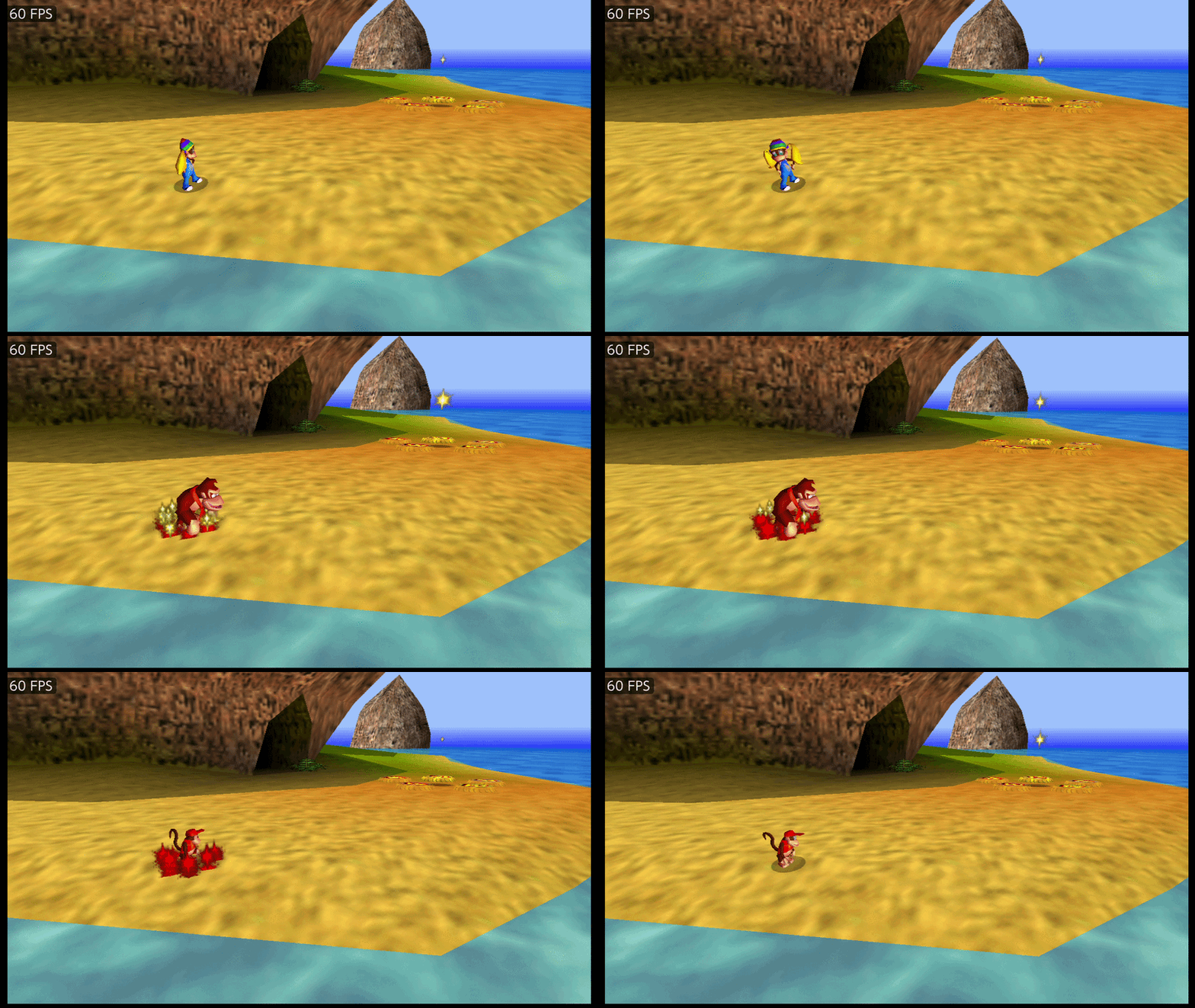
The release comes with two mods, already in `mods/`:
- **[Tag Anywhere](https://github.com/Killklli/DK64TagAnywhereRecomp)** 1.0.3: switch Kong from (almost) anywhere,
without going back to a tag barrel. **D-Pad Left** goes back through the Kongs, **D-Pad Right** forward.
- **[Tag Anywhere Sparkles](https://github.com/theballaam96/RecompTAEffect)** 1.0.1: a sparkle and a sound when you
tag, each with its own switch in the mod's options.
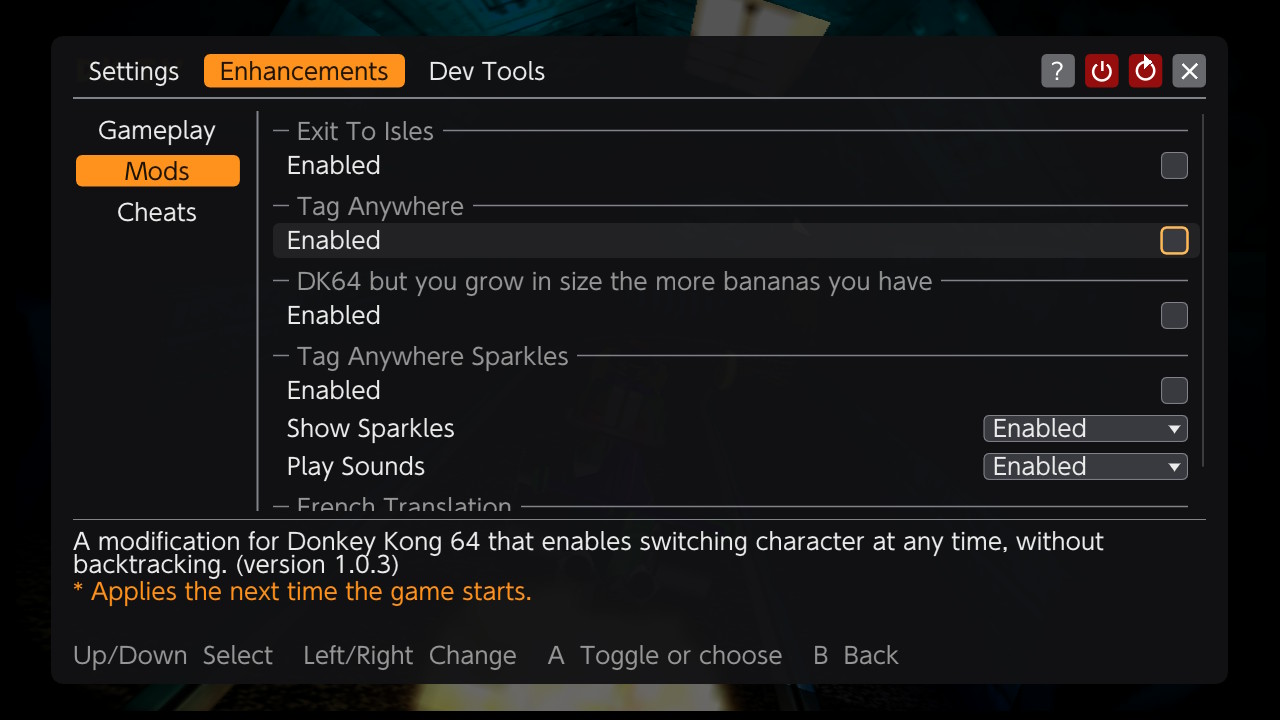
They start turned off: turn on **Tag Anywhere Sparkles** in *Enhancements → Mods* (it brings Tag Anywhere with it), then
**Restart Game**. Both are public domain (CC0); the version in the zip is the one of each project's release.
Other mods, such as Exit to Isles or the French translation, are downloaded on their own.
### Cheats
The GameShark codes of `cheats.cht`, grouped by Kong, in libretro's format. The file in the release is
libretro-database's `Donkey Kong 64 (U).cht` corrected on the console: that file's Infinite Health also sets the
melon count to 4, which the save stores in 2 bits, so a save made with it on leaves the file with 0 melons; four of
its codes write the wrong place (DK's Galleon bananas, Tiny's Castle golden bananas, crystals) or swap ammo and
oranges. Codes that change the game's data work; codes that patch the game's instructions change nothing, since the
game runs as recompiled code, and the menu cannot tell them apart. Codes of other types show as *Unsupported*. The
cheats left on are remembered in `cheats_enabled.txt`.
### Dev Tools
- **Game:** map, Kong and position, a map and position overlay, the clocks.
- **Warp:** to DK Isles or any level, from a loaded file (not from the title screen or the intro). A warp can take you where the story has not gone yet: try warps on a spare
save file. Warping into Hideout Helm starts its countdown, which keeps running after you leave and ends in a game
over.
- **Inventory:** coins, ammo, oranges, crystal coconuts, film, melons, health.
- **Unlocks:** give every Kong all its moves, refill the consumables.
- **Flags:** Kong unlocks and any permanent flag.
### Menu
Orange or gray theme, opacity and size.
## Status
Boots and plays on a Switch, with sound (48 kHz, no dropouts), controllers, saves, mods, cheats and NX Options, in
16:9 at 960x720. Played and measured docked: through every level in both frame rate modes at 1020 MHz, and in part
at 1428 and 1785 MHz. At 60 fps Interpolated, 98-99% of the frames get their in-between image while running through
the levels.
Known issues:
- **Short hitches** when a room is seen for the first time in a session: the first draw of its textures and shaders
takes 33-72 ms at 1020 MHz, and some arrivals make the game itself late by a frame or two.
- **True frame rate mode** runs much of the game too fast (see Performance).
- **About 10 s of black screen at the start** before the Nintendo logo (12.0 s at 1020 MHz, 9.7 s at 1428 MHz).
## Changelog
### 2026-10-11: v1.1.2
- **Textures no longer go black after a long session.** The GPU service (nvdrv) keeps one record per texture in a
memory area libnx sizes at 8 MiB; GLideN64 keeps up to 8,000 textures, and past about 5,000 every new texture
failed (GL_OUT_OF_MEMORY): black or noisy textures until the game was restarted. The area is now 32 MiB. A tour
of seven levels with the cache full (8,000 textures, more than 10,000 created) gave no error.
- **Smoother 60 fps Interpolated while running:** a wait for the screen's refresh was counted as drawing time, so
in-between images were dropped for nothing. In the same 60 s run in Angry Aztec at 50 fps, 66% of the frames got
their in-between image instead of 54%, and 9 frames were held instead of 198.
- **Resolution 4x (1080p, experimental)**, for a docked console.
- **Dev Tools > Warp** now waits for a loaded file: a warp from the intro left the main menu without input.
### 2026-10-11: v1.1.1
- **Tag Anywhere** and **Tag Anywhere Sparkles** are included in `mods/` (turn them on in *Enhancements → Mods*).
The game itself is the same as v1.1.0: same `dk64recomp.nro`.
### 2026-10-10: v1.1.0
- **NX Options** rebuilt after the HarbourMasters ports' menus: Settings, Enhancements and Dev Tools tabs,
checkboxes, choice lists and sliders, an Orange or Gray theme, opacity and size.
- **Frame rate from 30 to 60 fps** in steps of 5, with the Interpolated and True (experimental) modes. A frame too
heavy for both passes keeps the game at full speed; a frame slowed only by a room's first textures keeps its
in-between image (in Gloomy Galleon at 1428 MHz, no frame held at 30 fps instead of 27).
- **Overlays:** performance overlay, input viewer, gameplay timer.
- **Mods** and **GameShark cheats**, with a corrected `cheats.cht` in the release.
- **Clock Profile**, including CPU Boost at 1785 MHz through Horizon OC.
- **Picture and sound:** texture LOD (off by default), the N64 3-point texture filter, master, music and sound
volumes; **Face Buttons**; **Quit Game** and **Restart Game** buttons.
- **Dev Tools:** map and position overlay, warps, inventory, unlocks, game flags.
### 2026-10-07: v1.0.0
- First release: DK64: Recompiled 1.0.3 on the Switch at 30 fps, 960x720 in 16:9 with the HUD at the screen
edges, 48 kHz audio and saves.
## Build for the Switch
Requirements: git, Docker and python3. The scripts run in the `ubuntu:24.04` and `devkitpro/devkita64` images, so
nothing else is installed on your machine.
```bash
git clone https://github.com/Trinalord777/DK64Recomp-NX
cd DK64Recomp-NX
git submodule update --init --recursive lib/N64ModernRuntime lib/GLideN64 lib/dk64_decomp
git submodule update --init lib/rt64
git -C lib/rt64 submodule update --init src/contrib/imgui
# 1. Recompile the game from your ROM (once per ROM, ~5 min)
docker run --rm -v "$PWD:/work" -v "/path/to/rom/folder:/rom:ro" ubuntu:24.04 bash /work/switch/codegen.sh "/rom/Donkey Kong 64 (USA).z64"
# 2. Build the .nro (~10 min the first time)
switch/build.sh
```
The result is `switch/build/dk64recomp.nro`. Nothing derived from the ROM is tracked in git.
### Testing without copying files
Start the Homebrew Menu, press **Y**, then run `nxlink -s switch/build/dk64recomp.nro` from devkitPro's
`switch-tools`. The game's log streams to your terminal.
### Remote test build (developers)
`DK64NX_DEV=1 switch/build.sh` builds `switch/build-dev/dk64recomp.nro` with a test server on TCP port 28280 that
injects pad input, captures the screen, reads the game's memory, changes settings and warps, driven from your
computer with `switch/dk64nx_remote.py`. It has no authentication: use it on your own network only. Release builds
never include it.
## How it works
The PC port draws with [RT64](https://github.com/rt64/rt64), which needs Vulkan, D3D12 or Metal. Horizon homebrew
has none of them, so the renderer is replaced by GLideN64 on OpenGL (mesa nouveau). Both read the same mupen64plus
`GFX_INFO` view of the recompiled RDRAM, so GLideN64 plugs into the runtime's `RendererContext` without converting
anything.
| Piece | What it does |
|---|---|
| `switch/gliden64_rt64ex.cpp` | Decodes the RT64 extended GBI (opcode `0x64`) that DK64R's patches emit: rectangles, scissors, viewports, extended RDRAM addresses, the alignment hints used for widescreen; and draws the 60 fps in-between images |
| `switch/render_gliden64.cpp` | `RendererContext` over GLideN64, with the present hold described below |
| `switch/core_switch.cpp` | Minimal mupen64plus core: in-memory config and video extension over SDL2 |
| `switch/main_switch.cpp`, `input_switch.cpp`, `frontend_switch.cpp` | Entry point, audio, controllers, and the settings the PC menus would set |
| `switch/nx_menu.cpp`, `nx_settings.cpp`, `nx_cheats.cpp`, `nx_dev_tools.cpp` | NX Options, its settings file, the cheats and the dev tools |
| `switch/perf_switch.cpp` | Clock profiles and the frame pacing of the True mode |
| `switch/threads_switch.c`, `mman_switch.c`, `crash_switch.c`, `shim/` | libnx gaps: thread stacks and cores, `mmap`, a crash handler that prints module offsets |
| `switch/patches/` | Changes to the pinned N64ModernRuntime, N64Recomp and GLideN64 commits, applied by `build.sh` |
### Problems found on hardware
| Symptom | Cause | Fix |
|---|---|---|
| Abort at startup | libnx has no `pthread_detach` | `--wrap=pthread_detach` no-op |
| "Failed to write to the save file" | libstdc++'s `copy_file` ends with `fchmod`, which the SD driver rejects | Save rotation with renames (`files.cpp`) |
| Freeze on the Nintendo logo | GLideN64 presents on the graphics thread and blocks on vsync; the action queue never drained and the VI producer starved display lists | Skip a screen update when a newer one is already queued (`events.cpp`) |
| High-pitched, distorted music | Upstream's latency guard divides by the game's rate (22 050 Hz) instead of the output rate (48 000 Hz) | Latency measured at the output rate; drop whole chunks past 250 ms |
| Music cutting out | 256-frame SDL buffers; the Switch backend releases one per ~10 ms | 1024-frame buffers |
| Image jitter in motion only | DK64 starts frame N+2 in the buffer still on screen and relies on the RDP freeze to hold it back; the runtime does not freeze, so frames showed as N, N+2, N+1… | Do not re-present a front buffer that was redrawn (one held present per frame, 60 per 2 s, confirmed on hardware) |
| Widescreen | RT64's *Expand* has no GLideN64 equivalent | GLideN64's 16:9 adjust mode, steered by DK64R's RT64 alignment commands: HUD anchored left/right, sky and backgrounds stretched, screen transitions anchored as on PC |
| 60 fps in-between images lost when both passes outlast a screen refresh | The screen updates that waited behind them were presented back to back; the display shows only the last image presented before its vblank | Present the update that is due between the two passes (`events.cpp`, `render_gliden64.cpp`) |
| CPU Boost stuck at 1020 MHz | With Horizon OC's CPU governor on, every CPU clock is skipped; sent with the governor override, the CPU clock was skipped too | Turn the governor off, then send the CPU clock one second later (`perf_switch.cpp`) |
## Standing on the shoulders of others
DK64Recomp-NX would not exist without these projects. The hard part, recompiling the game and reimplementing the
N64 it runs on, is their work; this repository adds the layer that runs it on the Switch.
- **[Donkey Kong 64: Recompiled](https://github.com/Rainchus/Donkey-Kong-64-Recompiled)** (Rainchus and its
contributors): the recompiled game, its patches, enhancements, options and mod support. Almost everything outside
the Switch layer is theirs.
- **[dk64 decompilation](https://gitlab.com/dk64_decomp/dk64)**: the decompiled game the patches and the Switch
layer's addresses are matched against.
- **[N64Recomp](https://github.com/N64Recomp/N64Recomp) and N64ModernRuntime** (Wiseguy): the static recompiler and
the N64 runtime.
- **[GLideN64](https://github.com/gonetz/GLideN64)** (gonetz and its contributors): the renderer on the Switch.
- **The HarbourMasters Switch ports** ([PaperBoat-NX-Modern](https://github.com/Thorhax/PaperBoat-NX-Modern),
[Docklight](https://github.com/PalindromicBreadLoaf/Docklight),
[2ship2harkinian-Switch](https://github.com/YoshiCrystal9/2ship2harkinian-Switch)): the libnx and mesa platform
recipe, and the layout NX Options follows.
- **[devkitPro](https://devkitpro.org)** and **[libnx](https://github.com/switchbrew/libnx)**: the Switch toolchain.
- **[Horizon OC](https://github.com/Horizon-OC/Horizon-OC)**: the clocks behind the Clock Profile options.
- **[Tag Anywhere](https://github.com/Killklli/DK64TagAnywhereRecomp)** (Killklli, after Isotarge's
[ROM hack](https://github.com/Isotarge/dk64-tag-anywhere) and its many authors) and
**[Tag Anywhere Sparkles](https://github.com/theballaam96/RecompTAEffect)** (Ballaam): the two mods in the release.
If you enjoy this port, the projects above are where the credit belongs.
## How it was made: AI use
DK64Recomp-NX was made by a person and an AI coding agent working together. Be aware of this before you use or build
on this repository:
- **This fork's own code was written with AI.** Nearly all of the Switch work (the libnx platform layer, the GLideN64
integration and its patches, NX Options, the 60 fps interpolation, the dev tools), its documentation and the commit
messages were written by Claude Opus 5.5 (Anthropic) through Claude Code. From October 2026 on, commits written with
the agent say so in a `Co-Authored-By: Claude` line; earlier commits do not carry it.
- **Trinalord777 supervised the work.** Trinalord777 chose what to build and in which order, guided the
implementation, beta-tested every build on a real Switch, reported the bugs and decided what went into each release.
- **How bugs are debugged.** Bugs are measured on the console before anything is changed: a dev harness (dev builds
only, never in a release) lets the agent send inputs, read game memory and renderer counters, and take screenshots
on the Switch. For the hardest bugs, the agent ran deterministic multi-agent workflows: a fixed script in which one
agent investigates each hypothesis without touching the code, and a second one tries to refute it. For the textures
that went black after a long session, the workflows sorted the hypotheses and specified the memory counters to add;
on the console, those counters showed every texture upload failing past about 5,000 textures, which led to libnx's
8 MiB GPU memory area and the v1.1.2 fix. A small open decision model, Mapika's decider-2b (one choice per step, no text
generated), was also tried as a driver for long test sessions in the levels; it helped little, and no code in this
port comes from it.
- **How it is checked**: builds with the pinned devkitA64 image, unit tests for the settings, play on real hardware,
and the logs of every session. Bugs can still slip through; reports are welcome as an
[issue](https://github.com/Trinalord777/DK64Recomp-NX/issues).
- **The projects in "Standing on the shoulders of others"** are their authors' work. This section covers only this
fork's Switch layer.
## License
This fork is GPL-3.0, like upstream. GLideN64 is licensed under GPL version 2 without the "or later" clause, which
is not compatible with GPL-3.0 inside one binary. Building from source for your own use is unaffected.
## Disclaimer
Independent project, not affiliated with or endorsed by Nintendo or Rare. Trademarks mentioned belong to their
respective owners. No game assets are included or distributed.
---
## Authors
Trinalord777 (supervision, direction and testing on hardware) and Claude Opus 5.5 (Anthropic), an AI coding agent
(see "How it was made: AI use"), on top of Donkey Kong 64: Recompiled by Rainchus and its contributors. Thanks to
everyone behind the projects in "Standing on the shoulders of others".