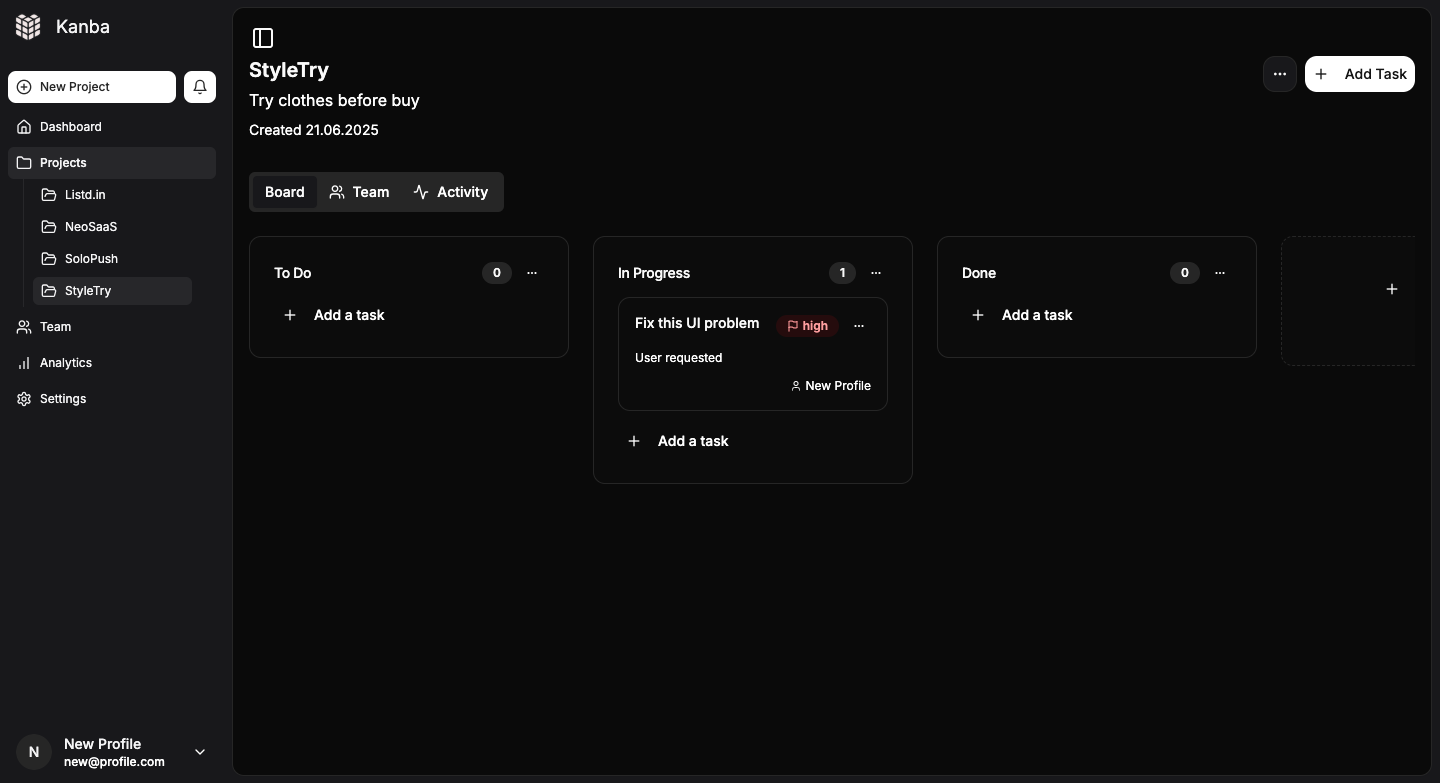
# Open-source, lightweight Trello alternative designed for makers and indie hackers.
Focus on simplicity, speed, and scalability.
Built with modern stack: Tailwind CSS, shadcn/ui, Supabase, Stripe integration.
Supports unlimited projects, team collaboration, dark/light mode, and seamless user experience.
Perfect for solo devs and small teams who want full control without unnecessary complexity.
## 🌟 If you find this project useful, consider giving it a star! It helps others discover it too.
# Deployment Guide
## Overview
This application now uses local Next.js API routes instead of Supabase Edge Functions for Stripe integration. This makes deployment simpler and allows you to use standard .env files for configuration.
## Environment Variables Setup
### 1. Create .env.local file
Copy `.env.example` to `.env.local` and fill in your actual values:
```bash
cp .env.example .env.local
```
### 2. Required Environment Variables
#### Supabase Configuration
- `NEXT_PUBLIC_SUPABASE_URL` - Your Supabase project URL
- `NEXT_PUBLIC_SUPABASE_ANON_KEY` - Your Supabase anonymous key
- `SUPABASE_SERVICE_ROLE_KEY` - Your Supabase service role key (server-side only)
#### Stripe Configuration (optional)
- `STRIPE_SECRET_KEY` - Your Stripe secret key (server-side only)
- `NEXT_PUBLIC_STRIPE_PUBLISHABLE_KEY` - Your Stripe publishable key
- `STRIPE_WEBHOOK_SECRET` - Your Stripe webhook secret
#### Site Configuration
- `NEXT_PUBLIC_SITE_URL` - Your site URL (for production)
- `NEXTAUTH_URL` - Your site URL (same as above)
- `NEXTAUTH_SECRET` - A random secret for NextAuth
## Local Development
1. Install dependencies:
```bash
npm install
```
2. Set up your environment variables in `.env.local`
3. Run the development server:
```bash
npm run dev
```
4. Test Stripe webhooks locally using Stripe CLI:
```bash
stripe listen --forward-to localhost:3000/api/stripe/webhook
```
## Production Deployment
### Vercel Deployment
1. **Deploy to Vercel:**
```bash
npx vercel
```
2. **Environment Variables:**
Add all environment variables through Vercel dashboard or CLI
3. **Stripe Webhook Setup:**
- Point webhook to: `https://your-domain.vercel.app/api/stripe/webhook`
## API Endpoints
The application now uses these local API routes:
- `POST /api/stripe/checkout` - Creates Stripe checkout sessions
- `POST /api/stripe/webhook` - Handles Stripe webhook events
## Benefits of Local API Routes
1. **Simpler Deployment** - No need to deploy separate edge functions
2. **Environment Variables** - Standard .env file support
3. **Better Debugging** - Easier to debug locally
4. **Framework Integration** - Better integration with Next.js
5. **No Vendor Lock-in** - Can deploy to any platform that supports Next.js
## Troubleshooting
1. **Webhook Issues:**
- Ensure `STRIPE_WEBHOOK_SECRET` matches your Stripe webhook endpoint
- Check webhook logs in Stripe dashboard
- Verify webhook URL is correct
2. **Environment Variables:**
- Ensure all required variables are set
- Check for typos in variable names
- Verify Supabase service role key has proper permissions
3. **CORS Issues:**
- API routes include proper CORS headers
- Ensure your domain is whitelisted if needed
## Security Notes
- Never expose `STRIPE_SECRET_KEY` or `SUPABASE_SERVICE_ROLE_KEY` to the client
- Use `NEXT_PUBLIC_` prefix only for client-side variables
- Regularly rotate your webhook secrets
- Monitor webhook delivery in Stripe dashboard