# Exercises for the Reader
In the main tutorial, we randomized the position and rotation of the cube. However, the Perception Package supports much more sophisticated environment randomization. In this (optional) section we will create a richer and more varied environment by adding one more Randomizer to our scene.
In addition to the `YRotationRandomizer` and the `RobotArmObjectPositionRandomizer`, we have designed one more Randomizer:
* The `UniformPoseRandomizer` randomizes an object's position and rotation relative to a fixed starting pose, over a specified range. We will apply this to the camera, to make our trained model more robust to small inaccuracies in placing the real camera.
### Randomizing the Camera Pose
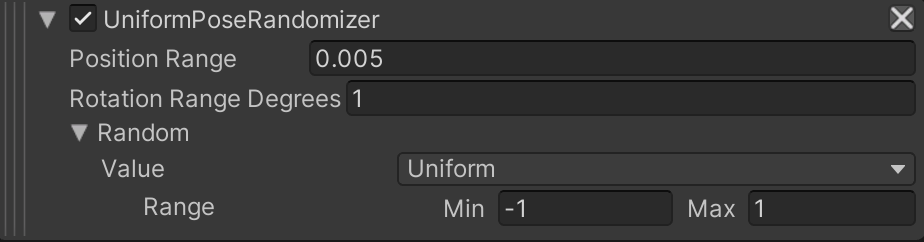
1. Select the `Simulation Scenario` GameObject and in the _**Inspector**_ tab, on the `Pose Estimation Scenario` component, add a `Uniform Pose Randomizer`. For the `Random` parameter, set the minimum value of the Range to `-1`. We do this because we want to randomize the position and rotation in both directions for a given axis. The Randomizer's UI snippet should look like the following image:
2. Now we need to add a RandomizerTag to the camera. Select the `Main Camera` GameObject and in the _**Inspector**_ tab, click on the _**Add Component**_ button. Start typing `UniformPoseRandomizerTag` in the search bar that appears, until the `UniformPoseRandomizerTag` script is found, with a **#** icon to the left. Click the script.
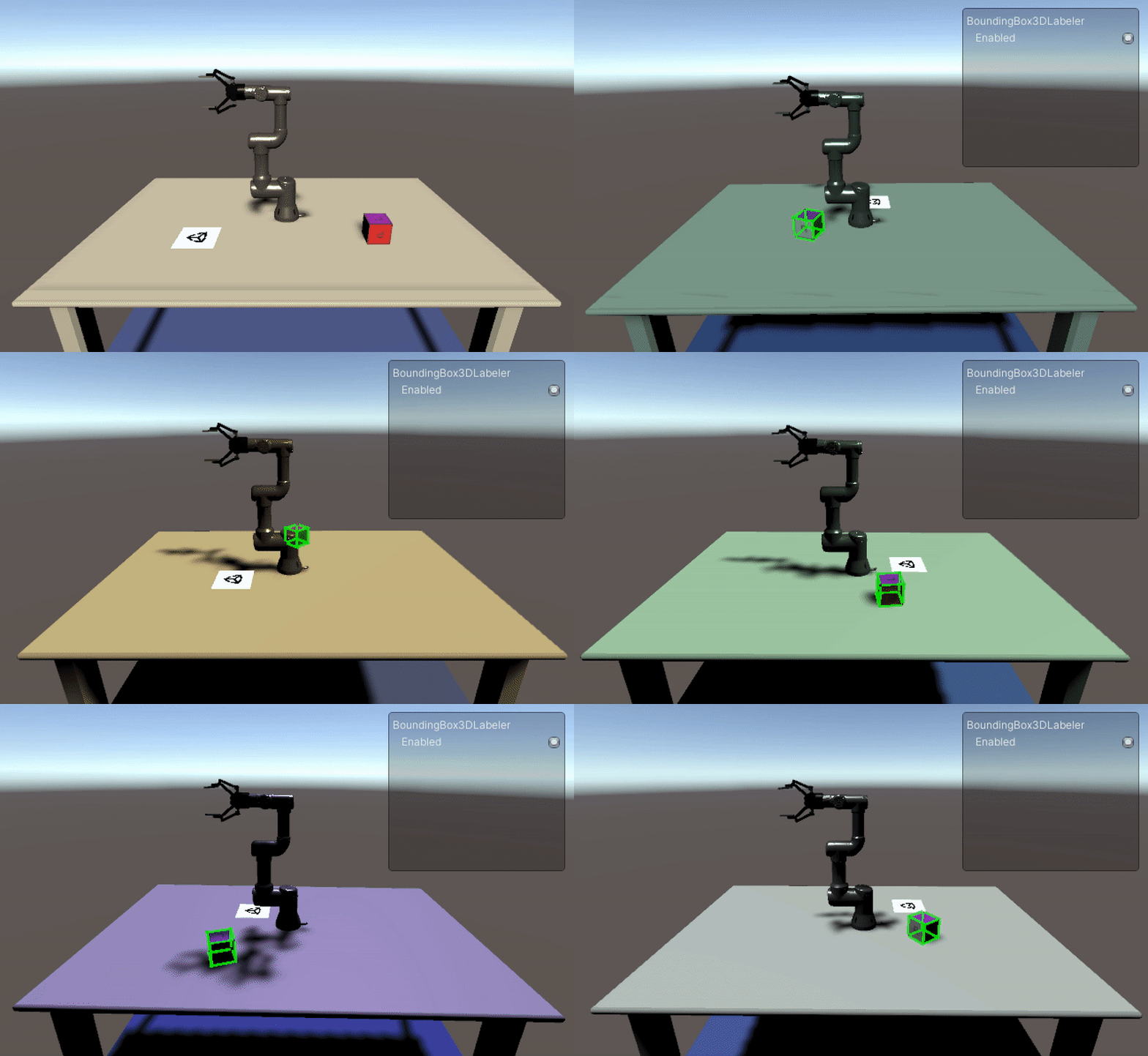
If you press play, you should see the cube moving around the robot and rotating, the color and intensity of the light changing, and the camera itself moving slightly.
## User Project: Create Your Own
You have now learned how to create a Randomizer, and seen how multiple Randomizers can be used together to create a rich, varied scene. Now it is time to create your own Randomizer by yourself! How could this Scene be further improved?
Good luck and have fun!