# Gatsby Theme Amaranth
[`gatsby-theme-amaranth`](https://www.npmjs.com/package/gatsby-theme-amaranth) is a mobile optimized stylish blog theme for [GatsbyJS](https://github.com/gatsbyjs/gatsby/) equipped with advanced features such as SEO, image optimization, PWA capabilities and infinite scrolling feeds.
The theme uses [`gatsby-theme-advanced`](https://www.npmjs.com/package/gatsby-theme-advanced) under the hood.
## Previews
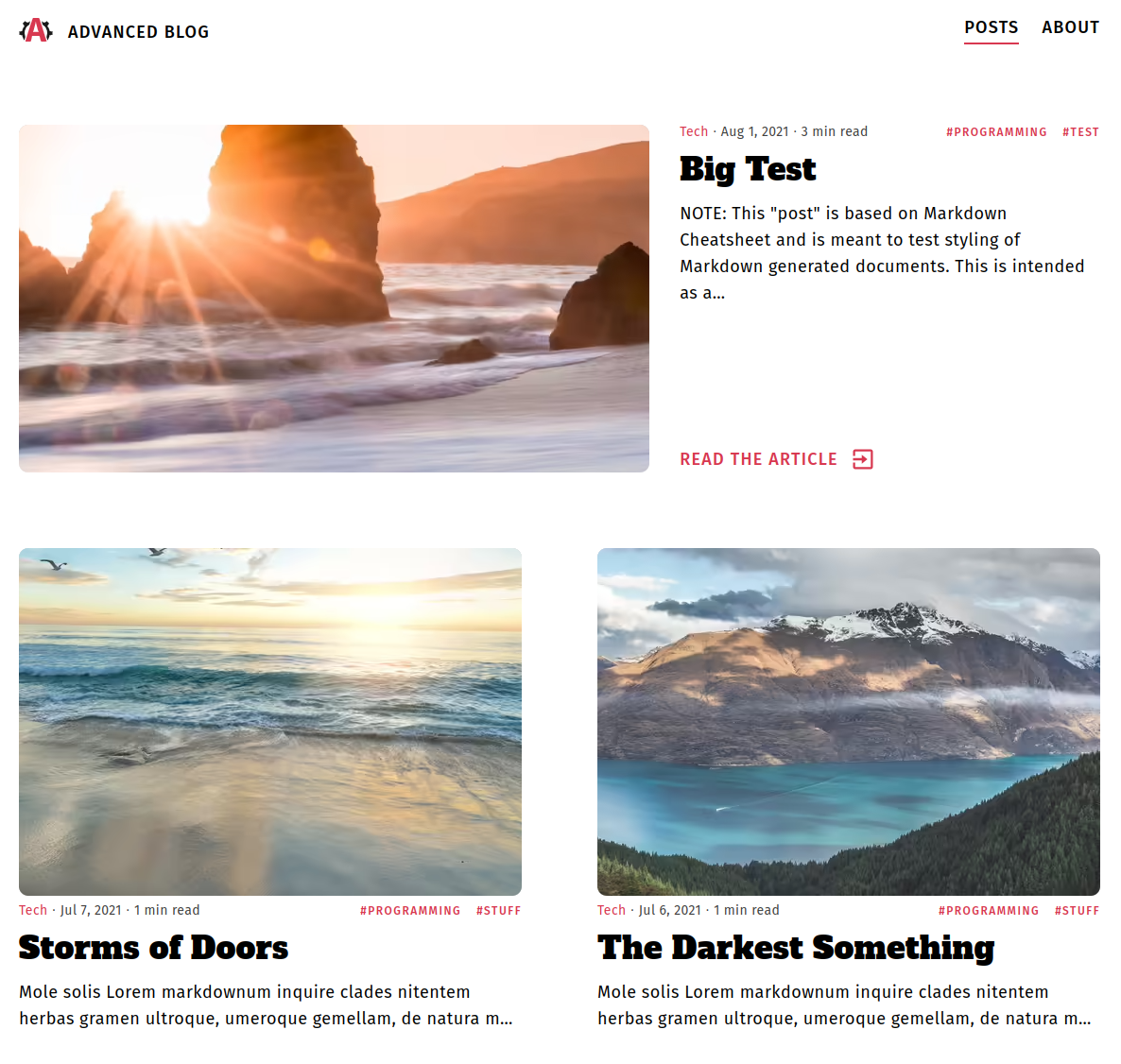
[Amaranth Demo](https://amaranth-demo.netlify.app/).
Visit [`gatsby-theme-amaranth`](https://github.com/Vagr9K/gatsby-advanced-starter/tree/master/themes/amaranth) for details regarding on how it was built using [`gatsby-theme-advanced`](https://www.npmjs.com/package/gatsby-theme-advanced).
## Features
- Gatsby v4 support
- First class TypeScript support (for query data and components exposed by the theme)
- Styled Components used for styling
- Posts in MDX
- Code syntax highlighting
- Embed videos
- Embed iframes
- Infinite Scrolling
- React Query for client side API calls
- Tags
- Separate page for posts under each tag
- Categories
- Separate page for posts under each category
- Social features
- Twitter tweet button
- Facebook share/share count
- Reddit share/share count
- LinkedIn share button
- Author section
- Related posts computation and display based on category/tag match ranking
- [Disqus](https://disqus.com/) support
- [gatsby-plugin-image](https://www.gatsbyjs.com/plugins/gatsby-plugin-image/) for optimized image generation
- Inline SVG imports
- High configurability
- Separate components for everything:
- Gatsby Link utilities
- SEO
- Disqus
- PWA features
- Offline support
- Web App Manifest support
- Loading progress for slow networks
- SEO
- [Google gtag.js](https://developers.google.com/gtagjs/) support
- Sitemap generation
- General description tags
- [Google Structured Data](https://developers.google.com/search/docs/advanced/structured-data/intro-structured-data)
- [OpenGraph Tags (Facebook/Google+/Pinterest)](https://ogp.me/)
- [Twitter Tags (Twitter Cards)](https://developer.twitter.com/en/docs/tweets/optimize-with-cards/overview/markup)
- RSS feeds
## Usage
Install the theme via:
```sh
npm install gatsby-theme-amaranth
```
or
```sh
yarn add gatsby-theme-amaranth
```
Take a look at [`Gatsby Advanced Starter`](https://github.com/Vagr9K/gatsby-advanced-starter) which can help you to kickstart your development process.
To configure the theme, consult the [Configuration](#configuration) section.
Make sure you are familiar with [GatsbyJS](https://github.com/gatsbyjs/gatsby/) documentation for themes, in particular:
- [What Are Gatsby Themes?](https://www.gatsbyjs.com/docs/themes/what-are-gatsby-themes/)
- [Using a Gatsby Theme](https://www.gatsbyjs.com/docs/how-to/plugins-and-themes/using-a-gatsby-theme/)
- [Using Multiple Gatsby Themes](https://www.gatsbyjs.com/docs/themes/using-multiple-gatsby-themes/) for combining this theme with others
- [Shadowing in Gatsby Themes](https://www.gatsbyjs.com/docs/how-to/plugins-and-themes/shadowing/) for customizing this theme
## Configuration
To configure the theme edit your `gatsby-config.js`:
```js
module.exports = {
plugins: [
{
resolve: `gatsby-theme-amaranth`,
options: {
basePath: `/blog`,
},
},
],
};
```
Available options are:
```ts
const config: SiteConfig = {
// Website configuration
website: {
title: "Gatsby Advanced Starter", // Homepage title
titleShort: "Advanced Blog", // Short site title for homescreen (PWA). Preferably should be under 12 characters to prevent truncation
name: "Gatsby Advanced Starter", // Website name used for homescreen (PWA) and SEO
description: "A GatsbyJS starter equipped with advanced features.", // Website description used for RSS feeds/meta description tag
language: "en", // Sets the global HTML lang attribute
logoUrl: "/logos/logo-1024.png", // Logo used for SEO
fbAppId: "1825356251115265", // FB Application ID for using app insights
twitterName: "Vagr9K", // Twitter handle of the website
url: "https://gatsby-advanced-starter-demo.netlify.com", // Domain of your website without the pathPrefix
rss: "/rss.xml", // Path to the RSS file
rssTitle: "Gatsby Advanced Starter RSS Feed", // Title of the RSS feed
googleAnalyticsId: "UA-VALIDID", // GA tracking ID
copyright: "© Copyright 2021 | Advanced User", // Copyright string for the footer of the website and RSS feed.
themeColor: "#D83850", // Used for setting manifest and progress theme colors.
backgroundColor: "#F7F7F7", // Used for setting manifest background color.
},
// User configuration
user: {
id: "AdvancedUser", // Unique identifier of the user on the website. Used for OpenGraph SEO tags
firstName: "Advanced", // Used for SEO
lastName: "User", // Used for SEO
twitterName: "Vagr9K", // Twitter username used for SEO
linkedIn: "your-linkedin", // Used for contact information
github: "vagr9k", // Used for contact information
email: "AdvancedUser@example.com", // Used for contact information and displayed in the RSS feed
location: "User Location", // User location used for SEO
about: "A full-stack web developer looking for a challenge!", // User information used for the author section
avatar: "https://i.pravatar.cc/300", // User avatar used for the author section
},
// Organization information used for SEO
organization: {
name: "Organization Name",
description: "Organization description",
logoUrl: "/logos/logo-512.png",
url: "https://gatsby-advanced-starter-demo.netlify.com", // URL of the organization website
},
// Gatsby Configuration
pathPrefix: "/", // Prefixes all links. For cases when deployed to example.github.io/gatsby-advanced-starter/.
contentDir: undefined, // Directory for MDX posts. Defaults to "content".
assetDir: undefined, // Asset directory. Defaults to "static".
embeddedImageWidth: 768, // MDX embedded image width. Used by gatsby-plugin-image for optimization
embeddedVideoWidth: 920, // MDX embedded video width in pixels
iconPath: undefined, // Icon used for manifest icon creation.
iconList: [], // Icons used for the web manifest. Can be used to override iconPath for a more pixel perfect control.
iconCachePaths: undefined, // Glob pattern path for the icons to be cached by the gatsby-plugin-offline
basePath: undefined, // Base path for mounting pages. Allows for multiple themes to be used in a single website.
};
```
## Demo
[Source Code](https://github.com/Vagr9K/gatsby-advanced-starter/tree/master/examples/amaranth-demo)
[Live Preview](https://amaranth-demo.netlify.app/)
# Author
Ruben Harutyunyan ([@Vagr9K](https://twitter.com/Vagr9K))