
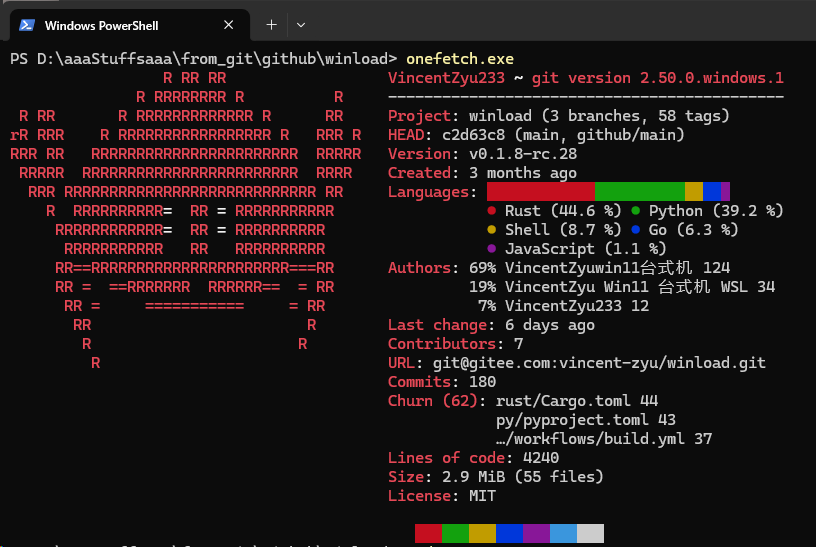
# Winload  > Linux의 `nload`에서 영감을 받은, 네트워크 대역폭 및 트래픽을 실시간으로 모니터링하는 경량 CLI 도구입니다.
> **[📖 English](readme.md)**
> **[📖 简体中文(大陆)](readme.zh-cn.md)**
> **[📖 繁體中文(台灣)](readme.zh-tw.md)**
> **[📖 文言文](readme.lzh.md)**
> **[📖 日本語](readme.jp.md)**
> **[📖 한국어](readme.ko.md)**
[](https://github.com/VincentZyuApps/winload)
[](https://gitee.com/vincent-zyu/winload)
[](https://github.com/VincentZyuApps/winload/releases)
[](https://github.com/VincentZyuApps/winload/releases)
[](https://github.com/VincentZyuApps/winload/releases)
[](https://github.com/VincentZyuApps/winload/releases)
[](https://pypi.org/project/winload/)
[](https://crates.io/crates/winload)
[](https://www.npmjs.com/package/@vincentzyuapps/winload)
[](https://scoop.sh/#/apps?q=%22https%3A%2F%2Fgithub.com%2FVincentZyuApps%2Fscoop-bucket%22&o=false)
[](https://aur.archlinux.org/packages/winload-rust-bin)
[](https://github.com/VincentZyuApps/winload/releases)
[](https://github.com/VincentZyuApps/winload/releases)
[](https://github.com/VincentZyuApps/homebrew-tap/blob/main/Formula/winload.rb)
> **[📖 빌드 문서](.github/workflows/build.md)**
## 🚀 소개
`Winload`는 현대적인 터미널 환경에서 직관적이고 시각적인 네트워크 모니터링 기능을 제공합니다. 처음에는 Windows 환경에서 `nload`의 공백을 메우기 위한 도구로 시작되었으나, 현재는 Linux와 macOS까지 지원 범위를 확장했습니다.
## 🙏 감사의 말
Winload는 Roland Riegel의 고전적인 프로젝트인 「[nload](https://github.com/rolandriegel/nload)」에서 영감을 얻었습니다. 독창적인 아이디어와 훌륭한 사용자 경험을 제공해 준 원작자에게 깊은 감사를 표합니다.
https://github.com/rolandriegel/nload
## ✨ 주요 기능
- **두 가지 구현 방식 제공**
- **Rust 버전**: 빠르고 메모리 안전하며, 단일 정적 바이너리로 제공되어 일상적인 모니터링에 최적화되어 있습니다.
- **Python 버전**: 구조가 단순하여 프로토타이핑이나 기능 확장, 통합이 용이합니다.
- **교차 플랫폼 지원**: Windows, Linux, macOS (x64 및 ARM64)를 모두 지원합니다.
- **실시간 시각화**: 실시간으로 유입(Incoming) 및 유출(Outgoing) 트래픽 그래프와 처리량 통계를 보여줍니다.
- **미니멀한 UI**: `nload`의 사용성을 계승한 깔끔한 TUI(텍스트 사용자 인터페이스)를 제공합니다.
## 📊 성능 벤치마크
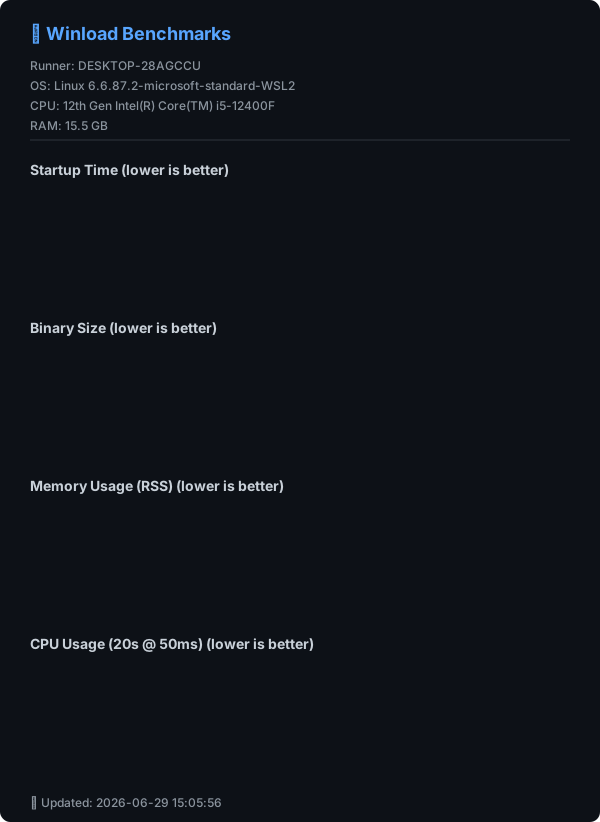
> ⚡ Winload (Rust)는 **~10ms의 시작 시간**과 **2MB 미만의 바이너리 크기**를 달성하여, Python 버전을 크게 능가하며 C++ nload와 대등한 효율성을 보여줍니다.
## 🔧 소스에서 실행
### Python
```bash
git clone https://github.com/VincentZyuApps/winload.git
# 또는 Gitee에서 클론 (중국 본토에서 더 빠름):
# git clone https://gitee.com/vincent-zyu/winload.git
cd winload/python
uv venv --python 3.13
uv pip install -r requirements.txt
uv run python main.py
```
### Rust
```bash
git clone https://github.com/VincentZyuApps/winload.git
cd winload/rust
cargo run --release
cargo run --release -- --help # 도움말 표시
cargo run --release -- --version # 버전 표시
```
## 🐍 Python 버전 설치
> 💡 **구현 참고사항**: PyPI 및 GitHub/Gitee 소스 코드만 Python 버전입니다.
> Cargo만 Rust 소스 코드 로컬 빌드를 제공합니다.
> 모든 다른 패키지 관리자(Scoop, AUR, npm, APT, RPM) 및 GitHub Releases는 **Rust 바이너리**를 제공합니다.
### Python (pip)
```bash
pip install winload
# uv 사용을 권장합니다:
# https://docs.astral.sh/uv/getting-started/installation/
# https://gitee.com/wangnov/uv-custom/releases
uv venv --python 3.13
uv pip install winload
uv run winload
uv run python -c "import shutil; print(shutil.which('winload'))"
```
## 📥 Rust 버전 설치 (권장)
### npm (크로스 플래트폼)
```bash
# 권장(scoped)
npm install -g @vincentzyuapps/winload
# 대체(unscoped)
npm install -g winload-rust-bin
# 대체(GitHub Packages)
npm install -g @vincentzyuapps/winload --registry https://npm.pkg.github.com
# Windows에서는 System32\winload.exe와의 충돌을 피하기 위해 win-nload 사용
# Linux/macOS에서는 winload 또는 win-nload 모두 사용 가능
# 또는 npx 를 직접 사용
npx @vincentzyuapps/winload
```
> 4가지 사전 컴파일된 바이너리 포함: x86_64 & ARM64, Windows·Linux·macOS 대응.
### Cargo (소스 코드 빌드)
```bash
cargo install winload
cargo install --list
```
### Windows (Scoop 이용)
> 📄 [Scoop Bucket (GitHub)](https://github.com/VincentZyuApps/scoop-bucket/blob/main/bucket/winload.json)
> 📄 [Scoop Bucket (Gitee)](https://gitee.com/vincent-zyu/scoop-bucket/blob/main/bucket/winload.json)
```powershell
scoop bucket add vincentzyu https://github.com/VincentZyuApps/scoop-bucket
# 또는 Gitee에서:
# scoop bucket add vincentzyu https://gitee.com/vincent-zyu/scoop-bucket
scoop update # optional: 설치 전에 수동으로 bucket 목록 업데이트
scoop install winload
# 바이너리 파일 실행
win-nload
Get-Command win-nload # Powershell
where win-nload # CMD
```
> 💡 기존 Windows Console 대신 [Windows Terminal](https://github.com/microsoft/terminal) 사용을 권장합니다. CJK 문자 렌더링과 TUI 환경이 더 우수합니다.
> ```powershell
> scoop bucket add versions
> scoop install windows-terminal-preview
> wtp
> ```
> 💡 **모든 빌드는 Windows 10+가 필요합니다**(Rust 1.77+에서 Windows 7/8 지원이 중단되었습니다)。Scoop은 **x86_64** 및 **ARM64**용 **MSVC + Npcap** 빌드만 제공합니다.
### Arch Linux (AUR):
```bash
paru -S winload-rust-bin
which winload
```
### Debian & RedHat 계열 배포판 / Termux (간편 설치 스크립트)
> Debian/Ubuntu 및 파생 버전(Linux Mint, Pop!_OS, Deepin, UOS 등) 지원 (apt)
> Fedora/RHEL 및 파생 버전(Rocky Linux, AlmaLinux, CentOS Stream 등) 지원 (dnf)
> Android의 Termux (aarch64)도 지원
```bash
curl -fsSL https://raw.githubusercontent.com/VincentZyuApps/winload/main/docs/install_scripts/install.sh | bash
which winload
```
> 📄 [설치 스크립트 소스 보기](https://github.com/VincentZyuApps/winload/blob/main/docs/install_scripts/install.sh)
**🇨🇳 Gitee 미러 (중국 본토 내 빠른 다운로드):**
```bash
curl -fsSL https://gitee.com/vincent-zyu/winload/raw/main/docs/install_scripts/install_gitee.sh | bash
which winload
```
> 📄 [Gitee 설치 스크립트 소스 보기](https://gitee.com/vincent-zyu/winload/blob/main/docs/install_scripts/install_gitee.sh)
> ⚠️ 위의 두 `curl ... | bash` 설치 스크립트는 **x86_64 / aarch64** 아키텍처에서 **apt**(Debian/Ubuntu)、**dnf**(Fedora/RHEL)또는 **Termux**(Android)를 사용하는 시스템을 지원합니다. 다른 플랫폼에서는 **npm**(`npm install -g @vincentzyuapps/winload`)또는 **Cargo**(`cargo install winload`)를 사용하세요.
### macOS / Linux(Homebrew)
> 📄 [Homebrew Formula (GitHub)](https://github.com/VincentZyuApps/homebrew-tap/blob/main/Formula/winload.rb)
> 📄 [Homebrew Formula (Gitee)](https://gitee.com/vincent-zyu/homebrew-tap/blob/main/Formula/winload.rb)
> 최신 Homebrew에서는 설치 전에 서드파티 tap formula를 신뢰해야 할 수 있습니다.
```bash
brew tap vincentzyuapps/tap
brew trust vincentzyuapps/tap
# 또는 Gitee에서(수동 탭 클론):
# git clone https://gitee.com/vincent-zyu/homebrew-tap.git "$(brew --prefix)/Library/Taps/vincentzyuapps/homebrew-tap"
brew update && brew install winload
which winload
```
> 💡 Homebrew는 **macOS**(Intel 및 Apple Silicon)와 **Linux**(x86_64 및 ARM64)를 지원합니다.
> Linux의 `nload`에서 영감을 받은, 네트워크 대역폭 및 트래픽을 실시간으로 모니터링하는 경량 CLI 도구입니다.
> **[📖 English](readme.md)**
> **[📖 简体中文(大陆)](readme.zh-cn.md)**
> **[📖 繁體中文(台灣)](readme.zh-tw.md)**
> **[📖 文言文](readme.lzh.md)**
> **[📖 日本語](readme.jp.md)**
> **[📖 한국어](readme.ko.md)**
[](https://github.com/VincentZyuApps/winload)
[](https://gitee.com/vincent-zyu/winload)
[](https://github.com/VincentZyuApps/winload/releases)
[](https://github.com/VincentZyuApps/winload/releases)
[](https://github.com/VincentZyuApps/winload/releases)
[](https://github.com/VincentZyuApps/winload/releases)
[](https://pypi.org/project/winload/)
[](https://crates.io/crates/winload)
[](https://www.npmjs.com/package/@vincentzyuapps/winload)
[](https://scoop.sh/#/apps?q=%22https%3A%2F%2Fgithub.com%2FVincentZyuApps%2Fscoop-bucket%22&o=false)
[](https://aur.archlinux.org/packages/winload-rust-bin)
[](https://github.com/VincentZyuApps/winload/releases)
[](https://github.com/VincentZyuApps/winload/releases)
[](https://github.com/VincentZyuApps/homebrew-tap/blob/main/Formula/winload.rb)
> **[📖 빌드 문서](.github/workflows/build.md)**
## 🚀 소개
`Winload`는 현대적인 터미널 환경에서 직관적이고 시각적인 네트워크 모니터링 기능을 제공합니다. 처음에는 Windows 환경에서 `nload`의 공백을 메우기 위한 도구로 시작되었으나, 현재는 Linux와 macOS까지 지원 범위를 확장했습니다.
## 🙏 감사의 말
Winload는 Roland Riegel의 고전적인 프로젝트인 「[nload](https://github.com/rolandriegel/nload)」에서 영감을 얻었습니다. 독창적인 아이디어와 훌륭한 사용자 경험을 제공해 준 원작자에게 깊은 감사를 표합니다.
https://github.com/rolandriegel/nload
## ✨ 주요 기능
- **두 가지 구현 방식 제공**
- **Rust 버전**: 빠르고 메모리 안전하며, 단일 정적 바이너리로 제공되어 일상적인 모니터링에 최적화되어 있습니다.
- **Python 버전**: 구조가 단순하여 프로토타이핑이나 기능 확장, 통합이 용이합니다.
- **교차 플랫폼 지원**: Windows, Linux, macOS (x64 및 ARM64)를 모두 지원합니다.
- **실시간 시각화**: 실시간으로 유입(Incoming) 및 유출(Outgoing) 트래픽 그래프와 처리량 통계를 보여줍니다.
- **미니멀한 UI**: `nload`의 사용성을 계승한 깔끔한 TUI(텍스트 사용자 인터페이스)를 제공합니다.
## 📊 성능 벤치마크
> ⚡ Winload (Rust)는 **~10ms의 시작 시간**과 **2MB 미만의 바이너리 크기**를 달성하여, Python 버전을 크게 능가하며 C++ nload와 대등한 효율성을 보여줍니다.

## 🔧 소스에서 실행
### Python
```bash
git clone https://github.com/VincentZyuApps/winload.git
# 또는 Gitee에서 클론 (중국 본토에서 더 빠름):
# git clone https://gitee.com/vincent-zyu/winload.git
cd winload/python
uv venv --python 3.13
uv pip install -r requirements.txt
uv run python main.py
```
### Rust
```bash
git clone https://github.com/VincentZyuApps/winload.git
cd winload/rust
cargo run --release
cargo run --release -- --help # 도움말 표시
cargo run --release -- --version # 버전 표시
```
## 🐍 Python 버전 설치
> 💡 **구현 참고사항**: PyPI 및 GitHub/Gitee 소스 코드만 Python 버전입니다.
> Cargo만 Rust 소스 코드 로컬 빌드를 제공합니다.
> 모든 다른 패키지 관리자(Scoop, AUR, npm, APT, RPM) 및 GitHub Releases는 **Rust 바이너리**를 제공합니다.
### Python (pip)
```bash
pip install winload
# uv 사용을 권장합니다:
# https://docs.astral.sh/uv/getting-started/installation/
# https://gitee.com/wangnov/uv-custom/releases
uv venv --python 3.13
uv pip install winload
uv run winload
uv run python -c "import shutil; print(shutil.which('winload'))"
```
## 📥 Rust 버전 설치 (권장)
### npm (크로스 플래트폼)
```bash
# 권장(scoped)
npm install -g @vincentzyuapps/winload
# 대체(unscoped)
npm install -g winload-rust-bin
# 대체(GitHub Packages)
npm install -g @vincentzyuapps/winload --registry https://npm.pkg.github.com
# Windows에서는 System32\winload.exe와의 충돌을 피하기 위해 win-nload 사용
# Linux/macOS에서는 winload 또는 win-nload 모두 사용 가능
# 또는 npx 를 직접 사용
npx @vincentzyuapps/winload
```
> 4가지 사전 컴파일된 바이너리 포함: x86_64 & ARM64, Windows·Linux·macOS 대응.
### Cargo (소스 코드 빌드)
```bash
cargo install winload
cargo install --list
```
### Windows (Scoop 이용)
> 📄 [Scoop Bucket (GitHub)](https://github.com/VincentZyuApps/scoop-bucket/blob/main/bucket/winload.json)
> 📄 [Scoop Bucket (Gitee)](https://gitee.com/vincent-zyu/scoop-bucket/blob/main/bucket/winload.json)
```powershell
scoop bucket add vincentzyu https://github.com/VincentZyuApps/scoop-bucket
# 또는 Gitee에서:
# scoop bucket add vincentzyu https://gitee.com/vincent-zyu/scoop-bucket
scoop update # optional: 설치 전에 수동으로 bucket 목록 업데이트
scoop install winload
# 바이너리 파일 실행
win-nload
Get-Command win-nload # Powershell
where win-nload # CMD
```
> 💡 기존 Windows Console 대신 [Windows Terminal](https://github.com/microsoft/terminal) 사용을 권장합니다. CJK 문자 렌더링과 TUI 환경이 더 우수합니다.
> ```powershell
> scoop bucket add versions
> scoop install windows-terminal-preview
> wtp
> ```
> 💡 **모든 빌드는 Windows 10+가 필요합니다**(Rust 1.77+에서 Windows 7/8 지원이 중단되었습니다)。Scoop은 **x86_64** 및 **ARM64**용 **MSVC + Npcap** 빌드만 제공합니다.
### Arch Linux (AUR):
```bash
paru -S winload-rust-bin
which winload
```
### Debian & RedHat 계열 배포판 / Termux (간편 설치 스크립트)
> Debian/Ubuntu 및 파생 버전(Linux Mint, Pop!_OS, Deepin, UOS 등) 지원 (apt)
> Fedora/RHEL 및 파생 버전(Rocky Linux, AlmaLinux, CentOS Stream 등) 지원 (dnf)
> Android의 Termux (aarch64)도 지원
```bash
curl -fsSL https://raw.githubusercontent.com/VincentZyuApps/winload/main/docs/install_scripts/install.sh | bash
which winload
```
> 📄 [설치 스크립트 소스 보기](https://github.com/VincentZyuApps/winload/blob/main/docs/install_scripts/install.sh)
**🇨🇳 Gitee 미러 (중국 본토 내 빠른 다운로드):**
```bash
curl -fsSL https://gitee.com/vincent-zyu/winload/raw/main/docs/install_scripts/install_gitee.sh | bash
which winload
```
> 📄 [Gitee 설치 스크립트 소스 보기](https://gitee.com/vincent-zyu/winload/blob/main/docs/install_scripts/install_gitee.sh)
> ⚠️ 위의 두 `curl ... | bash` 설치 스크립트는 **x86_64 / aarch64** 아키텍처에서 **apt**(Debian/Ubuntu)、**dnf**(Fedora/RHEL)또는 **Termux**(Android)를 사용하는 시스템을 지원합니다. 다른 플랫폼에서는 **npm**(`npm install -g @vincentzyuapps/winload`)또는 **Cargo**(`cargo install winload`)를 사용하세요.
### macOS / Linux(Homebrew)
> 📄 [Homebrew Formula (GitHub)](https://github.com/VincentZyuApps/homebrew-tap/blob/main/Formula/winload.rb)
> 📄 [Homebrew Formula (Gitee)](https://gitee.com/vincent-zyu/homebrew-tap/blob/main/Formula/winload.rb)
> 최신 Homebrew에서는 설치 전에 서드파티 tap formula를 신뢰해야 할 수 있습니다.
```bash
brew tap vincentzyuapps/tap
brew trust vincentzyuapps/tap
# 또는 Gitee에서(수동 탭 클론):
# git clone https://gitee.com/vincent-zyu/homebrew-tap.git "$(brew --prefix)/Library/Taps/vincentzyuapps/homebrew-tap"
brew update && brew install winload
which winload
```
> 💡 Homebrew는 **macOS**(Intel 및 Apple Silicon)와 **Linux**(x86_64 및 ARM64)를 지원합니다.
수동 설치
**DEB (Debian/Ubuntu):**
```bash
# GitHub Releases에서 최신 .deb 파일을 다운로드합니다.
sudo dpkg -i ./winload*.deb
# 또는 apt를 사용하여 의존성을 자동으로 해결하며 설치합니다.
sudo apt install ./winload*.deb
which winload
```
**RPM (Fedora/RHEL):**
```bash
sudo dnf install ./winload*.rpm
which winload
```
**또는 [GitHub Releases](https://github.com/VincentZyuApps/winload/releases)에서 바이너리를 직접 다운로드할 수 있습니다.**
## ⌨️ 사용법
```bash
winload # 활성화된 모든 네트워크 인터페이스 모니터링
winload -t 200 # 새로고침 간격을 200ms로 설정
winload -d "Wi-Fi" # 특정 장치 이름으로 시작 (부분 일치 가능)
winload --title "My Monitor" # 사용자 지정 헤더 제목 사용
winload -e # TUI에 이모지 장식 활성화 🎉
winload --max-mode smart --max-half-life 10 # 부드러운 적응형 Y축 (기본값)
winload --max-mode legacy # nload 스타일 표시 히스토리 피크 스케일링
winload --max-mode fixed --max-y-value 10M # Y축 상한 고정
winload --npcap # 127.0.0.1 루프백 트래픽 캡처 (Windows, Npcap 필요)
winload --netlink # RTNETLINK 수동 활성화(Linux/Android, 기본 꺼짐)
```
### 옵션 상세
| 플래그 | 설명 | 기본값 |
|------|-------------|---------|
| `-t`, `--interval ` | 새로고침 간격 (밀리초 단위) | `500` |
| `-a`, `--average ` | 평균 계산을 위한 윈도우 시간 (초 단위) | `300` |
| `-d`, `--device ` | 기본 장치 이름 (부분 일치 가능) | — |
| `--title [TITLE]` | 장치 헤더 위에 제목 줄 추가. 값이 없으면 `winload `을 표시하고, 빈 문자열(또는 생략)이면 기본 장치 헤더만 표시 | — |
| `-e`, `--emoji` | TUI에서 이모지 장식 활성화 🎉 | 비활성 |
| `-U`, `--unicode` | 그래프에 Unicode 블록 문자 사용 (█▓░·) | 비활성 |
| `-u`, `--unit ` | 표시 단위: `bit` 또는 `byte` | `bit` |
| `-b`, `--bar-style