
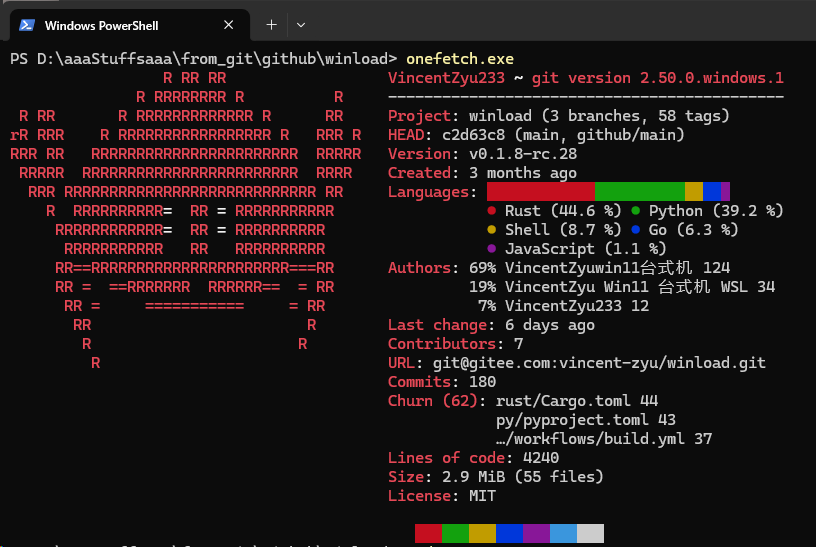
# Winload  > 輕若飛鴻,疾若奔雷;居終端之一隅,而觀網脈之往來。其意取自 Linux 之 `nload`,而為今世諸機所用。
> **[📖 English](readme.md)**
> **[📖 简体中文(大陆)](readme.zh-cn.md)**
> **[📖 繁體中文(台灣)](readme.zh-tw.md)**
> **[📖 文言文](readme.lzh.md)**
> **[📖 日本語](readme.jp.md)**
> **[📖 한국어](readme.ko.md)**
[](https://github.com/VincentZyuApps/winload)
[](https://gitee.com/vincent-zyu/winload)
[](https://github.com/VincentZyuApps/winload/releases)
[](https://github.com/VincentZyuApps/winload/releases)
[](https://github.com/VincentZyuApps/winload/releases)
[](https://github.com/VincentZyuApps/winload/releases)
[](https://pypi.org/project/winload/)
[](https://crates.io/crates/winload)
[](https://www.npmjs.com/package/@vincentzyuapps/winload)
[](https://scoop.sh/#/apps?q=%22https%3A%2F%2Fgithub.com%2FVincentZyuApps%2Fscoop-bucket%22&o=false)
[](https://aur.archlinux.org/packages/winload-rust-bin)
[](https://github.com/VincentZyuApps/winload/releases)
[](https://github.com/VincentZyuApps/winload/releases)
[](https://github.com/VincentZyuApps/homebrew-tap/blob/main/Formula/winload.rb)
> **[📖 構築之書](.github/workflows/build.zh-cn.md)**
## 🚀 序
`Winload` 者,終端中觀網流之器也。初生於 Windows,欲補 `nload` 不能行於其上之闕;今則兼濟 Linux、macOS,亦及諸架構。
## 🙏 謝
Winload 之靈感,承 Roland Riegel 之經典「[nload](https://github.com/rolandriegel/nload)」。前賢鑿井,後人飲水;其構想與體驗,皆為此器開山之石。
https://github.com/rolandriegel/nload
## ✨ 要義
- **雙本並行**
- **Rust 本**:迅疾、安穩、內存無虞,且可成一靜態二進制,日常巡網最宜。
- **Python 本**:易改易拓,若欲試新意、接旁器、作雛形,取之甚便。
- **橫行諸臺**:Windows、Linux、macOS(x64 & ARM64)皆可用。
- **即時成圖**:入流出流,頃刻見其高下;吞吐之數,如觀潮汐。
- **界面清簡**:承 `nload` 舊風,不事繁飾,而所需皆在。
## 📊 功力校驗
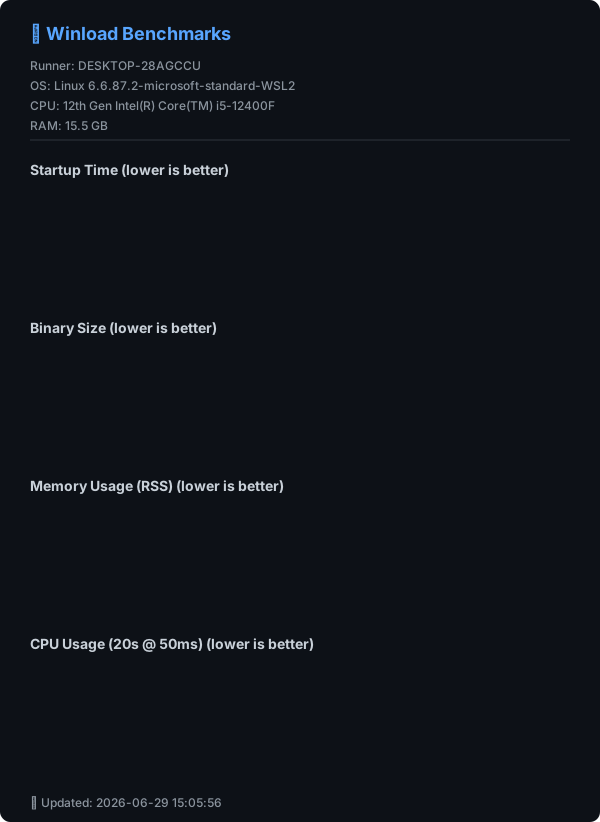
> ⚡ Winload(Rust)可得 **約 10ms 啟動**,二進制 **小於 2MB**。較 Python 本輕捷甚多,與 C++ nload 之效亦可相頡頏。
## 🔧 自源而行
### Python
```bash
git clone https://github.com/VincentZyuApps/winload.git
# 中土網路若遲,亦可取 Gitee:
# git clone https://gitee.com/vincent-zyu/winload.git
cd winload/python
uv venv --python 3.13
uv pip install -r requirements.txt
uv run python main.py
```
### Rust
```bash
git clone https://github.com/VincentZyuApps/winload.git
cd winload/rust
cargo run --release
cargo run --release -- --help # 示助
cargo run --release -- --version # 示版
```
## 🐍 Python 本安置
> 💡 **本末之辨**:PyPI 與 GitHub/Gitee 所得者,乃 Python 本。
> 僅 Cargo 提供 Rust 原始碼供本地編譯。
> 所有其他套件管理器(Scoop、AUR、npm、APT、RPM)及 GitHub Releases 均提供 **Rust 二進制**。
### Python (pip)
```bash
pip install winload
# uv 之用法亦佳:
# https://docs.astral.sh/uv/getting-started/installation/
# https://gitee.com/wangnov/uv-custom/releases
uv venv --python 3.13
uv pip install winload
uv run winload
uv run python -c "import shutil; print(shutil.which('winload'))"
```
## 📥 Rust 本安置(薦)
### npm(跨平台)
```bash
# 主薦(scoped)
npm install -g @vincentzyuapps/winload
# 佐選(unscoped)
npm install -g winload-rust-bin
# 佐選(GitHub Packages)
npm install -g @vincentzyuapps/winload --registry https://npm.pkg.github.com
# Windows 上以 win-nload 避 System32\winload.exe 之衝
# Linux/macOS 上 winload 與 win-nload 皆可用
# 或徑以 npx 行之
npx @vincentzyuapps/winload
```
> 內置 4 預編二進制:x86_64 & ARM64,遍及 Windows、Linux、macOS。
### Cargo(自源編鑄)
```bash
cargo install winload
cargo install --list
```
### Windows (Scoop)
> 📄 [Scoop Bucket (GitHub)](https://github.com/VincentZyuApps/scoop-bucket/blob/main/bucket/winload.json)
> 📄 [Scoop Bucket (Gitee)](https://gitee.com/vincent-zyu/scoop-bucket/blob/main/bucket/winload.json)
```powershell
scoop bucket add vincentzyu https://github.com/VincentZyuApps/scoop-bucket
# 或取諸 Gitee:
# scoop bucket add vincentzyu https://gitee.com/vincent-zyu/scoop-bucket
scoop update # 可先手動刷新 bucket
scoop install winload
# 行二進制
win-nload
Get-Command win-nload # Powershell
where win-nload # CMD
```
> 💡 宜用 [Windows Terminal](https://github.com/microsoft/terminal),其 CJK 字元之渲染較舊版精確,TUI 體驗亦佳。
> ```powershell
> scoop bucket add versions
> scoop install windows-terminal-preview
> wtp
> ```
> 💡 **諸構皆需 Windows 10+**(Rust 1.77+ 已棄 Windows 7/8)。Scoop 與 npm 預設供 **x86_64** 與 **ARM64** 之 **MSVC + Npcap** 構。今延後載入 `wpcap.dll`,可減未用 `--npcap` 時啟動失誤之虞,然回環抓包仍需系統已裝 Npcap。
### Arch Linux (AUR):
```bash
paru -S winload-rust-bin
which winload
```
### Debian & RedHat 系發行版 / Termux(一令而裝)
> 支援 Debian/Ubuntu 及其下游 —— Linux Mint、Pop!_OS、Deepin、統信 UOS 等(apt)
> 支援 Fedora/RHEL 及其下游 —— Rocky Linux、AlmaLinux、CentOS Stream 等(dnf)
> 亦支援 Android 之 Termux(aarch64)
```bash
curl -fsSL https://raw.githubusercontent.com/VincentZyuApps/winload/main/docs/install_scripts/install.sh | bash
which winload
```
> 📄 [觀安裝腳本之源](https://github.com/VincentZyuApps/winload/blob/main/docs/install_scripts/install.sh)
**🇨🇳 Gitee 鏡像(中土下載更速):**
```bash
curl -fsSL https://gitee.com/vincent-zyu/winload/raw/main/docs/install_scripts/install_gitee.sh | bash
which winload
```
> 📄 [觀 Gitee 安裝腳本之源](https://gitee.com/vincent-zyu/winload/blob/main/docs/install_scripts/install_gitee.sh)
> ⚠️ 上二 `curl ... | bash` 安裝腳本支援 **x86_64 / aarch64** 架構之 **apt**(Debian/Ubuntu)、**dnf**(Fedora/RHEL)或 **Termux**(Android)系統。他方平臺請以 **npm**(`npm install -g @vincentzyuapps/winload`)或 **Cargo**(`cargo install winload`)安裝。
### macOS / Linux(Homebrew)
> 📄 [Homebrew Formula (GitHub)](https://github.com/VincentZyuApps/homebrew-tap/blob/main/Formula/winload.rb)
> 📄 [Homebrew Formula (Gitee)](https://gitee.com/vincent-zyu/homebrew-tap/blob/main/Formula/winload.rb)
> 近版 Homebrew 或須先信第三方 tap formula,然後可裝。
```bash
brew tap vincentzyuapps/tap
brew trust vincentzyuapps/tap
# 或從 Gitee(手動克隆 tap):
# git clone https://gitee.com/vincent-zyu/homebrew-tap.git "$(brew --prefix)/Library/Taps/vincentzyuapps/homebrew-tap"
brew update && brew install winload
which winload
```
> 💡 Homebrew 支援 **macOS**(Intel 與 Apple Silicon)與 **Linux**(x86_64 與 ARM64)。
> 輕若飛鴻,疾若奔雷;居終端之一隅,而觀網脈之往來。其意取自 Linux 之 `nload`,而為今世諸機所用。
> **[📖 English](readme.md)**
> **[📖 简体中文(大陆)](readme.zh-cn.md)**
> **[📖 繁體中文(台灣)](readme.zh-tw.md)**
> **[📖 文言文](readme.lzh.md)**
> **[📖 日本語](readme.jp.md)**
> **[📖 한국어](readme.ko.md)**
[](https://github.com/VincentZyuApps/winload)
[](https://gitee.com/vincent-zyu/winload)
[](https://github.com/VincentZyuApps/winload/releases)
[](https://github.com/VincentZyuApps/winload/releases)
[](https://github.com/VincentZyuApps/winload/releases)
[](https://github.com/VincentZyuApps/winload/releases)
[](https://pypi.org/project/winload/)
[](https://crates.io/crates/winload)
[](https://www.npmjs.com/package/@vincentzyuapps/winload)
[](https://scoop.sh/#/apps?q=%22https%3A%2F%2Fgithub.com%2FVincentZyuApps%2Fscoop-bucket%22&o=false)
[](https://aur.archlinux.org/packages/winload-rust-bin)
[](https://github.com/VincentZyuApps/winload/releases)
[](https://github.com/VincentZyuApps/winload/releases)
[](https://github.com/VincentZyuApps/homebrew-tap/blob/main/Formula/winload.rb)
> **[📖 構築之書](.github/workflows/build.zh-cn.md)**
## 🚀 序
`Winload` 者,終端中觀網流之器也。初生於 Windows,欲補 `nload` 不能行於其上之闕;今則兼濟 Linux、macOS,亦及諸架構。
## 🙏 謝
Winload 之靈感,承 Roland Riegel 之經典「[nload](https://github.com/rolandriegel/nload)」。前賢鑿井,後人飲水;其構想與體驗,皆為此器開山之石。
https://github.com/rolandriegel/nload
## ✨ 要義
- **雙本並行**
- **Rust 本**:迅疾、安穩、內存無虞,且可成一靜態二進制,日常巡網最宜。
- **Python 本**:易改易拓,若欲試新意、接旁器、作雛形,取之甚便。
- **橫行諸臺**:Windows、Linux、macOS(x64 & ARM64)皆可用。
- **即時成圖**:入流出流,頃刻見其高下;吞吐之數,如觀潮汐。
- **界面清簡**:承 `nload` 舊風,不事繁飾,而所需皆在。
## 📊 功力校驗
> ⚡ Winload(Rust)可得 **約 10ms 啟動**,二進制 **小於 2MB**。較 Python 本輕捷甚多,與 C++ nload 之效亦可相頡頏。

## 🔧 自源而行
### Python
```bash
git clone https://github.com/VincentZyuApps/winload.git
# 中土網路若遲,亦可取 Gitee:
# git clone https://gitee.com/vincent-zyu/winload.git
cd winload/python
uv venv --python 3.13
uv pip install -r requirements.txt
uv run python main.py
```
### Rust
```bash
git clone https://github.com/VincentZyuApps/winload.git
cd winload/rust
cargo run --release
cargo run --release -- --help # 示助
cargo run --release -- --version # 示版
```
## 🐍 Python 本安置
> 💡 **本末之辨**:PyPI 與 GitHub/Gitee 所得者,乃 Python 本。
> 僅 Cargo 提供 Rust 原始碼供本地編譯。
> 所有其他套件管理器(Scoop、AUR、npm、APT、RPM)及 GitHub Releases 均提供 **Rust 二進制**。
### Python (pip)
```bash
pip install winload
# uv 之用法亦佳:
# https://docs.astral.sh/uv/getting-started/installation/
# https://gitee.com/wangnov/uv-custom/releases
uv venv --python 3.13
uv pip install winload
uv run winload
uv run python -c "import shutil; print(shutil.which('winload'))"
```
## 📥 Rust 本安置(薦)
### npm(跨平台)
```bash
# 主薦(scoped)
npm install -g @vincentzyuapps/winload
# 佐選(unscoped)
npm install -g winload-rust-bin
# 佐選(GitHub Packages)
npm install -g @vincentzyuapps/winload --registry https://npm.pkg.github.com
# Windows 上以 win-nload 避 System32\winload.exe 之衝
# Linux/macOS 上 winload 與 win-nload 皆可用
# 或徑以 npx 行之
npx @vincentzyuapps/winload
```
> 內置 4 預編二進制:x86_64 & ARM64,遍及 Windows、Linux、macOS。
### Cargo(自源編鑄)
```bash
cargo install winload
cargo install --list
```
### Windows (Scoop)
> 📄 [Scoop Bucket (GitHub)](https://github.com/VincentZyuApps/scoop-bucket/blob/main/bucket/winload.json)
> 📄 [Scoop Bucket (Gitee)](https://gitee.com/vincent-zyu/scoop-bucket/blob/main/bucket/winload.json)
```powershell
scoop bucket add vincentzyu https://github.com/VincentZyuApps/scoop-bucket
# 或取諸 Gitee:
# scoop bucket add vincentzyu https://gitee.com/vincent-zyu/scoop-bucket
scoop update # 可先手動刷新 bucket
scoop install winload
# 行二進制
win-nload
Get-Command win-nload # Powershell
where win-nload # CMD
```
> 💡 宜用 [Windows Terminal](https://github.com/microsoft/terminal),其 CJK 字元之渲染較舊版精確,TUI 體驗亦佳。
> ```powershell
> scoop bucket add versions
> scoop install windows-terminal-preview
> wtp
> ```
> 💡 **諸構皆需 Windows 10+**(Rust 1.77+ 已棄 Windows 7/8)。Scoop 與 npm 預設供 **x86_64** 與 **ARM64** 之 **MSVC + Npcap** 構。今延後載入 `wpcap.dll`,可減未用 `--npcap` 時啟動失誤之虞,然回環抓包仍需系統已裝 Npcap。
### Arch Linux (AUR):
```bash
paru -S winload-rust-bin
which winload
```
### Debian & RedHat 系發行版 / Termux(一令而裝)
> 支援 Debian/Ubuntu 及其下游 —— Linux Mint、Pop!_OS、Deepin、統信 UOS 等(apt)
> 支援 Fedora/RHEL 及其下游 —— Rocky Linux、AlmaLinux、CentOS Stream 等(dnf)
> 亦支援 Android 之 Termux(aarch64)
```bash
curl -fsSL https://raw.githubusercontent.com/VincentZyuApps/winload/main/docs/install_scripts/install.sh | bash
which winload
```
> 📄 [觀安裝腳本之源](https://github.com/VincentZyuApps/winload/blob/main/docs/install_scripts/install.sh)
**🇨🇳 Gitee 鏡像(中土下載更速):**
```bash
curl -fsSL https://gitee.com/vincent-zyu/winload/raw/main/docs/install_scripts/install_gitee.sh | bash
which winload
```
> 📄 [觀 Gitee 安裝腳本之源](https://gitee.com/vincent-zyu/winload/blob/main/docs/install_scripts/install_gitee.sh)
> ⚠️ 上二 `curl ... | bash` 安裝腳本支援 **x86_64 / aarch64** 架構之 **apt**(Debian/Ubuntu)、**dnf**(Fedora/RHEL)或 **Termux**(Android)系統。他方平臺請以 **npm**(`npm install -g @vincentzyuapps/winload`)或 **Cargo**(`cargo install winload`)安裝。
### macOS / Linux(Homebrew)
> 📄 [Homebrew Formula (GitHub)](https://github.com/VincentZyuApps/homebrew-tap/blob/main/Formula/winload.rb)
> 📄 [Homebrew Formula (Gitee)](https://gitee.com/vincent-zyu/homebrew-tap/blob/main/Formula/winload.rb)
> 近版 Homebrew 或須先信第三方 tap formula,然後可裝。
```bash
brew tap vincentzyuapps/tap
brew trust vincentzyuapps/tap
# 或從 Gitee(手動克隆 tap):
# git clone https://gitee.com/vincent-zyu/homebrew-tap.git "$(brew --prefix)/Library/Taps/vincentzyuapps/homebrew-tap"
brew update && brew install winload
which winload
```
> 💡 Homebrew 支援 **macOS**(Intel 與 Apple Silicon)與 **Linux**(x86_64 與 ARM64)。
手動安裝
**DEB(Debian/Ubuntu):**
```bash
# 從 GitHub Releases 下載最新 .deb 包
sudo dpkg -i ./winload*.deb
# 或以 apt(自動理依賴)
sudo apt install ./winload*.deb
which winload
```
**RPM(Fedora/RHEL):**
```bash
sudo dnf install ./winload*.rpm
which winload
```
**或逕自 [GitHub Releases](https://github.com/VincentZyuApps/winload/releases) 下載二進制。**
## ⌨️ 用法
```bash
winload # 監所有活網口
winload -t 200 # 置刷新間隔 200ms
winload -d "Wi-Fi" # 啟時徑定 Wi-Fi 網卡
winload --title "吾監" # 自訂頂標題
winload -e # 啟 emoji 飾 🎉
winload --max-mode smart --max-half-life 10 # 智適 Y 軸(默)
winload --max-mode legacy # nload 舊式,以可見歷史峰值縮放
winload --max-mode fixed --max-y-value 10M # 固 Y 軸上限
winload --npcap # 捕 127.0.0.1 回環流(Windows,需 Npcap)
winload --netlink # 手啟 RTNETLINK(Linux/Android,默關)
```
### 參數
| 參數 | 說明 | 預設 |
|------|------|------|
| `-t`, `--interval ` | 刷新間隔(毫秒) | `500` |
| `-a`, `--average ` | 均值計算窗(秒) | `300` |
| `-d`, `--device ` | 預設裝置名(模糊比對) | — |
| `--title [TITLE]` | 裝置標題上增一行:不帶值則示 `winload <版號>`;空字串(或略)則僅示預設裝置標題 | — |
| `-e`, `--emoji` | TUI 中啟 emoji 飾 🎉 | 關 |
| `-U`, `--unicode` | 用 Unicode 方塊字繪圖(█▓░·) | 關 |
| `-u`, `--unit ` | 示單位:`bit` 或 `byte` | `bit` |
| `-b`, `--bar-style