

An unofficial port of Deltarune: Lightners Live Plus for PlayStation Vita.
Powered by a customized Godot 4 Vita runtime.
> [!IMPORTANT]
> This repository and its releases do **not** include the games' files. The patcher builds the Vita data from your own copies of *Deltarune: Lightners Live Plus* (free on [itch.io](https://ezioeagle.itch.io/lightners-live-plus)) and *DELTARUNE* ([Steam](https://store.steampowered.com/app/1671210/)).
Installation · Controls · Screenshots · About the port · PC vs. Vita


_If you enjoy my work, consider supporting the development!_
[

](https://www.buymeacoffee.com/5rsrt7j4z8f)


- A homebrew-enabled PlayStation Vita with [VitaShell](https://github.com/TheOfficialFloW/VitaShell/releases).
- A Windows x64 PC to run the patcher.
- [kubridge](https://github.com/TheOfficialFloW/kubridge/releases/) under `*KERNEL` in taiHEN's `config.txt`.
- [Deltarune: Lightners Live Plus 1.6.0.2](https://ezioeagle.itch.io/lightners-live-plus) for Windows (free).
- [DELTARUNE](https://store.steampowered.com/app/1671210/) for PC (Steam) with Chapters 1-4 installed.
- optional: [NoTrpDrm](https://github.com/Rinnegatamante/NoTrpDrm/releases) for trophies.
```text
*KERNEL
ux0:tai/kubridge.skprx
```

1. Download `deltalightplusvita.vpk` and `LightnersVitaPatcher-v1.0.zip` from the [latest release](https://github.com/WolffsRoom/DeltaruneLightnersVita/releases/latest).
2. Run `LightnersVitaPatcher.exe`, drag the **Lightners Live Plus** folder (with `Deltarune Lightners Live Plus.pck`) into the window, then the **DELTARUNE** Steam folder (with `chapter1_windows` … `chapter4_windows`), and wait. Every generated file is checked by SHA-256.
3. Copy the generated `deltalightplusvita` folder to `ux0:data/` on the Vita.
4. Install `deltalightplusvita.vpk` using VitaShell.
The final path must be:
```text
ux0:data/deltalightplusvita/game_data/
```
When updating, regenerate the data with the v1.0 patcher and install the matching VPK. Back up `game_data/custom` before copying files to the Vita. Saves and port settings do not need to be reset.

Put each custom map folder in `ux0:data/deltalightplusvita/game_data/custom/` and open them from the café PC.

With NoTrpDrm installed, the game is designed to register its trophy set on the first boot and unlock trophies as you play. The in-game trophy list is also available in Options → Data and through Swatchling, with optional notices.
Native registration remains under validation. The earlier trophy pack declared a large set with only 705 points. PCK24 corrects that configuration to 960 points and keeps the same trophy IDs and objectives. The earlier NP-6185-5 report still needs a new registration test on the console with this corrected pack. The in-game list works independently. If setup was interrupted, the game skips native trophies on later boots. With the game closed, remove `ux0:data/deltalightplusvita/trophy_disabled` and `trophy_setup_attempt` from the same folder only when you want to retry. Diagnostics are in `ux0:data/deltalightplusvita/logs/trophy.log`.
Install NoTrpDrm under `*main` in the active taiHEN `config.txt`, following the [plugin instructions](https://github.com/Rinnegatamante/NoTrpDrm#installation):
```text
*main
ux0:tai/NoTrpDrm.suprx
```

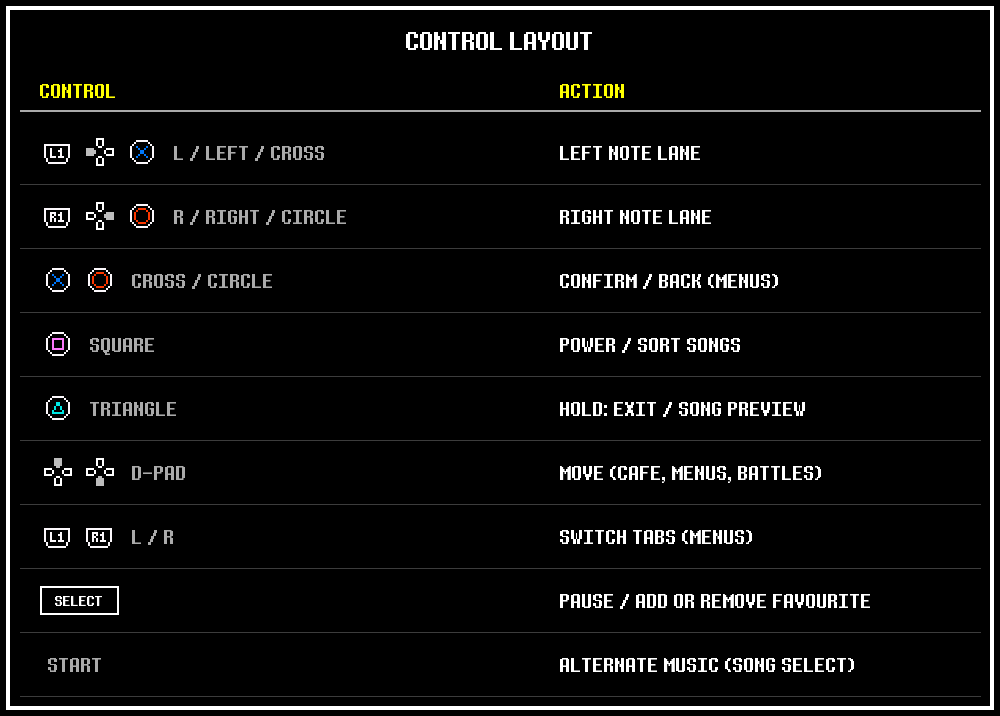
In the song list, **Square** switches between soundtrack order and chart difficulty. **Triangle** previews a song, **START** changes its alternate music when available, and **SELECT** adds or removes a favourite. During a song, **Square** activates Determination Power.

Select a screenshot to open its full-size image directly.

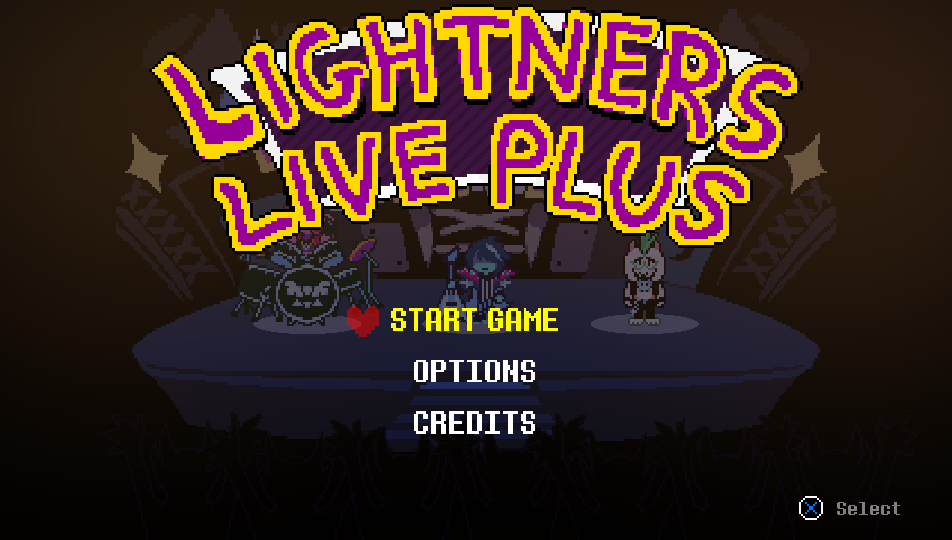
Title menu |
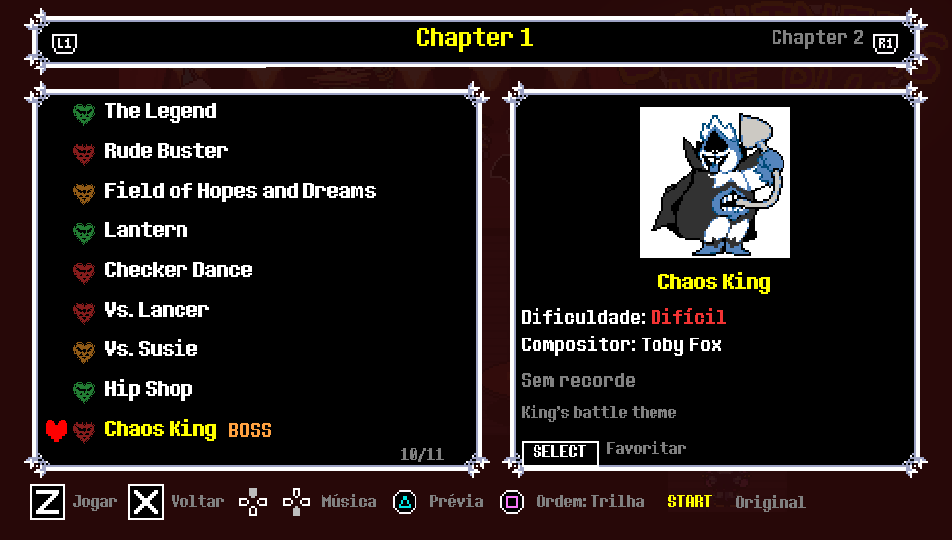
Song selection |
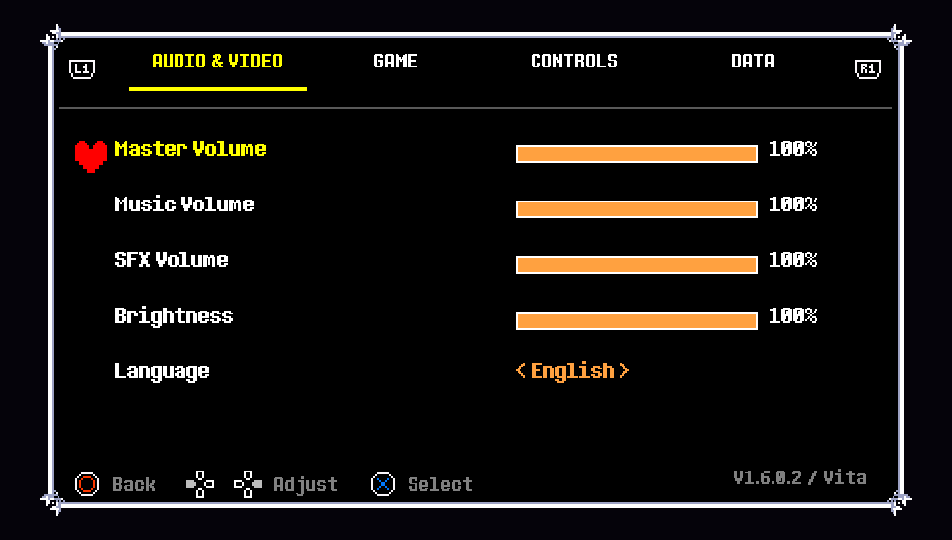
Options |
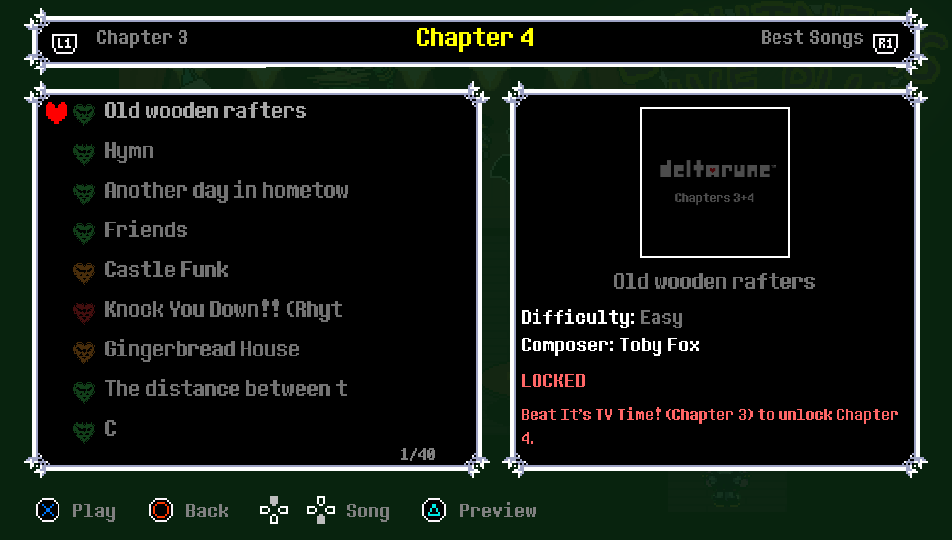
Chapter progression |
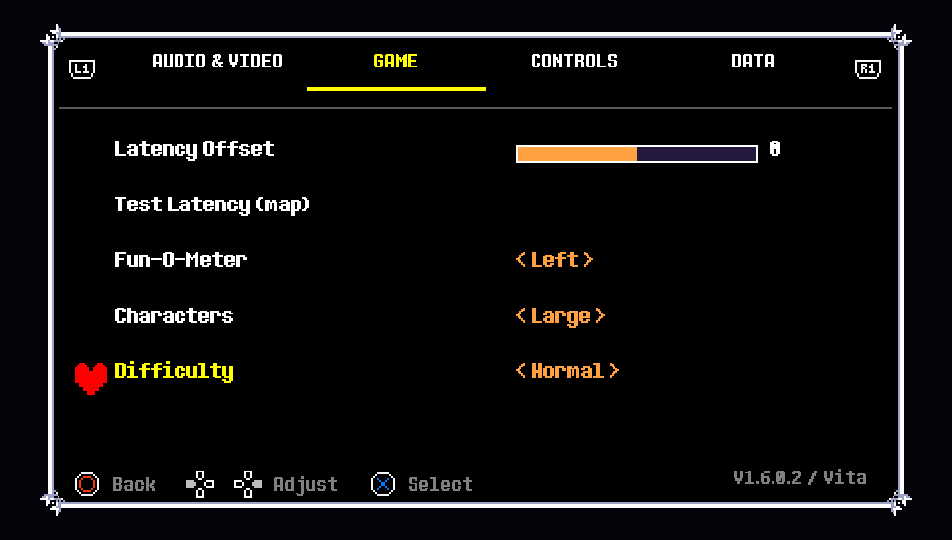
Gameplay difficulty and options |
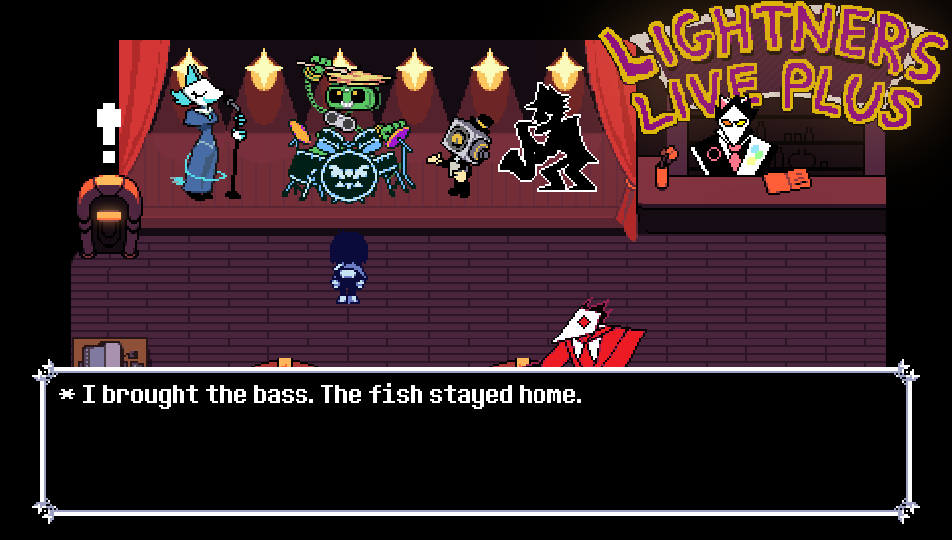
Talk to the stage cast |

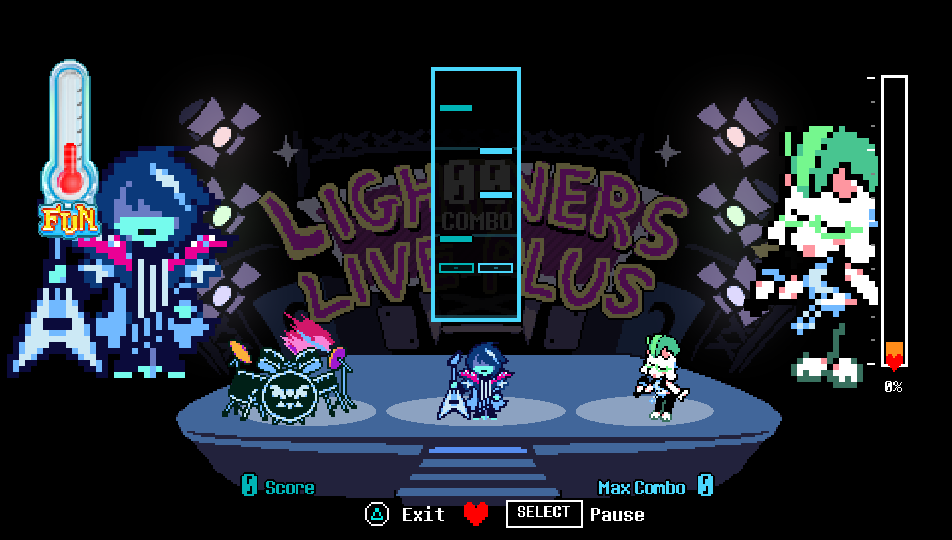
Rhythm gameplay |
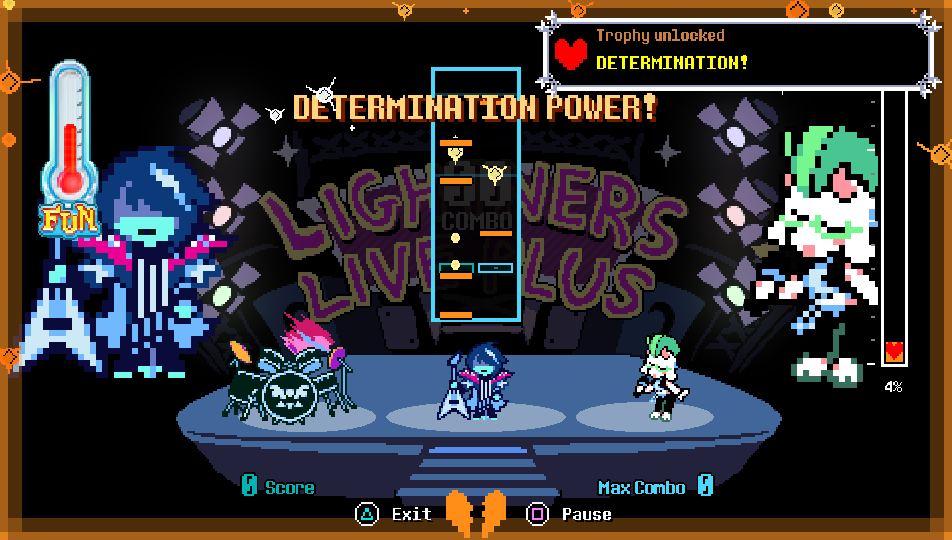
Determination Power |
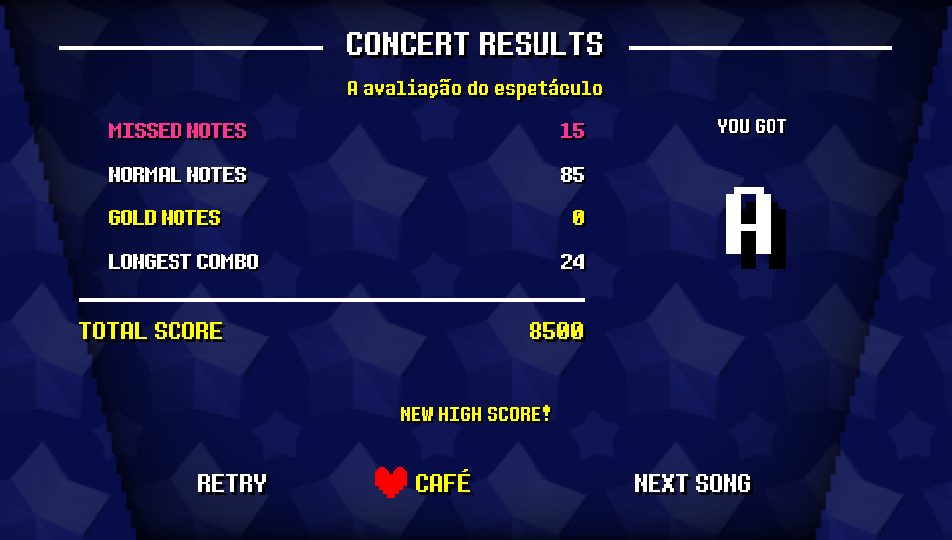
Concert results |
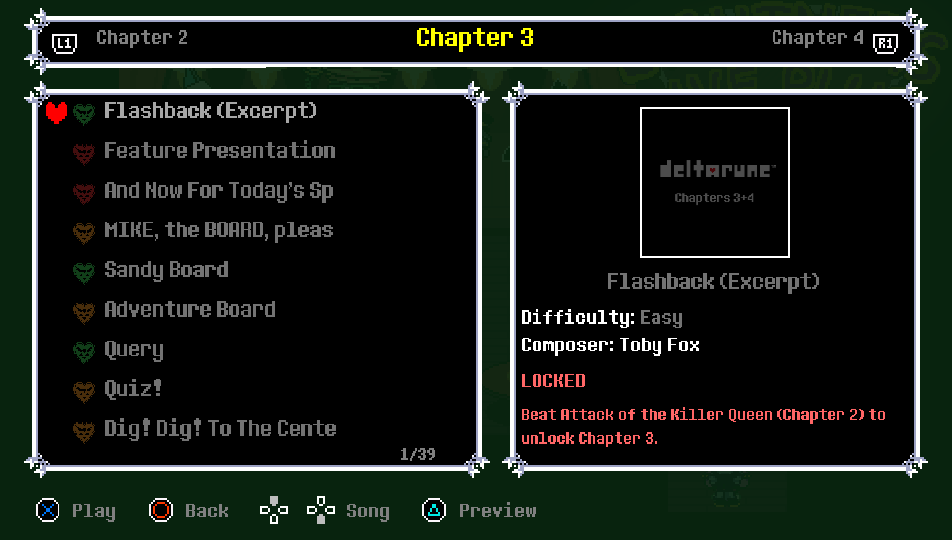
Song preview |

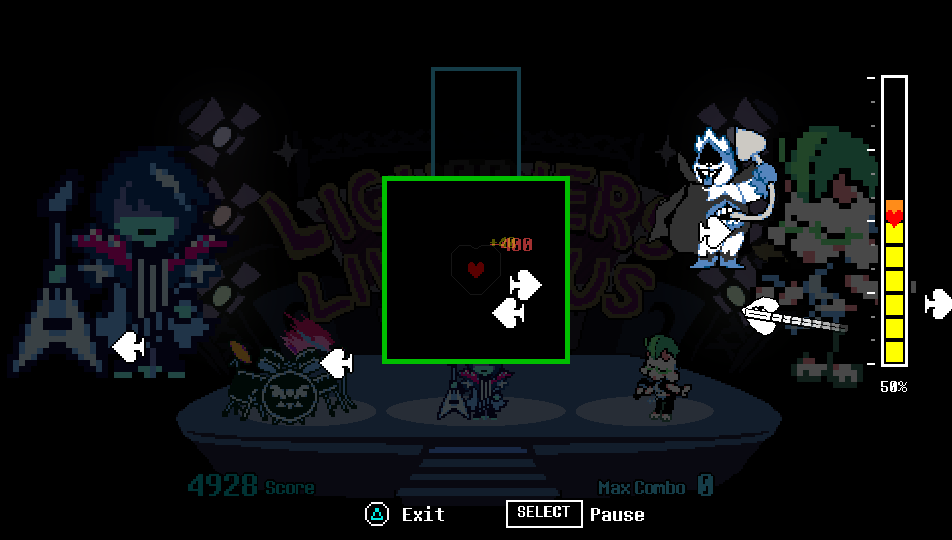
King |
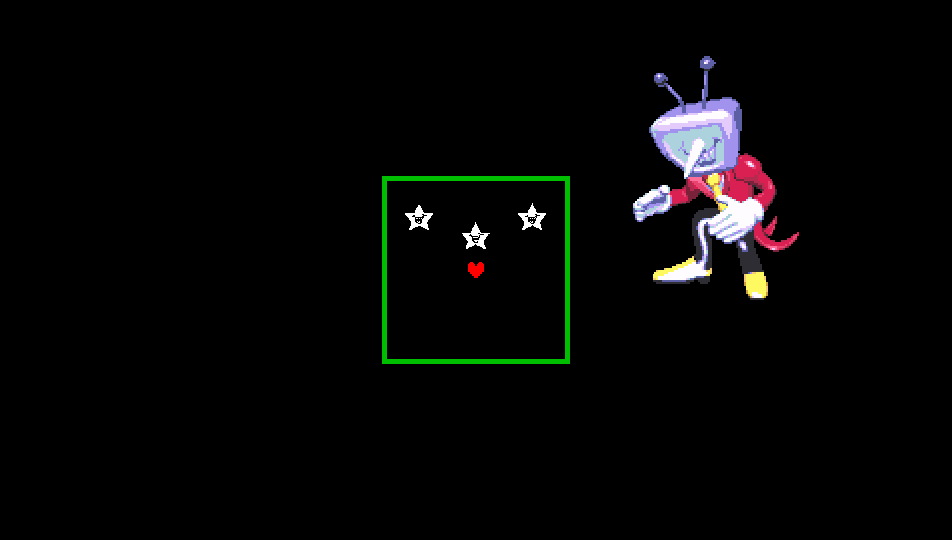
Tenna |
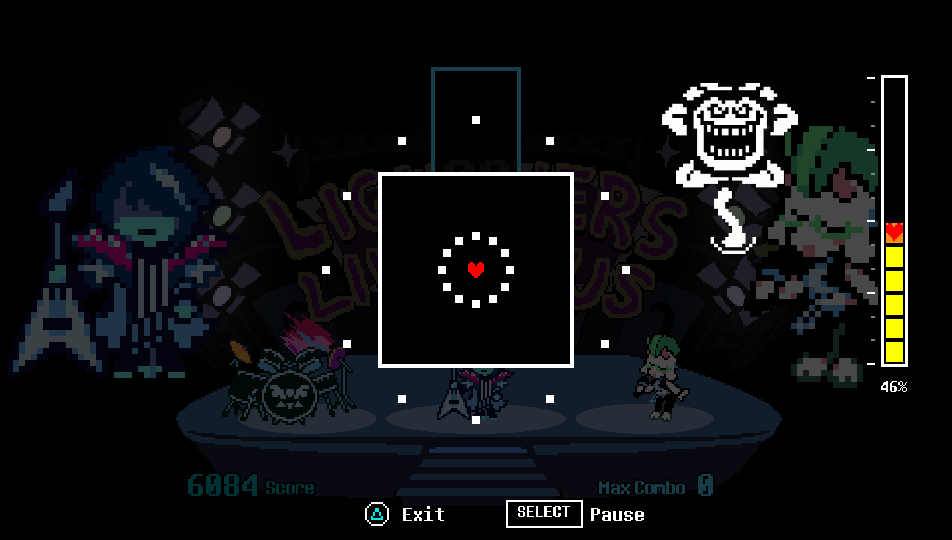
Flowey |
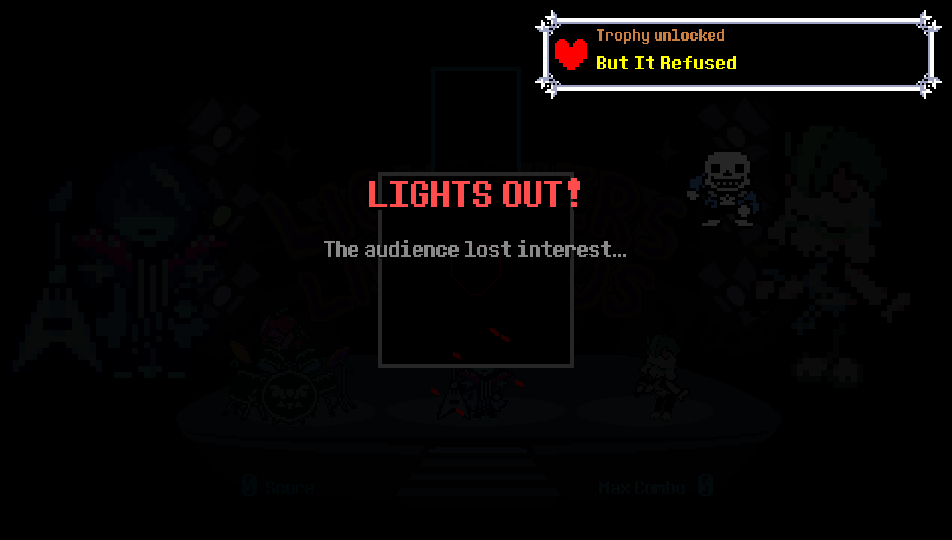
Lights Out |
More screenshots: opening, dialogue, trophies and credits
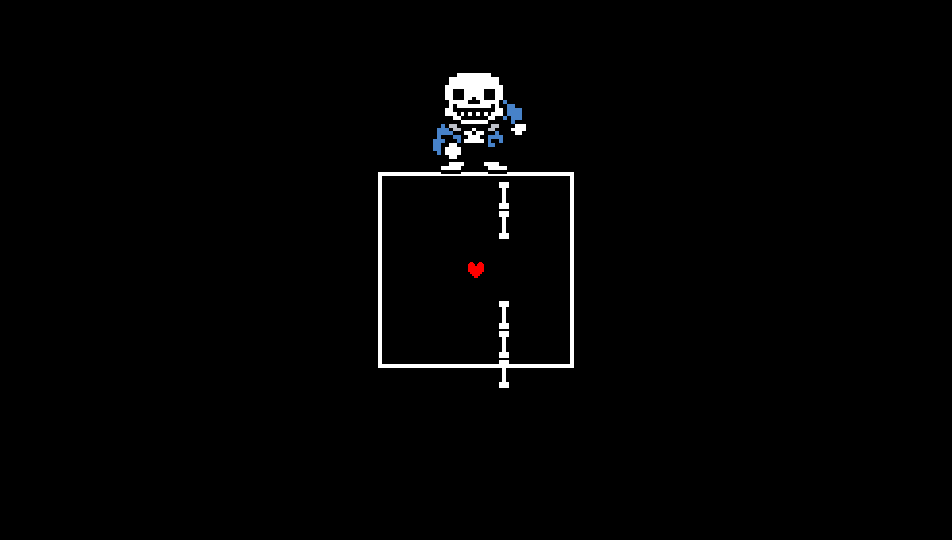
Sans and bone attacks in MEGALOVANIA
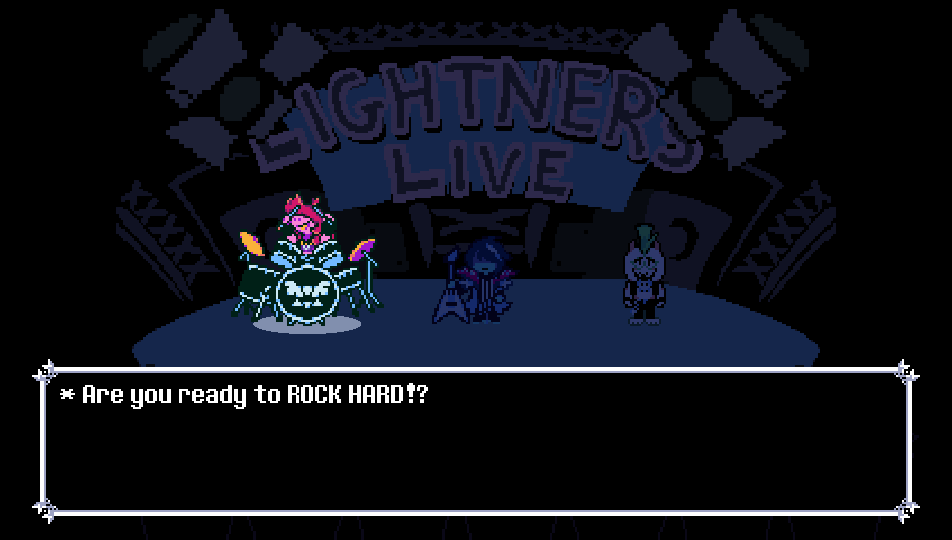
Opening show |
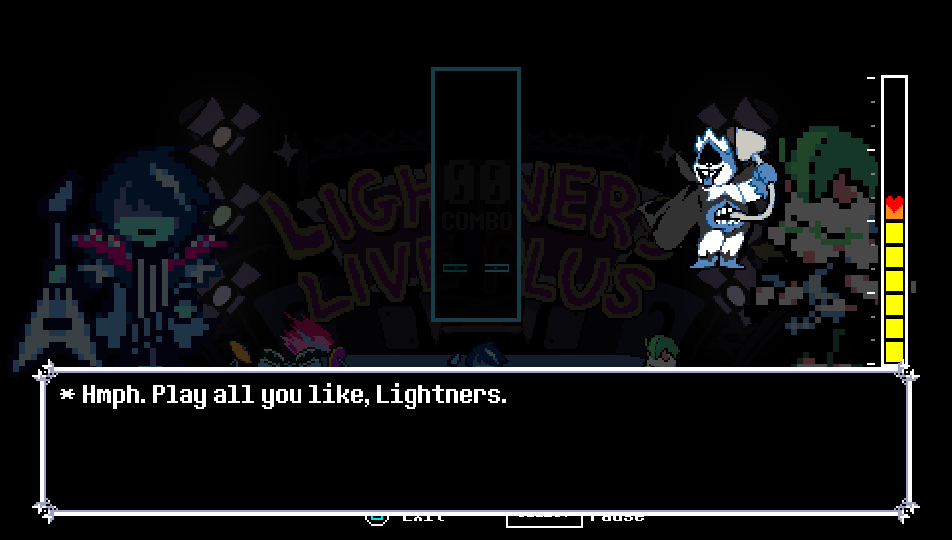
The boss's closing line |
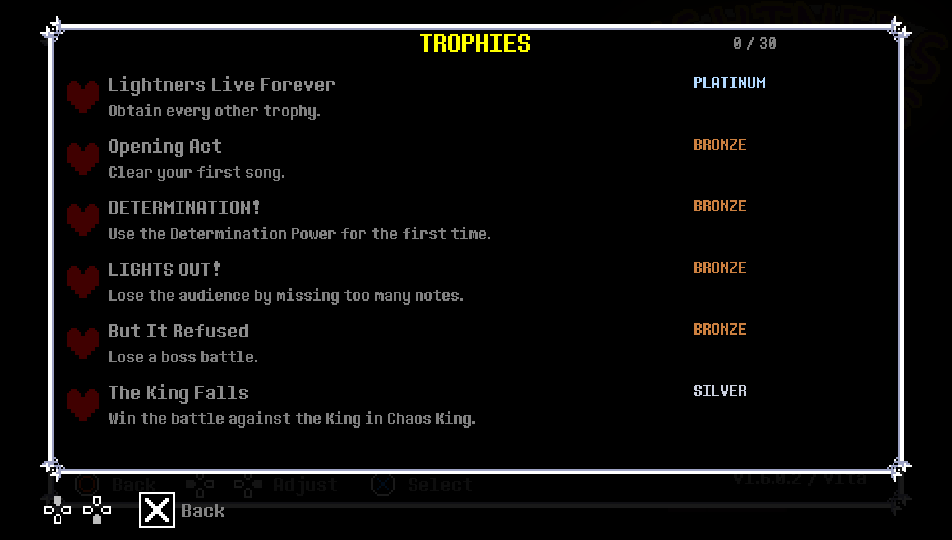
In-game trophy notice |
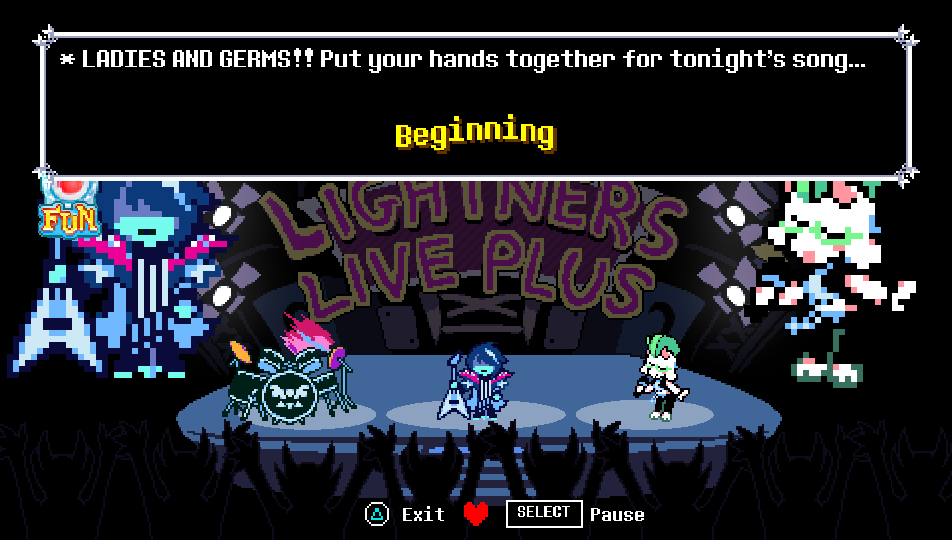
Flowey's closing line |
Loading screen |
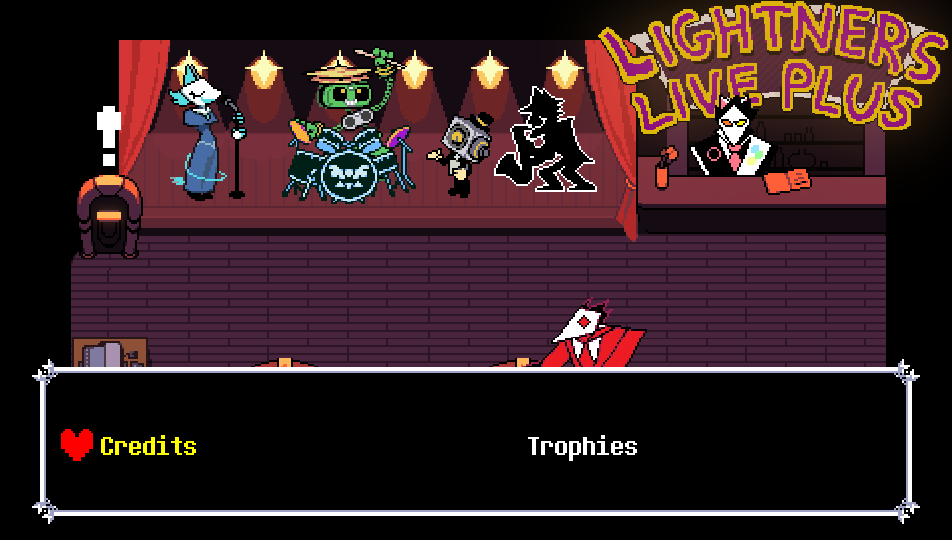
Credits |
Captured from the Vita game data running on the PC test build (960 × 544).


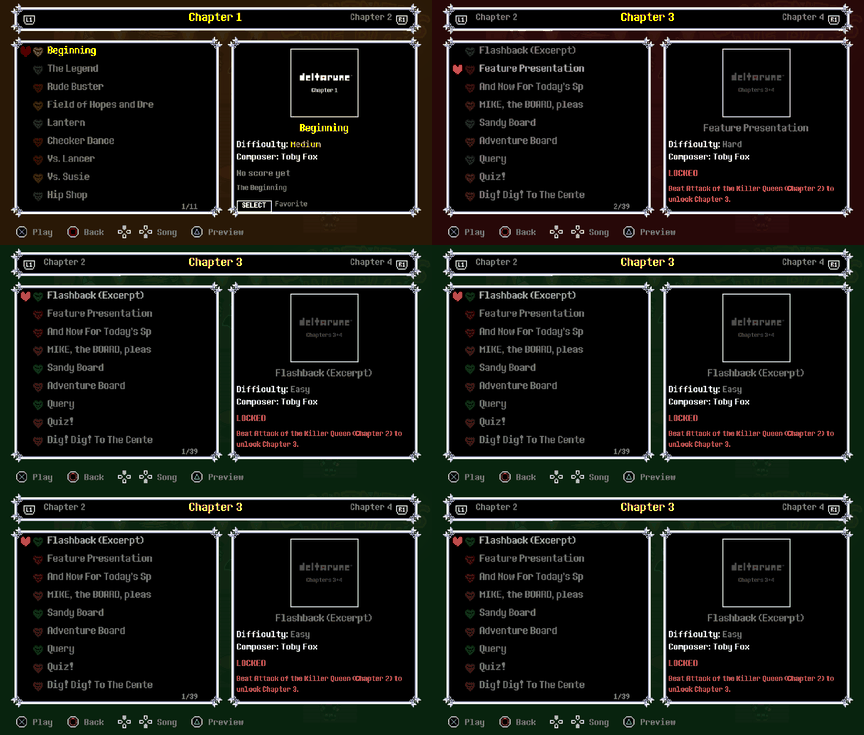
Boot and title menu: the Chapter 3 opening, then Start Game / Options / Credits. Song select: a locked song, the preview on △ and the show opening.
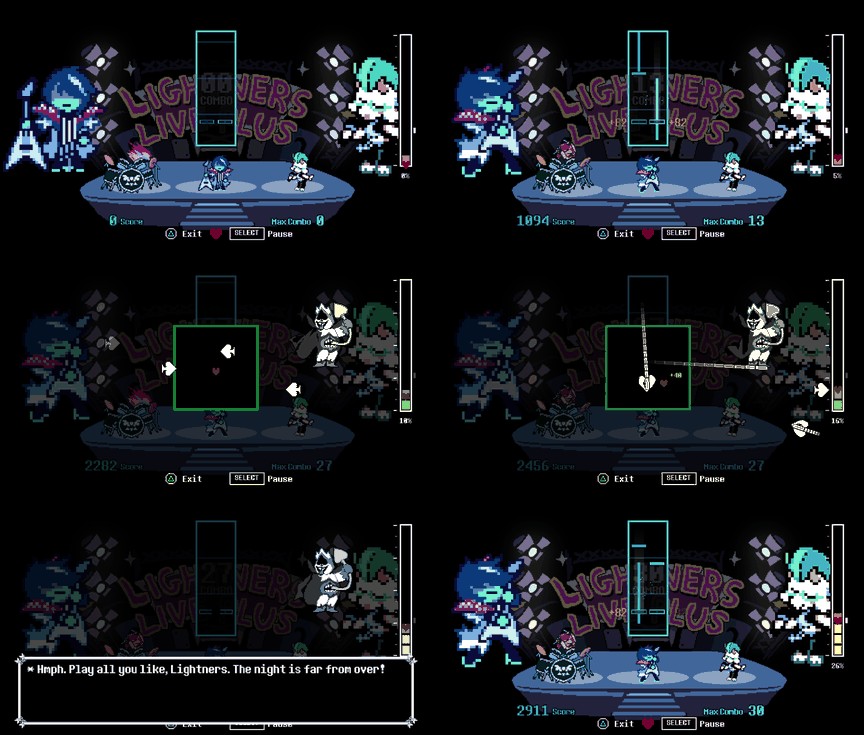
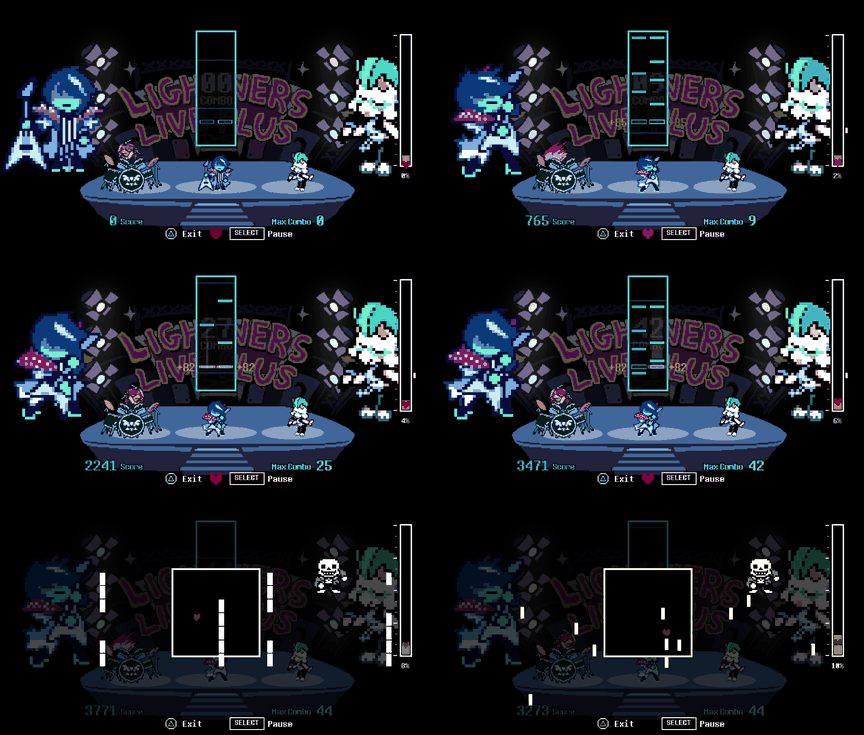
Boss battle: playing Chaos King, then the King's side spades and sky chains. Undertale battle: MEGALOVANIA, Sans and his bones.

*Deltarune: Lightners Live Plus* is a fan-made rhythm game by **EzioEagle**, built around the *Lightners Live* minigame from DELTARUNE Chapter 3, with songs from every chapter and Undertale. The port runs the original game's songs, charts and scoring on the Vita and builds a full show around them:
- **The show:** every song opens on the Chapter 3 stage, with the band in silhouette, spotlights, the crowd and Tenna announcing the song.
- **Fun-O-Meter and Determination Power:** good playing fills the Chapter 3 meter. Press Square for glowing notes and double points. An empty meter means *Lights Out*.
- **Boss battles:** boss songs stop for a real battle. The boss stands on the right with its own sprites, bullets and sounds, you dodge with the SOUL, hits cost points, grazes earn them, and the boss closes with a line in its own voice. Every Undertale song has its own fight.
- **Gameplay difficulty:** Super easy disables error penalties and failure. Easy is more forgiving, Normal allows more misses before Lights Out, and Hard increases penalties. Choose a preset in Options → Game → Difficulty.
- **Café:** talk to the original stage performers and ask Swatchling for the credits or trophy list. The café PC uses a short Chapter 2 sound.
- **Story mode:** songs unlock in the official OST order. Each chapter opens after the previous chapter's final boss, and Undertale after Chapter 4.
- **CONCERT RESULTS:** the Chapter 3 evaluation screen with missed, normal and gold notes, longest combo, total score and rank.
- **Trophies:** 30 trophy goals, an optional in-game list and notices, and native PS Vita integration through NoTrpDrm (registration remains under validation).
- **Interface:** Deltarune-style title, options, song select (difficulty hearts, covers, favourites, song preview), dialog boxes with voices and loading screen, in English, Spanish and Brazilian Portuguese.

The songs, charts, scoring and save data are the original game's. The original was made for keyboard, mouse and a PC screen, and its interface relies on drawing features the Vita renderer does not have, so the port rebuilds those screens in a Deltarune style.
| | Original (PC) | PS Vita port |
| :--- | :--- | :--- |
| **Boot** | Starts straight in the café | Chapter 3 Lightners Live opening, then a title menu |
| **Settings** | One panel with sliders | Tabbed Options (Audio and Video, Game, Controls, Data), centered headings and four gameplay presets |
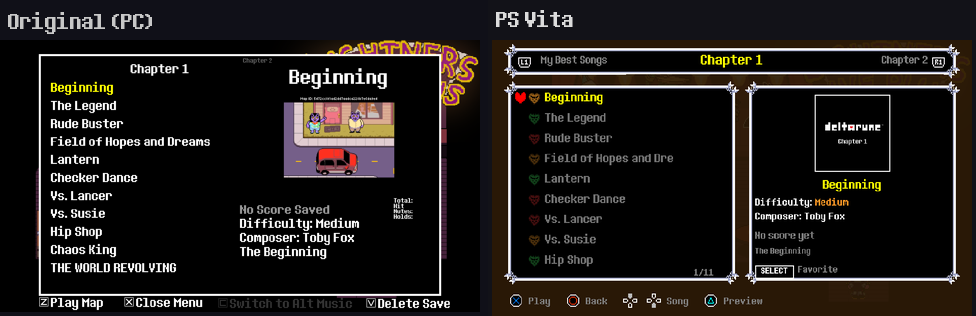
| **Song select** | Scrolling text list | Chapter tabs, story unlocks, difficulty hearts, covers, favourites, preview and Square sorting |
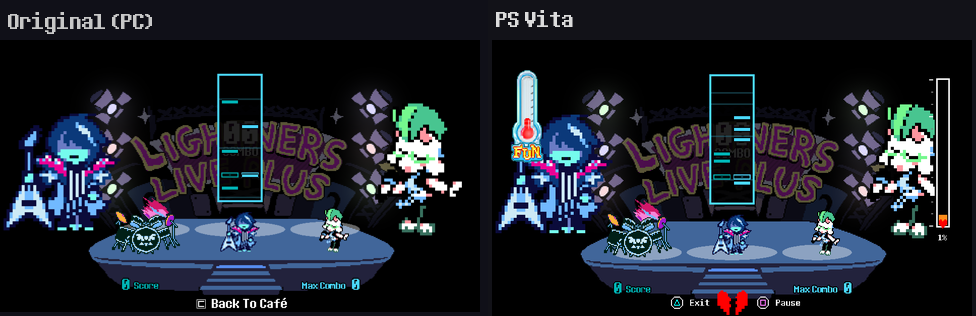
| **During a song** | Score and combo | Fun-O-Meter, Determination Power, SOUL, progress bar, boss battles |
| **End of a song** | Score text | CONCERT RESULTS with rank, Retry / Café / Next song |
| **Languages** | English | English, Spanish and Brazilian Portuguese |
Song select
Gameplay

The port runs the original Godot content through [Godot 4 Vita](https://github.com/WolffsRoom/godot4-vita) (a Godot 4.8 development build loaded by a small Vita executable) with a native [GXM](https://www.psdevwiki.com/vita/SceGxm) 2D renderer, which draws rectangles and textured sprites only. Every new screen is built from those two primitives. Charts are MIDI files read by a portable reader with the note clock calibrated to the audio, the data ships as one `game.pck`, and trophies are unlocked by the loader through NoTrpDrm.

- [EzioEagle - Lightners Live Plus](https://ezioeagle.itch.io/lightners-live-plus): original game, charts, covers and design ([links](https://ezioeagle.carrd.co)).
- Lateasusual, _imbit, orodelta and rvpine: contributors to the original game.
- [Toby Fox and the DELTARUNE team](https://deltarune.com): DELTARUNE, UNDERTALE, their characters, music and the Lightners Live minigame.
- [Undertale Wiki](https://undertale.wiki): reference sprites for the Undertale characters not present in DELTARUNE.
- [Godot Engine](https://godotengine.org): original engine.
- [WolffsRoom / Godot 4 Vita](https://github.com/WolffsRoom/godot4-vita): Vita runtime and rendering backend.
- [Rinnegatamante - NoTrpDrm](https://github.com/Rinnegatamante/NoTrpDrm), [VitaSDK](https://vitasdk.org) and the wider PS Vita homebrew community.
---

Claude Code (Opus 5.5) and Codex (GPT-6.1 Sol) were used as development assistants for diagnostics, implementation support, project organization and technical documentation.

This port uses Godot 4 Vita. [Godot Engine](docs/licenses/Godot-LICENSE.txt) is distributed under the MIT license. Its bundled components retain their [own notices](docs/licenses/Godot-COPYRIGHT.txt). The loader also uses vitaGL under the [GNU LGPL v3](docs/licenses/vitaGL-COPYING.LESSER.txt), together with the [GNU GPL v3 terms](docs/licenses/vitaGL-COPYING.txt). Third-party license notices are included in the VPK.
DELTARUNE, its characters, music and assets belong to their respective owners. This project does not distribute the commercial files required to play the game.

DELTARUNE © Toby Fox 2018-2026. All rights reserved.
This is an **unofficial fan project**, not affiliated with or endorsed by EzioEagle, Toby Fox, Sony, or the Godot Engine project.




























