A native file manager for PlayStation Vita, built with Sony's ScePaf interface.
Not just a file manager. A true Vita experience.
---
Overview
- [What This Project Is](#what-this-project-is)
- [Features](#features)
- [Screenshots](#screenshots)
- [Controls](#controls)
- [Installation](#installation)
Development
- [Building from Source](#building-from-source)
- [Architecture](#architecture)
- [Version History](#version-history)
- [Current Status and Limitations](#current-status-and-limitations)
- [Credits](#credits)
---
## What This Project Is
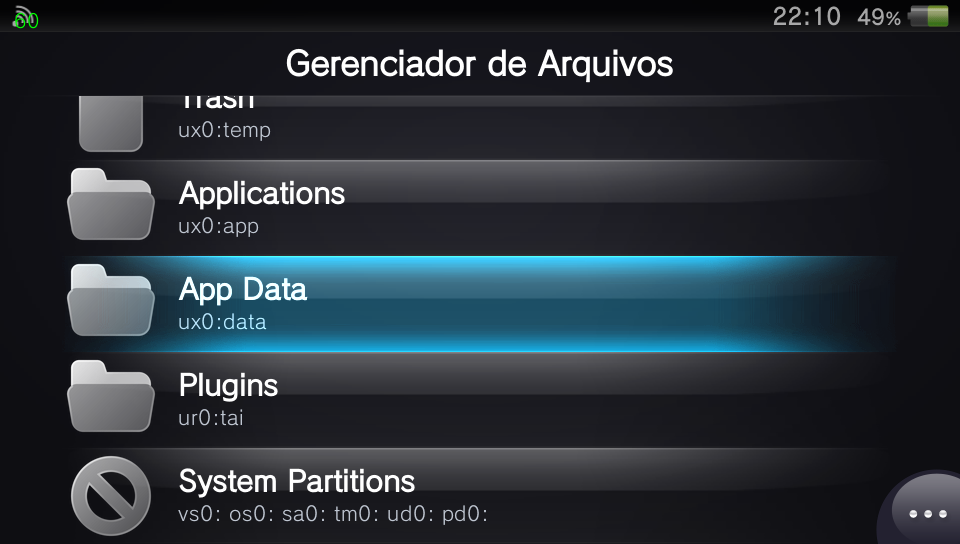
**File Manager** is a file explorer designed specifically for the PlayStation Vita. Unlike most Vita homebrew file managers, its new interface is written on top of **ScePaf**, the PlayStation Application Framework used by Sony's own system applications. It therefore uses native widgets, sounds, transitions and dialogs that feel at home on the console.
The project carries forward the proven file-management logic of [FMVita](https://github.com/WolffsRoom/FMVita), itself based on [VitaShell](https://github.com/TheOfficialFloW/VitaShell), while replacing the previous vita2d interface with a new native application. It has its own Title ID, `FILEMGR01`, and can be installed alongside VitaShell and FMVita.
> [!WARNING]
> This beta is intended for testing on real hardware. Keep backups of important files before using copy, move, delete, rename or VPK installation features.
## Features
### Native Interface and Navigation
- Native ScePaf widgets, transitions, system sounds and dialogs.
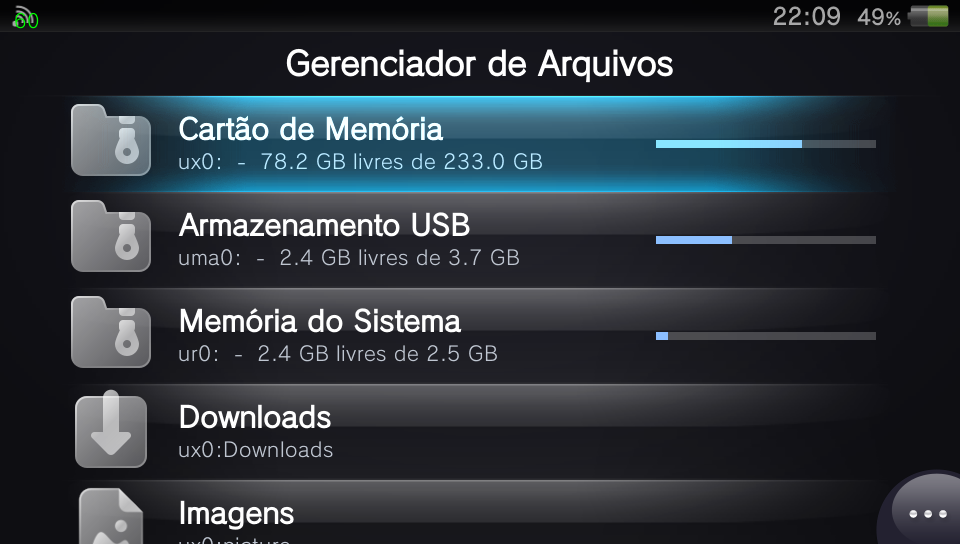
- Storage overview with device capacity, free space and usage bars.
- Quick entries for Downloads, Images, Music, PSP, Trash and system partitions.
- Natural sorting with folders first, multi-selection and touch support.
- Portuguese (Brazil) and English interfaces.
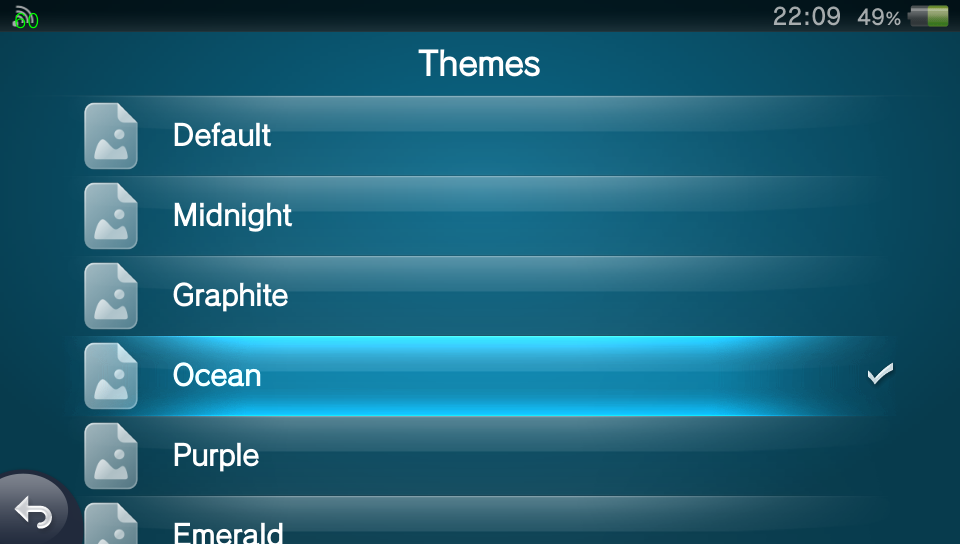
- Eight visual themes plus a custom background at `ux0:data/FileManager/background.png`. Additional PNG images placed in `ux0:data/FileManager/backgrounds/` rotate automatically with a soft fade.
### File Operations
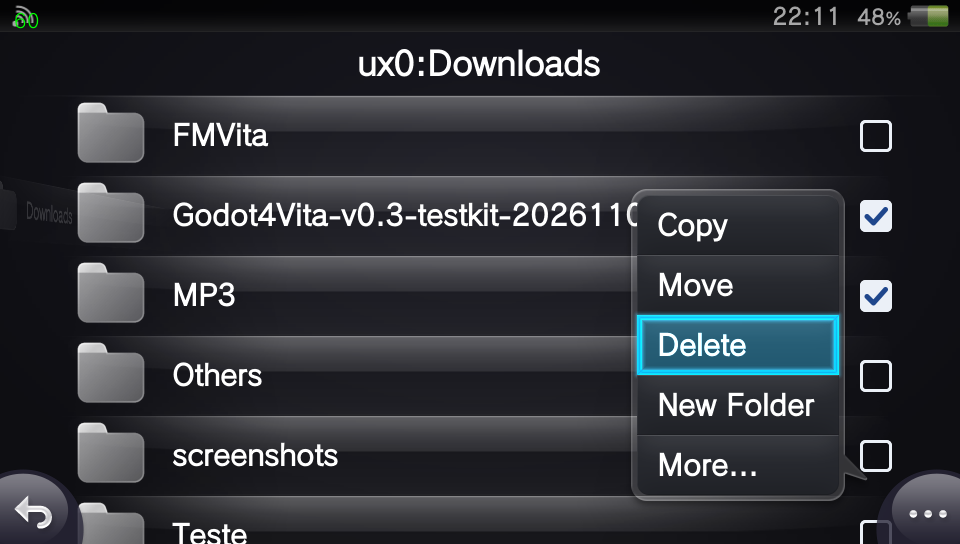
- Copy, move, paste, delete, rename and create folders.
- Native progress dialogs with cancellation support.
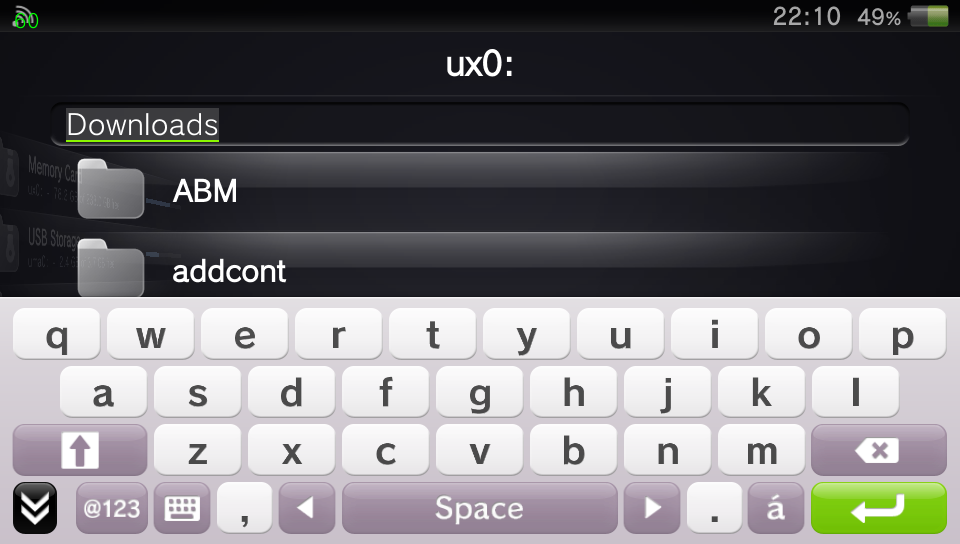
- Search, shortcuts and file information.
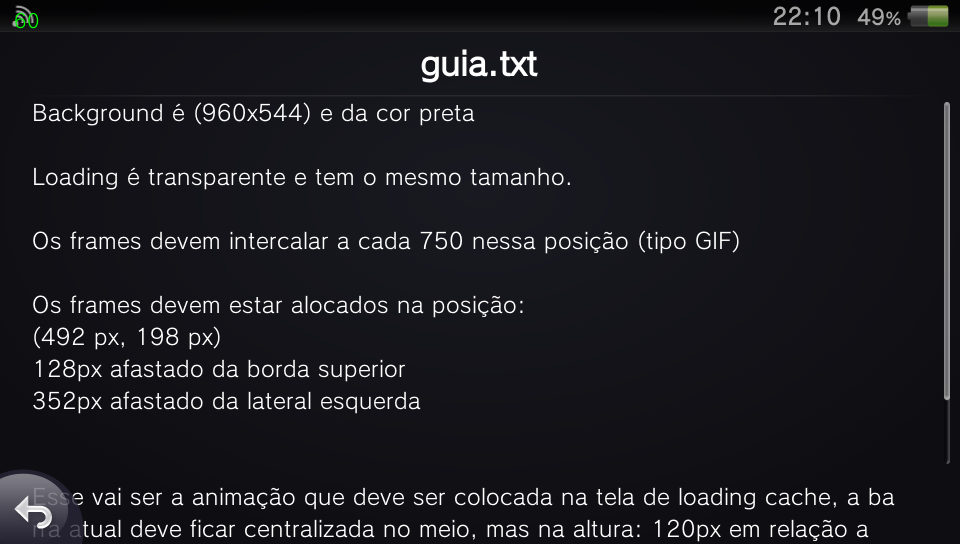
- Text preview and line-based editing for TXT, INI, XML, LOG, JSON, SFO and unknown text files.
- Image preview and MP4 playback through SceAvPlayer, with sound, seek, pause and L/R navigation.
- MP3 and OGG playback with metadata, embedded cover art, progress, seek and playlist navigation.
- Optional automatic PFS mounting for protected application and savedata folders.
### VPK and Network Tools
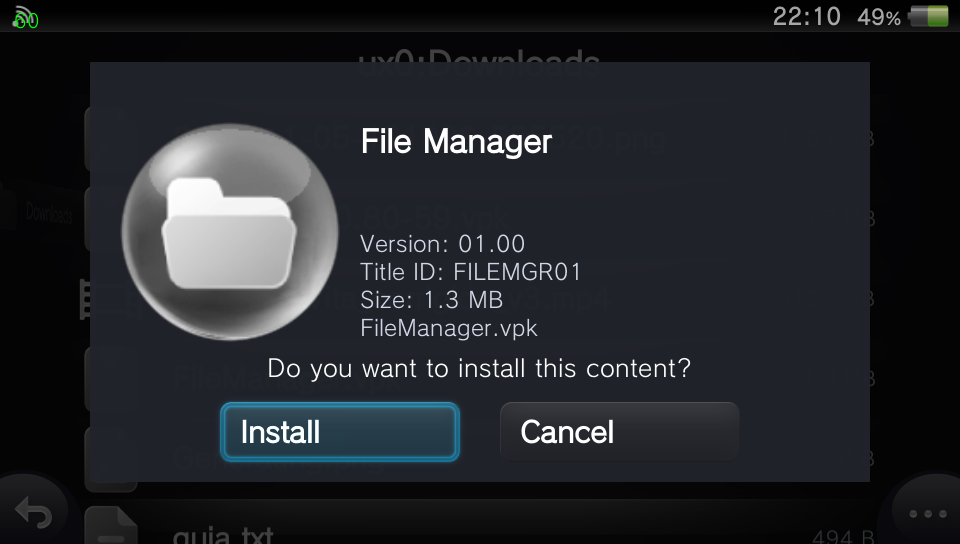
- VPK metadata, icon, name, version and Title ID preview.
- VPK extraction and installation through `ScePromoterUtil`.
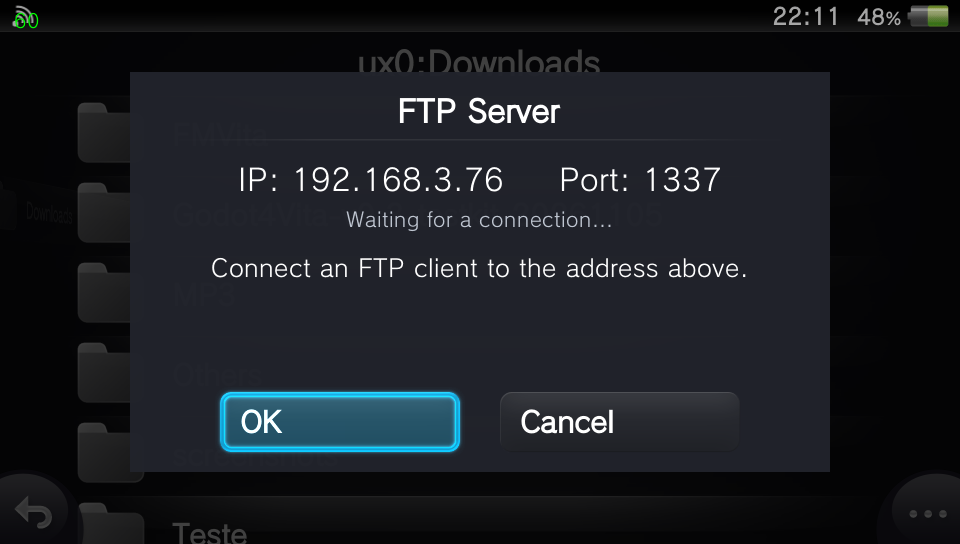
- FTP server powered by `ftpvita`, with connection and transfer progress.
- Configurable Select-button action for FTP or the rear-camera QR scanner.
## Screenshots
Controls
| Control | Action |
|---|---|
| Cross / touch | Open |
| Circle / lower-left button | Go back |
| Triangle / lower-right button | Options and settings |
| Square / long press | Mark an item |
| Select | FTP server or QR Code, configurable |
| Start | Search in the open folder |
| L / R | First / last list item |
| D-pad left / right | Go back / open focused folder |
| L / R in a preview | Previous / next file |
## Installation
1. Download the latest `.vpk` from [Releases](https://github.com/WolffsRoom/FileManager/releases).
2. Transfer it to the console using USB or FTP.
3. Install it with VitaShell, FMVita or another VPK-capable file manager.
4. Launch **File Manager** from LiveArea.
File Manager uses Title ID `FILEMGR01`, so it installs alongside other file managers without replacing them.
## Building from Source
The provided script uses the standard `vitasdk/vitasdk` Docker image:
```bash
sh scripts/build.sh
```
The resulting package is written to `build/FileManager.vpk`.
The build is hard-float and uses `-mword-relocations`. Both are required for correct ScePaf ABI and imported-variable handling. The build also needs Python 3 for the repository's RCO compiler.
### PC Interface Viewer
Vita3K cannot run ScePaf applications, so `tools/ui_viewer/` provides a browser-based preview for layout, themes, text and navigation-flow validation:
```bash
python tools/rcoc.py compile resource/file_manager_plugin.xml -o build/file_manager_plugin.rco -x build/generated/file_manager_plugin.h
python tools/ui_viewer/export.py
python -m http.server 8178 --directory tools/ui_viewer
```
Open `http://localhost:8178/`. The viewer validates the simulated interface only; real ScePaf behavior, system transitions, native dialogs and sounds must be tested on a PS Vita.
## Architecture
```text
src/ New C/C++ ScePaf application
core/ Filesystem, file operations and VPK installation
resource/ RCO interface, localization and textures
tools/rcoc.py Open RCO compiler used by the build
tools/ui_viewer/ Browser-based interface simulator
paf/ ScePaf-RE headers, wrappers and NIDs
legacy/ FMVita/vita2d implementation retained as reference
modules/ VitaShell kernel/user modules retained for future work
```
The custom RCO compiler was validated by recompiling NetStream resources and comparing the generated tag and hash ownership data with the original RCO. Its schema was also checked against firmware RCO files. No Sony `acdc.exe` is required.
## Version History
### v0.30 Beta - Native Media and File Management Update
[Download v0.30 Beta](https://github.com/WolffsRoom/FileManager/releases/tag/v0.30-beta)
The v0.30 beta expands the original file browser into a more complete Vita-native file-management and media experience. This release remains a hardware-testing build: back up important data before using destructive operations.
#### Interface and Navigation
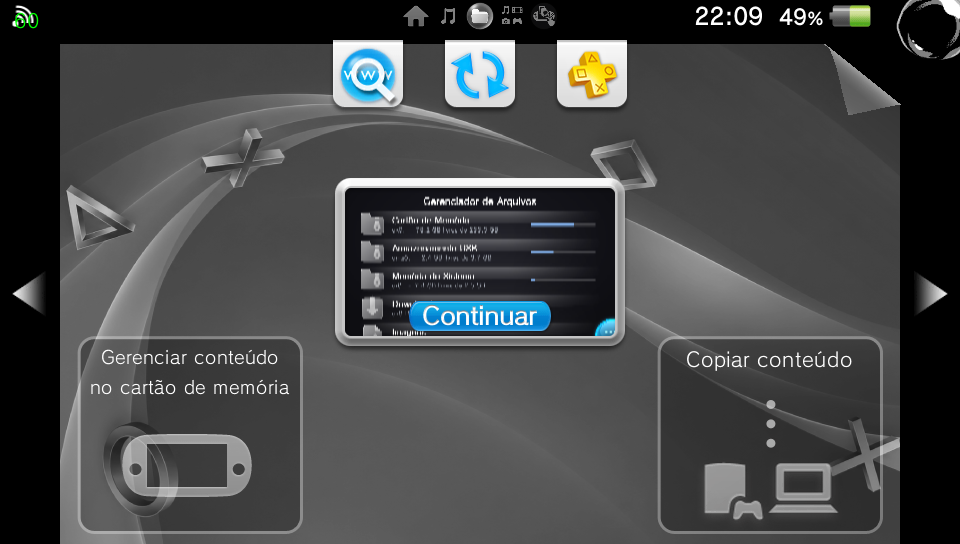
- Added an animated main menu in which entries rise into view and stack into position.
- Refined list navigation, page transitions and return positioning so previous pages remain centered correctly.
- Added a Music-style multi-selection interface with check boxes, highlighted rows and a lower action bar for **Cancel**, **Select All** and **Copy**.
- Added an A-Z/# touch index to the Music folder. Dragging over the index jumps to the first matching entry and displays the selected letter.
- Added configurable file-name sizing while preserving the original size as the default.
- Moved folder search to the Start button and corrected the search bar layout so it no longer overlaps the first item.
- Added sorting by name, date and type, with `config.txt` kept first inside the Plugins folder.
- Renamed interface actions for clarity, including **FTP**, **Details**, **Adjustments** and **Favorite**.
- Added dedicated entries and icons for Music, Saves, Plugins, system partitions, opened folders and active FTP status.
#### Music and Video
- Introduced an MP3 and OGG player inspired by the original PlayStation Vita Music application.
- Added embedded cover-art loading, title, artist and album metadata, elapsed/total time and a progress bar.
- Added compact previous, play/pause and next controls, plus seek and playlist navigation.
- Added continuous playback of the next supported track in the current folder.
- Added **Listen in Background**, allowing playback to continue while returning to the file browser.
- Added **Export to Music** and direct opening of the native Vita Music application.
- Added A-Z/# navigation for exported tracks stored under `ux0:music`.
- Reworked video playback around `SceAvPlayer`, following the VitaShell/FMVita initialization flow and adding pause, seek, sound and progress information.
- Video files using MP4, M4V, MOV, MKV and AVI extensions are now sent to the native player. Actual playback still depends on codecs and containers supported by the Vita firmware.
- Added diagnostic output at `ux0:data/FileManager/video.log` when video initialization fails.
- Added a native rear-camera QR scanner using `quirc`; text payloads are displayed and HTTP/HTTPS links require confirmation before opening.
#### Preview and Editing
- Added touch image navigation: swipe with one finger to move between images and pinch to zoom.
- Large images initially open at a reduced scale to fit the Vita display more naturally.
- Added image preview options for horizontal mirroring and vertical inversion.
- Expanded text viewing into a line-based editor with line numbers, insert, edit, delete and save actions.
- Added L/R shortcuts for jumping to the beginning or end of a text file.
- Added PSARC browsing so supported archives can be opened similarly to folders.
#### Protected Content, VPK and FTP
- Ported protected-content mounting from FMVita/VitaShell for application and savedata directories that actually contain PFS metadata.
- Added optional automatic decryption and a manual **Decrypt** action for protected folders.
- Corrected detection so ordinary folders under `app`, `addcont` and related locations are not treated as encrypted containers.
- Redesigned VPK information and installation screens with a smaller application icon and tighter name, version and Title ID layout.
- Added a completion screen with the installed application name and options to close or launch it.
- Improved FTP completion messages for sent, received and deleted files.
- Prevented the FTP action from continuing when Wi-Fi is disabled and added choices to open network settings or cancel.
#### Themes and Stability
- Added eight color themes with softly tinted preview icons.
- Added custom backgrounds through `ux0:data/FileManager/background.png`.
- Added multiple-background rotation with fade transitions through `ux0:data/FileManager/backgrounds/`.
- Added Spanish, French and German language options based on the corresponding FMVita/VitaShell translations, with English fallback for File Manager-specific text.
- Fixed the Themes screen crash and several navigation, protected-folder and preview regressions reported during console testing.
### v0.1.0 Alpha - First Public Release
[Download v0.1.0 Alpha](https://github.com/WolffsRoom/FileManager/releases/tag/v0.1.0-alpha)
The first public alpha established File Manager as a separate native ScePaf application for PlayStation Vita. It introduced the new interface and the initial set of everyday file operations while retaining FMVita and VitaShell components as implementation references.
#### Foundation
- First public build using Sony's ScePaf interface, native widgets, system sounds, transitions and dialogs.
- Introduced the independent `FILEMGR01` Title ID, allowing installation alongside VitaShell and FMVita.
- Added English and Brazilian Portuguese interfaces.
- Added a reproducible VitaSDK/Docker build and open RCO compilation workflow.
- Added the LiveArea assets, application icon and initial PC interface viewer for layout validation.
#### Browser and File Operations
- Added storage-device and partition browsing with capacity, free-space and usage information.
- Added quick access to Downloads, Images, Music, PSP, Trash, Saves, applications, application data and Plugins.
- Added folder-first natural sorting, focus navigation, touch input and multi-selection.
- Added copy, move, paste, delete, rename and folder creation.
- Added native progress dialogs, cancellation and operation confirmation.
- Added folder search, user shortcuts and file-detail dialogs.
- Added configurable Select-button behavior and the initial commands/settings pages.
#### Files, Packages and Network
- Added image and text previews plus the first MP4 preview implementation.
- Added initial MP3/OGG playback, metadata and embedded-cover support.
- Added VPK metadata reading, icon preview and installation through `ScePromoterUtil`.
- Added the FTP server powered by `ftpvita`, including address, activity and transfer progress.
- Added initial PFS detection and mounting work for protected application data.
- Added the first eight themes and custom-background support.
> [!NOTE]
> v0.1.0 is preserved as a historical alpha. It lacks many stability fixes, protected-folder corrections, media controls and interface improvements introduced by v0.30 Beta.
## Current Status and Limitations
- The application opens and navigates on real PS Vita hardware.
- Core features compile and are present in the beta, but destructive operations still need broad hardware testing.
- Vita3K does not execute ScePaf applications; it is used only as a firmware/resource reference for the PC viewer.
- MP4, MP3/OGG and text editing are implemented but still need broad real-hardware format testing.
- Image swipe, pinch zoom and panning are implemented; rotation/mirroring and QR code support are still being ported.
- Archive browsing, USB mode and some FMVita features are still being ported.
## Credits
File Manager is possible because of the following developers, libraries, applications and reference repositories:
### Project Foundations and Interface Research
- **[TheFloW](https://github.com/TheOfficialFloW)** and VitaShell contributors - original [VitaShell](https://github.com/TheOfficialFloW/VitaShell) file-manager code, VPK workflow and system modules.
- **[WolffsRoom](https://github.com/WolffsRoom)** - [FMVita](https://github.com/WolffsRoom/FMVita), the File Manager redesign, integration and development.
- **[GrapheneCt](https://github.com/GrapheneCt)** - [ScePaf-RE](https://github.com/GrapheneCt/ScePaf-RE), [NetStream](https://github.com/GrapheneCt/NetStream), EMPVA and the core ScePaf research/reference implementation used by this project.
- **[Muhammad Ibrahim / Ibrahim778](https://github.com/Ibrahim778)** - [Better Homebrew Browser](https://github.com/Ibrahim778/BetterHomebrewBrowser), used as an additional ScePaf implementation reference.
- **[ing156](https://github.com/ing156)** - [VitaPlane](https://github.com/ing156/VitaPlane), used as an interface and behavior reference; no VitaPlane UI code is included.
- **Files prototype** - the earlier local ScePaf file-manager prototype that supplied the initial LiveArea workflow and was used to validate the new architecture.
### Libraries and Toolchain
- **[xerpi](https://github.com/xerpi)** - [libftpvita](https://github.com/xerpi/libftpvita) and the original libvita2d ecosystem.
- **[VitaSDK contributors](https://github.com/vitasdk)** - compiler toolchain, platform headers, stubs, packaging tools and the `vitasdk/vitasdk` build image.
- **[Tim Kientzle and libarchive contributors](https://github.com/libarchive/libarchive)** - archive extraction used by VPK installation.
- **[PNG Development Group](https://github.com/pnggroup/libpng)** - libpng image support.
- **[Jean-loup Gailly and Mark Adler](https://github.com/madler/zlib)** - zlib compression.
- **[Yann Collet and Meta](https://github.com/facebook/zstd)** - Zstandard compression.
- **[Lasse Collin and the Tukaani Project](https://tukaani.org/xz/)** - XZ Utils/liblzma.
- **[Julian Seward](https://sourceware.org/bzip2/)** - bzip2 compression.
- **[OpenSSL Project](https://www.openssl.org/)** - libcrypto.
- **[James Clark and Expat maintainers](https://github.com/libexpat/libexpat)** - Expat XML parser.
- **[Daniel Beer](https://github.com/dlbeer/quirc)** - `quirc`, used for rear-camera QR code recognition and decoding.
- **[Python Software Foundation](https://www.python.org/)** - Python runtime used by the RCO and resource tools.
- **[Pillow contributors](https://python-pillow.github.io/)** - image processing used by the LiveArea asset generator.
- **[Kitware and CMake contributors](https://cmake.org/)** - CMake build system.
- **[Docker](https://www.docker.com/)** - reproducible VitaSDK build environment.
### Validation, Assets and Development Support
- **[Vita3K contributors](https://github.com/Vita3K/Vita3K)** - firmware/resource inspection and validation environment. Vita3K does not run the ScePaf application itself.
- **[Icons8](https://icons8.com/)** - source of interface icons adapted from the Liquid Glass icon family.
- **Google Gemini** and **Anthropic Claude** - development support for debugging, analysis, prototyping and implementation.
- **OpenAI Codex** - development support, repository review and release preparation.
All third-party components remain under their respective licenses. File Manager is distributed under the [GNU General Public License v3.0](LICENSE).