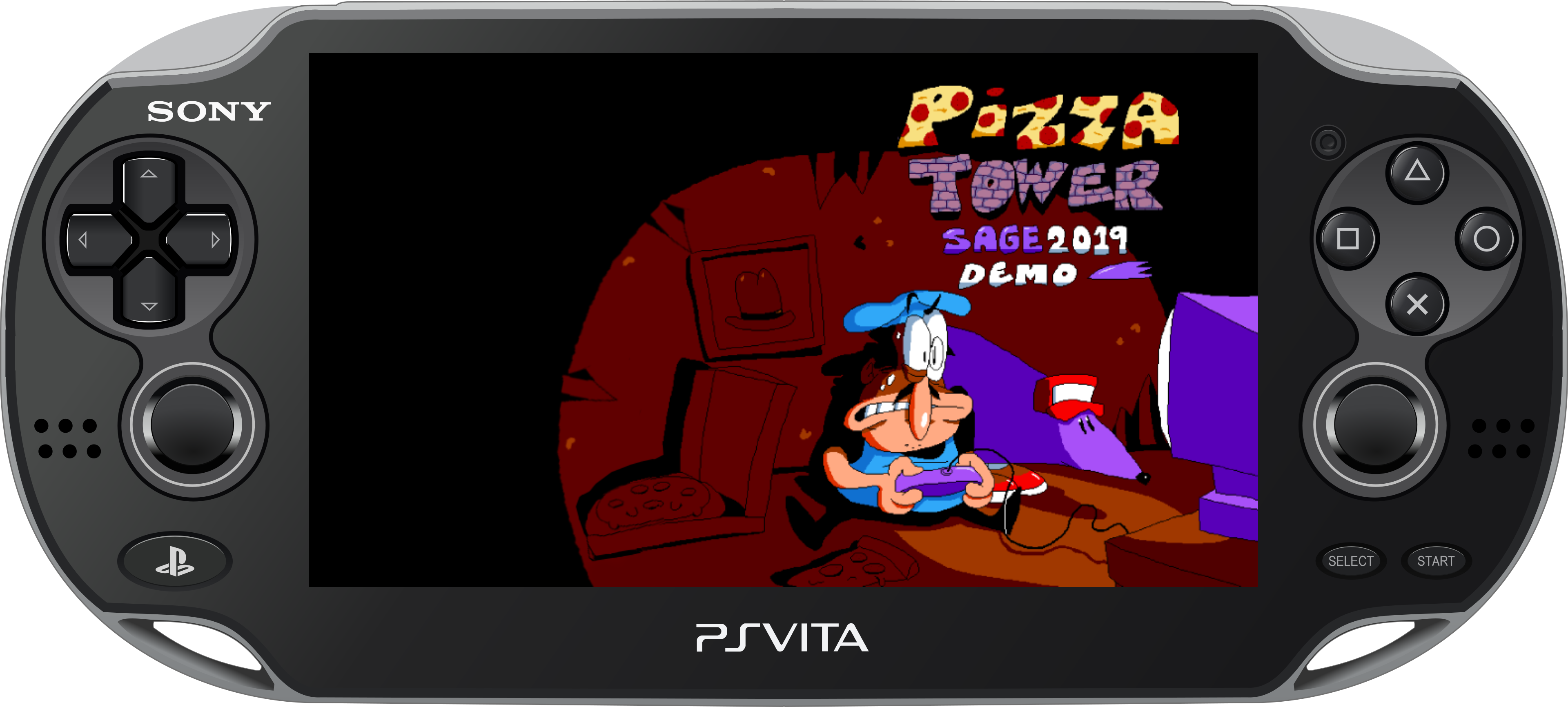
Pizza Tower Vita

An unofficial port of Pizza Tower SAGE 2019 Demo (v14) for the PlayStation Vita.

Pizza Tower SAGE 2019 Demo Vita

Releases · Report an issue · Butterscotch

PizzaTowerSage2019Vita runs the official Windows GameMaker data of the famous SAGE 2019 demo through a specialized, Vita-focused version of [Butterscotch](https://github.com/ButterscotchRunner/Butterscotch), using [VitaGL](https://github.com/Rinnegatamante/vitaGL) and the Modern-GL renderer. The port adds native PlayStation Vita controls with official PlayStation glyphs, memory-safe OpenAL audio streaming, GPU texture preloading, SGX543-compliant palette swapping shaders, and numerous gameplay and engine bug fixes. > [!IMPORTANT] > This repository and its releases do **not** include Pizza Tower's proprietary game data. You must obtain the free demo from the official [Pizza Tower Demo by PizzaTowerGuy](https://pizzatowerguy.itch.io/pizza-tower-demo). The VPK cannot run by itself: the user's `data.win` must be copied to the Vita. ## Project Status
Downloads Release
Progress Source: Pizza Tower Demo by PizzaTowerGuy State
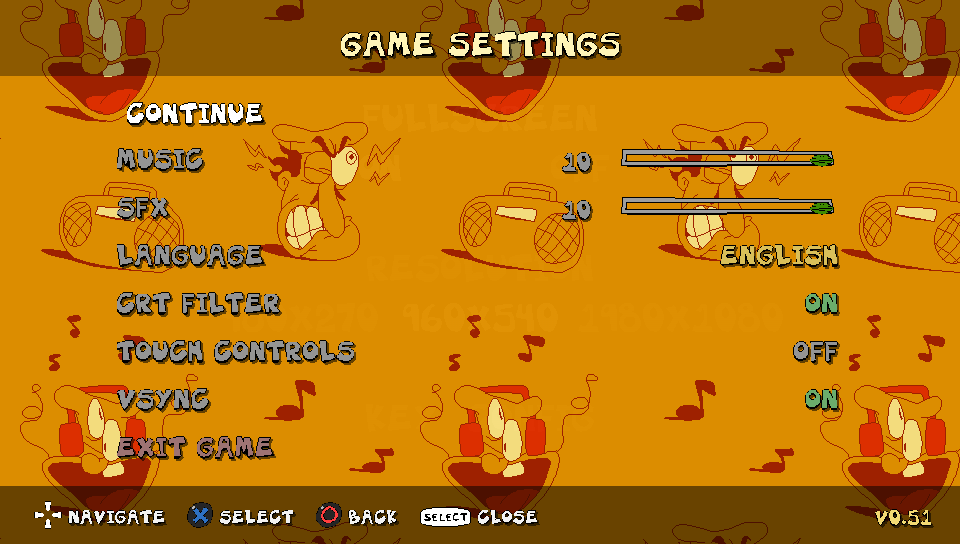
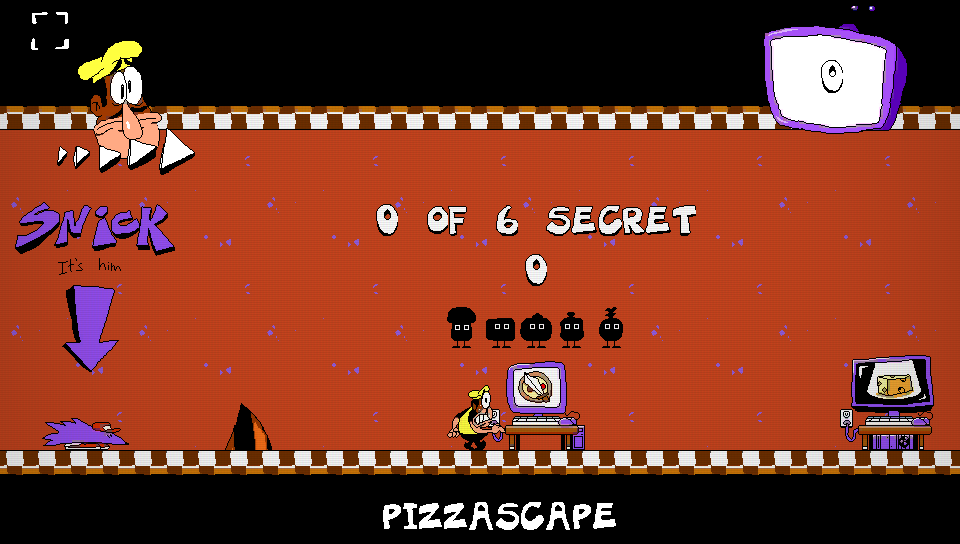
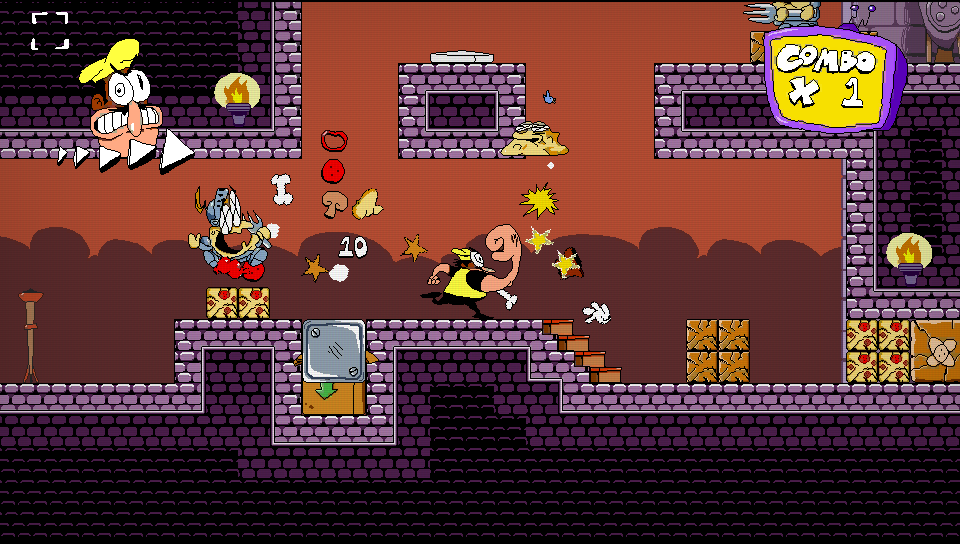
--- The current release build is **v0.62**, based on the Windows **SAGE 2019 Demo (v14)**. It is fully playable from start to finish on real PlayStation Vita hardware at a rock-solid 60 FPS with zero GPU crashes. Explore all three stages from the original SAGE 2019 Demo. Complete them all to unlock a secret bonus challenge: **Snick's Challenge**! - **Pizzascape** (Medieval) - **Ancient Cheese** (Ancient) - **Bloodsauce Dungeon** (Dungeon) **Bonus Stage:** Snick's Challenge — A timed challenge combining all three stages! **Working in the current build:** - Complete Hub world, secret areas, Pizza Time countdown, and rank tallying; - Rock-solid 60 FPS gameplay accelerated by VitaGL hardware rendering; - Physical Vita controls mapped to native gamepad inputs with custom PlayStation glyphs; - Fully restored `pal_swapper` shader for Peppino's SAGE Blue outfit (`(48, 168, 248)`) and transformation states with zero extra VRAM cost; - Permanent BC3 (DXT5) PVR texture residency (~87 MiB total across all 35 pages) + hardware room-transition GPU synchronization barrier (`PizzaSage_beforeRoomChange`); - Lazy OpenAL audio streaming for all 91 sound effects and music tracks without RAM exhaustion; - Corrected Super Jump launch mechanics and analog stick upward-drift protection; - Native SAGE in-game pause menu on **Start** (Continue, Retry Level, Title Screen) and port settings menu on **Select**; - Dedicated LiveArea presence with custom icon, splash screen, and digital manual. --- ## Screenshots

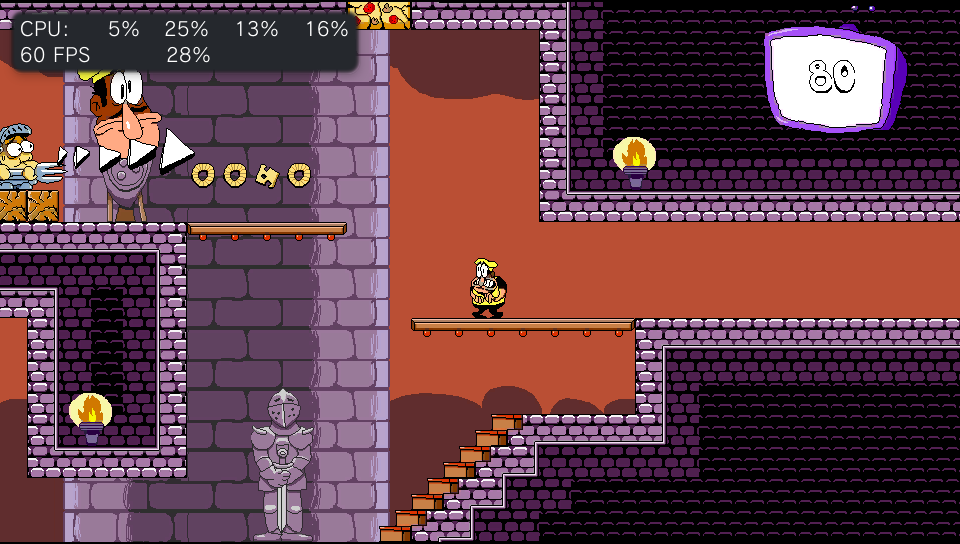
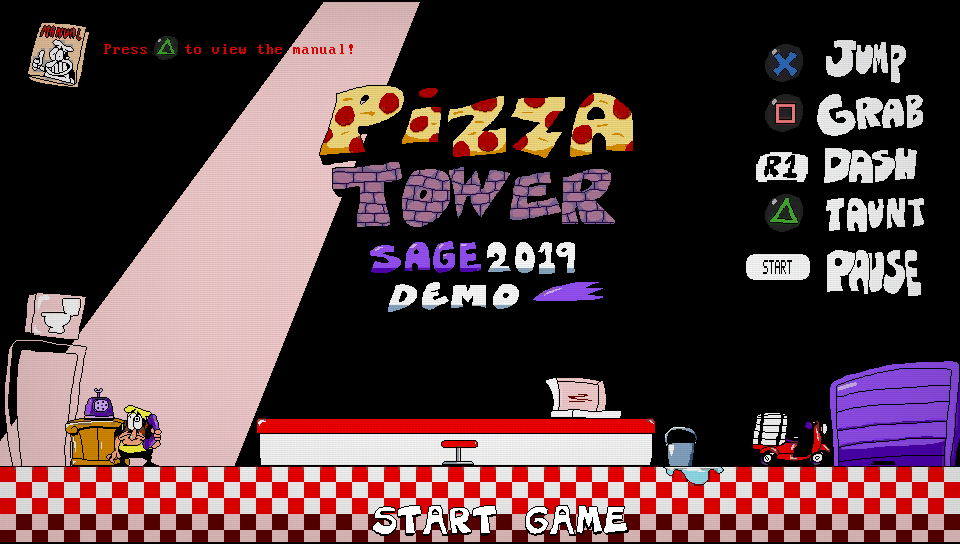
Pizza Tower SAGE 2019 Vita Gameplay 1 Pizza Tower SAGE 2019 Vita Gameplay 2

Pizza Tower SAGE 2019 Vita Gameplay 3 Pizza Tower SAGE 2019 Vita Gameplay 4

Pizza Tower SAGE 2019 Vita Gameplay 5 Pizza Tower SAGE 2019 Vita Gameplay 6

--- ## Controls Pizza Tower SAGE recognizes the PlayStation Vita as a native gamepad controller. Prompts and button layouts have been adapted specifically for the handheld layout.
| PS Vita Input | Glyph | Game / Runtime Input | Action | | :--- | :---: | :--- | :--- | | **D-Pad** | D-Pad | Directional input (`vk_left`/`vk_right`/`vk_up`/`vk_down`) | Move Peppino, duck, enter doors / level computers (**D-Pad Up**), charge Super Jump (**D-Pad Up** while running), navigate menus | | **Left Stick** | Left Stick | Horizontal & Down analog input (`ax`, `ay > 0`) | Move Peppino left/right, crouch/dive (**Down**); upward tilt is ignored to prevent stick drift or diagonal running from triggering doors or Super Jump | | **Cross** | Cross | Gamepad Face 1 / `Z` fallback | Jump, confirm in menus, release Super Jump | | **Square** | Square | Gamepad Face 3 / `Shift` fallback | Mach Dash / Run, accelerate | | **Circle** | Circle | Gamepad Face 2 / `X` fallback | Grab / Dash Attack, cancel in menus | | **Triangle** | Triangle | Gamepad Face 4 / `C` fallback | Taunt / Parry, breakdance | | **L / L1** | L1 | Left Shoulder / `Ctrl` fallback | Shoulder dash / auxiliary shoulder action | | **R / R1** | R1 | Right Shoulder / `Shift` fallback | Shoulder dash / auxiliary shoulder action | | **Start** | Start | Gamepad Start / `Escape` fallback | Pause / resume gameplay, open pause overlay | | **Select** | Select | Gamepad Select / `Enter` fallback | Auxiliary select / options confirmation |









--- ## Changes and Improvements over Original PC Demo Based on the development documentation and hardware testing logs, multiple enhancements, optimizations, and bug fixes were engineered to bring the original PC/itch.io demonstration to the PS Vita: ### 1. Isolated Application Environment and Title ID (`PTSAGE001`) * **Dedicated Title ID**: Configured with Title ID `PTSAGE001` so that the SAGE demo lives entirely side-by-side with the full game port (`PTWVITA01`) without overwriting save files, configurations, or texture caches. * **Separated Data Directory**: All runtime data is organized cleanly under `ux0:data/pizzatowersage/`: * Game data: `ux0:data/pizzatowersage/data.win` * Configurations: `ux0:data/pizzatowersage/config.ini` * Saved games: `ux0:data/pizzatowersage/save/` * Execution log: `ux0:data/pizzatowersage/pizzatowersage.log` * **Custom LiveArea Integration**: Includes dedicated assets (`icon0.png`, `pic0.png`, `bg0.png`, `startup.png`) and an interactive digital manual explaining game mechanics. ### 2. On-Demand Lazy Audio Streaming * **Problem in Original**: The PC release loaded ~275 MB of uncompressed WAV files (91 audio tracks and effects) into RAM upon startup. On the PlayStation Vita, this immediately exhausts the memory pool and causes hard crashes. * **Solution**: Developed a streaming audio pipeline in OpenAL that parses the `AUDO` data chunk dynamically. Audio data is streamed on demand rather than bulk-loaded into system RAM. * **RIFF Subchunk Sanitization**: Implemented robust header filtering to ignore non-audio metadata blocks (such as `LIST` info chunks), eliminating high-pitched digital chirping artifacts. ### 3. GPU Texture Cache, Permanent BC3 Residency, and GPU Crash Prevention (v0.60 / v0.61) * **Root Cause of v0.56–v0.59 GPU Crashes**: * In `v0.56`–`v0.59`, `PizzaVitaTexturePolicy_useBc3` disabled BC3 (DXT5) textures whenever `PIZZA_ROOM_ATLAS_BC3` was not defined, forcing all 2048×2048 texture pages into uncompressed RGBA4444 (8 MiB per page instead of 4 MiB). * Additionally, `v0.59` disabled `vitaModernPermanentSmallGame` for `PIZZA_SAGE_2019` and capped resident textures at 144 MiB while inflating VitaGL runtime buffers. This triggered mid-frame texture evictions (`glDeleteTextures` / `vglFree`) while the PowerVR SGX543 GPU still had asynchronous draw lists referencing those textures in flight, causing fatal CDRAM page faults and GPU crashes during room transitions. * **Permanent BC3 Residency Architecture**: * Restored `PizzaVitaTexturePolicy_useBc3` for `PIZZA_SAGE_2019` (`2048×2048` and `1024×2048` pages) and re-enabled `vitaModernPermanentSmallGame(gl) == true` with no artificial residency cap. * The 30 non-patched texture pages load directly from pre-baked BC3 `.pvr` assets in `app0:assets/pvr/` (`4 MiB` per 2048×2048 page), while the 5 glyph-patched UI pages (`pages 1, 8, 13, 15, 20`) are excluded from runtime BC3 re-compression (`!vitaModernPageHasPatch(pageId)`) and uploaded once as lossless `RGBA4444`. * All 35 texture pages fit permanently in memory (~87.6 MiB total, leaving ~80 MiB of free RAM), **completely eliminating mid-game texture eviction and freeing**. * Added a header-stub validation check (`st.st_size > sizeof(VitaModernTextureCacheHeader)`) in `vitaModernLoadPreparedTexture` so 20-byte `.r444` header stubs in `app0:` never shadow full textures or `.pvr` files. * **Room Transition GPU Drain Barrier (`PizzaSage_beforeRoomChange`)**: * Before any room transition executes `Room End` or `Room Create` events (which may reallocate or resize render targets/surfaces), the runner flushes the renderer batch and calls `glFinish()`, ensuring the SGX543 hardware pipeline has completely drained all pending scene commands. ### 4. SGX543-Compliant Palette Swap Shader (`pal_swapper`) & Zero-VRAM BC3 Key Tagging * **Problem in Original**: 1. The original GameMaker Studio shader used dynamic float-based loop iteration (`for (float i = ...)`), which is rejected by the PowerVR SGX543 GLSL ES 1.00 (`SceShaccCg`) compiler. 2. When Peppino's sprite sheets were compressed into DXT5/BC3 4×4 blocks, the two RGB565 endpoints interpolated intermediate colors inside 4×4 blocks containing both the yellow outfit `(255, 255, 64)` and the red-brown shading `(152, 80, 48)`, shifting the RGB values of the yellow pixels enough to miss RGB-only shader comparisons (or causing false positives on adjacent sprites if the RGB tolerance was widened). * **Zero-VRAM Solution**: * Re-encoded only the 4×4 BC3 blocks containing Peppino's `(255, 255, 64)` outfit pixels across the pre-baked `assets/pvr/page_*.bc3.pvr` files: * **2-color blocks** (yellow + transparent, or yellow + black outline): encoded with an exact RGB565 endpoint `0xFFE8` (`(255, 255, 66)`). * **3+ color blocks** (yellow + outline + shading): encoded the yellow pixels with a dedicated 3-bit BC3 interpolated alpha code (`code 2`, `alpha = 219/255 ≈ 0.8588`, `[0.84, 0.88]`), while all normal opaque pixels retain `alpha = 1.0`. * In `pizzaVitaPalSwapperFragmentShader`, `spr_peppalette` (4×6) is resolved directly with exact 24-bit RGB palette values — mapping `palette_index == 2` to **SAGE Blue `(48, 168, 248)`** — whenever the pixel matches the exact RGB565 key or carries the `0.8588` alpha tag, and then restores `gl_FragColor.a = 1.0`. This achieves 100% pixel-accurate SAGE Blue clothes with **zero extra texture memory**. ### 5. Super Jump, Pause Menu, and Input Engine Overhaul (v0.62) * **Super Jump Launch (`scr_player_Sjumpprep`)**: In the original PC GameMaker code, launching a charged Super Jump strictly checked for `!key_up` (releasing Up). On console/handheld controllers, players instinctively hit **Cross (Jump)** or release Up. The Vita runner launches the jump immediately upon pressing **Cross** or releasing **D-Pad Up**, with a fail-safe state transition to `scr_player_Sjump` (State 62). * **Elimination of Phantom "Up" Input (`VK_NOKEY` / `global.key_up` & Stick Drift)**: * **Root Cause 1 (`VK_NOKEY = 0` in `saveData.ini`)**: If the legacy PC keybind screen (`obj_keyconfig`) ever ran in an earlier session, it wrote `up = "0"` (`VK_NOKEY`) into `[ControlsKeys]` in `ux0:data/pizzatowersage/save/saveData.ini`. When `scr_getinput` called `keyboard_check(global.key_up)` with `0` (`VK_NOKEY`), `RunnerKeyboard_check(kb, VK_NOKEY)` evaluated `!checkIfAnyKey(kb->keyDown)` — which returned **`true` on every single frame** because no keyboard keys are held on PS Vita! Moreover, `key_up` exists twice in `data.win`'s `VARI` table (`var_id = 85` for `INSTANCE_SELF` and `var_id = 325` for `INSTANCE_GLOBAL`), so looking up `"key_up"` in `ctx->varNameMap` only resolved the self `var_id` (`85`), leaving `global.key_up` (`325`) equal to `"0"`. That caused `key_up` to stay permanently `true`, making Peppino immediately enter Super Jump prep (`state = 64`) the instant Dash reached Mach 3 (`scr_player_mach3`) and automatically enter level selector PCs (`obj_startgate`) on contact. * **Root Cause 2 (Analog Stick Drift)**: Upward left-stick resting drift (`pad.ly < 128`) or slight diagonal upward tilt while running could also trigger `gamepad_axis_value(0, gp_axislv) < 0`. * **Fix in v0.62**: 1. `RunnerKeyboard_check`, `RunnerKeyboard_checkPressed`, and `RunnerKeyboard_checkReleased` now return `false` for `VK_NOKEY` (`0`) on `PLATFORM_VITA`. 2. `pizza_enforce_default_input_bindings` now resolves `INSTANCE_GLOBAL` (`inst_type == -5`, `var_id = 325..344`) directly in `dataWin->vari.variables`, restoring all `global.key_*` and `global.key_*C` bindings on `globalScopeInstance`. 3. `PizzaSage_applyPauseInput` hooks the completion of `gml_Script_scr_getinput` for all instances and enforces `self.key_up = pad->buttonDown[12]` and `self.key_up2 = pad->buttonPressed[12]`. 4. Upward deflection on the left analog stick (`dy < 0`) is clamped to `0` (`ay >= 0`), so **Up** is controlled exclusively by **D-Pad Up** (and touch Up when touch controls are enabled). * **Original SAGE Pause Menu on Start**: Pressing **Start** during gameplay opens SAGE 2019's native pause screen (`obj_pause`) with full controller navigation (**D-Pad Up/Down** and **Cross**) for **Continue**, **Retry Level**, and **Title Screen**. Pressing **Select** opens the port's native settings overlay. ### 6. Modern Options Menu and Font Atlas Cleanup * **Menu Unfreeze Fix**: In the PC version, opening Options set `selected = 1` in `obj_mainmenuselect`. When closing the custom settings menu, `selected` was left locked, permanently freezing main menu navigation. The runner now cleanly resets cursor control. * **Font Atlas Polish**: Cleaned up [assets/ui/options_font.png](assets/ui/options_font.png), eliminating dark rectangular backgrounds (`RGB(30, 30, 40)`) and removing debug index numbers rendered on top of glyphs ($y < 17$), leaving crisp white letters with clear black borders. ### 7. Pizza Time Panic and Camera Fixes * **Panic Zoom Adjustment**: Normalized camera scaling during the "Pizza Time" escape sequence to avoid HUD clipping and display distortion on the Vita screen. * **Mini-Pillar Masks**: Fixed collision mask toggling for `obj_reverseminipillar` during escape mode (`global.panic == 1`). ### 8. GMS 2.2 Compatibility Layer * Implemented built-in functions introduced in GameMaker Studio 2.2 used by the demo: `layer_sprite_change`, `layer_background_get_*`, `layer_tile_destroy`, `gpu_set_texfilter_ext`, `surface_getpixel`, and `sprite_duplicate`. --- ## Requirements - A PlayStation Vita running HENkaku / Enso on firmware 3.60 or 3.65; - [kubridge](https://github.com/bythos14/kubridge) plugin installed; - [FdFix](https://github.com/TheOfficialFloW/FdFix) plugin installed (or equivalent rePatch file-descriptor handling); - `libshacccg.suprx` runtime shader compiler installed (using ShaRKBR3ED / VitaDB); - The free **Pizza Tower SAGE 2019 Demo (v14)** downloaded from [Pizza Tower Demo by PizzaTowerGuy](https://pizzatowerguy.itch.io/pizza-tower-demo). --- ## Download Instructions You will need both the Vita port VPK and the original PC demo game files:
| File | Description | Source | | :--- | :--- | :---: | | **`PizzaTowerSAGE-v0.62.vpk`** | Handheld port executable and runtime assets for the PS Vita. | [Download VPK](https://github.com/WolffsRoom/PizzaTowerSage2019Vita/releases/latest) | | **`data.win`** | Original GameMaker game data extracted from the free PC demo. | [Pizza Tower Demo by PizzaTowerGuy](https://pizzatowerguy.itch.io/pizza-tower-demo) |
### Step-by-Step Guide: 1. **Download the Port:** Grab the latest `PizzaTowerSAGE-v0.62.vpk` from [GitHub Releases](https://github.com/WolffsRoom/PizzaTowerSage2019Vita/releases/latest). 2. **Download the Game Data:** Visit [Pizza Tower Demo by PizzaTowerGuy](https://pizzatowerguy.itch.io/pizza-tower-demo) on itch.io and download the free demo package. 3. **Extract `data.win`:** Unzip the downloaded file on your computer and locate `data.win`. --- ## Installation Guide 1. Install `PizzaTowerSAGE-v0.62.vpk` on your PS Vita using **VitaShell**. 2. Connect your PS Vita to your PC (via USB or FTP in VitaShell). 3. Ensure the folder `ux0:data/pizzatowersage/` exists on your Vita memory card. If not, create it. 4. Copy the extracted `data.win` file to: ```text ux0:data/pizzatowersage/data.win ``` 5. Close VitaShell and launch **Pizza Tower SAGE 2019** directly from the LiveArea! --- ## Building from Source To compile the PlayStation Vita executable and package the VPK using the VitaSDK container: ```powershell ./scripts/build-pizzatowersage-gl.ps1 ``` The output VPK will be generated in: ```text artifacts/current/PizzaTowerSAGE-v0.62.vpk ``` --- ## Technology Stack ```text Official SAGE 2019 Demo data.win (PC/itch.io) ↓ Lazy OpenAL Audio Parser ↓ Custom Butterscotch Vita Runner ↓ GameMaker VM, Objects, GML Scripts ↓ VitaGL Modern-GL (PowerVR SGX543) ↓ PlayStation Vita Display and Controls ``` PizzaTowerSage2019Vita does not emulate Windows and does not execute the PC binary. It natively interprets the GameMaker bytecode through an optimized C/C++ runner. --- ## Credits - **[Tour De Pizza](https://twitter.com/PizzaTowerGame)** - creators of Pizza Tower. - **[SAGE](https://sonicfangameshq.com/SAGE/)** - Sonic Amateur Games Expo for hosting the legendary 2019 demo showcase. - **[Butterscotch](https://github.com/ButterscotchRunner/Butterscotch)** and contributors - open-source GameMaker runner foundation. - **[VitaGL](https://github.com/Rinnegatamante/vitaGL)** by Rinnegatamante - OpenGL acceleration for PS Vita. - **[VitaSDK](https://vitasdk.org/)** and the PlayStation Vita homebrew development community. - **[UndertaleModTool](https://github.com/UnderminersTeam/UndertaleModTool)** - bytecode analysis and data validation. Gemini 4 Argon was used as a development assistant for diagnostics, implementation support, project organization and technical documentation. All changes remain subject to project review and real-hardware testing. --- ## License and Legal Notice Butterscotch is distributed under the Mozilla Public License 2.0. Modified source files remain available under the same license, with their original notices preserved. Pizza Tower, Peppino Spaghetti, characters, audio, and game assets are the intellectual property of Tour De Pizza. This is an unofficial, non-commercial fan port, not affiliated with or endorsed by Tour De Pizza. It does not distribute proprietary game assets.