# Asyar
**The power of Raycast. The speed of Alfred. Privacy by design.**
A fast, open-source launcher for macOS, Windows, and Linux.
[](https://discord.gg/vvYRXrs7Xa)
## Tiny Footprint. Native Performance.
Asyar is built with **Tauri + Rust** instead of Electron. That means:
- **Significantly less RAM** — no bundled Chromium, no V8 runtime sitting idle
- **Instant startup** — the Rust backend initializes in milliseconds
- **Real OS integration** — native APIs for app indexing, clipboard, global hotkeys, and accessibility
- **Secure by default** — extensions run in isolated iframes; a broken extension can't crash the launcher
> _Native performance, web flexibility — Rust does the heavy lifting, Svelte 5 keeps the UI snappy._
### Measured against Raycast
| Metric | Asyar 0.1.1-49 | Raycast 2.6.2.0 |
| -------------------------------------- | -------------: | --------------: |
| Hotkey → window visible (median of 15) | 13.9 ms | 22.2 ms |
| Hotkey → window visible (p95) | 17.3 ms | 32.0 ms |
| Hotkey → window visible (p99) | 20.5 ms | 32.5 ms |
| Keystroke → results painted (p50) | n/a | n/a |
| Keystroke → results painted (p95) | n/a | n/a |
| Cold start → usable | 585 ms | 2129 ms |
| Memory footprint, idle (all processes) | 419.2 MB | 451.5 MB |
| CPU while idle (30s average) | 0.64 % | 1.44 % |
| CPU deep idle (60s, after 120s quiet) | 0.10 % | 1.41 % |
| Memory deep idle | 664.4 MB | 680.4 MB |
| CPU ms/s (powermetrics, deep idle) | 1.02 | 13.92 |
| Idle wakeups/s (deep idle) | 11.82 | 46.33 |
| Idle disk write ops (60s) | 0 | 96 |
| App size on disk | 68 MB | 223 MB |
Measured 2026-10-04 on a Apple M4 Max (36 GB RAM), macOS 27.0.1, each app
as installed, summoned by its own registered global hotkey, one at a time on a
quiet machine. Black-box measurement: synthetic hotkey press → launcher window
on screen. Reproduce with [`benchmarks/bench.sh`](benchmarks/README.md).
Don't take my word for it: [`benchmarks/bench.sh`](benchmarks/README.md) measures Asyar against Raycast black-box on your own machine — hotkey-to-window latency, cold start, full-process-group memory, idle CPU and wakeups, idle disk writes, and app size — and regenerates this table with `--update-readme`. Raycast Beta is included automatically when it is installed; the run above was made on a machine without it. The three privileged rows (CPU ms/s, idle wakeups, idle disk writes) need passwordless `sudo` for `powermetrics` and `fs_usage` and report `n/a` without it — see [`benchmarks/README.md`](benchmarks/README.md#optional-passwordless-measurement-tools).
---
---
## Screenshots
| | |
| :------------------------------------------------------------: | :------------------------------------------------------------------: |
|  | 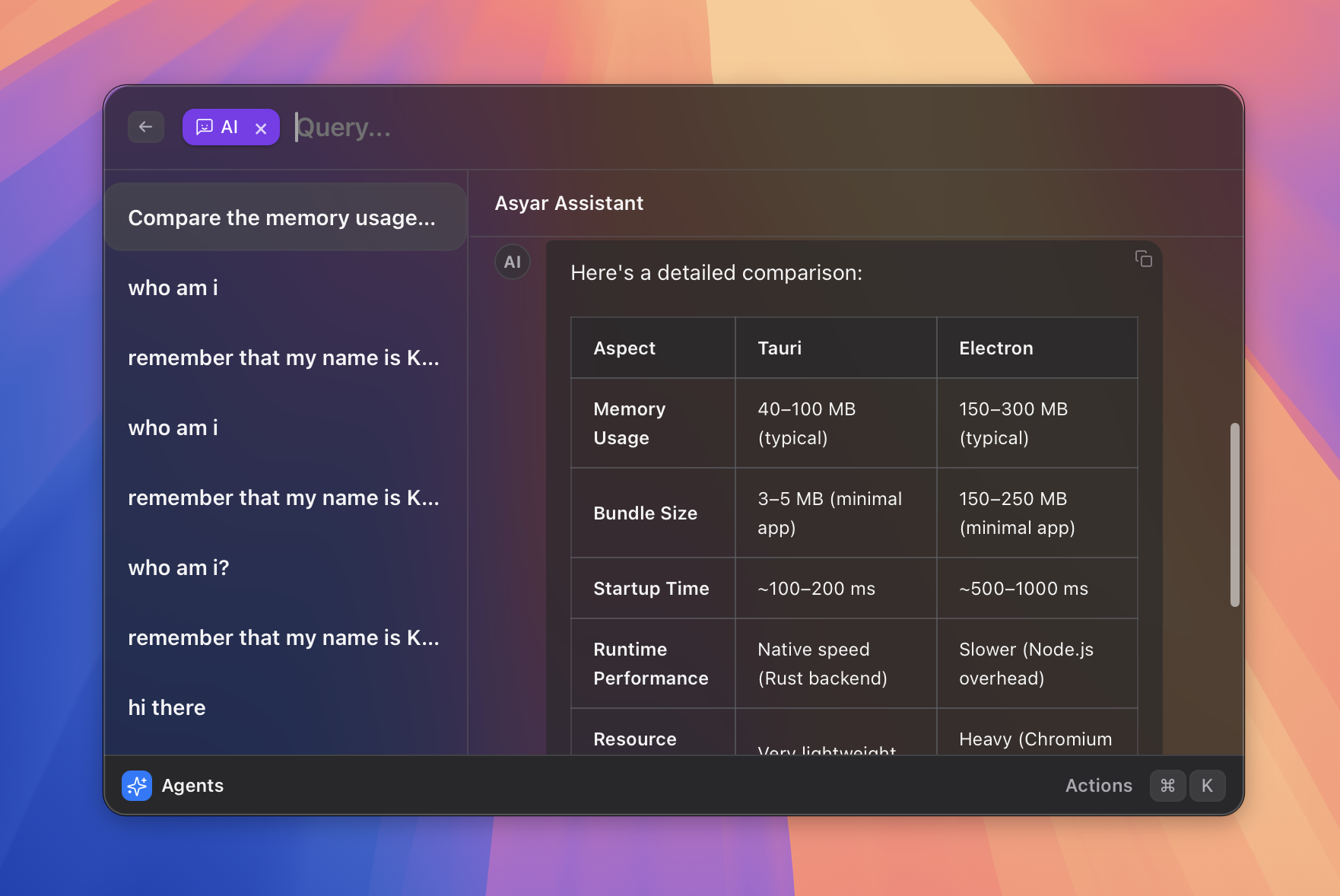 |
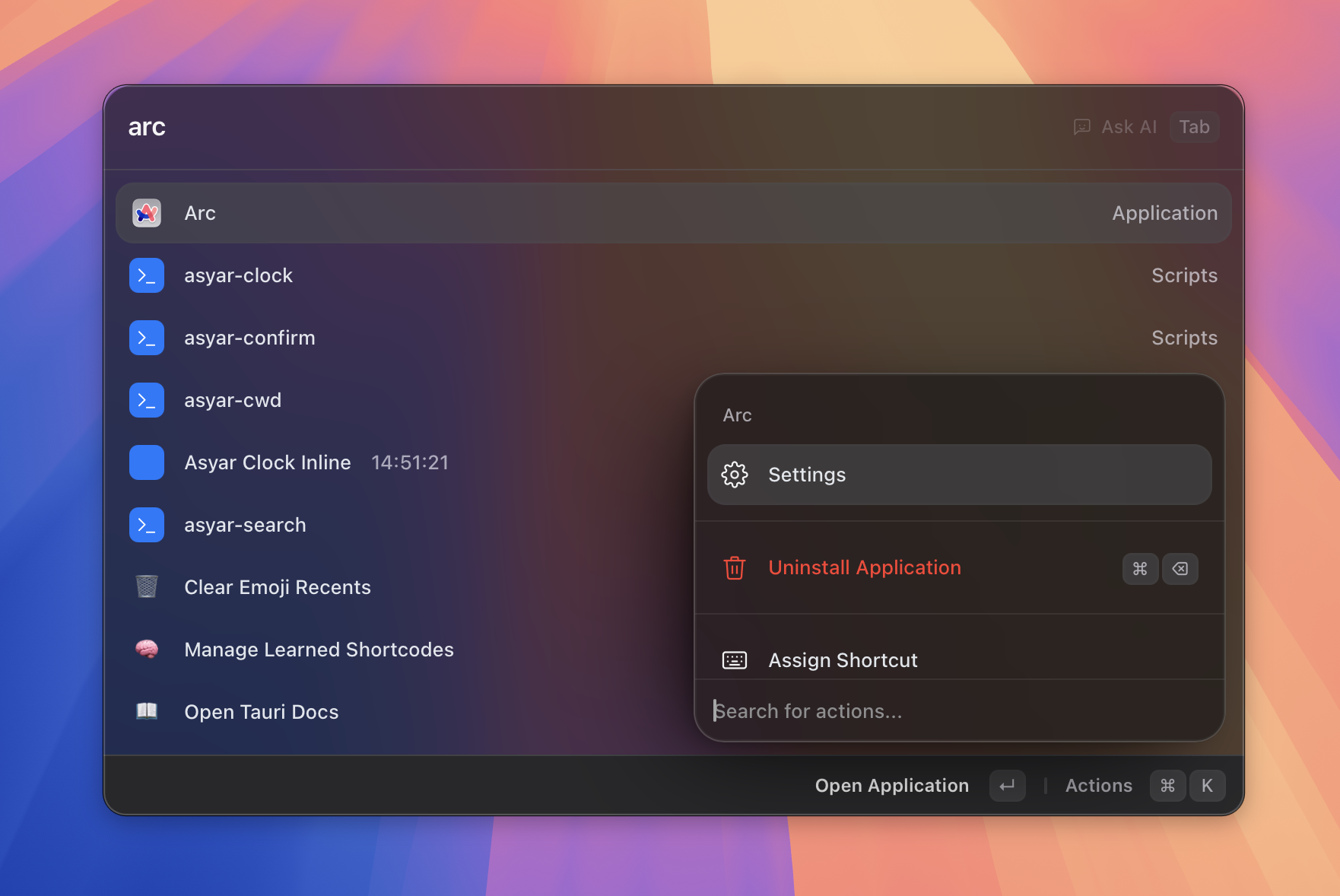
| **Fast fuzzy search** | **AI agents with tool calling** |
| 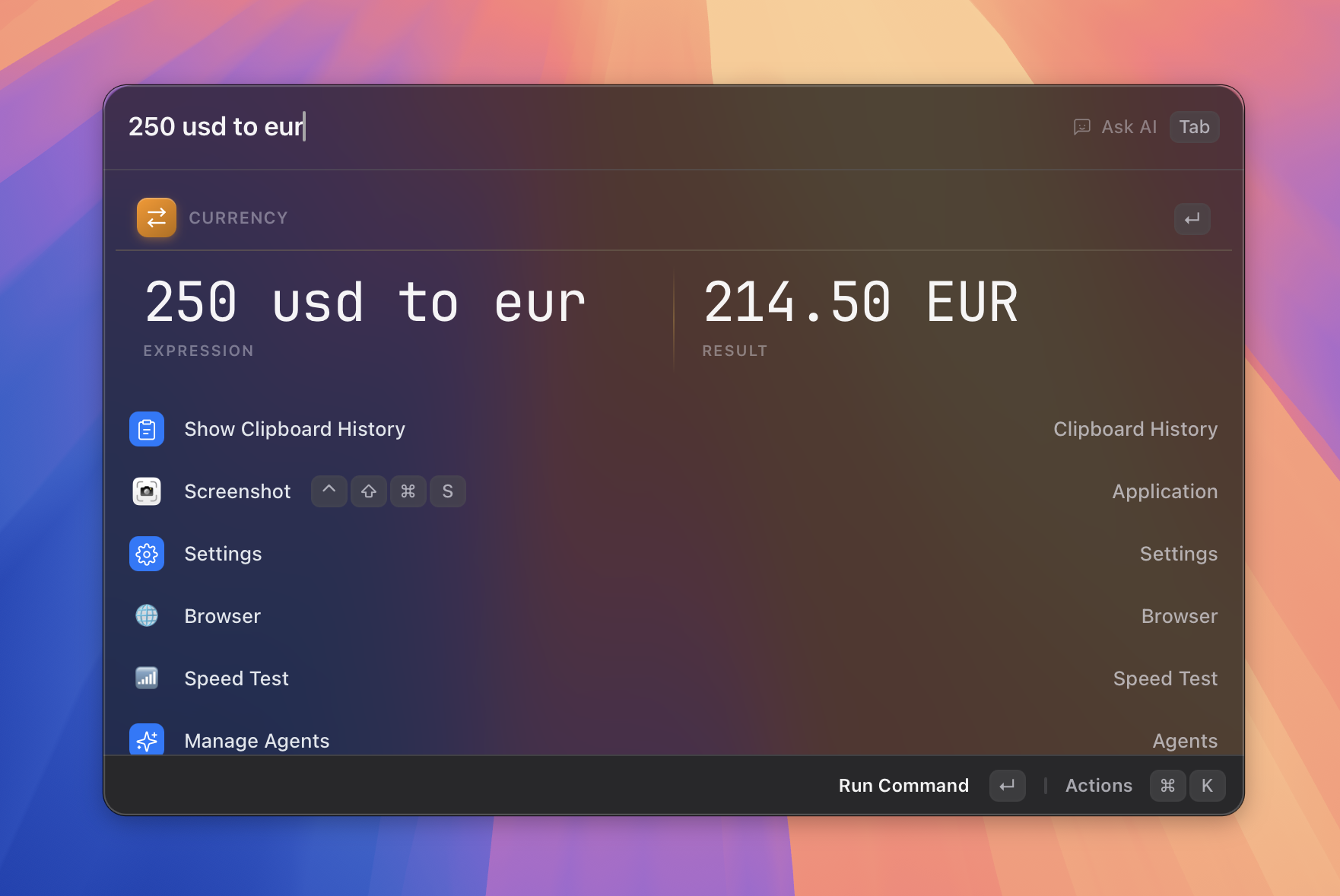 | 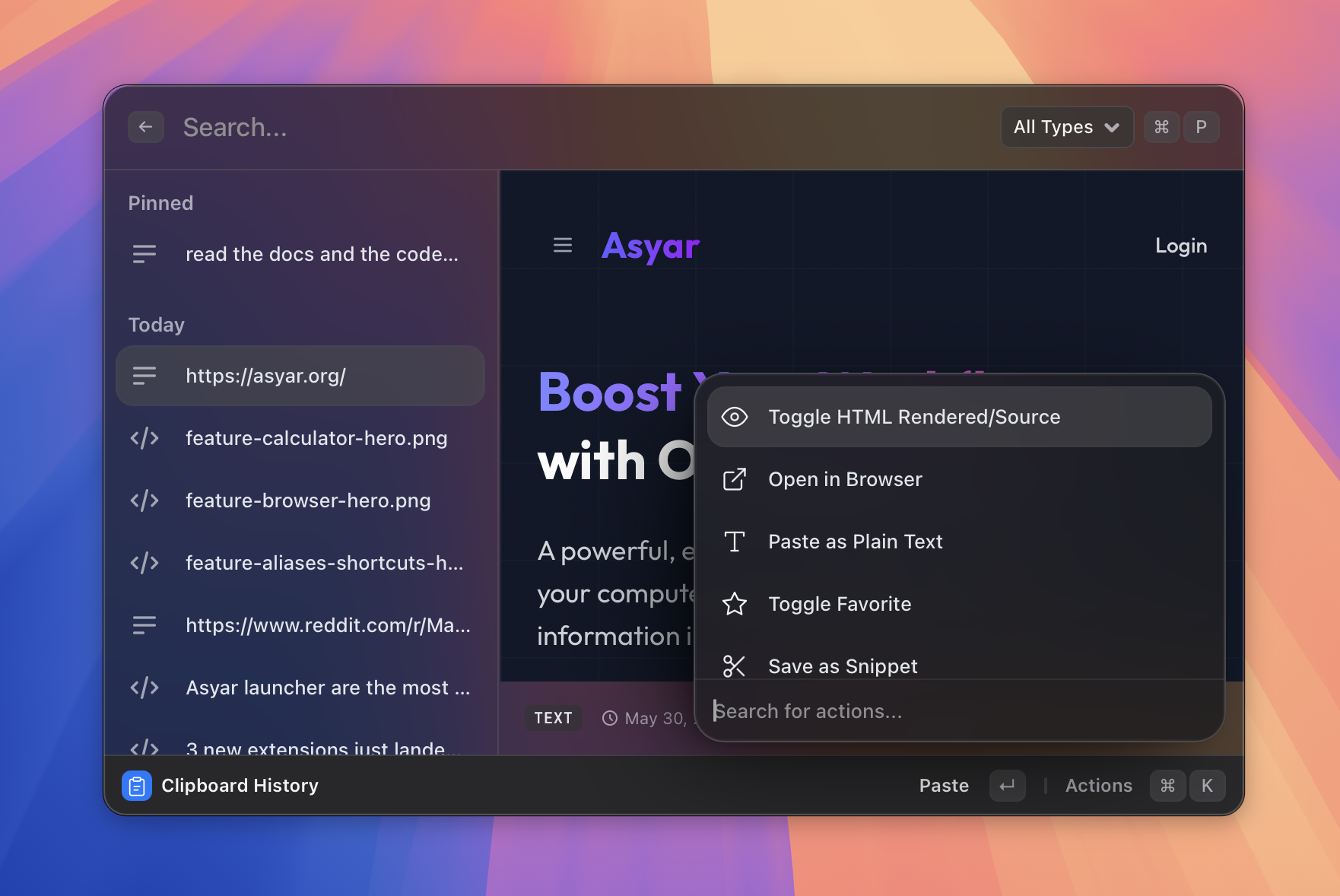 |
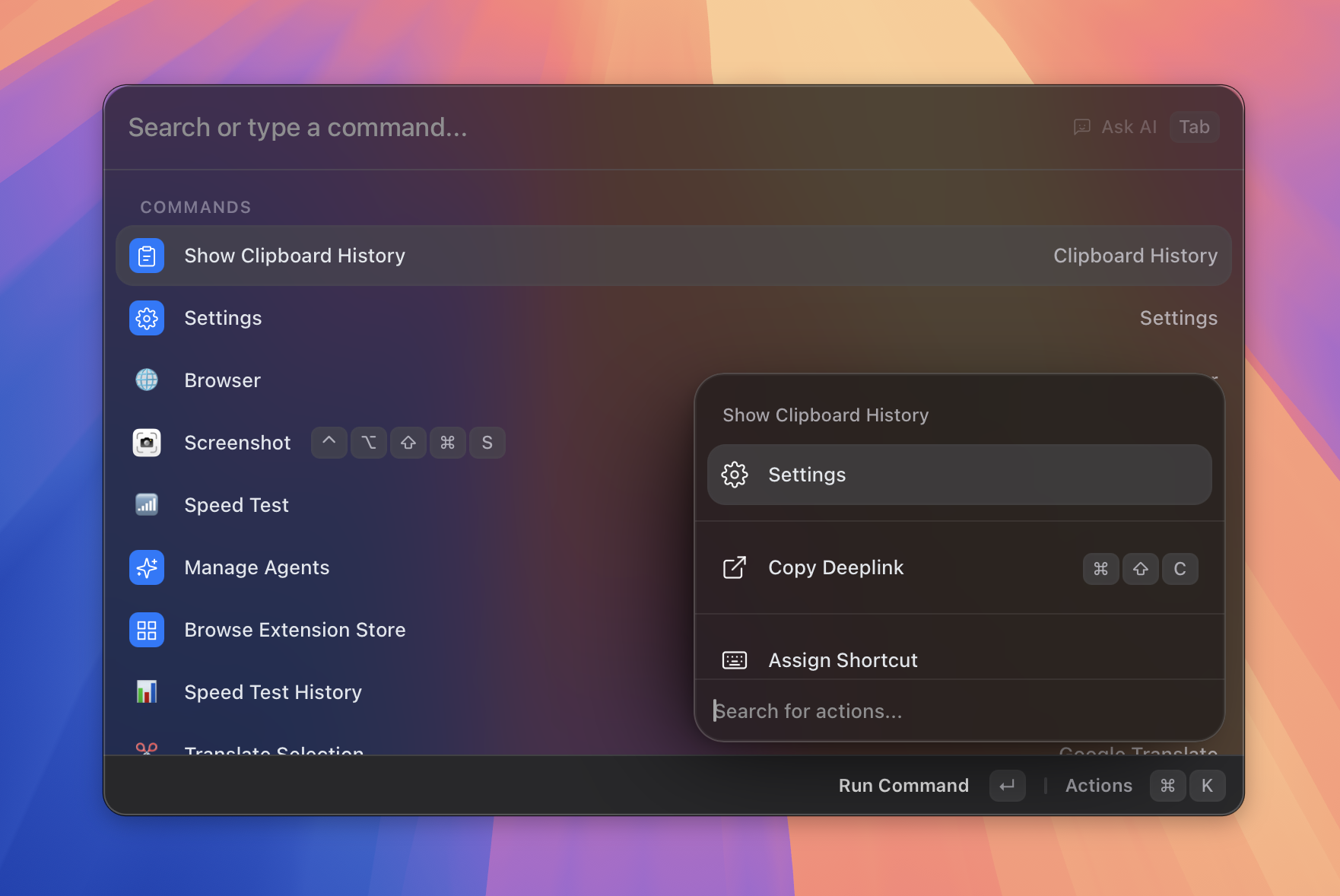
| **Instant calculator** | **Clipboard history** |
| 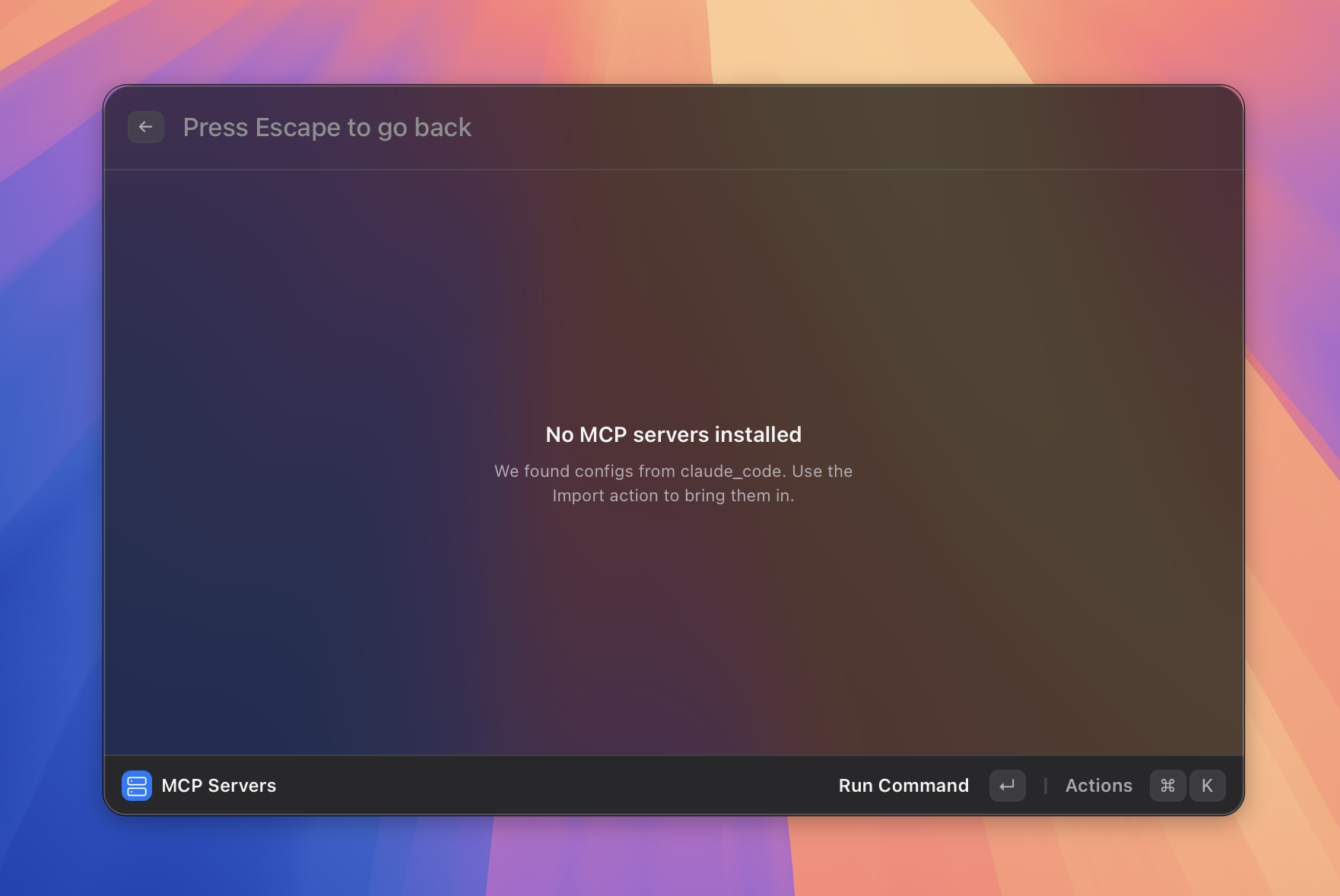 | 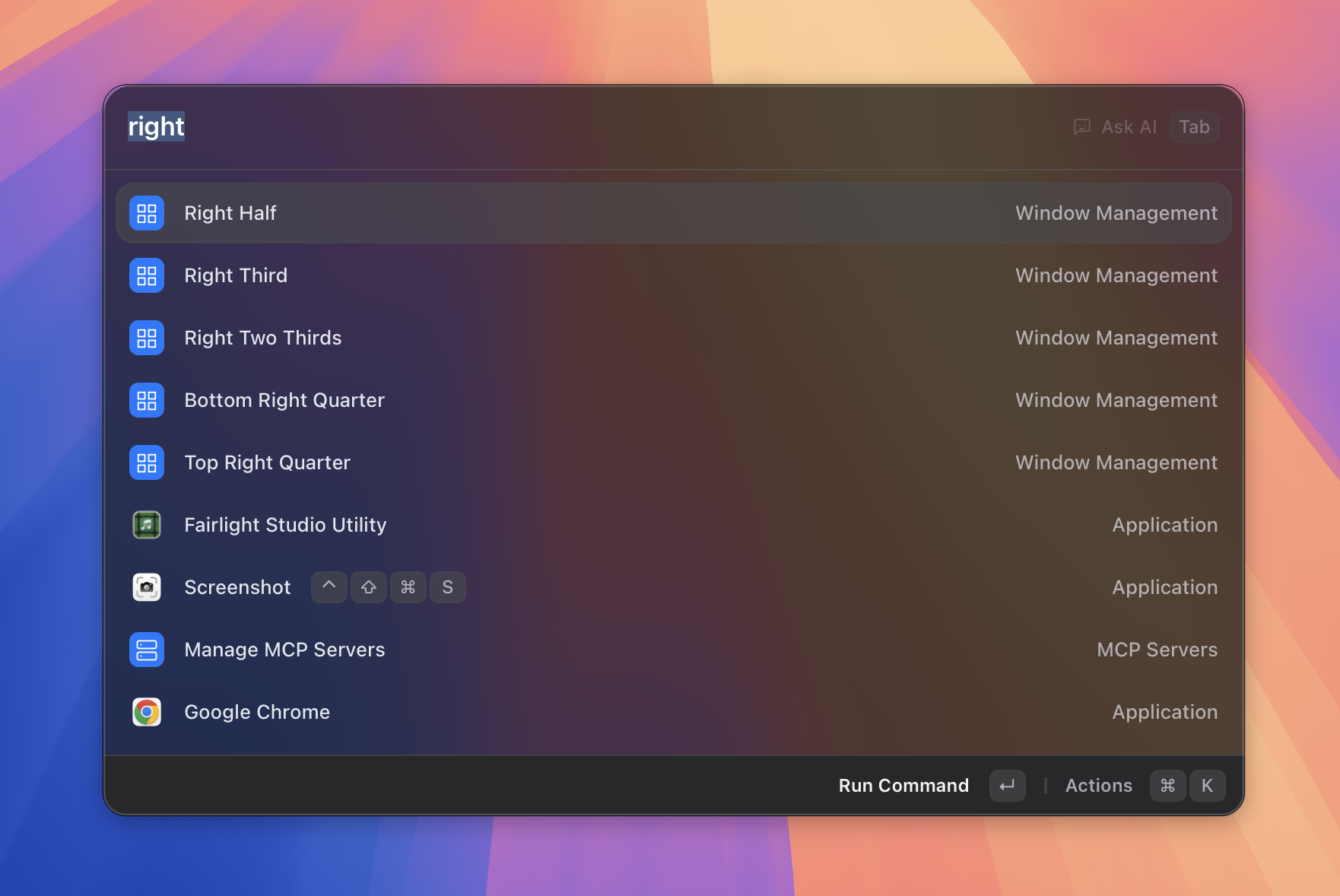 |
| **MCP servers** | **Window management** |
| 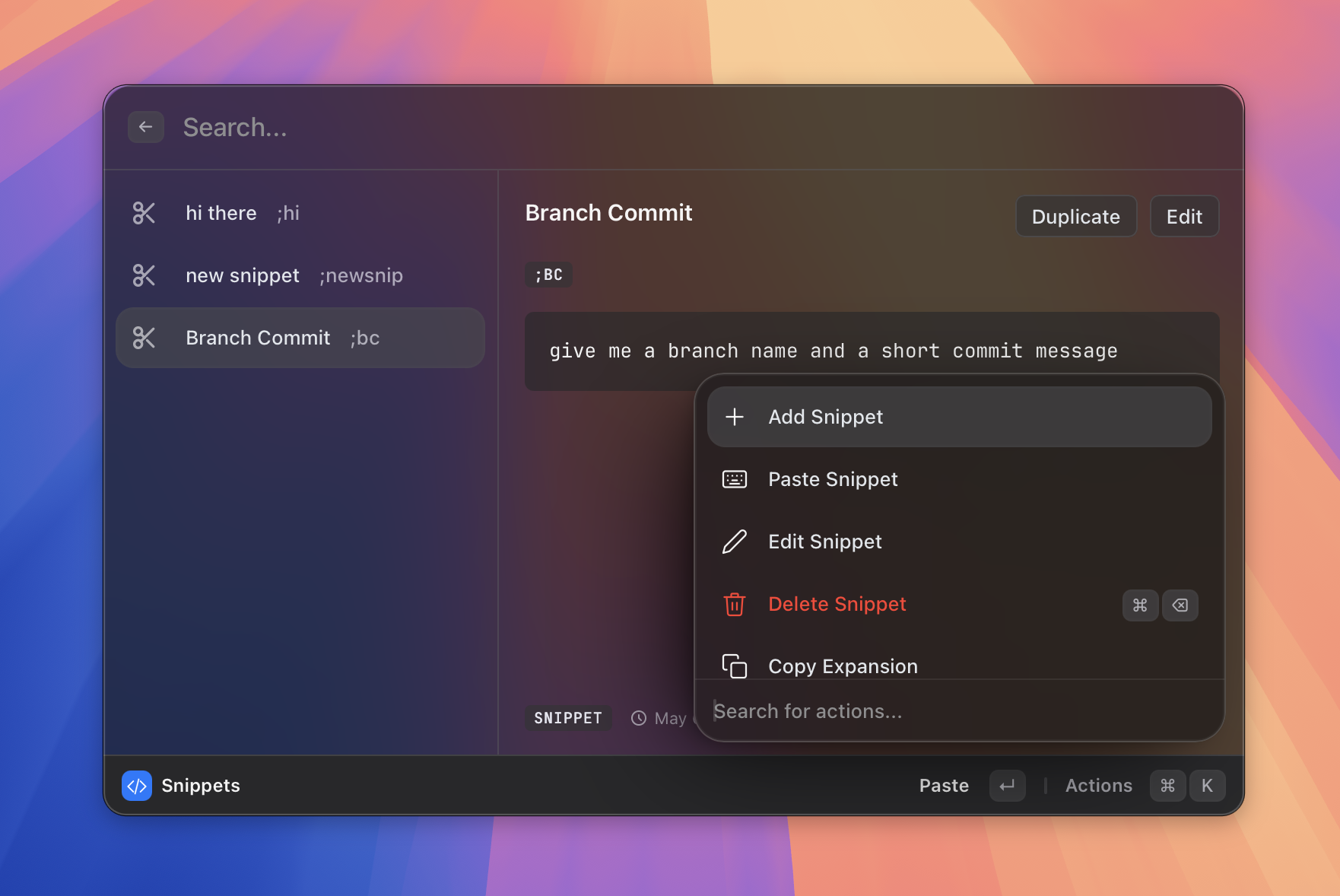 | 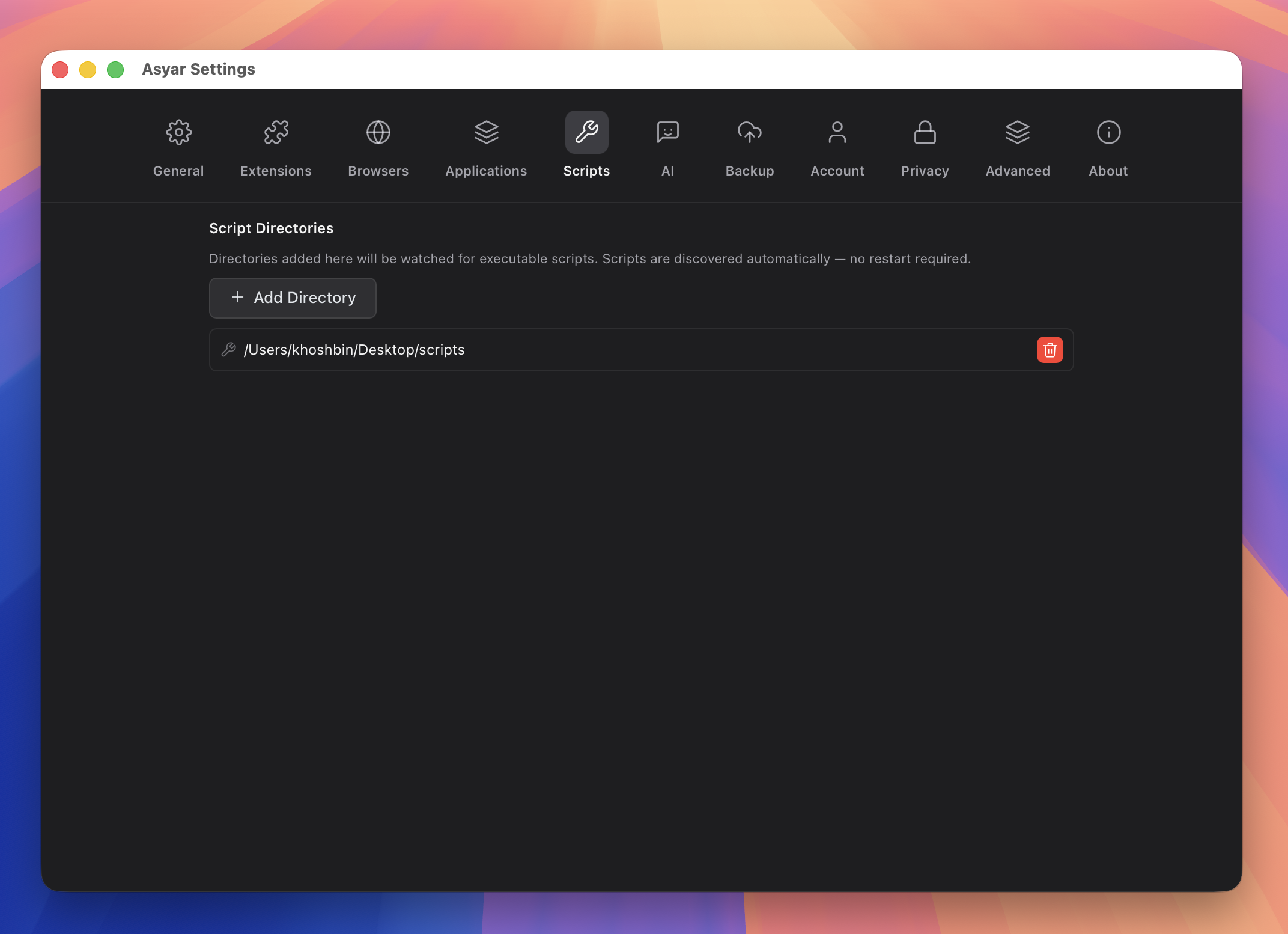 |
| **Snippets** | **Scripts** |
| 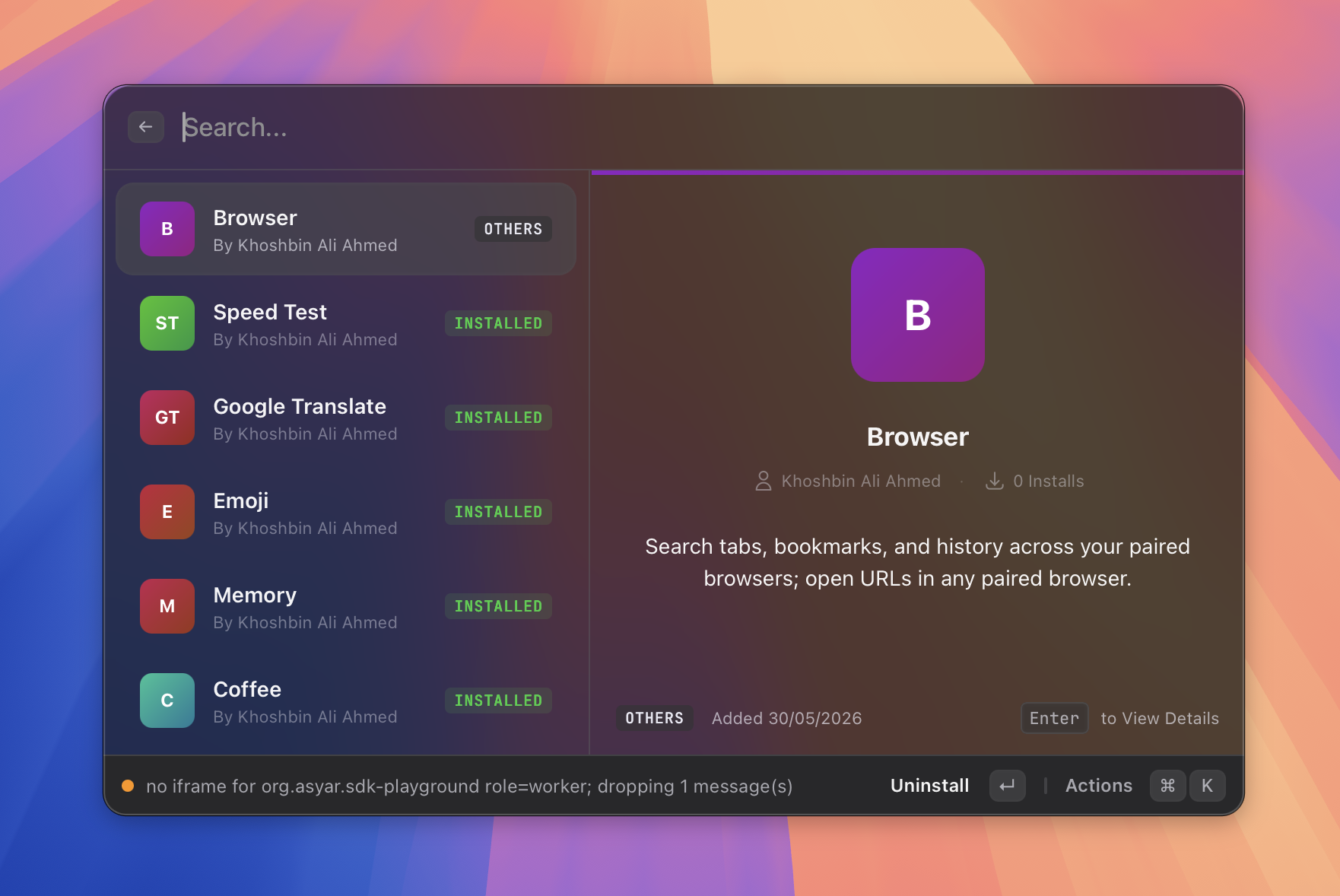 | 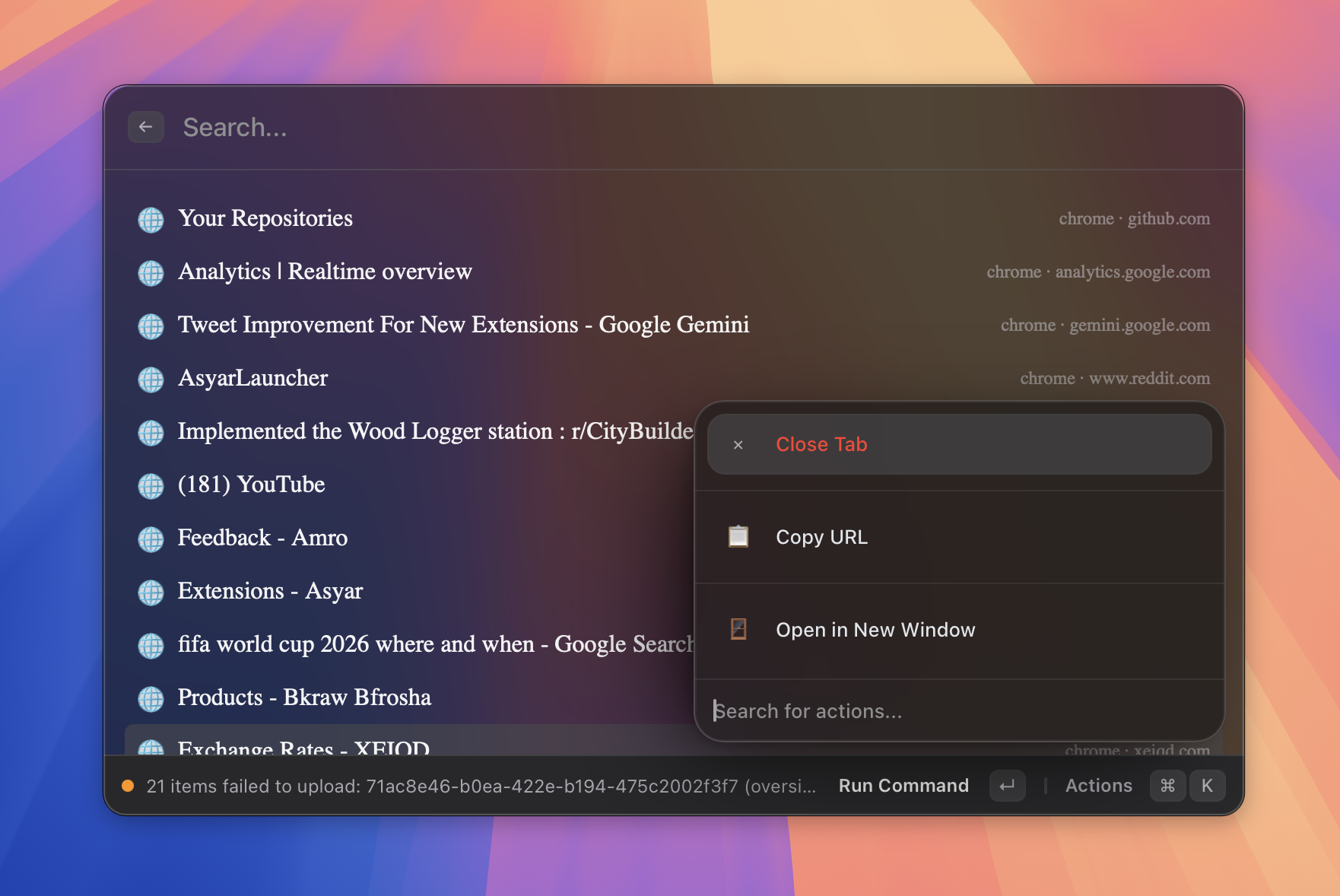 |
| **Extensions** | **Browser integration** |
| 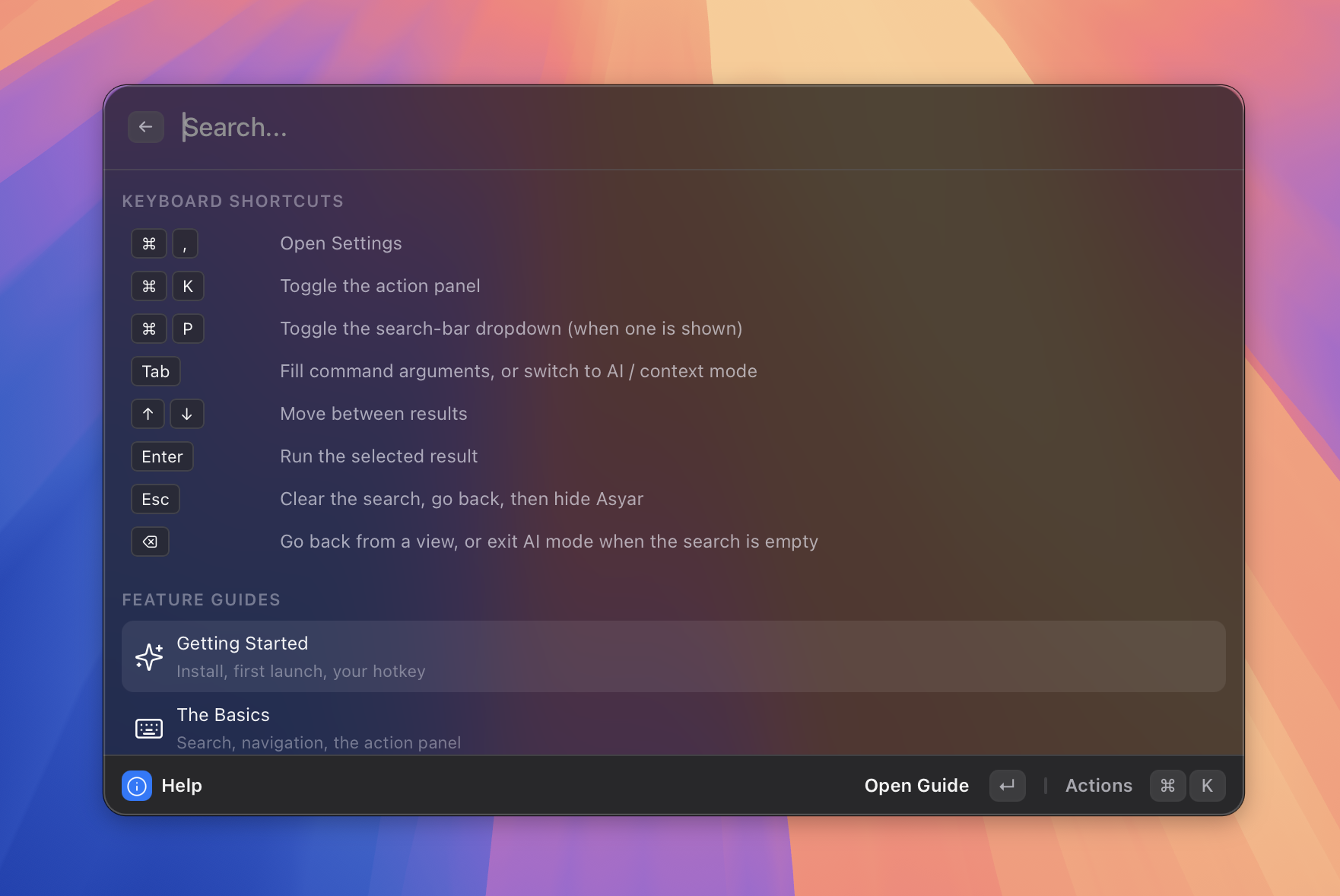 | 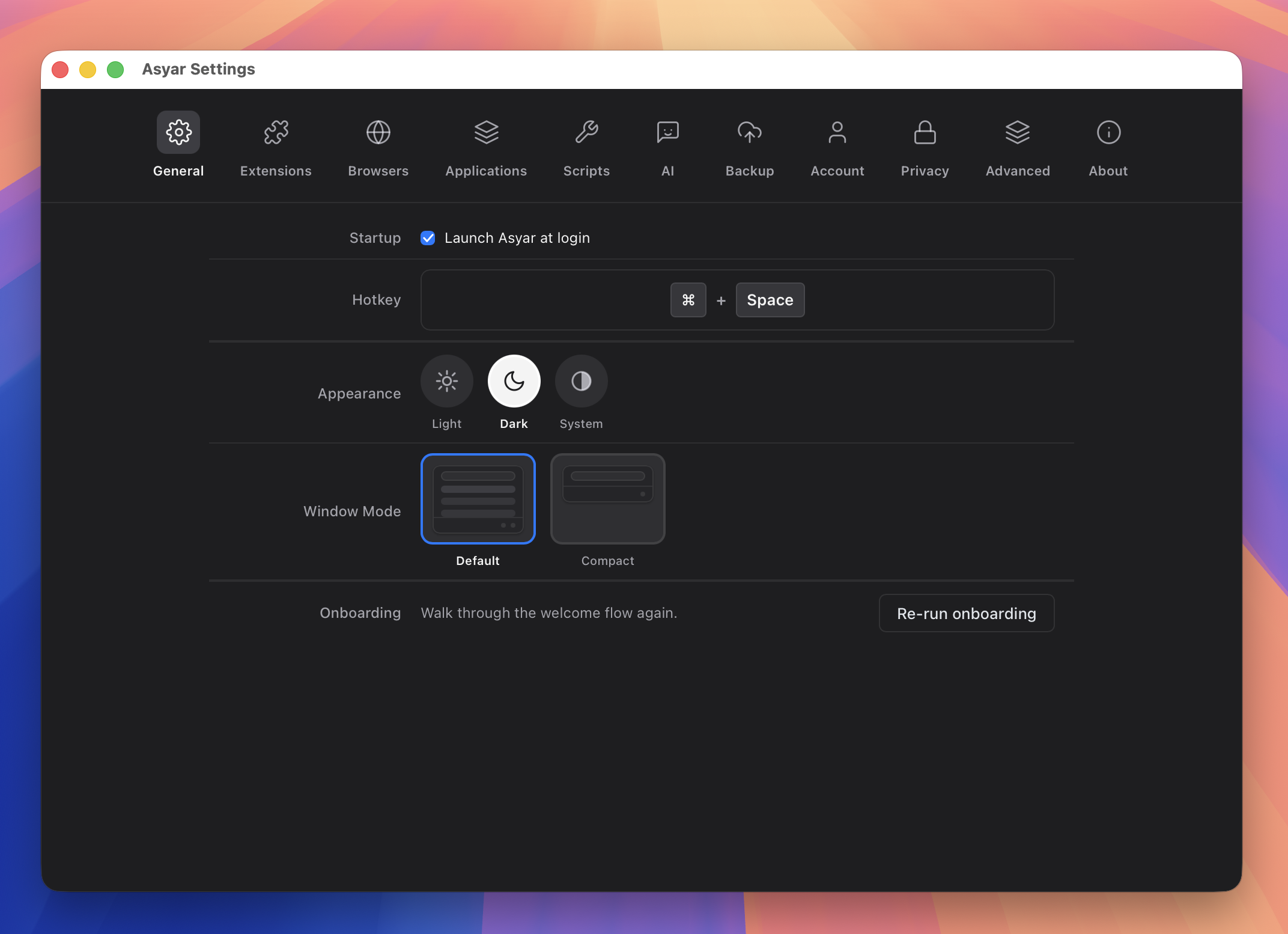 |
| **Keyboard-first** | **Settings** |
---
## Installation
**macOS / Linux:**
```bash
curl -fsSL https://raw.githubusercontent.com/Xoshbin/asyar/main/install.sh | sh
```
**macOS, via Homebrew:**
```bash
brew tap Xoshbin/asyar
brew trust --tap xoshbin/asyar # one-time — Homebrew 6+ requires trusting third-party taps
brew install --cask asyar
```
**Windows, or a manual download for any OS:** grab the installer for your platform from
[Releases](https://github.com/Xoshbin/asyar/releases).
**Linux (Wayland) Shortcut Setup:**
The Linux installer places the AppImage at `~/.local/bin/asyar` and a lightweight summon command beside it at `~/.local/bin/asyar-summon`. Wayland protocol security prevents background applications from intercepting global keyboard shortcuts directly, so bind your preferred shortcut in your desktop environment or window manager to execute `asyar-summon`:
- **GNOME:** Open **Settings** → **Keyboard** → **View and Customize Shortcuts** → **Custom Shortcuts**, click **+**, set Name to `Asyar`, Command to `asyar-summon`, and assign your shortcut (e.g. `Ctrl+Space` or `Super+Space`).
- **KDE Plasma:** Open **System Settings** → **Shortcuts** → **Custom Shortcuts** (or **Command/URL**), add a new global shortcut for `asyar-summon`, and set your trigger key (e.g. `Alt+Space` or `Meta+Space`).
- **Hyprland:** Add `bind = ALT, SPACE, exec, asyar-summon` to `~/.config/hypr/hyprland.conf`.
- **Sway:** Add `bindsym Mod1+space exec asyar-summon` to `~/.config/sway/config`.
---
### Switching from Raycast?
If you are moving over from Raycast, you don't have to rebuild your configuration from scratch. I built an instant importer directly into Asyar so you can carry over your setup in seconds:
- **1-Click Migration:** Export your data from Raycast (**Export Settings & Data** ➔ `.rayconfig`), summon Asyar, and search **Import from Raycast** (or click the button on the Welcome onboarding screen).
- **What Carries Over:** Snippets (with keywords and dynamic expansions), Quicklinks (mapped directly to Portals with `{query}` support), and App Hotkeys/Aliases.
- **Privacy & Safety First:** Duplicate items are skipped cleanly, your Raycast setup is never altered, and imported data is protected locally with AES-256-GCM encryption backed by your OS Keychain.
👉 Read the full [Migrating from Raycast Guide](docs/guide/features/migrating-from-raycast.md) or the [Raycast Importer Reference](docs/guide/features/raycast-import.md).
---
## Asyar vs. The Alternatives
| | **Asyar** | Raycast | Alfred |
| ------------------------------------------------------------- | :--------------------: | :---------------------------------: | :-----------------: |
| **Open Source** | ✅ (GPL/MIT) | ❌ | ❌ |
| **100% Offline & Local-First** (data never leaves device) | ✅ | ❌ | ✅ |
| **No Account / Cloud Required** | ✅ | ❌ (Mandatory account) | ✅ |
| **Local Encryption at Rest** (OS Keychain AES-256-GCM) | ✅ | ❌ | ❌ |
| **Free BYOK AI** (Claude, OpenAI, Gemini, Ollama, OpenRouter) | ✅ | ❌ ($8–$10/mo Pro + capped credits) | ❌ (Manual scripts) |
| **Autonomous AI Tool Calling** (MCP + built-in tools) | ✅ | ❌ (Pro only) | ❌ |
| **Silent AI Commands** (no-window in-place text replacement) | ✅ | ❌ | ❌ |
| **Extension Sandboxing** (Double-gated iframe IPC + Rust) | ✅ | ❌ (Unsandboxed Node.js) | ❌ |
| **1-Click Raycast Migration** (instant `.rayconfig` import) | ✅ | N/A | ❌ |
| **Active Window Switcher** (fast fuzzy window search) | ✅ | ✅ | ❌ |
| **Screen OCR** (local Apple Vision text recognition) | ✅ | ✅ | ❌ |
| **Window Management** (17 presets, display cycling, custom) | ✅ | ✅ | ❌ |
| **Root-Search Extension Actions** (stacked ⌘K items) | ✅ | ❌ | ❌ |
| **Cross-Platform** | ✅ (macOS, Win, Linux) | ❌ (macOS / Windows beta) | ❌ (macOS only) |
| **Native Rust Backend** | ✅ | ❌ | ❌ |
| **Reactive Svelte 5 UI** | ✅ | ❌ | ❌ |
| **Deep Link Integration** | ✅ | ✅ | ✅ |
| **Background Scheduling** (native Rust daemon) | ✅ | ❌ | ❌ |
| **Reactive Live Subtitles** (real-time root list updates) | ✅ | ❌ | ❌ |
---
## Features
- **Application Launcher** — Find and launch any installed application instantly
- **AI Agents with Tool Calling** — Build custom AI agents with persistent threads and tool calling, backed by your choice of provider (OpenAI, Anthropic, Google, Ollama, OpenRouter, or any OpenAI-compatible endpoint). **Asyar Assistant** is built in — press `Tab` from the empty launcher to summon it. Streaming responses, LaTeX math, syntax highlighting, and Mermaid diagrams included.
- **Silent AI Commands** — Mark any agent as silent, point it at your selection (or clipboard, or a one-shot argument), and have the response **replace the text in place** in whatever app you were typing in. No launcher window, no chat view, no confirm dialog. Perfect for "fix grammar", "translate this", "make it shorter", or any other one-shot transform you run dozens of times a day.
- **Built-in Tools for Agents** — Eight tools your agents can use out of the box: calculator, clipboard read/write, file read/write, shell execution, web fetch, and launcher search. Extensions can register their own tools too.
- **MCP (Model Context Protocol)** — Connect any MCP-compatible server. Auto-detects existing configs from Claude Desktop, Cursor, Cline, Continue, and Zed; bundled `bun` and `uv` let `npx`/`uvx`-based servers run without a local Node.js or Python install. First-call permission prompts gate write and exec tools per agent.
- **Scripts** — Run shell scripts from the launcher. Add metadata headers (`@asyar.title`, `@asyar.icon`, `@asyar.argument:N`) so your script gets a name, icon, and prompted arguments. Live progress surfaces as a run row.
- **Run Tracking** — Long-running work — agents and scripts — shows live status dots in the launcher. Failed runs stay until dismissed; succeeded agent threads stay until you close them, so you can pick a conversation back up at any time.
- **Calculator** — Instant math evaluation with currency conversion, directly in the search bar
- **Clipboard History** — Search and reuse anything you've copied, with rich markdown, syntax highlighting, and LaTeX rendering for text items. Cmd/Ctrl-click (or Cmd/Ctrl+↑/↓) to select several items, then Enter merges them into a single paste
- **File Search** — Find any file across your home folder instantly; a Rust-native index keeps per-keystroke search fast regardless of how much is indexed, with real image thumbnails and (on macOS) Quick Look-style previews for documents, videos, and archives
- **Snippets** — Text snippet expansion, including background text expansion without opening the launcher
- **Shortcuts** — Define and run custom keyboard-triggered commands
- **Portals** — Open URLs and web tools directly from the launcher
- **Window Management** — 17 built-in layout presets (halves, quarters, thirds, maximize, center) plus custom saved layouts; undo the last move with "Restore Previous"; works on macOS, Windows, and Linux
- **Context Modes** — Type prefixes (`ask ai`, a URL, etc.) to switch the launcher into a specialized mode; visual chips indicate the active context
- **Create Extension** — Scaffold a new extension from a template without leaving the launcher
- **AI Extension Builder** — Describe an extension in plain language (_"build an extension for Notion"_) and an AI agent scaffolds, codes, builds, and verifies it for you — gating feasibility up front, asking clarifying questions via notifications, and dropping a working extension into `~/AsyarExtensions`. Uses your own Anthropic key (BYOK, no Asyar account). Browse and one-click-publish everything you've built from the **My Extensions** view.
- **Themes** — Customize the launcher's appearance with built-in themes or create your own
- **Backup & Restore** — Export and import your data locally; optional password encryption for sensitive fields
- **Privacy by Default** — Clipboard items the OS or source app marks private (NSPasteboard concealed/transient/auto-generated, Windows clipboard-history opt-out) are never stored; password managers (1Password, Bitwarden, KeePassXC, Dashlane, Enpass, LastPass, Apple Keychain Access) are denylisted by default. Known secret formats (AWS keys, GitHub/GitLab/Stripe/Slack/OpenAI/Anthropic tokens, JWTs, PEM private keys, Luhn-validated credit cards) are redacted in place across clipboard, snippets, and AI conversations — including before the AI provider sees them.
- **Extension Store** — Browse and install extensions from [asyar.org](https://asyar.org)
- **Root-Search Extension Actions** — Extensions declare ⌘K actions directly in `manifest.json` at two scopes: extension-level (any command selected) and command-level (only that command). Both scopes stack automatically.
- **Deep Link Integration** — Trigger any extension command from a browser, terminal, or script via `asyar://extensions/{extensionId}/{commandId}?param=value` URLs
- **Reactive Live Subtitles** — Extensions push real-time data into search result subtitles without re-running a search; used by the built-in calculator and available to any extension via `updateCommandMetadata()`
- **Background Scheduling** — Commands declare a `schedule` interval in `manifest.json` (1 min – 24 h) to run background tasks automatically, even when the launcher is closed
- **HUD Notifications** — Lightweight, auto-dismissing heads-up messages for instant feedback (e.g., layout name after a window move, "Copied" after a snippet paste)
- **Live Tray Menu** — Extensions can show real-time status in your system tray
- **Cross-Platform without Compromise** — First-class citizen on macOS, Windows, and Linux — not a port
- **Keyboard-First** — Global hotkey (`Cmd+K` / `Ctrl+K`) to summon from anywhere
---
## Supported Languages
The launcher interface follows your system language and is available in:
- English
- Português (Brasil)
- 简体中文 (Simplified Chinese)
- 繁體中文 (Traditional Chinese)
Want Asyar in your language? See [Contributing a Localization](CONTRIBUTING.md#internationalization-i18n--translations).
---
## Privacy Scorecard
| | Asyar |
| ------------------------------------------------------------------------------ | :---: |
| Data stored locally only | ✅ |
| Works fully offline | ✅ |
| No telemetry by default | ✅ |
| No account or login required | ✅ |
| No subscription to unlock features | ✅ |
| Extensions run in sandboxed iframes | ✅ |
| Sensitive backup fields encrypted | ✅ |
| Honors OS "do not capture" clipboard flags | ✅ |
| Configurable password-manager denylist | ✅ |
| Auto-redacts known secret formats (API keys, JWTs, private keys) | ✅ |
| AI provider receives redacted user messages, not raw secrets | ✅ |
| Local encryption at rest with OS-keychain key | ✅ |
| Cloud sync uploads only what changed | ✅ |
| Optional end-to-end encrypted cloud sync (passphrase + Argon2id + AES-256-GCM) | ✅ |
---
## Privacy Defenses
Asyar's privacy work is layered — each layer protects a different boundary, and the layers compose.
### Layer 1 — Capture-time exclusion
When a clipboard event arrives, Asyar inspects the OS pasteboard's type identifiers and the source app's bundle id **before** writing anything to disk. Items match any of the following are dropped at the door:
- **macOS** — pasteboards carrying `org.nspasteboard.ConcealedType`, `TransientType`, `AutoGeneratedType`, or Apple's auto-generated promised type.
- **Windows** — pasteboards registered with `CanIncludeInClipboardHistory` or `ExcludeClipboardContentFromMonitorProcessing`.
- **All platforms** — a configurable source-app denylist. Defaults cover 1Password, Bitwarden, KeePassXC, Dashlane, Enpass, LastPass, and Apple Keychain Access. Users add their own apps in **Settings → Privacy → Clipboard Privacy**.
Items rejected at this layer never reach SQLite, so they cannot leak via local disk theft, the diagnostics channel, or cloud sync.
### Layer 2 — Pattern-based secret redaction
For everything that _does_ get stored, Asyar runs a regex-based detector over clipboard items (text / HTML / RTF), snippet expansions, and AI conversation messages. Each match is replaced in place with `[redacted: ]` — items still appear in history but the secret value is gone.
Bundled detector kinds (false-positive rate near zero on plain-English text):
| Category | Kinds |
| ------------- | ---------------------------------------------------------------------------------------------------------------- |
| Cloud & infra | `aws_access_key`, `stripe_live_secret`, `stripe_restricted` |
| Source forges | `github_pat`, `github_oauth`, `github_user_to_server`, `github_server_to_server`, `github_refresh`, `gitlab_pat` |
| Chat & AI | `slack_token`, `openai_key`, `anthropic_key` |
| Cryptography | `pem_private_key`, `jwt` |
| Financial | `credit_card` (Luhn-validated) |
**AI conversations are redacted before the provider call** — the AI provider never sees raw secrets either, even if the user pastes a JWT and asks "what does this token mean?".
The user can disable redaction globally or per-category in **Settings → Privacy → Secret Redaction**. The detector is a pure Rust function with a 1 MB scan cap; classifier latency is sub-millisecond on a typical paste.
### Layer 3 — Local encryption at rest
Clipboard `content` / `preview`, snippet `expansion`, AI conversation message bodies, and encrypted extension preferences are stored as AES-256-GCM ciphertext on disk. The 32-byte master key lives in the OS keychain — Keychain Services on macOS, Credential Manager on Windows, freedesktop Secret Service on Linux. An offline disk image alone is no longer sufficient to read your data; the attacker also needs an unlocked session keychain.
On Linux without Secret Service (headless, minimal WM, DBus-less containers) Asyar falls back to a `0600` file-backed key and surfaces a warning in **Settings → Privacy → Encryption at Rest**, telling you to install gnome-keyring or KWallet for full protection. macOS / Windows treat keychain unavailability as fatal — the keychain is part of the OS install, so failure is exceptional and refusing to start is safer than silent degradation.
### Layer 4a — Minimal cloud sync
Cloud sync (when enabled) is built around a simple privacy promise: **the less data on the wire, the smaller the surface for any potential breach.** Asyar uploads only what you've actually changed since your last sync — never your whole history, never on a fixed schedule. An idle launcher moves zero bytes. Editing one snippet syncs one snippet. Concurrent edits on different devices coexist instead of overwriting each other.
### Layer 4b/4c — Optional end-to-end encrypted cloud sync
Opt-in passphrase-based E2EE on top of the per-item sync layer. Default OFF. Enable in **Settings → Account → Encrypted Sync**.
- Passphrase → Argon2id → 32-byte sync key → AES-256-GCM per item.
- Passphrase entered once at enrolment; derived key cached in the OS keychain — daily UX has zero friction.
- 24-word BIP-39 recovery phrase issued at enrolment. Passphrase loss without the recovery phrase means data loss; Asyar.org cannot reset it.
### Layer 5 — Retention & automatic eviction
- **Clipboard History TTL** — Configurable retention window (1 min to 90 days) with favourite protection (**Settings → Privacy → Clipboard Privacy**).
- **AI Conversation Retention Cap** — Maximum retained threads (Unlimited, 25, 50, 100 [default], or custom) with pinned thread protection (**Settings → AI → Behavior**).
- **Snippet Private Tag (Local-Only Sync Opt-Out)** — Mark sensitive snippets as private; they remain strictly local and are never included in cloud sync payloads or tombstones.
See [`docs/explanation/clipboard-privacy.md`](docs/explanation/clipboard-privacy.md) for the full design.
---
## OS Support Matrix
| Feature | macOS | Windows | Linux (X11)* |
| --------------------- | :---: | :-----: | :----------: |
| Spotlight | ✅ | ✅ | ✅ |
| Applications | ✅ | ✅ | ✅ |
| Application Icons | ✅ | ✅ | ✅ |
| AI Agents | ✅ | ✅ | ✅ |
| Silent AI Commands | ✅ | ✅ | ✅ |
| MCP Servers | ✅ | ✅ | ✅ |
| Scripts | ✅ | ✅ | ✅ |
| Calculator | ✅ | ✅ | ✅ |
| Clipboard History | ✅ | ✅ | ✅ |
| File Search | ✅ | ✅ | ✅ |
| Context Modes | ✅ | ✅ | ✅ |
| Create Extension | ✅ | ✅ | ✅ |
| Portals | ✅ | ✅ | ✅ |
| Shortcuts | ✅ | ✅ | ✅ |
| Snippets | ✅ | ✅ | ✅ |
| Store | ✅ | ✅ | ✅ |
| Installed Extensions | ✅ | ✅ | ✅ |
| Backup & Restore | ✅ | ✅ | ✅ |
| Window Management | ✅ | ✅ | ✅ |
| Deep Links | ✅ | ✅ | ✅ |
| Background Scheduling | ✅ | ✅ | ✅ |
| HUD Notifications | ✅ | ✅ | ✅ |
> - **Note on Linux Wayland:** Global input-heavy features like Snippets do **not** work on Wayland (e.g., default Ubuntu 22.04+, Fedora 25+, KDE Plasma 6).
### Detailed Platform Compatibility
_(Asyar is fully tested and verified on **macOS**, **Windows 11**, and **Debian**)_
- **macOS:** Fully supported and tested. Global features like Snippets require Accessibility permissions.
- **Windows:** Fully tested on Windows 11. Supported on Windows 10 out-of-the-box.
- **Linux (X11):** Fully tested on Debian. Supported on all other X11 sessions (Mint, MATE, Xfce, Ubuntu on Xorg).
- **Linux (Wayland):** ❌ Not supported for global hooks. _Workaround: Log out and select an "Xorg" or "X11" session at your login screen._
---
## Tech Stack
| Layer | Technology | Why It Matters |
| --------------- | ------------------------------ | ------------------------------------------------------------------- |
| Backend | Rust (Tauri v2) | Native OS integration, memory safety, no Electron overhead |
| Frontend | Svelte 5 | Fine-grained reactivity, minimal bundle size, instant renders |
| Extensions | TypeScript + any web framework | Build with Svelte, React, Vue, or vanilla JS — sandboxed in iframes |
| Extension Store | [asyar.org](https://asyar.org) | Browse, publish, and install community extensions |
---
## How Extensions Work
Asyar's power comes from its extension system. Extensions add commands to the launcher, contribute live search results, and open rich UI panels.
- **Built-in extensions** run natively alongside the app for maximum speed
- **Installed extensions** run in secure sandboxes — they can't crash the app or access other extensions' data
- **Build your own** with the [Asyar SDK](asyar-sdk/) using any web framework (Svelte, React, Vue, or vanilla JS)
---
## Extension Security Model
Raycast gives every extension full Node.js access — filesystem, network, child processes — with no restrictions. Asyar takes a different approach: **extensions only get the permissions they declare, enforced at two layers.**
Every installed extension declares the permissions it needs in its `manifest.json`. At runtime, those declarations are enforced twice:
1. **Frontend gate** — the IPC router intercepts every extension call and checks it against the manifest before it ever reaches the backend
2. **Rust gate** — the permission registry enforces the same rules again at the Rust layer, so a compromised frontend can't bypass security
| Permission | What it grants |
| ------------------------------------ | --------------------------------------------------- |
| `clipboard:read` / `clipboard:write` | Access the system clipboard |
| `fs:read` / `fs:write` | Read or write files |
| `network` | Make HTTP requests |
| `shell:execute` | Run shell commands |
| `shell:open-url` | Open URLs in the browser |
| `notifications:send` | Show system notifications |
| `store:read` / `store:write` | Persist extension data |
| `tools:register` | Register tools that AI agents can invoke |
| `runs:track` | Surface long-running work in the launcher's runs UI |
On top of permission gating, each installed extension runs in an **isolated iframe** with its own browsing context — no access to the host DOM, no access to other extensions' data, and a strict Content Security Policy that prevents loading external scripts. All communication flows through a typed `postMessage` bridge; malformed messages are rejected.
> _The result: users can install community extensions without trusting them with full system access._
---
## AI Agents
Asyar agents are first-class command targets — type the agent's name, press `Enter`, and chat in a persistent thread. Each agent has its own provider, model, system prompt, and toolset.
- **Asyar Assistant (built in)** — A default agent appears the moment you configure any provider. Press `Tab` from the empty launcher to summon it, or type `ask ai`.
- **BYOK across 6 providers** — OpenAI, Anthropic, Google, Ollama, OpenRouter, or any OpenAI-compatible endpoint. API keys live in the OS keychain; no Asyar account or AI subscription needed.
- **Tool calling on every provider** — All six supported providers can invoke tools — the 8 built-in tools (calculator, clipboard, file I/O, shell, web fetch, launcher search), tools contributed by installed extensions, or tools served by any MCP server.
- **Persistent threads** — Conversations are saved locally in SQLite. Start a new thread or resume an existing one from the agent's `⌘K` menu; succeeded threads remain visible in the launcher until you dismiss them.
- **MCP integration** — Add Model Context Protocol servers from **Settings → MCP**, or auto-import existing configs from Claude Desktop, Cursor, Cline, Continue, or Zed. Bundled `bun` and `uv` sidecars run `npx`/`uvx`-based servers without system installs.
- **Streaming + cancellation** — Replies stream word-by-word; cancel mid-response.
- **Your key, your data** — requests go directly from your device to your provider; nothing routes through Asyar servers.
---
## Silent AI Commands
1. Open the launcher → **Manage Agents** → **New Agent**.
2. Name it (e.g. _Grammar Fix_), set a one-line system prompt (_"Reply ONLY with the corrected text — no preamble, no quotes"_).
3. Toggle **Run silently (no chat view)** on. Pick an **Input source** and an **Output action**.
4. Save, then bind a hotkey from the launcher root with ⌘K → _Set Shortcut_.
Now select text anywhere — TextEdit, your editor, a browser textarea, Mail — and press your hotkey. The selection is sent to the LLM and the response **replaces it in place**. The launcher never opens.
| Input source | Where the agent's input comes from |
| ----------------------------------- | ---------------------------------------------------------------- |
| **Selected text in the active app** | The text you currently have highlighted (read via Accessibility) |
| **Clipboard** | Whatever you most recently copied |
| **Argument** | A one-shot text argument typed in the chip row |
| **None** | Empty input — the prompt alone drives the response |
| Output action | What happens to the LLM's response |
| ----------------------------------------- | ---------------------------------------------------------------------------------------------------------------------- |
| **Replace the selection with the result** | Saves your clipboard, writes the result, pastes (replacing the selection), then restores your clipboard a moment later |
| **Copy to clipboard** | Quietly copies the result; nothing is pasted |
| **Paste at cursor** | Pastes at the cursor position without trying to replace anything |
| **Show a HUD with the last line** | Brief top-of-screen toast with the last line of the response |
The whole pipeline is structurally headless — silent agents never create a thread, never enter the Run Tracker's "Done" list, never fire a notification on success (failures still notify, with the error in the body). Tool-using silent agents are supported: the loop iterates until a final assistant message and only then triggers the output action.
See [`docs/reference/silent-agents.md`](docs/reference/silent-agents.md) for the full reference.
---
## Context Modes
Typing certain prefixes transforms the launcher into a specialized mode:
| Prefix | Mode |
| ----------------------- | -------------------------- |
| `ask ai`, `ai`, `chat` | Asyar Assistant (AI Agent) |
| A URL or portal trigger | Portal / web view |
An active context is shown as a chip in the search bar. Press `Escape` to exit the current context and return to normal search.
---
## File Search
A dedicated file search, not a thin wrapper around the OS's own tool — file lookups get the same speed guarantees as the rest of the launcher.
- **Bounded per-keystroke cost** — a Rust-native index (arena-based, not a hash map) answers every keystroke in low single-digit milliseconds regardless of how many files are indexed; the query engine's work is capped by construction, not by index size.
- **Smart defaults** — indexes your whole home folder out of the box, automatically skipping caches, `node_modules`, build output, and VM disk images. Narrow to specific folders or add your own exclude patterns in **Settings → File Search**.
- **Real previews** — images get real thumbnails, text/code files show their content, and (macOS) other file types get a Quick Look-style preview — all served from a Rust-generated cache, never by loading a whole file into the UI.
- **Pin favorites, ask AI about a file** — pin frequently-used files to the top, or send a selected file straight into AI chat with its content pre-filled.
- **Deep Search escalation** — press `⌘⇧F` to fall back to your OS's native search (Spotlight, Everything, `plocate`) for anything outside your indexed folders — on demand, never running in the background.
See the [File Search guide](docs/guide/features/file-search.md) for the full walkthrough.
---
## Window Management
Asyar includes a built-in window management extension that lets you snap and resize any window without leaving the keyboard.
- **17 layout presets** — left/right halves, top/bottom halves, all four corners, thirds (left, center, right), two-thirds, maximize, and center
- **Custom layouts** — save the current window position and size as a named preset, then recall it any time
- **Restore Previous** — one command undoes the last layout change so you can quickly toggle between two positions
- **Cross-platform** — uses native accessibility APIs on macOS, HWND positioning on Windows, and X11 window IDs on Linux
Invoke any layout preset by name from the launcher — no mouse required.
---
## Reactive Live Subtitles
Extensions can push real-time data into a command's subtitle while it sits in search results — no re-search required.
```ts
commandService.updateCommandMetadata(commandId, { subtitle: '⏱ 18:32 remaining' });
```
The launcher reflects the update instantly and reactively. The built-in calculator uses this to show the evaluated formula as a subtitle. Extension authors can use it for live weather, countdowns, connection status, or any frequently-changing value.
---
## Background Scheduling
Commands can run at regular intervals without any user interaction by declaring a `schedule` in `manifest.json`:
```json
{
"name": "refresh-rates",
"trigger": "Refresh Currency Rates",
"schedule": { "interval": 3600 }
}
```
The scheduler (backed by Tokio) fires the command every `interval` seconds (60 s – 86 400 s). It starts automatically when the extension is enabled and stops when it is disabled or removed — no manual lifecycle management needed.
---
## Backup & Restore
Asyar lets you export and import your data locally — no account required.
Go to **Settings → Backup** to:
- **Export** — choose which categories to include (snippets, clipboard history, extensions, etc.), optionally set a password to encrypt sensitive fields (like API keys), and save a `.zip` archive to disk.
- **Restore** — open a backup file, preview what's inside (item counts and conflicts per category), choose a conflict strategy (`replace`, `merge`, or `skip`) per category, then apply.
**How sensitive data is handled:** if a backup contains sensitive fields and no password is set, those fields are stripped from the export automatically. When a password is provided, the archive is encrypted and the password is required to restore it.
Cloud sync and account-based backup are intentionally out of scope — they will live in a future **Account** tab.
---
## Build an Extension
```bash
npm install -g asyar-sdk
```
The `asyar` CLI handles the full workflow — scaffolding, development, building, and publishing:
```bash
asyar dev # development mode with hot reload
asyar build # production build
asyar publish # package and publish to the store
```
See the [developer documentation](docs/) for the full walkthrough — start with the [tutorials](docs/tutorials/).
### …or build it in-app, no CLI
You don't have to leave the launcher to make an extension:
- **Create Extension** — scaffold from a template.
- **Build Extension with AI** — describe it in plain language and let an AI agent build a working extension for you (BYOK Anthropic key). It uses its own knowledge of Asyar's capabilities and limits, tells you up front if a request isn't possible, and notifies you when the build is done.
- **My Extensions** — browse everything you've built, open it in your editor, or publish it to the store (`⌘K`).
See [Use the Create Extension tool](docs/how-to/use-create-extension-tool.md) for the in-app flow, and the [AI Extension Builder explanation](docs/explanation/ai-extension-builder.md) for how it works under the hood.
---
## Contributing
Contributions are always welcome! Check out the [Contributing Guide](CONTRIBUTING.md) to get started, or join the [Discord Community](https://discord.gg/vvYRXrs7Xa) to discuss ideas.
To set up the full development environment:
```bash
git clone https://github.com/Xoshbin/asyar.git
cd asyar
node setup.mjs
```
`setup.mjs` installs workspace dependencies, builds the SDK, clones any optional Tier 2 sample extensions (like `sdk-playground`) into `extensions/`, and runs `asyar doctor` to verify the setup.
### Runtime downloads (bun / uv / claude)
Asyar no longer bundles `bun`, `uv`, or `claude` at build time. Instead, each is
downloaded on demand the first time a feature actually needs it (an MCP server
without a system Node.js/Python, or the AI Extension Builder), behind a consent
dialog, verified against a pinned sha256. See
[`asyar-launcher/src-tauri/src/runtimes/`](asyar-launcher/src-tauri/src/runtimes/)
for the download/verify/install machinery, and
[`asyar-launcher/src-tauri/binaries/README.md`](asyar-launcher/src-tauri/binaries/README.md)
if you want to place a runtime manually for local `tauri dev` testing.
For architecture details, see the [explanation docs](docs/explanation/).
For release procedures (both launcher and SDK), see [`RELEASING.md`](RELEASING.md).
### Recommended IDE
[VS Code](https://code.visualstudio.com/) + [Svelte](https://marketplace.visualstudio.com/items?itemName=svelte.svelte-vscode) + [Tauri](https://marketplace.visualstudio.com/items?itemName=tauri-apps.tauri-vscode) + [rust-analyzer](https://marketplace.visualstudio.com/items?itemName=rust-lang.rust-analyzer)
---
## Licensing
This repository uses a split-licensing model. The core application (`asyar-launcher`) is licensed under the GPL-3.0 license. The SDK and extension tooling (`asyar-sdk`, `asyar-ext-builder`) are licensed under the MIT license. See the respective directories for full details.