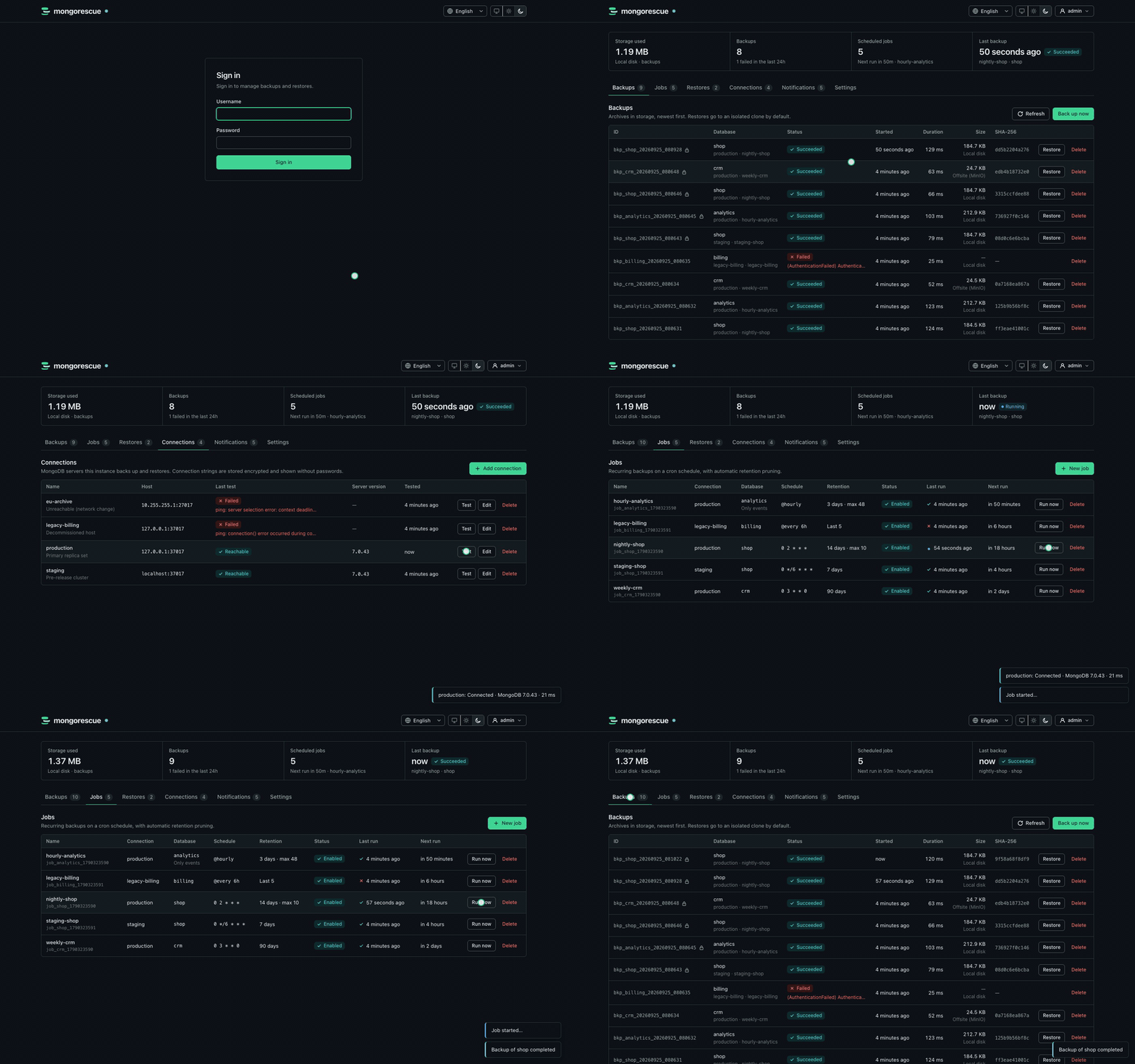
MongoDB backups and restores that stream, verify and encrypt.
A single Go binary with a built-in dashboard.
More screenshots
| | |
| --- | --- |
| 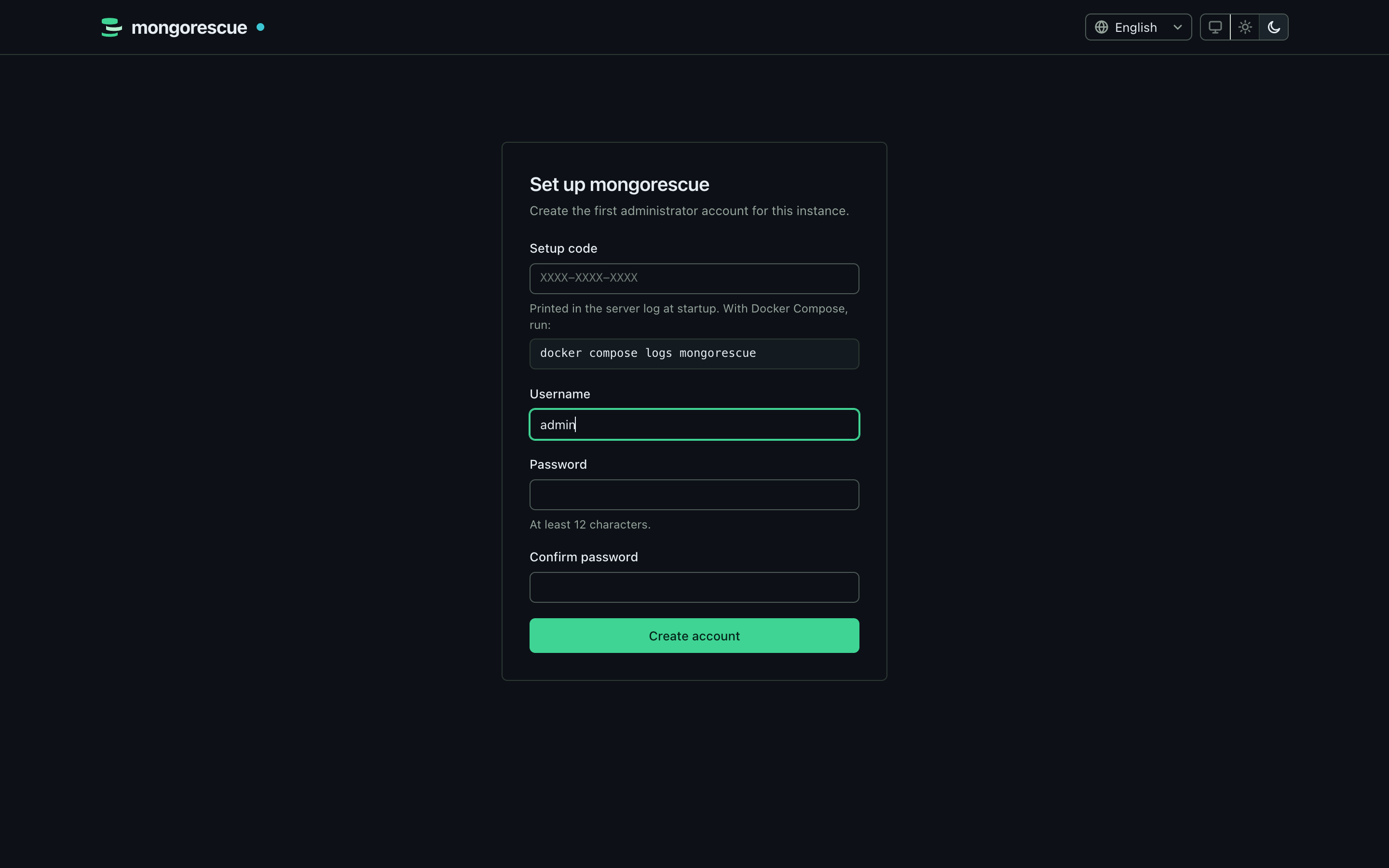 | 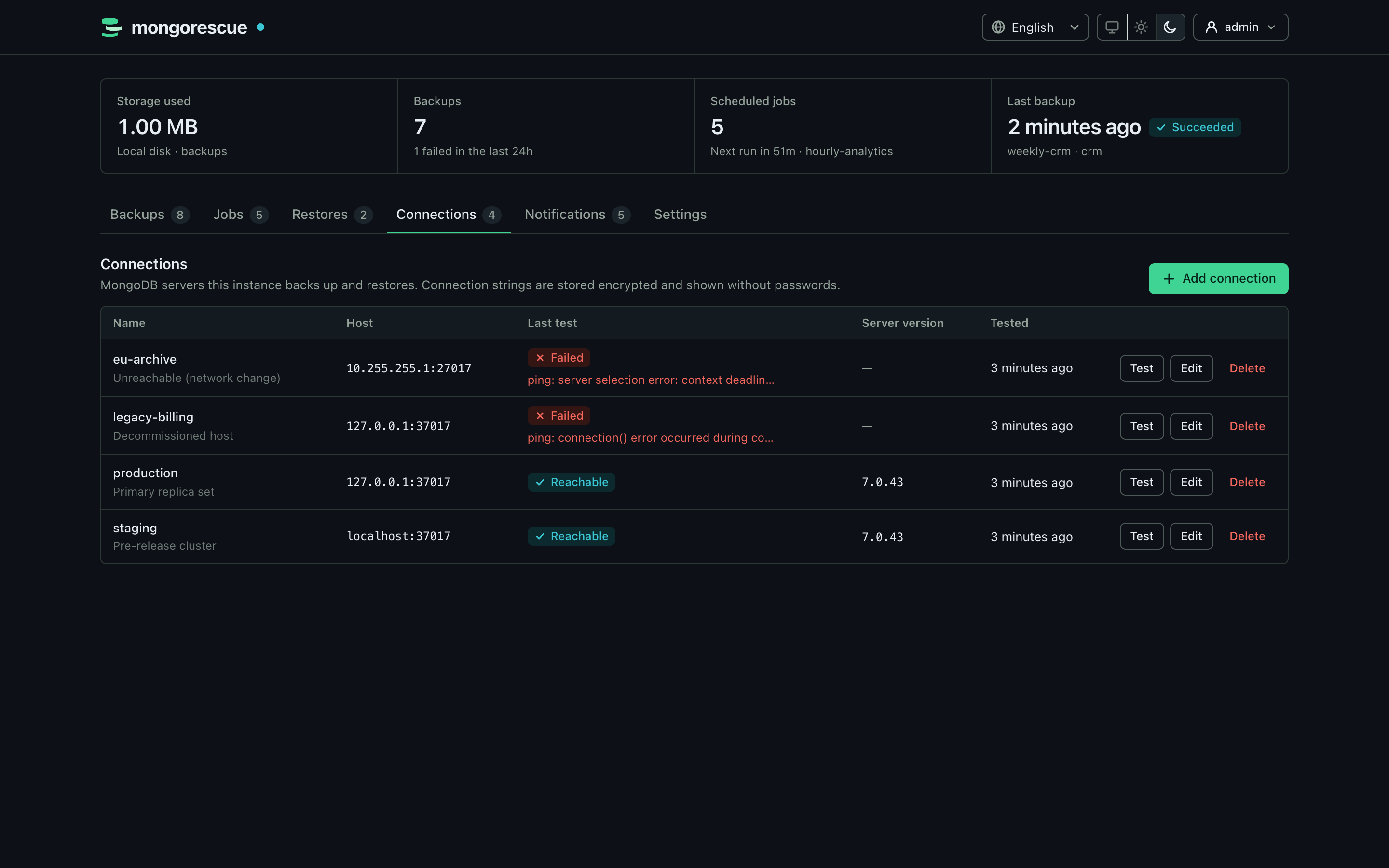 |
| First-run setup | MongoDB connections |
| 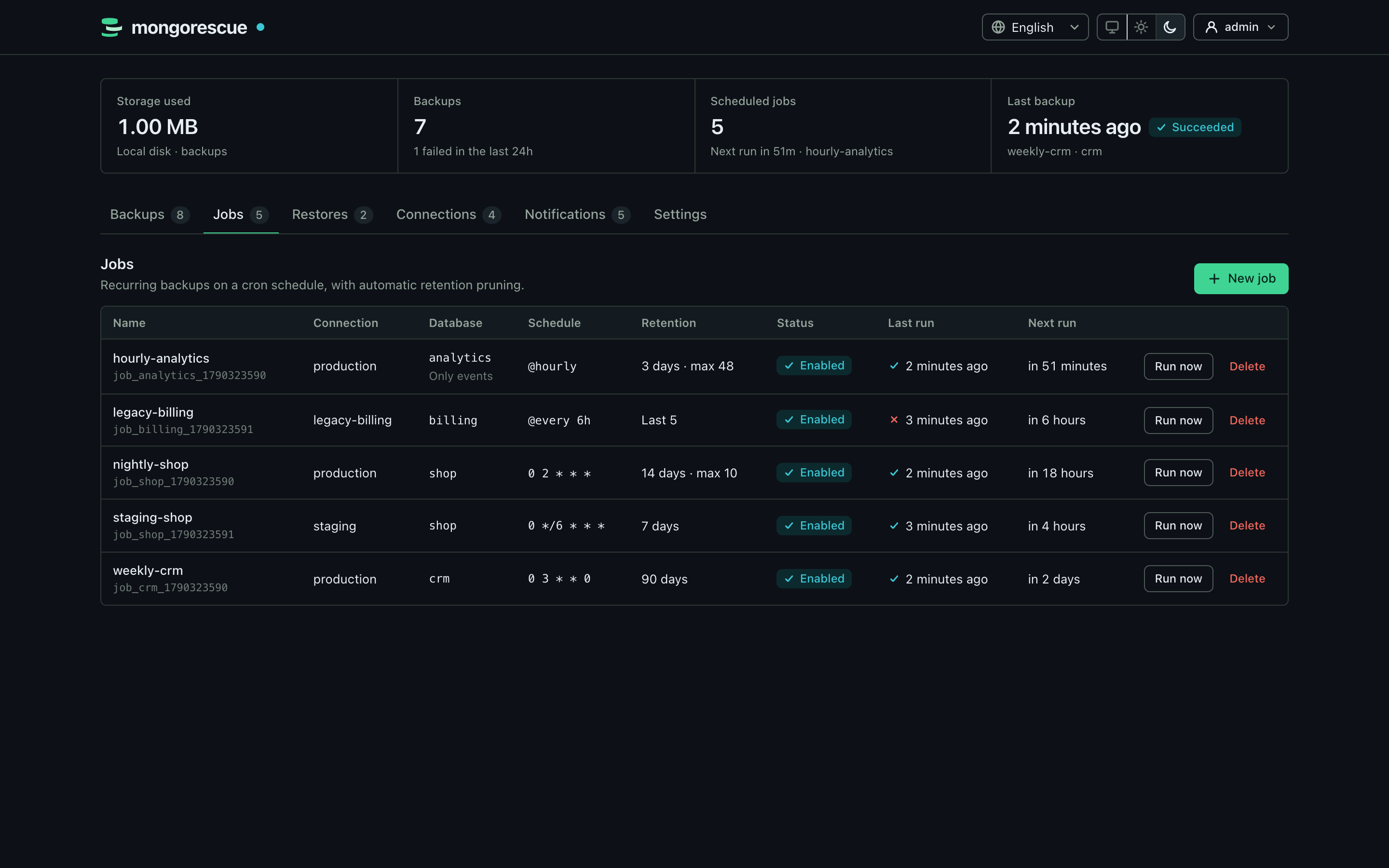 | 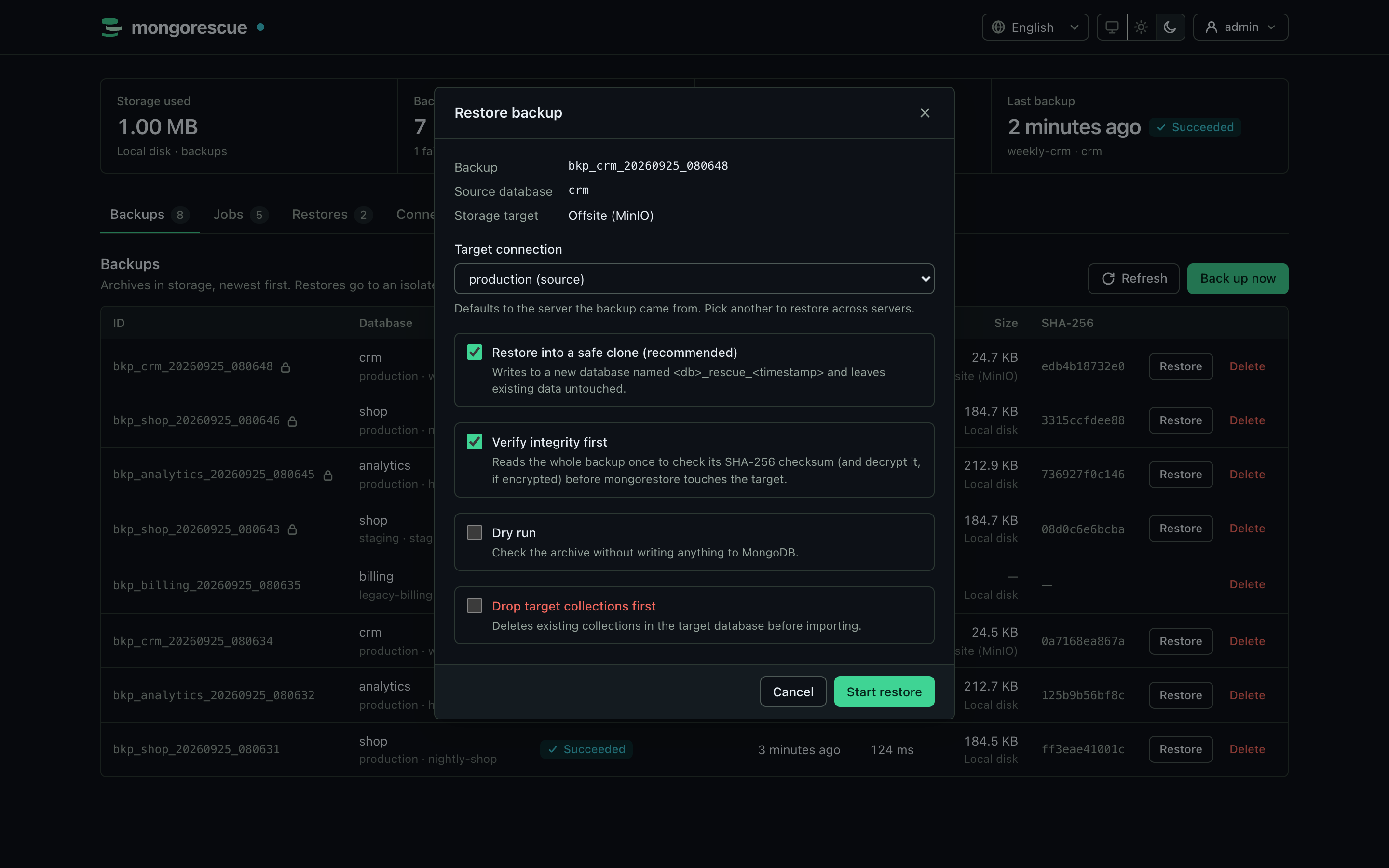 |
| Scheduled jobs | Restore into a safe clone |
|  |  |
| Storage targets | Notifications |
|  | 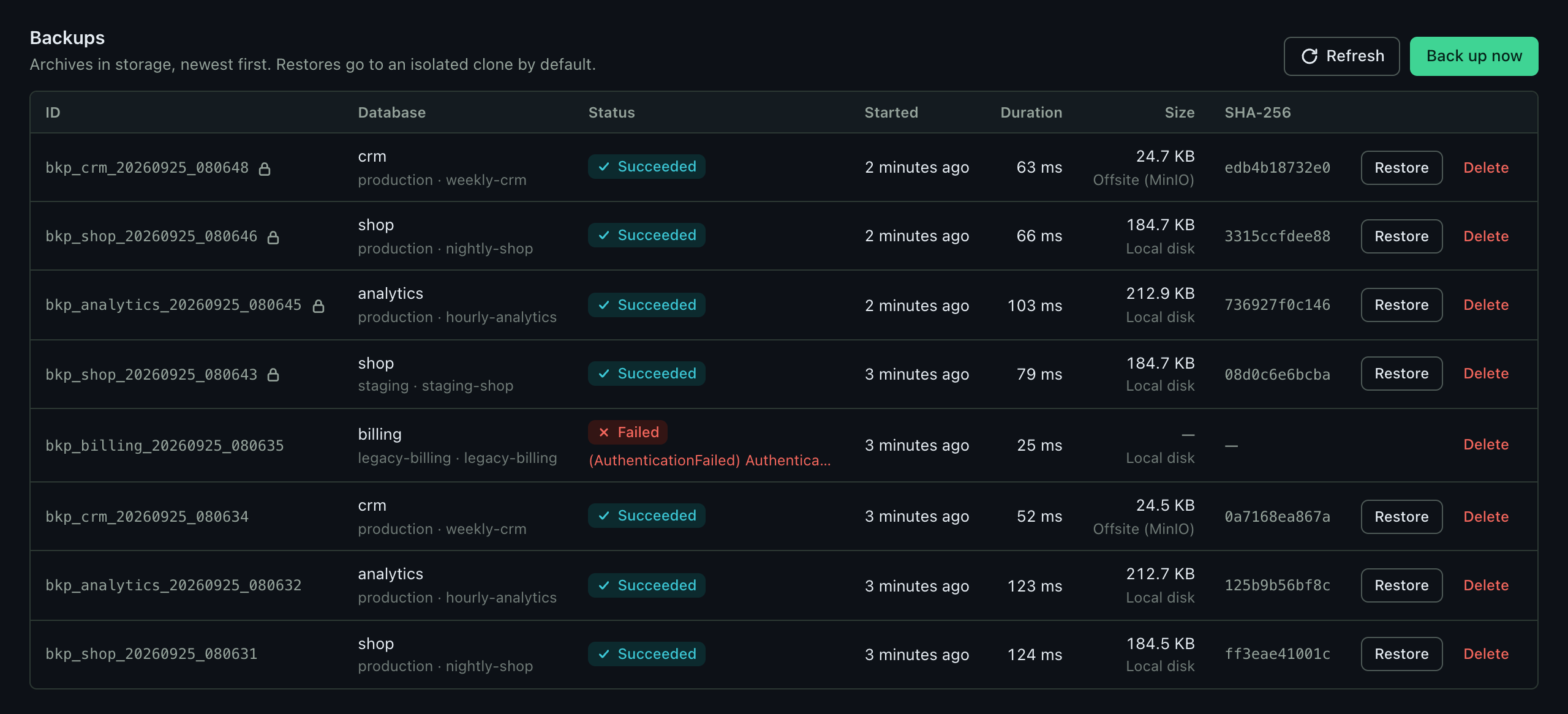 |
| Restore history | Backups |
MongoRescue runs `mongodump` on a schedule, streams the archive to local disk or any S3-compatible bucket, and brings it back with `mongorestore` when you need it. The dump is piped straight through, so memory use stays flat no matter how large the database is.
Restores go into a separate copy of the database (`_rescue__`) unless you explicitly ask to overwrite the original. Nothing touches production by accident.
## Features
- Manage many MongoDB servers from one instance: connections are tested, their databases and collections listed, and backups can be restored into another server
- Scheduled and on-demand backups with retention by age or count, a dry-run preview of what retention deletes, pins (legal hold) and a retention history
- Delete protection: soft deletes with a grace period and undo, delayed lowering of retention and the grace period, storage targets locked while in use, and an optional two-person rule for destructive actions
- Jobs that back up one database, a list of them, all databases of a connection or those matching glob patterns such as `prod_*`, each database into its own backup, with a live preview, optional automatic inclusion of new databases, collections chosen per database in a tree (Selected and All) and one notification per run ([jobs with several databases](docs/api.md#jobs-with-several-databases), [collection filters per database](docs/api.md#collection-filters-per-database))
- Evidence that backups restore: every archive is re-read and checksum-verified after upload, an optional integrity sweep re-verifies them at rest, automated restore tests restore a job's latest backup into a temporary database and compare collection counts and indexes, and weekly storage scans report orphan and missing archives ([verification](docs/verification.md))
- Disaster recovery for MongoRescue itself: scheduled, encrypted snapshots of its metadata database to a storage target, and a passphrase-sealed recovery kit with `secret.key`, the age keys and the storage credentials ([runbook](docs/production.md#restore-mongorescue-from-a-snapshot))
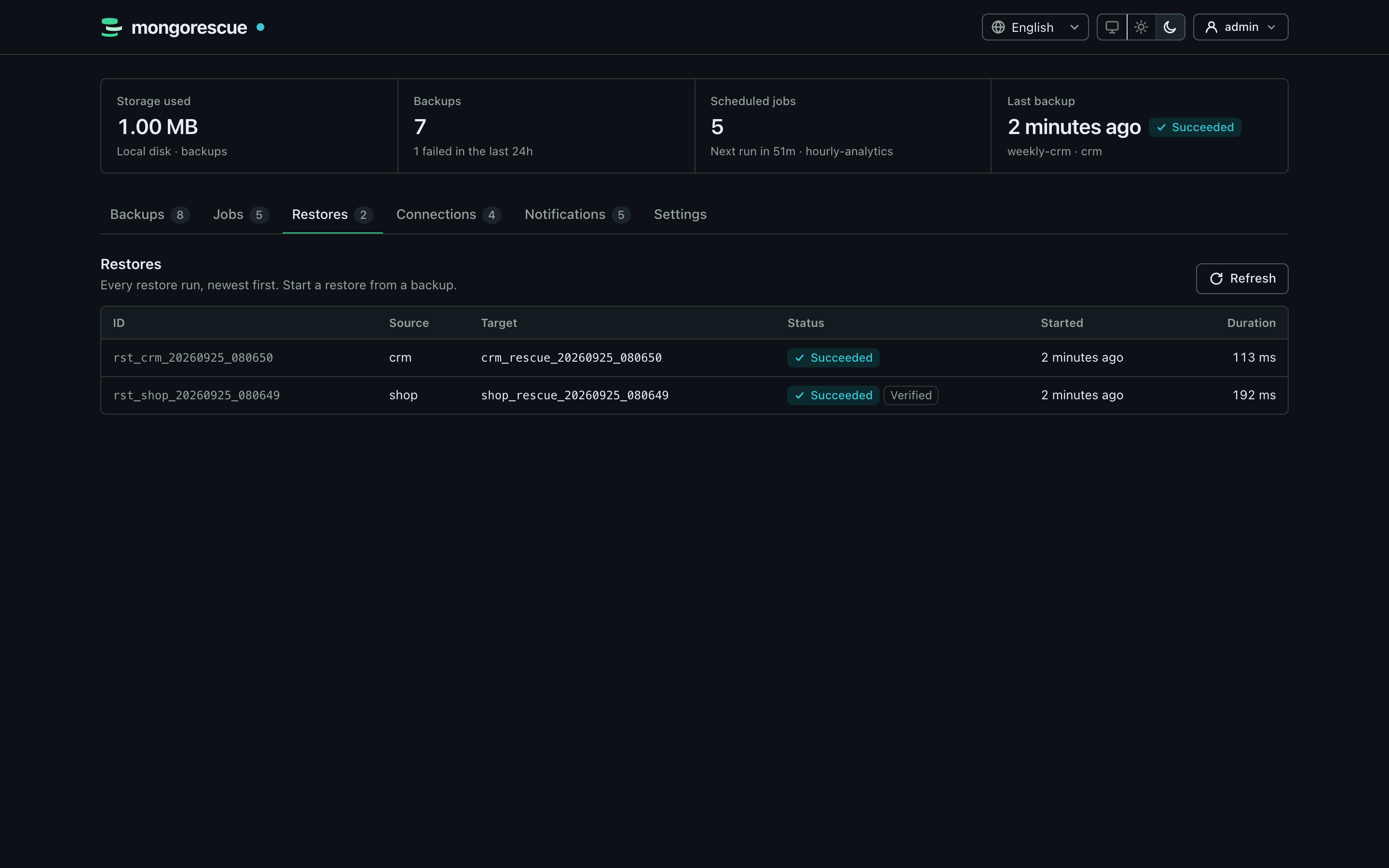
- Backup and restore history filtered and paginated on the server (status, database, trigger, date range, search), in the dashboard and the API
- A dashboard overview of the last 30 days (success rate, storage growth), the next 24 hours of scheduled runs and what needs attention; a command palette (Ctrl/⌘+K), keyboard shortcuts (? lists them) and shareable links to any backup, job or restore (`#/backups/`)
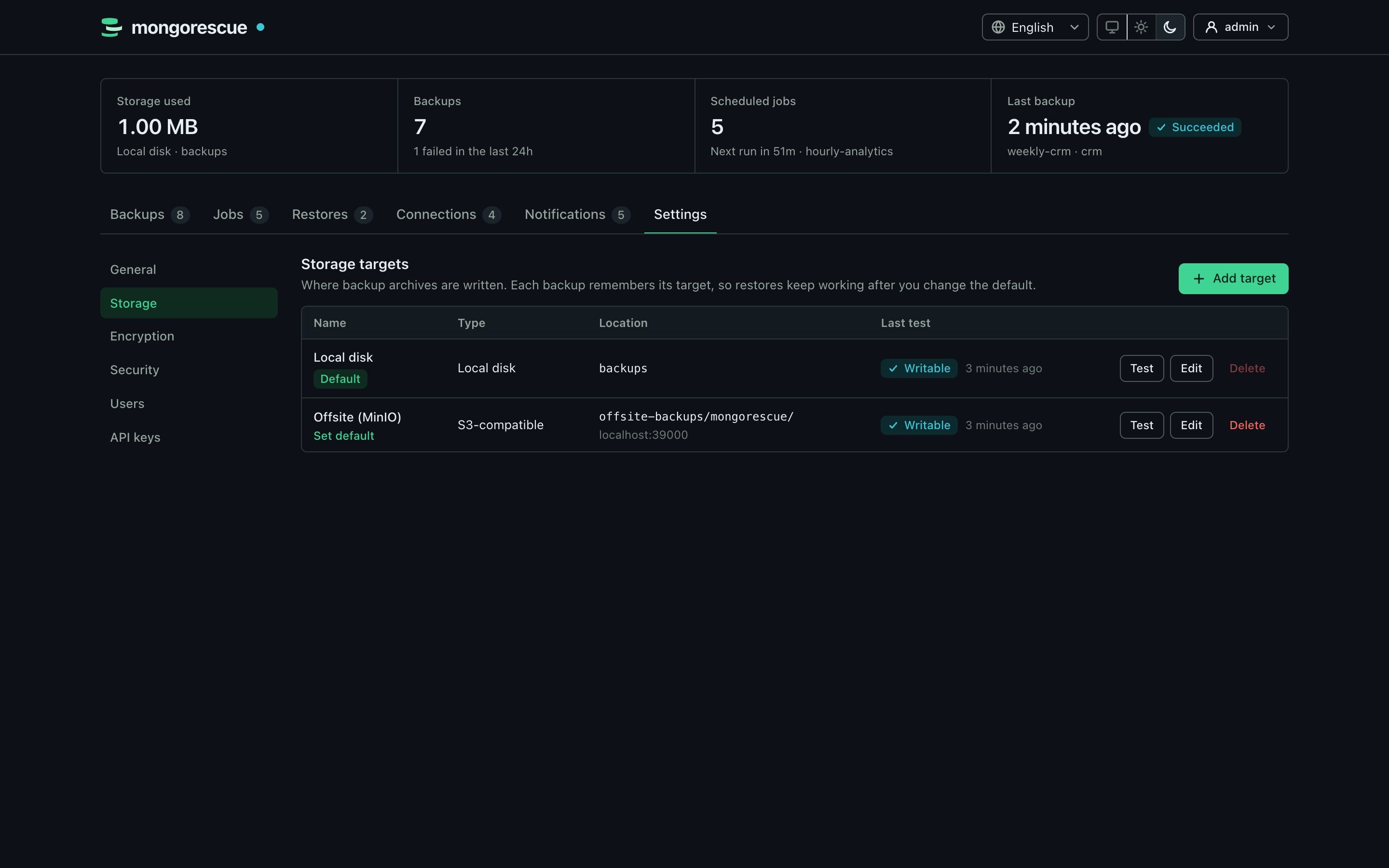
- Several storage targets, managed in the dashboard: local disk and S3-compatible buckets (AWS S3, MinIO, Cloudflare R2, Backblaze B2, DigitalOcean Spaces, Wasabi); every backup remembers its target
- Safe-clone restores by default; in-place restores require explicit confirmation and are checksum-verified first
- A preflight before every restore (target reachable, server versions, clone name, privileges, free disk space, the collections an in-place restore replaces) that refuses a restore bound to fail unless forced, and an optional comparison of the restored database with the backup's manifest ([api](docs/api.md#restore-preflight))
- A recovery point objective per job (by default twice the longest gap between runs plus an hour) that alerts once when missed, and a *Recovery readiness* view per database: last good, verified and restore-tested backups, RPO, estimated RTO and escrowed keys ([production](docs/production.md#rpo-and-rto))
- Restore the whole database or only selected collections, picked from a list read from the backup's archive header
- Optional [age](https://age-encryption.org) encryption, so the bucket only ever stores ciphertext
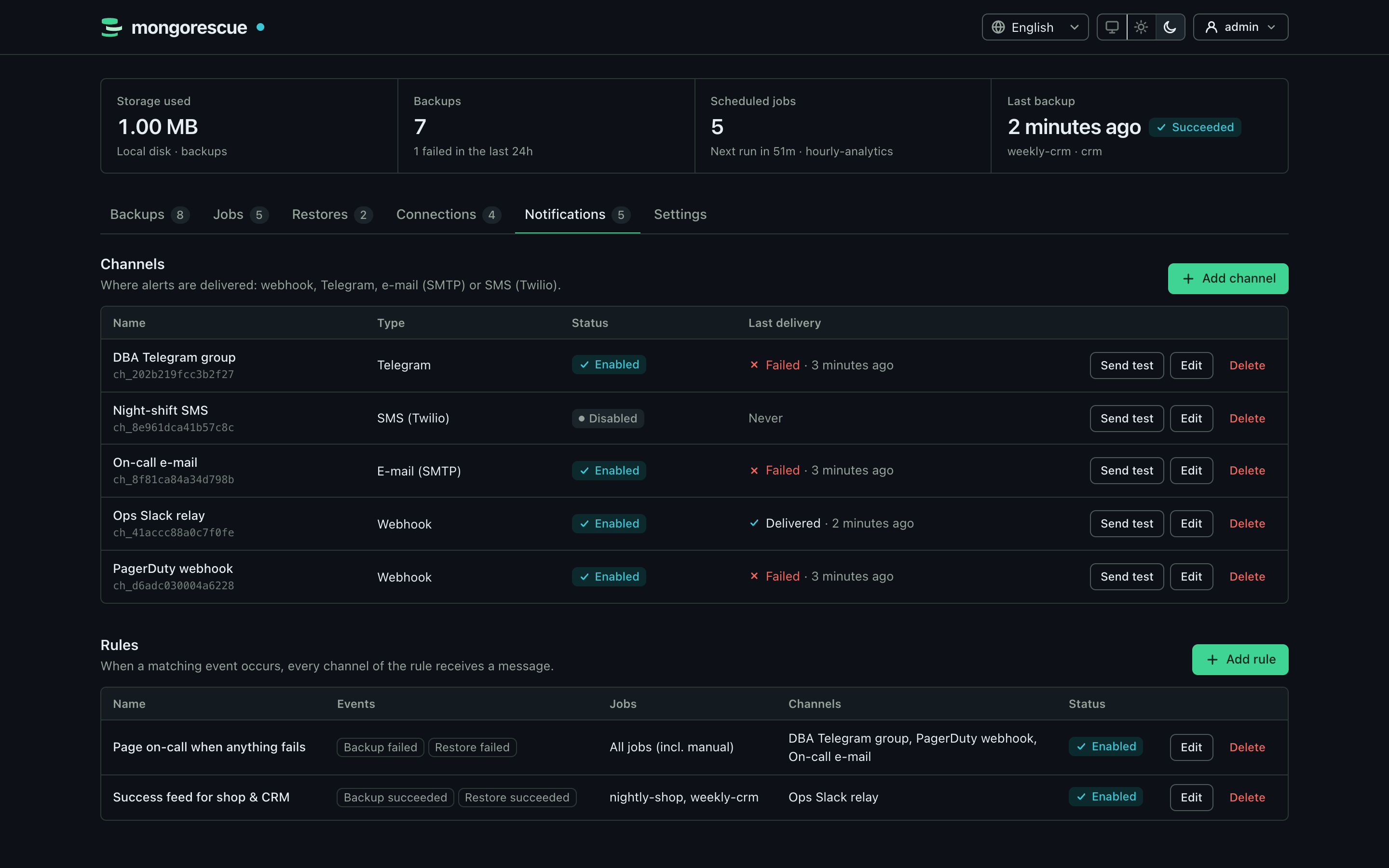
- Notifications on success or failure via webhook, Telegram, email or SMS, with simple routing rules
- Prometheus metrics, including the time of the last successful backup per job, and [alert rules](deploy/prometheus/alerts.yml) tested with `promtool`
- Gentle on production: backups [read from a secondary](docs/production.md#reading-from-a-secondary) (read preference and tag sets per connection or job), cap their upload rate, limit concurrent backups per connection and start only within a [backup window](docs/production.md#backup-windows)
- Optional [active-passive high availability](docs/production.md#high-availability): a standby instance takes over scheduled backups and PITR collection about 40 seconds after the active one dies, with its metadata handed over through encrypted snapshots, a lease with an epoch as fencing token so two instances never work at once, and missed schedules caught up once
- An outbound [heartbeat](docs/monitoring.md) to a dead-man's switch such as healthchecks.io, globally and per job (`/start`, success, `/fail`), so a crashed instance or a hung scheduler raises an alert too
- User accounts with sessions (listed and revocable one by one) and CSRF protection, scoped API keys (read, operator, admin) for automation, and a first-run setup with a one-time code
- [Single sign-on](docs/sso.md) through an OpenID Connect provider (Entra ID, Google, Okta, Keycloak) with group-to-role mappings, a domain filter and a local administrator as the break-glass way in
- A hash-chained [audit log](docs/audit.md) of every action (who, what, target, result, source address) with chain verification, retention, JSON Lines export and webhook forwarding
- An MCP server for AI assistants (Streamable HTTP and stdio) with read-only and safe-clone tools, per-key rate limits and an audit log
- A [command line](docs/cli.md) for scripts and CI (`mongorescue backup`, `restore`, `list`, `verify`, `status`) with `--wait`, JSON output and stable exit codes
- Connection strings and notification secrets are encrypted at rest, never logged and never returned by the API
- One static binary for Linux, macOS and Windows, plus a multi-arch container image
## Quick start
```bash
docker run -d --name mongorescue -p 8080:8080 \
-v mongorescue-data:/data -v mongorescue-backups:/backups \
ghcr.io/yigitcittan/mongorescue:latest
```
Or, with Docker Compose, run `docker compose up -d` in a clone of this repository (or next to a downloaded [docker-compose.yml](docker-compose.yml)).
1. Open http://localhost:8080.
2. Enter the one-time setup code printed in the logs (`docker logs mongorescue` or `docker compose logs mongorescue`) and create the admin account.
3. Add a MongoDB connection, test it, and create your first backup job.
The image includes the [MongoDB Database Tools](https://www.mongodb.com/docs/database-tools/). It is the only distribution that serves the dashboard over HTTP.
**Desktop app.** On a workstation, download the desktop app from [Releases](https://github.com/YigitCittan/mongorescue/releases) (Windows installer, macOS `.app`, Linux binary) and start it; `mongodump` and `mongorestore` are bundled. It shows the same dashboard in a native window, without opening a network port, fills in the setup code on first start and updates itself from GitHub Releases. See [docs/desktop.md](docs/desktop.md).
**Kubernetes.** A Helm chart in [deploy/helm/mongorescue](deploy/helm/mongorescue) runs the image as a one-replica StatefulSet with probes, a restricted security context and a graceful shutdown that waits for running backups. See [docs/kubernetes.md](docs/kubernetes.md).
**Server binary.** For headless use (REST API, MCP, metrics), download `mongorescue` from Releases, put the tools on your `PATH` and run `./mongorescue`. It serves no dashboard unless you pass `-dashboard` (or set `MONGORESCUE_DASHBOARD=true`); the setup code is printed in its log.
MongoRescue serves plain HTTP. Before you expose the port to a network, put a TLS-terminating reverse proxy in front of it; see [docs/production.md](docs/production.md). No MongoDB to try it with? [examples/with-mongodb.yml](examples/with-mongodb.yml) adds a demo instance to the Compose setup.
## Using the API
Everything the dashboard does is available over HTTP. In the dashboard, open **Settings → API keys**, create a key and copy it (it is shown only once). Then use it as a bearer token, for example to back up a database on one of your connections:
```bash
KEY='mr_...' # the key you just created
curl -X POST http://localhost:8080/api/v1/backups \
-H "Authorization: Bearer $KEY" \
-d '{"connection_id": "conn_1a2b3c4d5e6f7a8b", "database": "shop"}'
```
Restore it into a safe clone on the same server, or pass `"target_connection_id"` to restore it into another one (that needs an admin key or a session):
```bash
curl -X POST http://localhost:8080/api/v1/restore \
-H "Authorization: Bearer $KEY" \
-d '{"backup_id": "bkp_shop_20260924_030000_3f9a1c2e"}'
```
A job backs up one database or several. This one backs up every database whose name starts with `prod_` each night, one after another, and reports databases created later instead of silently adding them (an admin key is needed to create jobs):
```bash
curl -X POST http://localhost:8080/api/v1/jobs \
-H "Authorization: Bearer $ADMIN_KEY" \
-d '{"name": "all prod", "cron_expression": "0 2 * * *", "connection_id": "conn_1a2b3c4d5e6f7a8b",
"database_selection": {"mode": "pattern", "include": ["prod_*"], "auto_include_new": false}}'
```
`GET /api/v1/jobs/{id}/databases/preview` shows what it would back up right now, and `GET /api/v1/jobs/{id}/runs` lists its runs with the outcome of every database. In the dashboard the job form offers the same choice as *Single / Selected / All / Pattern*.
To restore only some collections, list what the backup holds with `GET /api/v1/backups/{id}/collections` (read from the archive header, without downloading the backup) and pass `"selected_collections": ["orders", "customers"]`; the dashboard's restore dialog offers the same list. To restore over the original database, send `"safe_clone": false` together with `"confirm_in_place": true` (with an admin key). The full endpoint list is in [docs/api.md](docs/api.md).
Every key has a scope: `read` (the default) can only look, `operator` can also start backups, run jobs and restore into safe clones, and `admin` can do everything. The examples above need an operator key.
## Command line
The same binary is a client of a running instance, for scripts and CI. It talks to the REST API with an API key read from a file (or `MONGORESCUE_CLI_API_KEY`) and never opens a data directory:
```bash
export MONGORESCUE_URL=https://backup.example.com
export MONGORESCUE_CLI_API_KEY_FILE=~/.config/mongorescue/key
mongorescue status
mongorescue backup --job job_shop_nightly --wait --timeout 30m
mongorescue list backups --status failed --json
mongorescue restore bkp_shop_20260924_030000_3f9a1c2e --wait --verify-restore
```
Restores go into a safe clone unless you pass both `--in-place` and `--confirm`; the CLI never prompts. Exit codes are stable (`0` ok, `1` failed, `2` usage, `3` unauthorized, `4` not found, `5` conflict, `6` wait timed out, `7` unreachable), so a CI step fails when the backup does. See [docs/cli.md](docs/cli.md).
## Use it from AI assistants
MongoRescue speaks the [Model Context Protocol](https://modelcontextprotocol.io), so Claude, GitHub Copilot in VS Code, Cursor or your own agents can check your backups, diagnose failures, start backups and rehearse restores for you. Create an API key (a `read` key to look, an `operator` key to act) and add the server to your assistant, for example in Claude Code:
```bash
claude mcp add --transport http mongorescue http://127.0.0.1:8080/mcp \
--header "Authorization: Bearer $MONGORESCUE_MCP_API_KEY"
```
or, for clients that start a local command (Claude Desktop), `mongorescue mcp` bridges stdio to a running instance, with the key in `MONGORESCUE_MCP_API_KEY`. Assistants can never delete anything or restore in place: restores through MCP always go into a new `_rescue__` database, and every call is audited and rate limited. Configurations for Claude Desktop, Claude Code, VS Code and Cursor, the tool list and the security model are in [docs/mcp.md](docs/mcp.md).
## Configuration
Everything is configured in the dashboard. Storage targets (local directories and S3-compatible buckets), backup encryption, security options and limits live under **Settings**, next to users and API keys; MongoDB connections, jobs and notifications have their own tabs. All of it is stored in the data volume (`/data`), together with the key that encrypts stored credentials; back that volume up. Changes apply immediately, without a restart. Backups go to the **Local disk** target (the `/backups` volume) until you add another one.
Only a few bootstrap options are read at startup:
| Flag | Environment variable | Default |
| :--- | :--- | :--- |
| `-data-dir` | `MONGORESCUE_DATA_DIR` | `./data` (`/data` in the image) |
| `-host` / `-port` | `MONGORESCUE_SERVER_HOST` / `MONGORESCUE_SERVER_PORT` | `0.0.0.0` / `8080` |
| `-dashboard` | `MONGORESCUE_DASHBOARD` | `false` (`true` in the image) |
| `-log-level` | | `info` |
| | `MONGORESCUE_SECRET_KEY` (optional) | generated `/secret.key` |
| `-key-wrap` | `MONGORESCUE_KEY_WRAP` (optional) | off: `secret.key` [wrapped by AWS KMS, Google Cloud KMS, Azure Key Vault or Vault Transit](docs/security.md#wrapping-secretkey-with-a-kms) |
There is no configuration file. Environment variables of earlier builds are imported into the database once and then ignored; see [docs/configuration.md](docs/configuration.md) for every setting and the upgrade notes.
## Documentation
- [Configuration reference](docs/configuration.md)
- [Connections: TLS, x509, LDAP, Kerberos, Atlas and AWS](docs/connections.md)
- [Desktop app](docs/desktop.md)
- [REST API](docs/api.md)
- [Command line](docs/cli.md)
- [AI assistants (MCP)](docs/mcp.md)
- [Encryption and verified restores](docs/encryption.md)
- [Verification, restore tests and retention safety](docs/verification.md)
- [Delete protection and its threat model](docs/security.md)
- [Threat model (STRIDE, per component)](docs/threat-model.md) and [verifying releases](docs/security.md#verifying-releases)
- [Privacy, retention and erasure requests](docs/privacy.md)
- [Notifications](docs/notifications.md)
- [Metrics and alerting](docs/metrics.md)
- [Monitoring: heartbeats, health check and alert rules](docs/monitoring.md)
- [Running in production](docs/production.md) and the [production checklist](docs/production.md#production-checklist)
- [Kubernetes (Helm chart)](docs/kubernetes.md)
- [Troubleshooting: unreadable records](docs/troubleshooting.md)
- [Architecture](docs/architecture.md)
- [Testing: what is tested and known limits](docs/testing.md)
## Development
You need Go 1.26 or newer.
```bash
make build # build ./bin/mongorescue
make test-race # unit tests
make test-integration-docker # integration tests against MongoDB, MinIO and LocalStack in Docker
make test-chaos-docker # fault-injection suite (Toxiproxy, SIGKILL, full disk, clock steps)
make test-load-docker # load test: scheduler, memory, API p95 and primary impact at scale
make desktop # desktop app for this OS (needs the Wails CLI and CGO, see docs/desktop.md)
```
See [CONTRIBUTING.md](CONTRIBUTING.md) for the full testing setup and how to send a pull request, and [docs/testing.md](docs/testing.md) for what the suites guarantee.
## Security model
MongoRescue holds the credentials of your databases and your storage, so it is built to limit what one stolen credential can do. Deletes through MongoRescue are soft and wait out a grace period, lowered protections wait too, and an optional two-person rule needs a second administrator for destructive actions ([delete protection](docs/security.md#delete-protection)). S3 targets can lock every object in compliance mode, so not even the bucket's credentials can delete an archive early ([Object Lock](docs/security.md#immutable-backups-s3-object-lock)). Users and API keys get a role (viewer, operator, admin) and can be limited to some connections ([roles](docs/design/roles.md), [per-connection access](docs/security.md#per-connection-access)); every action lands in a hash-chained [audit log](docs/audit.md); connections to MongoDB can use [TLS and x509](docs/connections.md#tls-settings). What this does and does not protect against is in the [threat model](docs/security.md#what-this-protects-against).
**Security:** the [threat model](docs/threat-model.md) covers every component (STRIDE, with the code behind each mitigation and the open items); release archives, checksums, SBOMs, desktop assets and container images are signed with Sigstore cosign and carry SLSA provenance ([how to verify them](docs/security.md#verifying-releases)); the parsers of untrusted input are fuzzed continuously with ClusterFuzzLite.
## Known limitations
As of v0.28.0. Run through the [production checklist](docs/production.md#production-checklist) before you rely on MongoRescue.
- **One working instance at a time** ([#64](https://github.com/YigitCittan/mongorescue/issues/64), [#65](https://github.com/YigitCittan/mongorescue/issues/65)). Jobs, history, users and settings live in an embedded SQLite database (`mongorescue.db`) whose data directory is locked by one process. [Active-passive high availability](docs/production.md#high-availability) adds a standby (it serves no data and accepts no sign-in) that takes over when the active instance dies, but there is no active-active mode and no shared metadata store: the standby receives the metadata through snapshots, so changes made in the last snapshot interval before a crash can be lost. Without HA, scheduled metadata snapshots and the recovery kit make a rebuild possible, and the [heartbeat](docs/monitoring.md) tells you when the instance is down.
- **`secret.key` is the root of trust; credentials are not read from Vault** ([#62](https://github.com/YigitCittan/mongorescue/issues/62)). Stored credentials and encryption keys are sealed with one key: losing it makes them unrecoverable, and whoever reads it together with `mongorescue.db` holds every credential. It can be [wrapped by a KMS](docs/security.md#wrapping-secretkey-with-a-kms) (AWS KMS, Google Cloud KMS, Azure Key Vault, Vault Transit), so that the data directory holds no plaintext key, but a running instance keeps it in memory, and deleting the KMS key loses it too. Keep the recovery kit offline. Keys can be [rotated](docs/encryption.md#key-rotation-runbook); a key set by `MONGORESCUE_SECRET_KEY` is rotated by hand.
- **Sharded clusters are not supported** ([#58](https://github.com/YigitCittan/mongorescue/issues/58)). Dumps through `mongos` are not tested and not consistent across shards; point-in-time recovery needs a replica set.
- **Point-in-time recovery: replica sets only, in place with downtime.** Point-in-time recovery (a supported feature since [#141](https://github.com/YigitCittan/mongorescue/issues/141)) restores replica sets only, never sharded clusters, into new safe-clone databases; replacing the original databases ([#142](https://github.com/YigitCittan/mongorescue/issues/142)) is an administrator's opt-in that restores into clones first, takes a safety backup and needs applications to stop writing until it completes ([procedure](docs/pitr.md#replacing-the-original-databases-in-place)). The oplog replays on one thread, so the restore time grows with the oplog after the base ([measured rates](docs/pitr.md#restore-time-rto)). See [docs/pitr.md](docs/pitr.md#not-there-yet).
- **No independent security audit** ([#144](https://github.com/YigitCittan/mongorescue/issues/144)). The threat model is [docs/threat-model.md](docs/threat-model.md); there has been no third-party review or pentest yet.
- **Single sign-on** sessions do not follow the identity provider's (no refresh tokens, no back-channel logout), and the desktop app has no single sign-on ([docs/sso.md](docs/sso.md)).
- **Platforms.** The macOS app is not signed or notarized yet, a [1.0 criterion](docs/versioning.md#what-10-means) ([desktop](docs/desktop.md#install)). Windows binaries are unit-tested in CI, but the integration tests (real MongoDB, S3 emulators) run on Linux only. The standalone server binary needs the [MongoDB Database Tools](docs/configuration.md#mongodb-database-tools) on the host; the Docker image and the desktop app include them.
The full list of production gaps is tracked with the [production-gap](https://github.com/YigitCittan/mongorescue/issues?q=is%3Aissue+is%3Aopen+label%3Aproduction-gap) label.
## Roadmap
The plan to production readiness, from provable recovery (self-backup, a recovery kit, users and roles, restore preflight and verification, RPO/RTO, a full audit log) through roles and single sign-on to point-in-time recovery and immutable storage, is in [docs/roadmap.md](docs/roadmap.md).
Ideas and help are welcome in [issues](https://github.com/YigitCittan/mongorescue/issues).
## Code signing policy
Windows releases are signed with free code signing provided by [SignPath.io](https://signpath.io), certificate by [SignPath Foundation](https://signpath.org).
- Committers and reviewers: [members of this repository](https://github.com/YigitCittan/mongorescue/graphs/contributors)
- Approvers: [owners](https://github.com/YigitCittan)
Only artifacts built by the [release workflow](.github/workflows/release.yml) from a tagged commit of this repository are signed.
## Privacy
MongoRescue does not collect telemetry or send data about you or your databases anywhere except to the MongoDB servers, storage targets and notification channels you configure. The desktop app checks GitHub Releases for updates. See [docs/privacy.md](docs/privacy.md), which also covers what each backup artefact holds, how long it is kept, and erasure requests (such as GDPR Article 17) against backups.
## License
GNU Affero General Public License v3.0 (AGPL-3.0). See [LICENSE](LICENSE) for details. Security issues: please report them privately, as described in [SECURITY.md](SECURITY.md).