music-website

Full-stack music website built with Vue 3 + Spring Boot · For learning and sharing


GitHub stars GitHub forks Contributors Issues Pull requests Discussions License: CC BY-NC 4.0

Vue 3 TypeScript Pinia Element Plus Spring Boot MyBatis MySQL Redis Docker


中文 · English

Notice

**I have always shared this project for technical learning purposes and do not charge for it (copyright belongs to me personally; you are welcome to use it for learning and sharing, but commercial use is not allowed). Please respect my work—thank you.**
## About The client and admin panels of this music website are built with **Vue**, the server uses **Spring Boot + MyBatis**, and the database is **MySQL**. For implementation details, see the **[blog post](https://yin-hongwei.github.io/2019/03/04/music/)**. For local setup, see [Quick Start](#quick-start) below.
## Project Structure ``` music-website/ ├── music-client/ # Public web client (Vue 3) ├── music-manage/ # Admin panel (Vue 3) ├── music-server/ # Backend API (Spring Boot) │ └── data/ # Local media and logs (img / song / logs) ├── deploy/ # Docker Compose orchestration (images built from each app's Dockerfile) ├── sql/ # Database initialization scripts └── docs/ # Documentation ```
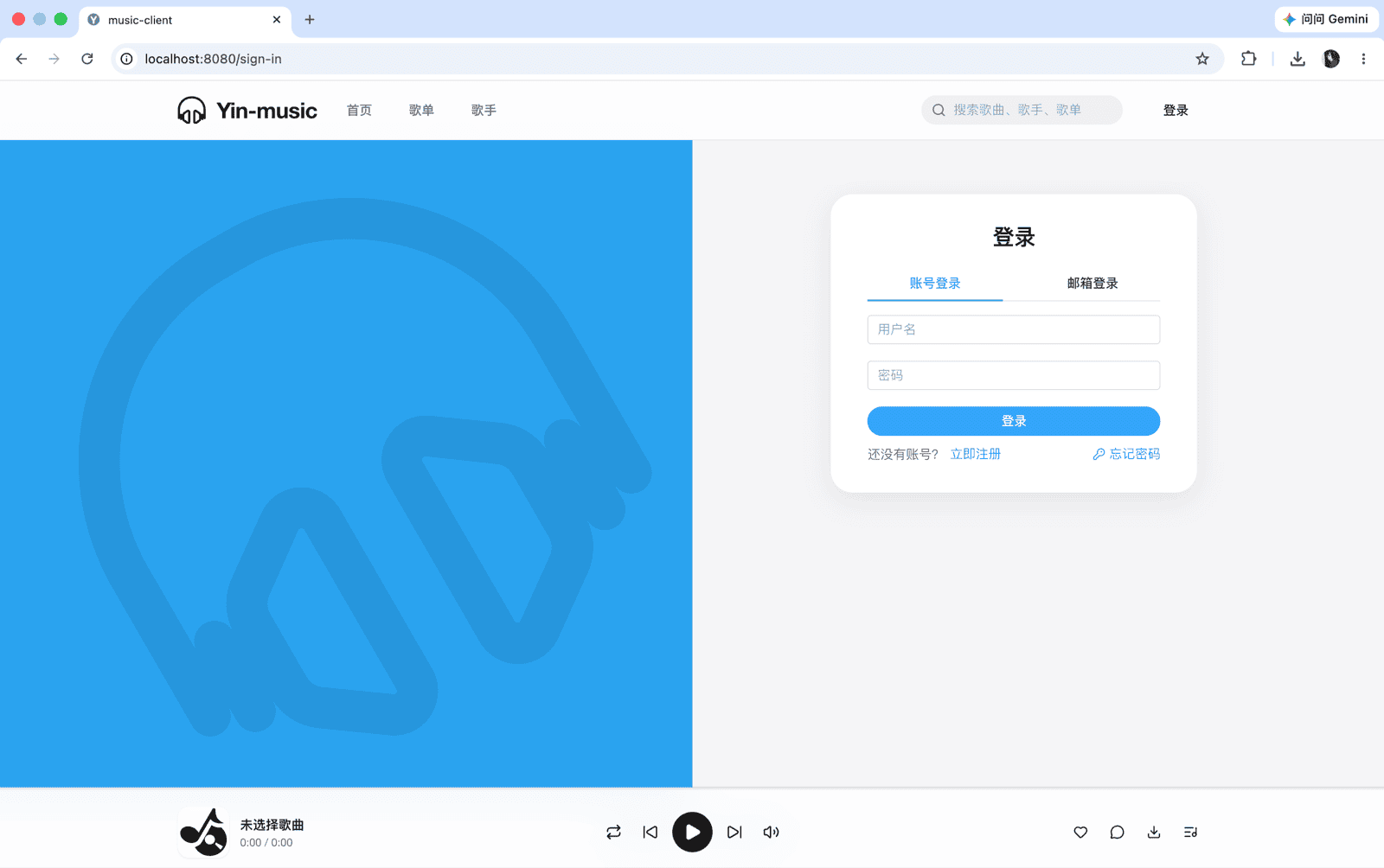
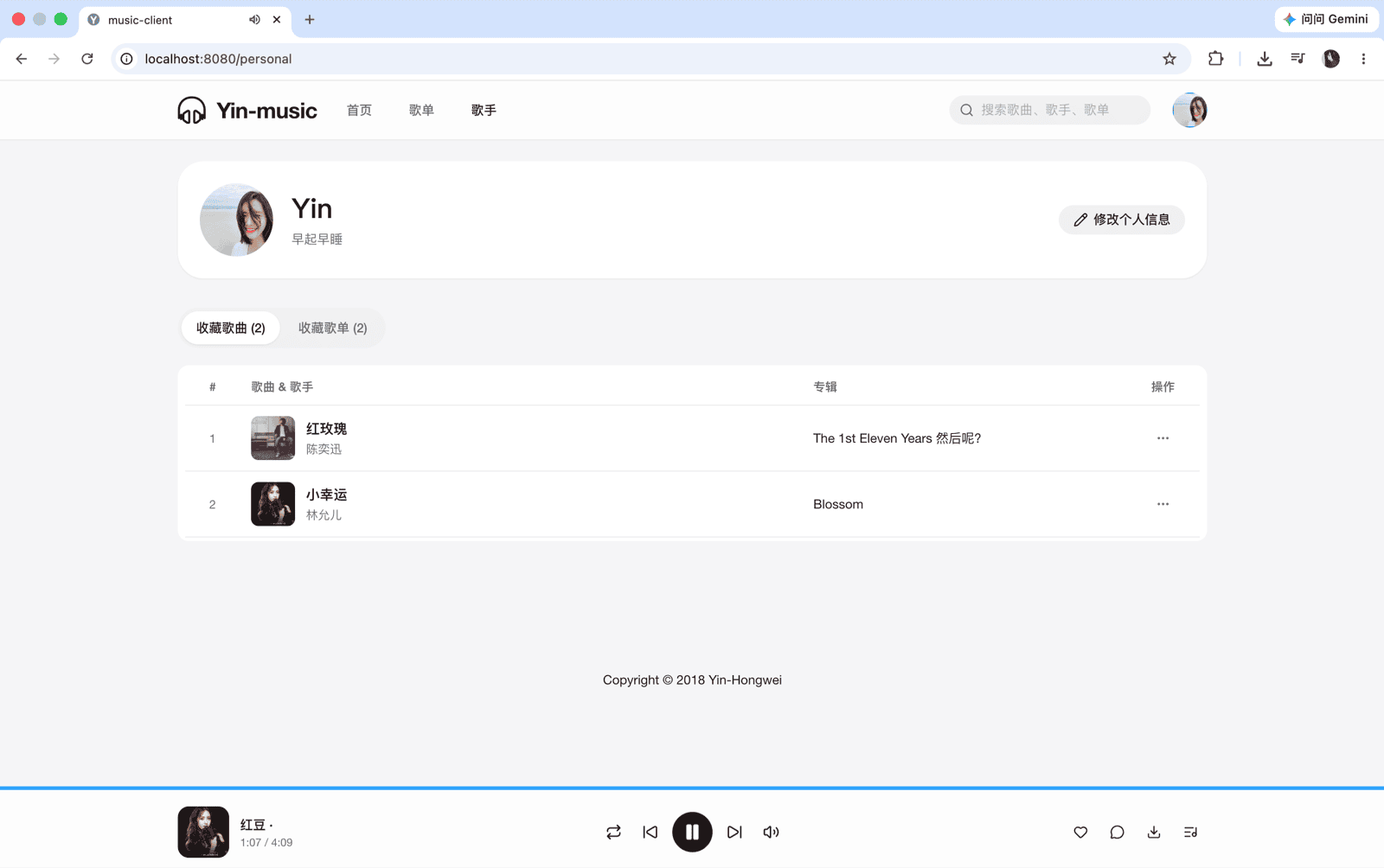
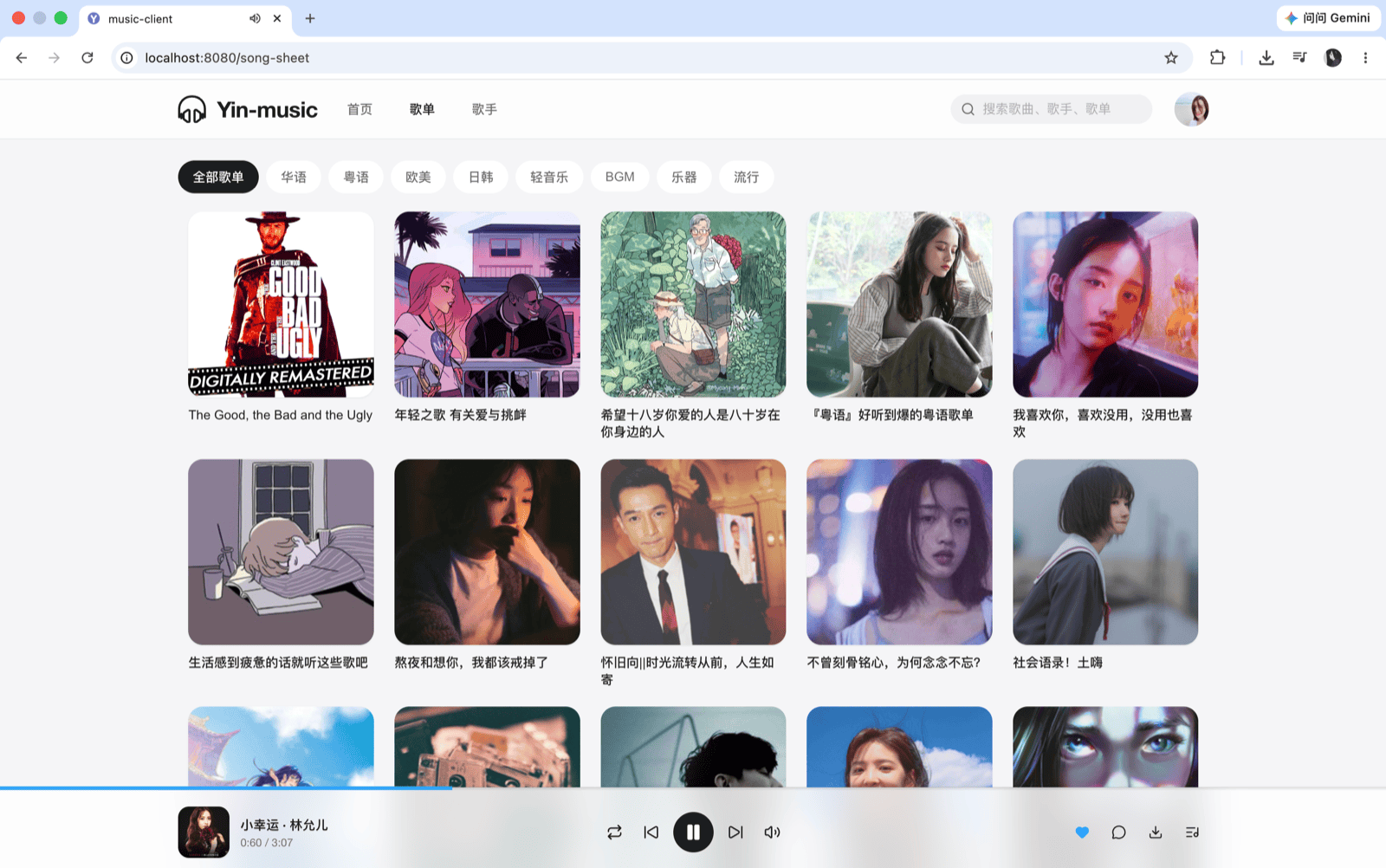
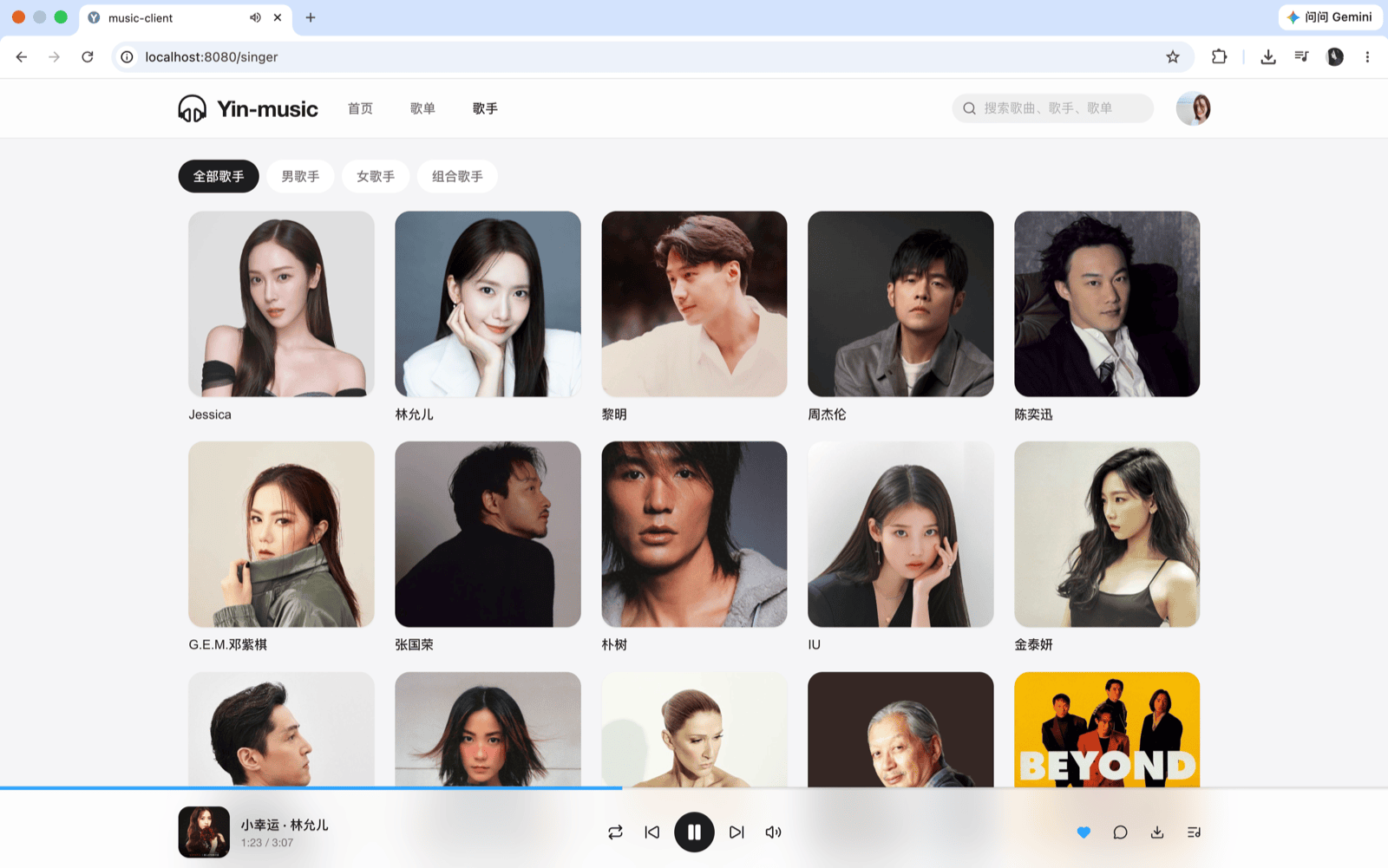
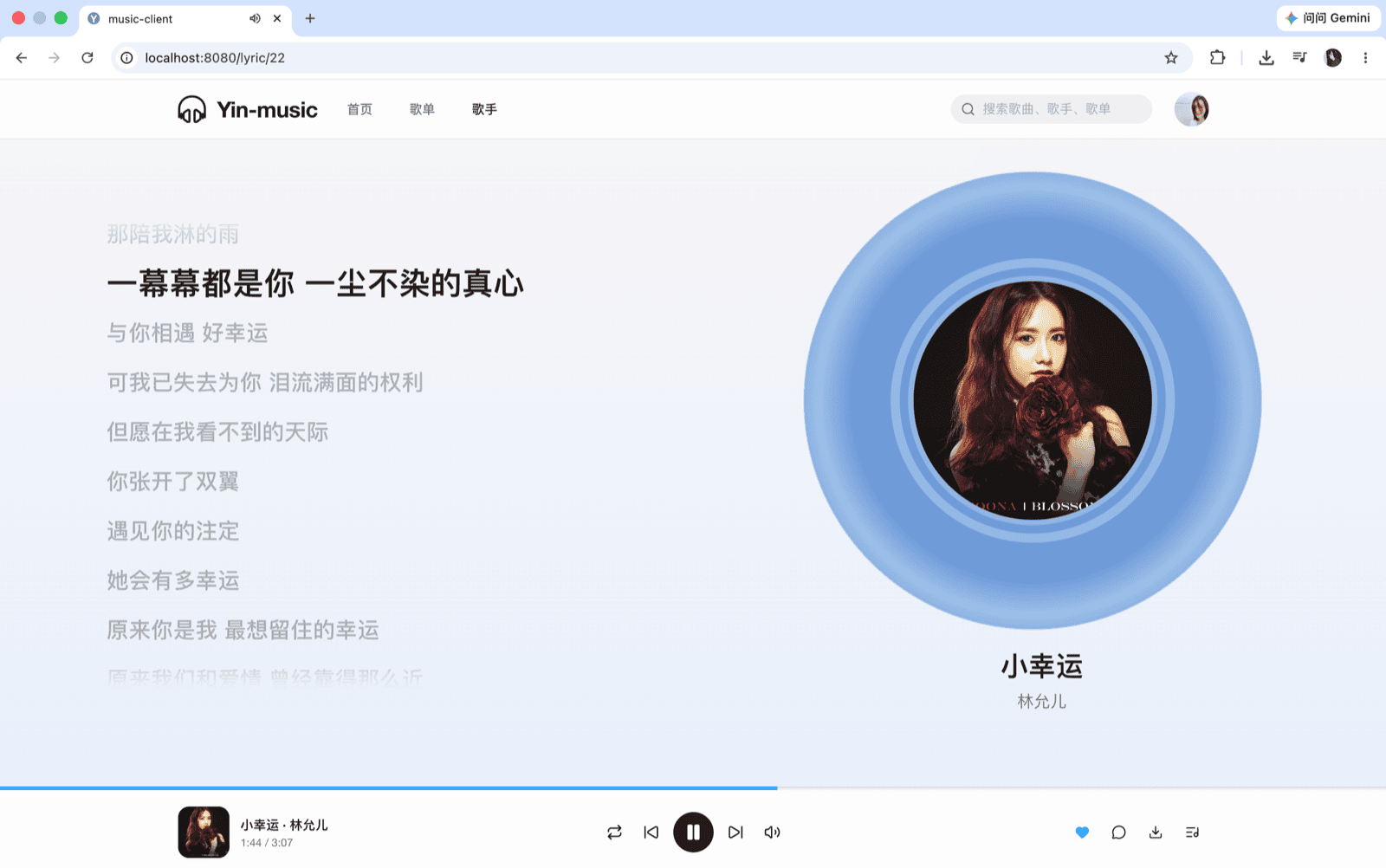
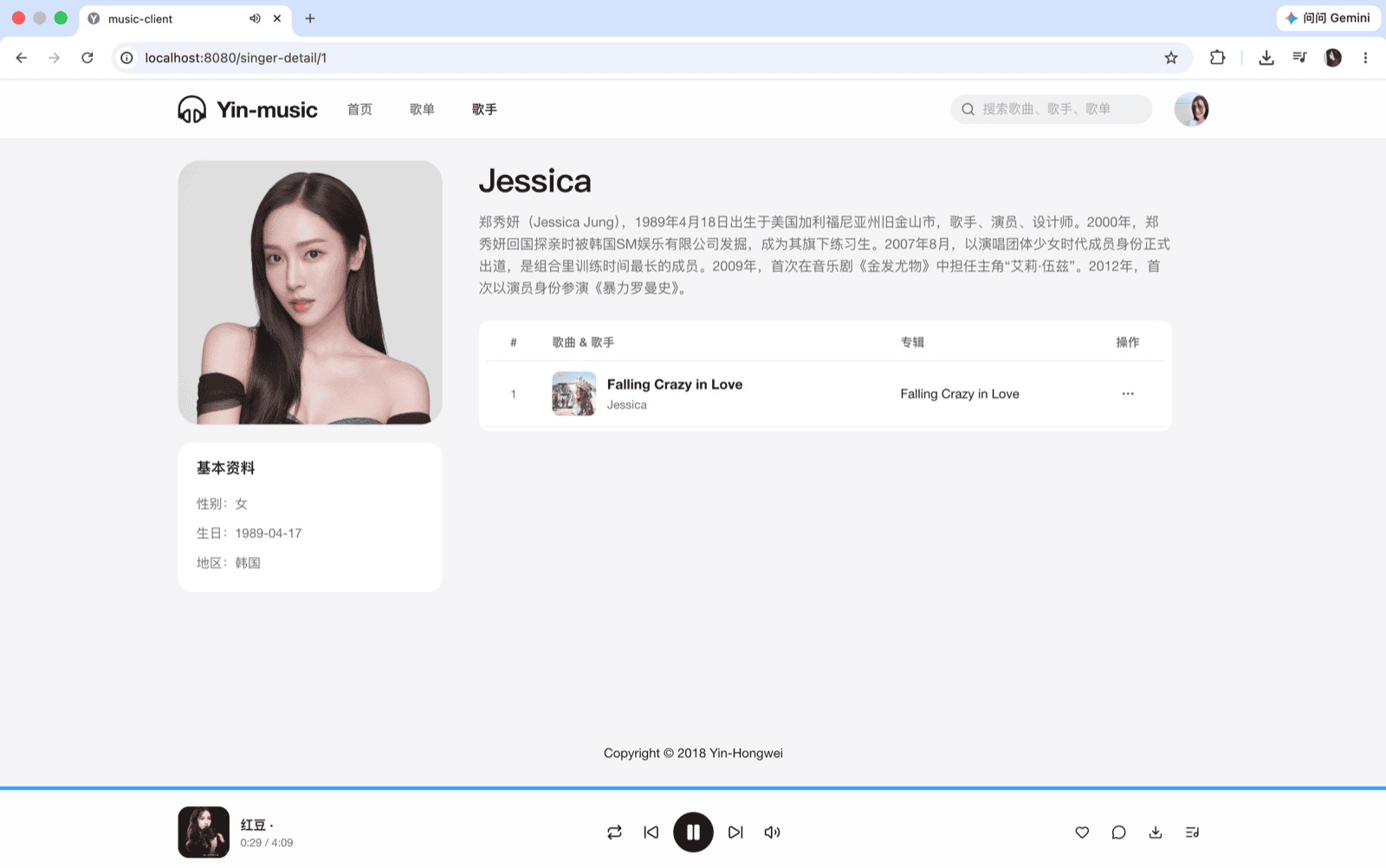
## Preview Client screenshots
Home Song sheets
Singer detail Player
Lyrics Search

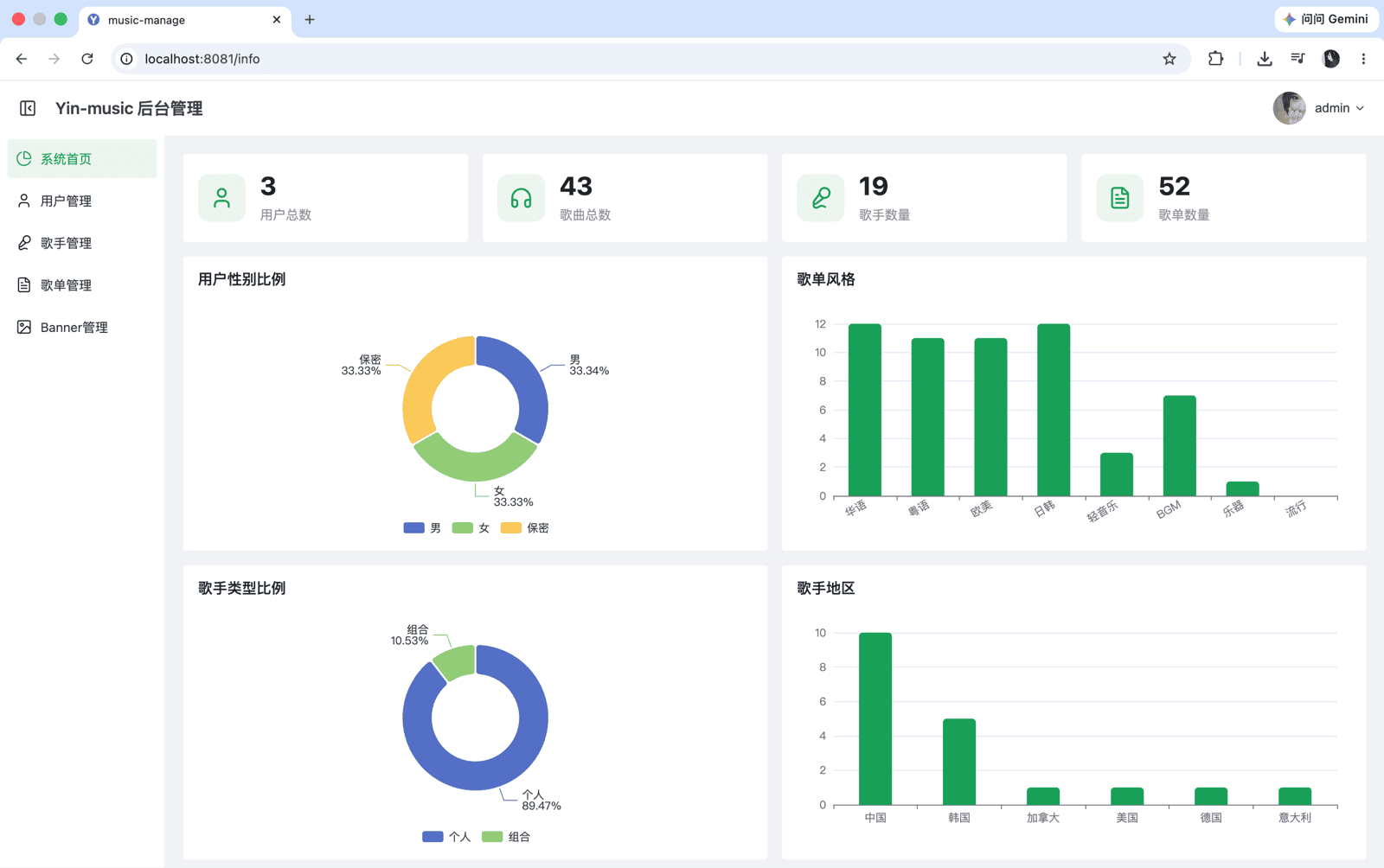
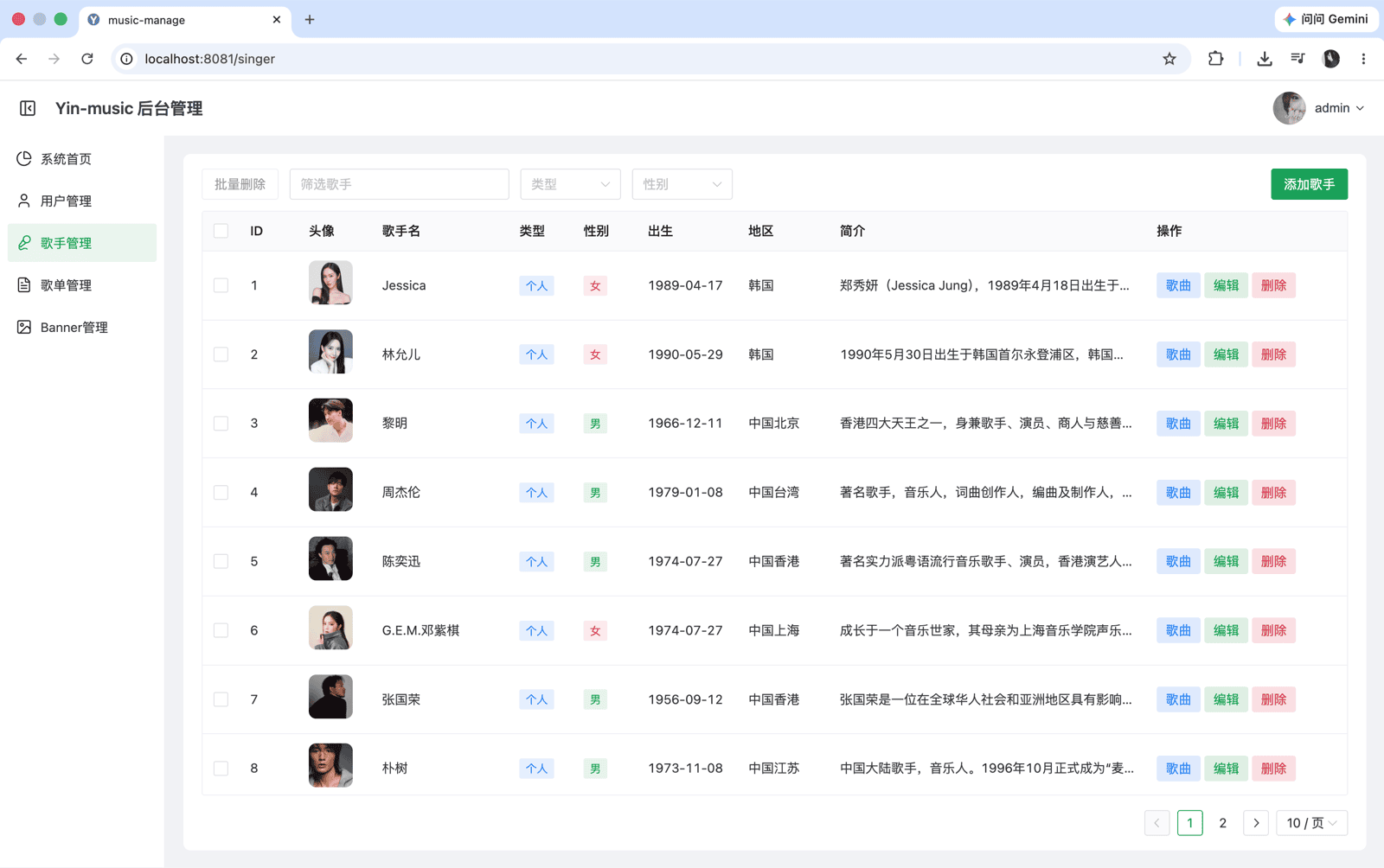
Admin screenshots
Admin home User management
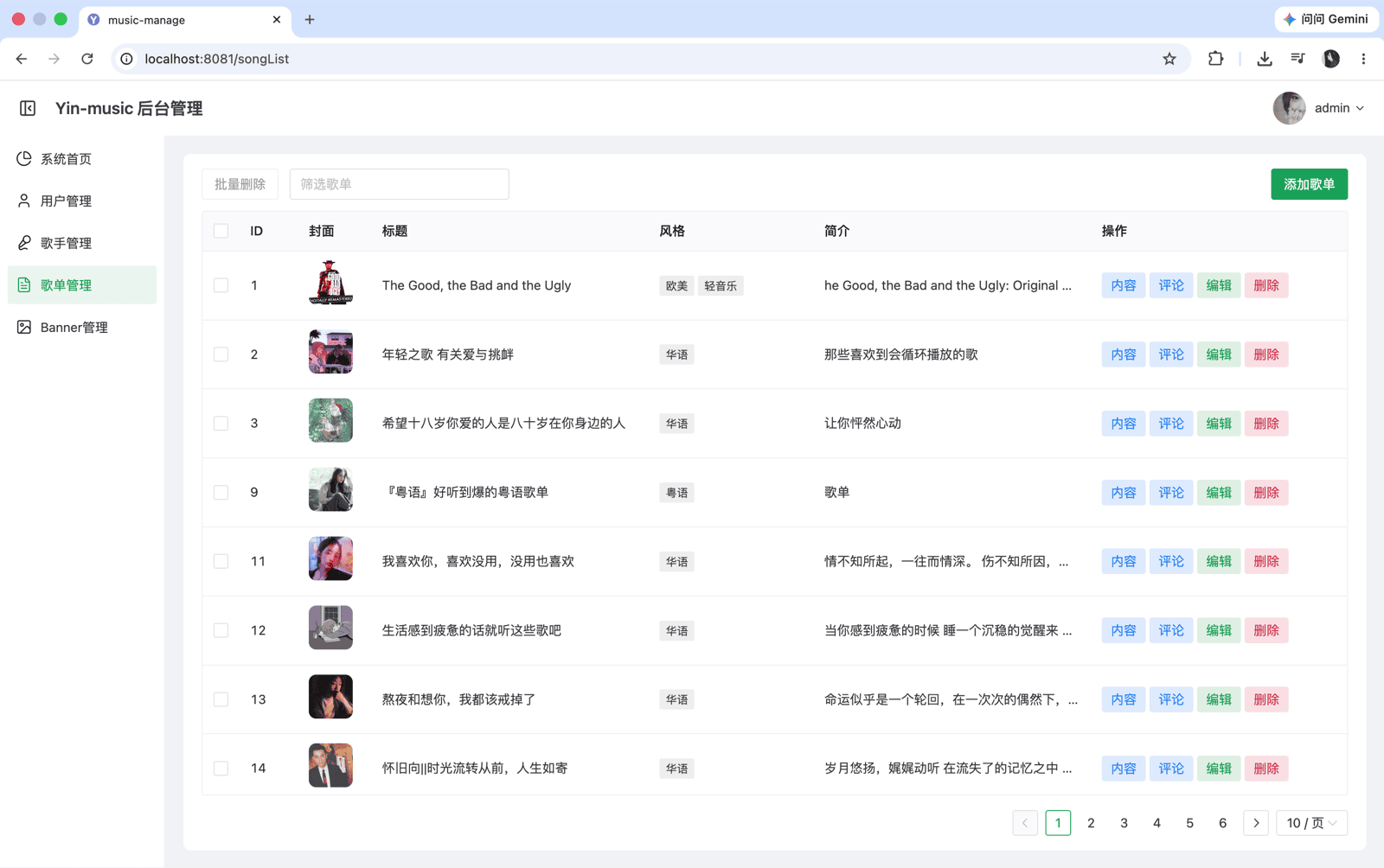
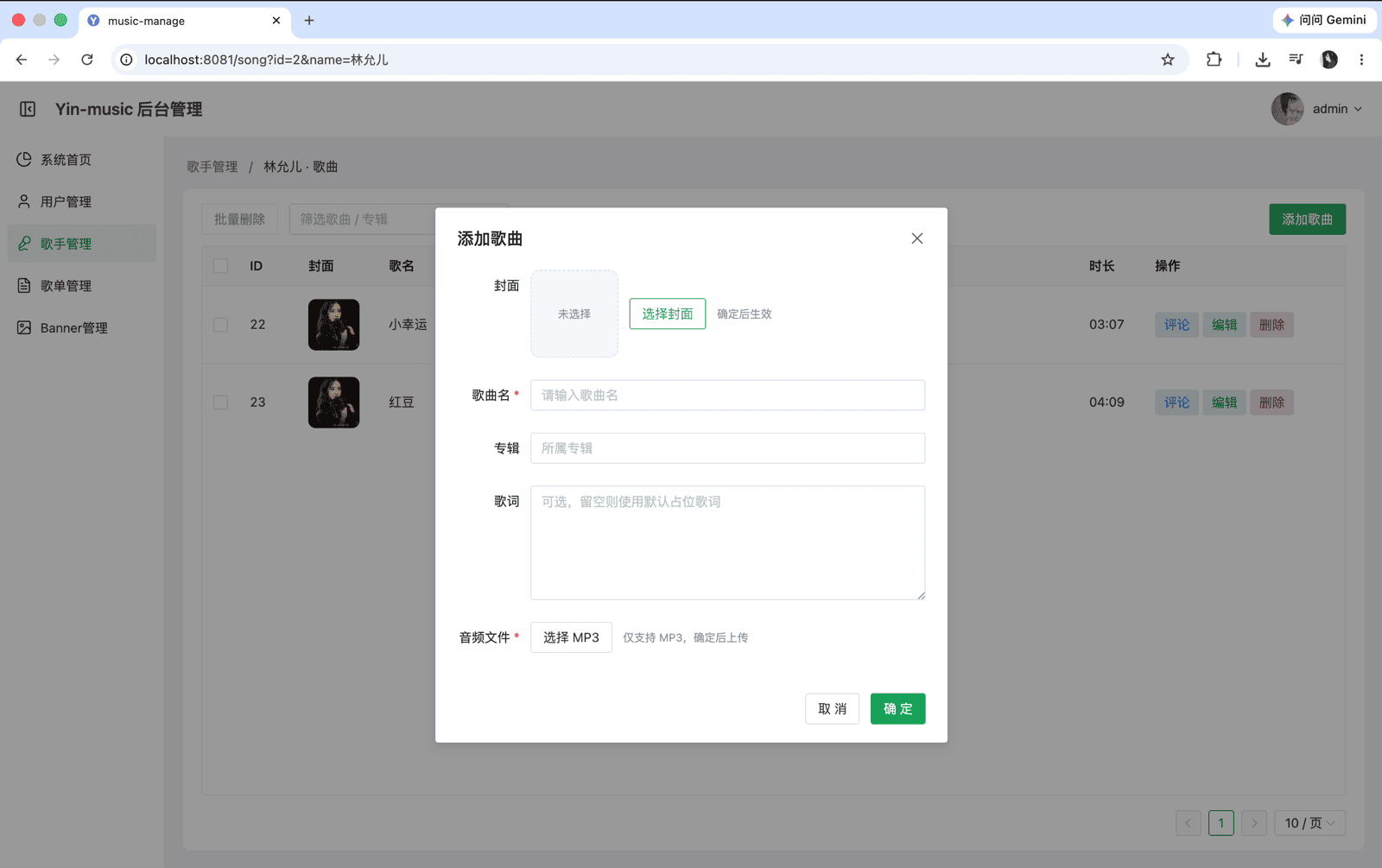
Song management Singer management

## Features | Module | Capabilities | | ------------- | ---------------------------------------------------------------------------- | | **Users** | Sign in / sign up, profile editing, personal center | | **Discovery** | Song sheet recommendations, song sheets & singers, song/sheet search | | **Social** | Comments on song sheets and songs, favorites | | **Player** | Play, pause, seek, volume control, synced lyrics, download | | **Admin** | Banner, user, song, singer, song sheet, and comment management |
## Tech Stack | Layer | Technologies | | ------------ | ----------------------------------------------------------------------------------------------------- | | **Backend** | Spring Boot · MyBatis · Redis · Local media storage (`music-server/data`) | | **Frontend** | Vue 3 · TypeScript · Vue Router · Pinia · Axios · Element Plus (client) / Naive UI (admin) | | **Deploy** | Docker · Docker Compose |
## Development Environment | Tool | Version | | ------- | ------------------------------------------------------------------------------------------------------ | | JDK | 8+ (e.g. jdk-8u141) | | MySQL | 8.0+ | | Redis | 5.0.8+, or [run Redis with Docker]() | | Node.js | 16+ | | IDE | IntelliJ IDEA / VS Code |
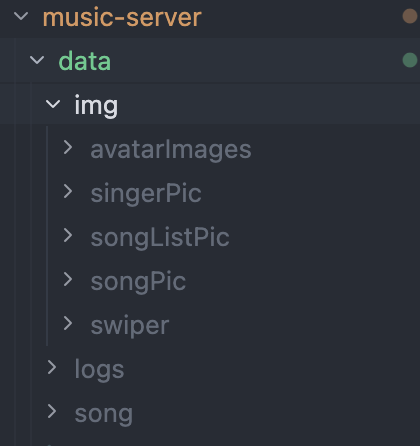
## Quick Start ### 1. Clone the repository ```bash git clone git@github.com:Yin-Hongwei/music-website.git cd music-website ``` ### 2. Download media assets Download songs and images: - Link: https://pan.quark.cn/s/f64a22313775 - Extraction code: `21p9` Place the `data` folder from the cloud drive under `music-server` so you have: ``` music-server/data/img/ music-server/data/song/ ``` > **Note:** Keep the paths above. Local logs are written to `music-server/data/logs/` by default.

Asset directory structure

### 3. Configure the database 1. Create a database in MySQL and import `sql/yin_music.sql` 2. Edit `music-server/src/main/resources/application-dev.properties` and update `spring.datasource.username` and `spring.datasource.password` (the `dev` profile is active by default; see `application.properties`) ### 4. Start services Start each service in the following order (you can use separate terminal windows): | Service | Directory | Command | | ---------------- | -------------- | --------------------------------------------------------- | | **Backend API** | `music-server` | `./mvnw clean spring-boot:run` (use `mvnw.cmd` on Windows) | | **Redis** | — | `redis-server` | | **Web client** | `music-client` | `npm install && npm run serve` | | **Admin panel** | `music-manage` | `npm install && npm run serve` |
Backend startup commands ```bash # macOS / Linux (recommended — uses the project's Maven Wrapper) ./mvnw clean spring-boot:run # Windows (recommended) mvnw.cmd clean spring-boot:run # Alternative: if Maven is installed locally mvn clean spring-boot:run ```
Redis installation references - Download: https://redis.io/ - Mac install example: https://www.jianshu.com/p/ce27d9ab4f8c

## FAQ | Symptom | Solution | | ---------------------------- | ------------------------------------------------------------------------------------------------------------- | | Images or music fail to load | Ensure assets are in `music-server/data/img` and `music-server/data/song`, and start the backend from `music-server` | | Music won't play | Asset files may be corrupted—re-download from the cloud drive and replace them |
## Docker Deployment > You can skip this section for local development. It is intended for Linux server deployment. Image definitions live in each app directory (`Dockerfile` under `music-server` / `music-client` / `music-manage`); `deploy/docker-compose.yml` handles orchestration only. ```bash cd deploy docker compose up --build ``` After startup: | Service | URL | | ------- | --------------------- | | Client | http://localhost:8080 | | Admin | http://localhost:8081 | | API | http://localhost:8888 | Optional environment variables: `MYSQL_ROOT_PASSWORD`, `API_PUBLIC_URL` (backend URL baked into the frontend build at compile time; default `http://localhost:8888`).
## Contributors Thanks to everyone who has contributed code and improvements to this repository. Contributors
## Sponsorship If this project has been helpful to you, feel free to buy me a coffee. WeChat sponsorship QR code
## Contact **1. Email: [yinhongwei96@126.com](mailto:yinhongwei96@126.com)** **2. WeChat Official Account** WeChat Official Account YinHongwei
## Git History Star History Chart
## License This project is licensed under the [Creative Commons Attribution-NonCommercial 4.0 International (CC BY-NC 4.0)](https://creativecommons.org/licenses/by-nc/4.0/) license. **Commercial use is not permitted.** Copyright (c) 2018 Yin-Hongwei