
A simple & easy way to download websites locally so you don't have to stay online all the time.
A simple & easy way to download websites locally so you don't have to stay online all the time.
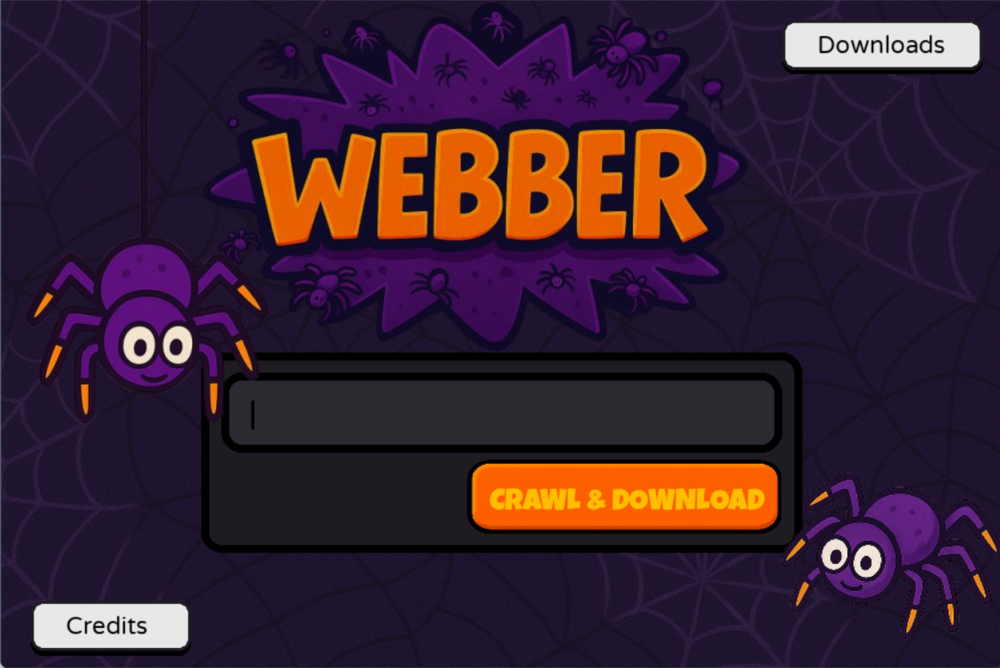 Want to download a website for later or want to cut yourself off from the Internet for a while, just download the important websites. Whether it's some website for reading docs or a website for personal usage, Webber got you covered.
It stores files locally and is strictly restricted for usage on websites which permit downloading and don't restrict this behavior.
Websites like `www.youtube.com` don't allow this and it's advised to follow the same. This project is only for educational purposes. It neither spreads any form of misinformation nor promotes non-abidement of policies.
### Built With
[](https://www.python.org/)
[](https://www.pygame.org/)
[](https://pywebview.flowrl.com/)
[](https://www.crummy.com/software/BeautifulSoup/)
[](https://python-pillow.org/)
[](https://pypi.org/project/cssbeautifier/)
[](https://pypi.org/project/jsbeautifier/)
## Getting Started
You can get the precompiled exe's for your platform from the Releases Section or set up the project locally using the instructions below.
### Prerequisites
Setting up an environment is a must !
* Windows
```bash
python -m venv .env
.env\Scripts\activate
```
* Linux \ MacOS
```bash
python3 -m venv .env
source .env/bin/activate
```
### Installation
Requirements for the project can be set-up using the following `pip` command on all platforms.
```bash
pip install -r requirements.txt
```
## Usage
Running the project can be done in 2 ways !
* **Using GUI**
> Run `python src/main.py` or `python3 src/main.py` from the WEBBER directory which will open the pygame window for you.
* Command Line
> Run `python src/website.py` with the following non-optional args:-
- URL
- Download Resources (True/False)
- Download Cors Resources for same origin links (True/False)
- Cross Origin links to be scraped ? (True/False)
- Download Resources for CORS links (True/False)
- Download CORS Resources for CORS links (True/False) (Never set to True)
- Max CORS links to be scraped (integer)
- Same Origin Deviation (integer) (should be min 2)
- Location (string) ('.' is perfect)
- Maintain Logs ? (True/False)
- Show Failed Files ? (True/False)
- Refetch (True/False)
- Hash Value (Any random integer)
- Max Threads (It can be as low as 3 or as high as 500 ! Depends on ur system !)
- Resources to Ignore (Empty dict is perfect)
- Webpages to Ignore (Empty dict is perfect)
> Basic Command
```bash
python src/website.py some_url True True False False False 0 2 . True True True 12344 50 {} {}
```
## Contributing
Contributions are what make the open source community such an amazing place to learn, inspire, and create. Any contributions you make are **greatly appreciated**.
If you have a suggestion that would make this better, please fork the repo and create a pull request. You can also simply open an issue with the tag "enhancement".
Don't forget to give the project a star! Thanks again!
## License
Distributed under the Creative Commons CC0 1.0 License. See `LICENSE` for more information.
## Contact
Yogya Chugh
yogya.developer@gmail.com / yogyachugh.coder@gmail.com
[LinkedIn@me](https://www.linkedin.com/in/yogya-chugh-464a45304/)
[Slack@me]('https://hackclub.slack.com/team/U09218J0E94')
## Acknowledgments
Credits to all the resources used can be found here
Want to download a website for later or want to cut yourself off from the Internet for a while, just download the important websites. Whether it's some website for reading docs or a website for personal usage, Webber got you covered.
It stores files locally and is strictly restricted for usage on websites which permit downloading and don't restrict this behavior.
Websites like `www.youtube.com` don't allow this and it's advised to follow the same. This project is only for educational purposes. It neither spreads any form of misinformation nor promotes non-abidement of policies.
### Built With
[](https://www.python.org/)
[](https://www.pygame.org/)
[](https://pywebview.flowrl.com/)
[](https://www.crummy.com/software/BeautifulSoup/)
[](https://python-pillow.org/)
[](https://pypi.org/project/cssbeautifier/)
[](https://pypi.org/project/jsbeautifier/)
## Getting Started
You can get the precompiled exe's for your platform from the Releases Section or set up the project locally using the instructions below.
### Prerequisites
Setting up an environment is a must !
* Windows
```bash
python -m venv .env
.env\Scripts\activate
```
* Linux \ MacOS
```bash
python3 -m venv .env
source .env/bin/activate
```
### Installation
Requirements for the project can be set-up using the following `pip` command on all platforms.
```bash
pip install -r requirements.txt
```
## Usage
Running the project can be done in 2 ways !
* **Using GUI**
> Run `python src/main.py` or `python3 src/main.py` from the WEBBER directory which will open the pygame window for you.
* Command Line
> Run `python src/website.py` with the following non-optional args:-
- URL
- Download Resources (True/False)
- Download Cors Resources for same origin links (True/False)
- Cross Origin links to be scraped ? (True/False)
- Download Resources for CORS links (True/False)
- Download CORS Resources for CORS links (True/False) (Never set to True)
- Max CORS links to be scraped (integer)
- Same Origin Deviation (integer) (should be min 2)
- Location (string) ('.' is perfect)
- Maintain Logs ? (True/False)
- Show Failed Files ? (True/False)
- Refetch (True/False)
- Hash Value (Any random integer)
- Max Threads (It can be as low as 3 or as high as 500 ! Depends on ur system !)
- Resources to Ignore (Empty dict is perfect)
- Webpages to Ignore (Empty dict is perfect)
> Basic Command
```bash
python src/website.py some_url True True False False False 0 2 . True True True 12344 50 {} {}
```
## Contributing
Contributions are what make the open source community such an amazing place to learn, inspire, and create. Any contributions you make are **greatly appreciated**.
If you have a suggestion that would make this better, please fork the repo and create a pull request. You can also simply open an issue with the tag "enhancement".
Don't forget to give the project a star! Thanks again!
## License
Distributed under the Creative Commons CC0 1.0 License. See `LICENSE` for more information.
## Contact
Yogya Chugh
yogya.developer@gmail.com / yogyachugh.coder@gmail.com
[LinkedIn@me](https://www.linkedin.com/in/yogya-chugh-464a45304/)
[Slack@me]('https://hackclub.slack.com/team/U09218J0E94')
## Acknowledgments
Credits to all the resources used can be found here