
AM++
简体中文 | English
Apple Music enhancements for Android: a tablet dual-pane player, customizable lyrics, and Liquid Glass.




The npatch embedded edition can be installed directly without LSPosed.
Contents
1. [Overview](#overview)
2. [Features](#features)
3. [Screenshots](#screenshots)
4. [Installation](#installation)
5. [Usage](#usage)
6. [Building from source](#building-from-source)
7. [Project structure](#project-structure)
8. [Roadmap](#roadmap)
9. [Contributing](#contributing)
10. [Privacy and permissions](#privacy-and-permissions)
11. [License and acknowledgments](#license-and-acknowledgments)
## Overview
After installation, manage features in Apple Music → Settings → **AM++ Module Settings**. There is no separate launcher icon.
Import ZIP plugins to add more features. See the [plugin development guide](docs/plugin-development.md).
## Features
| Feature | Default | Description |
| --- | --- | --- |
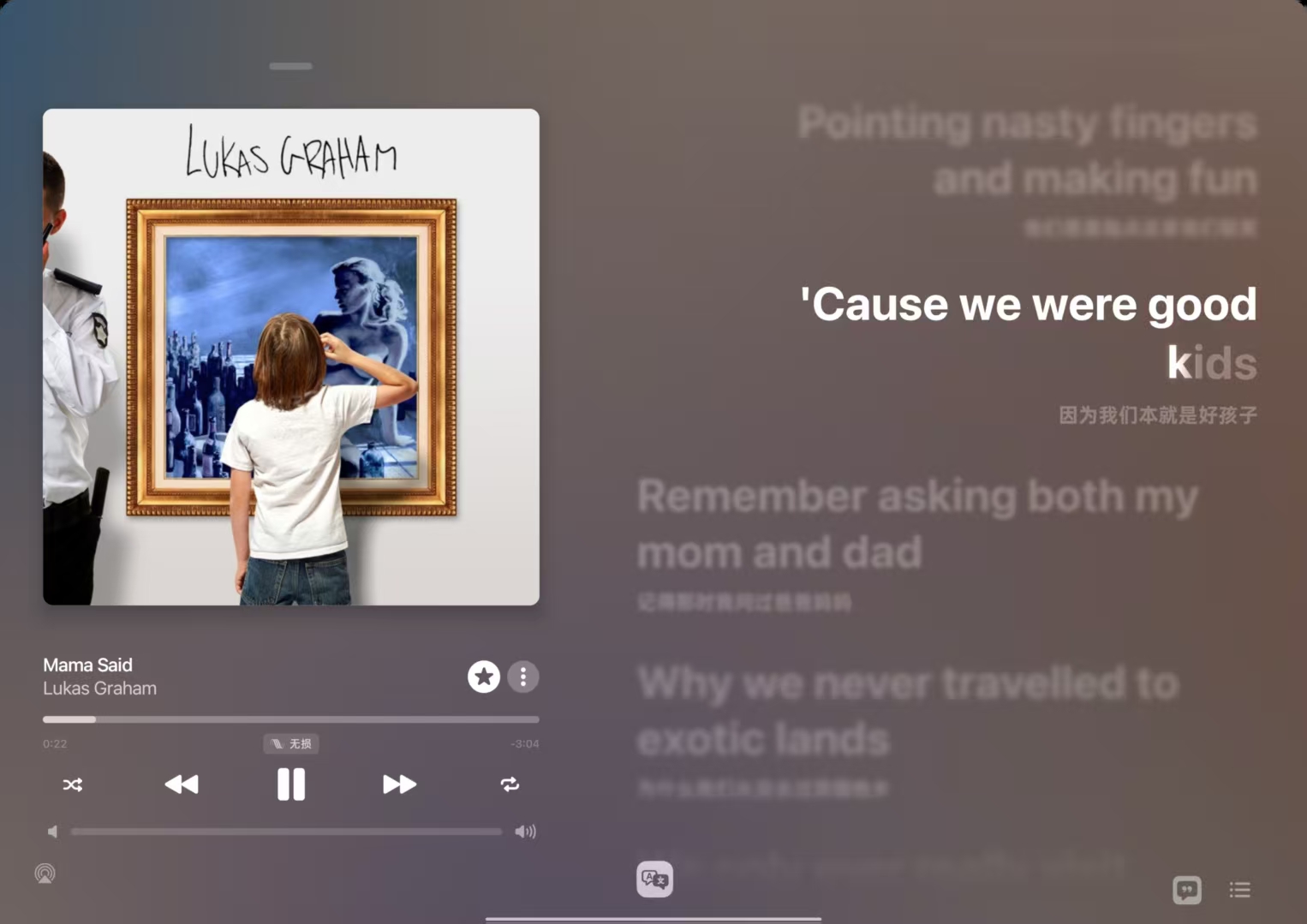
| Tablet dual-pane player | On | Displays playback controls and live lyrics side by side in landscape. |
| Show cellular data settings | Off | Shows the native cellular data options in settings. |
| Bidirectional lyric blur | On | Keeps the current line clear while surrounding lyrics gradually blur, with adjustable intensity (Android 12+). |
| CJK long-tail lyric animation | On | Adds a sweeping highlight to sustained Chinese, Japanese, and Korean lyrics. |
| Song title correction | Off | Displays titles and related information using the song's original region, Mainland China, or Japan. |
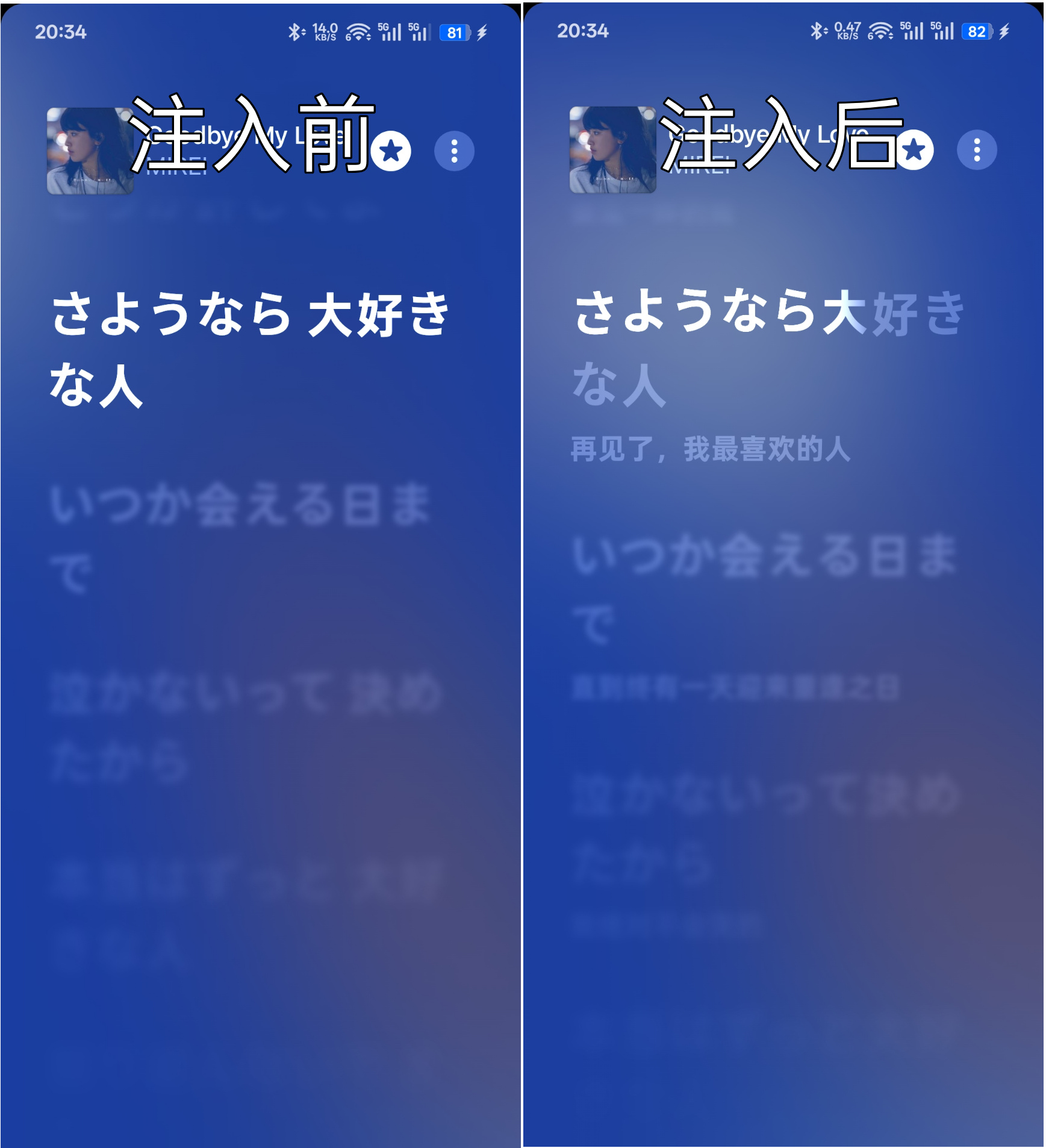
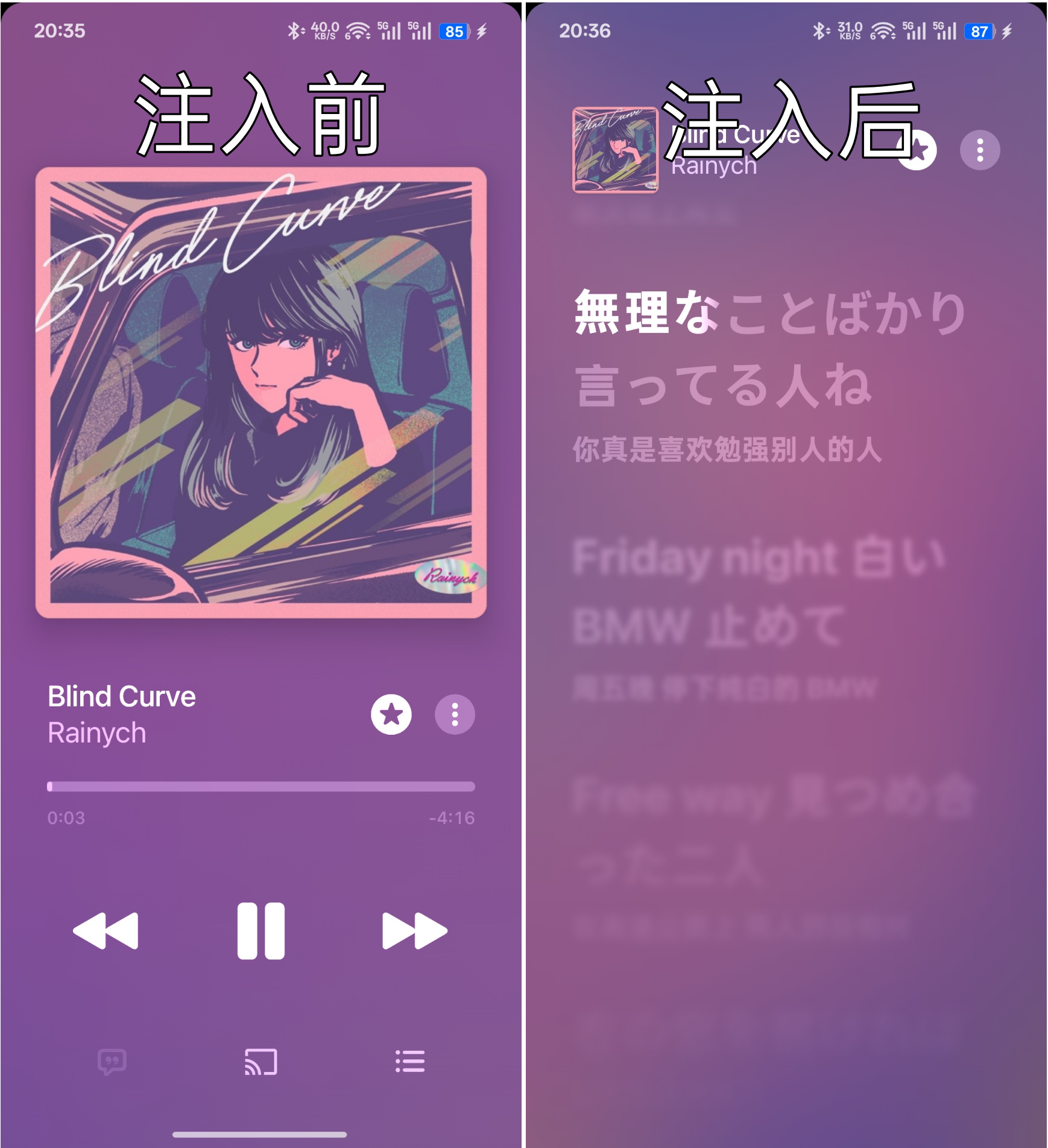
| Custom lyrics | Off | Imports and edits TTML lyrics, with online fetching and ZIP backup and restore. |
| Automatic live completion | On | With custom lyrics enabled, finds lyrics for songs missing lyrics, word timing, or translations. |
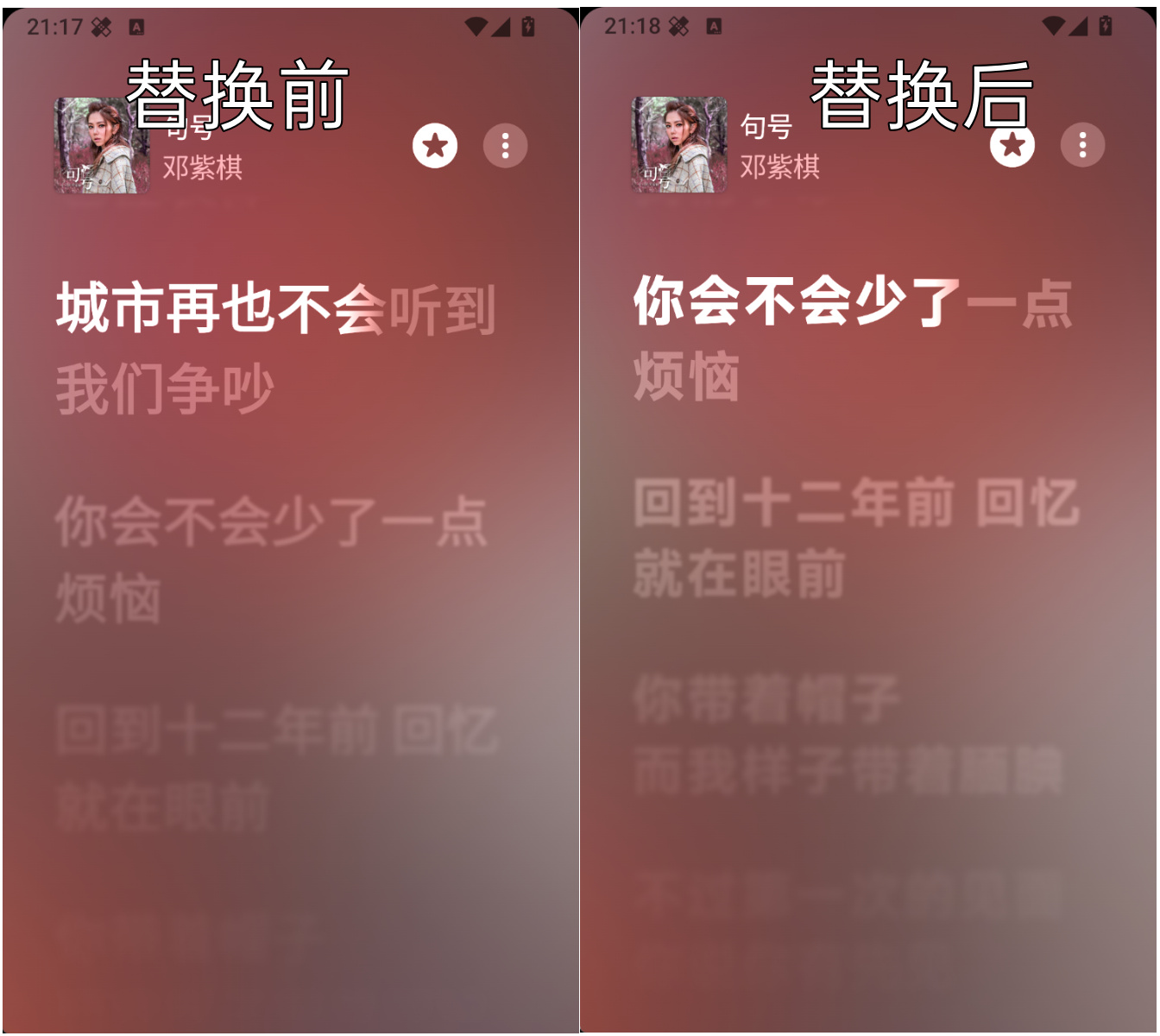
| Lyric font | Off | Imports TTF/OTF fonts, with an option to restore the original font. |
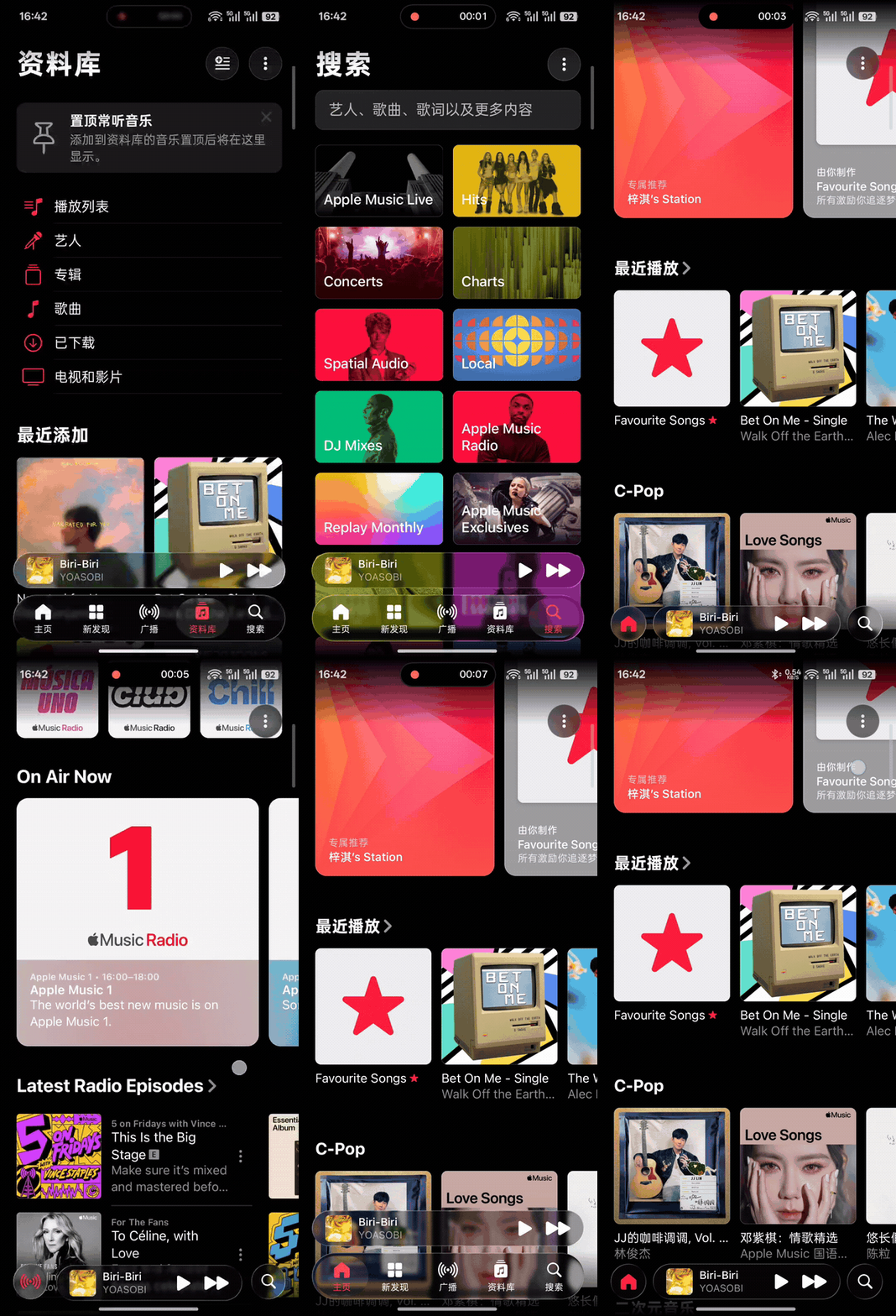
| Liquid Glass navigation | Off | Adds Liquid Glass effects to the navigation bar and mini player (Android 13+). |
| Collapse on scroll | On | Collapses or expands the glass navigation bar as you scroll on phones. Applies immediately. |
## Screenshots
### Custom lyric injection
### MiSans font replacement
### Tablet dual-pane player and lyric blur
### Liquid Glass navigation
## Installation
### Xposed module (recommended)
Requires Apple Music and an Xposed framework supporting libxposed API 102.
1. Download and install the AM++ APK from [Releases](https://github.com/Zennmn/AM-plus-plus/releases/latest).
2. Enable **AM++** in LSPosed or a compatible Xposed manager.
3. Select only Apple Music (`com.apple.android.music`) in the module scope.
4. Force stop and reopen Apple Music.
5. Open Apple Music → Settings → **AM++ Module Settings**.
### npatch embedded edition
Install the [npatch embedded edition](https://github.com/Zennmn/AM-plus-plus/releases/tag/embedded-2026.08.10-r1) directly without LSPosed. It cannot be installed alongside the official app.
## Usage
Some settings take effect after you force stop and reopen Apple Music.
### Custom lyrics
1. Open **Custom Lyrics** and enable custom lyric replacement.
2. Tap **Get ID** to read the current song, or enter its Apple Music ID manually.
3. Paste or import TTML, or fetch lyrics from AMLL, AM-Lyrics, or Lunabeat.
4. Save and enable the lyrics for that song.
5. Force stop and reopen Apple Music.
Lyrics can be searched, edited, deleted, and backed up or restored as ZIP files. During restore, choose whether to overwrite or keep existing lyrics. To write TTML manually, see the [format guide](docs/apple-music-ttml-format.md).
### Lyric font
1. Select a TTF or OTF file under **Lyric Font**.
2. After importing, force stop and reopen Apple Music.
3. To revert, tap **Restore Original Font** and reopen Apple Music.
The font applies only to player lyrics.
### Liquid Glass navigation
Enable **Liquid Glass bottom bar**, then force stop and reopen Apple Music to apply the glass effect to the navigation bar and mini player.
Adjust the background blur intensity, or enable **Collapse on scroll** on phones to automatically collapse and expand the bar as you scroll.
### Song title correction
Enable **Song title correction**, choose a region mode, and reopen Apple Music. When disabled, it follows your Apple Music account region.
## Building from source
Requires JDK 17, Android SDK 37, Build Tools 37.0.0, and the bundled Gradle Wrapper.
Windows:
```powershell
.\gradlew.bat test :app:lintDebug :app:lintVitalRelease :app:assembleRelease
```
Linux or macOS:
```bash
chmod +x gradlew
./gradlew test :app:lintDebug :app:lintVitalRelease :app:assembleRelease
```
The release APK is generated at:
```text
app/build/outputs/apk/release/app-release.apk
```
Before building a release APK, copy `keystore.properties.example` to `keystore.properties` and fill in the signing details. Debug builds do not require this configuration.
## Project structure
```text
app/src/main/java/ Module entry point, settings, and feature assembly
app/src/main/resources/ libxposed module metadata
core/ Configuration, lyrics, network sources, and layout policies
host-api/ Host capability and event interfaces
hook-runtime/ Xposed wrappers and logging
host-applemusic/ Apple Music version adaptation
glass/ Liquid Glass rendering
backdrop/ Upstream Backdrop library
docs/ User and developer documentation
scripts/ Development tools
```
## Roadmap
- [x] Tablet landscape dual-pane player
- [x] Bidirectional lyric blur
- [x] Custom lyric injection, backup, and restore
- [x] Lyric font import and restore
- [x] Liquid Glass navigation and mini player
- [x] Song title correction
- [ ] Continue adapting to future Apple Music versions
## Contributing
Issues and pull requests are welcome. Code changes should pass tests and builds. For interface issues, include your device model, Android and Apple Music versions, and screenshots or a recording.
For development and adaptation, see the [documentation index](docs/README.md) and [host adaptation guide](docs/host-adaptation-guide.md).
## Privacy and permissions
- Declares only the `INTERNET` permission for lyric fetching, translation completion, and song information queries.
- Requests no storage or notification runtime permissions. Local files are imported through the system file picker.
- Includes no analytics service or separate launcher icon.
- Stores settings, lyrics, and fonts in Apple Music's private directory.
## License and acknowledgments
Licensed under the [GNU General Public License v3.0](LICENSE). See [THIRD_PARTY_NOTICES.md](THIRD_PARTY_NOTICES.md) for third-party licenses.
- [AMLyricBlur](https://github.com/a23bc/amlyricblur): lyric blur.
- [AndroidLiquidGlass / Backdrop](https://github.com/Kyant0/AndroidLiquidGlass): Liquid Glass effects and interactions.
(Back to top)