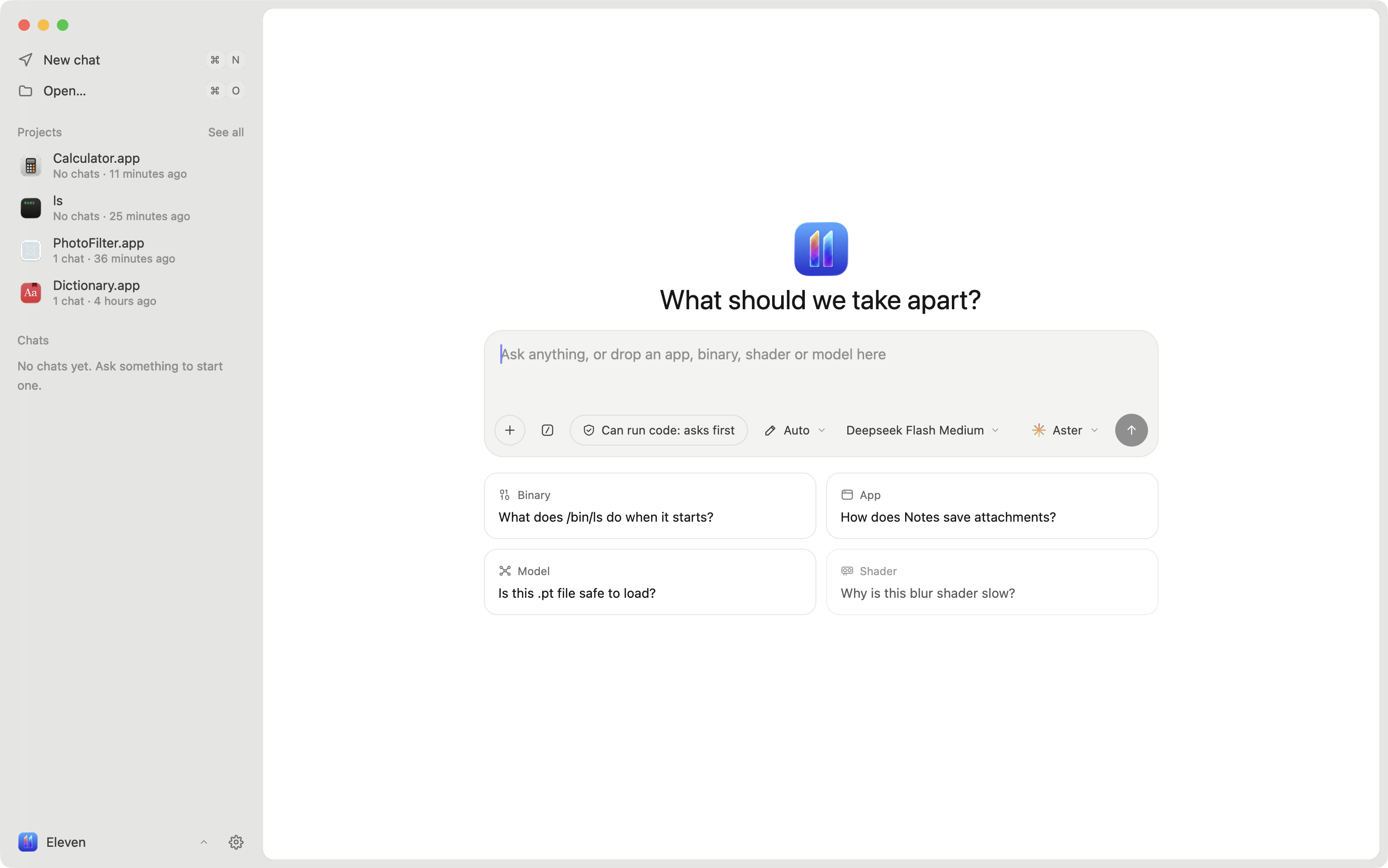
Eleven is a reverse-engineering app built around agents. Drop in an app, a binary, an Android APK, a GPU kernel, a shader or a model and ask what it does. Any agent that speaks the [Agent Client Protocol](https://agentclientprotocol.com) can read the code, follow references, rename functions, leave notes and suggest patches, while you watch and approve in the same window.
Native code is read by [Ghidra](https://ghidra-sre.org) through [REA](https://github.com/morluto/rea), or by [Rizin](https://rizin.re) when you want files to open in seconds. Android apps are read by [jadx](https://github.com/skylot/jadx). The UI is React rendered natively on GPUI by [GPUIX](https://www.npmjs.com/package/@gpuix/react).
## Features
- **Bring your own agent.** Aster, Claude, Codex, Gemini, Cursor, Copilot, OpenCode and any other ACP agent. Run several on the same project, each in its own chat.
- **Agents drive the window.** Eleven serves its own MCP tools so an agent can open a function, switch views, rename, add notes, change types and propose patches.
- **Ask about any code.** Select lines in pseudocode, assembly or a source file and ask, explain or copy them. The answer opens under the lines, and a suggested rename arrives as a card you accept or decline.
- **You stay in control.** Every change by you or an agent is logged with its author and can be undone. Byte patches from agents arrive as suggestions you accept or decline.
- **Mach-O, ELF and PE.** Functions, pseudocode, assembly, control-flow graph, cross-references, strings, segments and hex. Change a line's type (code, procedure, data, string) and number format with Hopper's keys.
- **Android apps.** APKs open with Java from jadx, smali from apktool when it's installed, string resources, and the manifest, `res`, assets and native libraries in a Resources list. Split bundles (`.xapk`, `.apks`) open with every split in place.
- **Source files.** Eleven finds the source files a binary was built from, reads Swift types straight from the binary, and has your agent recreate a whole file, with each function linked back to its address.
- **Rewrite in any language.** Show a function's pseudocode rewritten by your agent in C, C++, Rust, Go, Swift, Python, TypeScript, Java, C# or Zig.
- **GPU kernels.** CUDA and HIP fat binaries open as highlighted PTX, with notes beside each block and rewrites in CUDA C++, HIP C++ or Metal.
- **Shaders, models and GPU profiles.** Metal shaders and ML model files (GGUF, safetensors, PyTorch, ONNX) open in the workbench, linked to the code that loads them. Profile with Instruments.
- **Projects.** A project is one app or binary and holds its chats, agents, renames, bookmarks, notes and patches. Press ⌘S to save it as a single `.eleven` file you can share. Nothing is written there until you do.
- **Patching.** Edit bytes at an address and write a patched copy. The original is never touched.
- **Diffing.** Compare two builds by function and read the changes like a code review.
- **Debugging.** Run a program under LLDB, break on the function you are looking at, step and read locals.
- **Playbooks.** Built-in skills such as first look, name functions, trace a feature and network map work with any agent.
- **Export.** Pseudocode, assembly, control-flow graphs as PDF and Objective-C class inventories.
## Support Eleven
Eleven is free and built by one person. If it saves you time, [sponsoring on GitHub](https://github.com/sponsors/Zfinix) keeps it going. It pays for signed releases and the debugger, and you can see what's coming next.
## Install
**macOS** 14 or later on Apple Silicon:
```sh
curl -fsSL https://eleven.chizi.app/install.sh | bash
```
This installs `Eleven.app` into `/Applications`. The app is signed and notarized by Apple.
**Windows** x64, in PowerShell:
```powershell
irm https://eleven.chizi.app/install.ps1 | iex
```
**Linux** x64: download the AppImage or the `.tar.gz` from the [latest release](https://github.com/Zfinix/eleven/releases/latest).
On first run Eleven walks you through picking an engine and an agent, and installs what's missing for you:
- **Rizin** opens most apps in seconds.
- **Ghidra 12.x with Java 21** is slower and gives the clearest pseudocode. Eleven downloads both, or uses copies it finds in `~/.local/share`, `~/Applications` or `GHIDRA_INSTALL_DIR`.
- **An agent.** Eleven installs ACP adapters when they are needed.
Android apps also need [jadx](https://github.com/skylot/jadx). [apktool](https://apktool.org) is optional and adds smali.
## Build from source
You need [Bun](https://bun.sh), Node 20 or newer, Ghidra and a JDK as above, and a checkout of REA 6.x next to this repo (`../rea`), or `ELEVEN_REA` pointing at one.
```sh
git clone https://github.com/Zfinix/eleven
git clone https://github.com/Zfinix/rea
cd eleven/app
bun install
bun run dev
```
| Command | What it does |
| --- | --- |
| `bun run dev [file]` | Runs the app with hot reload, optionally opening a file |
| `bunx tsc --noEmit --noUnusedLocals` | Typechecks the app, tests and scripts |
| `./script/test` | Runs the test suite one file at a time |
| `./script/bundle-macos` | Builds `build/Eleven.app` |
| `./script/bundle-windows`, `./script/bundle-linux` | Builds the Windows and Linux apps on those systems |
| `./script/package` | Builds, signs and zips a release |
## Environment
All of these are optional. Eleven finds the usual install spots on its own.
| Variable | Use |
| --- | --- |
| `GHIDRA_INSTALL_DIR` | Ghidra install to use |
| `JAVA_HOME` | JDK to run Ghidra with |
| `ELEVEN_REA` | REA to use instead of the bundled one |
| `ELEVEN_RIZIN` | Rizin to use |
| `ELEVEN_JADX` | jadx to use for Android apps |
| `ELEVEN_APKTOOL` | apktool to use for smali |
| `ELEVEN_LLDB_DAP` | `lldb-dap` for the debugger |
| `ELEVEN_SUPPORT` | Where Eleven keeps projects and settings |
| `ELEVEN_CACHE` | Where Eleven caches decompiled code |
| `ELEVEN_PROJECTS_DIR` | Where the save dialog starts (default `~/Documents/Eleven`) |
| `ELEVEN_EXPORT_DIR` | Where exports and patched copies go (default `~/Downloads/Eleven`) |
| `ELEVEN_SIGN_IDENTITY` | Code-signing identity for `./script/package` |
## Documentation
- [MCP tools](docs/mcp-tools.md): every tool agents get in Eleven, what each one takes and returns, permissions and privacy.
- [Skills](docs/skills.md): the built-in playbooks and how to write your own.
## Repository
- `app/` is the app: React and TypeScript on GPUIX.
- `launch/` is the launch video, made with Remotion.
- `install.sh` is the installer.
See [AGENTS.md](AGENTS.md) for how the code is laid out and the rules it follows.
## License
Eleven is released under the [Apache License 2.0](LICENSE). Bundled third-party code is listed in [THIRD_PARTY_NOTICES.md](THIRD_PARTY_NOTICES.md). Agent logos belong to their owners and appear only to identify those agents.